


We tested 12 ATS tools across six key criteria: Breezy dominated across the board, Teamtailor made automation effortless, and Manatal nailed AI-driven recruitment.
The best choice often depends on your hiring volume, team structure, and long-term recruiting goals. For this guide, I evaluated 12 ATS software solutions and selected the strongest options based on functionality and business needs.
| Provider | Best for | Starting price |
|---|---|---|
| Breezy | Best overall | $157 |
| Teamtailor | Automated workflows | Contact for a quote |
| Manatal | Candidate sourcing and comprehensive candidate profiles | $15 per user per month |
| BambooHR | Ideal for first-time ATS users | $250 per month for the first 25 employees |
| Greenhouse | Candidate experience and DEI initiatives | Contact for a quote |
Honorable mentions:
Featured partners
Looking for more ATS options? Jump to our applicant tracking software finder to compare platforms based on your team size, hiring goals, and must-have features.
Need Help? Talk to an HR Software Advisor
With over two decades of human resources and recruiting experience and more than three years of evaluating software for small businesses, I used my expertise to evaluate and recommend the top ATS software solutions. Plus, I reevaluated all the software on the original list to determine exact placement and, based on my expertise, updated recommendations. Additionally, I reviewed two additional ATS software to provide you with the best answer.
I leveraged user experience with my own in-depth analysis of the software, looking at affordability, job syndication, ATS features, and hiring collaboration. I picked my top recommendations for ATS software with your small business needs in mind.
Below is a breakdown of the criteria I used to judge each software. Each category also includes my expert score, which considers the effectiveness of that area based on my personal usage. As the market changes, I reevaluate my choices so you always receive the best insights for your purchasing decision.
Applicant tracking features: 30%
Applicant tracking functionality is the most important criterion, accounting for 30% of the overall score. During my evaluation, I considered features like multi-job board syndication, screening tools, hiring funnel automations, interview management options, resume parsing, and templates for job descriptions, emails, and offer letters. My expert score also evaluated the platform’s support for more strategic hiring elements, such as email nurture campaigns and career websites.
Platform and interface: 25%
How easy is the platform to use? Will it grow with the company? Is there an on-premise or mobile solution? And will candidate data be safe? This category covers the solution’s intrinsic features and offerings, including how well it will integrate with your current tech stack. It represents 25% of the platform’s score.
Reporting and analytics: 20%
Hiring analytics is one of the most data-rich areas of HR since the process concerns so much of a company’s current and future bottom lines. At 20% of the total score, platforms with customizable recruiting dashboards, widgets, graphs, and reports for tracking essential recruitment metrics like cost per hire, time to hire, hiring pipeline efficiency, and application sources scored the highest.
Pricing: 10%
Pricing accounts for 10% of the weighted score. Software with transparent pricing, scalable tiers, discounts, free trials, and free plans received the highest scores. I also considered each platform’s “value for money,” which determines whether the number of features in each price tier or module is competitive with other vendors in the space.
Support: 10%
With so many stakeholders in the recruitment process, platforms with the most support and training options performed best in this category. I considered customer support hours, training resources, and access to various types of support, such as phone, chat, email, knowledge base, and community forum. Support makes up 10% of the weighted score.
User reviews: 5%
User reviews from third-party software platforms like Capterra, G2, and TrustRadius accounted for 5% of the software’s overall score. I focused on software that received at least 3.5 out of 5 stars on these sites. Because users have real-world experience with each platform, they significantly influenced my list of top products to compare.
- BambooHR
- Rippling
- BreezyHR
- Greenhouse
- JazzHR
- Workable
- Zoho Recruit
- Recruit CRM
- Trakstar
- Teamtailor
- Manatal
- Recruitee
- Jennifer Soper tested the software mentioned in this guide and provided her expert scores. She used her hands-on research to provide expert analysis and recommendations.
- Irene Casucian conducted preliminary research and provided scores for each product’s objective data points.
- Jessica Dennis selected the criteria, sub-criteria, and products for Jennifer and Irene to review based on her professional background in HR and knowledge of the ATS market.
- May. 8, 2026: Brittany Brooks updated the comparison table for simplicity, re-evaluated the pros and cons, feature lists, and pricing details, and reorganized the content within the product cards for improved readability and clarity.
- Jan. 16, 2025: Jennifer Soper reevaluated the vendors in this guide for 2025 and updated the information and analysis accordingly. As a result, Breezy moved up in the rankings to the best overall pick. Jennifer also evaluated two new providers, Manatal and Recruitee. Based on their scores, Manatal ranked 2nd on the list, knocking Workable out of the top 5, and Recruitee made it to the list as an honorable mention, beating out Zoho Recruit.
- Apr. 10, 2024: Jessica Dennis reevaluated our top choices for 2024 with an objective scoring rubric. As a result, Bullhorn, JazzHR, and Freshteam dropped from our top five choices and were replaced by Teamtailor and Greenhouse. Jessica also provided fresh analysis, up-to-date product information, and vendor pricing.
- Oct. 19, 2023: Kaiti Norton reviewed the pricing information for each vendor to ensure accuracy.
- Aug. 30, 2023: We added links to other TechnologyAdvice pages for further reading.
- Aug. 25, 2023: We added vendor videos for BambooHR and Workable. We also tidied up some formatting details.
- Aug. 16, 2023: We added pricing, some product screenshots, and an analysis of why we chose our top products. We also added information on when to upgrade your ATS.
- Jun. 12, 2023: We restructured the page to put our expert recommendations front and center. We also added dynamic design elements to improve the visual flow of information.
- Apr. 25, 2023: We added our expert recommendations and made stylistic changes for simpler page navigation.
Best applicant tracking software

Breezy: Best overall ATS software
Overall Score
3.89/5
Applicant tracking features
4.39/5
Platform/interface
4.31/5
Reporting and analytics
3/5
Pricing
4.31/5
Support
2.55/5
User reviews
4.19/5
Pros
- Free to start with the Bootstrap plan.
- Over 800 templates for interview questions, checklists, and job descriptions.
- Side-by-side comparison of top candidates.
Cons
- Only one position can be open at a time with Bootstrap plan.
- Extra fee for AI-powered candidate evaluation.
- Software integrations are only available on the paid tier.
Why I chose Breezy
With a total score of 3.89, Breezy is my top pick for ATS software. It provides scalable tiers, plus a free plan and CRM capabilities in higher tiers. It is also ideal for growing businesses that want affordable candidate engagement features and automations to quickly attract and recruit needed talent. What’s great is that startups can leverage Breezy’s Bootstrap plan for free, giving them access to a career site that can also aid in brand marketing.
It performed well for its platform interface, screening questionnaires, assessment options, and collaboration tools. Moving to a paid tier also gives you access to advanced automations, a must-have as your hiring needs grow and you need smarter ways to sort and evaluate candidates. Breezy’s reporting and analytics are adequate, with standard visualizations and dashboards for time-to-fill, pipeline efficiency, and GDPR compliance. Still, custom dashboards and reports are available only on Pro plan subscriptions. This may make sense for scaling businesses, but enterprises might want to look to Greenhouse or Rippling for more robust analytics options.
Breezy checks all the boxes for a well-rounded ATS:
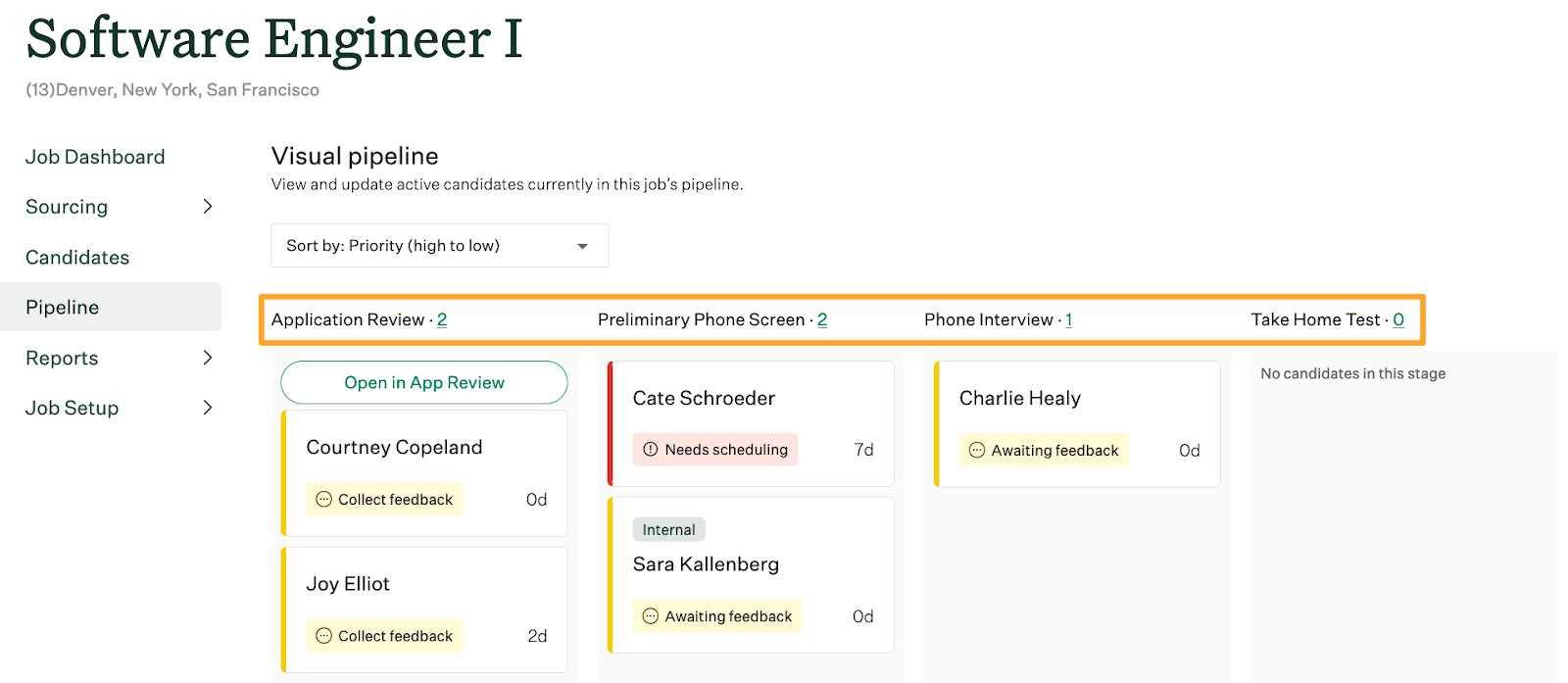
- Visual pipeline: See all your candidates for a position in one place and drag them to the appropriate stages in your hiring process.
- Resume parsing: Makes resumes searchable in more than 20 languages.
- Collaboration tools: Tag hiring team members inside candidate profiles and take public or private notes during conversations with the candidate.
- Interview management: Schedule multiple interviews with the candidate and various stakeholders, plus enable candidates to self-schedule.
- Talent pools: Create separate pools to organize potential candidates for future roles and continued engagement.
- Offer letters and rejections: Use pre-built offer letters and rejection templates to move forward with your hiring process.
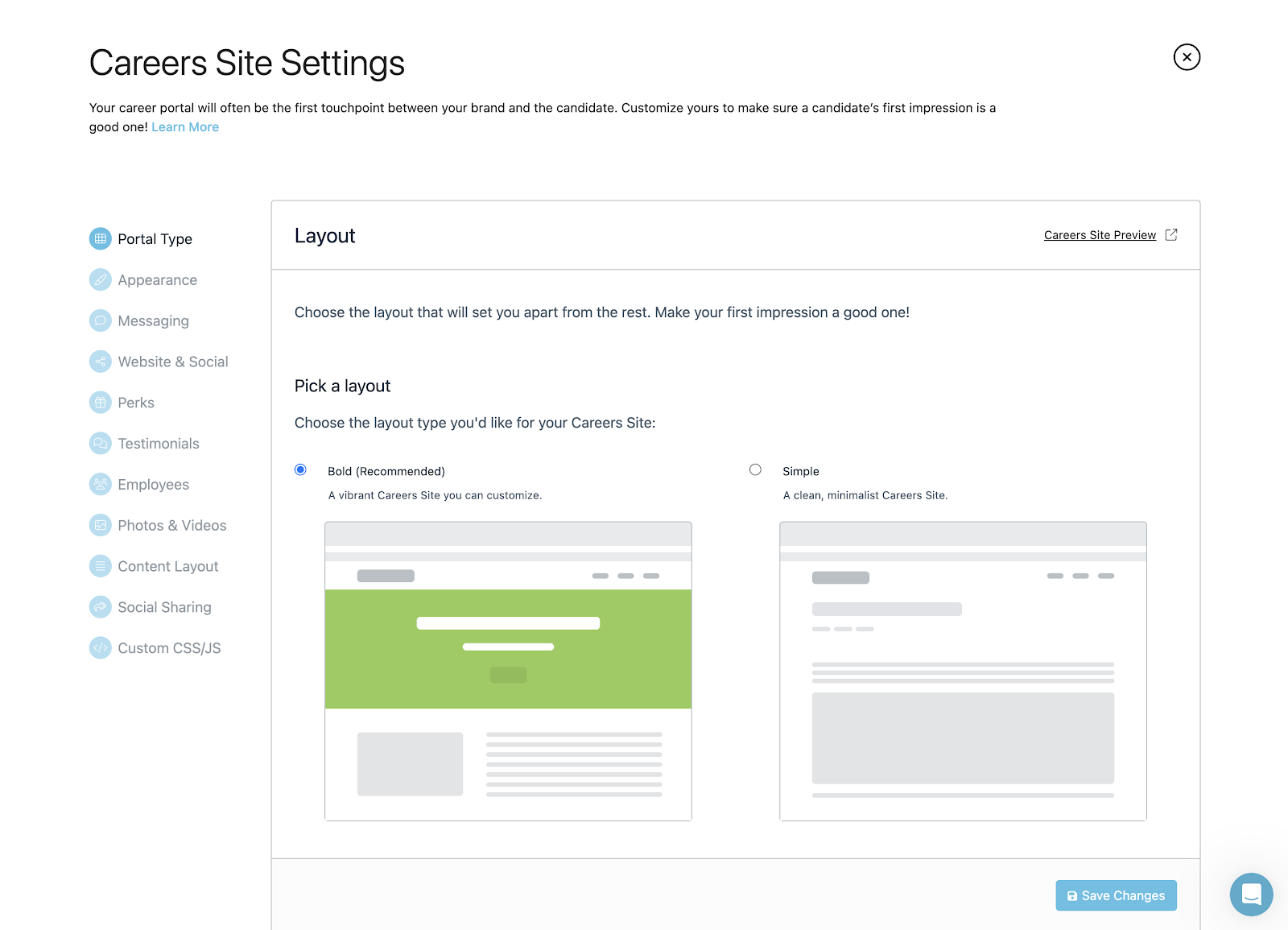
Breezy also offers strategic hiring tools, like email nurture campaigns, a custom career site with its Hello Messenger AI chatbot, and employee referrals. However, most of these tools are only available in Breezy’s highest-paid plans, making it a more expensive option for startups needing candidate engagement features to establish a brand presence.
Another drawback is that Breezy requires you to subscribe to its Business plan or higher to integrate with HR platforms and send offer letters. This means more manual work to onboard hired candidates, as their applications, assessments, interview notes, and offer letters don’t seamlessly transfer to your HR platform. Your recruitment teams must also spend more time crafting offer documentation and receiving it from your new hire.
But Breezy is easy to navigate, making it ideal for first-time ATS users or small recruitment teams. It has a user-friendly interface and focuses on centralizing the recruitment process with features like candidate sourcing and visual pipelines, making it a simple and accessible ATS without overly intricate functionality.
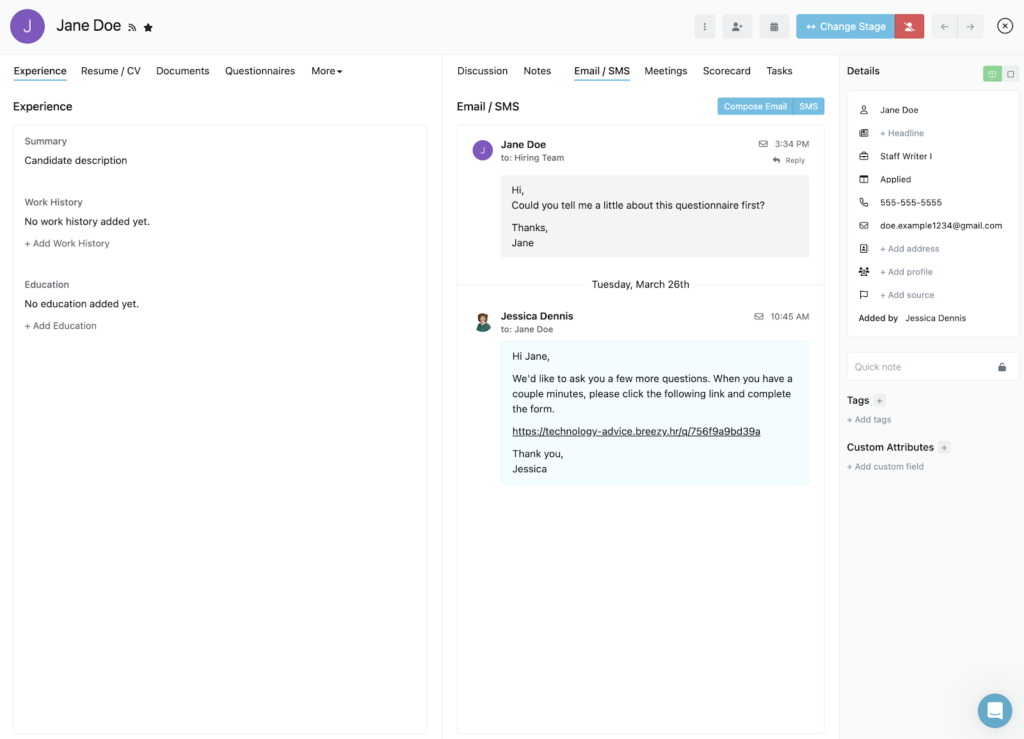
- Candidate messaging: Breezy HR centralizes communication by keeping email and SMS conversations in one place within each candidate profile. Platforms like Teamtailor and JazzHR also support texting, but Breezy makes it easier to switch between communication channels to respond to candidates in their preferred medium.
- Candidate management automations: Teams can automate notifications, assessments, and candidate movement based on their responses to screening questions. For example, candidates who fall short on an assessment can be moved to an entry-level talent pool for future hiring needs.
Candidate management automations
Breezy HR gives you a lot of control over the automations of your hiring pipeline, including notifications, email drip campaigns, and sending assessments or questionnaires to candidates. Its automations are also very flexible so you can speed up processes in your hiring funnel with little involvement from you.
You can also move candidates to different stages in your pipeline or talent pool based on how they answer particular questions. Besides saving you time from screening candidates who don’t meet the minimum position requirements, you can also curate lists of great candidates to source for future roles.
For instance, if you’re hiring a Staff Writer II but a potential candidate doesn’t have the required years of experience, you can automatically add their application data to a Staff Writer I talent pool. This way, you can return to it when you need talent for the entry-level role without starting the job search from scratch.


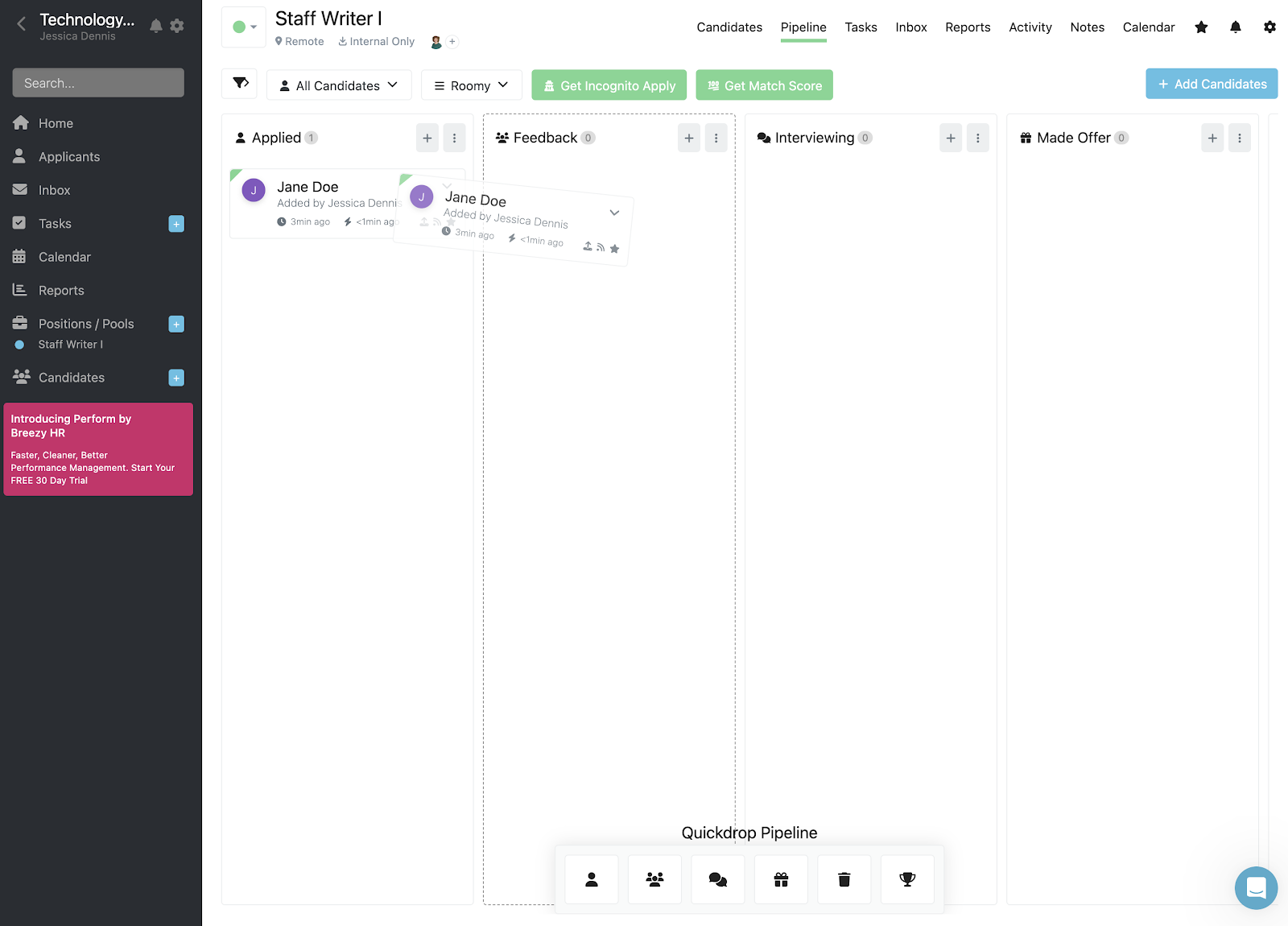


Breezy HR offers several price plans: Bootstrap, Startup, Growth, Business, and Pro. You can start with its free Bootstrap plan or choose its Startup plan, which starts at $157 per month (if paid annually). Breezy HR offers several paid add-ons, including SMS/text messaging, incognito apply, and candidate match score.
Breezy HR’s transparent fees, lack of long-term contracts, discounts, free plan, and 14-day free trial earned it top marks in pricing at 4.31 out of 5. For this reason, Breezy HR’s pricing scheme is ideal for startups, growing businesses, and those who want to customize their ATS functions.
Bootstrap
- Forever free plan.
- Unlimited users.
- Access to candidate information for 30 days.
- Career site.
- Job post syndication to more than 50 job boards.
- GDPR compliance controls and automations.
- Résumé parsing.
Startup
- Annual: $157 per month.
- Monthly: $189 per month.
- Includes everything in Bootstrap plan plus:
- Unlimited candidates, positions, and talent pools.
- Background check integrations.
- Customizable automations, questionnaires, and pipeline stages.
- EEO/OFCCP reporting.
- Calendar, video, and Slack integrations.
- Mobile app.
- Interview self-scheduling.
- Analytics and reporting.
- Task management.
- Video assessments.
Growth
- Annual: $273 per month.
- Monthly: $329 per month.
- Includes everything in Startup plan, plus:
- Reference checking.
- Interview guides.
- Employee referrals.
- E-signatures.
- External recruiter support.
- Hello Messenger AI chatbot (for career site).
- Multiple position locations and recruiting pipelines.
Business
- Annual: $439 per month.
- Monthly: $529 per month.
- Includes everything in Growth plan, plus:
- Multi-path questionnaires.
- Assessment and HR system integrations.
- Candidate comparison.
- Nurture campaigns.
- Custom roles and permissions.
- Job and offer approval workflows.
- Offer management.
Pro
- Contact sales for a quote.
- Includes everything in Business plan, plus:
- Dedicated account manager.
- Advanced reporting.
- Custom domains.
- Data export/import.
Add-ons
- SMS/Text Messaging: Starts at $41 per month.
- Candidate Match Score: Starts at $137 per month for subscription; $35 for single positions.
- Incognito Apply: Starts at $137 per month.
- Breezy Intelligence: Starts at $30 per month.
- Candidate onboarding: Starts at $40 per month.
Note: Annual pricing subscriptions include two months free.

Teamtailor: Best for automated workflows
Overall Score
3.72/5
Applicant tracking features
4.09/5
Platform/interface
4.44/5
Reporting and analytics
3.31/5
Pricing
2.06/5
Support
3.14/5
User reviews
3.96/5
Pros
- Intuitive and easy-to-use modern interface.
- Custom career site with drag-and-drop blocks.
- Built-in video meetings support, so you don’t need video app integration.
- Audience and meeting reports to measure candidate engagement.
- Sourcing extension to add prospects from LinkedIn.
Cons
- Can’t save hiring stage templates for faster job creation.
- Lacks granular access controls for more advanced teams.
- Limited EEO/OFCCP compliance options.
- Non-transparent pricing.
Why I chose Teamtailor
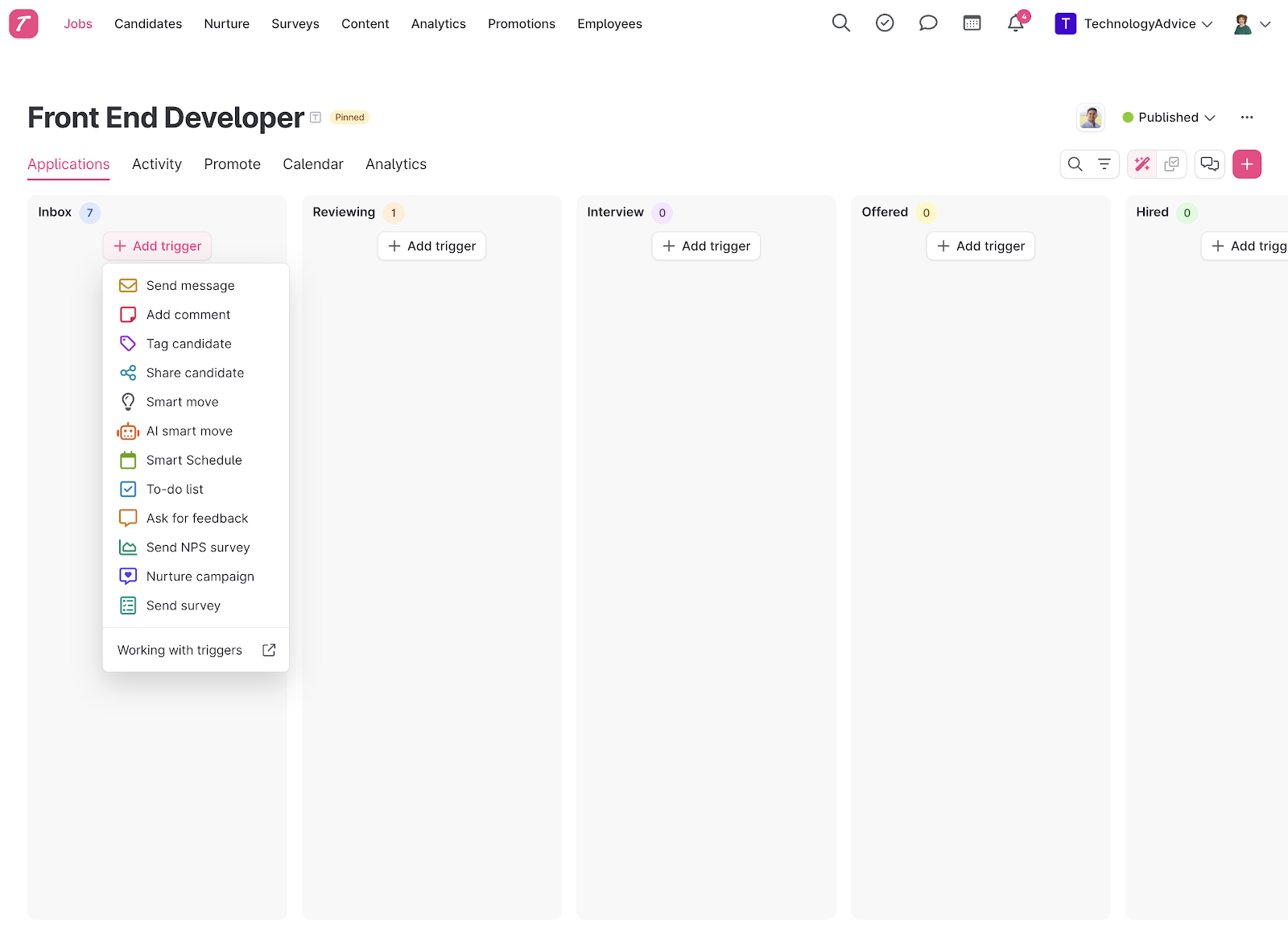
With a score of 3.72 out of 5, Teamtailor offers automated workflows with features like triggers, message templates, candidate experience options, CRM tools, and bulk actions to help streamline the recruiting process. It performed well in almost all the categories I evaluated. It got a high score for ATS, missing points only for its lack of robust candidate DEI reports and bias checkers.
Teamtailor is not the best ATS if you need more specialized reports, access controls, and pipeline stages. It also lacks options to simplify in-person sourcing, like optical character recognition (OCR) for uploading paper documents. Yet, its features straddle operational and strategic needs, making it approachable for recruiters’ day-to-day processes and powerful enough to support future business hiring objectives.
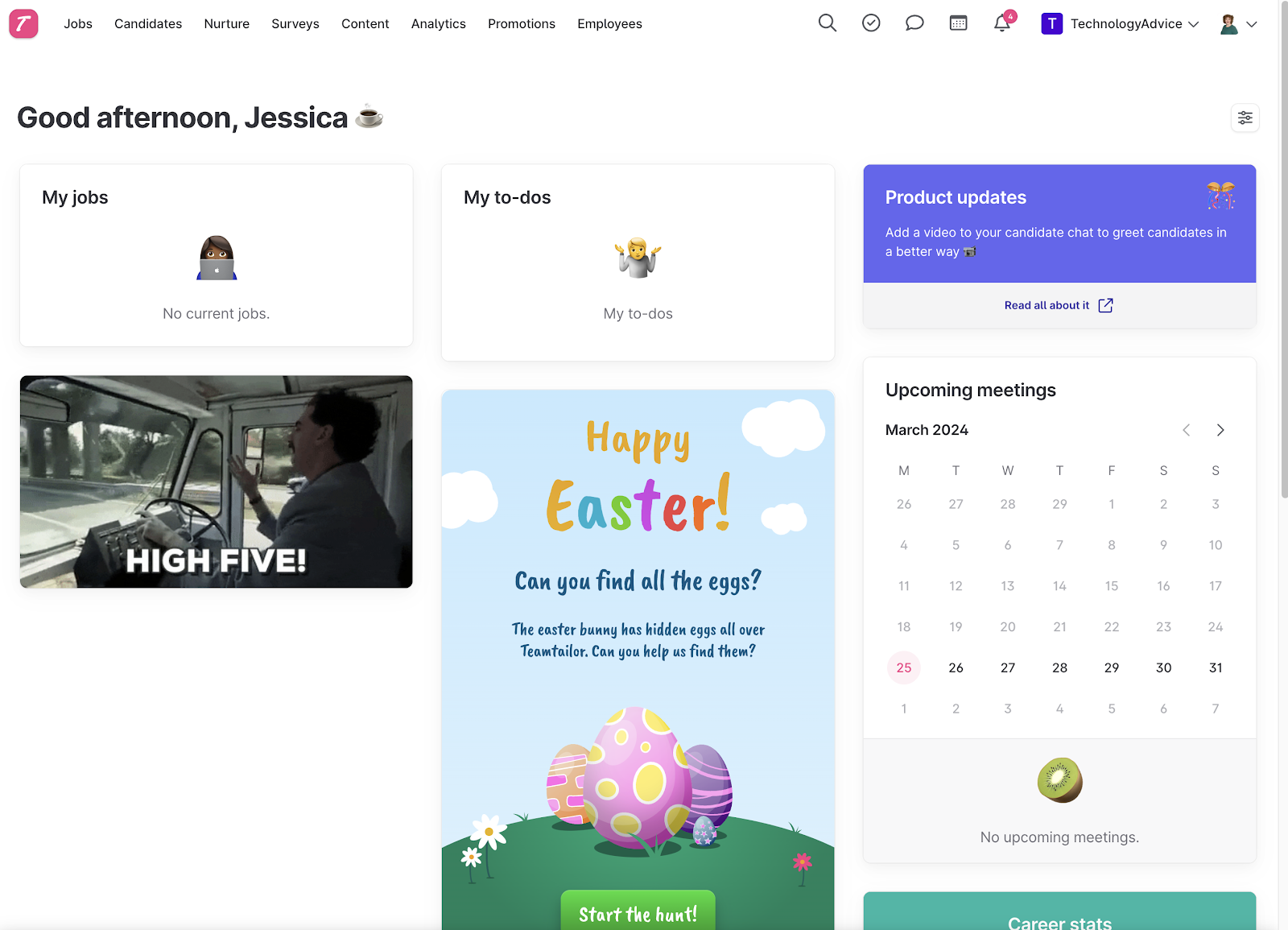
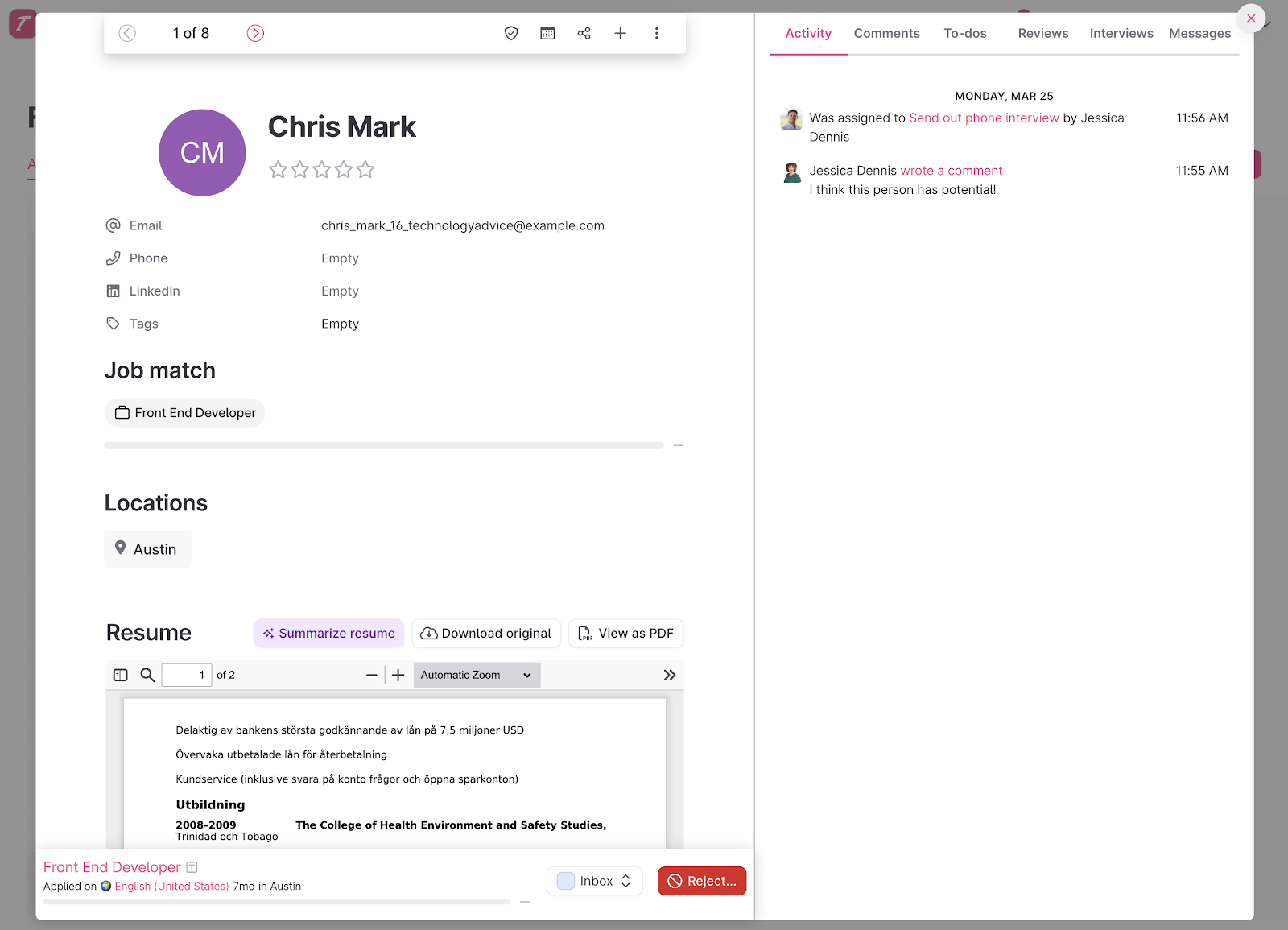
Although an ATS at its core, Teamtailor is unique in the way it blends strategic recruitment functions, like candidate experience tools, directly within its hiring pipeline. This makes it easier for you to understand the importance these features play in the success of your hiring initiatives.
Teamtailor lets you change and access the following directly from its visual pipeline:
- Job settings.
- Hiring stages.
- Job requisition automations.
- Promotions.
- Analytics.
As a result, you can adapt quickly when your hiring process needs to change. For example, it only takes two clicks to adjust interview stages, approval workflows, job posting boosts, or pre-employment assessments as you move candidates through your pipeline.
Teamtailor’s anonymous mode, which you can turn off and on at any stage of the hiring process, even helps minimize unconscious hiring bias. By comparison, Breezy HR’s Incognito Apply is a paid add-on.
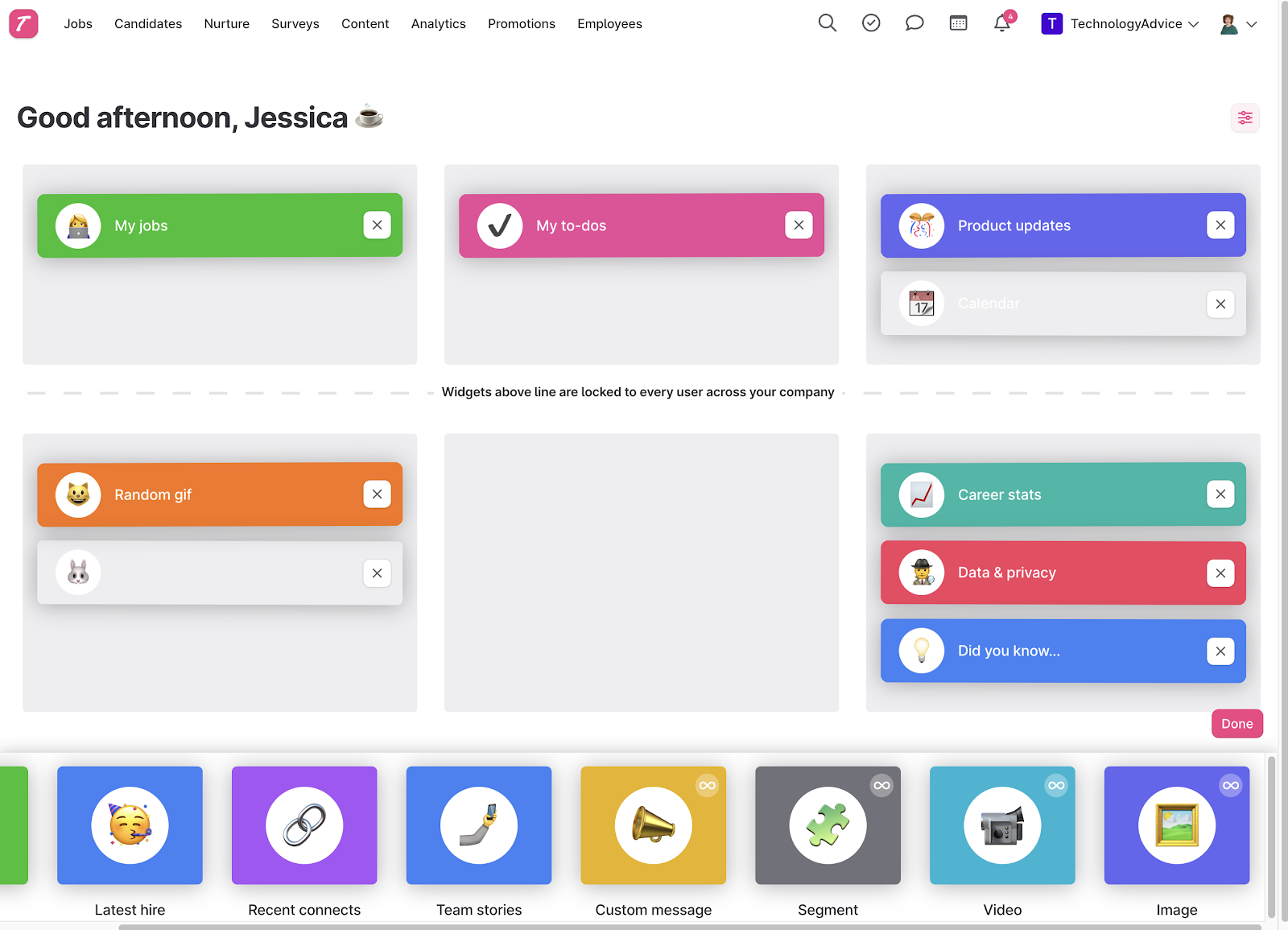
However, Teamtailor’s modern interface, with drag-and-drop capabilities, mouse hover actions, and collapsible toolbars, comes at the cost of more granular customization tools. For example, experienced hiring teams may not like defining the stages for each new job post instead of creating and saving a template for use later.
Its custom reports are also rather limited—instead of starting a report from scratch, you must choose from one of the following base reports first and then manipulate the data to fit your needs:
- Jobs.
- Candidates.
- Job applications.
- Employees.
Viewing historical data trends in Teamtailor has also only been a feature since late 2023. However, you can export CSV files or connect with your business intelligence (BI) software if you need more in-depth insights.
Get a closer look at Teamtailor: Greenhouse vs Teamtailor: Recruitment & ATS Solutions
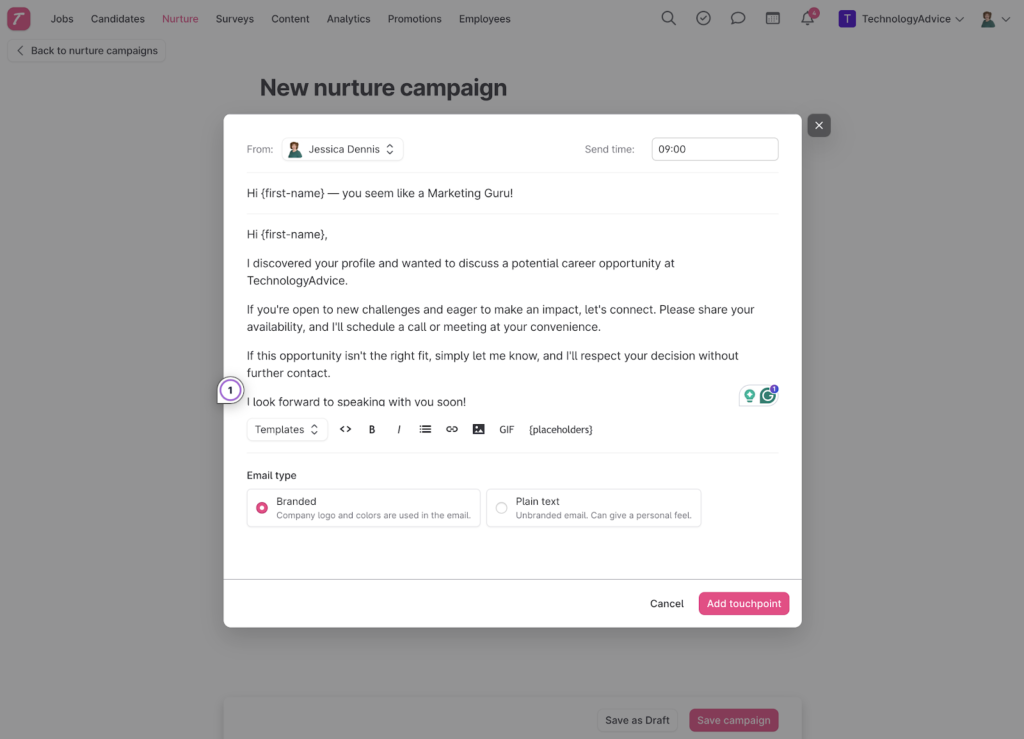
- Email nurture campaigns: Teamtailor’s built-in nurture campaigns help recruiting teams stay connected with passive candidates. You can send branded or plain-text email sequences individually or in bulk using a simple visual campaign builder. Although the platform lacks email analytics, its nurturing tools are more robust than those offered by most ATS platforms.
- Generative AI: Teamtailor’s Co-Pilot AI assistant helps recruiting teams move through hiring tasks more efficiently by generating job descriptions, summarizing resumes, and creating interview questions. The platform also uses AI to suggest screening questions to help identify qualified candidates faster.
- Customizable career site: Teamtailor’s drag-and-drop career site builder gives you more flexibility to showcase your employer brand beyond basic logos and color schemes. You can add videos, employee stories, and multilingual content. If you want additional customization, the platform also supports custom HTML and CSS.
Important to note!
I’ll be the first to tell you that I love Teamtailor’s AI functions, but they should never replace the human element. Teamtailor’s Co-pilot is possible because of its integration with OpenAI’s ChatGPT, which means it does make mistakes. Remember to review what it produces to ensure it aligns with the details of your open position and your company’s brand and culture.
With the passing of New York City’s Automated Employment Decision Tools (AEDT) law and the European Union’s Artificial Intelligence Act, become familiar with how your ATS makes candidate decisions. It never hurts to review automatically disqualified candidates to ensure fair decision-making.
You can learn more about AI in recruitment by visiting AI Recruiting: Uses, Advantages, & Disadvantages.

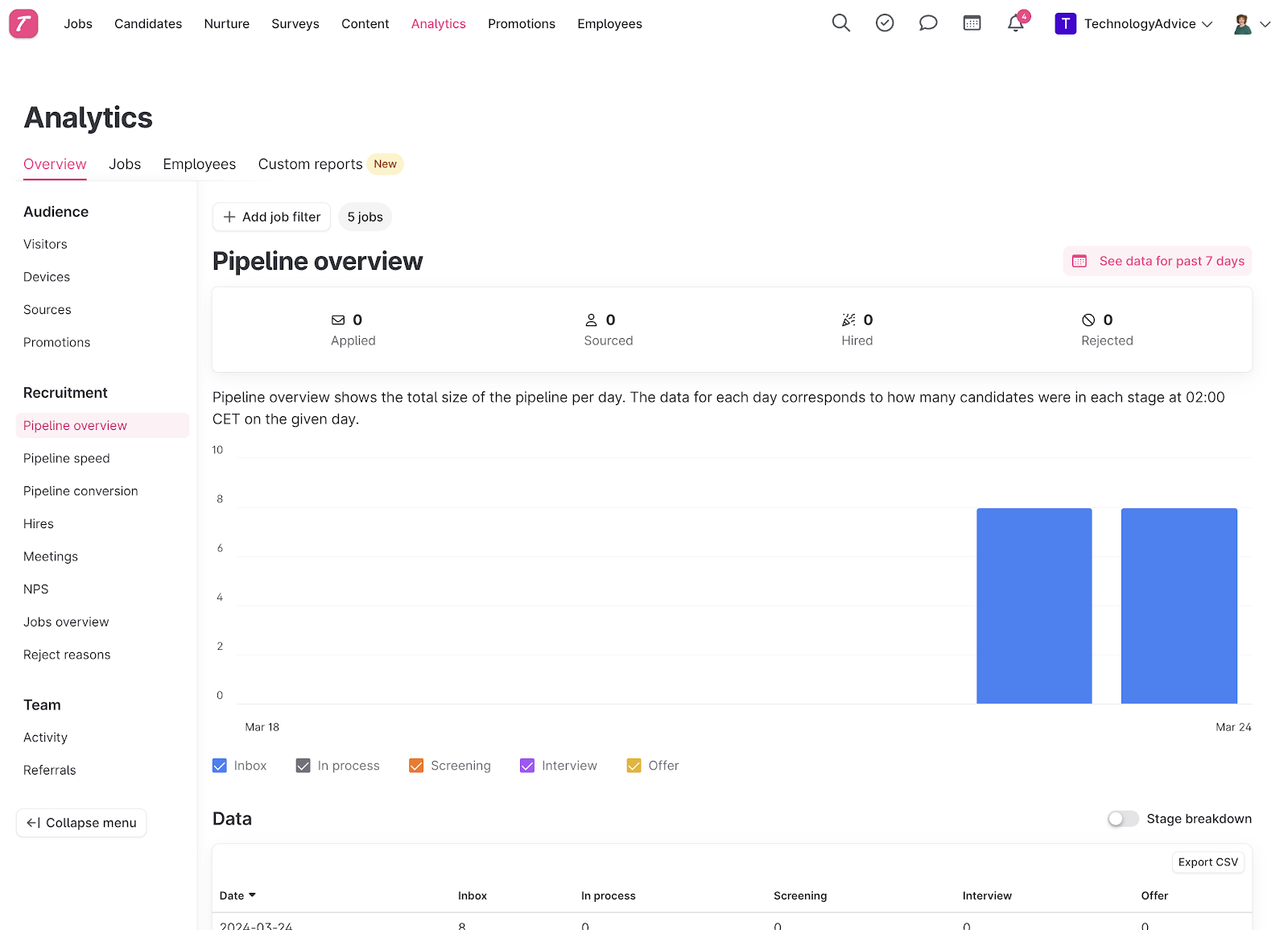
Since Teamtailor doesn’t list its pricing on its website, you have to contact its sales team for a custom quote. You also have to contact the sales team to access the 14-day free trial. The lack of pricing can be frustrating, and it severely impacted Teamtailor’s overall score for pricing. But many users still consider Teamtailor to be reasonably priced for the features it offers, like branding and candidate engagement tools.
Some review websites suggest that the platform starts around $1,250 annually for unlimited users, candidates, and job openings. The price may increase to access advanced features like AI tools, enhanced automations, and employee referral functionality.

Manatal: Best for AI recruitment
Overall Score
3.67/5
Applicant tracking features
3.13/5
Platform/interface
4.13/5
Reporting and analytics
3.75/5
Pricing
3.81/5
Support
4.05/5
User reviews
3.39/5
Pros
- Filter by candidate with AI candidate sourcing features
- Post job openings to over 2.500 free and premium job boards.
- Pricing is low compared to other ATS software.
Cons
- Lack of automation when communicating with candidates.
- Limited integration with other HRIS and HRMS platforms.
- No phone support.
Why I chose Manatal
With a score of 3.67 out of 5, Manatal made it on my list of top ATS software, ranking third overall. One of the things I like best about Manatal is how comprehensive its AI recruitment and candidate enhancements are. Because it sources everything about the candidate, like resumes, social media accounts, job history, and education, you get a full picture of them and how well they fit with your job descriptions.
Manatal is an AI recruitment software that allows you to post jobs to multiple job boards and manage candidates through the entire hiring process. It also integrates with social media to provide an overall view of the candidate, from application to resume to social accounts.
Manatal offers the following applicant tracking features
- Remote team management.
- Team collaboration.
- Recruitment metrics.
- Career page builder.
- Candidate scoring.
- Recruitment CRM.
- Candidate sourcing capabilities.
- Social media profile enrichment.
- Comprehensive recruitment analytics.
- Enhanced candidate engagement.
While Manatal has a multitude of candidate engagement features, it doesn’t have a lot of automated communication with candidates, compared to Teamtailor, which has fully automated workflows. This can make interacting with individuals that you are interested in moving through the hiring pipeline a bit more time-consuming.
Integration is another area where Manatal is both good and bad. The good news is that it integrates with a lot of job board apps and a few job assessment products to help you get a clearer picture of the overall qualifications and skills of candidates. On the other hand, it is limited in the number of human resources apps available, although it does integrate with BambooHR and HiBob.
- AI Candidate sourcing: Manatal combines candidate sourcing, job distribution, and AI-powered screening within a single platform. I think it’s beneficial for recruiting teams to get their job posts in front of as many eyes as possible. Manatal meets that by allowing your job openings to post to over 2,500 job boards. You also have access to a sourcing database of over 600 million profiles.
- AI recommendations: In my opinion, the platform’s superpower is its ability to match candidates to open roles and suggest relevant positions to candidates already in your database. You can refine the recommendations even further using customizable filters to surface qualified talent. Then build a shortlist of the best candidates.
- Candidate enrichment: The platform helps you see a more complete talent profile of your candidates by pulling publicly available professional data from over 20 social media sites, like LinkedIn, GitHub, and X. This provides additional insight into your candidates’ background and experience. Combined with Boolean search functionality, teams can quickly filter their database and surface candidates who closely align with specific role requirements or technical skill sets.
- Customizable application forms: The platform’s customizable application forms allow you to collect more targeted candidate information upfront. You can create required or optional fields, add open-ended questions, and use dropdown responses to better align applications with role-specific requirements. Manatal also offers templates to get your team started or build an application from scratch.
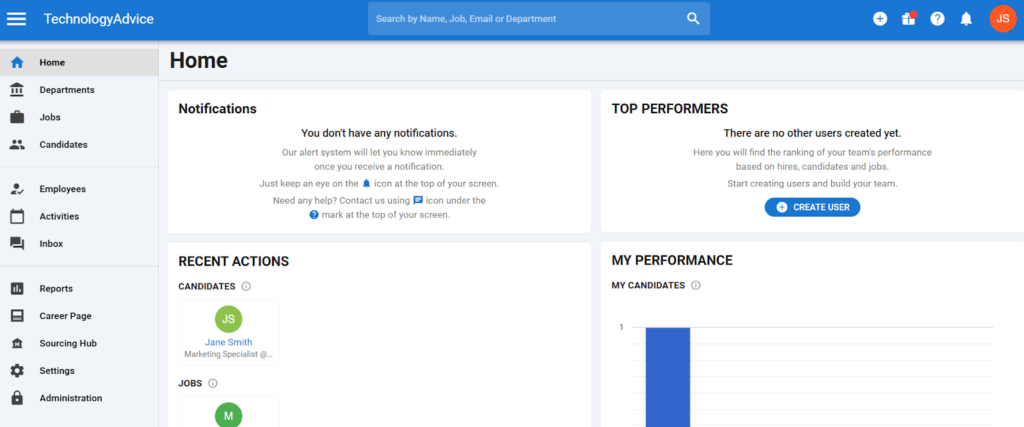
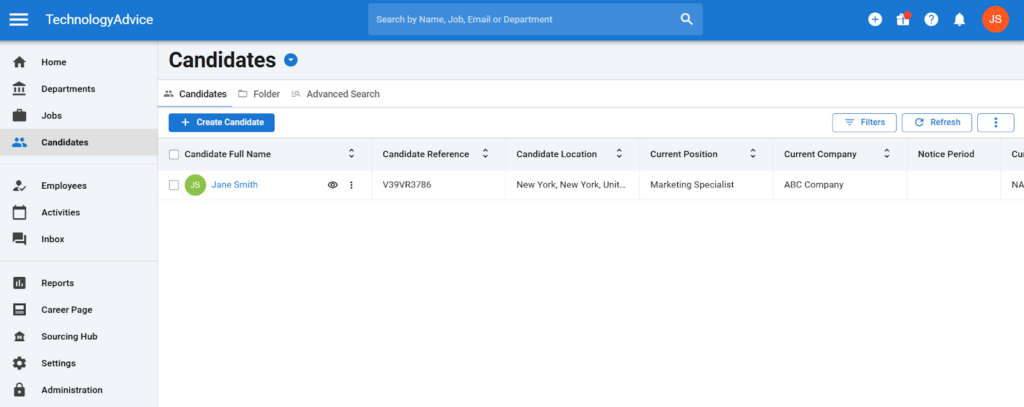
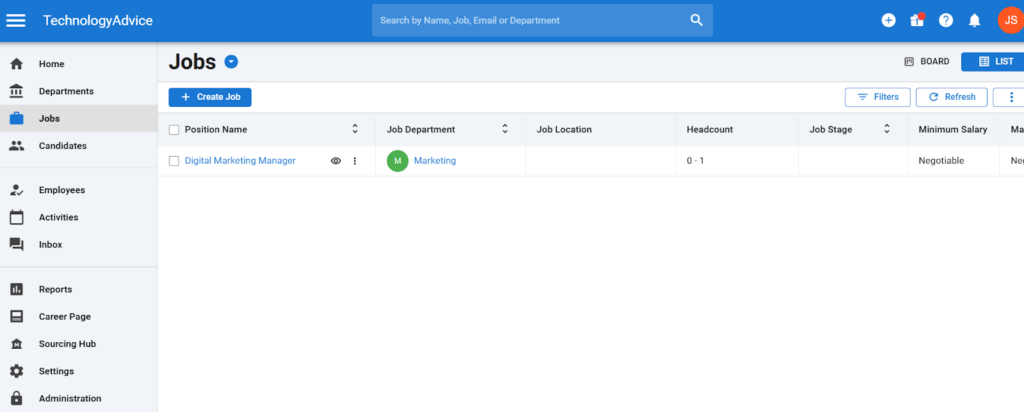
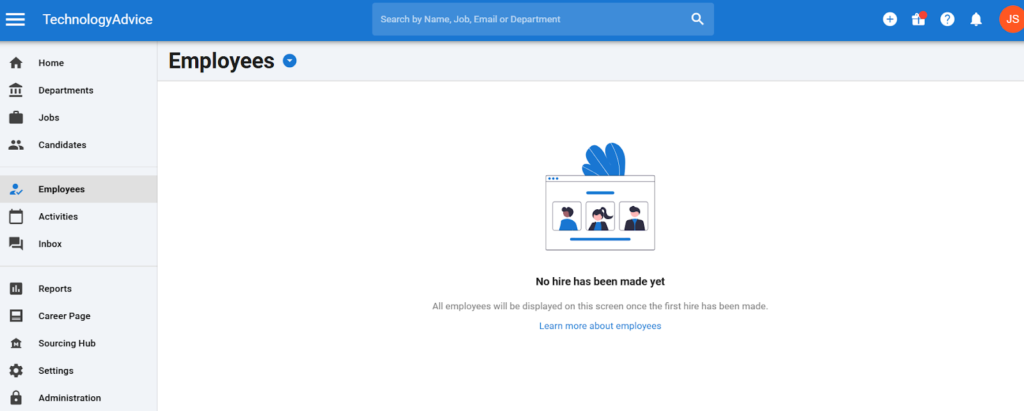
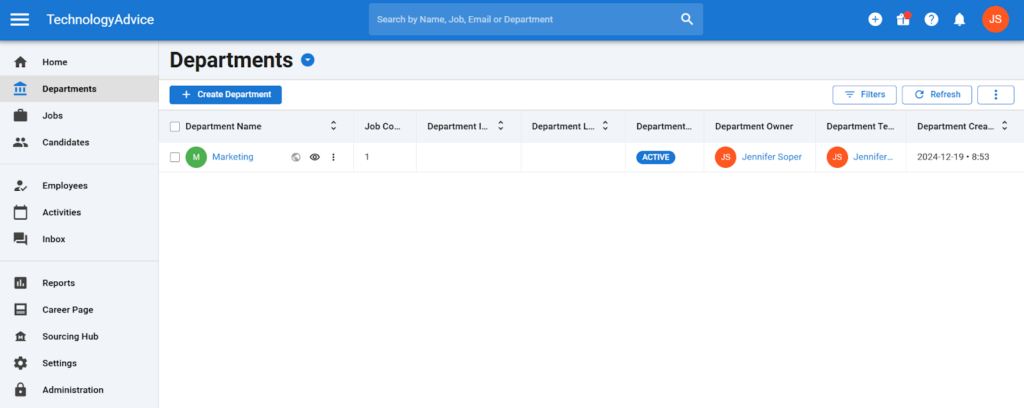
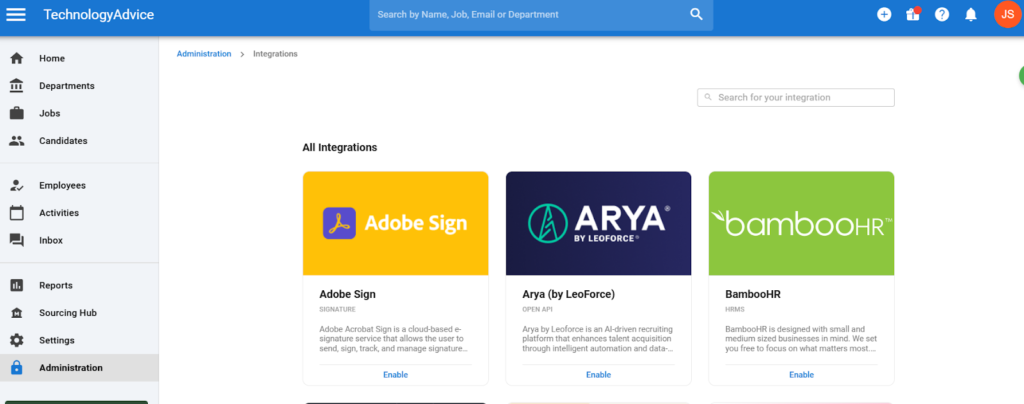
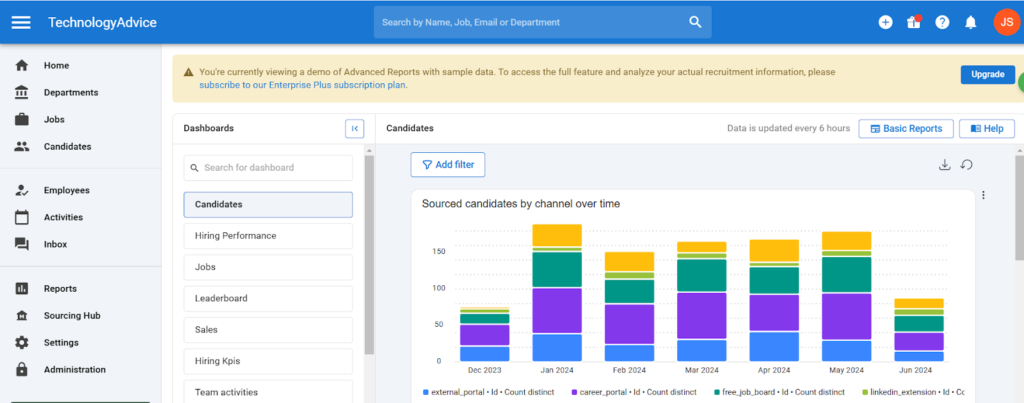
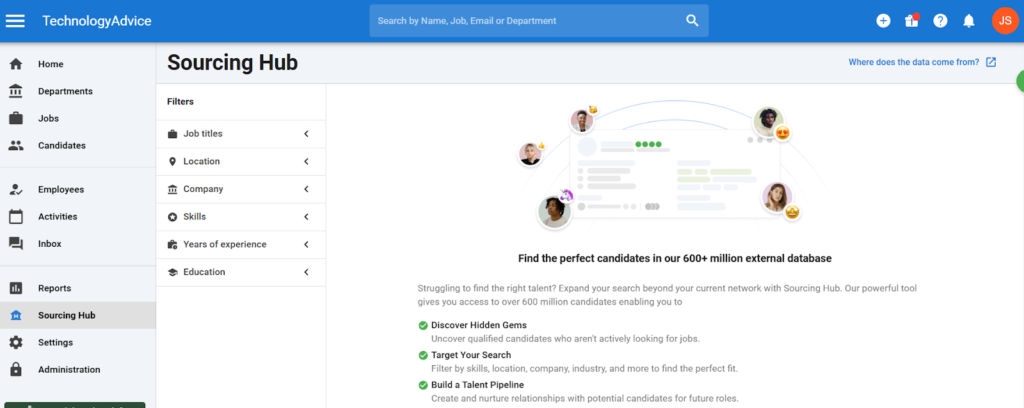
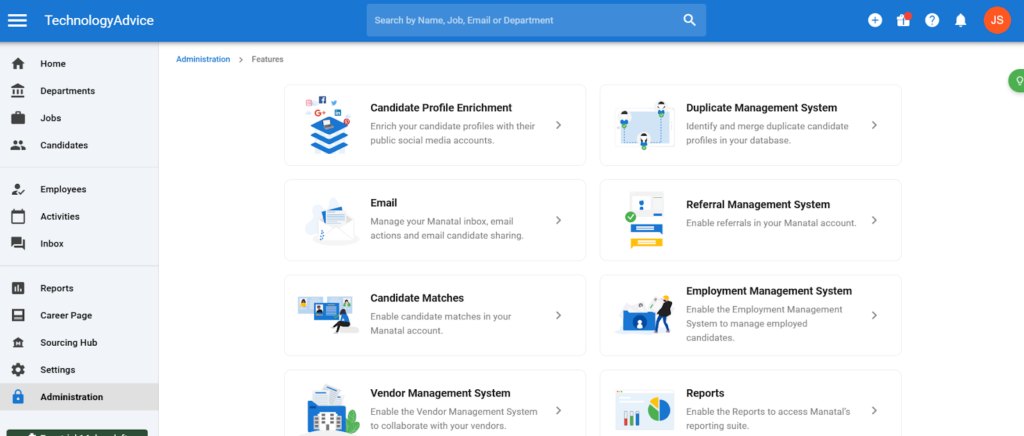
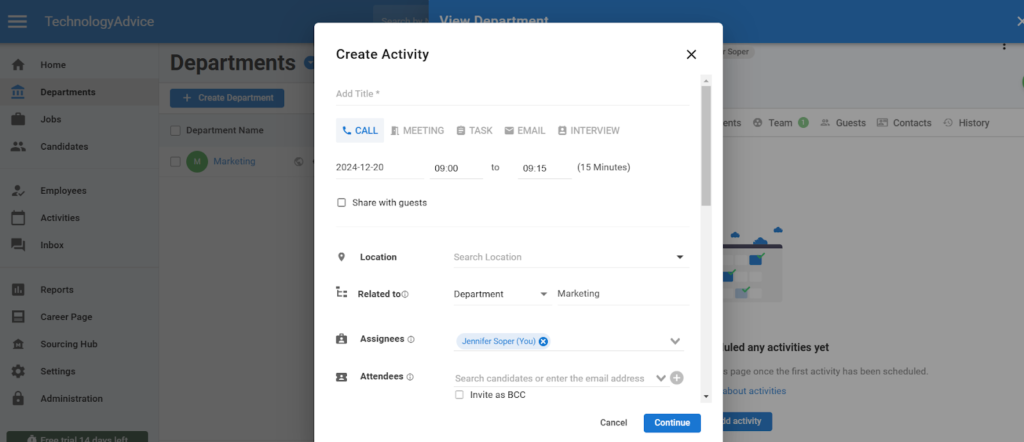
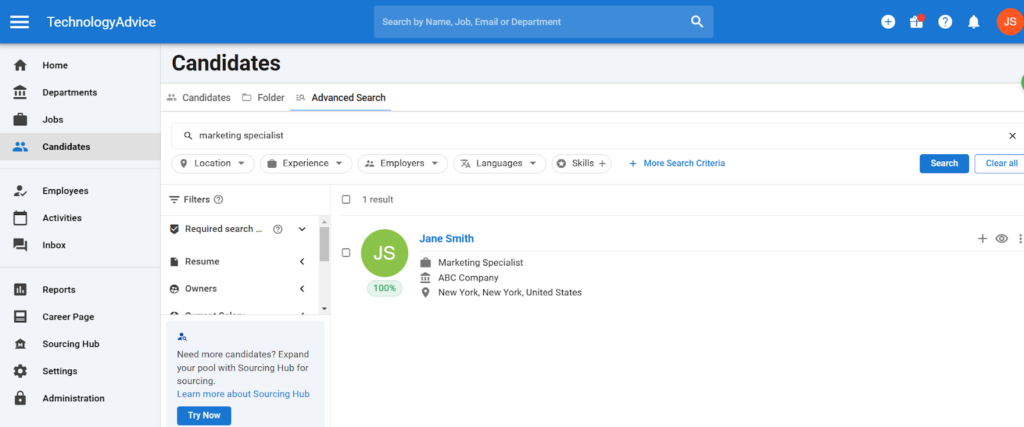
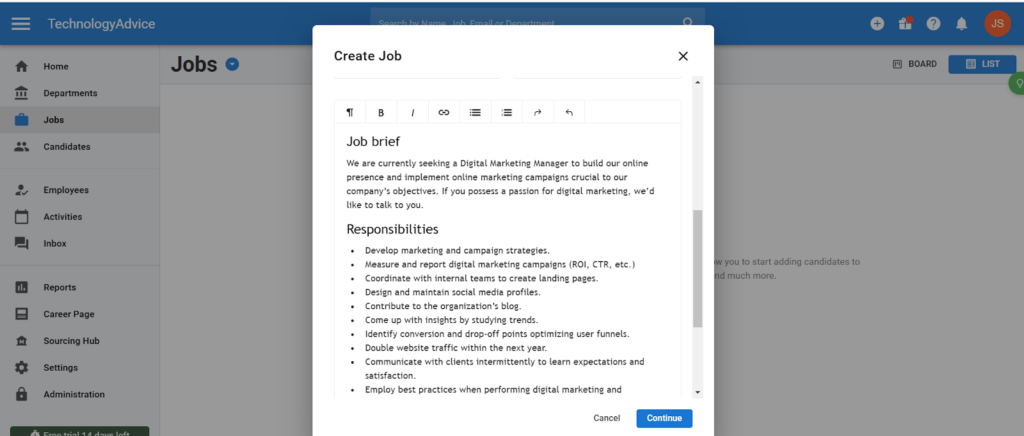
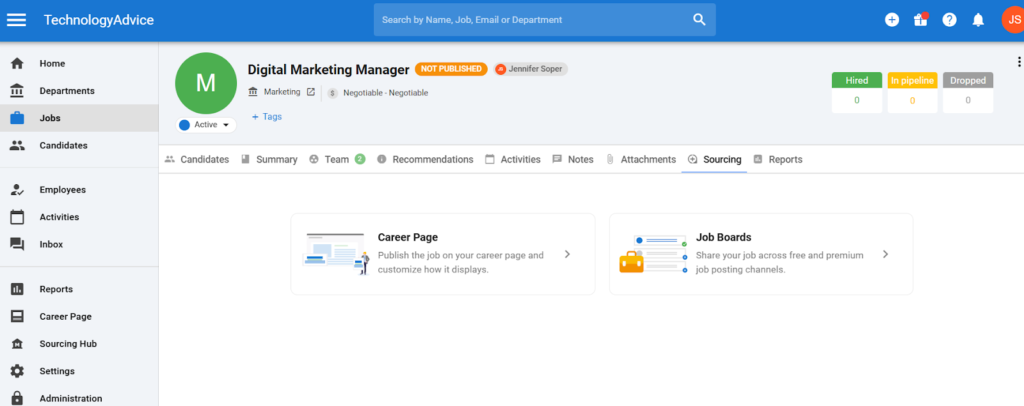
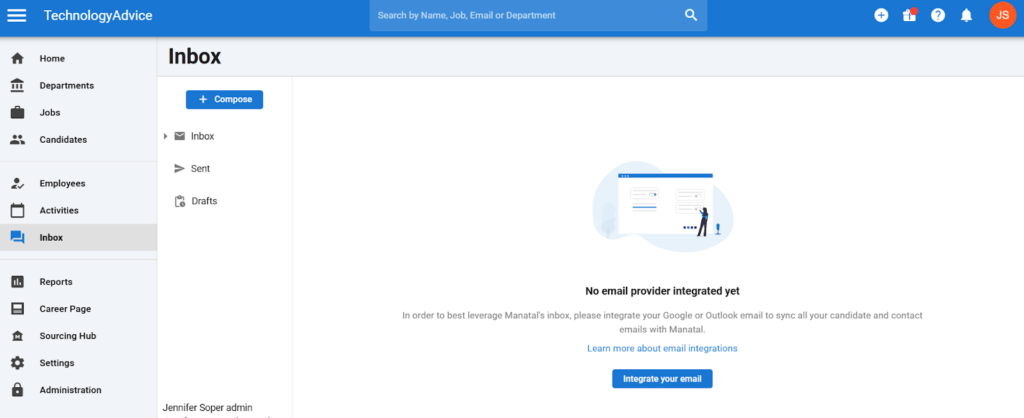
Manatal has four plans available: the Professional Plan for individuals and small teams, the Enterprise Plan for growing teams, the Enterprise Plus Plan for industry leaders, and a Custom Plan for large companies needing unique workflows and integrations. Plans start at $15 per month per user and go up to $55 per month per user (if paid annually).
Professional
- Annual: $15 per month per user.
- Monthly: $19 per month per user.
- Up to 15 jobs/account.
- Up to 10,000 candidates.
- Unlimited hiring managers.
- Candidate enrichment.
- AI recommendations.
- Applicant tracking system.
- Candidate sourcing.
- Data privacy compliance.
- Team and collaboration.
- Activities management.
- Reports and analytics.
- Support and assistance.
Enterprise
- Annual: $35 per month per user.
- Monthly: $39 per month per user.
- Includes everything in Professional, plus:
- Unlimited jobs.
- Unlimited candidates.
- Workflow automation.
Enterprise Plus
- Annual: $55 per month per user.
- Monthly: $59 per month per user.
- Includes everything in Enterprise, plus:
- User groups.
- Advanced report builder.
- Single sign on.
- Open API.
- Priority support.
- Access to Beta features.
Custom
- On demand pricing (contact for quote).
- Includes everything in Enterprise Plus, plus:
- Dedicated account manager.
- Phone support.
- Custom features.
- Custom integrations.
- Custom compliance and reports.
*14-day free trial available on all plans

BambooHR: Best for first-time ATS users
Overall Score
3.52/5
Applicant tracking features
3.08/5
Platform/interface
4.19/5
Reporting and analytics
3.19/5
Pricing
3.13/5
Support
3.79/5
User reviews
4.4/5
Pros
- Hiring module is included in all subscription plans.
- Easily transition candidates into onboarding and training.
- Intuitive reporting and analytics dashboard for new users.
Cons
- Number of job openings are limited in the Core and Pro plan.
- Lacks generative AI features for job and candidate management.
- HR and hiring mobile applications are separate.
Why I chose BambooHR
Although BambooHR is not the most powerful ATS on my list, its simple interface and clean layout make it quick to learn and start hiring if you’re new to recruiting. In particular, creating a new job opening can take less than 10 minutes since it only has a few steps and customization options before job board syndication.
That said, BambooHR’s overall score of 3.52 mainly results from its ease of use. For example, reports and approval flows are pre-built, making BambooHR an ideal plug-and-play HRIS and ATS for infrequent hiring needs and onboarding.
If you’re a more advanced ATS user, you may be frustrated by its lack of customizable pipeline stages, hiring team controls, interview kits, and interview management. I would look to Breezy HR instead if you need these features at an affordable starting price.
However, BambooHR has recently introduced knockout questions. These allow you to ask candidates questions during the application process, and depending on their answer, they will be knocked out of the running and placed in the “no” pile. This can save your hiring managers valuable time by not having to review resumes of unqualified candidates.
BambooHR differentiates itself in this roundup by being the only all-in-one HR software on my list of the top five ATS platforms. It beat Rippling, another comprehensive HR suite, by a very slim margin. This is because BambooHR is a highly user-friendly ATS with customer support available via phone, chat, and email. Plus, it’s more affordable to start with than other all-in-one platforms that reserve the hiring function in a separate module or paid add-on.
BambooHR’s biggest benefit is that it serves as the single source of truth for your hiring and HR teams—you don’t need to integrate with or import data into your HR platform from a standalone ATS like Teamtailor. Its ATS also uses the same interface as the rest of the platform, including its navigation tabs, lowering the learning curve for users already familiar with BambooHR’s layout.
However, BambooHR is not the best ATS for teams with more than an occasional hiring need. For example, the system is still largely manual, requiring you to move candidates to the next stage in the pipeline since it does not include stage automations like Teamtailor and JazzHR. This can quickly become overwhelming if you have multiple positions and applicants to manage at once.
Nevertheless, BambooHR is significantly more approachable for new recruiting teams that need to understand the various aspects of the recruitment process. Its lack of automatic candidate scoring dramatically reduces the chance of violating AI transparency in hiring laws since the majority of actions require human involvement.
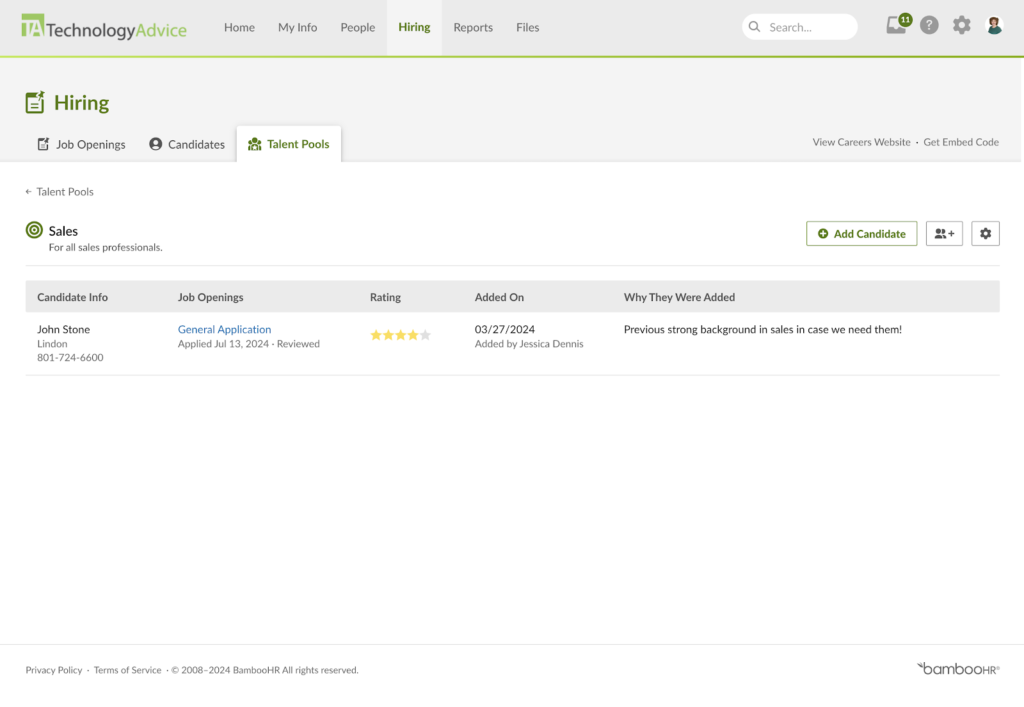
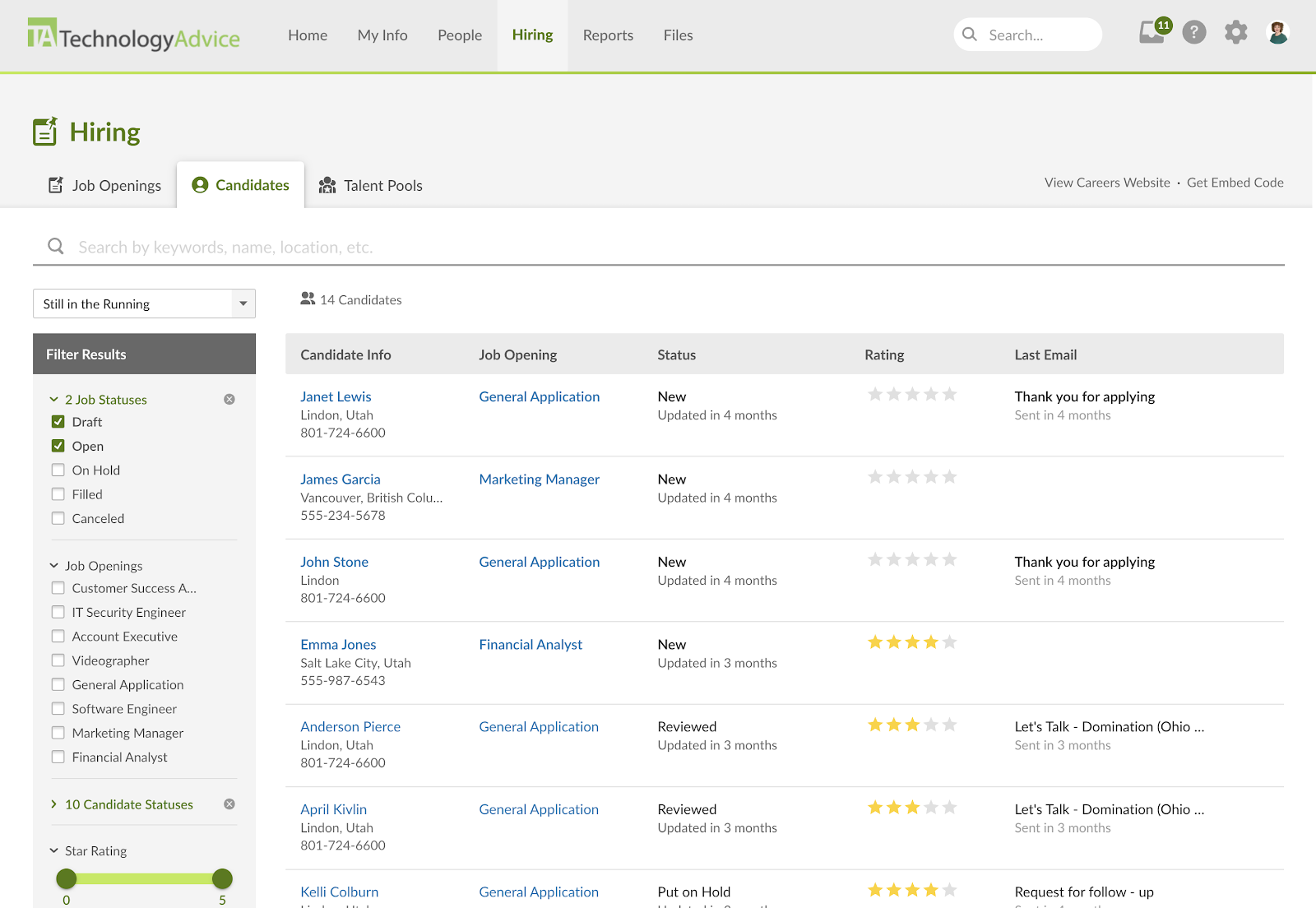
- Custom talent pools: BambooHR makes it easier to create and maintain your pipeline for future hiring needs. You can organize past applicants and top contenders into separate talent pools, helping you quickly revisit strong candidates for new openings. The platform also offers a separate dashboard to view each talent pool.
- Document management: I like how BambooHR makes the transition from recruiting to onboarding seamless. Once a candidate is hired, all their documents are automatically transferred to your human resources information system (HRIS). New hires can then move directly into onboarding to complete and e-sign documents.
Document management
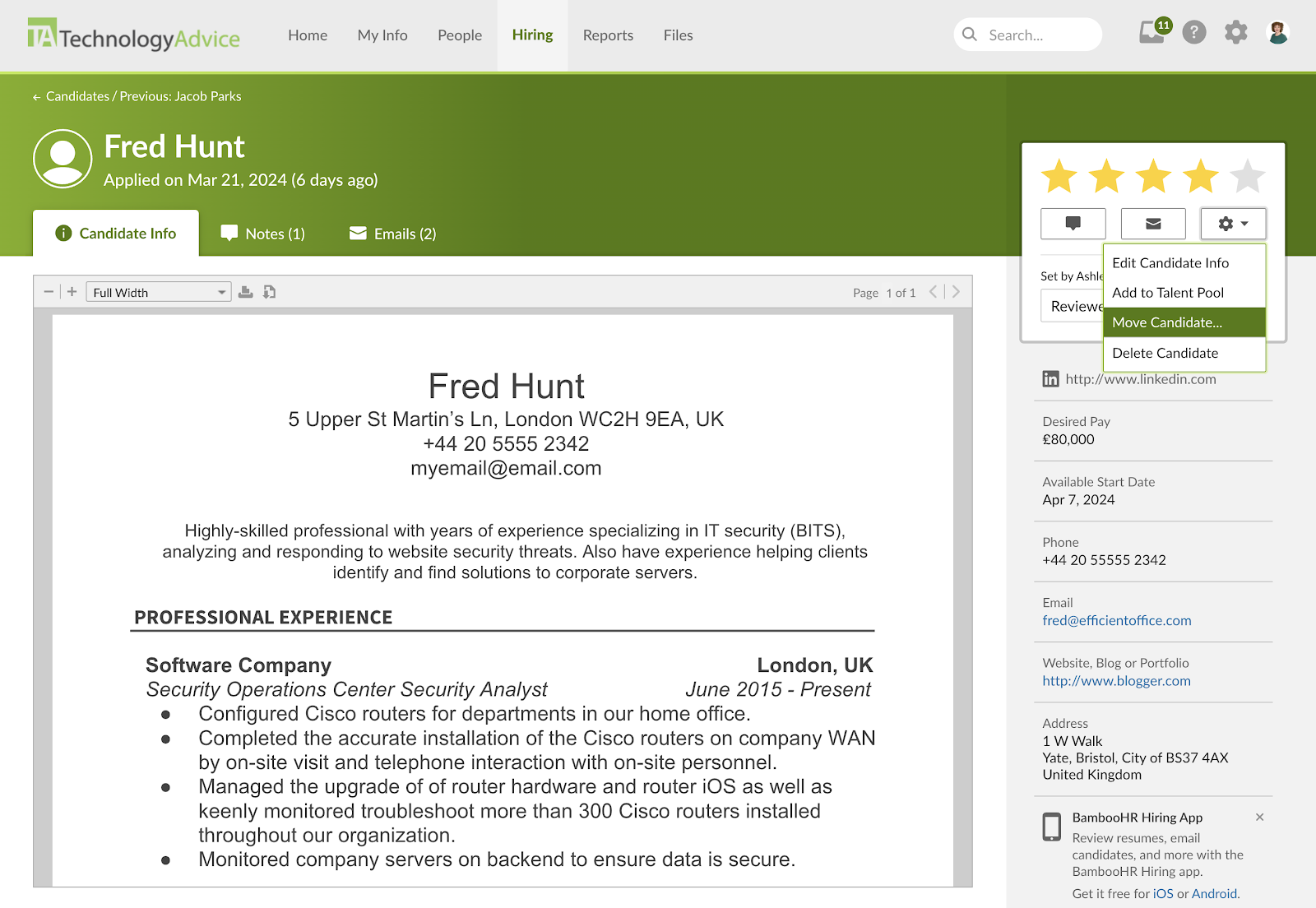
One major benefit of choosing BambooHR as your ATS is that any candidate who becomes your new employee keeps all their documents. Their application, resume, and offer letters move automatically with the candidate into your human resources information system (HRIS) without manual imports or data entry.
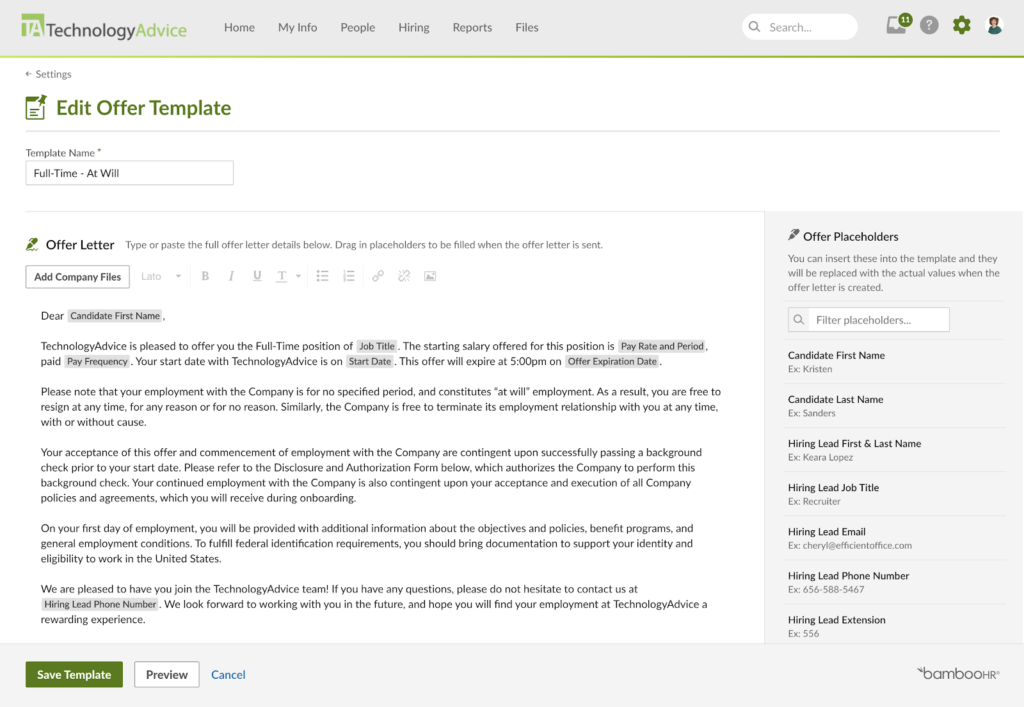
Unlike Breezy HR and JazzHR, which relegate offer letter management to higher price tiers, BambooHR offers these features standard. You can also upload existing company offer letters and edit them with placeholders that populate with candidate data, like name and address. Candidates are immediately funneled into BambooHR’s onboarding workflow, which collects additional documentation that they can e-sign for faster ramp-up periods.


In 2024, BambooHR changed its pricing plans. What were once the Essentials and Advanced subscription tiers are now the Core and Pro plans. The lower Core tier has significantly more features, making it comparable to all-in-one HR software like Rippling and TriNet HR Platform.
However, because it is an HR suite, it is quite expensive compared to standalone ATS platforms. To access BambooHR’s hiring module, you must pay a minimum of $250 monthly for its Core plan.
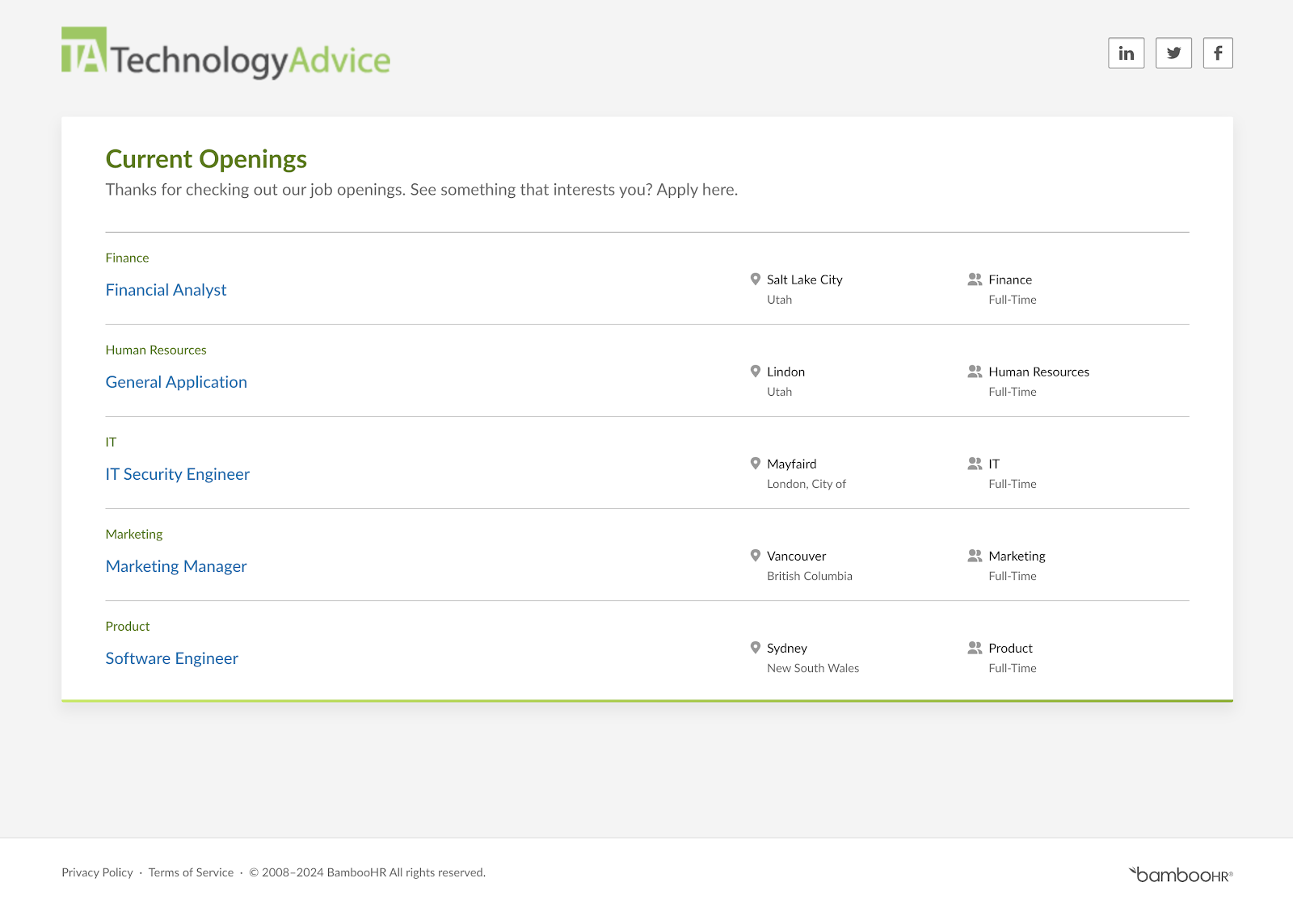
With a pricing score of 3.13, BambooHR is the best choice if you’re also looking for an HRIS or onboarding system, since you can access its ATS in all plans. However, its pricing is not transparent, and you must contact sales for a price quote. Below is a quote we received based on 25 employees.
Core*
- For up to 25 employees: $250 per month flat rate.
- For more than 25 employees: $10.25 per employee per month (PEPM).
- Volume discount applies after 25 or more employees.
- Includes:
- HRIS and reporting.
- Hiring and onboarding.
- Time off and benefits tracking.
- Access to integrations marketplace.
Pro*
- For up to 25 employees: $425 per month flat rate.
- For more than 25 employees: $17.50 PEPM.
- Volume discount applies after 25 or more employees.
- Includes everything in Core plus:
- Performance management.
- Employee experience and rewards.
- Employee community.
Add-ons:
- Payroll**: $190 base price for up to 25 employees; $7.47 per additional employee.
- Benefits administration: $140 base price for up to 25 employees; ~$5.48 per additional. employee
- Time tracking: $4 base price for up to 3 employees; ~$2.97 per additional employee.
* There is a one-time implementation fee for the Core and Pro plans and the Payroll add-on. If you have fewer than 25 employees, you can opt for the QuickStart implementation for a lower fee.
** Please note that additional factors, like the number of FEINs or states where you need payroll, can affect this price. Please contact BambooHR for specific pricing quotes.
Currently, BambooHR offers a discount if you combine its payroll and benefits administration add-ons with its Core or Pro plans. Visit BambooHR below to learn more.

Greenhouse: Best for candidate experience and DEI
Overall Score
3.42/5
Applicant tracking features
3.69/5
Platform/interface
3.81/5
Reporting and analytics
3.69/5
Pricing
1.25/5
Support
2.76/5
User reviews
4.41/5
Pros
- Standardize hiring process with interview kits and scorecards.
- Integration marketplace of nearly 500 applications.
- Built-in anti-bias hiring tools.
Cons
- Interface isn’t beginner-friendly.
- Reporting and analytics lacks customization.
- No telephone support.
Why I chose Greenhouse
Greenhouse stands out for its dedication to fair and equitable hiring practices that create a better candidate hiring experience. It is the best choice if you want an ATS that forces your recruiting stakeholders to be more conscientious in their hiring decisions.
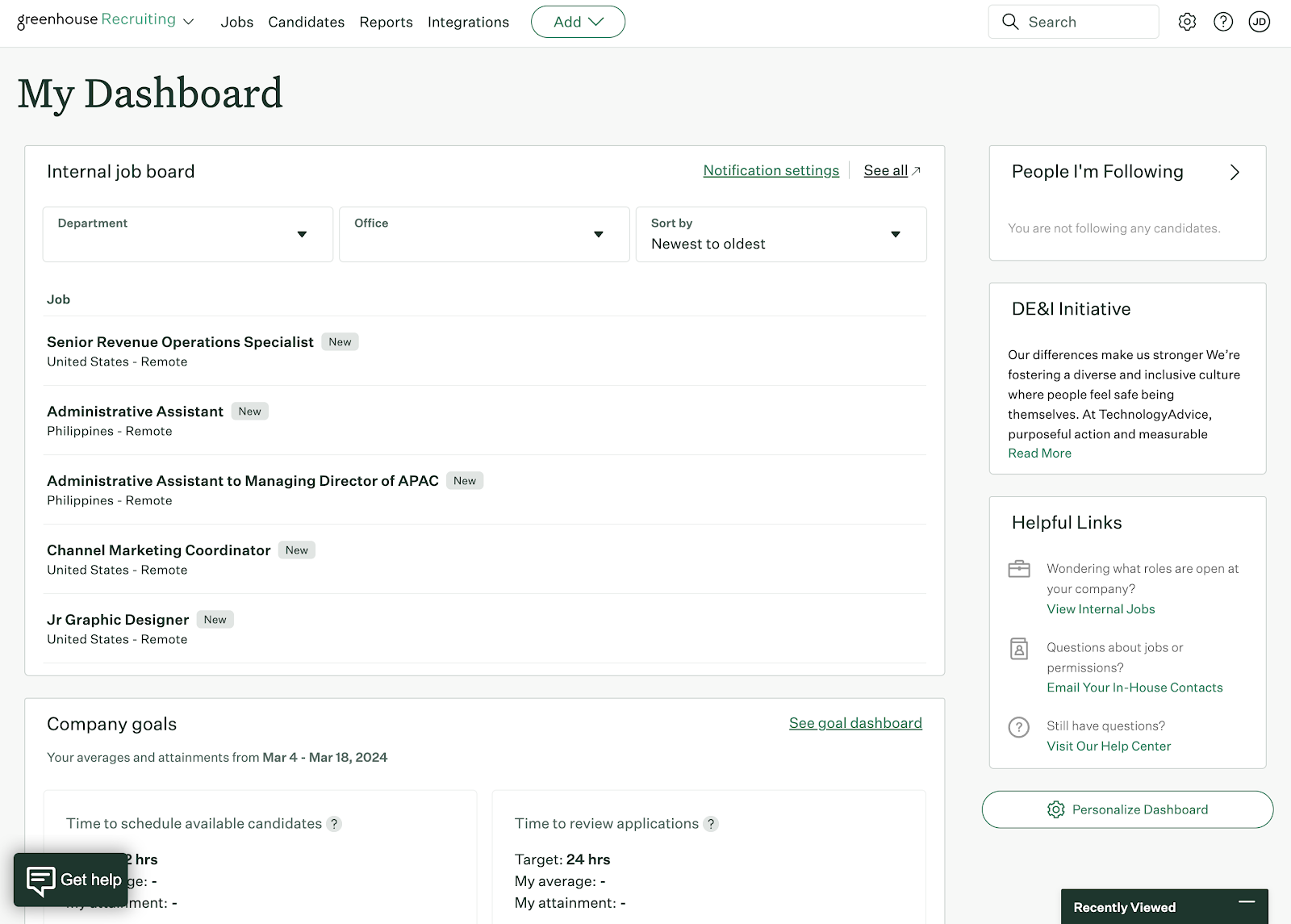
Greenhouse’s CRM tools, such as outbound recruiting functions, email outreach campaigns, talent pools, social media posting, and candidate experience surveys, also make it a better tool for planning future talent needs.
Despite this, Greenhouse only earned a 3.42 overall because its strategic hiring, reporting, and customization functions can be overwhelming for teams that only need an ATS. Its interface is more complex than Teamtailor or BambooHR, requiring more effort to locate the data to act quickly on incoming prospects.
Learn more about Greenhouse and its features in Lever vs Greenhouse Comparison.
Greenhouse’s recruiting platform combines the capabilities of an ATS and a CRM. Where it lacks some of the user-friendly interface features of Teamtailor and Breezy HR, it makes up for this through its focus on structured hiring and DEI. This provides quality hiring experiences for job seekers, plus tools to ensure you source applicants with respect to values fit.
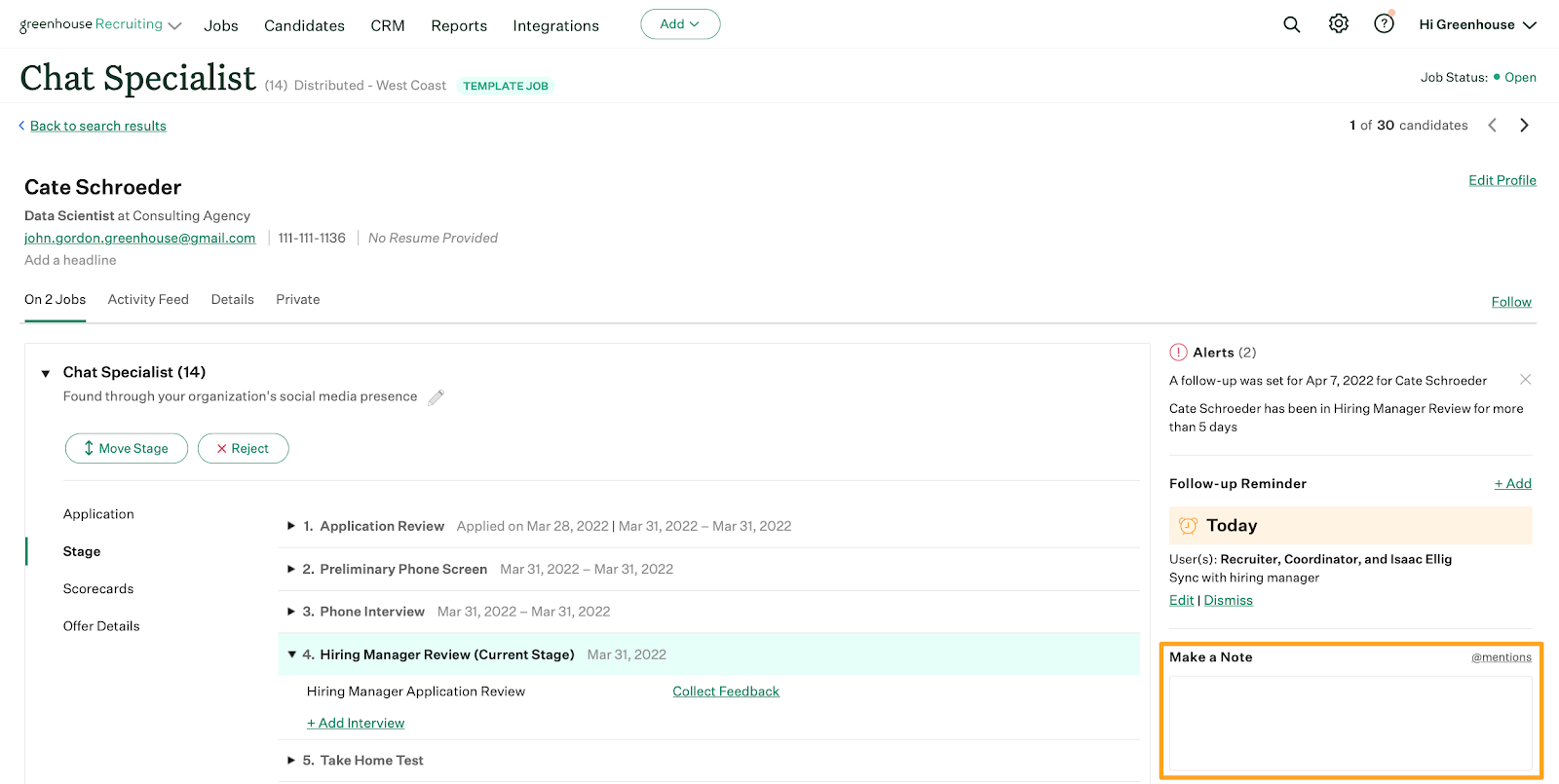
Greenhouse includes all features typical of an ATS, from candidate auto-advance and rejections to visual drag-and-drop pipelines and collaborative application reviews. But Greenhouse embeds candidate-centric aspects throughout its platform, such as:
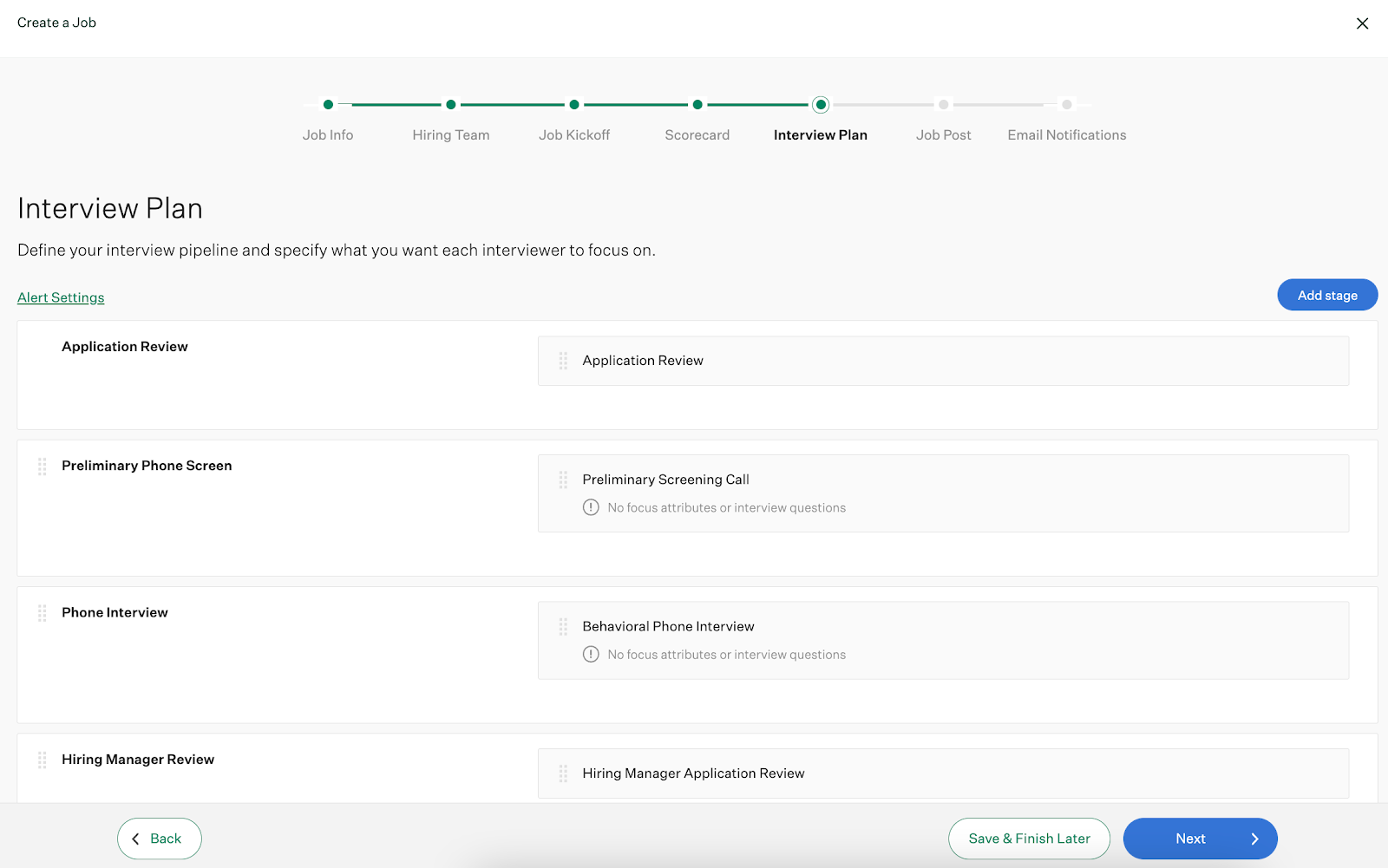
- Job kickoff forms: Help stakeholders agree on job position requirements and candidate scoring.
- Diverse job board distribution: Syndicate job posts to more than 1,000 job boards, including those targeting minority groups.
- Anonymous assessment grading: Minimize hiring manager and recruiter bias when evaluating candidate skills.
- Interview prep kits and scorecards: Create alignment and consistency during interviews.
However, Greenhouse’s emphasis on more strategic sourcing, candidate experience, and careful applicant evaluations can slow the hiring process. Many of Greenhouse’s features also fall outside those of a traditional ATS, even in its starter subscription. As a result, Greenhouse is better suited for experienced ATS users who want some of the strategic features for attracting passive candidates and making progress on company DEI initiatives.
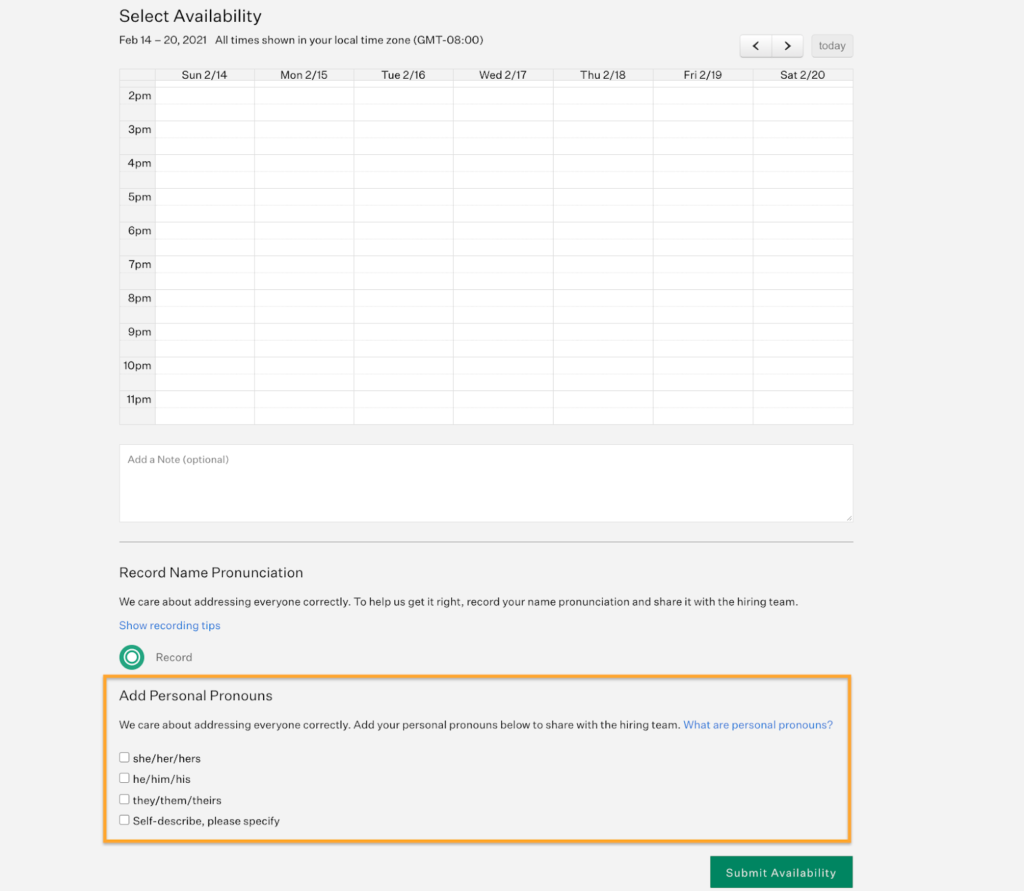
- Anti-bias controls: Greenhouse includes structured anti-bias tools that are designed to promote inclusivity throughout the hiring process. Features like job kickoff forms and standardized scorecards encourage interviewers to evaluate candidates based on skills and qualifications rather than subjective impressions. The platform places reminders throughout the hiring workflow to help teams recognize and reduce potential bias during evaluations. Candidates can also share their pronouns and name pronunciations before interviews, helping you make the candidate feel comfortable and welcomed from the start.
- Events hiring tool: Greenhouse offers a unique mobile app to source candidates from in-person events, like career fairs and industry conferences. You can collect applications, upload pictures of resumes, and save candidate notes. All of the information you gather is automatically synced to the ATS. The platform also tracks how event-sourced candidates progress through the hiring pipeline to see which one generated the strongest talent.

Expert Tip
Career fairs are only one of many original ways to find candidates besides online job boards. For tips on finding top talent, check out 6 Creative Ways to Find and Hire Employees.
Greenhouse has three subscription plans: Essential, Advanced, and Expert. The company does not reveal its pricing, so you must contact its sales department for a custom quote.
Pricing depends on your employee headcount rather than the number of system users or recruiting stakeholders you have. Because even its lowest plan includes several CRM capabilities, like employee referral portals and surveying, Greenhouse is not ideal for small businesses that hire infrequently. You should not be surprised to pay thousands to tens of thousands of dollars annually for a Greenhouse Essential subscription if you have 50 or more workers.
With a score of 1.25, Greenhouse performed the worst in pricing of any provider in my roundup for reasons like its unclear contract requirements and lack of a free trial. But remember, you may have some leeway negotiating your price as a result, especially if you’re evaluating multiple ATS simultaneously.
Essential
Includes:
- Applicant tracking.
- Talent pools.
- Talent finder.
- One Greenhouse Event.
- DEI tools (name pronunciation, personal pronouns, and company initiatives).
- Structured hiring.
- Team collaboration.
- Automated task management.
- Multi-channel sourcing.
- Core reports.
- GDPR compliance.
Advanced
Includes everything in Essential plus:
- 10 Greenhouse Events.
- Automated workflows.
- Advanced data configuration.
- Single sign on.
- Custom reporting.
- Advanced career page options.
Expert
Includes everything in Advanced plus:
- Unlimited Greenhouse Events.
- Expert data configuration.
- Developer sandbox.
- Connector to BI software.
Honorable mentions
Not all of my choices may be right for you. Check out my runners-up below for more options to fit your budget and business goals.
Rippling: Best for reporting and analytics
Alternative for: BambooHR
Overall score: 3.53/5
When to choose Rippling
Arguably, Rippling has a stronger ATS than its competitor BambooHR. Unlike BambooHR, you can customize pipeline stages (milestones) and facilitate interview arrangements.
In particular, it has the most detailed reporting and analytics of any platform here since you can combine recruitment information with any data point in its system. As a result, Rippling is a great tool for understanding the impact of your hiring process at every stage of the employee life cycle.
Plus, Rippling has just introduced AI summaries, something other ATSs currently don’t have. These summaries save recruiters and hiring managers time by pulling in important information from candidates profiles and providing an overall summary of their skills, education, and qualifications.
Why it didn’t make the list
Despite Rippling’s sleek interface, its ATS is confusing to navigate, especially if you are used to visual pipelines that let you drag and drop candidates between stages like Teamtailor and Breezy HR. It’s also an expensive choice if you only need an ATS since you must purchase Rippling Platform and the recruiting module to access it.
JazzHR: Best for SMBs
Alternative for: Teamtailor and Breezy HR
Overall score: 3.46/5
When to choose JazzHR
JazzHR offers a great balance of ATS features for small and medium businesses (SMBs) with moderate hiring needs. Features like its job post meta descriptions increase search visibility, while its resume parsing capabilities make it easier to search your candidate database for the skills you need.
If you have a large number of frontline workers, JazzHR allows you to scan resumes on your career site so candidates can apply in person with physical applications.
Why it didn’t make the list
JazzHR does not offer a mobile application, preventing you from managing hiring needs on the go. Also, most of its reporting capabilities are reserved for its highest subscription plan, Pro. Even necessary compliance reporting for EEO and the OFCCP is unavailable until its Pro plan subscription. As a result, JazzHR is not the best option if you’re a federal contractor and required to report on your affirmative action plans.
Read more about JazzHR’s features at Top 5 JazzHR Competitors & Alternatives.
Recruitee: Best for global recruiting
Alternative for: Greenhouse
Overall score: 3.26/5
When to choose Recruitee
Recruitee is a team-based recruitment solution that combines the knowledge of human resources with hiring techniques to find the best candidates. The software allows for multi-stage interviewing, so every member of the hiring team and essential personnel can determine company fit.
One of the top features for Recruitee is its access to almost 3,000 job boards (both free and paid). These include local and international job boards, so you can find the right employee no matter where in the world they are.
Why it didn’t make the list
Recruitee did not score as high as others on our list due to its lack of a free plan and required a one-year commitment. Plus, the level of customization with applications is limited; you cannot save custom filters for future use, and the software has very limited categories for interviewing.
Find your new applicant tracking software
What are the benefits of ATS software?
ATS platforms can increase recruiting efficiency, improve candidate sourcing and engagement, boost quality of hire metrics, and optimize overall recruitment strategies.
Increases efficiency
Saving time and increasing efficiency are some of the best advantages of using ATS solutions compared to traditional application and recruitment procedures. With ATS software, recruiters can automate different tasks in hiring processes, including posting job ads, sending emails and reminders, interview scheduling, and onboarding new hires.
Improves candidate sourcing
The software can help address mission-critical challenges, such as attracting and sourcing top candidates. Many ATS solutions are now enriched with artificial intelligence and machine learning capabilities to develop a profile of an ideal candidate, assess and identify skills, and predict success factors. As a result, employers can better understand candidate behavior and target specific applicants across various platforms and channels.
Better candidate engagement
ATS software ensures better candidate engagement by promoting greater visibility across the candidate journey. It helps organizations prevent negative experiences—like lack of visibility and inconsistent communication—that can cause candidate frustration and disinterest. An ATS allows reliable communication and faster response times via automation.
Refines hire quality
Screening candidates standardizes applicant scoring and can help guarantee that hiring managers will only see qualified applicants. Moreover, ATS software maintains a database of people who may be prospects for future job openings.
Read more: How to Measure Quality of Hire
Optimizes recruitment strategies
Hiring professionals can clearly and quickly communicate with other team members and candidates through ATS. Hiring teams can collaborate and share resumes securely within the platform, enabling an organized approach to decision-making.
ATS solutions also come with analytic tools to gauge the success of recruiting and hiring strategies. Recruiters can use real-time data to predict staffing needs and build recruiting pipelines. Analytics equips organizations with critical metrics around costs, quality, and time spent on recruiting activities.
Read more: Recruitment Strategies: How to Prepare for the Future
Your ATS works better with human insight
ATS platforms are invaluable tools for managing high volumes of applications—so much so that an estimated 97.8% of Fortune 500 companies rely on one in their hiring process. But automated systems often filter candidates through checklists, which means you might end up seeing those best at gaming the system, not necessarily the most capable hires. Reviewing your ATS settings and criteria regularly can help you find talent based on ability, not just checked boxes.
When should you upgrade your ATS software?
You don’t want to rush into your ATS upgrade. Instead, make a deliberate survey of your current ATS capabilities to figure out where it succeeds and where it falls short. If you experience any of the indicators below, then you may want to consider switching platforms.
5 signs you should upgrade your ATS
The hiring team’s subjective experience is an important component of the review process, but when it comes to evaluating the performance of your current ATS software, the numbers don’t lie.
Some of the key ATS metrics you should be tracking include:
- Time to hire
- Number of candidates
- Quality of hire
- Cost per hire
If any or all of these metrics are significantly lagging behind your targets or have taken a nosedive recently, it’s time to reevaluate your ATS.
A mark of good ATS software is the data and analytics it provides, which help you optimize your hiring process and make data-driven decisions about talent acquisition.
However, some reporting may make the metrics unusable in assessing performance because they’re difficult to interpret.
It’s time to upgrade when the reporting and analytics features of your applicant tracking system aren’t giving you the insight you need to make informed decisions quickly.
Your ATS should streamline your recruitment process. And if the applicants and recruiters are experiencing bottlenecks or redundancies? That’s a major red flag that your current platform is no longer effective.
Some common scenarios to watch out for are:
- Applications getting lost or ignored
- Applicants answering the same questions or repeating the same steps multiple times
- Delays in scheduling interviews
When these things pop up, it’s time to upgrade your ATS to avoid a negative impact on candidate experience and your employer brand in the long run.
One of the promises of modern ATS is the time savings and added efficiency that come with automating rote tasks. These include:
- Sending follow-up emails
- Scheduling phone screens
- Recording interview notes
Thanks to AI and machine learning, these automations are now available in ATS platforms. However, not all of them have implemented these advanced capabilities with the same success.
If your current ATS doesn’t allow users to automate repetitive, manual tasks, it’s time to consider switching to a different platform that will take some of this work off of the hiring team’s shoulders.
ATS integrations allow recruiting teams to streamline their processes and access information about job openings and candidates without having to work out of multiple tools.
For example:
An ATS that integrates with HRIS software allows the hiring manager to import information about the new hire directly into the employee database.
If a different system has recently been upgraded or new software has been added to your company’s tech stack, your ATS might run into compatibility issues. In turn, this can create roadblocks for teams that are used to working seamlessly between platforms, or it can limit the scalability of your team’s processes.
The only real way to get around this is to look for a new ATS that will integrate with the other tools your team uses.
In these cases, it’s worth seeking an ATS solution that is already integrated with other human resources (HR) tools in a comprehensive suite.
Which features really matter when upgrading your ATS?
If you’ve determined that your ATS needs an upgrade, we recommend including these five key features on the checklist for your next platform.
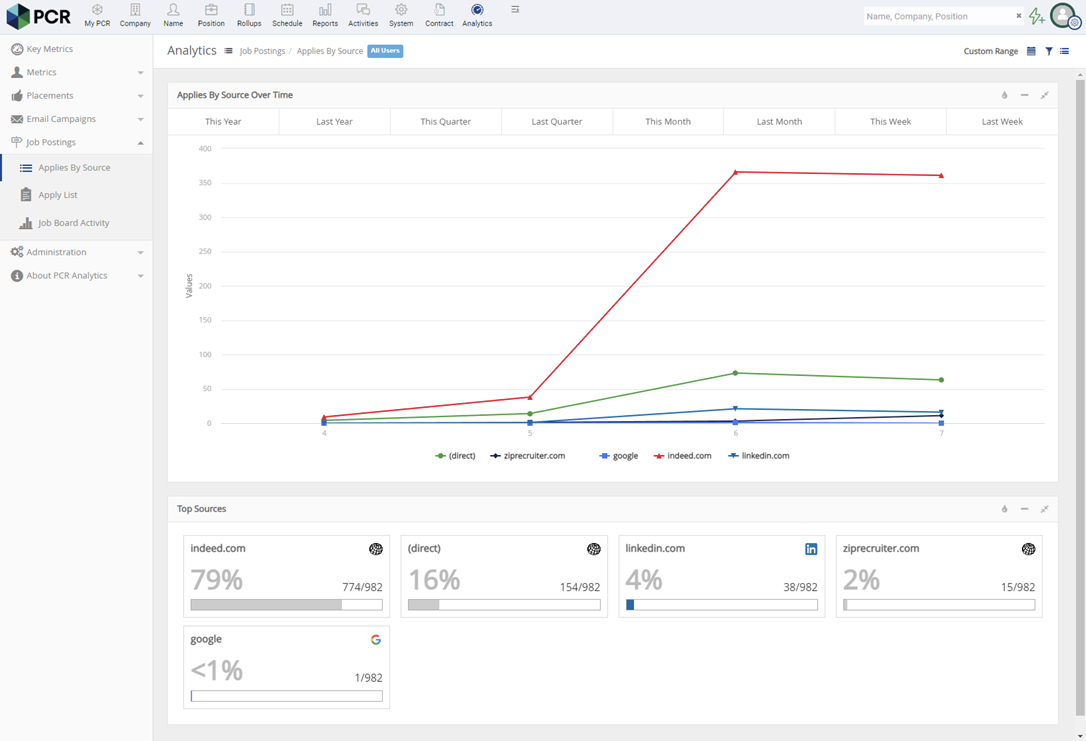
The right ATS software will offer all of the metrics that help you assess candidate data and determine whether your recruiting processes are working. An ATS dashboard should also be easy to read and customize, so you can easily access the information you need and make decisions quickly.
For example, PCRecruiter’s job board analytics feature connects the ATS data with Google Analytics to help recruiters track candidate sources, conversions, and falloff rates.
Proper application management is essential to finding the most qualified candidates and filling job openings efficiently.
Within the ATS platform, hiring teams should be able to sort applications in the ATS database according to specific criteria, like certain education requirements, work experience, or relevant keywords. They should also be able to search for applicants by name to locate the right information.
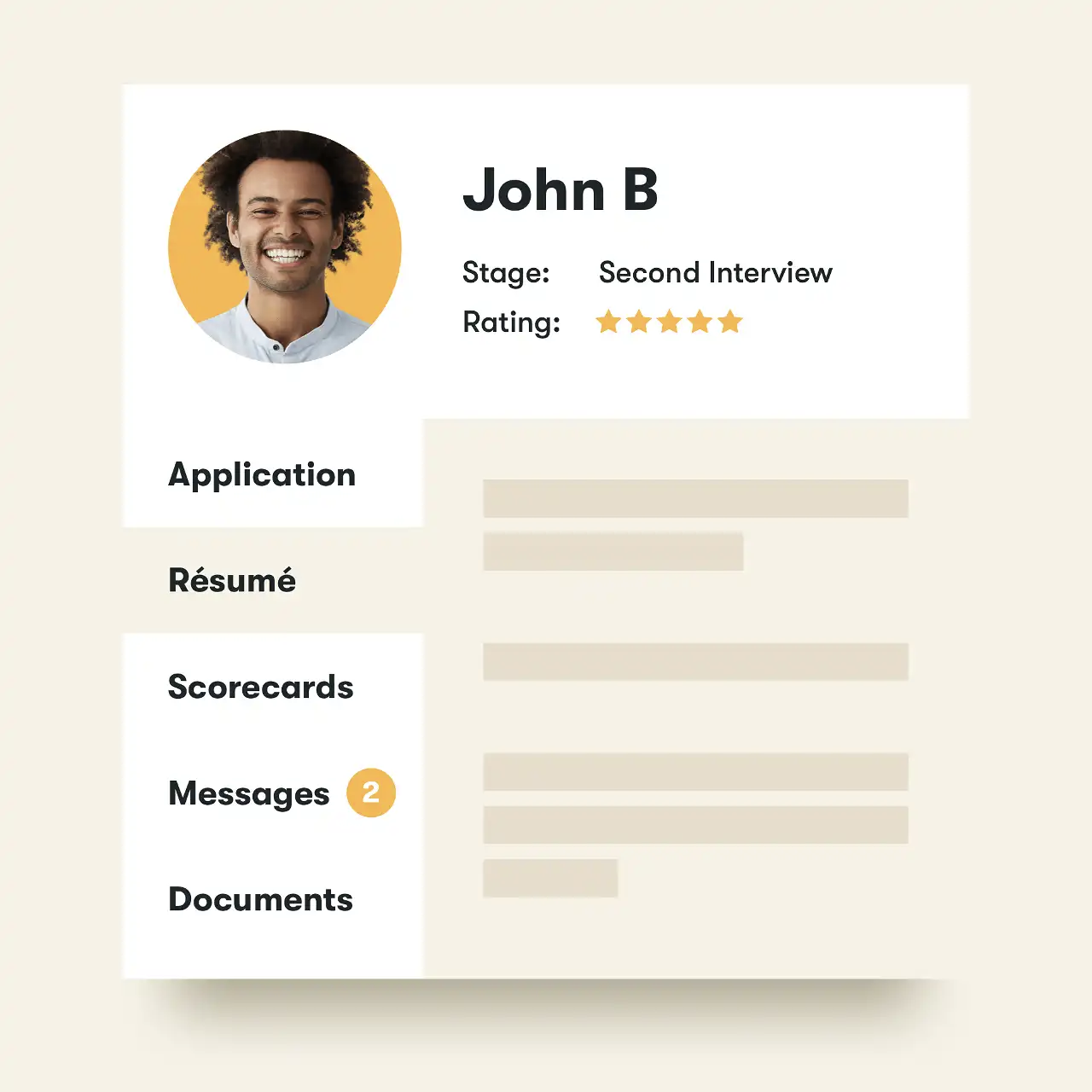
Some platforms, like Pinpoint, offer candidate profiles that help recruiters keep all of the information for a candidate in one place. This includes their application, resume, pipeline stage, ratings, and conversation history.
It’s not enough to be able to manage application materials smoothly. You also need to be able to move candidates through the job search and interview process quickly and efficiently.
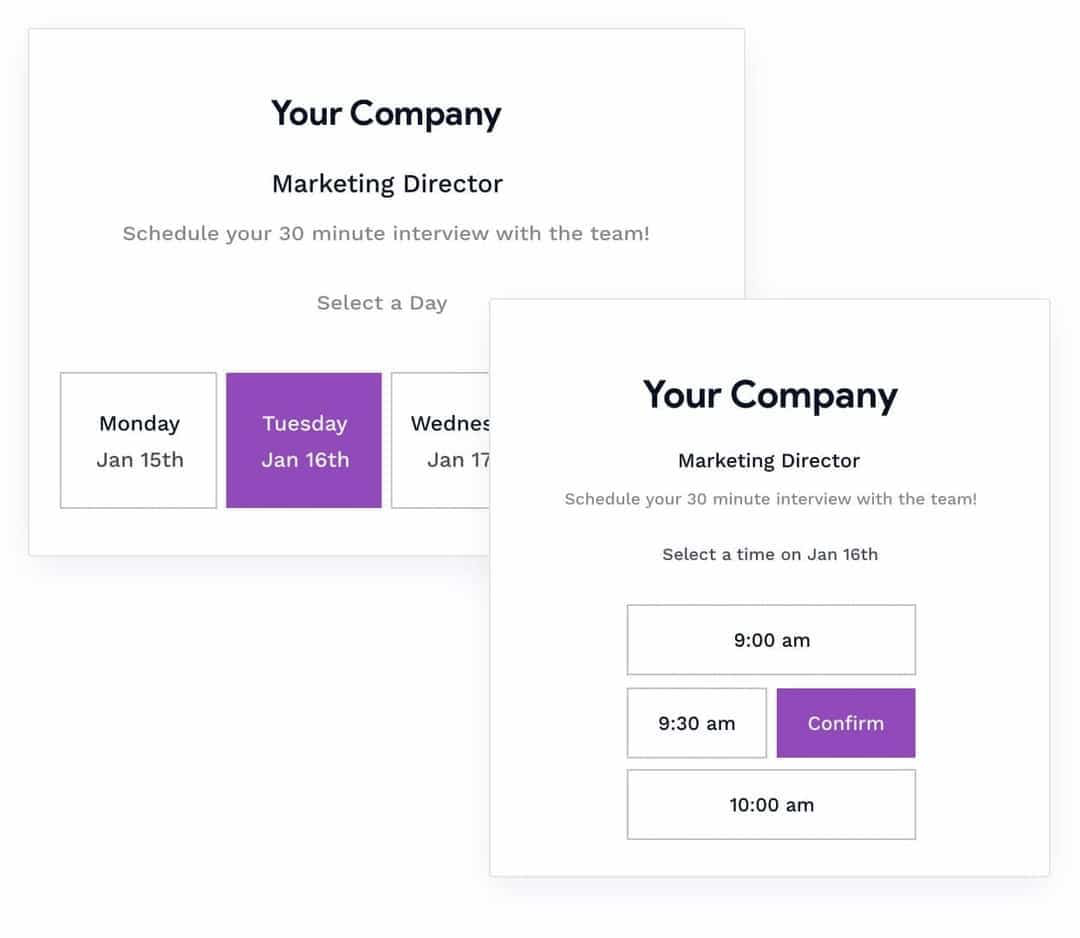
A good ATS should make it easy to schedule interviews via phone, video, and in person. It should also automate interview reminders and scheduling, so you don’t have to.
Alternatively, some ATS platforms like Breezy HR allow candidates to schedule their own interviews from an outward-facing portal. The software synchronizes with the Google or Outlook calendars for everyone on the hiring team, so their interview availability is always up-to-date.
Global recruiting is another must-have feature if you have a dispersed team. Your next ATS should open up your talent pools to include candidates from all over the country. This includes job syndication to both local and international job boards.
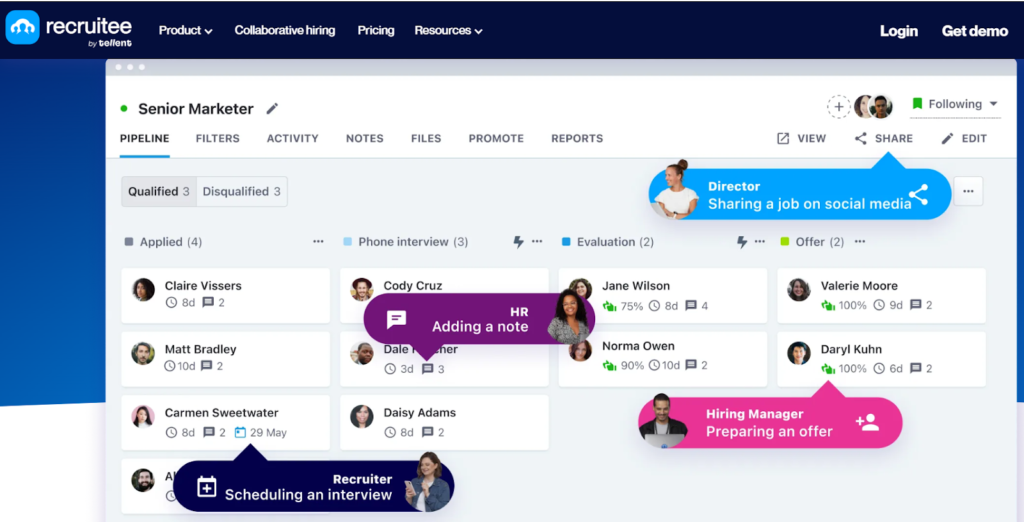
With Recruitee, you get access to over 3,000 job boards, helping you maximize your reach and target candidates in different countries simultaneously. A global workforce leads to greater diversity and inclusivity within your company.
If your team relies on multiple platforms to maintain recruiting efficiency, then integrations can make or break your ATS. At a minimum, your new system should integrate with your current HR software stack; however, it might also be valuable to consider your team’s long-term goals and what integrations might be useful in the future.
Also, double-check to see if the integrations are built-in or if your recruiting team will need to create them using a third-party tool like Zapier. If it’s the latter case, be prepared for the extra time and resources it will take to manually configure and maintain these integrations.
A robust platform like Greenhouse offers hundreds of native integrations to support current and future needs without needing to leverage any additional tools.
Is it time to upgrade?
In some cases, your current applicant tracking system isn’t quite adequate, but you can’t replace it wholesale due to budgetary or IT reasons. Fortunately, there are several steps you can take to make the most of your existing ATS without breaking the bank or overwhelming your IT team.
One option is to seek out training resources offered by your current ATS provider to make sure you fully understand the tool and are taking advantage of any recent updates or feature additions. Most cloud-based ATS vendors release updates regularly—sometimes monthly or even weekly—so you might have missed out on some helpful features that were recently launched.
Configuring new integrations is also a fantastic way to supercharge the functionality of your current ATS without having to completely replace it. Some key integrations to consider are job boards, HR tools, social media platforms, email, and your content management system (CMS). Check out our roundup of must-have integrations for your ATS if you need some inspiration for how to boost your existing ATS.
What is the business impact of ATS software?
The recruitment process can be challenging for hiring teams and job seekers alike. Manual applicant screening delays hiring procedures, increasing cost-to-hire and prolonging time-to-hire. Additionally, manual online job postings can prompt tons of applications from under-qualified job seekers.
The best applicant tracking systems automate and streamline the hiring process from source to hire. It amplifies the capabilities of recruiters, hiring managers, and HR teams with a range of features to boost efficiency while attracting and retaining top talent.
First and foremost, ATS can screen job applications, scan resumes for the right qualifications, and select the qualified candidates to consider for an interview. This can lighten the load for hiring teams and cut down a significant amount of time.
On top of that, ATS platforms can assist recruiters in tracking interview processes, evaluating, making offers to, hiring, and ultimately onboarding new talent. The software promotes a smooth hiring process, enhancing the candidate experience and encouraging more skilled talent to join the organization.
ATS solutions allow organizations to recruit the best people, which is essential to any company’s success.
Applicant tracking system FAQs
An applicant tracking system lets you create a job post once and distribute it across multiple channels—such as a branded career site, major job boards, and social media—automatically. Many, like Breezy HR or Manatal, include syndication tools to post to dozens (or even thousands) of boards at once, while platforms like Teamtailor offer drag-and-drop career page builders. Built-in scheduling, templates, and integrations help keep postings consistent, on-brand, and easy to update from a single dashboard.
ATS platforms make it easier to find the right applicants with features like resume parsing, keyword and Boolean searches, and filters for skills, education, and experience. Advanced systems, such as Manatal, apply AI scoring and profile enrichment from sources like LinkedIn, while Breezy HR uses logic-based questionnaires to route candidates into the right talent pools. These tools allow recruiters to shortlist and organize candidates quickly, reduce manual review, and focus on the most qualified matches.
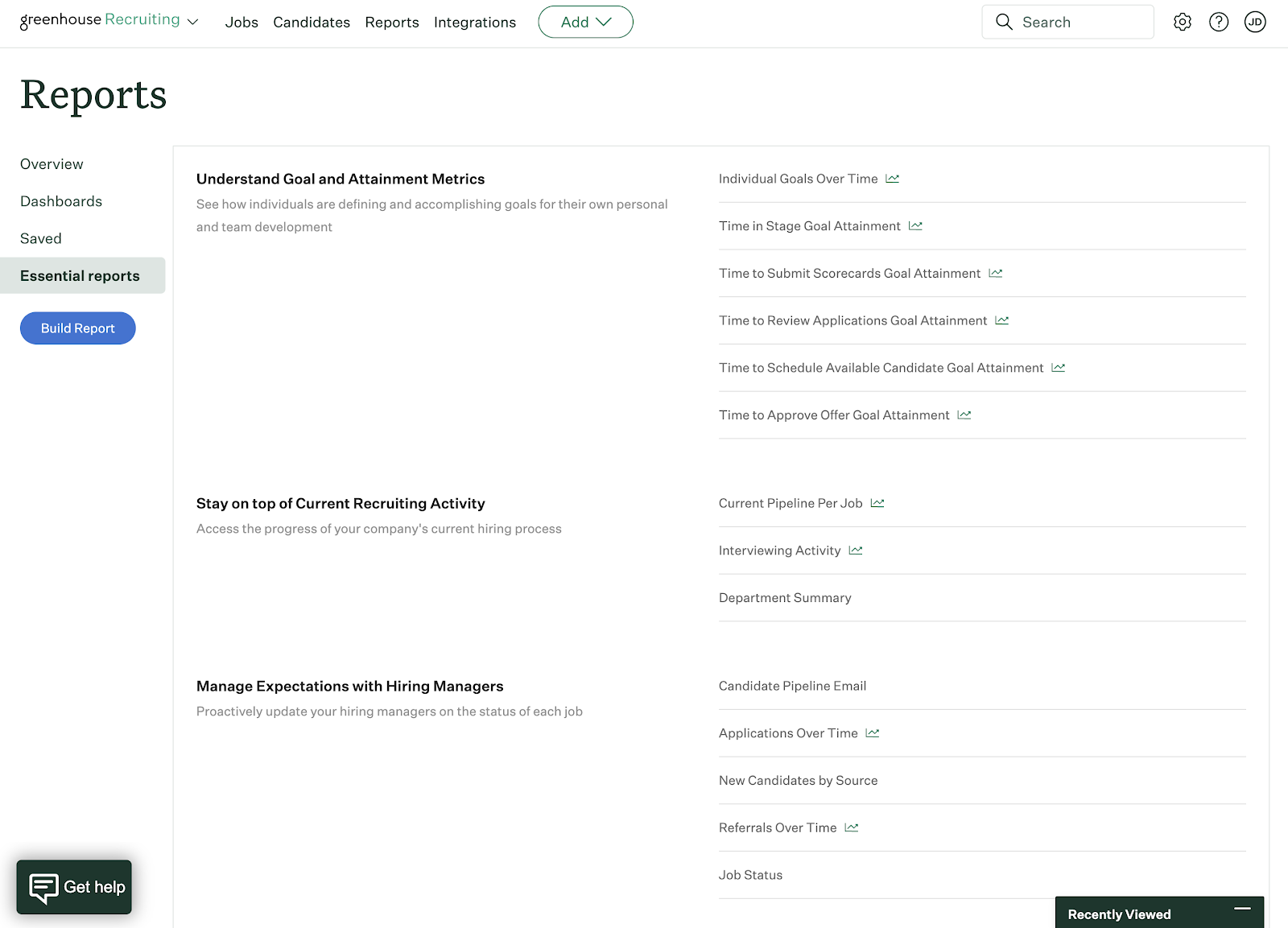
Most ATS platforms offer dashboards that track key hiring metrics like time-to-fill, cost-per-hire, source effectiveness, and pipeline conversion rates. Some, like Greenhouse, add DEI tracking, predictive analytics, and structured scorecards, while Rippling combines recruiting data with broader HR analytics for deeper insights. Reporting can range from simple, pre-built summaries (BambooHR) to fully customizable exports, helping teams spot bottlenecks, measure ROI, and refine hiring strategies.
