


The best choice often depends on your hiring volume, team structure, and long-term recruiting goals. For this guide, I evaluated 12 ATS software solutions and selected the strongest options based on functionality and business needs.
Featured partners
| If you need | Starting price | |
| Breezy | An affordable, well-rounded ATS with strong automation | $157 |
| Teamtailor | Advanced recruiting automation and candidate engagement | Contact for a quote |
| Manatal | AI-powered candidate sourcing and matching | $15 per user per month |
| BambooHR | A simple ATS connected to HR and onboarding | $250 per month for the first 25 employees |
| Greenhouse | Structured hiring, candidate experience, and advanced recruiting workflows | Contact for a quote |
Honorable mentions:
- Rippling is best for reporting and analytics
- JazzHR is best for SMBs
- Recruitee is best for global recruiting
Looking for more ATS options? Jump to our applicant tracking software finder to compare platforms based on your team size, hiring goals, and must-have features.
Need Help? Talk to an HR Software Advisor
With over two decades of human resources and recruiting experience and more than three years of evaluating software for small businesses, I used my expertise to evaluate and recommend the top ATS software solutions. Plus, I reevaluated all the software on the original list to determine exact placement and, based on my expertise, updated recommendations. Additionally, I reviewed two additional ATS software to provide you with the best answer.
I leveraged user experience with my own in-depth analysis of the software, looking at affordability, job syndication, ATS features, and hiring collaboration. I picked my top recommendations for ATS software with your small business needs in mind.
Below is a breakdown of the criteria I used to judge each software. Each category also includes my expert score, which considers the effectiveness of that area based on my personal usage. As the market changes, I reevaluate my choices so you always receive the best insights for your purchasing decision.
Applicant tracking features: 30%
Applicant tracking functionality is the most important criterion, accounting for 30% of the overall score. During my evaluation, I considered features like multi-job board syndication, screening tools, hiring funnel automations, interview management options, resume parsing, and templates for job descriptions, emails, and offer letters. My expert score also evaluated the platform’s support for more strategic hiring elements, such as email nurture campaigns and career websites.
Platform and interface: 25%
How easy is the platform to use? Will it grow with the company? Is there an on-premise or mobile solution? And will candidate data be safe? This category covers the solution’s intrinsic features and offerings, including how well it will integrate with your current tech stack. It represents 25% of the platform’s score.
Reporting and analytics: 20%
Hiring analytics is one of the most data-rich areas of HR since the process concerns so much of a company’s current and future bottom lines. At 20% of the total score, platforms with customizable recruiting dashboards, widgets, graphs, and reports for tracking essential recruitment metrics like cost per hire, time to hire, hiring pipeline efficiency, and application sources scored the highest.
Pricing: 10%
Pricing accounts for 10% of the weighted score. Software with transparent pricing, scalable tiers, discounts, free trials, and free plans received the highest scores. I also considered each platform’s “value for money,” which determines whether the number of features in each price tier or module is competitive with other vendors in the space.
Support: 10%
With so many stakeholders in the recruitment process, platforms with the most support and training options performed best in this category. I considered customer support hours, training resources, and access to various types of support, such as phone, chat, email, knowledge base, and community forum. Support makes up 10% of the weighted score.
User reviews: 5%
User reviews from third-party software platforms like Capterra, G2, and TrustRadius accounted for 5% of the software’s overall score. I focused on software that received at least 3.5 out of 5 stars on these sites. Because users have real-world experience with each platform, they significantly influenced my list of top products to compare.
- BambooHR
- Rippling
- BreezyHR
- Greenhouse
- JazzHR
- Workable
- Zoho Recruit
- Recruit CRM
- Trakstar
- Teamtailor
- Manatal
- Recruitee
- Jennifer Soper tested the software mentioned in this guide and provided her expert scores. She used her hands-on research to provide expert analysis and recommendations.
- Irene Casucian conducted preliminary research and provided scores for each product’s objective data points.
- Jessica Dennis selected the criteria, sub-criteria, and products for Jennifer and Irene to review based on her professional background in HR and knowledge of the ATS market.
- August 27, 2026: Hanna Sillo verified each provider’s pricing and features, improved the comparison table, and refined the language in the “Why I chose” sections.
- May. 9, 2026: Hanna Sillo updated all provider sections to reflect current features, integrations, support options, plan limitations, and pricing. She also added a “What’s New” section under each provider to highlight recent product updates.
- May. 8, 2026: Brittany Brooks updated the comparison table for simplicity, re-evaluated the pros and cons, feature lists, and pricing details, and reorganized the content within the product cards for improved readability and clarity.
- Jan. 16, 2025: Jennifer Soper reevaluated the vendors in this guide for 2025 and updated the information and analysis accordingly. As a result, Breezy moved up in the rankings to the best overall pick. Jennifer also evaluated two new providers, Manatal and Recruitee. Based on their scores, Manatal ranked 2nd on the list, knocking Workable out of the top 5, and Recruitee made it to the list as an honorable mention, beating out Zoho Recruit.
- Apr. 10, 2024: Jessica Dennis reevaluated our top choices for 2024 with an objective scoring rubric. As a result, Bullhorn, JazzHR, and Freshteam dropped from our top five choices and were replaced by Teamtailor and Greenhouse. Jessica also provided fresh analysis, up-to-date product information, and vendor pricing.
- Oct. 19, 2023: Kaiti Norton reviewed the pricing information for each vendor to ensure accuracy.
- Aug. 30, 2023: We added links to other TechnologyAdvice pages for further reading.
- Aug. 25, 2023: We added vendor videos for BambooHR and Workable. We also tidied up some formatting details.
- Aug. 16, 2023: We added pricing, some product screenshots, and an analysis of why we chose our top products. We also added information on when to upgrade your ATS.
- Jun. 12, 2023: We restructured the page to put our expert recommendations front and center. We also added dynamic design elements to improve the visual flow of information.
- Apr. 25, 2023: We added our expert recommendations and made stylistic changes for simpler page navigation.
Best applicant tracking software

Breezy: Best overall ATS software
Overall Score
3.89/5
Applicant tracking features
4.39/5
Platform/interface
4.31/5
Reporting and analytics
3/5
Pricing
4.31/5
Support
2.55/5
User reviews
4.19/5
Pros
- Free Bootstrap plan with unlimited users.
- More than 800 recruiting templates for interview questions, checklists, and job descriptions.
- Customizable pipelines, questionnaires, and automations on paid plans.
Cons
- Bootstrap allows only one active position or candidate pool at a time.
- AI tools use separately purchased Breezy Intelligence credits.
- Software integrations are only available on the paid tier.
Why I chose Breezy
With a total score of 3.89, Breezy is my top pick for ATS software. It offers scalable pricing tiers, a free plan, and CRM capabilities on higher tiers. It’s a strong fit for growing businesses that want affordable candidate engagement tools and automation without jumping straight to an enterprise platform. Startups can also use Breezy’s free Bootstrap plan, which includes a branded career site and other core recruiting tools.
Breezy performed particularly well for its interface, screening questionnaires, assessment options, and collaboration tools. Paid plans add more advanced automation, which becomes increasingly useful as hiring volume grows and teams need more efficient ways to sort and evaluate candidates.
Its reporting and analytics are solid, with standard dashboards and visualizations for metrics such as time-to-fill, pipeline efficiency, and GDPR compliance. However, custom dashboards and reports are available only on Pro plans. That may be enough for growing businesses, while larger organizations with more complex reporting needs may prefer Greenhouse or Rippling.
Breezy checks all the boxes for a well-rounded ATS:
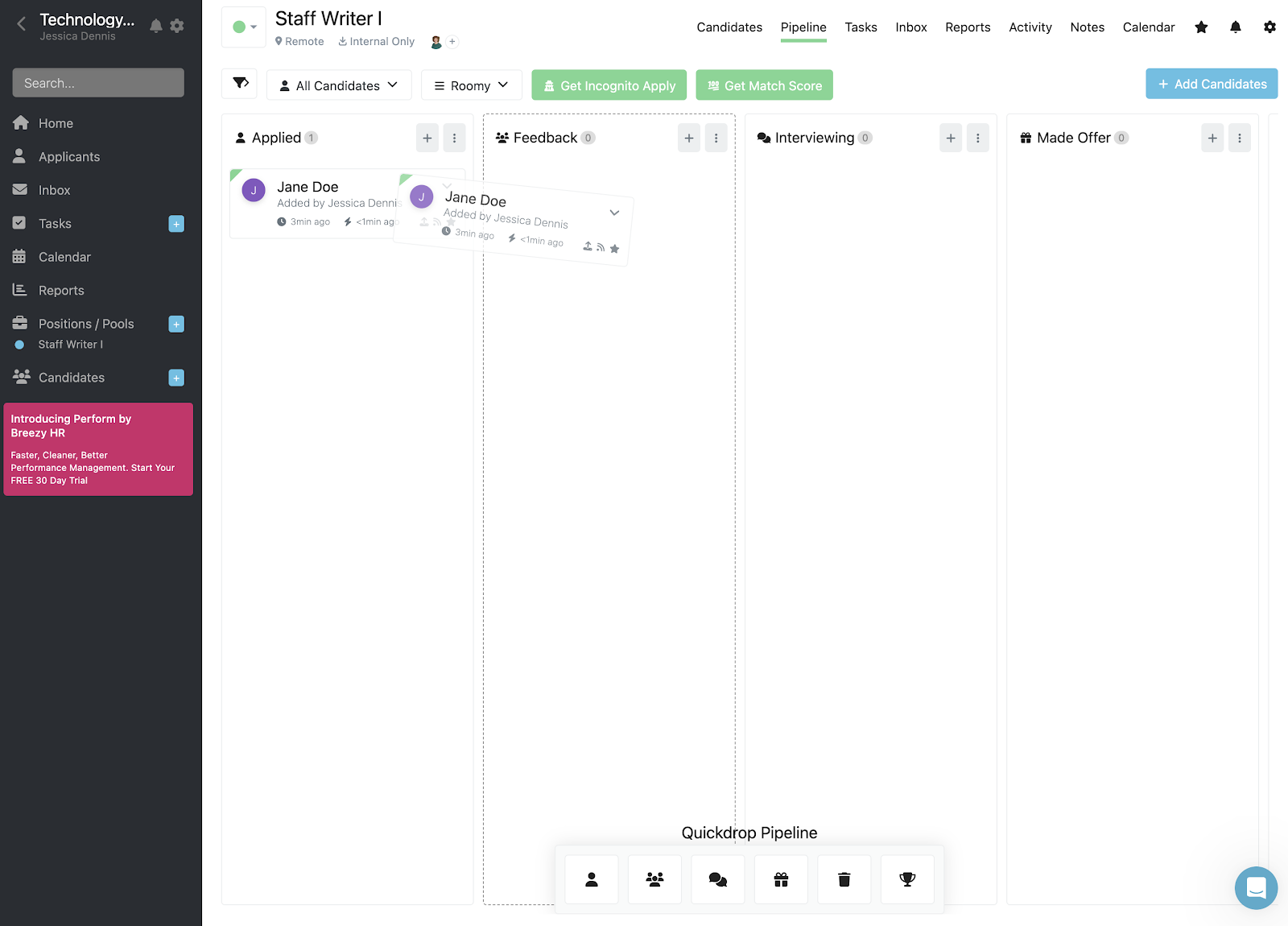
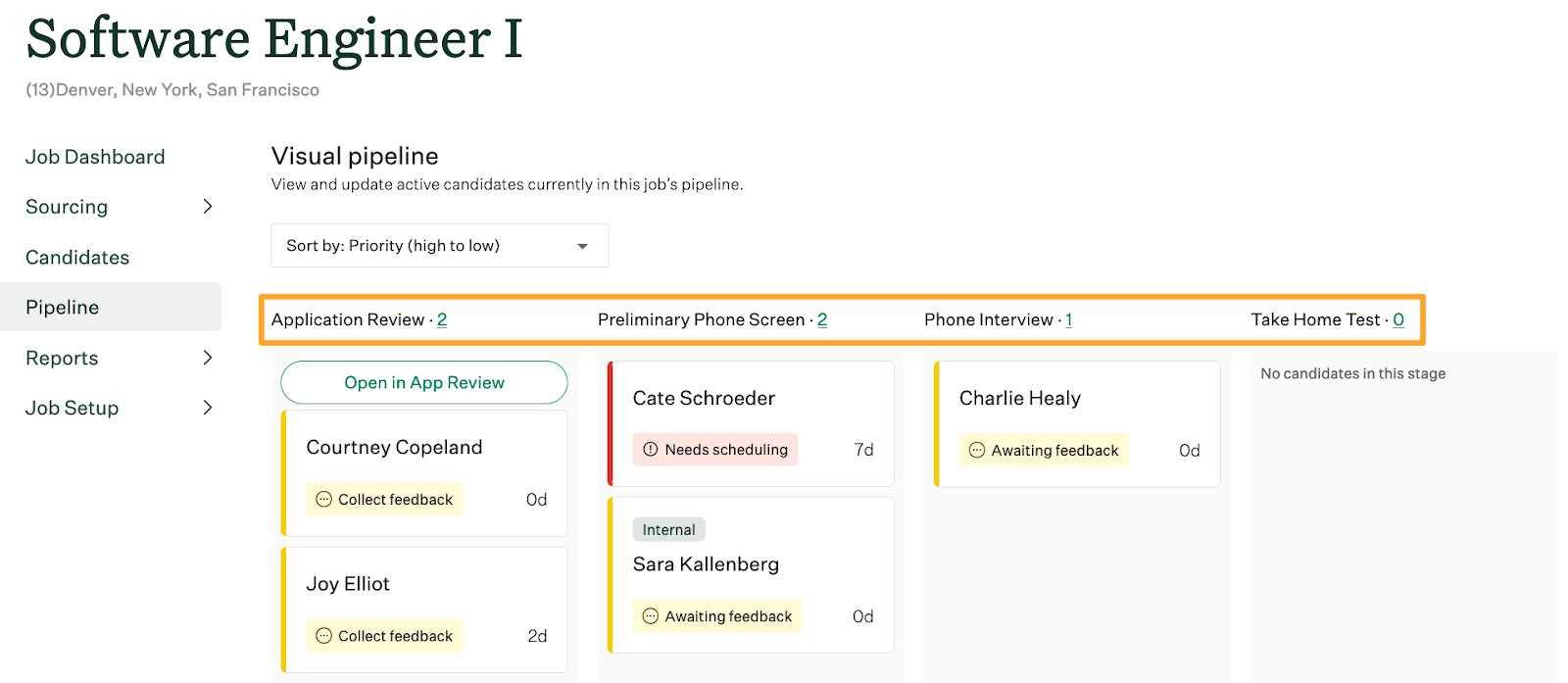
- Visual pipeline: See all your candidates for a position in one place and drag them to the appropriate stages in your hiring process.
- Resume parsing: Makes resumes searchable in more than 20 languages.
- Collaboration tools: Tag hiring team members inside candidate profiles and take public or private notes during conversations with the candidate.
- Interview management: Schedule multiple interviews with the candidate and various stakeholders, plus enable candidates to self-schedule.
- Talent pools: Create separate pools to organize potential candidates for future roles and continued engagement.
- Offer letters and rejections: Use pre-built offer letters and rejection templates to move forward with your hiring process.
Breezy also offers strategic hiring tools, like email nurture campaigns, a custom career site with its Hello Messenger AI chatbot, and employee referrals. However, most of these tools are only available in Breezy’s highest-paid plans, making it a more expensive option for startups needing candidate engagement features to establish a brand presence.
Another drawback is that Breezy requires you to subscribe to its Business plan or higher to integrate with HR platforms and send offer letters. This means more manual work to onboard hired candidates, as their applications, assessments, interview notes, and offer letters don’t seamlessly transfer to your HR platform. Your recruitment teams must also spend more time crafting offer documentation and receiving it from your new hire.
But Breezy is easy to navigate, making it ideal for first-time ATS users or small recruitment teams. It has a user-friendly interface and focuses on centralizing the recruitment process with features like candidate sourcing and visual pipelines, making it a simple and accessible ATS without overly intricate functionality.
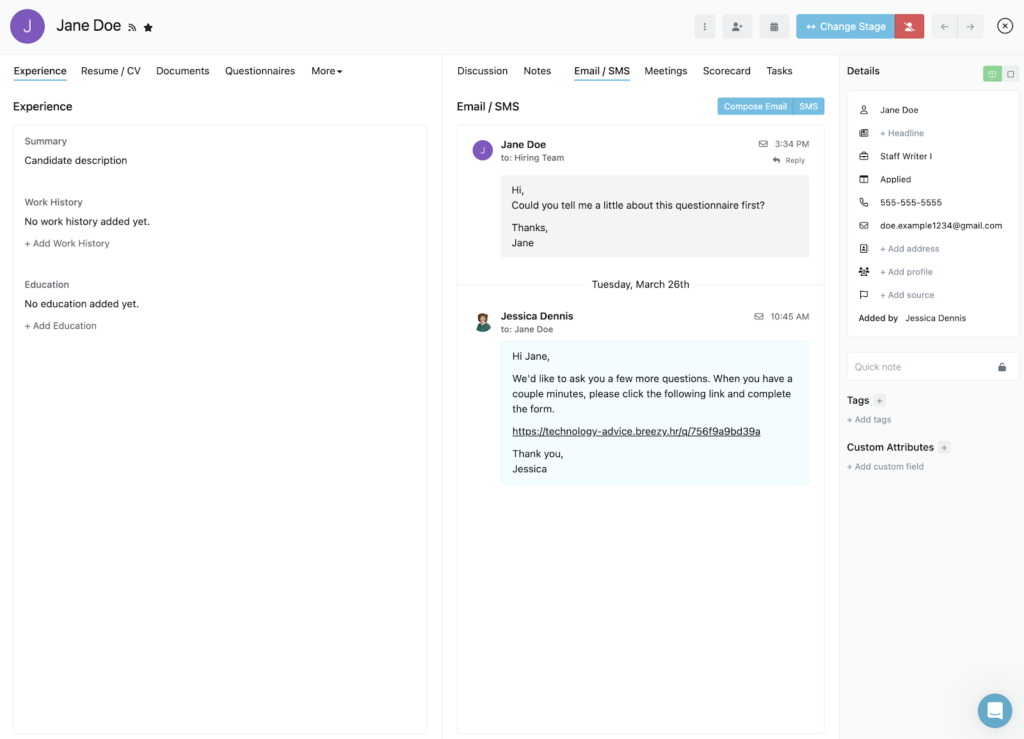
- Candidate messaging: Breezy HR centralizes communication by keeping email and SMS conversations in one place within each candidate profile. Platforms like Teamtailor and JazzHR also support texting, but Breezy makes it easier to switch between communication channels to respond to candidates in their preferred medium.
- Candidate management automations: Teams can automate notifications, assessments, and candidate movement based on their responses to screening questions. For example, candidates who fall short on an assessment can be moved to an entry-level talent pool for future hiring needs.
Candidate management automations
Breezy HR gives you a lot of control over the automations of your hiring pipeline, including notifications, email drip campaigns, and sending assessments or questionnaires to candidates. Its automations are also very flexible so you can speed up processes in your hiring funnel with little involvement from you.
You can also move candidates to different stages in your pipeline or talent pool based on how they answer particular questions. Besides saving you time from screening candidates who don’t meet the minimum position requirements, you can also curate lists of great candidates to source for future roles.
For instance, if you’re hiring a Staff Writer II but a potential candidate doesn’t have the required years of experience, you can automatically add their application data to a Staff Writer I talent pool. This way, you can return to it when you need talent for the entry-level role without starting the job search from scratch.

Breezy now offers a centralized Data Manager for organizing candidate and position tags, candidate sources, and salary terms. Admins can maintain up to 250 tags and 250 sources, while Business and Pro subscribers can lock these lists to prevent users from creating inconsistent labels. Admins can also customize salary terms so compensation details map more accurately to supported job boards.
Breezy has also expanded its AI tools under Breezy Intelligence. Available features include Applicant Insights for candidate matching, Résumé Audit for checking résumé quality and authenticity, Activity Summary for recapping candidate interactions, AI Candidate Sourcing for rediscovering previous applicants, and Help Me Write for drafting job descriptions and candidate messages.


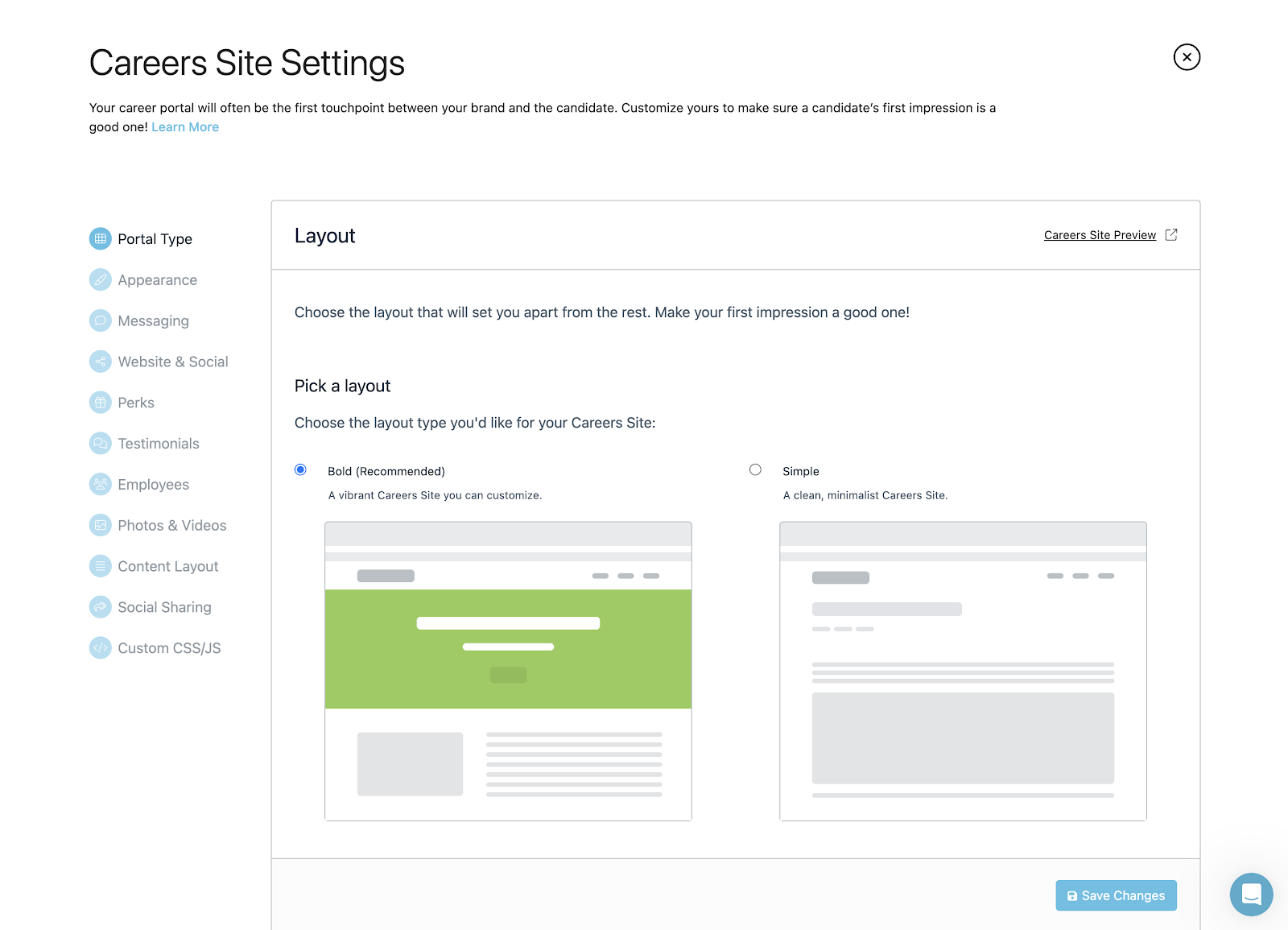

Breezy HR offers several price plans: Bootstrap, Startup, Growth, Business, and Pro. You can start with its free Bootstrap plan or choose its Startup plan, which starts at $157 per month (if paid annually). Breezy HR offers several paid add-ons, including SMS/text messaging, incognito apply, and candidate match score.
Breezy HR’s transparent fees, lack of long-term contracts, discounts, free plan, and 14-day free trial earned it top marks in pricing at 4.31 out of 5. For this reason, Breezy HR’s pricing scheme is ideal for startups, growing businesses, and those who want to customize their ATS functions.
Bootstrap
- Forever free plan.
- Unlimited users.
- Access to candidate information for 30 days.
- Career site.
- Job post syndication to more than 50 job boards.
- GDPR compliance controls and automations.
- Résumé parsing.
Startup
- Annual: $157 per month.
- Monthly: $189 per month.
- Includes everything in Bootstrap plan plus:
- Unlimited candidates, positions, and talent pools.
- Background check integrations.
- Customizable automations, questionnaires, and pipeline stages.
- EEO/OFCCP reporting.
- Calendar, video, and Slack integrations.
- Mobile app.
- Interview self-scheduling.
- Analytics and reporting.
- Task management.
- Video assessments.
Growth
- Annual: $273 per month.
- Monthly: $329 per month.
- Includes everything in Startup plan, plus:
- Reference checking.
- Interview guides.
- Employee referrals.
- E-signatures.
- External recruiter support.
- Hello Messenger for engaging career-site visitors.
- Multiple position locations and recruiting pipelines.
Business
- Annual: $439 per month.
- Monthly: $529 per month.
- Includes everything in Growth plan, plus:
- Multi-path questionnaires.
- Assessment and HR system integrations.
- Candidate comparison.
- Nurture campaigns.
- Custom roles and permissions.
- Job and offer approval workflows.
- Offer management.
- Department list management.
- Candidate and position tag locking.
Pro
- Contact sales for a quote
- Includes everything in Business plan, plus:
- Dedicated account manager
- Option to add advanced capabilities such as:
- API access
- Advanced reporting
- SSL enforcement on custom domains
- Data export/import
Add-ons
- Breezy Intelligence: Credits start at $30 per 100,000 credits.
- SMS/Text Messaging: Starts at $41 per month.
- Breezy Onboard: Starts at $49 per month.
- Breezy Perform: Contact Breezy for current pricing.
- Expert Training: Contact Breezy for current pricing.
Note: Annual pricing subscriptions include two months free.

Teamtailor: Best for automated workflows
Overall Score
3.72/5
Applicant tracking features
4.09/5
Platform/interface
4.44/5
Reporting and analytics
3.31/5
Pricing
2.06/5
Support
3.14/5
User reviews
3.96/5
Pros
- Intuitive and easy-to-use modern interface.
- Custom career site with drag-and-drop blocks.
- Built-in video meetings support, so you don’t need video app integration.
- Audience and meeting reports to measure candidate engagement.
- Sourcing extension to add prospects from LinkedIn.
Cons
- Limited EEO/OFCCP compliance options.
- Different custom report types cannot be combined without exporting the data.
- Non-transparent pricing.
- SMS, onboarding, BI Connector, and some enterprise capabilities may cost extra.
Why I chose Teamtailor
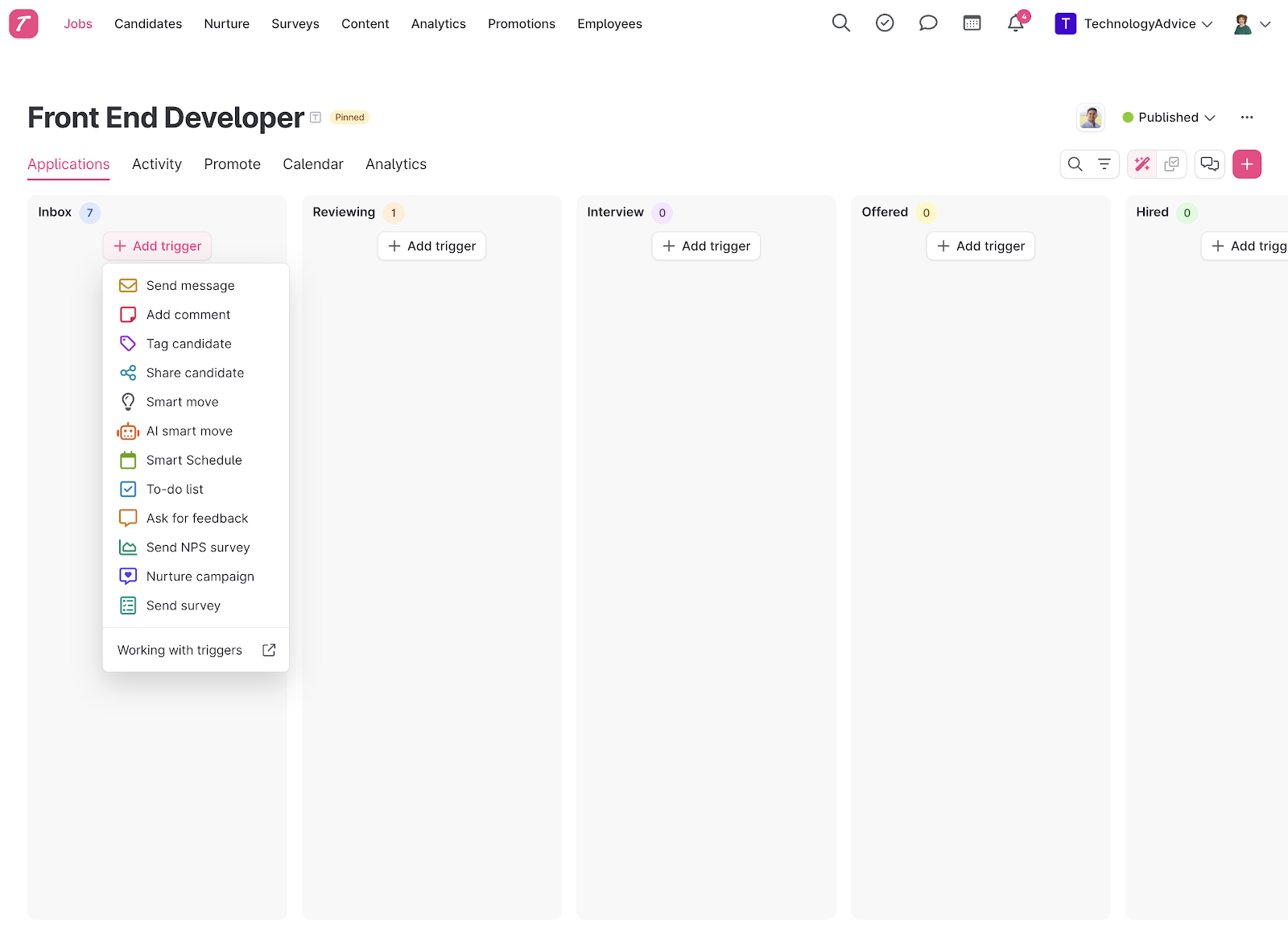
With a score of 3.72 out of 5, Teamtailor stands out for its recruiting automation. Features like triggers, message templates, CRM tools, bulk actions, and candidate experience options can streamline repetitive parts of the hiring process. It performed well across most of the categories I evaluated and earned a strong ATS score, losing points mainly for its more limited DEI reporting and bias-checking capabilities.
Teamtailor may be less suitable if you need highly specialized reporting, granular access controls, or more complex pipeline configurations. It also lacks some tools that can simplify in-person sourcing, such as optical character recognition (OCR) for digitizing paper resumes. Still, its mix of operational and strategic recruiting features makes it approachable for day-to-day recruiting while giving growing teams room to support more sophisticated hiring needs over time.
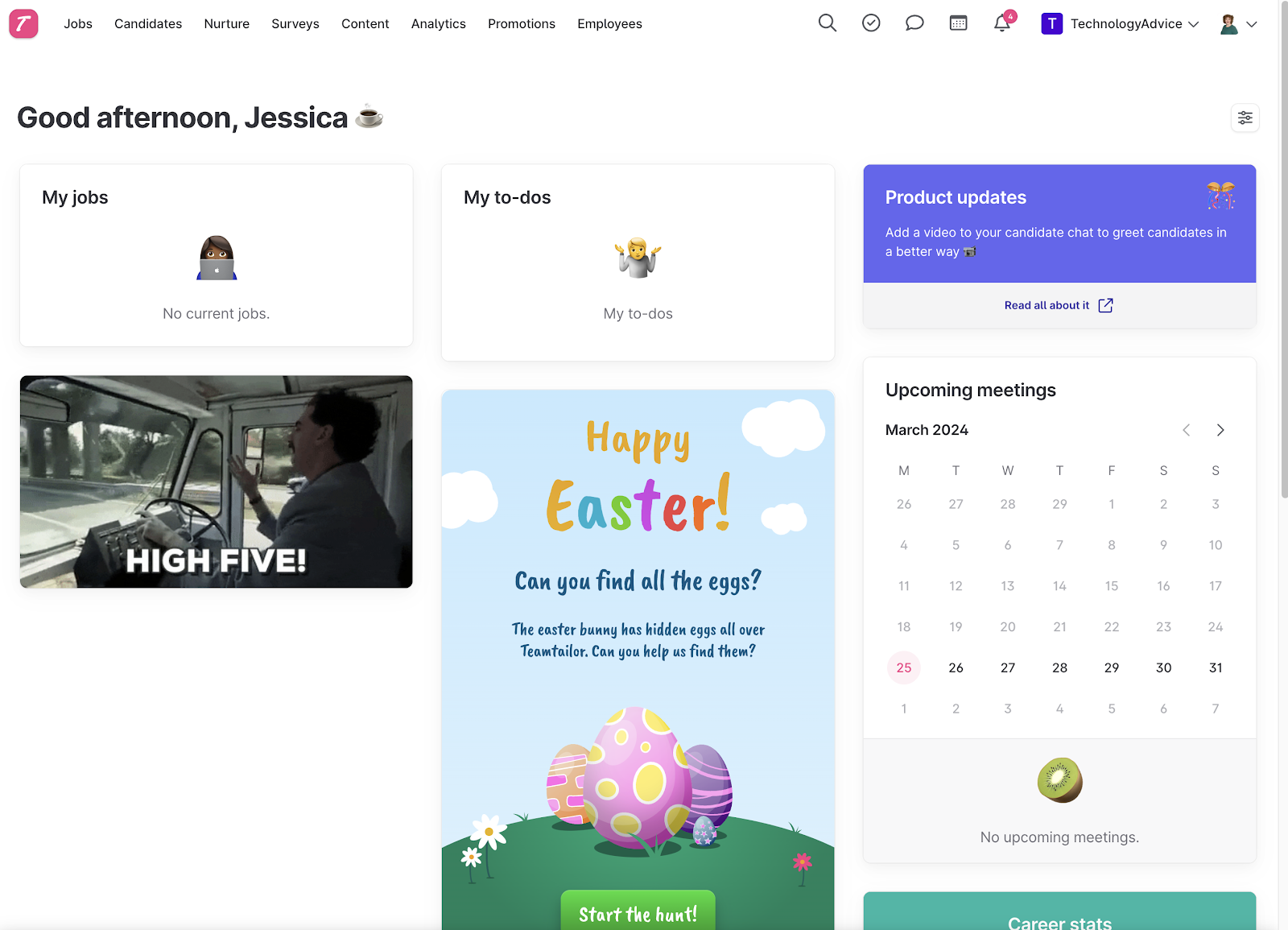
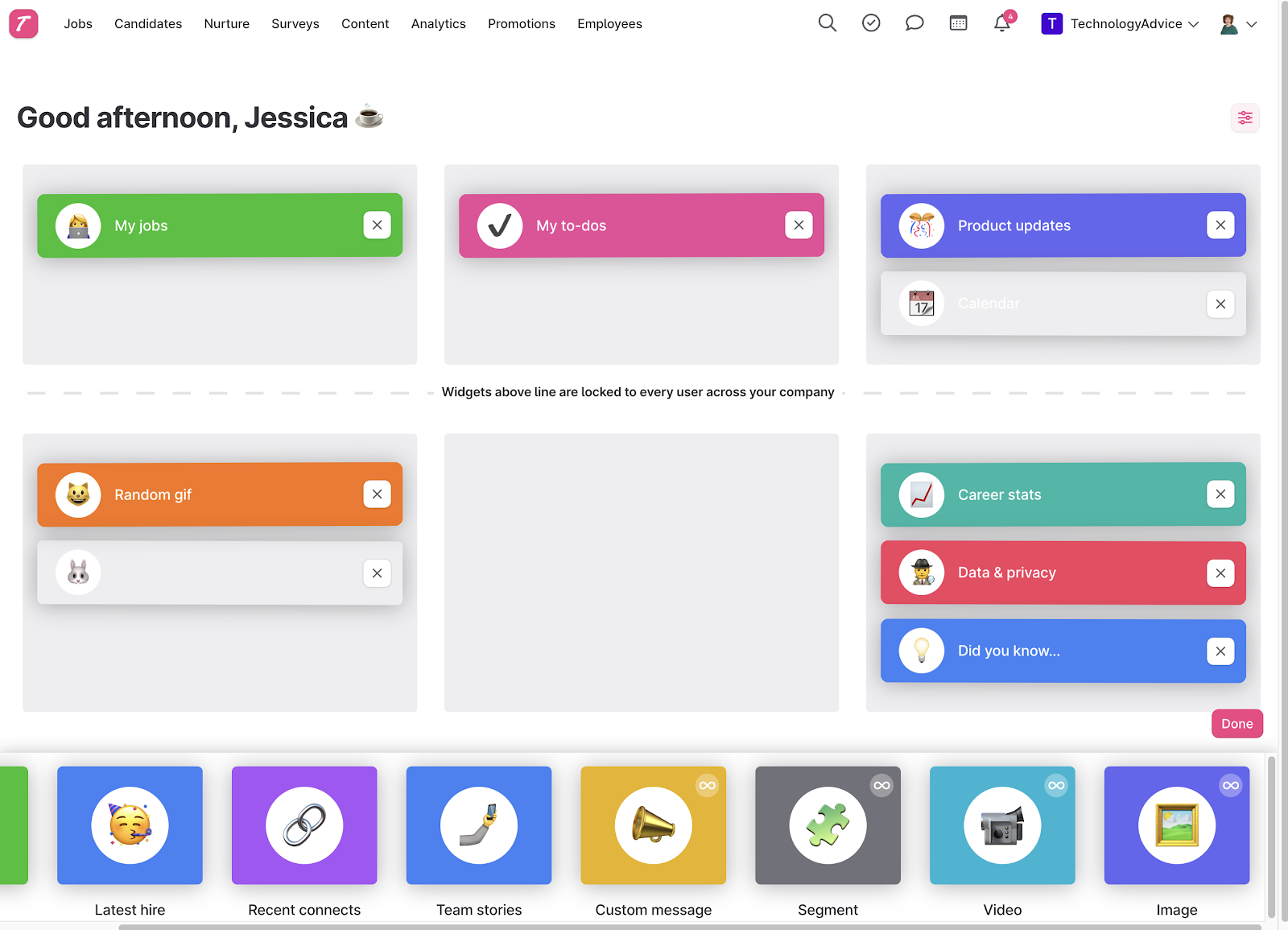
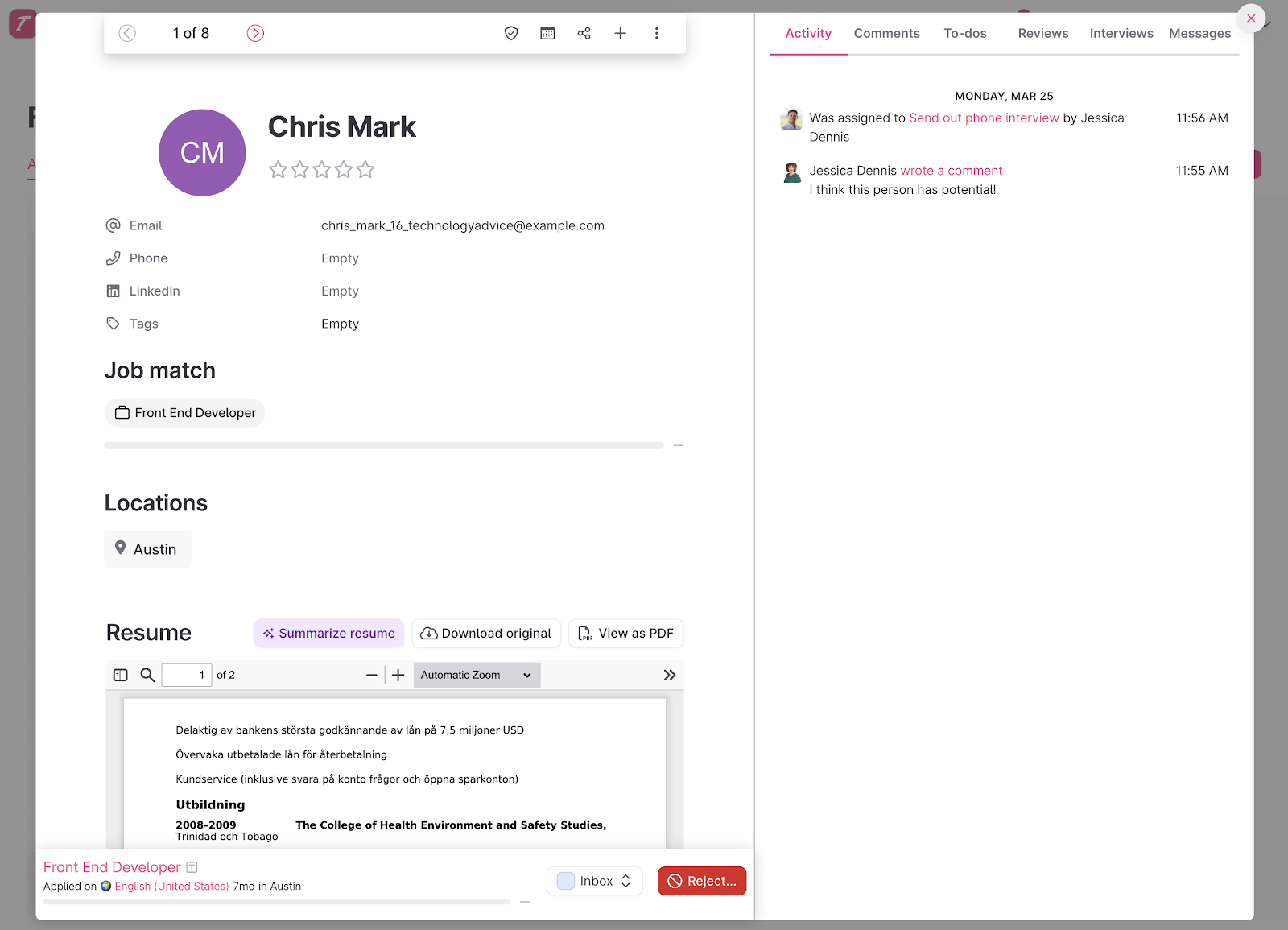
Although an ATS at its core, Teamtailor is unique in the way it blends strategic recruitment functions, like candidate experience tools, directly within its hiring pipeline. This makes it easier for you to understand the importance these features play in the success of your hiring initiatives.
Teamtailor lets you change and access the following directly from its visual pipeline:
- Job settings.
- Hiring stages.
- Job requisition automations.
- Promotions.
- Analytics.
As a result, you can adapt quickly when your hiring process needs to change. For example, it only takes two clicks to adjust interview stages, approval workflows, job posting boosts, or pre-employment assessments as you move candidates through your pipeline.
Teamtailor’s anonymous mode, which you can turn off and on at any stage of the hiring process, even helps minimize unconscious hiring bias. By comparison, Breezy HR’s Incognito Apply is a paid add-on.
Teamtailor’s modern interface allows recruitment teams to easily create reusable job templates, customize pipeline stages, organize employees into groups, and restrict access to particular candidates, stages, or features. These controls help larger hiring teams standardize their processes while limiting sensitive information to the appropriate users.
Its custom reports are also rather limited—instead of starting a report from scratch, you must choose from one of the following base reports first and then manipulate the data to fit your needs:
- Jobs.
- Candidates.
- Job applications.
- Employees.
Viewing historical data trends in Teamtailor has also only been a feature since late 2023. However, you can export CSV files or connect with your business intelligence (BI) software if you need more in-depth insights.
Get a closer look at Teamtailor: Greenhouse vs Teamtailor: Recruitment & ATS Solutions
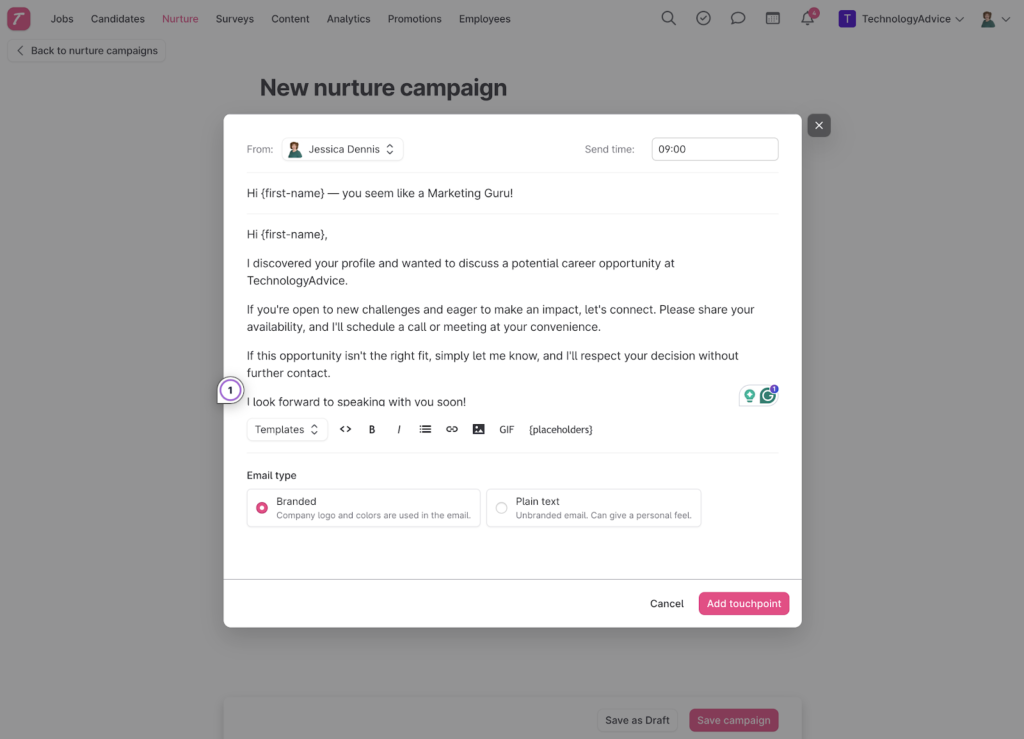
- Email nurture campaigns: Teamtailor’s built-in nurture campaigns help recruiting teams stay connected with passive candidates. You can send branded or plain-text email sequences individually or in bulk using a simple visual campaign builder. Although the platform lacks email analytics, its nurturing tools are more robust than those offered by most ATS platforms.
- Co-pilot AI: Teamtailor’s Co-pilot add-on helps draft job descriptions and rejection emails, summarize résumés and meetings, suggest interview or application questions, flag potentially discriminatory wording, and match candidates against predefined criteria. Because Co-pilot is an add-on, buyers should ask which AI capabilities are included in their quote.
- Customizable career site: Teamtailor’s drag-and-drop career site builder gives you more flexibility to showcase your employer brand beyond basic logos and color schemes. You can add videos, employee stories, and multilingual content. If you want additional customization, the platform also supports custom HTML and CSS.
Since our last update, Teamtailor has introduced two notable workflow improvements. In July 2026, it added an Applications view that brings active applications from every job into one workspace. Recruiters can review their workload without opening each job individually, making it easier to identify applications that need attention.
Teamtailor also added WhatsApp messaging. Recruiters can connect a WhatsApp Business account and keep WhatsApp conversations alongside candidates’ email and SMS messages. Consent requests are built into the workflow, but WhatsApp is an add-on with additional usage costs and requires messaging credits.
Important to note!
I’ll be the first to tell you that I love Teamtailor’s AI functions, but they should never replace the human element. Teamtailor’s Co-pilot is possible because of its integration with OpenAI’s ChatGPT, which means it does make mistakes. Remember to review what it produces to ensure it aligns with the details of your open position and your company’s brand and culture.
With the passing of New York City’s Automated Employment Decision Tools (AEDT) law and the European Union’s Artificial Intelligence Act, become familiar with how your ATS makes candidate decisions. It never hurts to review automatically disqualified candidates to ensure fair decision-making.
You can learn more about AI in recruitment by visiting AI Recruiting: Uses, Advantages, & Disadvantages.

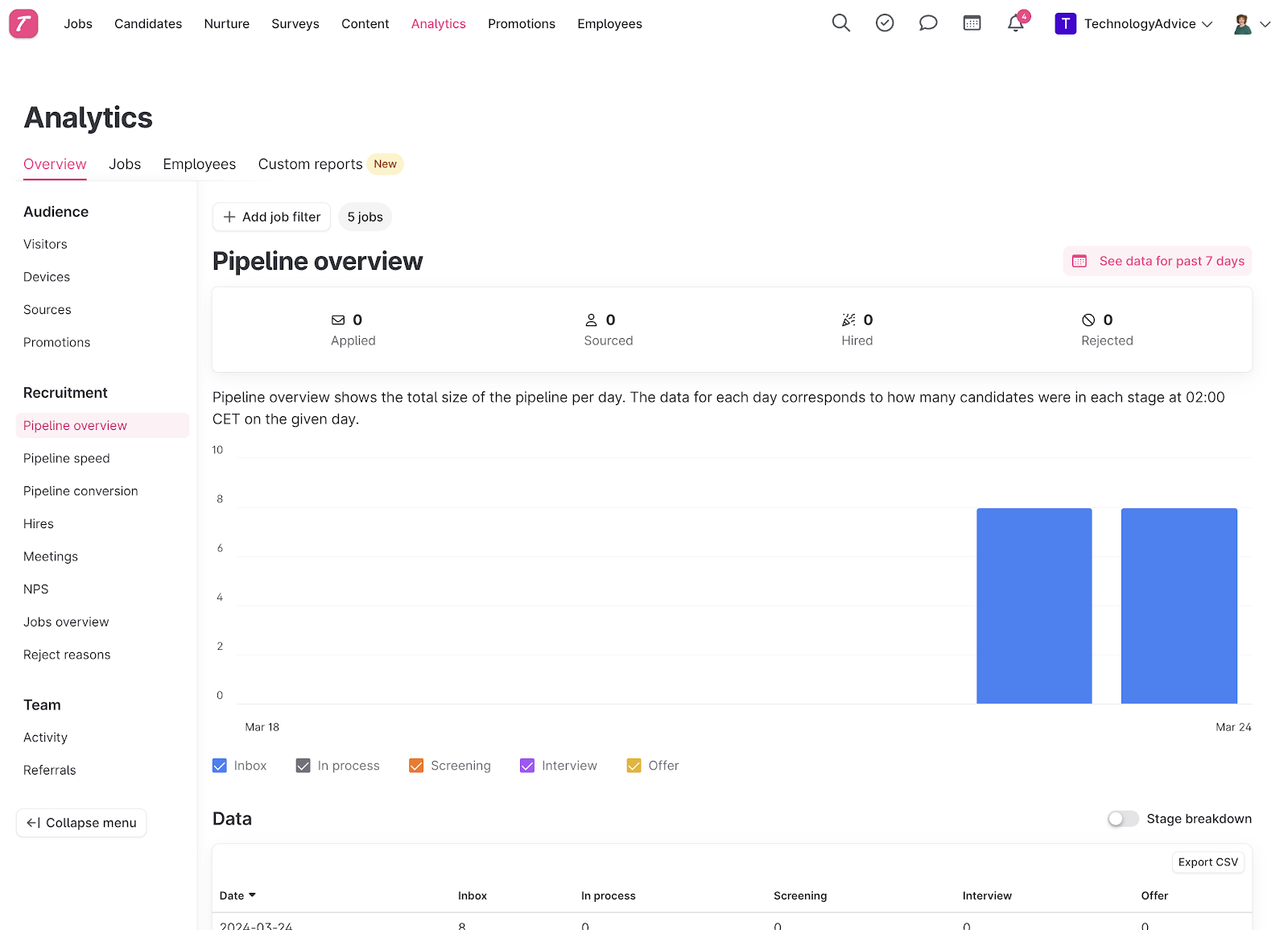
Since Teamtailor doesn’t list its pricing on its website, you have to contact its sales team for a custom quote. You also have to contact the sales team to access the 14-day free trial. The lack of pricing can be frustrating, and it severely impacted Teamtailor’s overall score for pricing. But many users still consider Teamtailor to be reasonably priced for the features it offers, like branding and candidate engagement tools.
Teamtailor does not publish standard pricing. You must contact its sales team for a quote based on your organization and recruiting needs. Going through review websites, the average suggests that the platform starts at around $1,250 annually for unlimited users, candidates, and job openings. Teamtailor uses custom pricing based on your organization. Some capabilities, including SMS, onboarding, BI Connector, and certain enterprise features, may carry additional costs.

Manatal: Best for AI recruitment
Overall Score
3.67/5
Applicant tracking features
3.13/5
Platform/interface
4.13/5
Reporting and analytics
3.75/5
Pricing
3.81/5
Support
4.05/5
User reviews
3.39/5
Pros
- Filter by candidate with AI candidate sourcing features
- Distributes jobs across 2,500+ free and premium channels.
- Pricing is low compared to other ATS software.
Cons
- Workflow automation is unavailable on the entry-level Professional plan.
- Limited integration with other HRIS and HRMS platforms.
- Phone support is available only with a Custom plan.
Why I chose Manatal
With a score of 3.67 out of 5, Manatal ranks third on my list of top ATS software. One of its biggest strengths is its AI-powered sourcing and candidate enrichment. By combining résumé data with publicly available professional information, work history, education, and other profile details, Manatal gives recruiters a more complete view of each candidate and how closely they match an open role.
Manatal has also expanded its automation capabilities. Enterprise and Enterprise Plus subscribers can automatically send candidate emails, assessments, interview invitations, and rejection messages based on workflow events, helping reduce repetitive recruiting tasks as hiring volume grows.
Manatal is an AI recruitment software that allows you to post jobs to multiple job boards and manage candidates through the entire hiring process. It also integrates with social media to provide an overall view of the candidate, from application to resume to social accounts.
Manatal offers the following applicant tracking features
- Remote team management.
- Team collaboration.
- Recruitment metrics.
- Career page builder.
- Candidate scoring.
- Recruitment CRM.
- Candidate sourcing capabilities.
- Social media profile enrichment.
- Comprehensive recruitment analytics.
- Enhanced candidate engagement.
While Manatal has a multitude of candidate engagement features, it doesn’t have a lot of automated communication with candidates, compared to Teamtailor, which has fully automated workflows. This can make interacting with individuals that you are interested in moving through the hiring pipeline a bit more time-consuming.
Integration is another area where Manatal is both good and bad. The good news is that it integrates with a lot of job board apps and a few job assessment products to help you get a clearer picture of the overall qualifications and skills of candidates. On the other hand, it is limited in the number of human resources apps available, although it does integrate with BambooHR and HiBob.
- AI Candidate sourcing: Manatal combines candidate sourcing, job distribution, and AI-powered screening within a single platform. I think it’s beneficial for recruiting teams to get their job posts in front of as many eyes as possible. Manatal meets that by allowing your job openings to post to over 2,500 job boards. You also have access to a sourcing database of over 700 million profiles.
- AI recommendations and semantic search: In my opinion, the platform’s superpower is its ability to match candidates to open roles and suggest relevant positions to candidates already in your database. Its AI-powered semantic search provides relevance scores based on the meaning of a query instead of relying exclusively on exact keywords. This can help teams find candidates whose résumés describe related experience using different terminology. You can refine the recommendations even further using customizable filters to surface qualified talent. Then build a shortlist of the best candidates.
- Candidate enrichment: The platform helps you see a more complete talent profile of your candidates by pulling publicly available professional data from over 20 social media sites, like LinkedIn, GitHub, and X. This provides additional insight into your candidates’ background and experience. Combined with Boolean search functionality, teams can quickly filter their database and surface candidates who closely align with specific role requirements or technical skill sets.
- Customizable application forms: The platform’s customizable application forms allow you to collect more targeted candidate information upfront. You can create required or optional fields, add open-ended questions, and use dropdown responses to better align applications with role-specific requirements. Manatal also offers templates to get your team started or build an application from scratch.
- AI Interviewer: Manatal’s AI Interviewer is a beta add-on for asynchronous video screening. Recruiters can generate questions from a job description or write their own questions and grading criteria. Once candidates complete the interview, Manatal provides the recording, transcript, summary, and AI assessment. This feature could be valuable for high-volume screening, but it is not included in the listed subscription prices. It requires activation and uses credits for completed interviews.
Manatal now advertises to contain more than 700 million candidate profiles. Its Enterprise Plus plan also now highlights connections with ChatGPT, Claude, and other large language model tools, along with a Candidate Portal and internal-mobility capabilities.
Manatal also introduced an AI Interviewer back in January 2026. It’s a beta add-on that conducts asynchronous video screening, generates or uses recruiter-written questions, produces transcripts and assessments, and currently supports several languages.
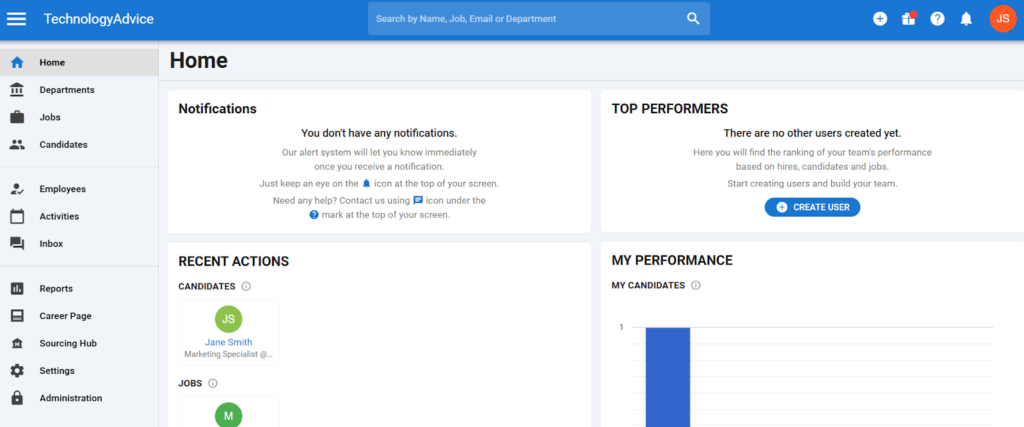
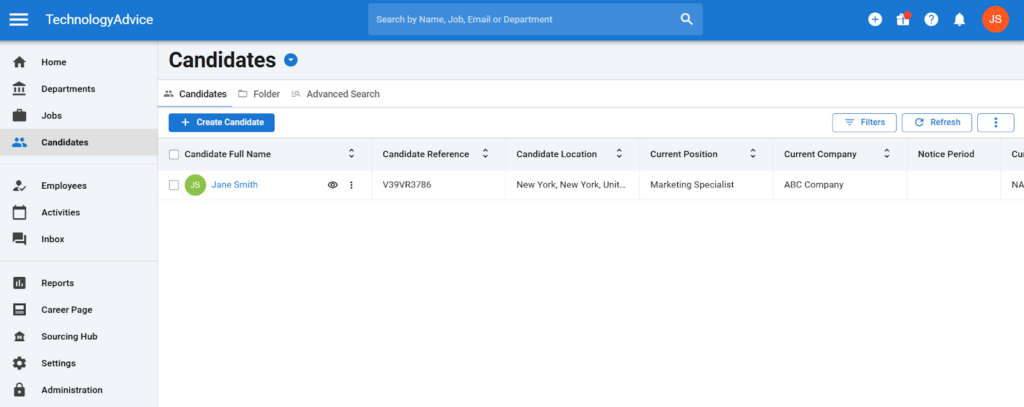
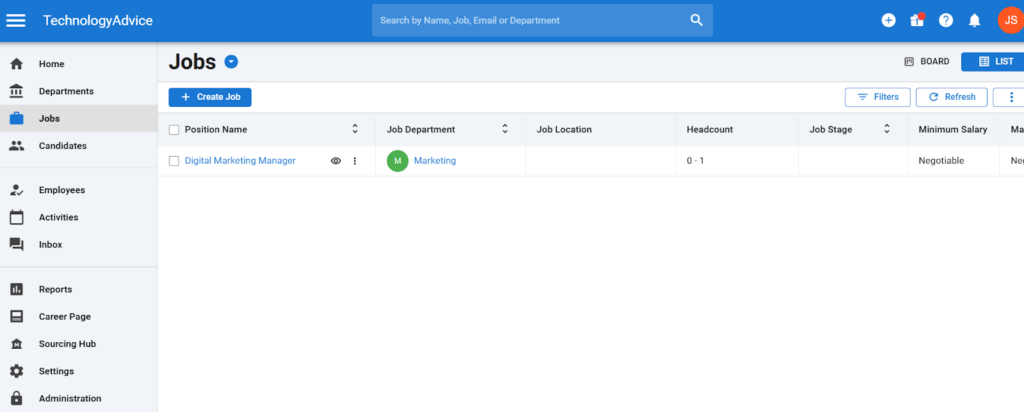
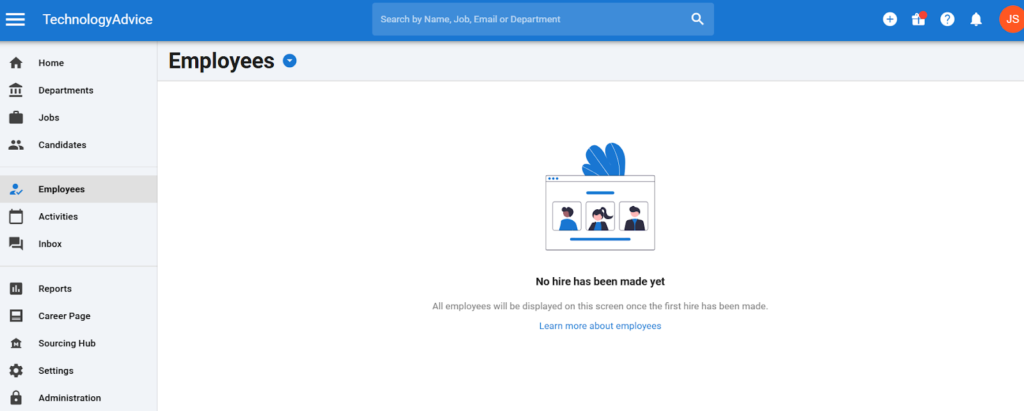
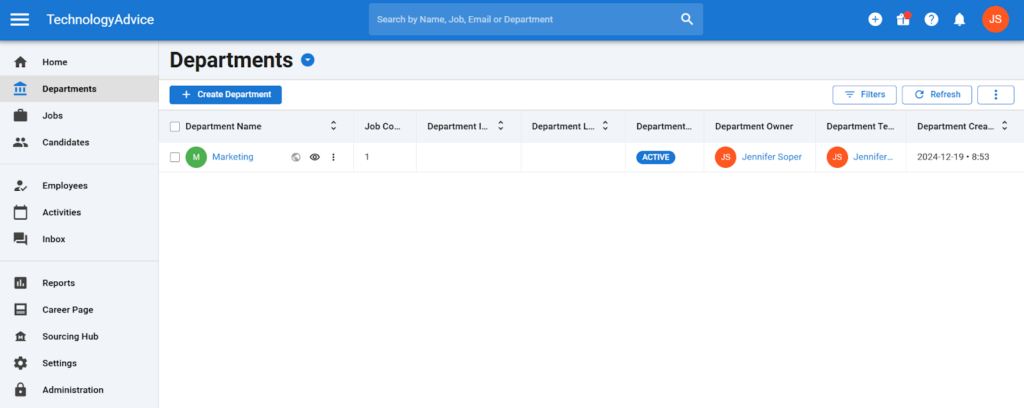
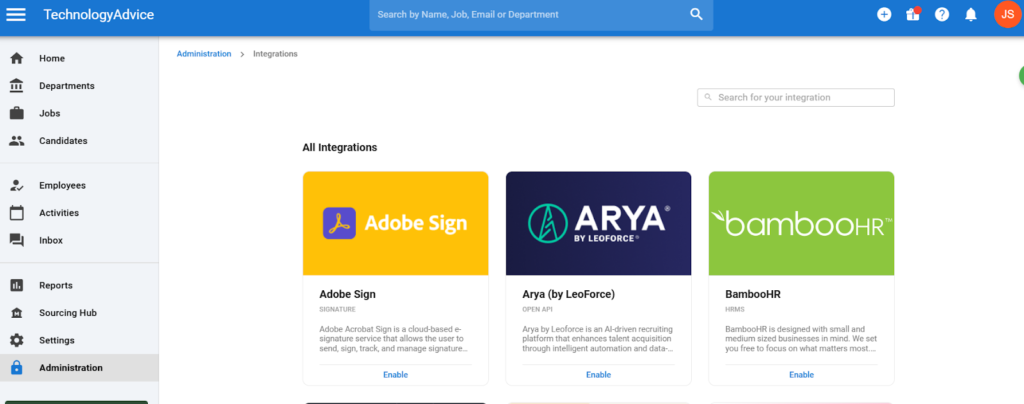
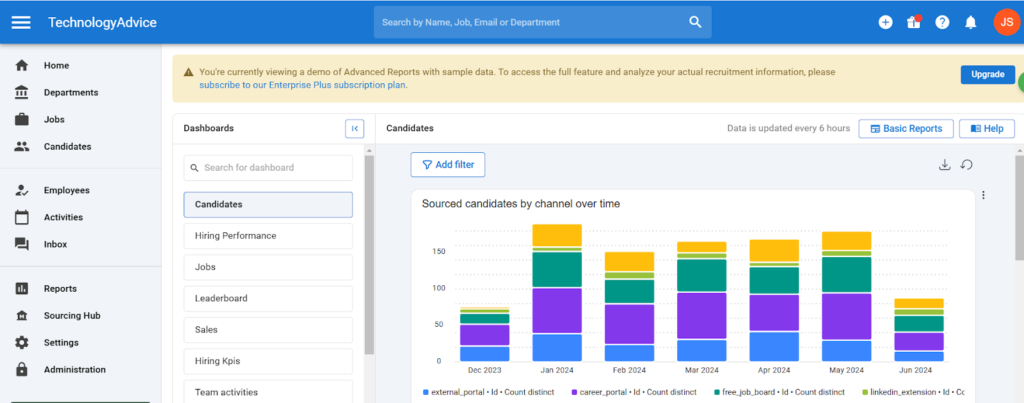
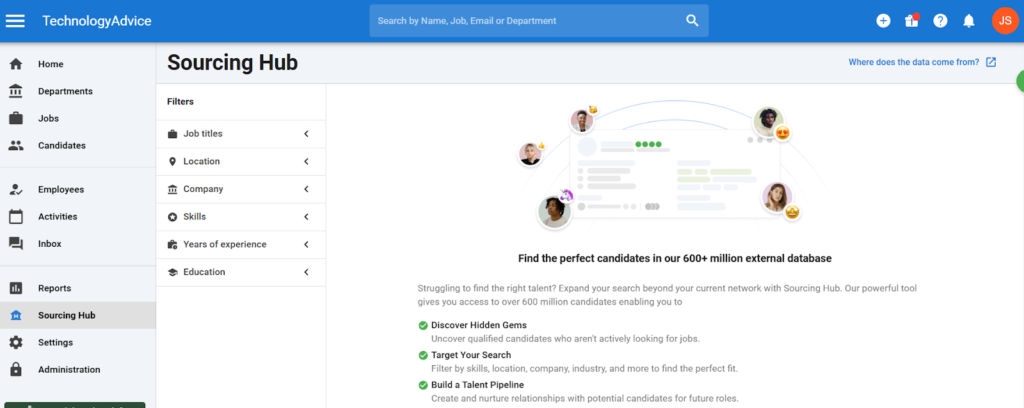
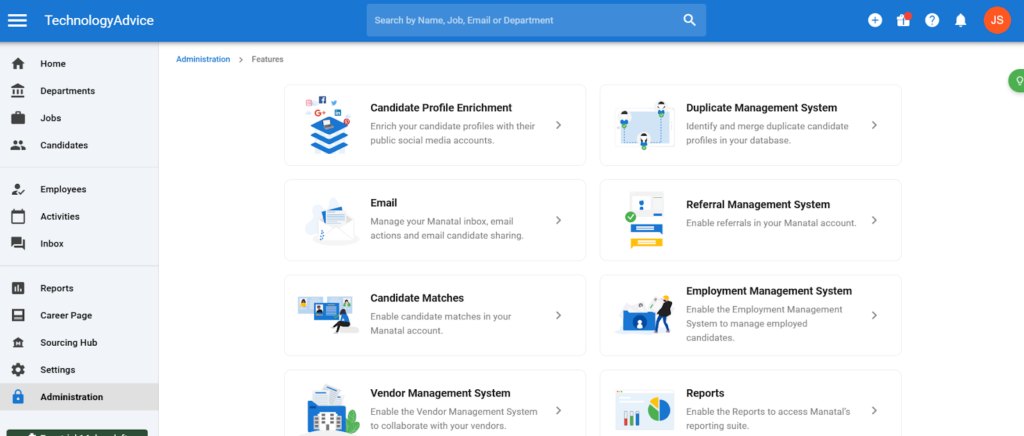
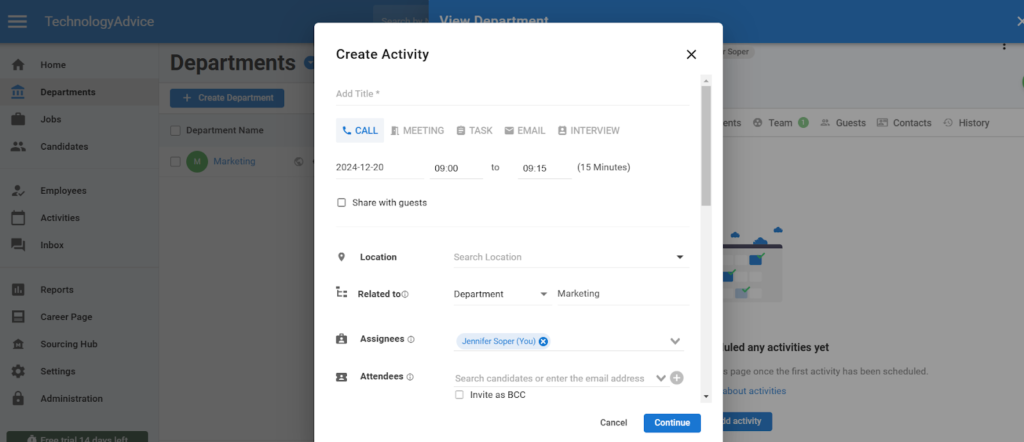
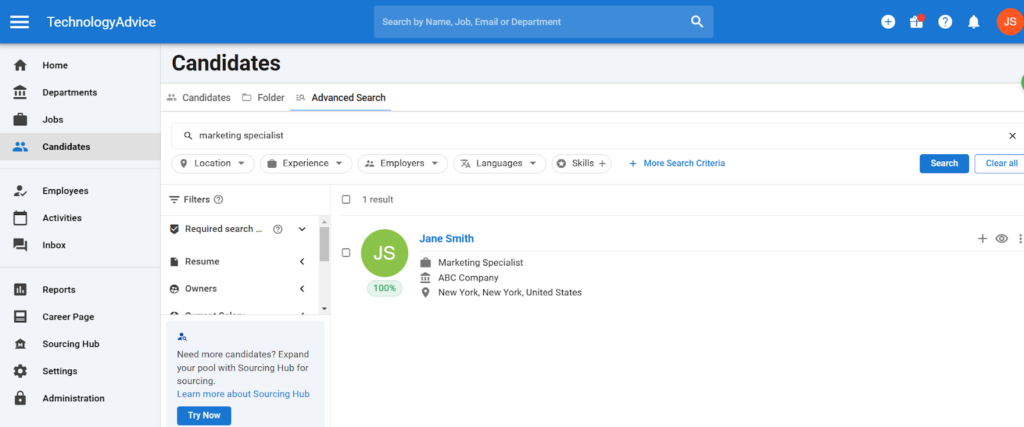
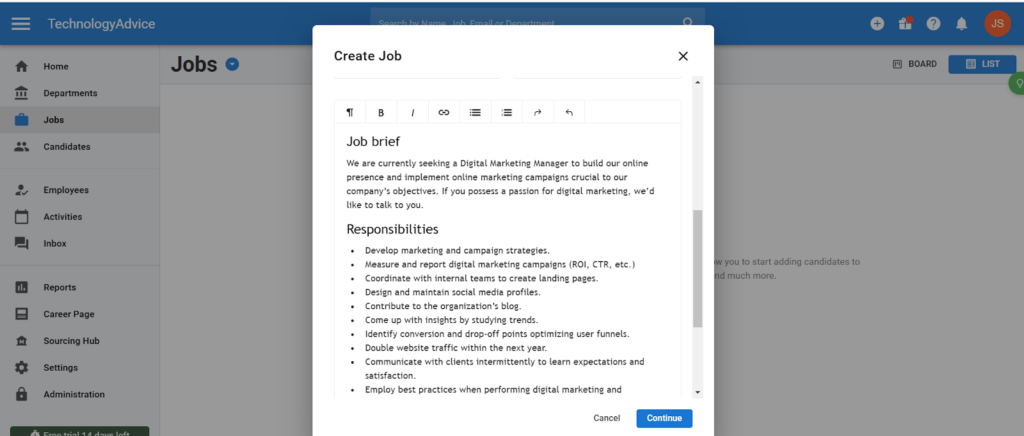
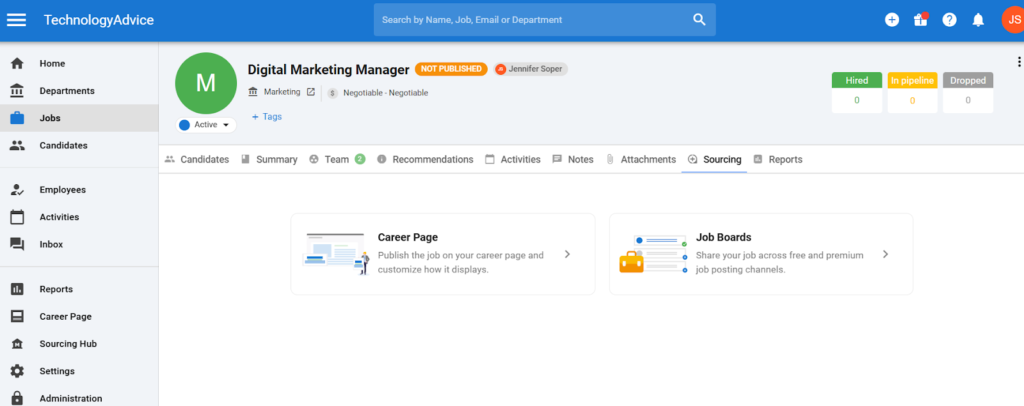
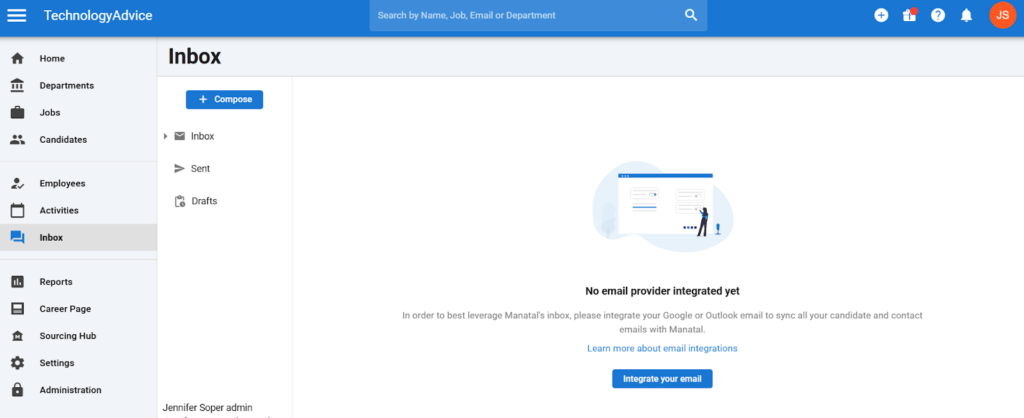
Manatal has four plans available: the Professional Plan for individuals and small teams, the Enterprise Plan for growing teams, the Enterprise Plus Plan for industry leaders, and a Custom Plan for large companies needing unique workflows and integrations. Plans start at $15 per month per user and go up to $55 per month per user (if paid annually).
Professional
- Annual: $15 per month per user.
- Monthly: $19 per month per user.
- Up to 15 jobs/account.
- Up to 10,000 candidates.
- Unlimited hiring managers.
- Candidate enrichment.
- AI recommendations.
- Applicant tracking system.
- Candidate sourcing.
- Data privacy compliance.
- Team and collaboration.
- Activities management.
- Reports and analytics.
- Support and assistance.
Enterprise
- Annual: $35 per month per user.
- Monthly: $39 per month per user.
- Includes everything in Professional, plus:
- Unlimited jobs.
- Unlimited candidates.
- Workflow automation.
Enterprise Plus
- Annual: $55 per month per user.
- Monthly: $59 per month per user.
- Includes everything in Enterprise, plus:
- User groups.
- Advanced report builder.
- Single sign on.
- Open API.
- Priority support.
- Access to Beta features.
Custom
- On demand pricing (contact for quote).
- Includes everything in Enterprise Plus, plus:
- Dedicated account manager.
- Phone support.
- Custom features.
- Custom integrations.
- Custom compliance and reports.
*14-day free trial available on all plans

BambooHR: Best for first-time ATS users
Overall Score
3.52/5
Applicant tracking features
3.08/5
Platform/interface
4.19/5
Reporting and analytics
3.19/5
Pricing
3.13/5
Support
3.79/5
User reviews
4.4/5
Pros
- Applicant tracking, offer letters, e-signatures, and onboarding are included in every plan.
- Hired-candidate information automatically transfers into employee records and onboarding.
- Intuitive reporting and analytics dashboard for new users.
Cons
- Active job openings are capped at 5 on Core, 25 on Pro, and 50 on Elite.
- Lacks recruiting-focused generative AI features for job and candidate management.
- HR and hiring mobile applications remains somewhat fragmented.
Why I chose BambooHR
Although BambooHR is not the most powerful ATS on my list, its simple interface and clean layout make it easy to learn and start using if you’re new to recruiting. In my testing, creating a new job opening took less than 10 minutes because the process involves only a few steps and customization options before job board syndication.
BambooHR earned an overall score of 3.52, with much of its appeal coming from ease of use. Pre-built reports and approval flows make it a strong plug-and-play option for businesses with occasional hiring needs, especially if they also want an HRIS and onboarding tools in the same system.
More advanced recruiting teams may find its limited pipeline customization, hiring-team controls, interview kits, and interview management restrictive. Breezy is a better fit if you need more recruiting flexibility at a relatively affordable starting price.
BambooHR also offers knockout questions that can automatically move applicants to the “no” pile based on their responses. This can reduce manual screening and help hiring managers focus on candidates who meet the role’s basic requirements.
BambooHR differentiates itself in this roundup by being the only all-in-one HR software on my list of the top five ATS platforms. It beat Rippling, another comprehensive HR suite, by a very slim margin. This is because BambooHR is a highly user-friendly ATS with customer support available via phone, chat, and email. Plus, it’s more affordable to start with than other all-in-one platforms that reserve the hiring function in a separate module or paid add-on.
BambooHR’s biggest benefit is that it serves as the single source of truth for your hiring and HR teams—you don’t need to integrate with or import data into your HR platform from a standalone ATS like Teamtailor. Its ATS also uses the same interface as the rest of the platform, including its navigation tabs, lowering the learning curve for users already familiar with BambooHR’s layout.
However, BambooHR is not the best ATS for teams with more than an occasional hiring need. For example, the system is still largely manual, requiring you to move candidates to the next stage in the pipeline since it does not include stage automations like Teamtailor and JazzHR. This can quickly become overwhelming if you have multiple positions and applicants to manage at once.
Nevertheless, BambooHR is significantly more approachable for new recruiting teams that need to understand the various aspects of the recruitment process. Its lack of automatic candidate scoring dramatically reduces the chance of violating AI transparency in hiring laws since the majority of actions require human involvement.
- Custom talent pools: BambooHR makes it easier to create and maintain your pipeline for future hiring needs. You can organize past applicants and top contenders into separate talent pools, helping you quickly revisit strong candidates for new openings. The platform also offers a separate dashboard to view each talent pool.
- Document management: I like how BambooHR makes the transition from recruiting to onboarding seamless. Once a candidate is hired, all their documents are automatically transferred to your human resources information system (HRIS). New hires can then move directly into onboarding to complete and e-sign documents.
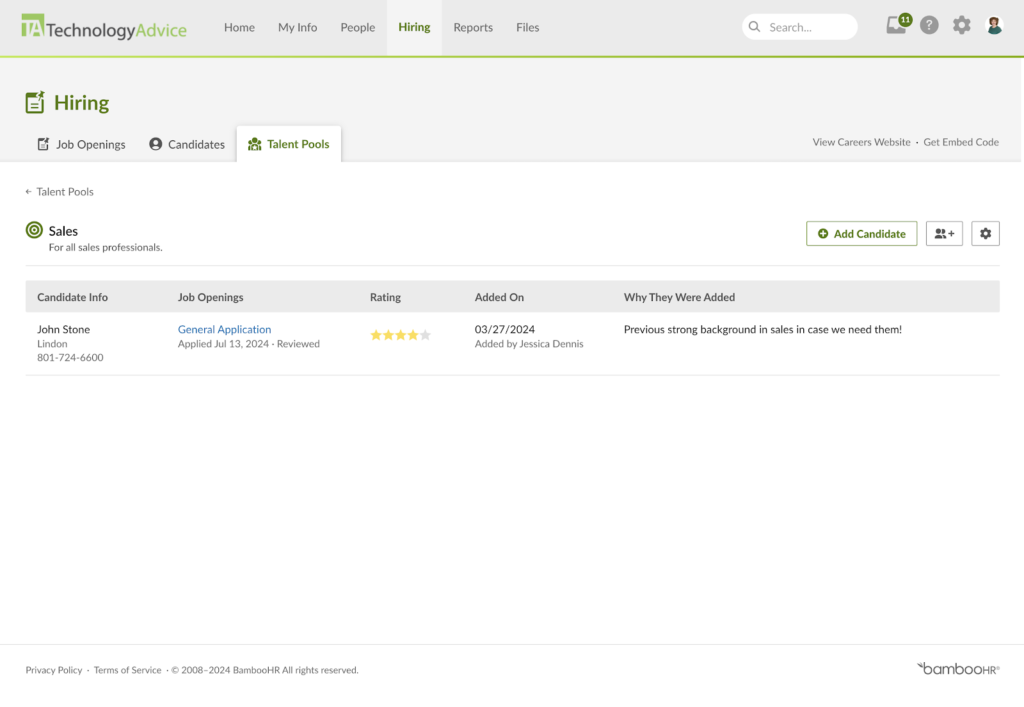
Document management
One major benefit of choosing BambooHR as your ATS is that any candidate who becomes your new employee keeps all their documents. Their application, resume, and offer letters move automatically with the candidate into your human resources information system (HRIS) without manual imports or data entry.
Unlike Breezy HR and JazzHR, which relegate offer letter management to higher price tiers, BambooHR offers these features standard. You can also upload existing company offer letters and edit them with placeholders that populate with candidate data, like name and address. Candidates are immediately funneled into BambooHR’s onboarding workflow, which collects additional documentation that they can e-sign for faster ramp-up periods.
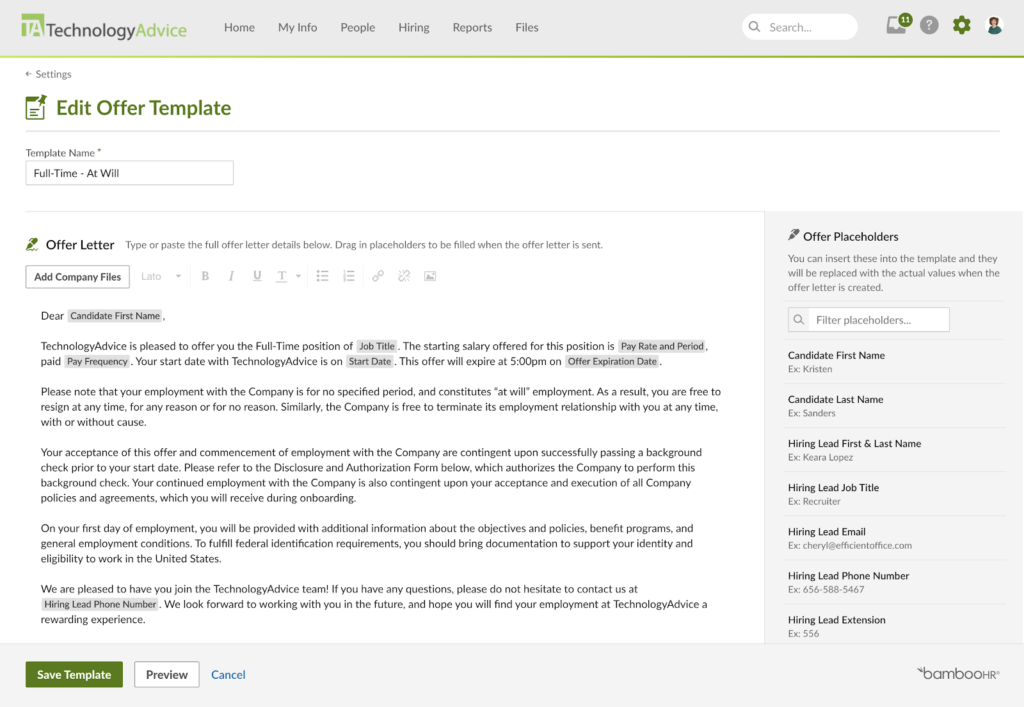
BambooHR has expanded several hiring and workforce-management capabilities. Its Candidate Self-Scheduling feature lets you send candidates a secure link to select an interview time based on the hiring team’s availability. It connects with Google or Microsoft calendars and supports Google Meet, Zoom, and Microsoft Teams. You can create reusable interview templates, monitor scheduling status, and manage cancellations or changes from the candidate record.
BambooHR has also expanded its built-in background-check offering. Eligible accounts that have not previously used BambooHR Background Checks can now screen their first three candidates at no charge, up from one free background check. Recruiters can initiate and monitor checks from the candidate record.
Another recent update is Contractor Management, powered by Remote. Announced on June 29, 2026, the add-on supports contract creation, onboarding, payments, and compliance workflows for contractors in more than 200 countries and jurisdictions. Although this is not an ATS feature, it expands BambooHR’s ability to move international workers from hiring into workforce management.

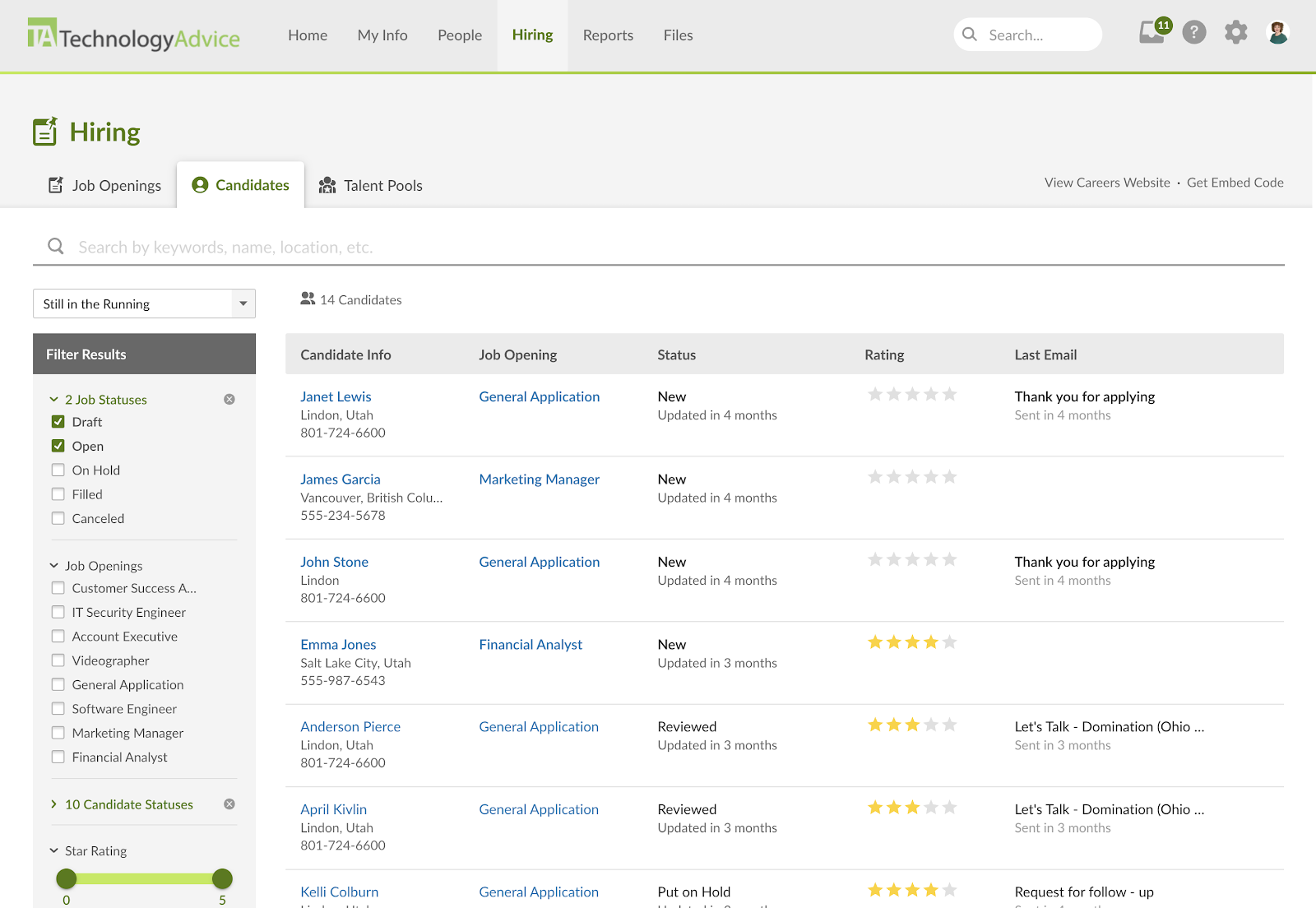
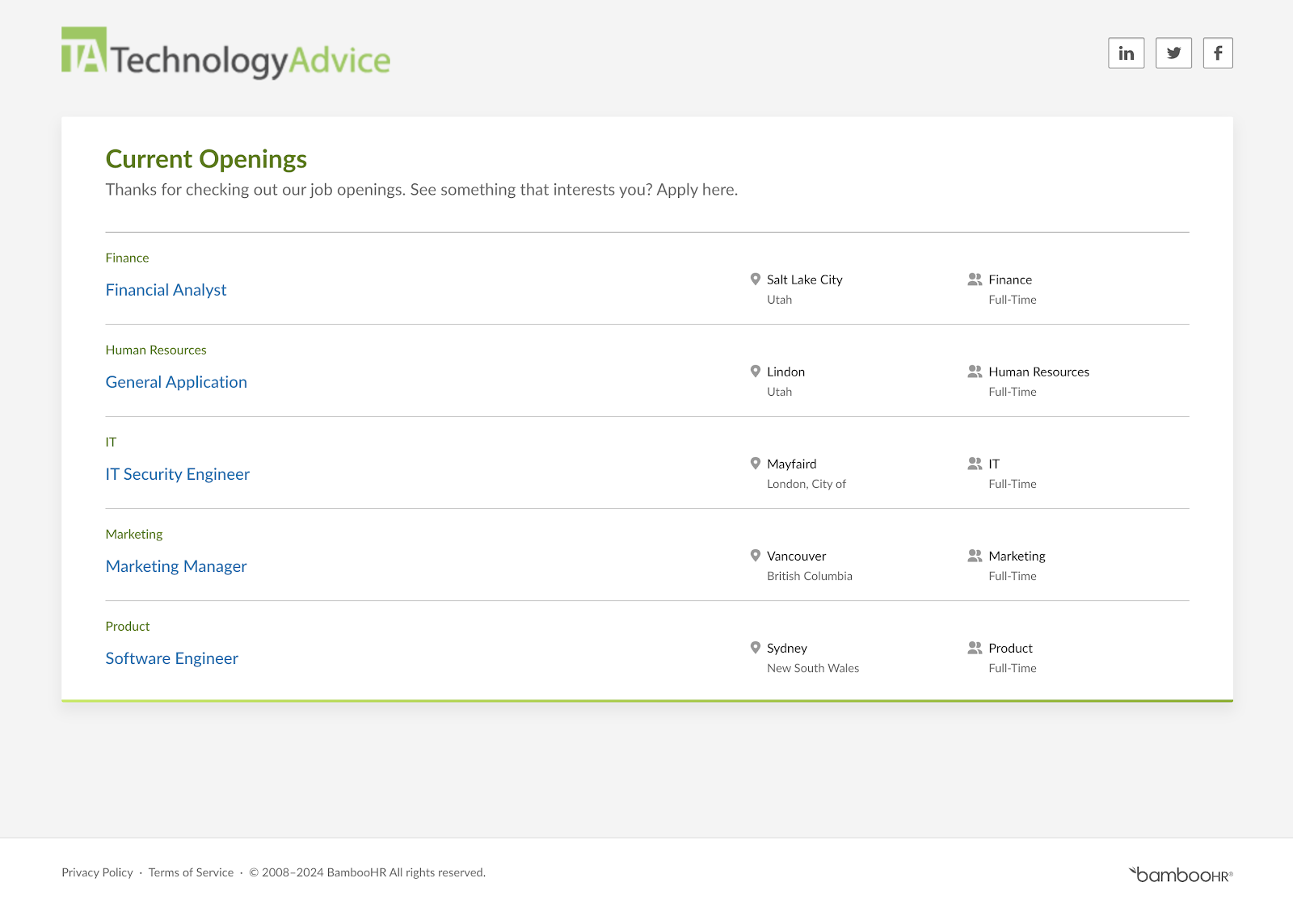
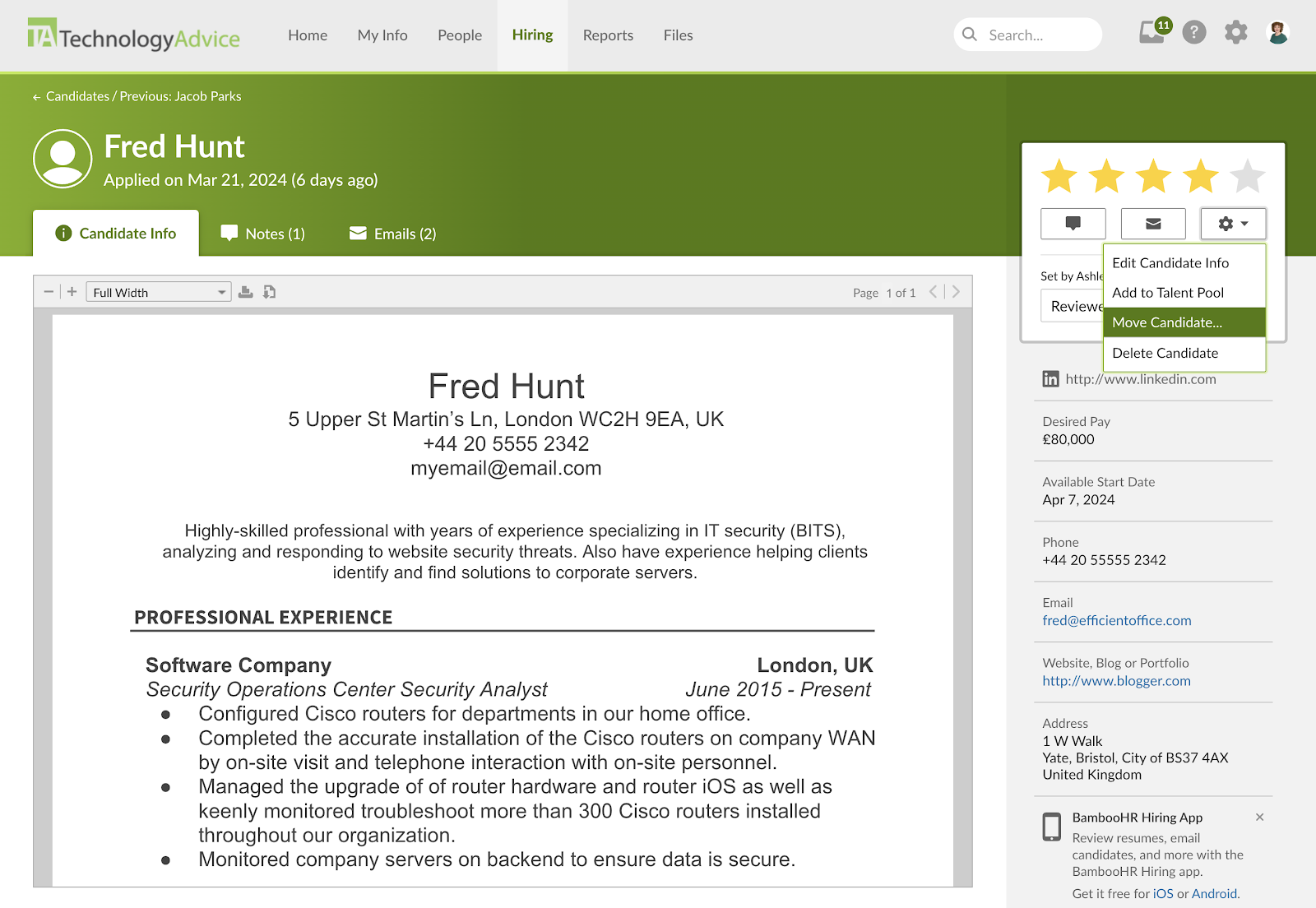

In 2024, BambooHR changed its pricing plans. What were once the Essentials and Advanced subscription tiers are now the Core and Pro plans. The lower Core tier has significantly more features, making it comparable to all-in-one HR software like Rippling and TriNet HR Platform.
However, because it is an HR suite, it is quite expensive compared to standalone ATS platforms. To access BambooHR’s hiring module, you must pay a minimum of $250 monthly for its Core plan.
With a pricing score of 3.13, BambooHR is the best choice if you’re also looking for an HRIS or onboarding system, since you can access its ATS in all plans. However, its pricing is not transparent, and you must contact sales for a price quote.
Core
- For up to 25 employees: $250 per month flat rate.
- For more than 25 employees: $10 per employee per month (PEPM).
- Volume discount applies after 25 or more employees.
- Includes:
- HRIS and reporting.
- Hiring and onboarding.
- Time off and benefits tracking.
- Access to integrations marketplace.
Pro
- For up to 25 employees: $425 per month flat rate.
- For more than 25 employees: $17 PEPM.
- Volume discount applies after 25 or more employees.
- Includes everything in Core plus:
- Performance management.
- Employee experience and rewards.
- Employee community.
Elite
- For up to 25 employees: $625 per month flat rate.
- For more than 25 employees: $25 PEPM.
- Volume discount applies after 25 or more employees.
- Includes everything in Pro plus:
- Compensation management and benchmarking.
- Custom dashboards.
- Advanced visualizations.
- HR benchmark data.
- Advanced AI-assisted HR analysis.
Add-ons:
BambooHR offers the following optional solutions:
- Payroll for U.S.-based employees.
- Benefits Administration for U.S.-based employees.
- Time & Attendance, including shift scheduling, project tracking, time clocks, and automated approvals.
- Global Employment, including Employer of Record and Contractor Management services.
BambooHR does not publish standard prices for these add-ons. Contact its sales team for a quote based on your headcount, location, and selected services. Payroll pricing may also vary based on factors such as the number of Federal Employer Identification Numbers (FEINs) and states in which you operate.
U.S. customers can receive a 15% discount when they combine Payroll and Benefits Administration with a Core, Pro, or Elite subscription.

Greenhouse: Best for candidate experience and DEI
Overall Score
3.42/5
Applicant tracking features
3.69/5
Platform/interface
3.81/5
Reporting and analytics
3.69/5
Pricing
1.25/5
Support
2.76/5
User reviews
4.41/5
Pros
- Structured interview kits and scorecards standardize candidate evaluations.
- Integration marketplace of 500+ prebuilt integrations
- Built-in anti-bias reminders, anonymized take-home tests, and inclusive candidate-profile options.
Cons
- Steeper learning curve than ATS platforms designed for occasional hiring.
- Advanced automation, sourcing, fraud detection, and BI capabilities require Plus or Pro.
- No documented telephone-support channel.
Why I chose Greenhouse
Greenhouse stands out for its structured hiring approach and tools designed to support more consistent, equitable candidate evaluations. It’s a strong choice for organizations that want hiring teams to follow standardized processes with features like interview kits, scorecards, and anti-bias controls.
Its CRM capabilities, including outbound recruiting, email outreach campaigns, talent pools, social media posting, and candidate experience surveys, also make Greenhouse useful for building and managing longer-term talent pipelines.
Greenhouse earned an overall score of 3.42 because its reporting, customization, and more strategic recruiting features can be more than what smaller or less experienced teams need. Its interface is also more complex than Teamtailor or BambooHR, which can make it harder to find information quickly when managing active candidates.
Learn more about Greenhouse and its features in Lever vs Greenhouse Comparison.
Greenhouse’s recruiting platform combines the capabilities of an ATS and a CRM. Where it lacks some of the user-friendly interface features of Teamtailor and Breezy HR, it makes up for this through its focus on structured hiring and DEI. This provides quality hiring experiences for job seekers, plus tools to ensure you source applicants with respect to values fit.
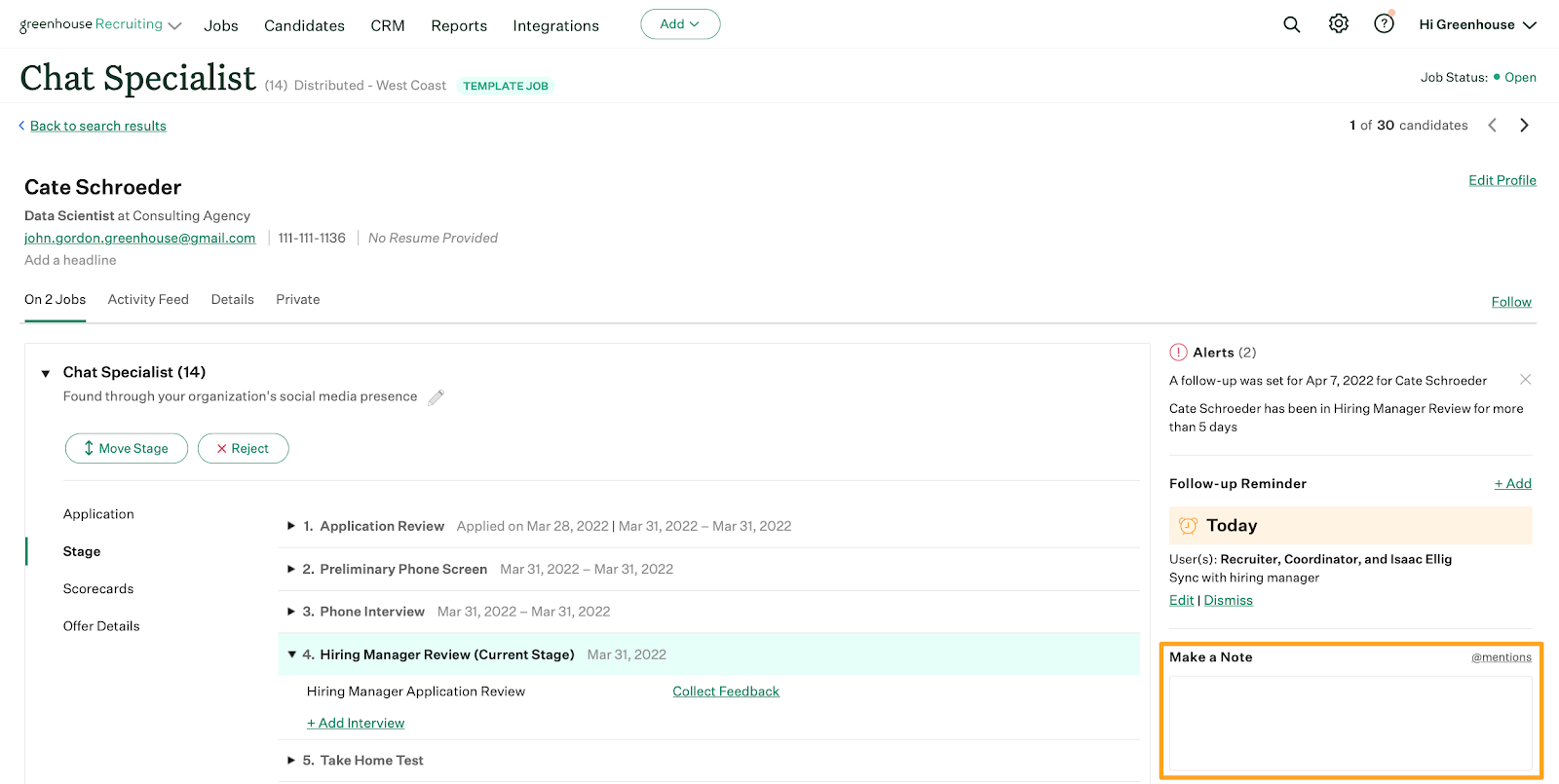
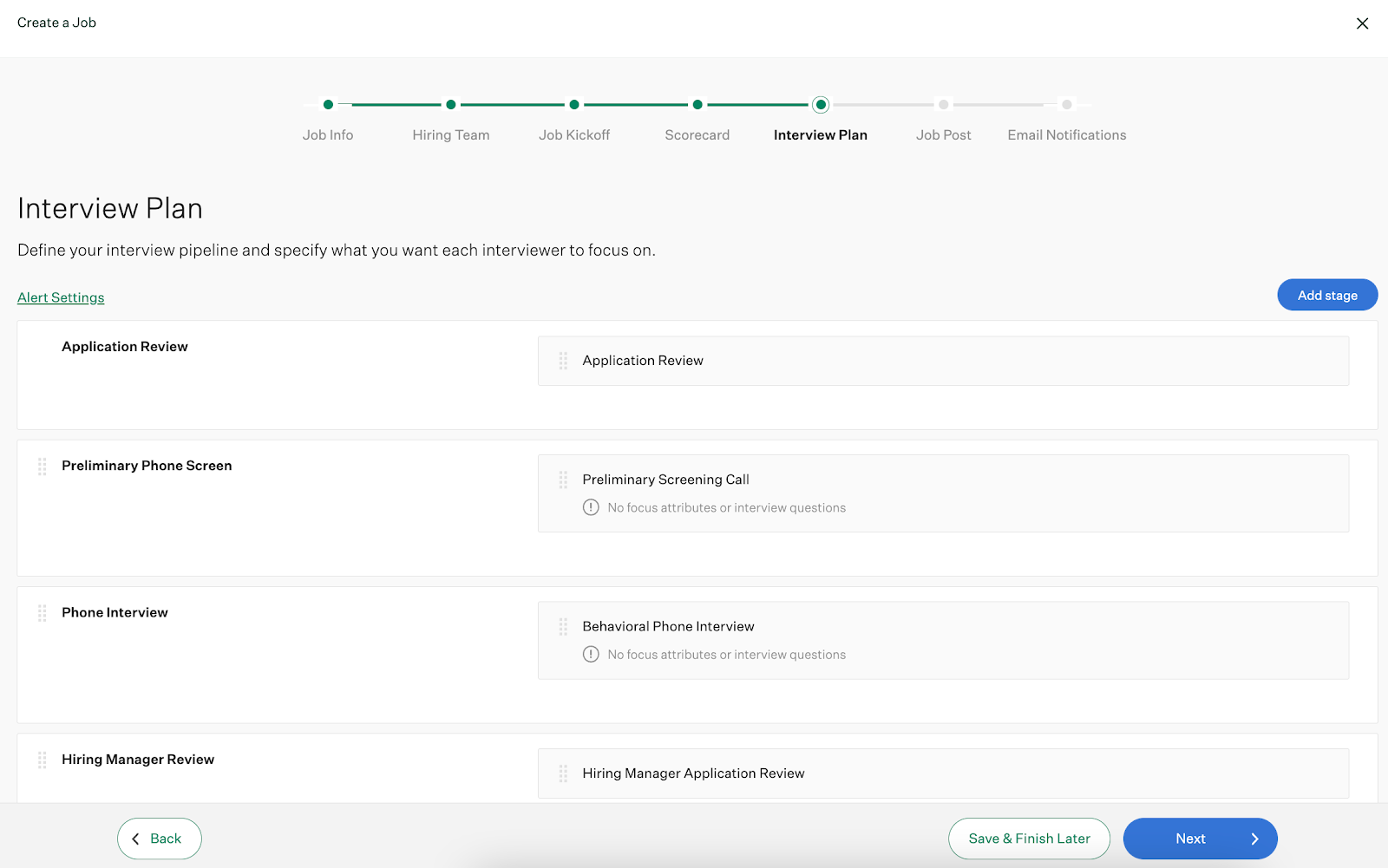
Greenhouse includes all features typical of an ATS, from candidate auto-advance and rejections to visual drag-and-drop pipelines and collaborative application reviews. But Greenhouse embeds candidate-centric aspects throughout its platform, such as:
- Job kickoff forms: Help stakeholders agree on job position requirements and candidate scoring.
- Diverse job board distribution: Syndicate job posts to more than 1,000 job boards, including those targeting minority groups.
- Anonymous assessment grading: Minimize hiring manager and recruiter bias when evaluating candidate skills.
- Interview prep kits and scorecards: Create alignment and consistency during interviews.
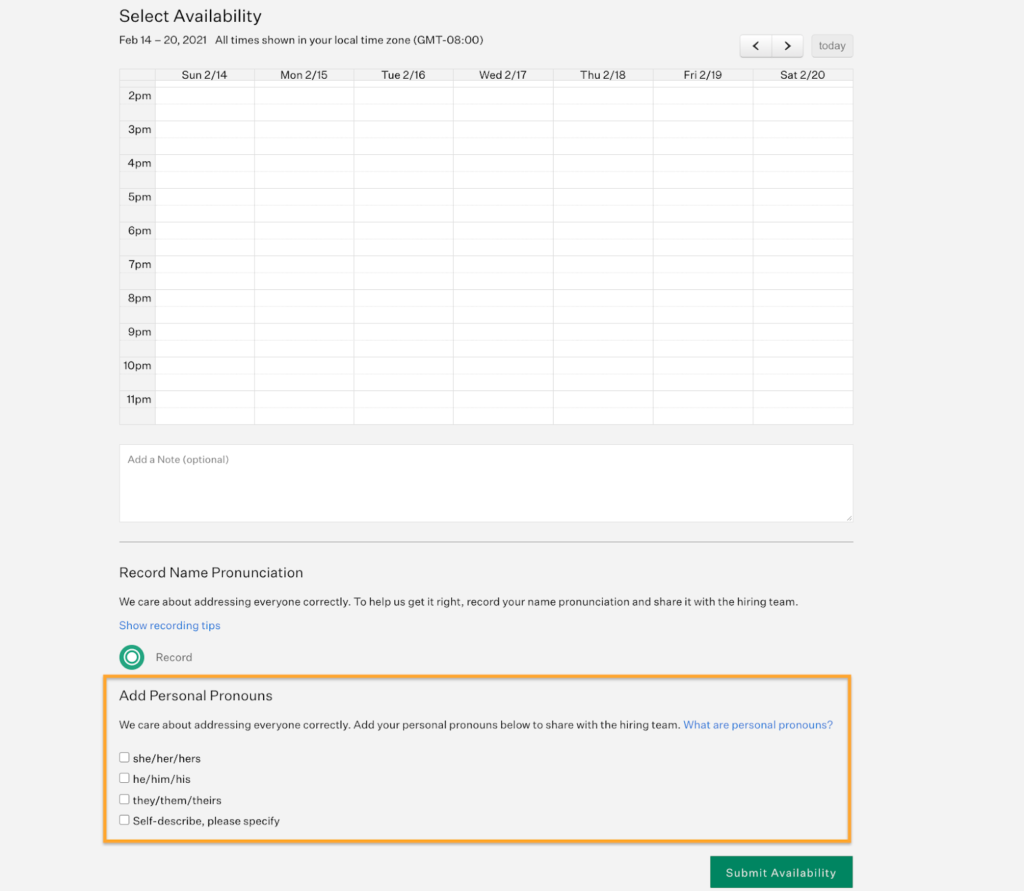
Its MyGreenhouse portal gives candidates a central place to find jobs, prefill applications, and monitor their progress. Candidates can also provide preferred names, pronouns, and name pronunciations to help interviewers prepare for more respectful interactions.
However, Greenhouse’s complexity remains its principal drawback. Its emphasis on more strategic sourcing, candidate experience, and careful applicant evaluations can slow the hiring process. Many of Greenhouse’s features also fall outside those of a traditional ATS, even in its starter subscription. As a result, Greenhouse is better suited for experienced ATS users who want some of the strategic features for attracting passive candidates and making progress on company DEI initiatives.
- Anti-bias controls: Greenhouse includes structured anti-bias tools that are designed to promote inclusivity throughout the hiring process. Features like job kickoff forms and standardized scorecards encourage interviewers to evaluate candidates based on skills and qualifications rather than subjective impressions. The platform places reminders throughout the hiring workflow to help teams recognize and reduce potential bias during evaluations. Candidates can also share their pronouns and name pronunciations before interviews, helping you make the candidate feel comfortable and welcomed from the start.
- Real Talent: Greenhouse Real Talent combines candidate matching with fraud and spam detection. Core includes Talent Matching, while Plus adds fraud and spam detection. Pro includes enterprise-level Real Talent capabilities.
- Events hiring tool: Greenhouse offers a unique mobile app to source candidates from in-person events, like career fairs and industry conferences. You can collect applications, upload pictures of resumes, and save candidate notes. All of the information you gather is automatically synced to the ATS. The platform also tracks how event-sourced candidates progress through the hiring pipeline to see which one generated the strongest talent.

Expert Tip
Career fairs are only one of many original ways to find candidates besides online job boards. For tips on finding top talent, check out 6 Creative Ways to Find and Hire Employees.
Greenhouse has announced a new group of AI and analytics capabilities designed to reduce administrative work while preserving human responsibility for hiring decisions.
Greenhouse Analytics entered open beta in June 2026. The self-service analytics builder lets users select datasets such as applications, interviews, and offers. You can also apply filters and metrics, change visualizations, and and drill into the data behind a result. Its Analytics Chart Agent also turns plain-language requests into charts without requiring users to configure every metric manually.
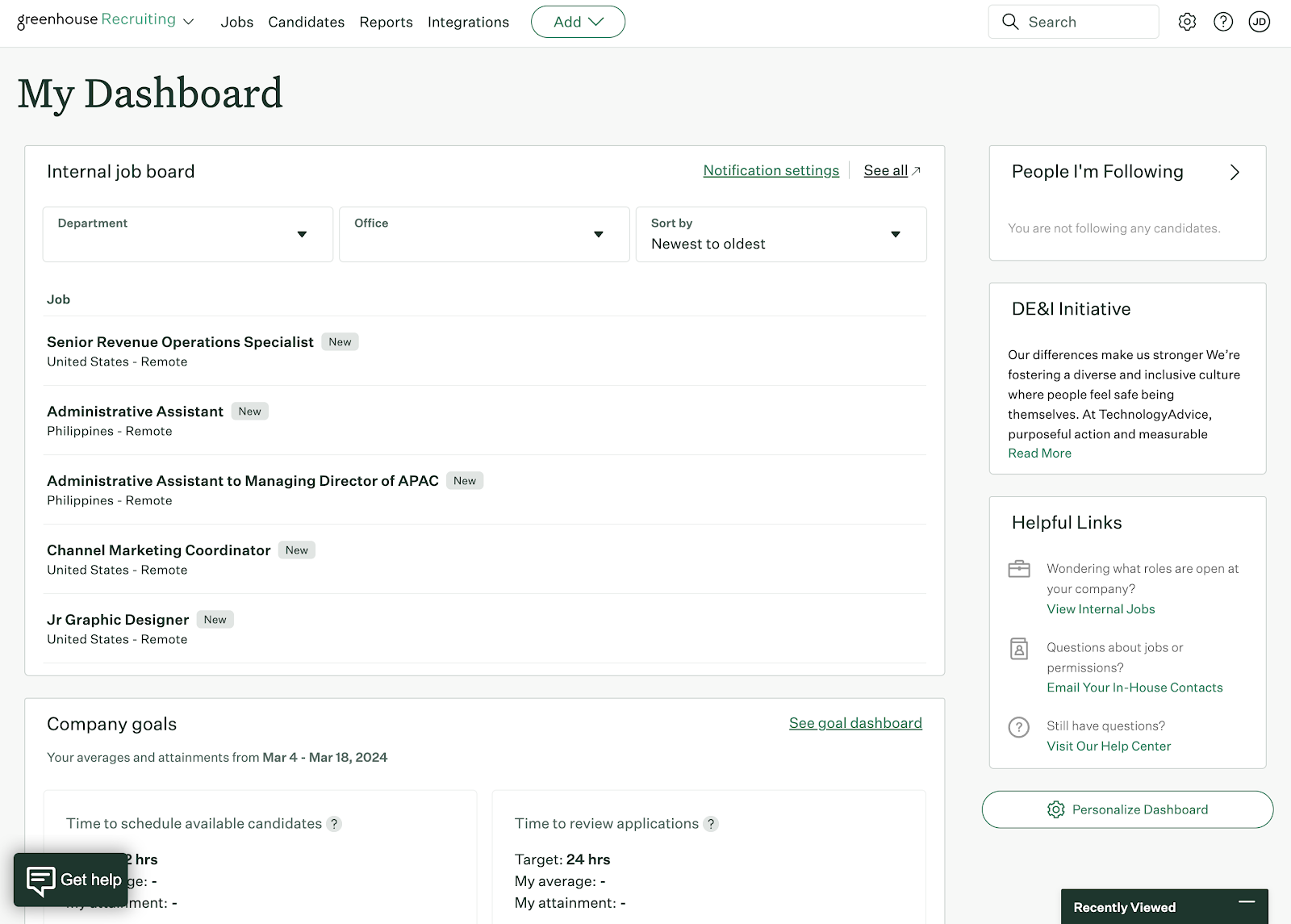
Greenhouse has three subscription plans: Core, Plus, and Pro. The company does not reveal its pricing, so you must contact its sales department for a custom quote.
Pricing depends on your employee headcount rather than the number of system users or recruiting stakeholders you have. Because even its lowest plan includes several CRM capabilities, like employee referral portals and surveying, Greenhouse is not ideal for small businesses that hire infrequently. You should not be surprised to pay thousands to tens of thousands of dollars annually for a Greenhouse Core subscription if you have 50 or more workers.
With a score of 1.25, Greenhouse performed the worst in pricing of any provider in my roundup for reasons like its unclear contract requirements and lack of a free trial. But remember, you may have some leeway negotiating your price as a result, especially if you’re evaluating multiple ATS simultaneously.
Core
Includes:
- Applicant tracking.
- Talent pools.
- Talent finder.
- DEI tools (name pronunciation, personal pronouns, and company initiatives).
- Structured hiring.
- Candidate self-scheduling.
- Team collaboration.
- Automated task management.
- Multi-channel sourcing.
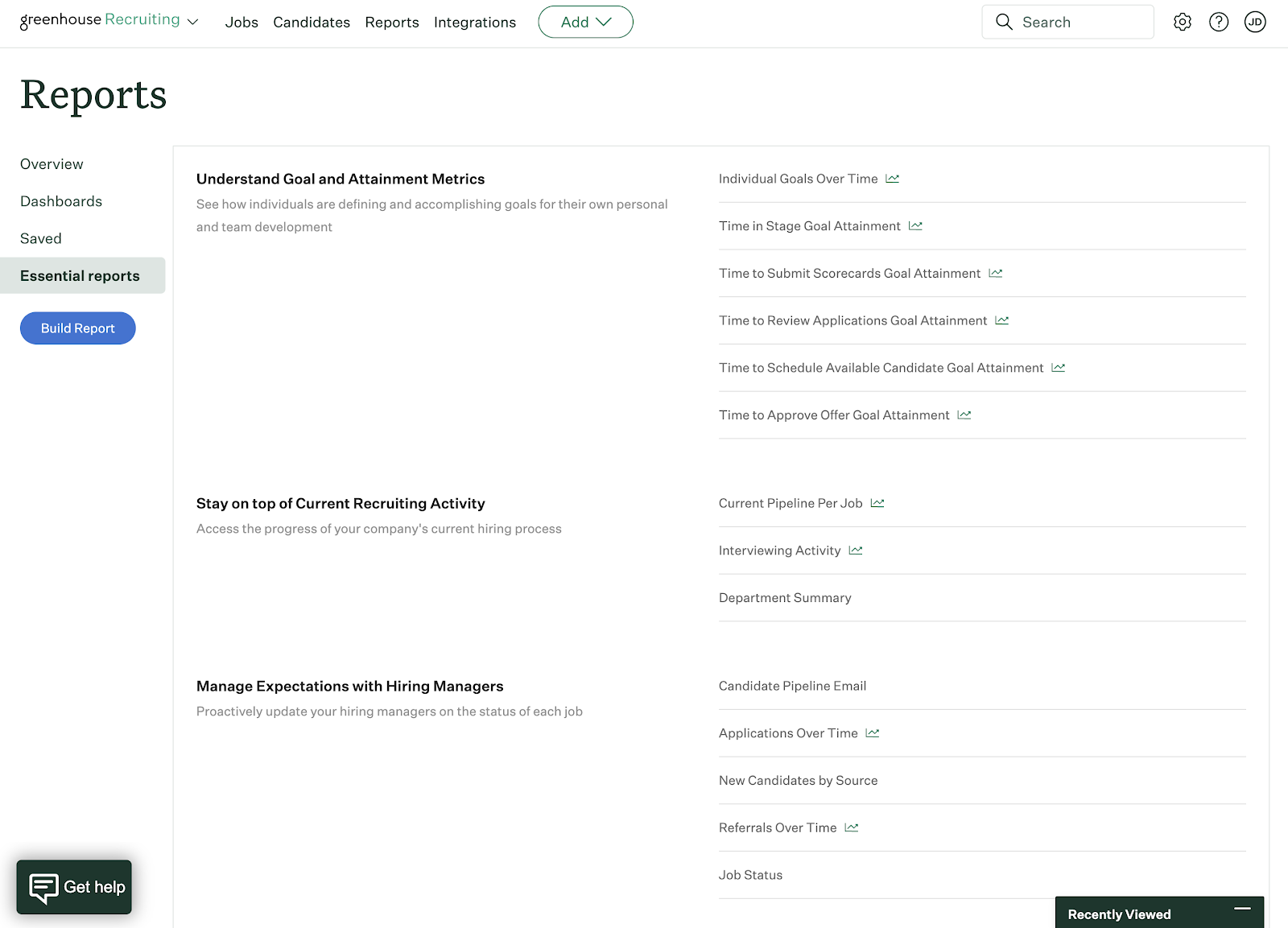
- Core reports.
- Real Talent candidate matching.
- GDPR compliance.
Plus
Includes everything in Core plus:
- Automated workflows.
- Advanced data configuration.
- Single sign on.
- Custom reporting.
- Business Intelligence Connector.
- Greenhouse Sourcing Automation.
- Multi-brand job boards.
- Advanced career page options.
Pro
Includes everything in Plus plus:
- Unlimited CRM events.
- Enterprise-level data configuration and security.
- Audit logs.
- Advanced governance controls.
- Developer sandbox.
Honorable mentions
Not all of my choices may be right for you. Check out my runners-up below for more options to fit your budget and business goals.
Rippling: Best for reporting and analytics
Alternative for: BambooHR
Overall score: 3.53/5
When to choose Rippling
Arguably, Rippling has a stronger ATS than its competitor BambooHR. Unlike BambooHR, you can customize pipeline stages, automate parts of the hiring process, and manage interview scheduling within the platform.
In particular, Rippling has some of the most detailed reporting and analytics of any platform here because you can combine recruitment information with other workforce data in its system. This makes it useful for understanding how sourcing, interviewing, and hiring decisions affect employees throughout the employee life cycle. Rippling has also expanded its AI capabilities, including tools that can summarize candidate and interview information and help users analyze workforce data.
Recent recruiting updates have also made interview management easier. Recruiters can send bulk availability requests, candidates can reschedule or cancel interviews themselves, and hiring teams can route pre-offer decisions through structured approval workflows.
Why it didn’t make the list
Despite Rippling’s sleek interface, its ATS can be confusing to navigate, especially if you are used to visual pipelines that let you drag and drop candidates between stages like Teamtailor and Breezy HR. It’s also an expensive choice if you only need an ATS since you must purchase Rippling Platform and its Recruiting product rather than using it as a standalone hiring system.
JazzHR: Best for SMBs
Alternative for: Teamtailor and Breezy HR
Overall score: 3.46/5
When to choose JazzHR
JazzHR offers a great balance of ATS features for small and medium businesses (SMBs) with moderate hiring needs. Features like its job post meta descriptions increase search visibility, while its resume parsing capabilities make it easier to search your candidate database for the skills you need.
If you have a large number of frontline workers, JazzHR allows you to scan resumes on your career site so candidates can apply in person with physical applications.
Why it didn’t make the list
JazzHR does not offer a mobile application, preventing you from managing hiring needs on the go. It includes standard reporting on its Plus plan, while advanced visual reporting, custom report building, and workflow reports are reserved for its highest subscription plan, Pro. Even necessary compliance reporting for EEO and the OFCCP is unavailable until its Pro plan subscription. As a result, JazzHR is not the best option if you’re a federal contractor and required to report on your affirmative action plans.
Read more about JazzHR’s features at Top 5 JazzHR Competitors & Alternatives.
Recruitee: Best for global recruiting
Alternative for: Greenhouse
Overall score: 3.26/5
When to choose Recruitee
Recruitee is a team-based recruitment solution that combines the knowledge of human resources with hiring techniques to find the best candidates. The software allows for multi-stage interviewing, so every member of the hiring team and essential personnel can determine company fit.
One of Recruitee’s strengths is its multi-job-board posting, which lets recruiting teams distribute openings across multiple channels from the ATS. These include local and international job boards, so you can find the right employee no matter where in the world they are.
Why it didn’t make the list
Recruitee did not score as high as others on our list due to its lack of a free plan and required a one-year commitment. Plus, the level of customization with applications is limited; you cannot save custom filters for future use, and the software has very limited categories for interviewing.
Find your new applicant tracking software
What are the benefits of ATS software?
ATS platforms can increase recruiting efficiency, improve candidate sourcing and engagement, boost quality of hire metrics, and optimize overall recruitment strategies.
Increases efficiency
Saving time and increasing efficiency are some of the best advantages of using ATS solutions compared to traditional application and recruitment procedures. With ATS software, recruiters can automate different tasks in hiring processes, including posting job ads, sending emails and reminders, interview scheduling, and onboarding new hires.
Improves candidate sourcing
The software can help address mission-critical challenges, such as attracting and sourcing top candidates. Many ATS solutions are now enriched with artificial intelligence and machine learning capabilities to develop a profile of an ideal candidate, assess and identify skills, and predict success factors. As a result, employers can better understand candidate behavior and target specific applicants across various platforms and channels.
Better candidate engagement
ATS software ensures better candidate engagement by promoting greater visibility across the candidate journey. It helps organizations prevent negative experiences—like lack of visibility and inconsistent communication—that can cause candidate frustration and disinterest. An ATS allows reliable communication and faster response times via automation.
Refines hire quality
Screening candidates standardizes applicant scoring and can help guarantee that hiring managers will only see qualified applicants. Moreover, ATS software maintains a database of people who may be prospects for future job openings.
Read more: How to Measure Quality of Hire
Optimizes recruitment strategies
Hiring professionals can clearly and quickly communicate with other team members and candidates through ATS. Hiring teams can collaborate and share resumes securely within the platform, enabling an organized approach to decision-making.
ATS solutions also come with analytic tools to gauge the success of recruiting and hiring strategies. Recruiters can use real-time data to predict staffing needs and build recruiting pipelines. Analytics equips organizations with critical metrics around costs, quality, and time spent on recruiting activities.
Read more: Recruitment Strategies: How to Prepare for the Future
Your ATS works better with human insight
ATS platforms are invaluable tools for managing high volumes of applications—so much so that an estimated 97.8% of Fortune 500 companies rely on one in their hiring process. But automated systems often filter candidates through checklists, which means you might end up seeing those best at gaming the system, not necessarily the most capable hires. Reviewing your ATS settings and criteria regularly can help you find talent based on ability, not just checked boxes.
When should you upgrade your ATS software?
You don’t want to rush into your ATS upgrade. Instead, make a deliberate survey of your current ATS capabilities to figure out where it succeeds and where it falls short. If you experience any of the indicators below, then you may want to consider switching platforms.
5 signs you should upgrade your ATS
The hiring team’s subjective experience is an important component of the review process, but when it comes to evaluating the performance of your current ATS software, the numbers don’t lie.
Some of the key ATS metrics you should be tracking include:
- Time to hire
- Number of candidates
- Quality of hire
- Cost per hire
If any or all of these metrics are significantly lagging behind your targets or have taken a nosedive recently, it’s time to reevaluate your ATS.
A mark of good ATS software is the data and analytics it provides, which help you optimize your hiring process and make data-driven decisions about talent acquisition.
However, some reporting may make the metrics unusable in assessing performance because they’re difficult to interpret.
It’s time to upgrade when the reporting and analytics features of your applicant tracking system aren’t giving you the insight you need to make informed decisions quickly.
Your ATS should streamline your recruitment process. And if the applicants and recruiters are experiencing bottlenecks or redundancies? That’s a major red flag that your current platform is no longer effective.
Some common scenarios to watch out for are:
- Applications getting lost or ignored
- Applicants answering the same questions or repeating the same steps multiple times
- Delays in scheduling interviews
When these things pop up, it’s time to upgrade your ATS to avoid a negative impact on candidate experience and your employer brand in the long run.
One of the promises of modern ATS is the time savings and added efficiency that come with automating rote tasks. These include:
- Sending follow-up emails
- Scheduling phone screens
- Recording interview notes
Thanks to AI and machine learning, these automations are now available in ATS platforms. However, not all of them have implemented these advanced capabilities with the same success.
If your current ATS doesn’t allow users to automate repetitive, manual tasks, it’s time to consider switching to a different platform that will take some of this work off of the hiring team’s shoulders.
ATS integrations allow recruiting teams to streamline their processes and access information about job openings and candidates without having to work out of multiple tools.
For example:
An ATS that integrates with HRIS software allows the hiring manager to import information about the new hire directly into the employee database.
If a different system has recently been upgraded or new software has been added to your company’s tech stack, your ATS might run into compatibility issues. In turn, this can create roadblocks for teams that are used to working seamlessly between platforms, or it can limit the scalability of your team’s processes.
The only real way to get around this is to look for a new ATS that will integrate with the other tools your team uses.
In these cases, it’s worth seeking an ATS solution that is already integrated with other human resources (HR) tools in a comprehensive suite.
If you prefer to avoid integrations altogether, an all-in-one platform such as Rippling can keep recruiting, employee records, onboarding, payroll, and other HR data in the same system.
Which features really matter when upgrading your ATS?
If you’ve determined that your ATS needs an upgrade, we recommend including these five key features on the checklist for your next platform.
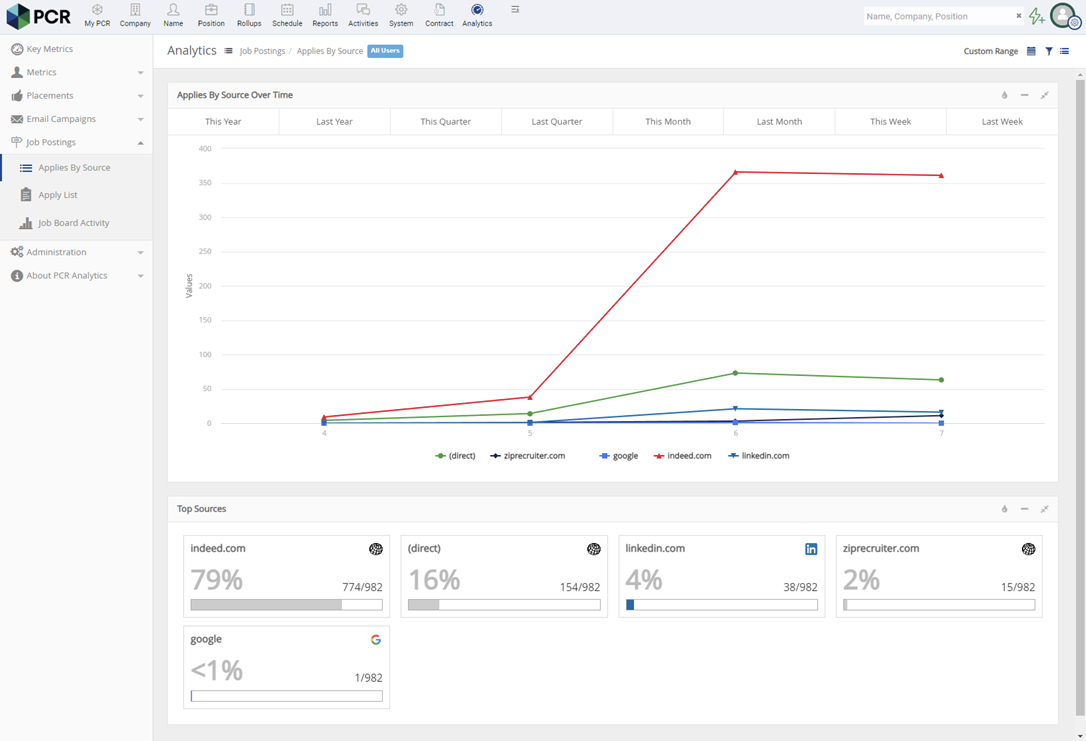
The right ATS software will offer all of the metrics that help you assess candidate data and determine whether your recruiting processes are working. An ATS dashboard should also be easy to read and customize, so you can easily access the information you need and make decisions quickly.
For example, PCRecruiter’s job board analytics feature connects the ATS data with Google Analytics to help recruiters track candidate sources, conversions, and falloff rates.
Rippling is also particularly strong when you want to connect recruiting outcomes with post-hire data. For example, teams can analyze tenure or performance by candidate source or interviewer rather than stopping at traditional metrics such as time-to-fill.
Proper application management is essential to finding the most qualified candidates and filling job openings efficiently.
Within the ATS platform, hiring teams should be able to sort applications in the ATS database according to specific criteria, like certain education requirements, work experience, or relevant keywords. They should also be able to search for applicants by name to locate the right information.
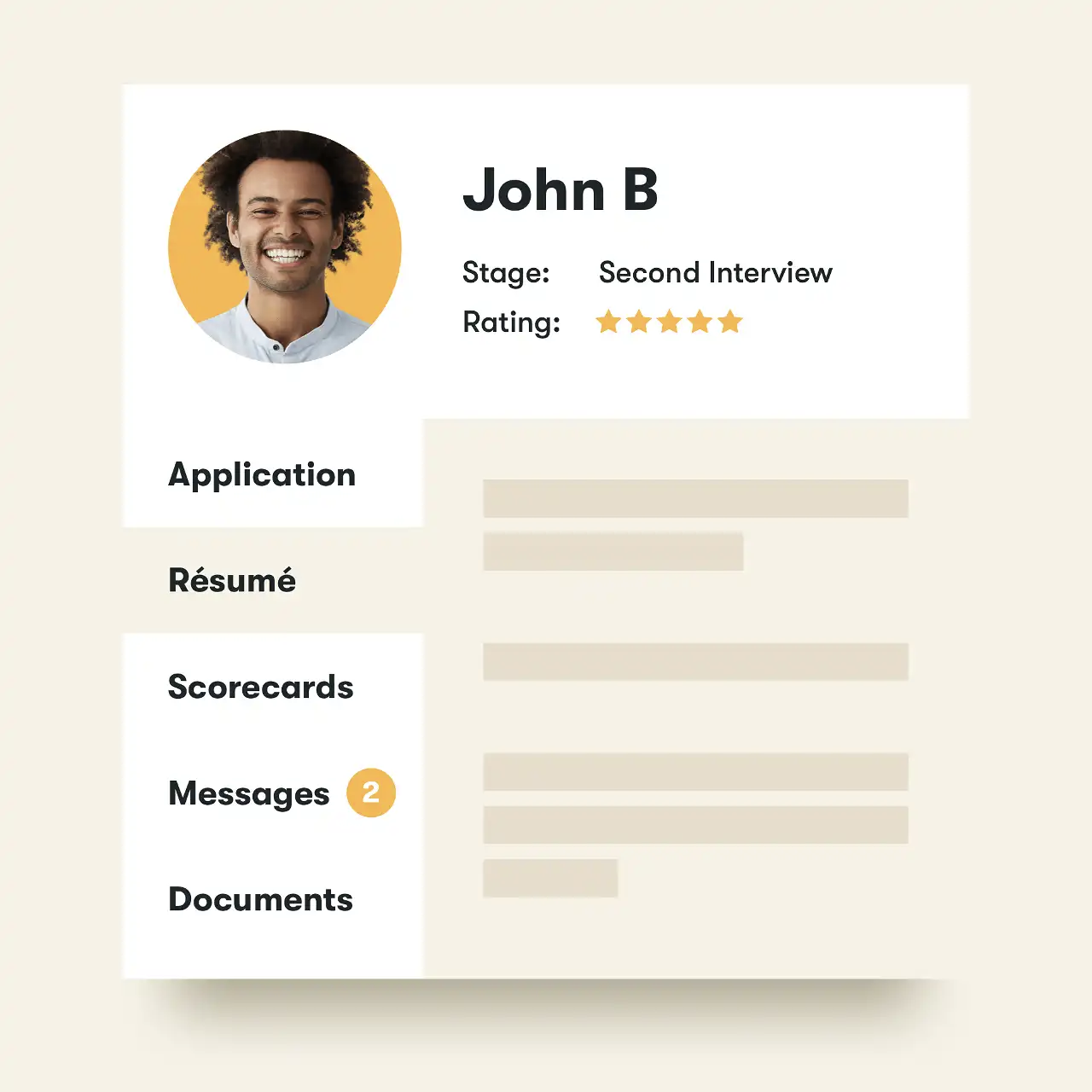
Some platforms, like Pinpoint, offer candidate profiles that help recruiters keep all of the information for a candidate in one place. This includes their application, resume, pipeline stage, ratings, and conversation history.
It’s not enough to be able to manage application materials smoothly. You also need to be able to move candidates through the job search and interview process quickly and efficiently.
A good ATS should make it easy to schedule interviews via phone, video, and in person. It should also automate interview reminders and scheduling, so you don’t have to.
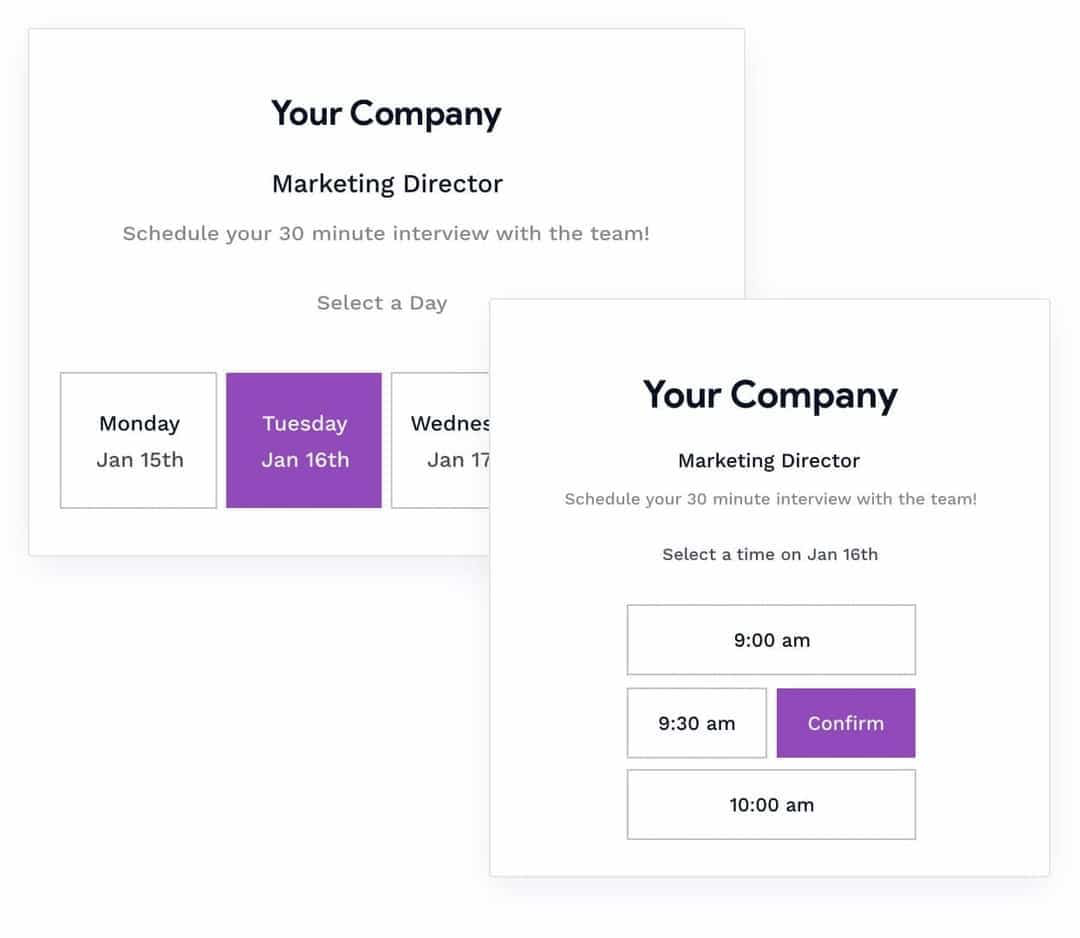
Alternatively, some ATS platforms like Breezy HR allow candidates to schedule their own interviews from an outward-facing portal. The software synchronizes with the Google or Outlook calendars for everyone on the hiring team, so their interview availability is always up-to-date.
Global recruiting is another must-have feature if you have a dispersed team. Your next ATS should open up your talent pools to include candidates from all over the country. This includes job syndication to both local and international job boards.
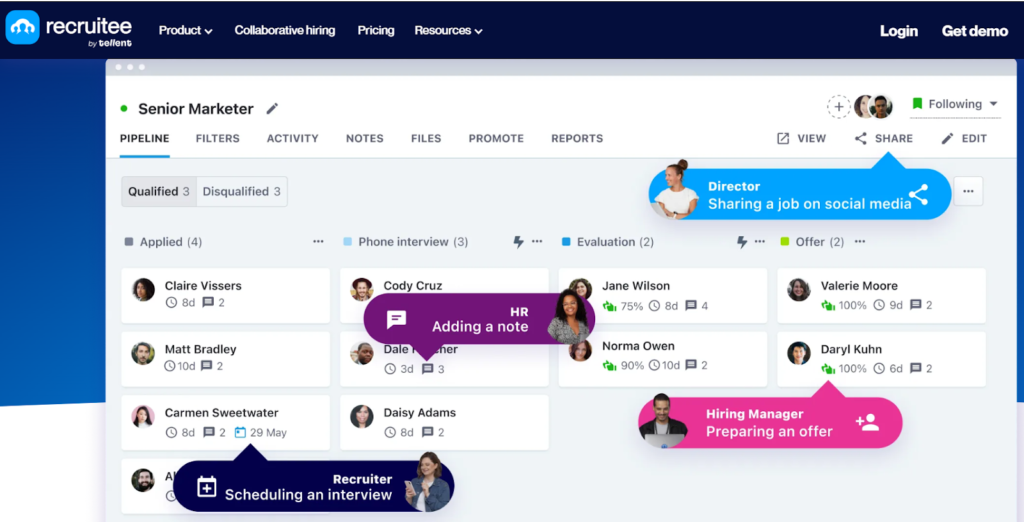
With Recruitee, you get access to over 3,000 job boards, helping you maximize your reach and target candidates in different countries simultaneously. A global workforce leads to greater diversity and inclusivity within your company.
If your team relies on multiple platforms to maintain recruiting efficiency, then integrations can make or break your ATS. At a minimum, your new system should integrate with your current HR software stack; however, it might also be valuable to consider your team’s long-term goals and what integrations might be useful in the future.
Also, double-check to see if the integrations are built-in or if your recruiting team will need to create them using a third-party tool like Zapier. If it’s the latter case, be prepared for the extra time and resources it will take to manually configure and maintain these integrations.
A robust platform like Greenhouse offers hundreds of native integrations to support current and future needs without needing to leverage any additional tools.
Is it time to upgrade?
In some cases, your current applicant tracking system isn’t quite adequate, but you can’t replace it wholesale due to budgetary or IT reasons. Fortunately, there are several steps you can take to make the most of your existing ATS without breaking the bank or overwhelming your IT team.
One option is to seek out training resources offered by your current ATS provider to make sure you fully understand the tool and are taking advantage of any recent updates or feature additions. Most cloud-based ATS vendors release updates regularly—sometimes monthly or even weekly—so you might have missed out on some helpful features that were recently launched.
Configuring new integrations is also a fantastic way to supercharge the functionality of your current ATS without having to completely replace it. Some key integrations to consider are job boards, HR tools, social media platforms, email, and your content management system (CMS). Check out our roundup of must-have integrations for your ATS if you need some inspiration for how to boost your existing ATS.
What is the business impact of ATS software?
The recruitment process can be challenging for hiring teams and job seekers alike. Manual applicant screening delays hiring procedures, increasing cost-to-hire and prolonging time-to-hire. Additionally, manual online job postings can prompt tons of applications from under-qualified job seekers.
The best applicant tracking systems automate and streamline the hiring process from source to hire. It amplifies the capabilities of recruiters, hiring managers, and HR teams with a range of features to boost efficiency while attracting and retaining top talent.
First and foremost, ATS can screen job applications, scan resumes for the right qualifications, and select the qualified candidates to consider for an interview. This can lighten the load for hiring teams and cut down a significant amount of time.
On top of that, ATS platforms can assist recruiters in tracking interview processes, evaluating, making offers to, hiring, and ultimately onboarding new talent. The software promotes a smooth hiring process, enhancing the candidate experience and encouraging more skilled talent to join the organization.
ATS solutions allow organizations to recruit the best people, which is essential to any company’s success.
Applicant tracking system FAQs
An applicant tracking system lets you create a job post once and distribute it across multiple channels—such as a branded career site, major job boards, and social media—automatically. Many, like Breezy HR or Manatal, include syndication tools to post to dozens (or even thousands) of boards at once, while platforms like Teamtailor offer drag-and-drop career page builders. Built-in scheduling, templates, and integrations help keep postings consistent, on-brand, and easy to update from a single dashboard.
ATS platforms make it easier to find the right applicants with features like resume parsing, keyword and Boolean searches, and filters for skills, education, and experience. Advanced systems, such as Manatal, apply AI scoring and profile enrichment from sources like LinkedIn, while Breezy HR uses logic-based questionnaires to route candidates into the right talent pools. These tools allow recruiters to shortlist and organize candidates quickly, reduce manual review, and focus on the most qualified matches.
Most ATS platforms offer dashboards that track key hiring metrics like time-to-fill, cost-per-hire, source effectiveness, and pipeline conversion rates. Some, like Greenhouse, add DEI tracking, predictive analytics, and structured scorecards, while Rippling combines recruiting data with broader HR analytics for deeper insights. Reporting can range from simple, pre-built summaries (BambooHR) to fully customizable exports, helping teams spot bottlenecks, measure ROI, and refine hiring strategies.
