

The best AI chatbots for work can research information, analyze files, draft content, summarize meetings, and automate repetitive tasks. However, the right assistant depends on your existing software, primary use cases, and organizational requirements.
I compared six leading AI chatbots based on their practical workplace features, pricing, integrations, ease of use, and ability to handle real business tasks. ChatGPT is my best overall choice, but Gemini, Claude, Perplexity, DeepSeek, and Microsoft Copilot each stand out for a particular workflow.
| AI chatbot | Best for | Monthly starting price |
|---|---|---|
| ChatGPT | Complex, multifaceted work | $8 for individuals |
| Gemini | Google Workspace productivity | $4.99 for Google AI Plus |
| Claude | Writing and document analysis | $20 for Pro plans |
| Perplexity | Source-backed research | $20 for individuals |
| DeepSeek | Technical work and API access | Usage-based |
| Microsoft Copilot | Microsoft 365 users | $21/user |
Why you can trust us
At TechnologyAdvice, our editorial team evaluates business software using a standardized methodology designed to reflect real purchasing decisions.
For this guide:
- I analyzed leading general-purpose AI chatbots and workplace assistants.
- I compared their pricing, features, integrations, and free plans.
- I reviewed hands-on workflows, product documentation, and real-world use cases.
- I considered how well each assistant supports common workplace tasks.
- I drew from my experience covering AI, VoIP, and workplace technology.
AI products change rapidly. I regularly review this guide to account for new models, pricing changes, and workplace features.
Top AI chatbots at a glance
| Best AI chatbots | Free plan | Key workplace features | My score |
|---|---|---|---|
| ChatGPT | Yes | Content generation, voice mode, deep research | 4.81/5 |
| Gemini | Yes | Personalized responses, image generation, Google Workspace integration | 4.74/5 |
| Claude | Yes | Multilingual processing, visual analysis, project knowledge base | 4.28/5 |
| Perplexity | Yes | Document analysis, multimodal AI, source-backed research | 4.06/5 |
| DeepSeek | Yes | Mathematical reasoning, coding, multilingual support | 3.89/5 |
| Microsoft Copilot | Yes | Microsoft 365 integrations, agents, business automation | 3.70/5 |

ChatGPT: Best overall for complex, multifaceted work
Pros
- Handles writing, research, coding, data analysis, and file-based tasks
- Supports text, voice, images, video, and other multimodal workflows
- Organizes recurring work through Projects
- Provides different models for everyday and complex tasks
- Offers individual, business, and enterprise plans
Cons
- Usage limits vary by plan, model, and task complexity
- Can generate confident but inaccurate information
- Frequent product changes can make plans and features difficult to compare
Why I chose ChatGPT
ChatGPT is my best overall AI chatbot for work because it handles a wider variety of tasks than the other products I evaluated. In my testing, I’ve used it to draft content, research topics, use AI for data analysis, review documents, troubleshoot code, and turn rough notes into finished deliverables.
The Projects feature makes ChatGPT particularly useful for recurring work by keeping related conversations, files, and instructions together. I also use ChatGPT Work for more involved assignments that require multiple steps, sources, or tools, such as creating reports, presentations, and comparative analyses.
Overall, ChatGPT’s versatility is its greatest strength, but it still requires human oversight. It can misunderstand instructions or provide inaccurate information in a convincing format. I verify important facts, calculations, and sources before using its output professionally. That said, if you do more long form writing, Claude is often a better choice and I find Perplexity makes web research easier to verify.
Key features
- Projects: Keep related chats, files, and instructions together for recurring work.
- File and data analysis: Review documents, PDFs, spreadsheets, images, and structured data.
- Web research: Find, compare, and synthesize information from online sources.
- Multimodal tools: Work across text, voice, images, video, and uploaded files.
- Document creation: Produce reports, presentations, spreadsheets, and other reusable work products.
- Plugins and connected tools: Bring approved information and functionality from other business systems into a workflow.
- Business administration: Manage workspace access, authentication, and organizational data controls.
Gallery


ChatGPT pricing
| Plan | Starting price |
|---|---|
| Free | $0 |
| Go | $8/month |
| Plus | $20/month |
| Pro | From $100/month |
| Business | $20/user/month annually or $25 monthly |
| Enterprise | Custom |
The Free plan is suitable for occasional writing, research, and file-based tasks, although usage and feature limits apply. Go provides a lower-cost option for lighter everyday use, while Plus is better suited to professionals who need higher limits and broader access to advanced capabilities.
Pro starts at $100 per month and offers five times the usage available with Plus. A $200 monthly tier provides 20 times the Plus usage and unlimited ChatGPT Voice, although other tasks remain subject to their applicable usage budgets.
ChatGPT Business costs $20 per user per month with annual billing or $25 with monthly billing and requires at least two users. It includes a dedicated workspace, SAML single sign-on, multifactor authentication, administrative controls, and no training on business data by default.
Enterprise adds capabilities such as SCIM provisioning, role-based access control, audit logs, usage monitoring, and data retention and residency controls. Pricing is customized according to the organization’s requirements.

Gemini: Best for Google Workspace productivity
Pros
- Accesses permitted files, emails, and other information across Google Workspace
- Works directly inside Gmail, Docs, Sheets, Slides, Drive, and Meet
- Can edit documents, create formulas, format spreadsheets, and draft emails
- Uses Google Search to retrieve current web information
- Minimizes the need to move files between separate applications
Cons
- Its biggest advantages are limited to the Google ecosystem
- Feature availability varies by Google Workspace edition
- Results can reflect outdated emails or the wrong source file
Why I chose Gemini
Gemini is best for Google Workspace productivity because it can access permitted information across the applications where I already work. In my testing, I’ve used it to find details in Drive files, summarize Gmail threads, reference existing documents, and bring that context into my current task.
I find Gemini especially useful inside Docs and Sheets. It can draft or revise document content, create formulas and tables, analyze spreadsheet data, build charts, and apply formatting. In Gmail, it helps me catch up on conversations and draft replies using information from the existing thread or relevant Workspace files.
Gemini’s close integration with Google Workspace reduces the need to download, upload, and manually transfer information between applications. However, it occasionally retrieves an older email or the wrong version of a similarly named file, so I verify its sources before acting on the result. Consequently, ChatGPT remains more flexible when my workflow extends beyond Google products.
Key features
- Workspace-wide retrieval: Find and summarize permitted information from Gmail, Drive, Docs, and other supported Workspace services.
- Data analysis: Create tables, formulas, pivot tables, charts, filters, dropdowns, and conditional formatting.
- Gmail assistance: Summarize threads, locate important details, and draft or refine email responses.
- Automated notes: Record meeting notes and organize follow-up information on supported Workspace plans.
- Search grounding: Use Google Search to incorporate current web information into research.
- Access-aware responses: Retrieve Workspace information that the user already has permission to view.
Gallery


Gemini pricing
| Plan | Starting price |
|---|---|
| Gemini | Free |
| Google AI Plus | $4.99/month |
| Google AI Pro | $19.99/month |
| Google AI Ultra 5x | $99.99/month |
| Google AI Ultra 20x | $199.99/month |
The free version is suitable for basic conversations, research, and content generation. Google AI Plus increases usage and provides additional AI features, while Google AI Pro offers broader access to advanced models, Deep Research, and integrations across supported Google applications.
Google AI Ultra is intended for power users who need the highest usage limits and access to Google’s most advanced AI features. Google also offers separate 5x and 20x Ultra levels.

Claude: Best for writing and document analysis
Pros
- Produces polished, natural-sounding long-form writing
- Handles large documents and detailed instructions well
- Maintains tone and structure across lengthy projects
- Creates editable documents, spreadsheets, presentations, and PDFs
- Connects with Google Workspace, Microsoft 365, Slack, and other business tools
Cons
- Higher usage levels become expensive
- Some workplace actions require connectors and administrator approval
Why I chose Claude
Claude is my top choice for writing and document analysis because it consistently produces clear, natural content while maintaining the requested tone and structure. In my testing, it performed particularly well with articles, reports, scripts, and large source files that required careful synthesis.
I also like using Claude for automated workflows, agentic AI, and other complex tasks. It is good at breaking an objective into logical steps, identifying the tools each step requires, and maintaining context as a workflow becomes more involved. I’ve found it especially helpful for planning an agent’s purpose, decision points, permissions, and failure handling before implementation.
Claude’s organized responses make complex projects easier to review and refine. But, its fluent writing can make inaccurate information sound credible, and automated workflows can create unintended actions when permissions are too broad. When creating documents or workflows, I verify important outputs, test automations in controlled environments, and require human approval before consequential actions.
Key features
- Reflection: Review substantial documents and maintain relevant context across a conversation.
- Projects: Organize chats, files, instructions, and project-specific knowledge.
- File creation: Generate editable Word documents, Excel spreadsheets, PowerPoint presentations, and PDFs.
- Artifacts: Build and revise standalone content, code, visualizations, and interactive outputs.
- Connectors: Retrieve data and take permitted actions through supported workplace applications.
- Microsoft 365 integration: Search and analyze permitted content across SharePoint, OneDrive, Outlook, and Teams.
- Google Workspace integration: Search Gmail and Drive, manage Calendar information, work with documents, and save supported files.
- Claude Cowork: Delegate research, document creation, and other multistep tasks using connected files and tools.
Gallery


Claude pricing
| Plan | Starting price |
|---|---|
| Free | $0 |
| Pro | $20/month or $200/year |
| Max 5x | $100/month |
| Max 20x | $200/month |
| Team Standard | $20/user/month annually or $25 monthly |
| Team Premium | $100/user/month annually or $125 monthly |
| Enterprise | $20/seat/month plus usage |
The Free plan provides limited access to Claude’s core chat, file, project, research, and content-creation capabilities. Pro costs $20 monthly or approximately $17 per month when the $200 annual subscription is paid upfront. It adds more usage, unlimited Projects, Research, Claude Code, Claude Cowork, and access to additional models and integrations.
Max is available in two usage tiers. Max 5x costs $100 per month and provides approximately five times the usage capacity of Pro per session. Max 20x costs $200 per month and is intended for users who rely on Claude for a substantial portion of their daily work.
The Team plan supports organizations with two to 150 users. Standard seats cost $20 per user per month annually or $25 with monthly billing. Premium seats provide approximately five times more usage and cost $100 per user per month annually or $125 monthly. Organizations can combine Standard and Premium seats according to individual usage needs.
Claude Enterprise costs $20 per seat per month with annual billing, but that fee only covers access. Model usage is charged separately at applicable API rates, so the effective monthly cost depends on the models and tasks an organization runs. Enterprise adds features such as SCIM provisioning, audit logs, role-based access, custom data retention, usage analytics, and additional administrative controls.

Perplexity: Best for source-backed research
Pros
- Supports fast, source-backed web research
- Provides clickable citations with its answers
- Searches uploaded files and connected cloud storage
- Offers access to advanced models from multiple providers
- Creates reports, presentations, spreadsheets, and other assets
Cons
- Citations do not always fully support the associated claim
- Less effective than Claude for nuanced writing
- Advanced research and creation limits vary by plan
Why I chose Perplexity
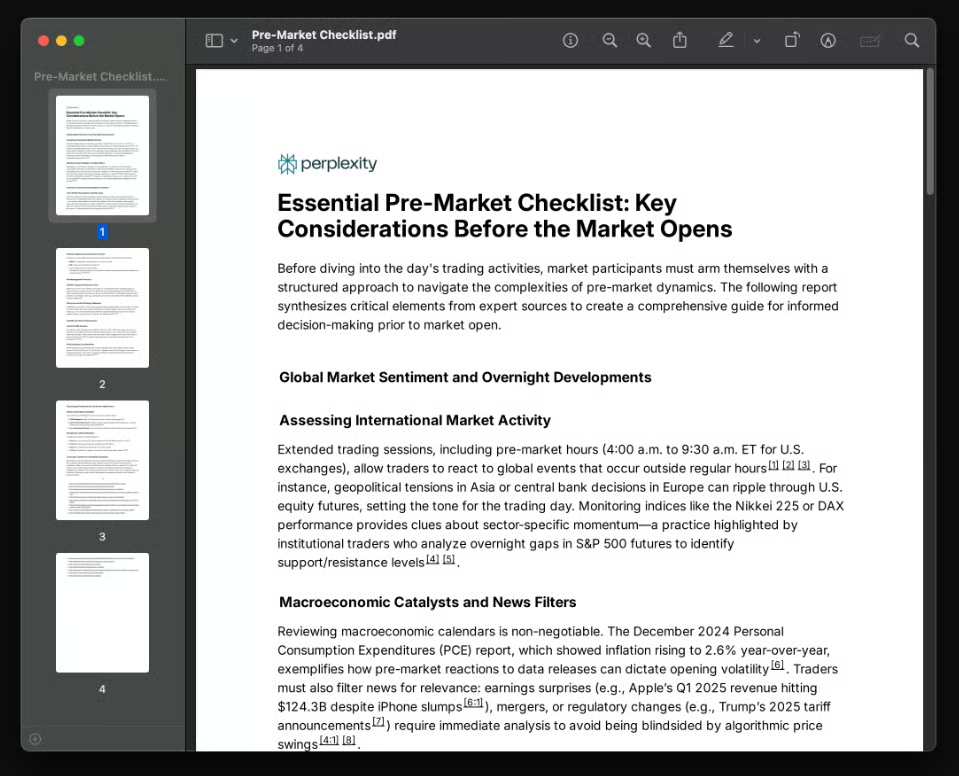
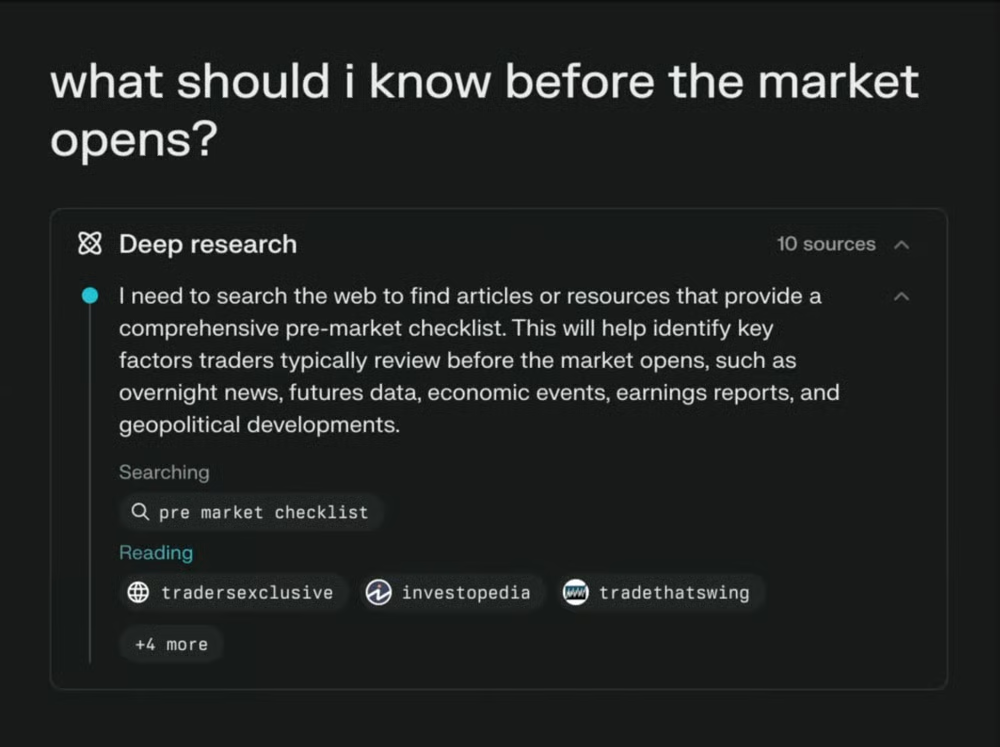
Perplexity is an excellent option for source-backed research while specialized AI search tools are better suited to monitoring brand visibility and citations across multiple answer engines. In my testing, I’ve used it to compare products, investigate trends, find primary sources, and quickly develop background research without opening dozens of search results individually.
I especially like how Perplexity places citations alongside its claims. I can open the original source, confirm the context, and identify weak evidence before using the information in my work. Projects also let me organize recurring research with persistent files, instructions, and shared context, while connectors can combine company information with current web sources.
Although Perplexity is most useful as a research tool, Claude remains my preferred option for polished long-form writing, while ChatGPT is more versatile when research is only one stage of a broader project.
Key features
- Model access: Provides supported advanced models from OpenAI, Anthropic, and other providers.
- File analysis: Searches text, code, PDFs, images, audio, and video transcripts.
- Projects: Organizes research threads, persistent files, instructions, collaborators, and project memory.
- Connectors: Searches supported services such as Google Drive, Dropbox, Slack, Notion, and Microsoft 365.
- Internal knowledge search: Combines organizational files with current web information on Enterprise plans.
- Asset creation: Turns research into documents, presentations, spreadsheets, dashboards, and supported applications.
Gallery
Perplexity pricing
| Plan | Starting price |
|---|---|
| Standard | Free |
| Pro | $20/month |
| Max | $200/month |
| Enterprise Pro | $34/ month per seat, billed annually |
| Enterprise Max | $271/ month per seat, billed annually |
The Standard plan includes basic searches, limited Pro searches, search history, and basic file uploads. It does not include advanced model selection, image generation, or premium support.
Pro is designed for professionals who need more frequent research, advanced models, file analysis, image generation, and connectors. Max provides higher limits for research, file and app creation, advanced models, and Perplexity Computer. It also provides early access to selected new features.
Enterprise Pro adds internal knowledge search, an organizational file repository, seat management, dedicated support, and stricter data protections. Enterprise Max substantially raises limits for research, browser-agent tasks, file uploads, and content creation. Organizations can combine Pro and Max seats based on individual needs.

DeepSeek: Best for technical work and low-cost API access
Pros
- Highly competitive usage-based API pricing
- Strong performance on coding, mathematics, and logic-heavy tasks
- Supports OpenAI- and Anthropic-compatible API formats
- Offers a 1-million-token context window
- Includes thinking and non-thinking modes
Cons
- Less polished for everyday workplace tasks than ChatGPT or Gemini
- Limited customer support compared with larger business platforms
- Pricing and model availability can change quickly
- Organizations should conduct security and data-governance reviews before sharing sensitive information
Why I chose DeepSeek
I chose DeepSeek as the best AI chatbot for technical work and affordable API access. It is most compelling for developers, data teams, and organizations that want to build AI features without incurring the higher inference costs associated with many leading models. Its V4 Flash and V4 Pro models support tool calls, structured JSON output, and exceptionally long prompts.
Across context, DeepSeek performs best with clearly defined coding, mathematics, or logic-heavy problems. It is particularly useful for explaining technical concepts, examining different approaches to a problem, and producing a workable starting point for code. The interface is relatively straightforward, but its real value lies in the API and developer integrations rather than everyday office productivity.
This also means that DeepSeek feels less refined for writing, collaboration, and general workplace administration compared to models like ChatGPT, Gemini, or Claude. Its support options are also limited, and I would recommend assessing its privacy and security controls before processing confidential data. But teams that are primarily interested in business reporting rather than coding should compare it to dedicated AI-powered business intelligence tools.
Key features
- DeepSeek V4 models: Choose V4 Flash for faster, lower-cost tasks or V4 Pro for more demanding technical work.
- Thinking controls: Switch between thinking and non-thinking modes and adjust reasoning effort for complex requests.
- Coding and agent support: Use DeepSeek as the backend for compatible coding assistants and AI-agent tools.
- Developer-friendly APIs: Connect through OpenAI- or Anthropic-compatible API formats.
- Tool calling: Allow applications and agents to invoke external tools and functions.
- Structured output: Generate JSON for integrations, automated workflows, and downstream applications.
Gallery


DeepSeek pricing
DeepSeek’s browser-based chatbot is free to use. API access is billed according to token usage.
| API model | Cached input | Uncached input | Output |
|---|---|---|---|
| DeepSeek V4 Flash | $0.0028 per 1M tokens | $0.14 per 1M tokens | $0.28 per 1M tokens |
| DeepSeek V4 Pro | $0.003625 per 1M tokens | $0.435 per 1M tokens | $0.87 per 1M tokens |

Microsoft Copilot: Best for Microsoft 365 users
Pros
- Integrated with Word, Excel, PowerPoint, Outlook, and Teams
- Can ground responses in authorized Microsoft 365 work data
- Offers enterprise security, compliance, and administrative controls
- Includes specialized agents for research and data analysis
- Reduces context switching for existing Microsoft customers
Cons
- Full workplace functionality requires a qualifying Microsoft 365 subscription
- Licensing and feature availability can be difficult to navigate
- Less compelling as a standalone chatbot
- Results depend on the quality, organization, and permissions of company data
Why I chose Copilot
Microsoft Copilot is the best AI chatbot for Microsoft 365 users because it brings AI assistance directly into the applications many employees already use. Its main advantage is context: Copilot can work with authorized emails, meetings, documents, presentations, and spreadsheets instead of requiring users to upload or explain that information manually. Copilot-powered recaps and summaries also strengthen Microsoft Teams as a Zoom alternative for organizations already invested in Microsoft 365.
Copilot can also summarize a long Outlook thread, pull action items from a Teams meeting, revise a Word document, or begin analyzing an Excel workbook without moving the content into another chatbot. Its agentic capabilities can also complete multistep edits inside Word, Excel, and PowerPoint while leaving the user in control of the final result.
Because of this, Copilot’s value falls considerably if a business does not already rely on Microsoft 365. Its licensing is more complicated than most competitors, and the quality of work-grounded answers depends on file organization and access permissions. When it comes to integrations, businesses using Google Workspace may find Gemini more natural, while those wanting a flexible standalone assistant should consider ChatGPT or Claude.
Key features
- Microsoft 365 integration: Draft, summarize, analyze, and revise content in Word, Excel, PowerPoint, Outlook, and Teams.
- Work IQ: Grounds responses in permitted organizational information and workplace context.
- Copilot Chat: Provides a central conversational interface for web- and work-based questions.
- Agentic editing: Completes multistep, application-specific actions in documents, spreadsheets, and presentations.
- Researcher and Analyst: Uses specialized agents for source-backed research and advanced data analysis.
- Meeting assistance: Summarizes Teams discussions and identifies decisions, questions, and action items.
- Copilot Notebooks: Organizes related files and other project materials for more focused assistance.
Gallery

Use Copilot in the Microsoft Office suite. (Source: Microsoft) 
Access multiple models with Microsoft Copilot Cowork. (Source: Microsoft)
Pricing
| Plan | Starting price |
|---|---|
| Microsoft 365 Copilot Chat | Included for eligible Microsoft 365 work accounts |
| Microsoft 365 Copilot Business add-on | $21 per user, per month with annual billing |
| Microsoft 365 Business Standard with Copilot | $23.50 per user, per month with annual billing |
| Microsoft 365 Business Premium with Copilot | $32 per user, per month with annual billing |
| Microsoft 365 Copilot for enterprise | $30 per user, per month with annual billing |
Methodology: How I evaluated the best AI chatbots
To create this list, I reviewed more than a dozen AI assistants for workplace tasks such as writing, research, document analysis, coding, meeting follow-up, and business automation.
Each platform was evaluated using the following weighted criteria:
- Pricing and value (20%): I analyzed free plans, entry-level pricing, business pricing, and scalability.
- Core features (25%): I evaluated conversational quality, content generation, task handling, and common workplace capabilities.
- Advanced features (20%): I considered multimodal inputs, reasoning, automation, integrations, and real-time information.
- Ease of use (10%): I assessed onboarding, interface design, and how quickly users could begin completing useful work.
- Customer support (10%): I considered support availability, channels, security resources, and community access.
- Expert score and user feedback (15%): I incorporated hands-on findings and feedback from verified software users.
When possible, I tested the products through free plans and practical workflows involving writing, research, file analysis, and task automation. I also considered product maturity, update frequency, and suitability for sustained professional use.
Factors to consider when choosing an AI chatbot
The best AI chatbot is not necessarily the platform with the longest feature list. Focus on how well it fits your team’s existing workflow.
- Primary use case: Determine whether writing, research, coding, data analysis, meetings, AI task management, or automation is most important.
- Existing ecosystem: Gemini and Copilot provide the most value when an organization already uses Google Workspace or Microsoft 365.
- Source verification: Perplexity is especially useful when visible citations are required.
- Data governance: Review the provider’s data-use policies alongside your organization’s data-management and governance practices.
- Integrations: Confirm that the chatbot connects to the systems where your team stores information.
- Total cost and usage limits: A low advertised price may not support sustained professional use. Include required subscriptions, seat minimums, API charges, and annual commitments.
- Human review: Verify important facts, calculations, citations, and recommendations before acting on them.
For most professionals, ChatGPT offers the best balance of breadth and usability. Claude is a better fit for writing and long documents, while Perplexity is stronger for source-backed research. Gemini and Copilot are the natural choices for Google and Microsoft users, and DeepSeek appeals primarily to developers and technical teams.
Frequently asked questions (FAQs)
What is the best AI chatbot for work?
ChatGPT is the best overall AI chatbot for work because it supports writing, research, file analysis, coding, data analysis, and multimodal tasks. Claude may be better for long-form writing, while Gemini and Microsoft Copilot are stronger within their respective productivity ecosystems.
Which AI chatbot is best for research?
Perplexity is the best option for source-backed web research because it presents visible citations. However, ChatGPT and Gemini are stronger when research must be combined with files, data, content creation, or other workplace tasks.
Can businesses safely enter confidential information into an AI chatbot?
Only after reviewing the applicable plan, vendor agreement, data-use policy, retention settings, and organizational controls. Consumer and business plans may handle information differently. Employees should follow company policy and avoid submitting confidential, regulated, or proprietary information to unapproved tools.
Is an AI chatbot the same as an AI agent?
No. A chatbot primarily responds through conversation. An AI agent can perform a sequence of actions, use tools, access permitted systems, and complete multistep work with less direct guidance. Many products in this guide now combine chatbot and agent capabilities.