

Mobile VoIP services let you make and receive business calls from a smartphone, desktop, or tablet without relying on a traditional phone line. For most businesses, RingCentral is the best overall mobile VoIP provider because it combines mobile calling, messaging, video meetings, AI tools, and strong app support in one platform.
However, the right choice depends on how your team works: some businesses need low-cost mobile calling, while others need international coverage, collaboration tools, or a lightweight virtual phone number.
To help you choose, I evaluated the best mobile VoIP service providers based on call quality, mobile app usability, pricing, business phone features, integrations, scalability, and overall value for remote and mobile teams.
VoIP mobile phone service providers | Best for | Key Features | Rating (out of 5) |
|---|---|---|---|
| RingCentral | VoIP mobile phone service |
| 4.07 |
| Zoom Phone | Remote conferencing |
| 3.86 |
| Nextiva | Business communications |
| 3.85 |
| 8×8 | Security |
| 3.77 |
| Ooma | Small businesses |
| 3.62 |
| Google Voice | Productivity tools |
| 3.39 |
| Grasshopper | Virtual numbers |
| 3.19 |

RingCentral: Best overall VoIP mobile phone service
Pros
- Plans include AI Assistant features
- Supports calling in over 40 countries
- Integrations with over 500 third-party apps and popular CRMs
- Comes with automatic call recording for international calls
- Secure platform with adherence to compliance regulations
Cons
- Complex setup for beginner users and multi-country operations
- Unlimited storage unlocks at the highest subscription tier
- An AI assistant for SMS messaging is only available on the Ultra plan
Why I chose RingCentral
I chose RingCentral as the best overall mobile VoIP provider because it offers the strongest mix of mobile calling, messaging, video meetings, AI tools, integrations, and enterprise-grade call management. When I evaluate mobile VoIP systems, I look for more than a good smartphone app; I want to see whether the platform can support distributed teams, customer-facing users, and businesses that need reliable communication across locations.
RingCentral is especially strong for teams that need advanced routing, analytics, international calling support, and a large ecosystem of integrations. Its setup can feel complex for beginners, so I would not recommend it for businesses that only need a basic virtual number. For simpler needs, Grasshopper is easier to manage, but RingCentral is the better long-term choice for teams that expect to scale.
Also read: RingCentral Review: Features, Pricing & More
Gallery
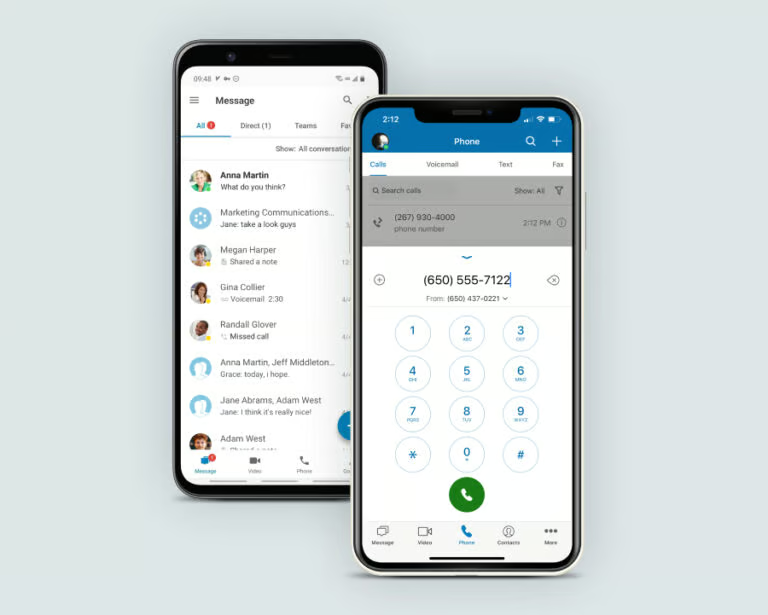
Key features
- Visual voicemail: RingCentral automatically converts voicemail messages into text for easy and efficient listening.
- Receptionist and admin console: This provides a centralized platform for managing call routing, user preferences, and team communication, ensuring professional customer service.
- AI Assistant for phone: Access AI features to transcribe calls, provide real-time call suggestions, take live notes, and support closed captioning.
- Audio conferencing: Enjoy unlimited audio conferencing for seamless collaborative sessions, with no time or participant limits.
- Agent call monitoring: Enables supervisors to monitor, whisper, or barge into calls to ensure proper agent training and high-quality customer service.
Pricing
- Core: $30 per user, billed monthly or $20 when billed annually
- Advanced: $35 per user, billed monthly or $25 when billed annually
- Ultra: $45 per user, billed monthly or $35 when billed annually
- Customer engagement bundle: Contact sales for pricing

Zoom Phone: Best for remote conferencing
Pros
- Mix and match plans with metered and unlimited calling options
- Offers analog and plug-and-play VoIP phone device support
- Easy call elevation to a video conference
- Multiple chat options (presence, 1:1, and team messaging)
- Agent call monitoring tools (barge, monitor, whisper, and takeover)
Cons
- Limited integrations compared to other providers
- Doesn’t include phone extension numbers in the base plan
Why I chose Zoom Phone
Zoom Phone stands out to me because it fits naturally into the way many remote and hybrid teams already work. If your team uses Zoom Meetings regularly, adding Zoom Phone keeps calling, video, chat, and meetings in a familiar environment, which can reduce training time and make adoption easier.
I also like Zoom Phone for teams that need to move quickly from a phone call to a video meeting. It is not the deepest option for integrations or advanced analytics, but its mobile VoIP experience is practical for distributed teams that prioritize conferencing, flexibility, and ease of use over a more complex enterprise phone system.
Also read: Zoom vs Google Meet (2025): Full Feature, Pricing & AI Comparison
Gallery
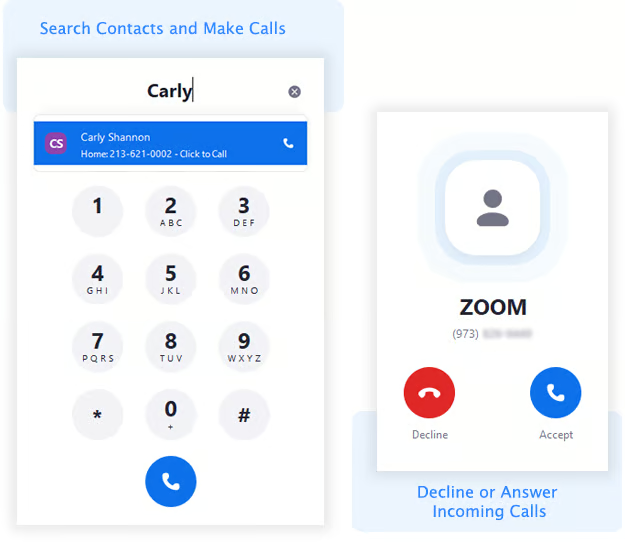
Key features
- Holiday and business hours routing: Ensure effective handling of customer inquiries by automatically routing calls based on preset business hours and holiday schedules.
- Dial-by-name directory: Lets callers reach the right employees by entering their name via the phone keypad.
- Enterprise APIs and Security: Provides customizable APIs and enterprise-grade security, ensuring seamless integration and data protection for large organizations.
- Bring-your-own-carrier: Allows you to keep your chosen telecom provider and access the wide range of VoIP services Zoom Phone offers, for greater flexibility and cost savings.
- Hot desking: This feature allows employees to log in to any shared desk phone with their personal credentials, providing easy access to their customized settings and call history.
Pricing
Zoom Phone offers two types of plans: one focused on calling, and another that combines the phone subscription with Zoom workplace plans (Pro Plus and Business Plus) for broader team collaboration and video conferencing tools.
- Metered: Starts at $12 per user, per month
- Regional Unlimited: Starts at $18 per user, per month
- Global Select: Starts at $25 per user, per month
- Pro Plus: $24 per user billed monthly or $20.50 when billed annually
- Business Plus: $29 per user billed monthly or $24.50 when billed annually

Nextiva: Best for business communications
Pros
- Includes reputation management across plans
- Provides free number porting
- Offers unlimited SMS on the highest plans
- Gives all voice-enabled plans voicemail with AI transcription
Cons
- Only simple IVR is included in plans; advanced IVR is an optional add-on for the highest-plan subscribers
- Toll-free minutes aren’t available on the core plan
Why I chose Nextiva
I selected Nextiva for business communications because it brings voice, messaging, video, reputation management, and customer engagement tools into one platform. In my review, its strongest use case is supporting teams that need to manage customer conversations across multiple channels rather than relying only on phone calls.
Nextiva is a good fit for businesses that want mobile VoIP connected to broader customer communication workflows. However, I would flag the add-on structure for teams that need CRM integrations or advanced IVR, as those costs can add up quickly. If included integrations are the priority, RingCentral may be a better fit.
Also read: Top 6 Nextiva Alternatives & Competitors
Gallery
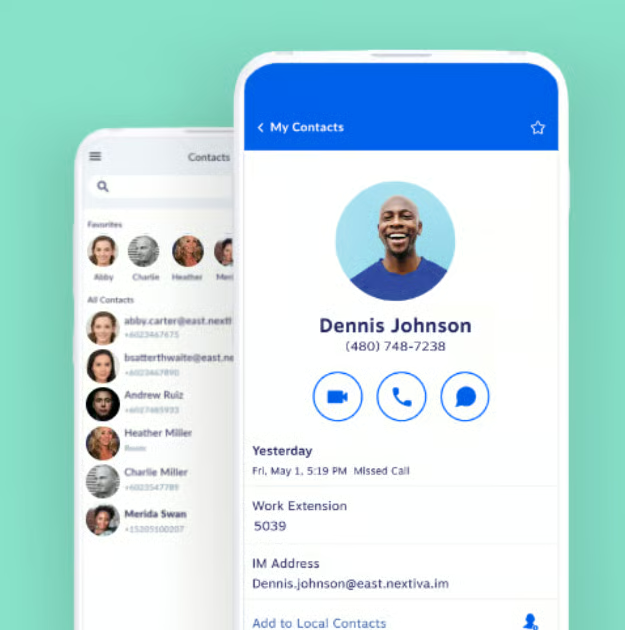
Key features
- Business SMS: Send and receive text messages from your business phone number using your mobile or desktop app.
- Live chat: Engage with website visitors in real time and provide quick customer support to improve lead conversion rates and client communications.
- Reputation management: Use a single interface to manage customer interactions across multiple social media platforms and review sites.
- Interactive voice response: Depending on your plan, use the easy-to-set-up automated phone system for basic call routing, or a more advanced IVR that offers complex routing options and customizable menus.
- Voice analytics: Get actionable insights about call data and track performance metrics, monitor customer sentiment, and optimize communication strategies for improved service quality.
Pricing
Nextiva small business plans
- Core Plan: $23 per user, billed monthly or $15 when billed annually
- Engage Plan: $50 per user, billed monthly or $25 when billed annually
- Scale: Starting at $75 per user, billed monthly
Nextiva enterprise packages
- Essential Plan: From $75/agent/month
- Professional Plan: Contact sales for pricing
- Premium Plan: Contact sales for pricing

8×8: Best for security
Pros
- Universal team messaging with public and private spaces for collaboration
- Flexible, mix-and-match pricing plans for tailored subscriptions
- Global Reach services include 50+ countries
- Enterprise-grade call security with Transport Layer Security (TLS) and Secure Real-Time Transport Protocol (SRTP)
- AI-powered transcription and meeting summaries are included on most plans
Cons
- Long-term call recording retention is limited unless purchased as an add-on
- IVR (interactive voice response) is only available on specific plans
- Advanced analytics features are locked behind higher-tier packages
Why I chose 8×8
I chose 8×8 for security because it is built for businesses that need stronger compliance, encryption, and global communications controls. When reviewing mobile VoIP providers, I consider whether a platform can protect conversations across voice, video, and messaging, as well as on remote devices, especially for teams handling sensitive customer or internal information.
What makes 8×8 compelling is its combination of secure communications, global reach, team messaging, and AI-powered meeting tools. That said, I would not position it as the simplest option on this list. Businesses that need advanced IVR, analytics, or long-term recording retention should review plan requirements carefully before choosing 8×8.
Also read: 7 Best UCaaS Providers
Gallery
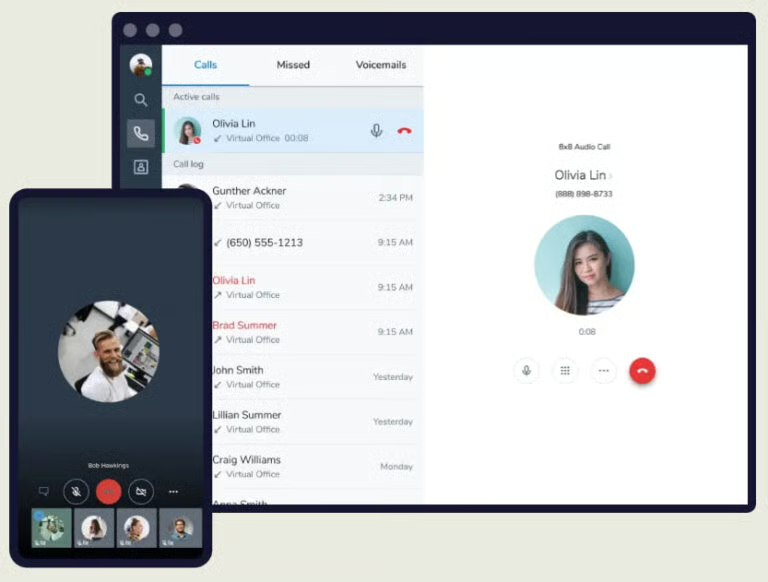
Key features
- Hot desking: Employees can log into shared phones and access personalized settings and call history.
- Phone paging: Broadcast announcements or emergency alerts directly to desk phones.
- Mobile-first meetings: Host or join video meetings from mobile devices with AI noise reduction for clearer calls.
- Queued callback: Let customers request a callback instead of waiting on hold.
- AI transcription & summaries: Automatically capture meeting notes and highlights with built-in AI.
Pricing
8×8 is an all-in-one communications platform offering contact center solutions, application programming interface (API), and unified communications. For more details on plans and packages, you can chat with an 8×8 expert or request a quote directly on its website.

Ooma: Best for small businesses
Pros
- Unlimited calling in the US, Canada, Mexico, and Puerto Rico
- Affordable, branded IP phones are available to build a custom system
- Free residential calling service with every Ooma Telo device
- Strong, real-time customer support via phone and chat
- Offers unlimited international calling plans
Cons
- Limited third-party integrations compared to other leading providers
- Video conferencing capped at 100 participants
- Text messaging is not unlimited; bundled plans include caps
- Collaboration features are less advanced than those of other providers
Why I chose Ooma
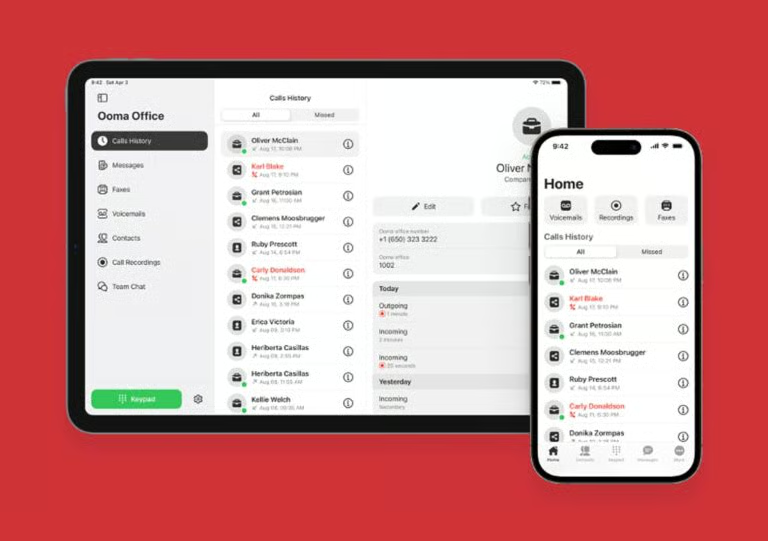
Ooma is my pick for small businesses because it keeps mobile VoIP accessible without overcomplicating the phone system. I like it most for startups, home offices, and lean teams that need dependable calling, voicemail, call forwarding, and a professional phone presence without having to build a large communications stack.
From a buyer’s perspective, Ooma works best when simplicity and affordability matter more than advanced collaboration. Its mobile app, virtual receptionist, call transfer, failover forwarding, and Find Me/Follow Me tools support teams on the go, but businesses that need deeper integrations, larger video meetings, or more advanced analytics may outgrow it.
Also read: Ooma vs RingCentral: Which VoIP Is Best?
Gallery
Key features
- Call park: Place a call in a shared “parking spot” so another team member can pick it up from any device.
- Virtual extensions: Assign extensions to remote employees or departments without needing physical phone lines.
- Failover call forwarding: Automatically redirects calls to an alternative device or number during internet or power outages.
- Call transfer from app: Redirect calls from the Ooma app to other extensions or numbers while on the move.
- Find Me / Follow Me: Ring multiple devices in sequence or simultaneously (e.g., office phone, mobile app).
Pricing
- Essentials: $19.95 per user, billed monthly
- Pro: $24.95 per user, billed monthly
- Pro Plus: $29.95 per user, billed monthly
- Enterprise: Contact sales for pricing.

Google Voice: Best for productivity tools
Pros
- Seamless integration with Google Workspace (Gmail, Calendar, Meet, Chat)
- Clean, intuitive interface across web and mobile apps
- Free personal plan includes a US phone number for individuals
- Desk phone and analog telephone adapter (ATA) support for flexible hardware use
- Affordable business plans with scalable user limits
Cons
- Lacks toll-free and vanity numbers
- Free version only available to US-based customers
- Fewer advanced VoIP features compared to competitors
Why I chose Google Voice
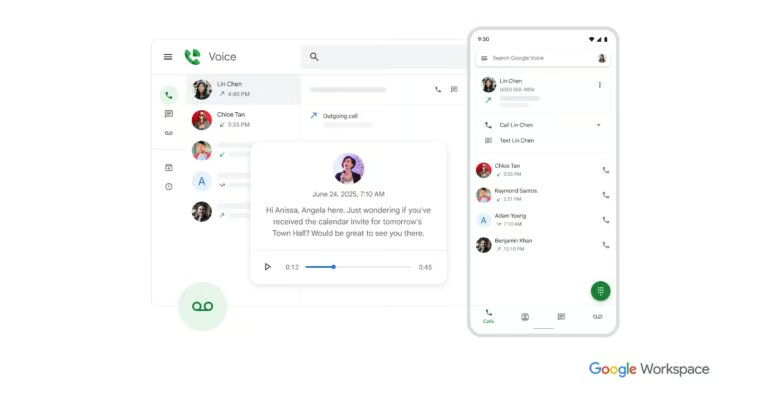
Google Voice earned its place for productivity tools because it works cleanly inside the Google Workspace ecosystem. For users already working in Gmail, Calendar, Meet, and Chat, I see Google Voice as a simple way to add calling, texting, voicemail, and call management without introducing a separate communications platform.
Consequently, I recommend Google Voice to solopreneurs, remote workers, and small teams who want an easy, affordable business phone option that integrates with familiar productivity tools. Although it is not the best choice for companies that need toll-free numbers, vanity numbers, or advanced call center features, it is one of the easiest mobile VoIP options to adopt.
Also read: Cheapest VoIP Phone Services for Business Use
Gallery
Key features
- Ring groups: Distribute incoming calls simultaneously to multiple team members for faster response times.
- Advanced reporting: Connect with Google BigQuery to analyze call activity and trends for data-driven decisions.
- Service Level Agreement (SLA): Google guarantees 99.9% uptime, ensuring reliable business communication.
- Cross-platform access: Available on web and mobile apps compatible with Chrome OS, Windows, macOS, Android, and iOS.
- Spam filtering: Automatic screening of suspected spam calls, with customizable block lists for better call management.
Pricing
Personal Plan
- Personal: Free for one user
Business Phone Systems
- Starter: $10 per user, billed monthly
- Standard: $20 per user, billed monthly
- Premier: $30 per user, billed monthly

Grasshopper: Best for virtual numbers
Pros
- Unlimited phone number extensions and business texting
- Every plan includes voicemail with transcription (“read your voicemail”)
- Flat-rate pricing structure instead of per-user billing
- 24/7 customer support is included for all users
- Easy setup with no additional hardware required
Cons
- Call recording is not available on the solo plan
- No built-in video conferencing or team chat features
- Limited integrations compared to other providers
Why I chose Grasshopper
Grasshopper is a strong choice for virtual numbers because it gives entrepreneurs and small businesses a simple way to create a professional phone presence. I like that its flat-rate pricing keeps costs predictable, especially for teams that want business texting, voicemail transcription, extensions, and call handling without paying per user.
In practice, Grasshopper is best for businesses that need a lightweight phone system rather than a full collaboration suite. It does not offer built-in video conferencing, team chat, or deep integrations, but that simplicity is also part of its value. For freelancers, local service providers, and small teams that mainly need virtual numbers and mobile call management, Grasshopper is a practical fit.
Also read: How to Get A Free Business Phone Number?
Gallery
Key features
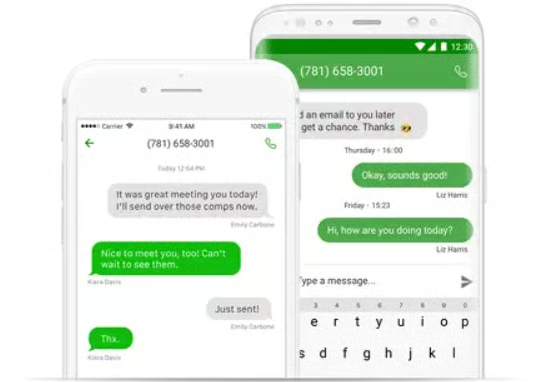
- Business texting: Send and receive unlimited SMS messages using your business number, keeping personal and professional communication separate.
- Voicemail transcription: Access voicemails via the Grasshopper app, email, or the online portal, with automatic transcription for convenience.
- Instant response: Send automated custom text replies to missed calls, ensuring no lead or client slips through.
- Custom greetings: Record or upload personalized greetings tailored to business hours, departments, or holidays.
- Desktop and mobile apps: Manage calls, texts, and voicemails from Windows, macOS, iOS, and Android devices.
Pricing
- True Solo: $18 per month, billed monthly, or $14 when billed annually
- Solo Plus: $32 per month, billed monthly, or $25 when billed annually
- Small Business: $70 per month, billed monthly, or $55 when billed annually
What are the top VoIP mobile phone service features?
Mobile VoIP services enable businesses to stay connected, streamline communications, and enhance customer experiences. Whether you are working remotely or managing a team, key features, such as call forwarding and custom greetings, enhance flexibility, productivity, and professionalism.
Below are my top six VoIP mobile features, along with explanations of their importance and real-world examples of how they benefit businesses.
Business texting
Sending and receiving SMS messages from your business phone number is crucial for maintaining professionalism and responding promptly. For example, a customer support team can utilize business messaging to keep customers informed about order statuses or delivery times.
Voicemail
This feature enables users to receive and manage recorded messages from callers when they are unavailable, making it essential for ensuring that no important messages are missed. For example, a small business owner might rely on voicemail to receive after-hours messages from clients or prospects, allowing them to follow up during business hours.
Call forwarding
Primarily allows users to direct incoming calls to a specific phone number, device, extension, or voicemail, enabling them to manage their calls as desired. Call forwarding ensures that callers are connected to the right person at the right time. For businesses operating across multiple locations, call forwarding keeps clients in contact with team members, regardless of their time zone.
Call recording
This phone system feature records and saves phone conversations for quality assurance, training, or legal reasons. It is useful for resolving disputes or enhancing customer service practices. For example, a sales team can utilize this tool to review calls with potential clients and identify areas for improvement in their sales pitches and customer interactions.
Auto-attendant
An auto-attendant is an automated answering service that provides menu options for inbound calls, enhancing call management and the overall customer journey. In the healthcare industry, a clinic could set up an auto-attendant to route calls to different departments or specialties, such as laboratory, billing, pediatrics, etc.
Conference calling
VoIP technology enables multiple participants to join the same call and dial in using their mobile phones, landlines, or computers. This feature is essential for teams with remote employees, as well as for communicating with clients and partners in a virtual setting. A good use case for this feature would be a project management team using conferencing to host regular update meetings with clients and team members across different locations.
How do you select VoIP mobile phone solutions?
Choosing the right VoIP mobile phone solution begins with understanding your business needs. Involve your team (especially those who use the technology daily) when identifying essential features.
Consider whether you require domestic or international calling, and whether features such as unified communications, video conferencing, social media integration, and messaging are necessary. Additionally, consider industry-specific requirements, such as HIPAA compliance for healthcare companies.
In some cases, relying solely on mobile apps or software on devices like cell phones and laptops may provide full functionality without additional desk phone hardware. However, office-based companies may need analog adapters that remote teams don’t require. Conversely, hybrid or remote businesses will benefit from a combination of desk phones and mobile apps, ensuring staff can access all VoIP features from anywhere.
If you’re exploring more general VoIP software without a hard and fast focus on mobile app functionality, check out our VoIP Software Guide.
Methodology: How I evaluated the best VoIP mobile phone providers
At TechnologyAdvice, we carefully evaluate a range of factors when selecting the best mobile VoIP solutions for businesses. Our process involves thorough research, detailed product information, analysis of vendor websites, competitor evaluation, and hands-on experience. We then review each solution to determine how well it meets the specific needs of businesses across different industries.
Based on my knowledge of the VoIP market, I identified key features essential for different sectors and selected VoIP providers that meet these needs. Specifically, I focused on reputable providers known for their call quality, ease of use, and customer satisfaction. I then evaluated each solution for its pricing, usability, integration capabilities, call rates, international coverage, and other critical features, creating a list of providers that will bring the most benefit for your business needs across various use cases.
Frequently asked questions (FAQs)
Can a mobile phone be a VoIP phone?
Yes, a mobile phone can serve as a VoIP device by using a VoIP app that routes calls over the internet instead of traditional cellular networks. This enables users to make and receive calls, send texts, and access voicemail from anywhere with an internet connection, providing the same features as traditional VoIP services.
Is mobile VoIP cheaper than traditional phone services?
Yes, mobile VoIP services are often more affordable than traditional phone lines, especially for international calls, because they use the internet instead of cellular or landline networks.
Most VoIP providers offer flexible per-user pricing, eliminating the need for costly hardware or infrastructure, allowing businesses to scale as needed. Subscription fees typically range from $10 to $40 per user per month, giving access to advanced call management tools without high upfront costs.
Do VoIP phones work without an internet connection?
No, VoIP phones require an internet connection to function, as they rely on the internet to transmit voice data. Although some apps may have limited offline features, they can only sync or update once the connection is back.
Can I use a regular phone for VoIP?
Yes, a standard phone can place and receive VoIP calls with a VoIP adapter or gateway. These devices convert your analog phone’s signal to digital so it can work with the internet.