Choosing HR software gets harder once you look beyond basic employee records and payroll. Some platforms keep everyday HR simple, while others give you more automation, workforce tools, or control over how your processes work.
To identify the best HR software for small businesses, I evaluated 9 leading platforms based on pricing, HRIS functionality, payroll and benefits administration, workforce management tools, ease of use, customer support, and user feedback. BambooHR, Rippling, and Gusto emerged as the strongest overall solutions, but the best choice depends on your budget, workforce size, and HR needs.
Featured partners
The five platforms below made my final shortlist. Start here to see which options best match your HR priority and budget.
| Provider | Best for | Starting monthly price |
| BambooHR | Best overall; core HR management | $10.25/employee* |
| Rippling | Advanced HR automation | $8/employee + $40 base fee** |
| Gusto | Startups new to HR software | $6/employee + $49 base fee |
| Paycor | Growing businesses | Call for a quote |
| Zoho People | Customizable HR processes | $1.50/employee |
*Pricing is based on a quote we received and covers businesses with more than 25 employees. For companies with 25 or fewer workers, pricing shifts to a flat monthly rate that starts at $250.
**Pricing is from Rippling’s small business page. Contact the provider to get a quote.
Why do SMBs need specialized HR software?
Not every HR platform is built with small business needs in mind. SMBs usually need software that is easy to implement, flexible enough to grow with the business, and practical for managing hiring, payroll, compliance, and employee data without a large HR department.
My roundup focuses on versatile all-in-one HR solutions. I looked for platforms that can cover core HR needs today while giving you room to add more structure, automation, and reporting as your people operations mature and grow.
SMBs can’t afford to ignore the shift to software
Global SMB software spending is projected to grow to $74.5 billion in 2026—a 7.5% compound annual growth rate from last year. Plus, 62% of SMBs now prefer cloud-native platforms. This means that digital HR tools aren’t just “nice-to-have,” but the standard. Small businesses that delay adoption risk falling behind competitors already saving time, reducing errors, and staying compliant with modern HR software.
Looking for ways to expand your operations? Check this out: 10 Funding Options for Small Businesses (TechRepublic Premium)
Best HR software for small business compared
Features matter, but they do not tell you how well a platform fits your business. This comparison focuses on the type of company each product suits, how much setup it may require, the breadth of its HR tools, and the main compromise to consider.
| Provider | Setup effort | HR coverage | Biggest tradeoff |
| BambooHR | Low | Core HR, payroll + talent management | Add-ons can raise costs |
| Rippling | Moderate | HR, payroll + IT tools | More setup and pricing complexity |
| Gusto | Low | Payroll + core HR tools | Less advanced HR depth |
| Paycor | Moderate | Payroll + workforce and talent management | Steeper learning curve |
| Zoho People | Moderate | Payroll + workforce and talent management | More hands-on configuration |
About setup effort: This reflects how much configuration and learning is expected for a typical small business based on the platform’s breadth, workflow flexibility, and interface. Your implementation may be easier or more involved depending on the modules, integrations, and data you need to move.

BambooHR: Best overall for core HR management
Overall score
3.56/5.00
User reviews
4.32/5.00
Pricing
2.75/5.00
Customer support
3.89/5.00
Platform/interface
3.94/5.00
HRIS and reporting
4.04/5.00
Payroll and benefits
3.46/5.00
Workforce management
2.75/5.00
Talent acquisition
3.70/5.00
What are the perks of using BambooHR?
- Pre-built workflows for automating repetitive HR tasks
- Basic applicant tracking system (ATS) for occasional hiring needs
- Easy-to-use time-off management to promote consistency and fair practices
- Performance, compensation, and HR analytics tools
What are the downsides of using BambooHR?
- Payroll, benefits, and time tracking are paid add-ons.
- Support for payroll and benefits administration is limited to the U.S.
- Costs can climb once you add several modules
- Performance reviews and centralized communication tools are reserved for higher tiers.
Why I chose BambooHR
BambooHR is a well-balanced online HR software for small businesses with modules covering most HR operations within the employee lifecycle, from hiring to retiring. It centralizes your HR data and streamlines core HR tasks, but it also supports more structured HR processes without feeling as heavy or complicated as some broader HCM platforms.
What stood out most in my evaluation was how approachable the system feels for everyday HR work. It’s quick to set up, simple to navigate, and has one of the most info-rich homepages. You can customize it with widgets vital to you. For example, managers can use the Who’s Out widget to adjust workloads and expectations based on attendance. Expanding this widget provides more granular information, such as the complete time-off calendar for the month.
Compared with Rippling and Paycor, BambooHR is easier to manage, while offering more HR depth than Gusto. The main tradeoff is cost. Payroll, benefits administration, and time tracking are add-on modules, so a business that mainly wants payroll may get better value from Gusto.
- Ready-made HR workflows: BambooHR includes workflows for common tasks such as employee-information changes and time-off requests. Its onboarding checklists and e-signature tools also reduce the amount of setup needed before you can put the system to work.
- Compensation planning and benchmarking: Its Elite plan includes compensation reviews, salary bands, job levels, pay visualization, and integrated Mercer benchmarking. That gives a growing small business more sophisticated compensation tools without requiring a separate system.
- HR compliance and people insights: BambooHR combines compliance resources with employee wellbeing, eNPS analysis, HR benchmarks, and AI-assisted HR questions. These tools give the platform more depth beyond simply storing employee information.
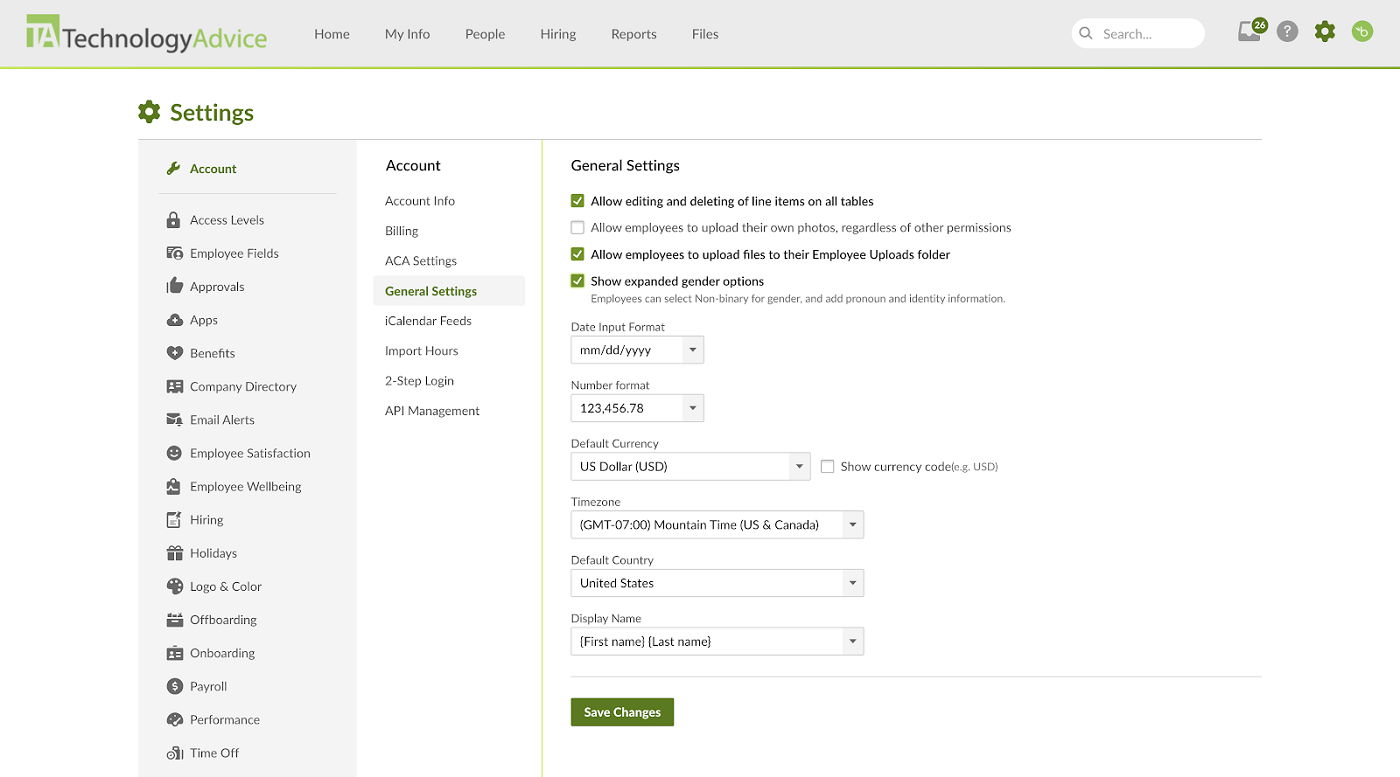
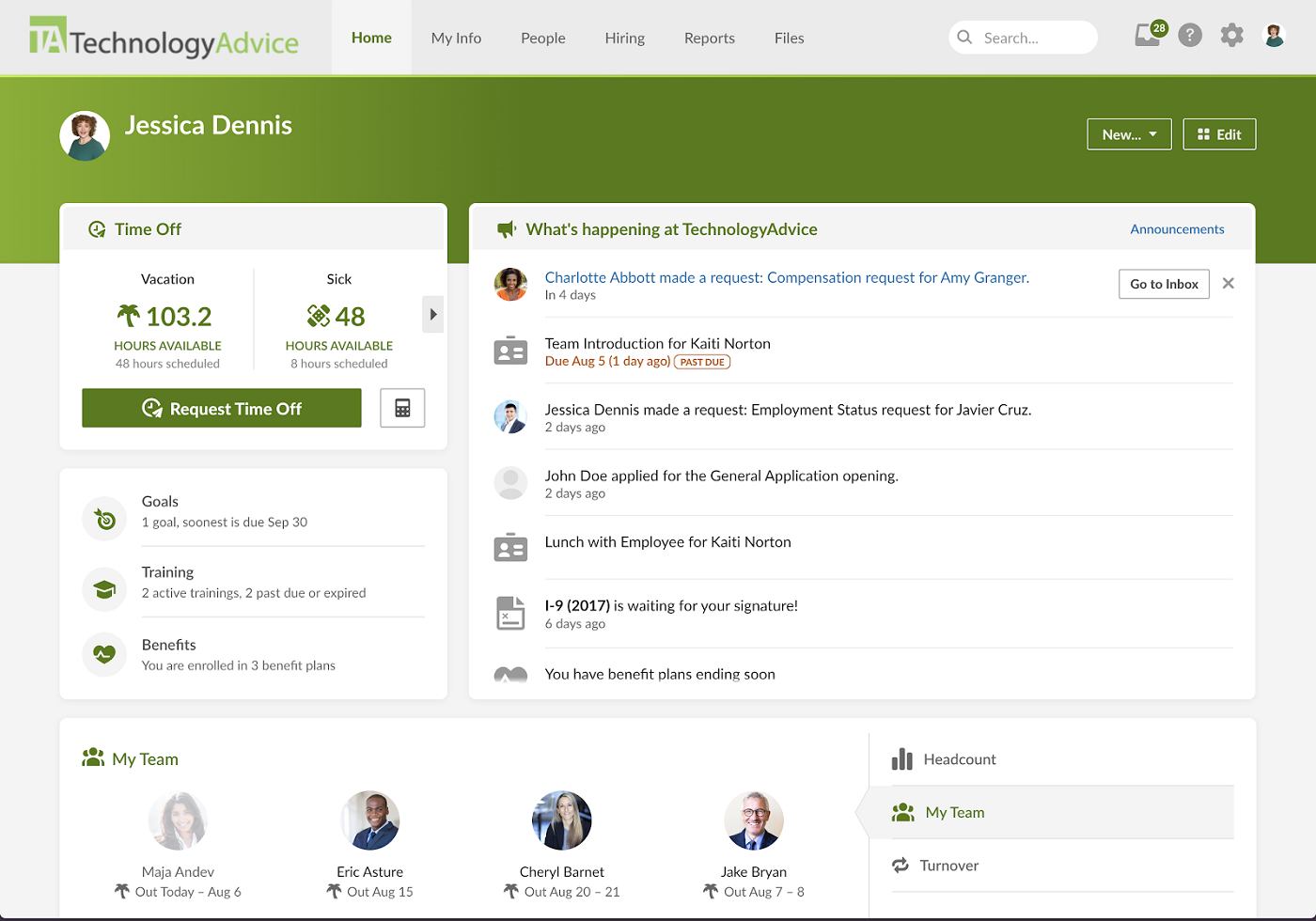
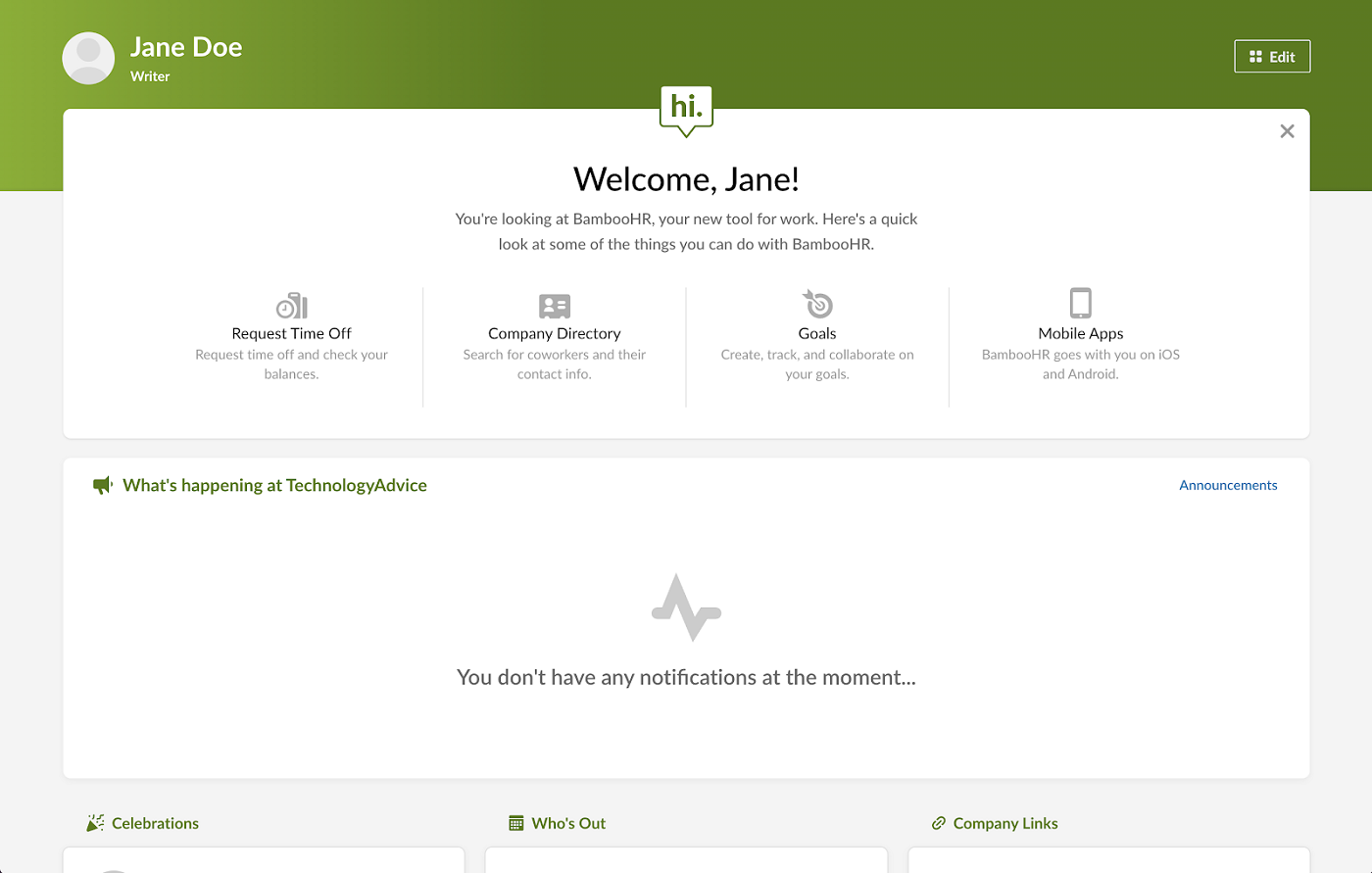
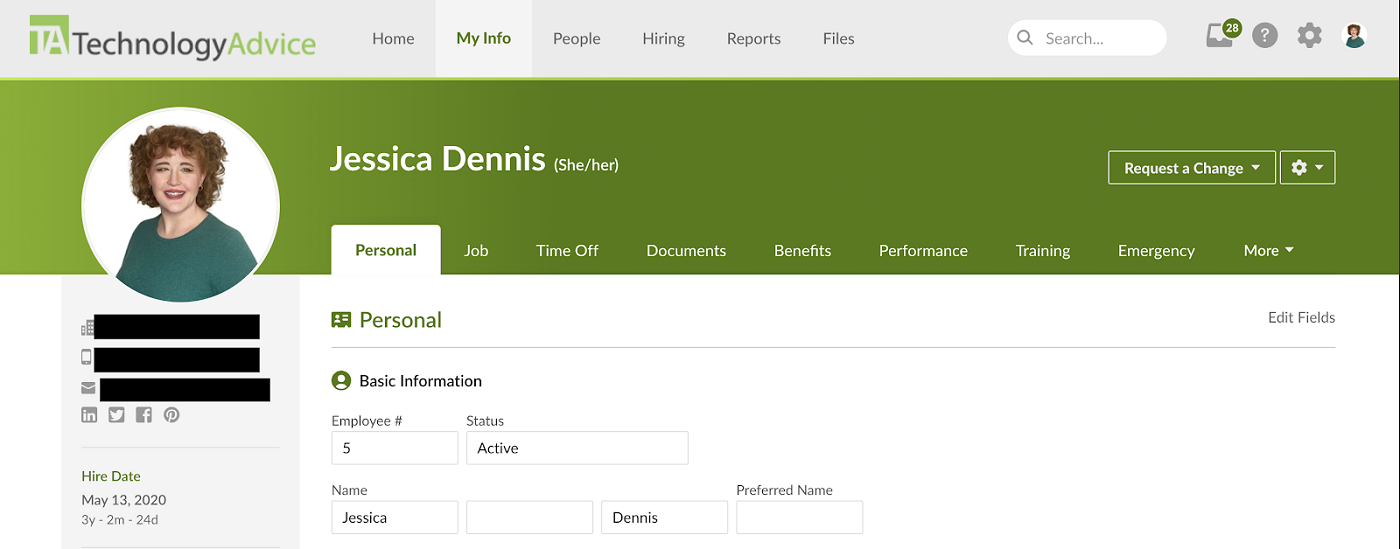
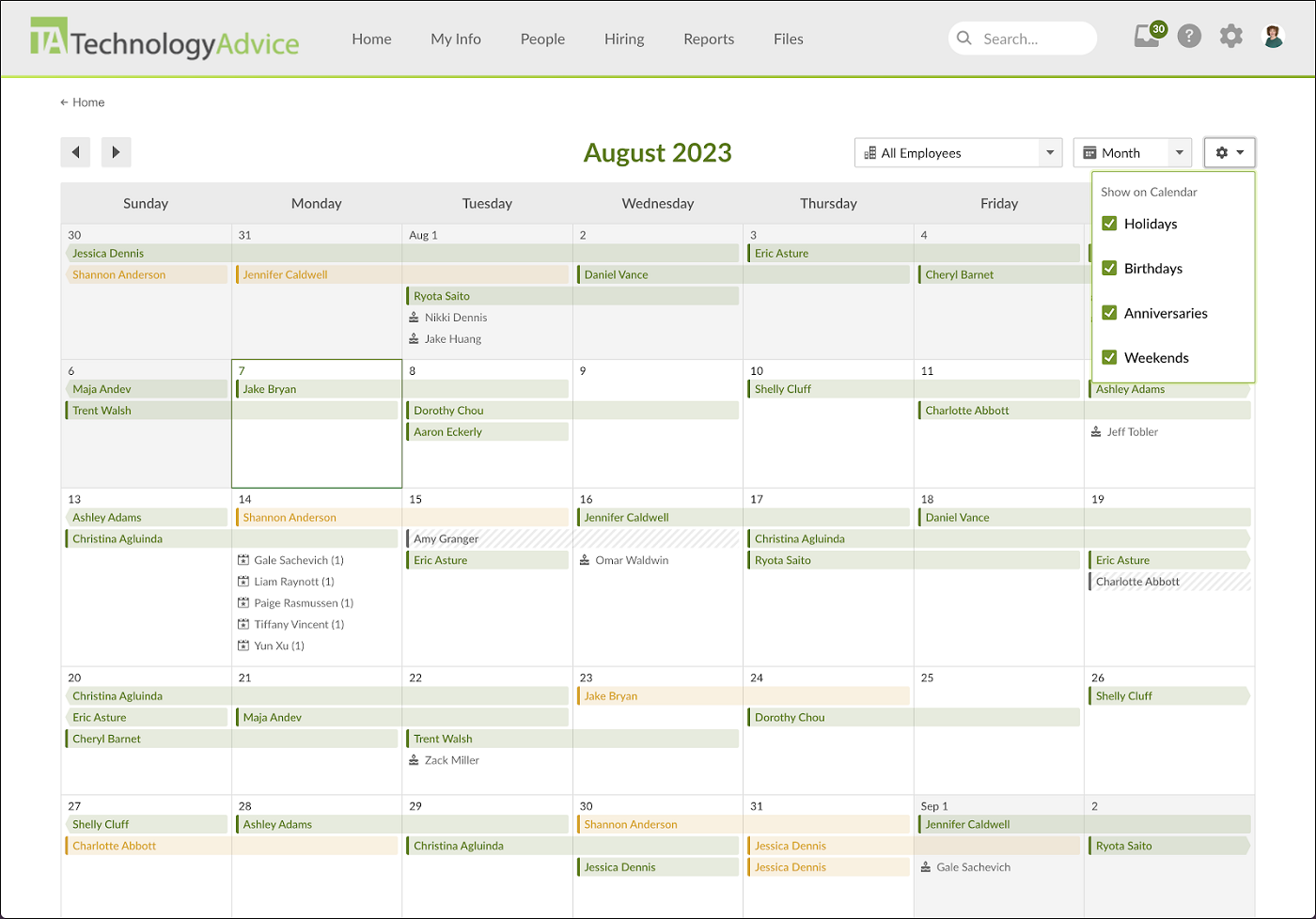
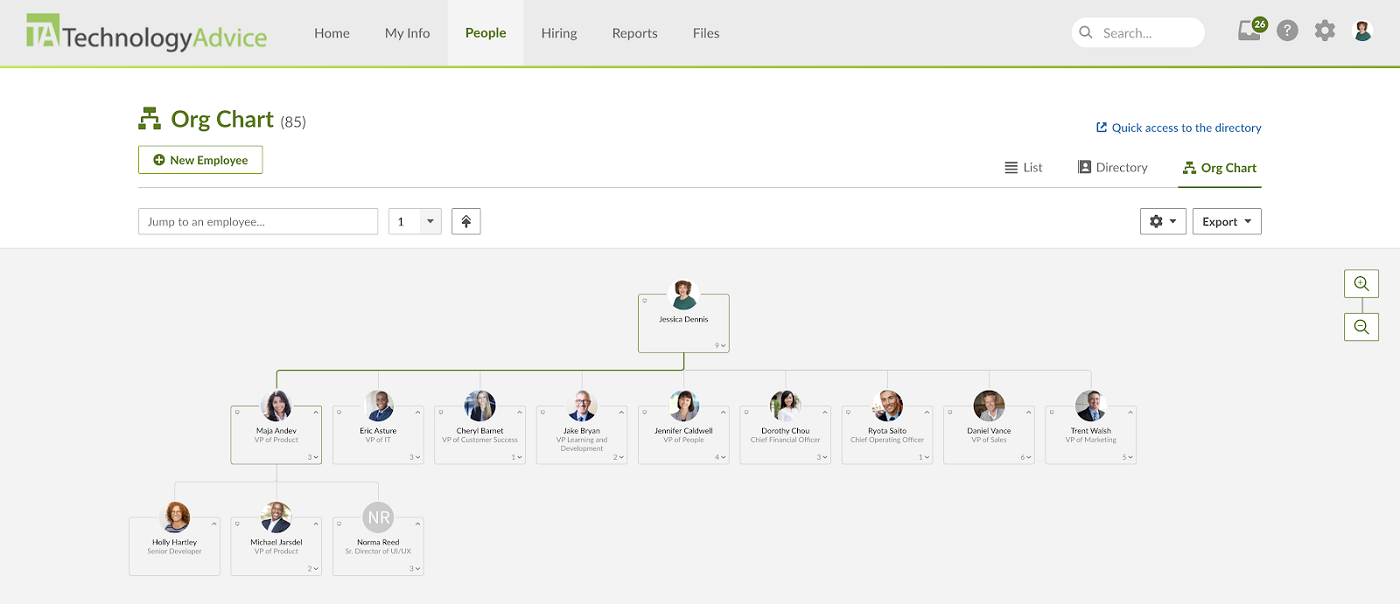
You can choose from three plans: Core, Pro, and Elite. These plans cover the basic functions of a human resources information system (HRIS), with additional HR features like performance reviews.
BambooHR pricing depends on the number of employees you have. If you employ 25 or fewer employees, you’ll pay a flat monthly rate. When you hit more than 25 employees, pricing shifts to a per-employee, per-month (PEPM) model.
- Core: $10 PEPM; includes employee records, reports, workflows, onboarding, time-off management, and applicant tracking
- Pro: $17 PEPM; adds performance management, employee communication, recognition, and expanded compliance resources
- Elite: $25 PEPM; adds compensation management, HR benchmarks, custom analytics, and premium services
For an additional fee per module, you can add payroll, benefits administration, and time tracking to your selected plan. Considering that companies with 25 employees or fewer have to pay at least $250 per month for the Core plan and then pay extra for additional modules, BambooHR is a costly investment for companies with small teams.
People across review sites generally describe BambooHR as a strong small-business HRIS when the buyer needs a clean, easy-to-adopt system for employee records, onboarding, PTO, basic reporting, and HR workflows. Users like the access to enterprise-level features at a lower cost, but also flag concerns about expensive add-ons, rising costs, and pricing transparency. Plus, it may feel restrictive for companies with complex approval chains, advanced reporting needs, or multi-entity workflows.

Rippling: Best for advanced HR automation
Overall score
3.51/5.00
User reviews
4.81/5.00
Pricing
2.38/5.00
Customer support
2.75/5.00
Platform/interface
3.80/5.00
HRIS and reporting
3.56/5.00
Payroll and benefit
4.00/5.00
Workforce management
4.19/5.00
Talent acquisition
3.25/5.00
What are the perks of using Rippling?
- Advanced workflow creation features to automate rote HR processes
- IT and finance products available to consolidate business software applications
- Device management capabilities, including an offsite warehouse for inactive device storage
- Employer of record (EOR) services and dynamic employee profiles for over 180 countries
- Compliance 360 for time and paid leave labor law compliance monitoring, both domestically and globally
What are the downsides of using Rippling?
- Pricing isn’t all transparent or otherwise difficult to find on its website
- Payroll, benefits administration, and time tracking are paid add-ons.
- Reporting, workflow automations, and notifications can overwhelm small businesses needing plug-and-play solutions.
Why I chose Rippling
One of the clearest examples of Rippling’s value is what happens when an employee joins, changes roles, or leaves. Instead of treating those as HR-only events, Rippling can use the same employee data to update payroll, app access, device assignments, permissions, and other workflows. That cross-functional approach is what separates it most from the rest of this list.
Its workflow builder also gives you much more control than BambooHR or Gusto. During my evaluation, I could see how if-then rules, formulas, and automated actions could replace the follow-ups that usually happen between HR, managers, IT, and payroll. Paycor offers broader talent-management depth, but Rippling is stronger when the bigger problem is coordinating work across systems.
That level of flexibility is not necessary for every small business. I’d favor Rippling when the company already has processes worth automating and wants HR data to drive work outside the HR department. For a very small team that mainly wants payroll or straightforward core HR, Gusto or BambooHR will usually be easier to manage.
- HR and IT lifecycle management: Employee changes can automatically affect application access, device management, permissions, payroll, and other operational systems. None of the other four products in this guide connects HR and IT quite as deeply.
- Workflow Studio: Rippling supports highly customizable triggers and actions built around data across its system. This makes it useful for workflows that stretch beyond standard HR approvals.
- App Studio: Businesses can build internal no-code applications for processes such as certification tracking, bonus requests, equipment management, or vendor onboarding. The apps use the same employee data and permissions already stored in Rippling.
- Unified analytics and data: Rippling can combine workforce information with data from connected systems for dashboards, reports, and analysis. That gives a fast-growing business more analytical room than most small business HR platforms.

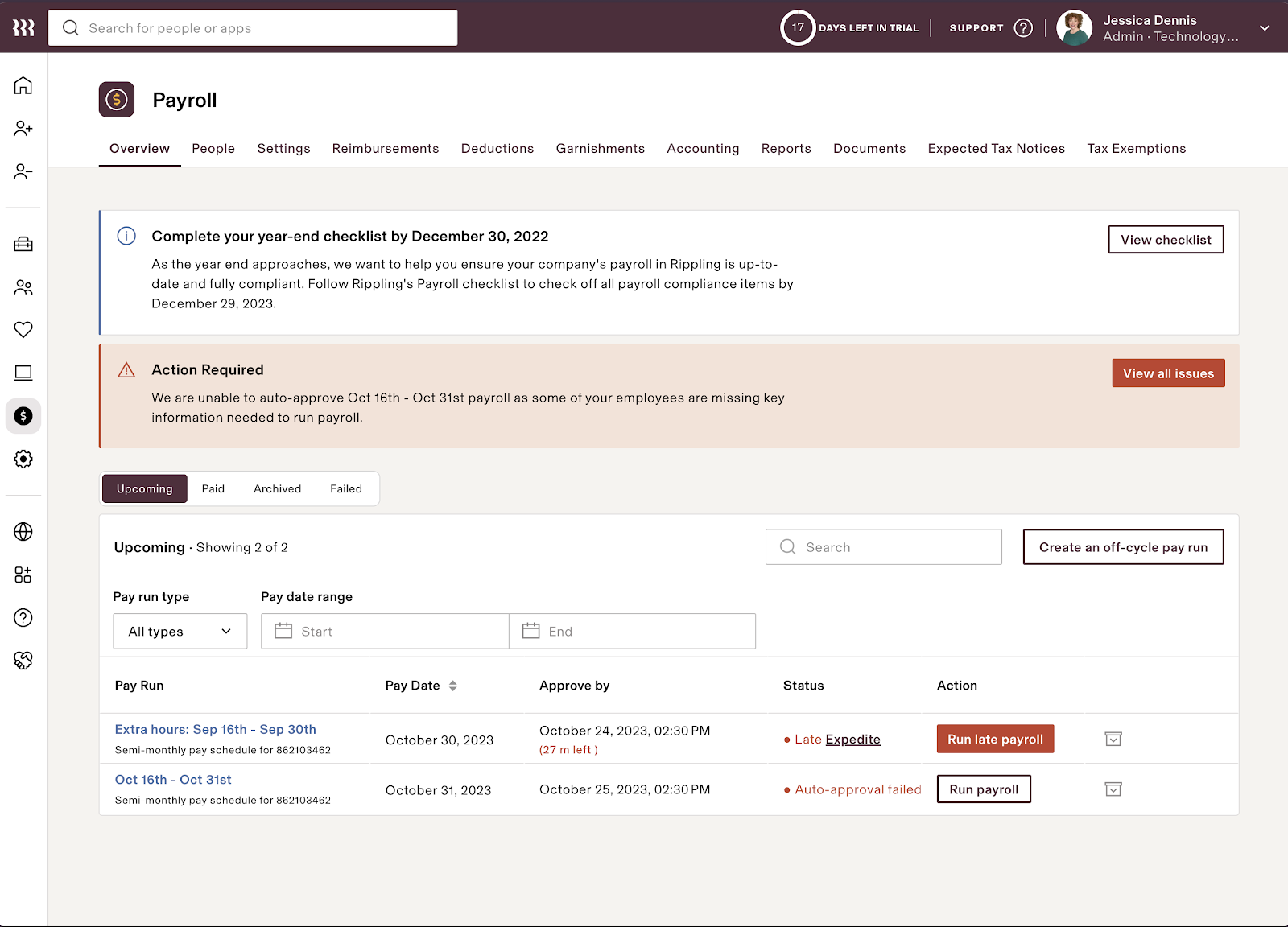
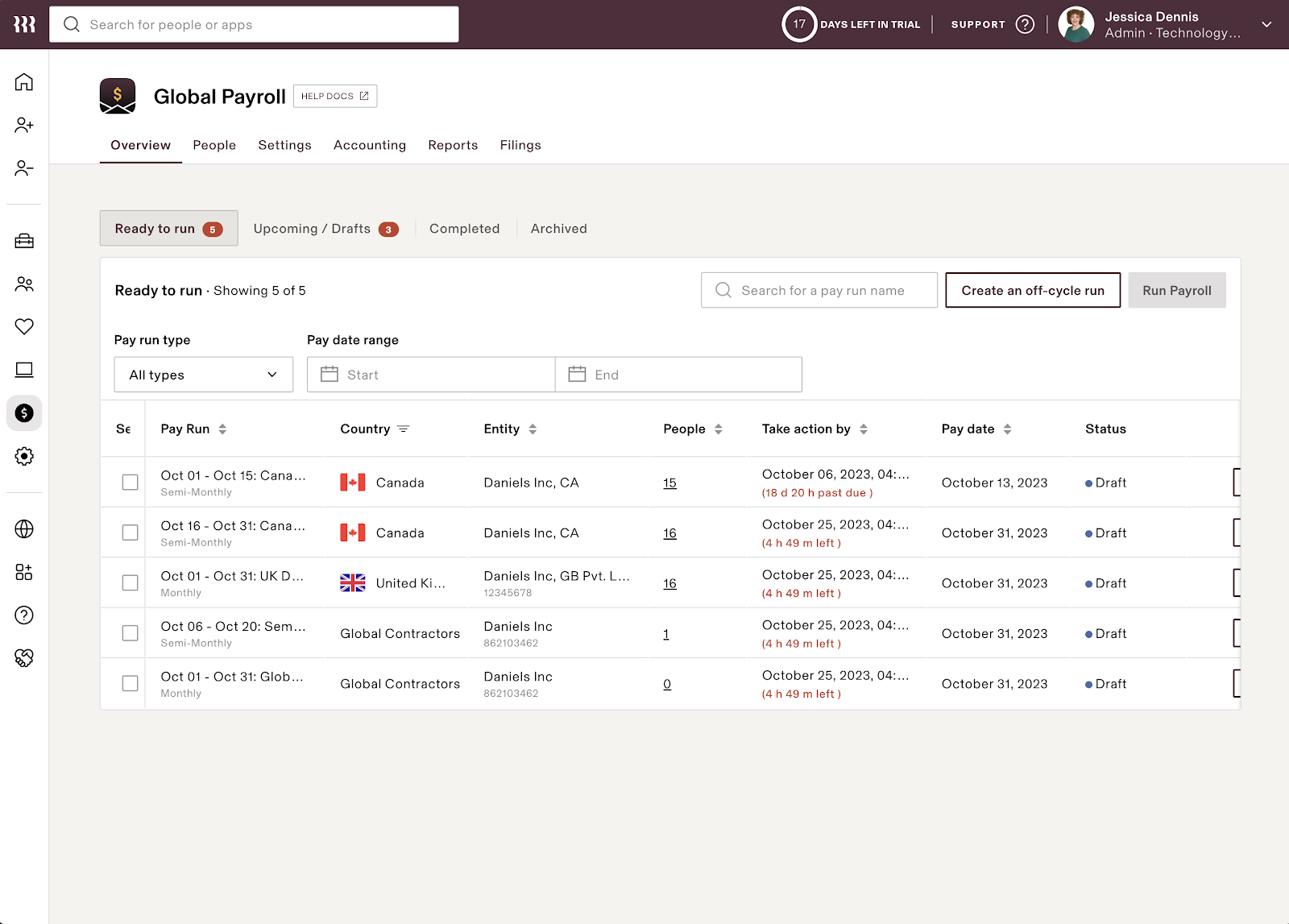
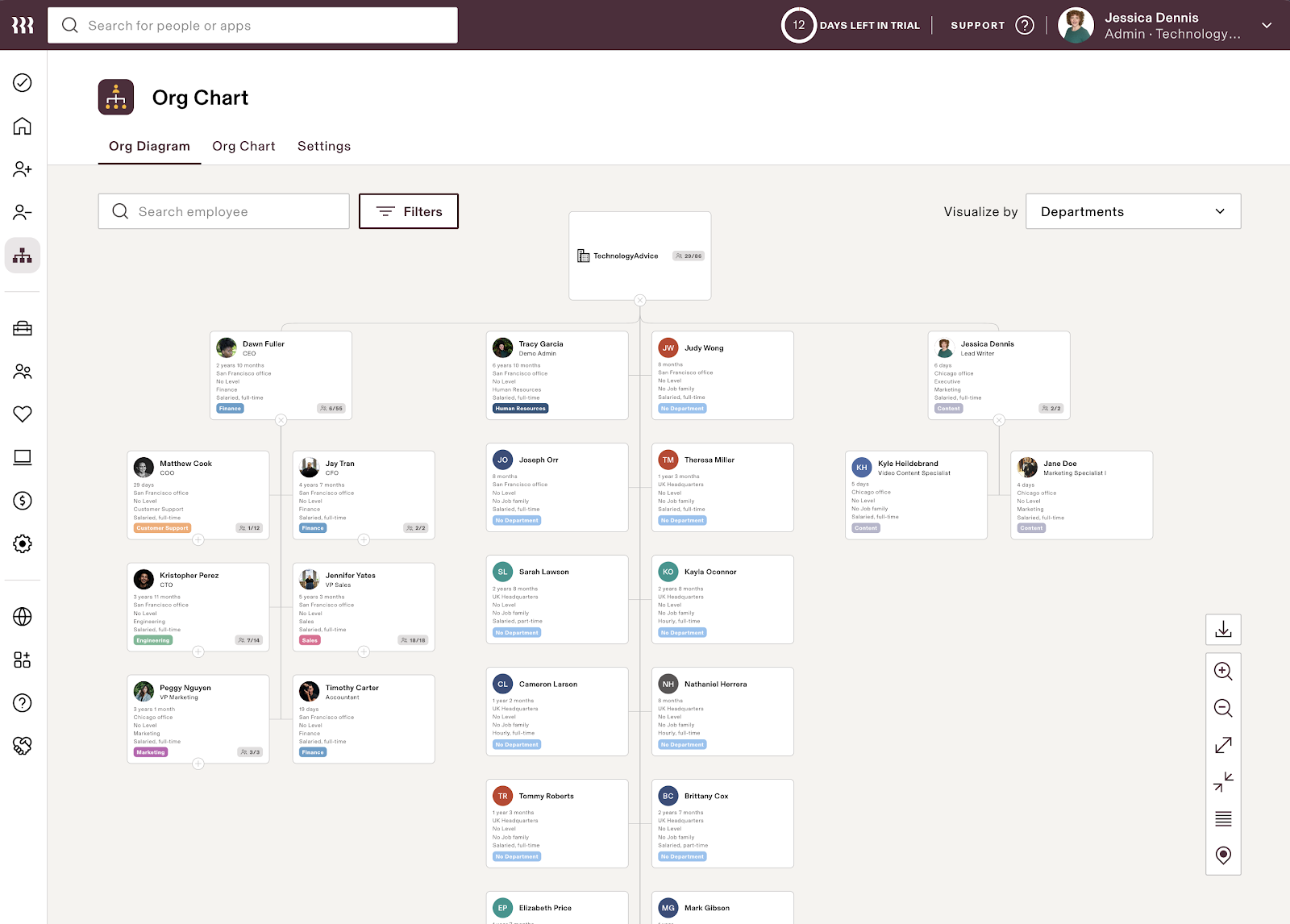

All Rippling customers must purchase its core Rippling Platform before accessing modules in its HR, IT, or Finance clouds. The Rippling Platform also has two plans: Core and Pro. The main differences between these are the number of custom workflows and access to advanced reporting, formula fields, and webhooks in workflows.
Although pricing starts at $8 PEPM, Rippling may also add a monthly base fee, depending on your company’s circumstances. You may also need to pay more based on the Rippling Platform plan, modules, and HR services you select. For an HR management software for small business owners, monthly fees start at $8 per employee plus a $40 base rate, according to Rippling’s small business page.
According to users, Rippling is a powerful, clean, and useful tool for small businesses that want HR, payroll, benefits, IT, and employee data in one connected system. However, users also note that Rippling may be less ideal for very small teams that only need basic payroll. Reviewers also repeatedly point to module-based pricing, setup effort, and customization limits as possible friction points.

Gusto: Best for startups new to HR software
Overall score
3.50/5.00
User reviews
4.64/5.00
Pricing
3.38/5.00
Customer support
3.88/5.00
Platform/interface
3.10/5.00
HRIS and reporting
3.35/5.00
Payroll and benefit
4.04/5.00
Workforce management
3.33/5.00
Talent acquisition
3.09/5.00
What are the perks of using Gusto?
- User-friendly and intuitive interface
- Transparent pricing
- Offers hiring, job posting, and performance management tools
What are the downsides of using Gusto?
- The starter plan has limited HR features
- Advanced HR tools, such as performance reviews, are reserved for higher tiers
- Less suited to complex or highly customized HR operations
Why I chose Gusto
Gusto is a good entry point for startups moving away from spreadsheets, email, and manual HR processes. The platform keeps common tasks such as employee records, onboarding, time off, benefits, and payroll in one place without overwhelming a first-time administrator.
What stood out to me was how little explanation the system needs. The navigation is straightforward, employee tasks are clearly presented, and self-service helps shift routine updates and paperwork away from the person managing HR. That can make a noticeable difference when HR is only one part of someone’s job.
While Gusto includes performance reviews and recruiting tools, it does not offer the same depth of HR capabilities as BambooHR and Zoho People. Rippling and Paycor are also better suited to businesses with more complex automation or workforce management needs.
- Unlimited full-service payroll: Employee payroll plans include unlimited runs, along with payroll tax calculations, filings, and payments. That makes an extra or off-cycle payroll less of a budgeting decision.
- Built-in HR compliance support: Gusto’s Compliance Hub surfaces employment-law alerts, required training, policy needs, and other compliance tasks in one dashboard. Higher-tier users can also get direct guidance from certified HR professionals, which is especially useful for startups without an in-house HR expert.
- Benefits administration with licensed advisors: Gusto does more than store benefits information. Its licensed benefits advisors can help small businesses evaluate health plans, assist employees with enrollment questions, and handle areas such as ACA reporting and COBRA administration.
- Performance management: Gusto supports customizable review cycles, self-evaluations, peer feedback, 360-degree feedback, OKRs, and goal tracking. Startups can introduce these more formal people practices without moving immediately to a heavier HR platform.
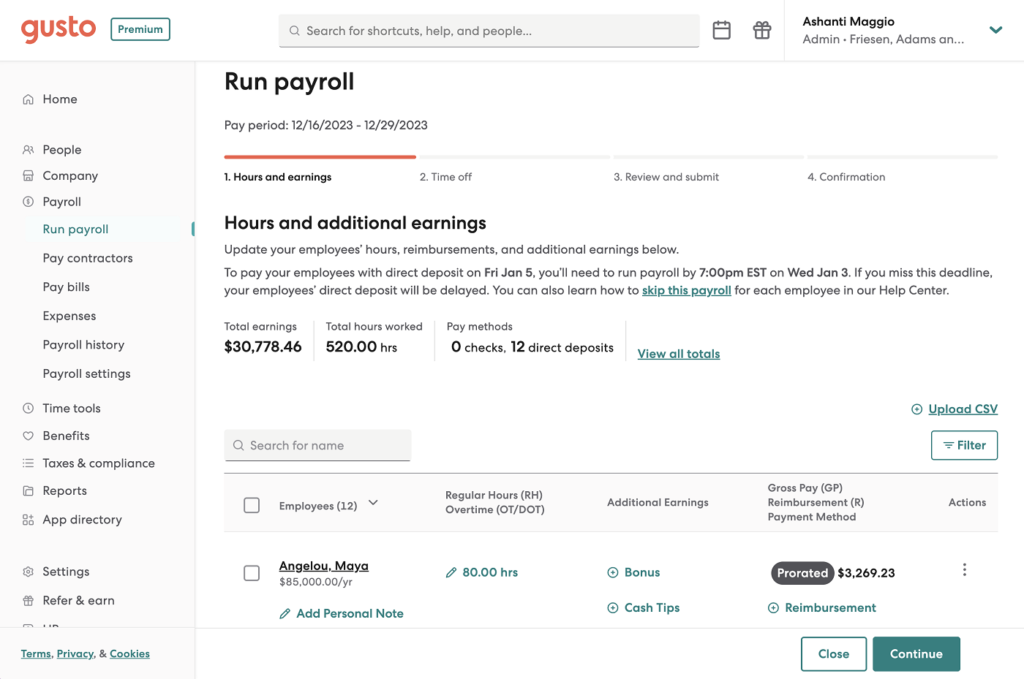
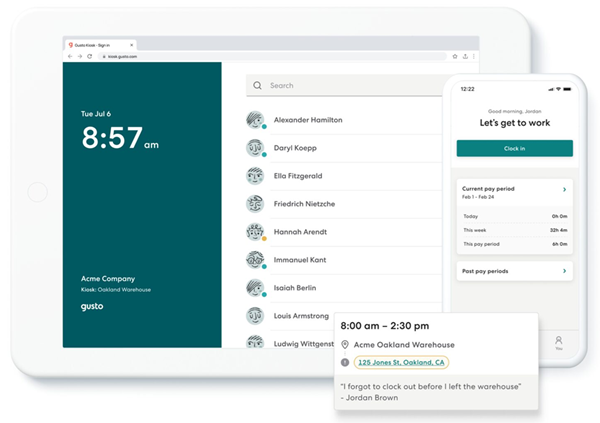
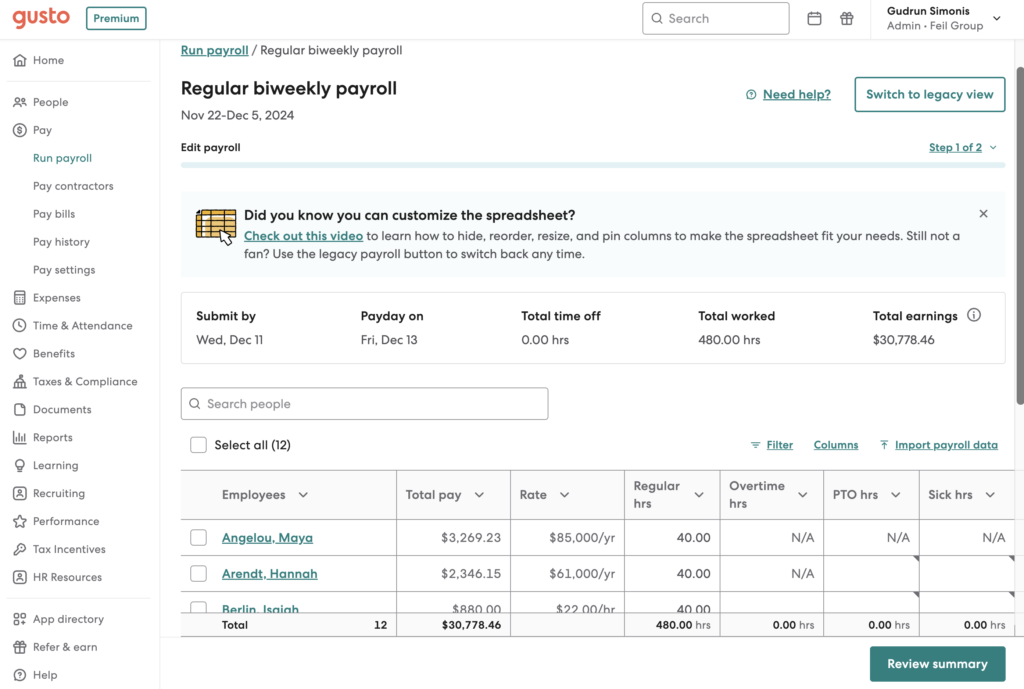
Gusto offers three plans: Simple, Plus, and Premium. All plans include basic onboarding tools, employee benefits, and full-service payroll with tax filing and payment services. Advanced features and services, like job postings, performance reviews, multi-state pay runs, and priority support, are reserved for higher tiers.
- Simple: $49 base fee monthly + $6 PEPM
- Plus: $80 base fee monthly + $12 PEPM
- Premium: $180 base fee monthly + $22 PEPM
For businesses that only need to pay contract workers, Gusto has a contractor-only payroll plan that costs $35 per month plus $6 per contractor per month. Gusto also offers paid add-ons for benefits plans, global contractor payouts, and state tax registration services.
Users say that Gusto is strongest for small businesses that want easy payroll, employee self-service, onboarding, benefits, tax documents, and basic HR tools in one place. At the same time, reviewers who have used the platform also caution that it may feel less flexible for companies that need advanced customization, deeper reporting, more complex contractor workflows, stronger mobile functionality, or faster support.
Paycor: Best for growing businesses
Overall score
3.50/5.00
User reviews
4.04/5.00
Pricing
1.88/5.00
Customer support
3.88/5.00
Platform/interface
4.05/5.00
HRIS and reporting
3.75/5.00
Payroll and benefits
4.00/5.00
Workforce management
3.89/5.00
Talent acquisition
3.70/5.00
What are the perks of using Paycor?
- Feature-rich HR platform can support the entire employee lifecycle
- Earned wage access (EWA) options to give employees access to their funds sooner and support financial wellness
- AI-powered advanced analytics
What are the downsides of using Paycor?
- Non-transparent pricing
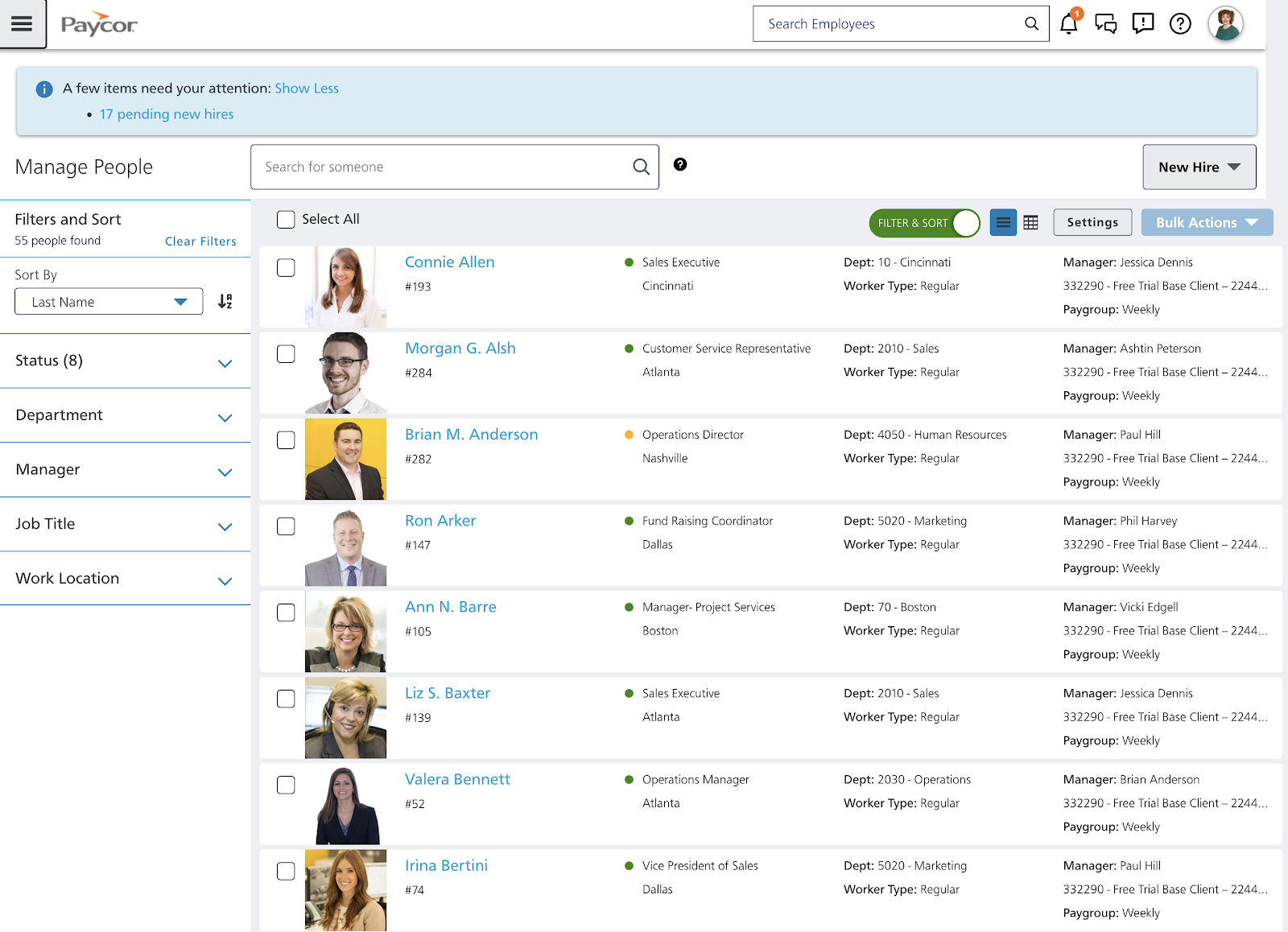
- Several core HR features are reserved for higher plans and add-ons, like onboarding, benefits administration, leave management, and customizable reports.
- Mobile app is fine for employees, clunky for admins.
Why I chose Paycor
Paycor becomes more useful as a small business moves beyond basic payroll and employee records. Its HCM suite extends into recruiting, scheduling, analytics, compensation, learning, career management, engagement, and manager development.
Its deeper people-management tools are the bigger reason it made this list. A company adding performance, learning, and compensation processes can keep those workflows in the same broader platform instead of adding several standalone systems.
There is more to learn, though. Paycor’s interface and wide range of modules can feel heavier than Gusto or BambooHR, and its pricing is not transparent. Rippling is also a stronger option when growth creates more cross-functional HR and IT workflows.
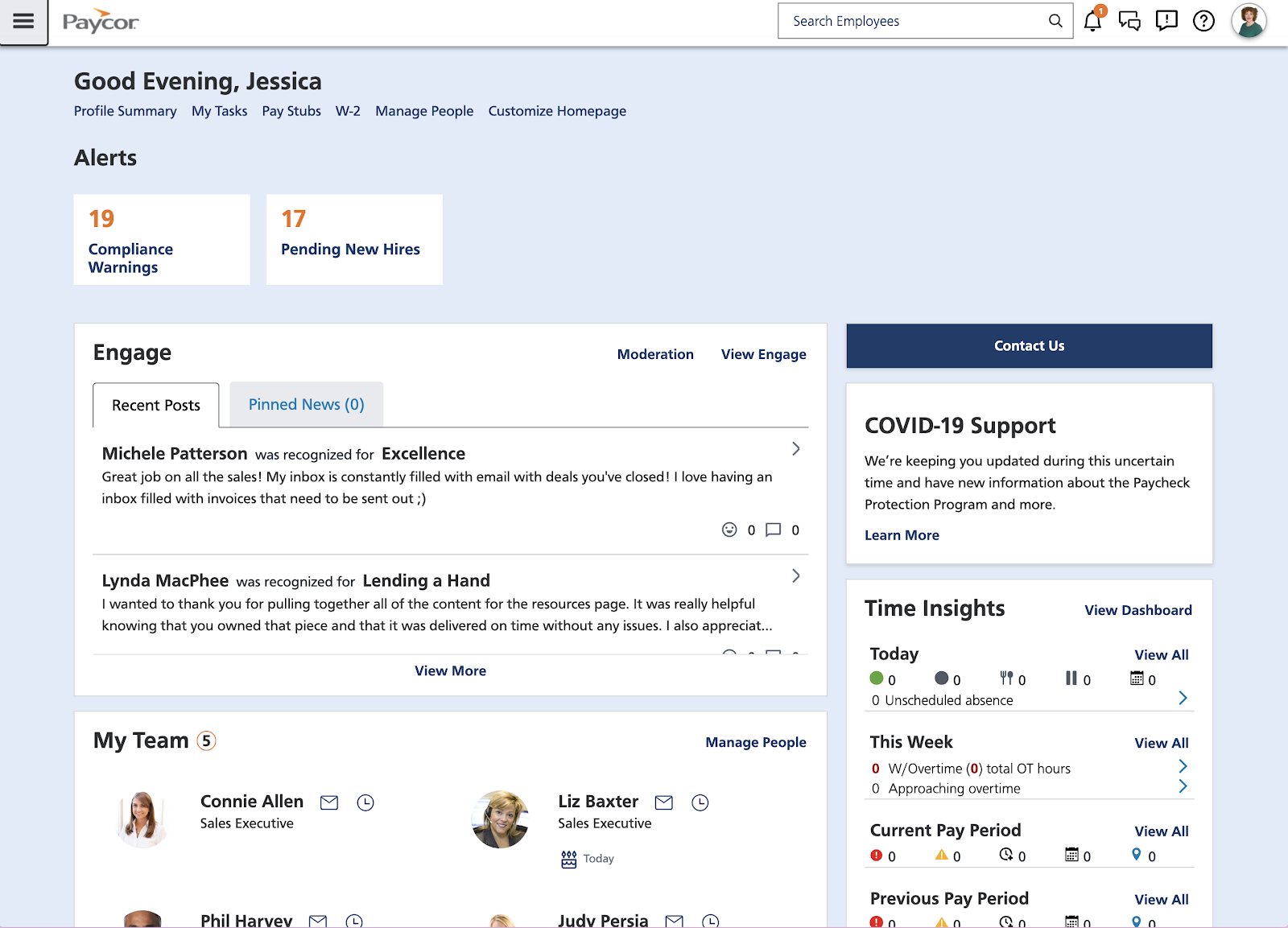
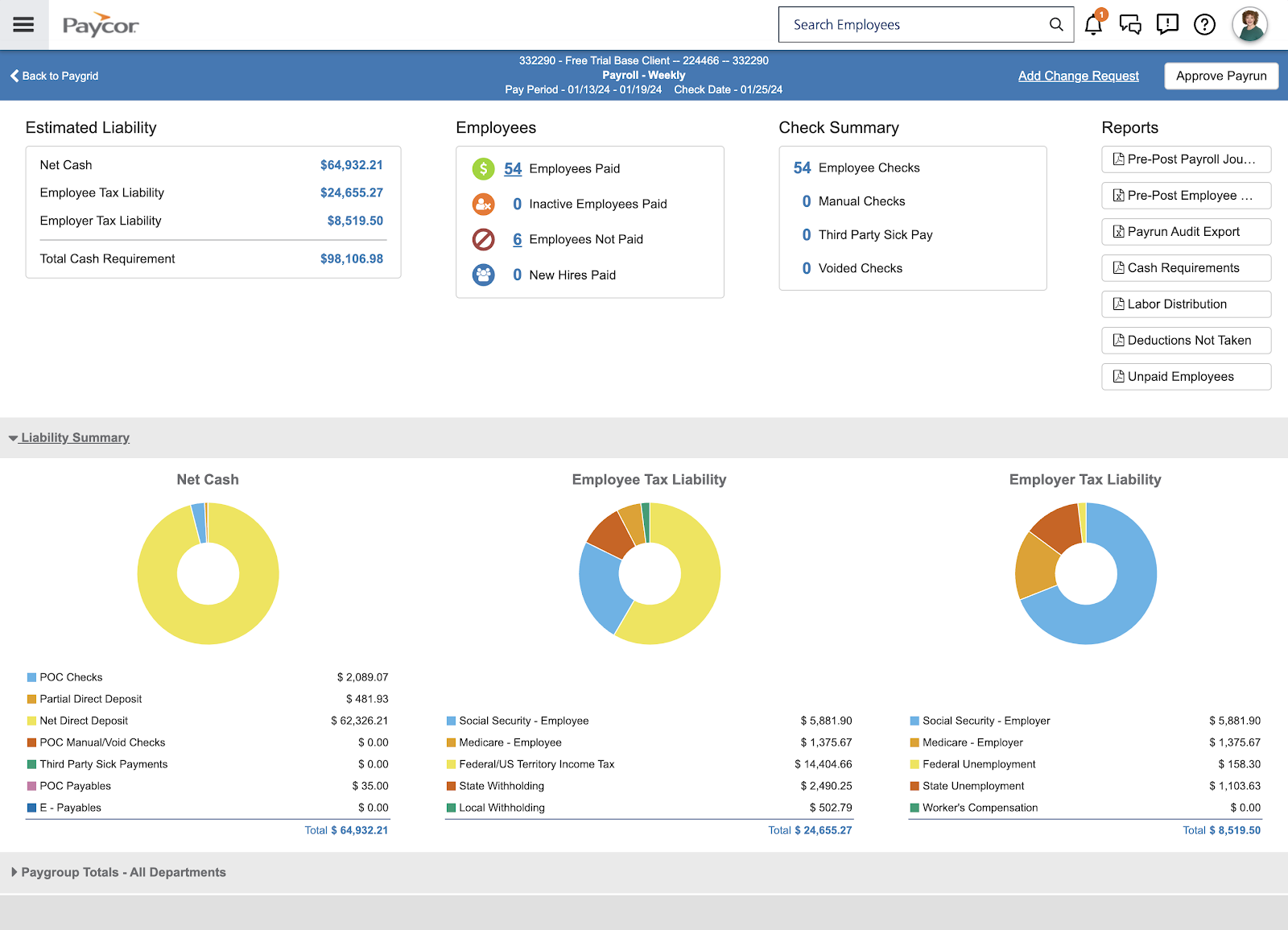
- Customizable payroll pay grid: Paycor lets payroll administrators view and adjust pay information in a spreadsheet-style grid. Keeping earnings, hours, deductions, and other pay items on one screen can speed up payroll work for someone who already knows what they are looking for.
- Career and manager development: Paycor combines learning, career-management, talent-development, and manager-development tools. This gives it more depth for businesses trying to improve how managers lead and employees grow.
- Frontline workforce management: Time tracking, scheduling, labor controls, and mobile tools make Paycor useful for businesses with hourly or shift-based employees. Those capabilities connect with the same payroll and employee records rather than operating as an isolated scheduling system.
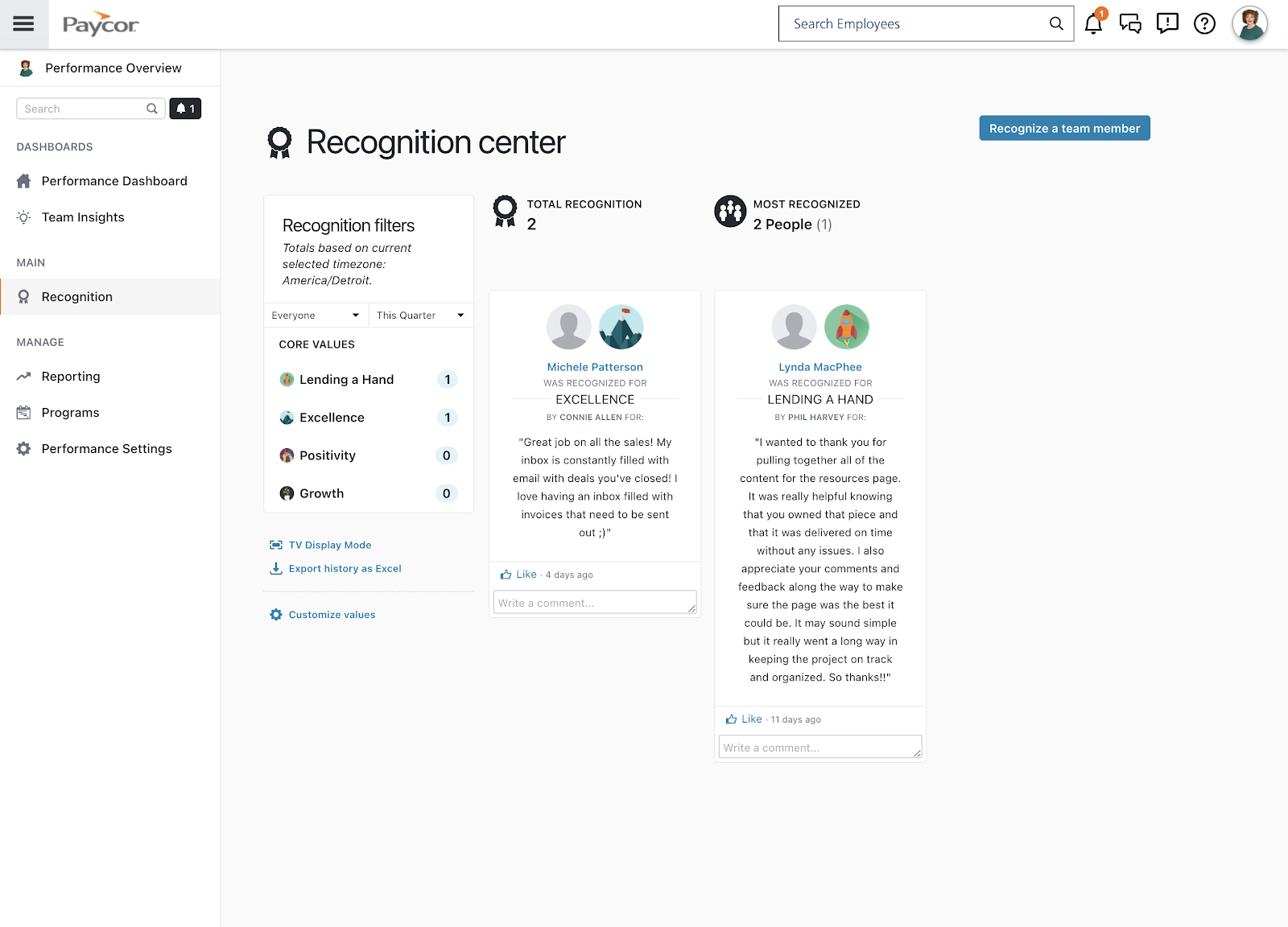
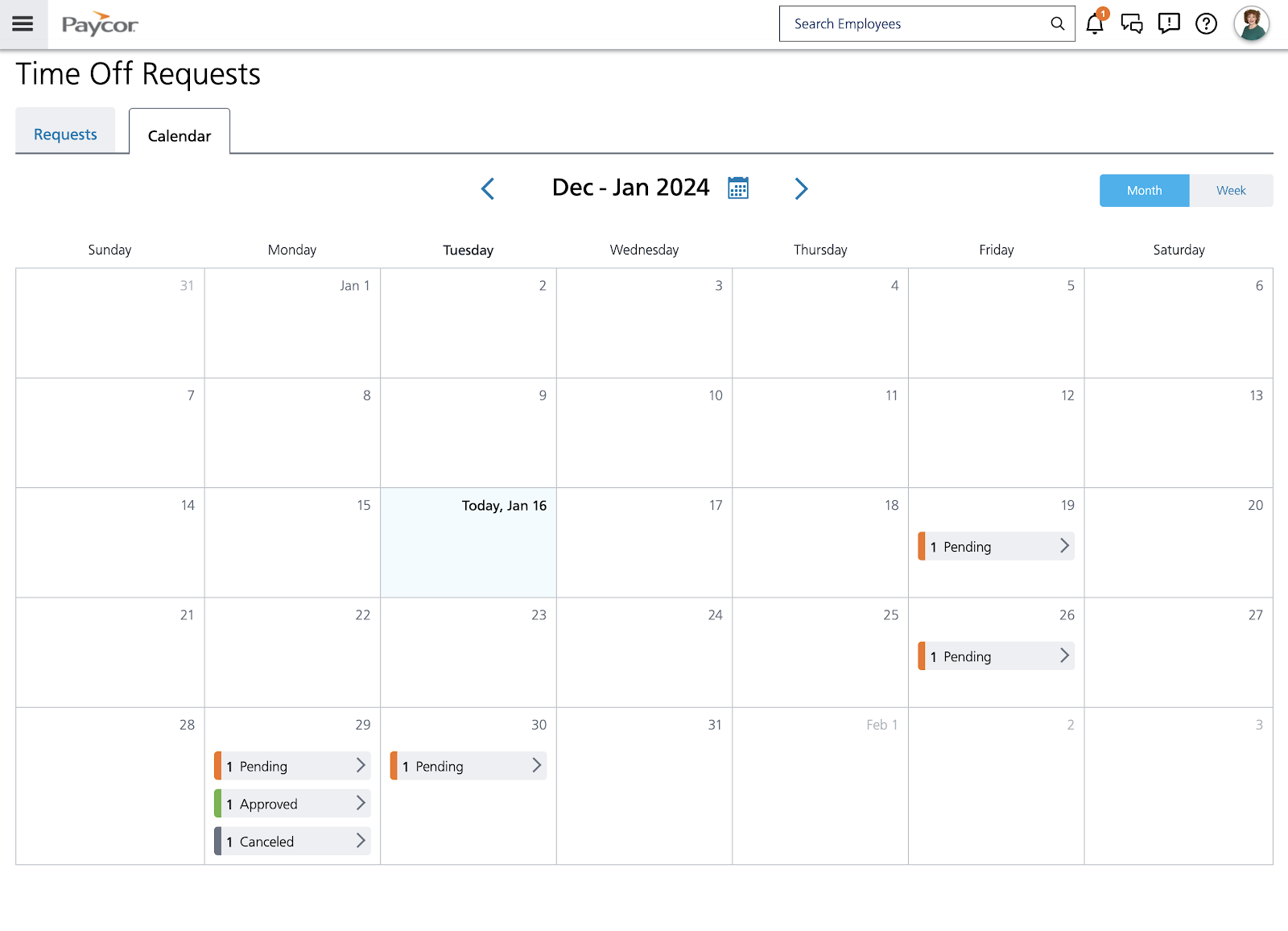
You must contact Paycor’s sales team to obtain a quote. It has two pricing schemes based on the size of your company. If you have fewer than 50 employees, you can choose from four small-business plans: Basic, Essential, Cor, and Complete + ASO.
If you have between 50 and 1,000 employees, you can access Paycor’s mid-market plans. Pricing depends on your employee count and the modules you need.
Ask for an itemized proposal before comparing Paycor with the other products in this guide. Separate the recurring subscription, implementation charges, and optional modules so you can see what your actual HR setup will cost.
Reviewers who have used Paycor say it is a better fit for small businesses that need a broader HR platform, not just a place to run payroll. Its strengths show up most in payroll, onboarding, recruiting, time tracking, employee records, learning tools, and employee self-service. The tradeoff is that some users find it more complex than expected, especially when they need quick implementation, responsive support, cleaner reporting, or a lighter payroll-first system.

Zoho People: Best for customizable HR processes
Overall score
3.25/5.00
User reviews
3.71/5.00
Pricing
3.75/5.00
Customer support
2.75/5.00
Platform/interface
3.30/5.00
HRIS and reporting
3.25/5.00
Payroll and benefits
2.18/5.00
Workforce management
3.28/5.00
Talent acquisition
4.13/5.00
What are the perks of using Zoho People?
- Has a free tier and a low-cost starter plan
- Easily connects with other Zoho products
- Offers a comprehensive range of HR features, including onboarding, performance reviews, and compensation planning
What are the downsides of using Zoho People?
- Free plan is limited to five users only
- Payroll, implementation help, and 24/7 support are paid add-ons
- More advanced HR capabilities sit in higher tiers
Why I chose Zoho People
Zoho People stands out for how much control it gives administrators over HR processes. You can configure approvals, forms, policies, HR change requests, onboarding, and other workflows instead of fitting every process into a fixed template.
As HR needs become more structured, the product adds useful depth. Professional introduces attendance, timesheets, and roster management. Premium adds performance, compensation, engagement, and advanced analytics, while Enterprise adds an HR help desk, learning management, and a sandbox.
Expect to spend more time setting things up than you would with Gusto or BambooHR. That extra work can be worthwhile if your priority is shaping the HR system around your processes rather than adapting your processes to the software.
- Configurable HR operations: Zoho People supports multilevel approvals, workflow tasks, alerts, custom forms, and HR change processes. This makes it easier to adapt the system to policies that do not fit a simple out-of-the-box workflow.
- Detailed workforce management: Professional adds attendance, timesheets, and roster management, with broader workforce tools supporting shifts, time logs, and job scheduling. It is a surprisingly deep set of tools for a general HR platform at this price point.
- Sandbox testing: Enterprise includes a sandbox where administrators can test configurations and integrations before making them live. That is particularly useful when you are experimenting with customized workflows and do not want the live HR system to become the test lab.
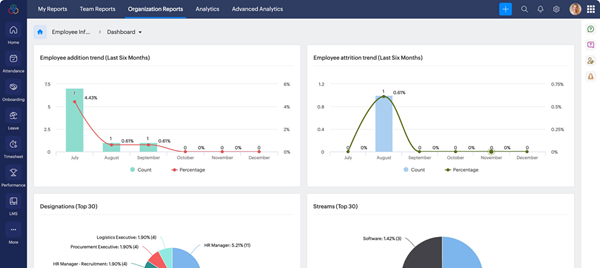
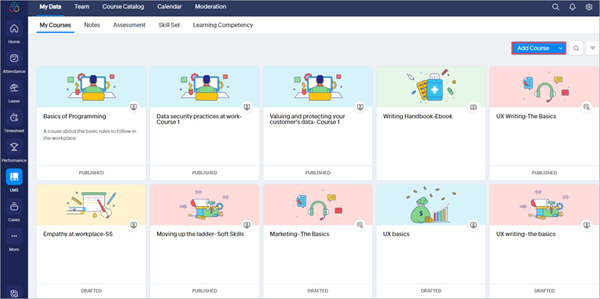
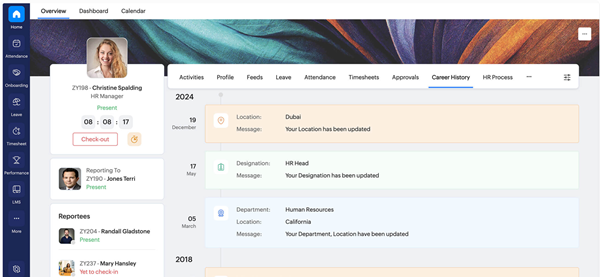
Zoho People is the only provider in this guide that offers a free plan. However, it only includes document management, PTO tracking, and an employee database for up to five users.
It also offers four paid plans:
- Essential HR: $1.50 PEPM; includes employee records, onboarding, documents, leave management, and reporting tools
- Professional: $2.50 PEPM; adds timesheets, rosters, and attendance tracking
- Premium: $3.50 PEPM; adds performance, compensation, engagement, and advanced HR analytics
- Enterprise: $5 PEPM; adds learning management, an HR help desk, and access to a sandbox environment
Users say Zoho People is a practical choice for small businesses that want affordable HR software with employee records, leave management, attendance tracking, workflows, and Zoho ecosystem integrations. It is best for teams trying to move away from spreadsheets and reduce routine admin work. However, some users say advanced features, reporting, customization, mobile performance, and integrations can take extra setup or feel less polished than expected.
What are the most essential HR software and tools for small businesses?
Human resource software allows HR teams at SMBs to manage and automate core and strategic HR functions. The most essential tools include employee data management, payroll, benefits administration, time tracking, recruiting, and performance reviews.
The right combination of functionalities will depend on your size, industry, and HR needs. For example, smaller businesses often can’t afford to purchase a fully integrated HRIS platform that bundles all core HR features together.
However, as you grow, switching to a unified platform becomes more cost-effective and practical. Integrated HR systems not only reduce the risk of errors and duplicate data entry, but they also improve security, user experience, and efficiency. These factors make it easier to scale your HR operations without needing to add more staff or manage different standalone HR tools.
Learn more about the different types of HRIS to make a more effective HR software decision.
How to choose the best HR software for small business owners
The right HR software should lighten your admin load, automate routine tasks, and scale as your company grows. Here’s a step-by-step way to pick the best fit:
- Clarify your needs and budget: List your must-haves (e.g., payroll, onboarding, PTO tracking) and set a realistic per-employee budget.
- Look for core HR features: Prioritize platforms with employee data management, e-signature onboarding, leave tracking, and payroll processing.
- Check compliance and automation: Make sure the system handles tax payments, filings, and year-end forms automatically to reduce legal risk.
- Evaluate reporting and usability: Choose software with easy-to-generate reports and an interface your team can actually use without hours of training.
- Think about growth: Select a platform with add-ons like benefits, performance reviews, or advanced analytics so it scales with your business.
- Compare pricing and support: Review subscription tiers, hidden fees, and customer support availability (chat, phone, onboarding help).
Ultimately, the best HR software is the one that meets your current needs while setting you up for the future. Test a few demos with your real scenarios before making the final call.
Frequently asked questions (FAQs) about HR software
If you’re still unsure what the best solution is for your company, explore our HR Software Guide for a list of options that fit your needs. If you need a standalone payroll option, check out our list of the best payroll software.