

The best AI voice agents should do more than answer a call. They should understand why someone is calling, use your business information, complete the tasks you authorize, and transfer the conversation when a person needs to take over.
For businesses that want AI and human teams working within the same customer communications platform, Aircall is my top recommendation. CloudTalk is worth considering for automated outreach, while ElevenLabs offers extensive voice customization, and Retell AI provides tools for building structured conversations.
In addition to the top three, I compared other providers based on features, pricing, implementation needs, and business fit to help you build a shortlist.
AI voice agent provider | Best for | Starting pricing |
AI and human customer communications in one platform | From $100/month minimum for AI Voice Agents; usage starts at $0.49/minute | |
Automated outbound outreach | AI Specialist: $349/month for 1,000 minutes | |
Voice customization and multilingual experiences | Free plan; paid plans start at $6/month | |
Structured call workflows | Pay-as-you-go voice agent priced at 0.07–0.31/minute | |
Enterprise workflow implementation | Enterprise contracts start at $30,000 annually | |
Developer-controlled voice agents | $0.05/minute hosting fee, plus model, voice, transcription, and applicable carrier costs |
Why you can trust us
TechnologyAdvice helps businesses compare software based on their operational needs. For this guide, I reviewed the providers’ product pages, pricing, and technical documentation. Then, I focused on what buyers need to establish before deploying an AI voice agent.
For example, which calls it can handle, what actions it can take, how it connects with business systems, what happens during a human handoff, and how costs change with usage. These questions were then used to inform my methodology and evaluation criteria, which you can explore at the end of this article.

Methodology: How I evaluated the best AI voice agents
I evaluated these providers to help businesses choose an AI voice agent that fits their call workflows, budget, and available technical support. My research included current public product information, pricing pages, help centers, and technical documentation.
My recommendations considered:
- Call capabilities: Which inbound and outbound tasks an agent can handle, what business information it can use, and which actions it can complete.
- Integrations and handoffs: How agents connect with existing systems and what information employees receive when taking over a call.
- Total cost: Subscription fees, included minutes, minimum commitments, and additional charges that affect the budget as usage grows.
- Setup and maintenance: Who can configure the agent, how teams test it, and what expertise is needed to maintain workflows and integrations.
- Operational oversight: Tools for reviewing performance, managing access, controlling data retention, and getting support.
I matched each provider to a business use case based on these considerations. Before committing, I recommend testing agents with representative calls to assess voice quality, response time, task completion, and human handoffs.
Comparing the best AI voice agents
The right AI voice agent depends on what you want to automate, who will manage it, and how much control you need. Use the table below to narrow your choices based on implementation needs and the tradeoffs most likely to affect your purchase.
Provider | Choose it when… | Setup and ongoing ownership | Main buying consideration |
You want agents that use your business numbers, take actions in connected systems, and transfer callers with context. | Business teams can configure agents through a dashboard or natural-language description. | Check supported knowledge sources and budget controls; uploaded documents are unsupported, and spending alerts do not automatically stop usage. | |
You need proactive calls for lead qualification, follow-up, or appointment-related workflows. | Templates support simpler setups; AI Specialist includes implementation and optimization assistance. | Distinguish basic Receptionist coverage from Specialist workflows, and confirm minimum commitments and outbound calling charges. | |
Voice customization and multilingual customer experiences are central to your requirements. | Teams configure voices, knowledge, and workflows; custom connections may require technical support. | Select a plan for both monthly minutes and peak simultaneous calls, then account for separate model and carrier charges. | |
Calls must follow defined steps, conditional branches, and actions in business systems. | A designated builder should maintain flows, integrations, and tests for unexpected caller behavior. | Greater workflow control brings configuration responsibility; models and optional features affect usage costs. | |
You need a coordinated enterprise deployment with integrations, security review, and launch support. | Requires collaboration between business stakeholders, IT, and the implementation team. | The $30,000 annual starting commitment favors substantial deployments; scope capacity, support, and service terms in the contract. | |
Your technical team wants to select the models, voices, and transcription services behind its agents. | Developers or technical builders should own custom integrations, testing, and ongoing maintenance. | Compare the complete provider stack and support package; the hosting fee alone does not represent total cost. |

Aircall: Best for AI and human customer communications in one platform
Pros
- Works with your existing Aircall numbers and call flows.
- Uses business-supplied knowledge to answer questions and collect caller information.
- Can check orders, book appointments, and update CRM records during conversations.
- Transfers callers with transcripts, summaries, and structured notes for the receiving representative.
- Supports agent creation from a natural-language description, with detailed configuration options for more control.
Cons
- Essentials and Professional require at least three licenses.
- AI minutes beyond the included allowance introduce additional costs.
- Cannot use uploaded PDFs, Word documents, spreadsheets, or login-protected web pages as knowledge sources.
Why I chose Aircall
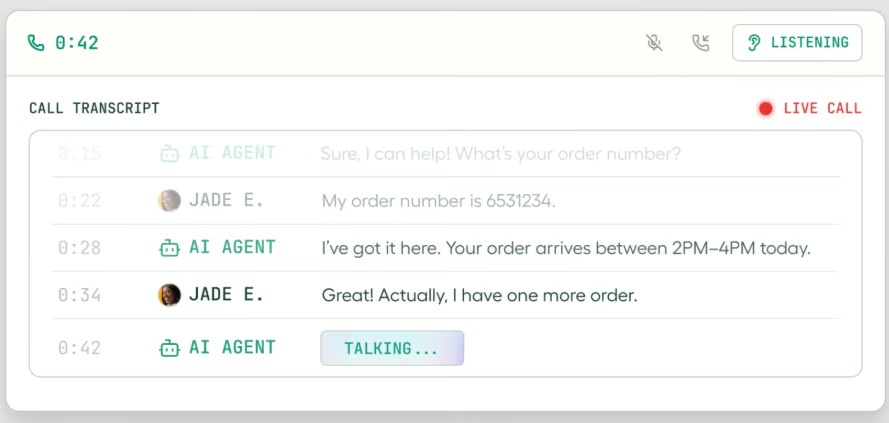
Aircall stands out for businesses that want to automate customer conversations while keeping their human team closely connected to the process. Its agents operate within the same platform as the company’s phone numbers, routing, integrations, and reporting. Therefore, I would choose Aircall for sales and support teams that want routine calls handled automatically without managing a separate voice AI infrastructure project.
This is especially important when a call starts with AI but requires a person to finish it. Aircall also offers contextual handoffs and actions such as updating records, creating tickets, and booking meetings. Therefore, my recommendation is based on that combination of communications infrastructure and workflow execution, rather than a claim that its voice sounds better than every alternative.
However, if connected customer records are a priority, our guide to call center CRM software compares tools that integrate customer information with calling workflows.
Gallery
Key features
- Business knowledge: Use your company’s text, public web content, and connected help-center articles to answer questions, with shared knowledge reusable across agents.
- Structured intake: Collect caller details and qualification information, with follow-up questions based on earlier answers.
- In-call actions: Check order status, book appointments, create or update tickets, and update CRM records during conversations.
- Inbound and outbound calling: Handle incoming calls and trigger outbound conversations for lead follow-up, appointment reminders, and other configured events, with voicemail detection.
- Agent optimization: Build an agent from a natural-language description and use inbound performance evaluation to identify unanswered questions and areas for improvement.
Pricing
Aircall’s AI Voice Agents start at a $100 monthly minimum and can operate with or without an Aircall phone system. The offering includes inbound and trigger-based outbound calling, custom intake questions, in-call and post-call actions, routing, human handoffs, and per-agent dashboards.
Usage pricing starts at $0.49 per minute, with prepaid options including $175 monthly for 500 minutes. Aircall lists LLM usage, voice infrastructure, telephony call rates, unlimited concurrency, and text-to-speech as included in the per-minute rate. For businesses that also need a customer communications platform, Aircall offers:
Plan | Starting price with annual billing | Key features |
Essentials | $30/license/month | Business calling, shared inbox, recordings and transcripts, 250+ integrations, and 50 AI Voice Agent minutes monthly |
Professional | $50/license/month | Essentials features plus conversation intelligence, smart routing, queue callbacks, outbound campaigns, and full API access |
Enterprise | Custom pricing | Professional features plus custom onboarding, prioritized support, enterprise security controls, SSO, and SCIM |

CloudTalk: Best for automated outbound outreach
Pros
- AI agents can be placed within existing call flows, including business-hours routing and overflow coverage.
- Customizable templates provide a starting point for greetings, intake questions, skills, and conversation rules.
- Direct transfers to agents or groups can include caller details and an AI-generated summary.
Cons
- Advanced routing requires configuring call-flow branches and fallback behavior.
- Knowledge sources and transfer rules need ongoing maintenance and testing.
- Call recordings and transcripts require an active Conversation Intelligence package.
Why I chose CloudTalk
CloudTalk is worth considering when your primary goal is proactive customer contact. It also offers flexibility in deciding where AI fits into a phone workflow. An agent can answer incoming calls first, handle overflow when a team is busy, or provide coverage outside business hours. That means you can keep your existing routing structure and introduce automation at specific points in the caller’s journey.
Its outbound capabilities extend that approach to lead qualification, appointment reminders, surveys, and other proactive calls. Calls can be triggered via the CloudTalk API and connected tools such as HubSpot, Zapier, and Make, making it a useful option for teams that automate both incoming inquiries and subsequent outreach.
Gallery
Key features
- Flexible inbound routing: Position AI before human agents, after unanswered calls, or within business-hours and after-hours branches.
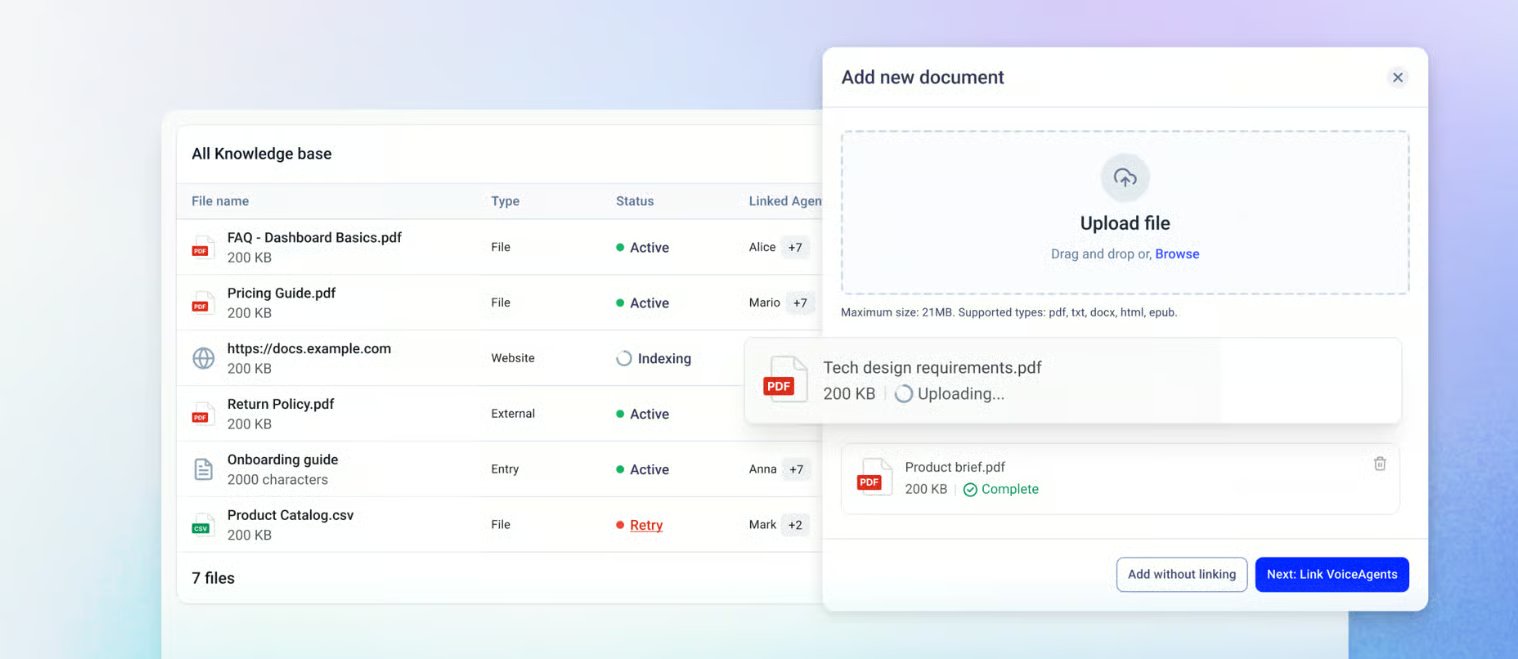
- Document-based answers: Supply PDFs, Word documents, text files, and public help URLs to support answers to routine business questions.
- Structured intake: Capture caller details and conversation outcomes, then send extracted information to connected systems through webhooks.
- Contextual human transfers: Direct transfers to agents or groups can display caller information, a conversation summary, and custom fields.
- Appointment booking: Enable the booking skill and connect Google Calendar or Microsoft Outlook so the agent can check availability and create appointments during calls.
- Configurable outbound calls: Use templates or custom agents for follow-ups, reminders, qualification, and surveys, with variables that personalize each conversation.
Pricing
CloudTalk offers AI Receptionist, AI Specialist, and Custom options for different levels of call automation.
Plan | Pricing | Included minutes | Key features |
AI Receptionist | $0 for the first month’s 50-minute allowance | 50 minutes in the first month | Inbound call answering, FAQs, conversational routing, message taking, and spam blocking |
AI Specialist | $349/month | 1,000 minutes | Multi-step workflows, system updates, identity authentication, calendar synchronization, and live and post-call analytics |
Custom | Volume pricing as low as $0.15/minute | Custom allowance | Tailored minute packages, workflow mapping, and integrations for high-volume deployments |
AI Receptionist offers an introductory option for businesses looking to automate front-desk, overflow, and after-hours calls. Its free 50-minute allowance applies to the first month.
AI Specialist expands beyond answering and routing to execute workflows across support, sales, and billing. The $349 monthly plan includes expert implementation and ongoing optimization, along with features such as appointment rescheduling and payment or invoice handling.
Custom pricing is available for businesses expecting more than 10,000 minutes of usage. Rates depend on volume and deployment requirements, with advertised pricing starting at $0.15 per minute.

ElevenLabs: Best for voice customization and multilingual experiences
Pros
- Connects agents to business knowledge and tools to retrieve information and complete configured actions.
- Visual workflows organize complex conversations into specialized tasks.
- Automated tests check responses and tool use before deployment.
- Extensive voice and language customization, with 74 languages included on the platform.
Cons
- LLM usage is billed separately from included call minutes.
- External telephone providers charge their own carrier fees.
- Concurrency and workspace seats vary by plan.
Why I chose ElevenLabs
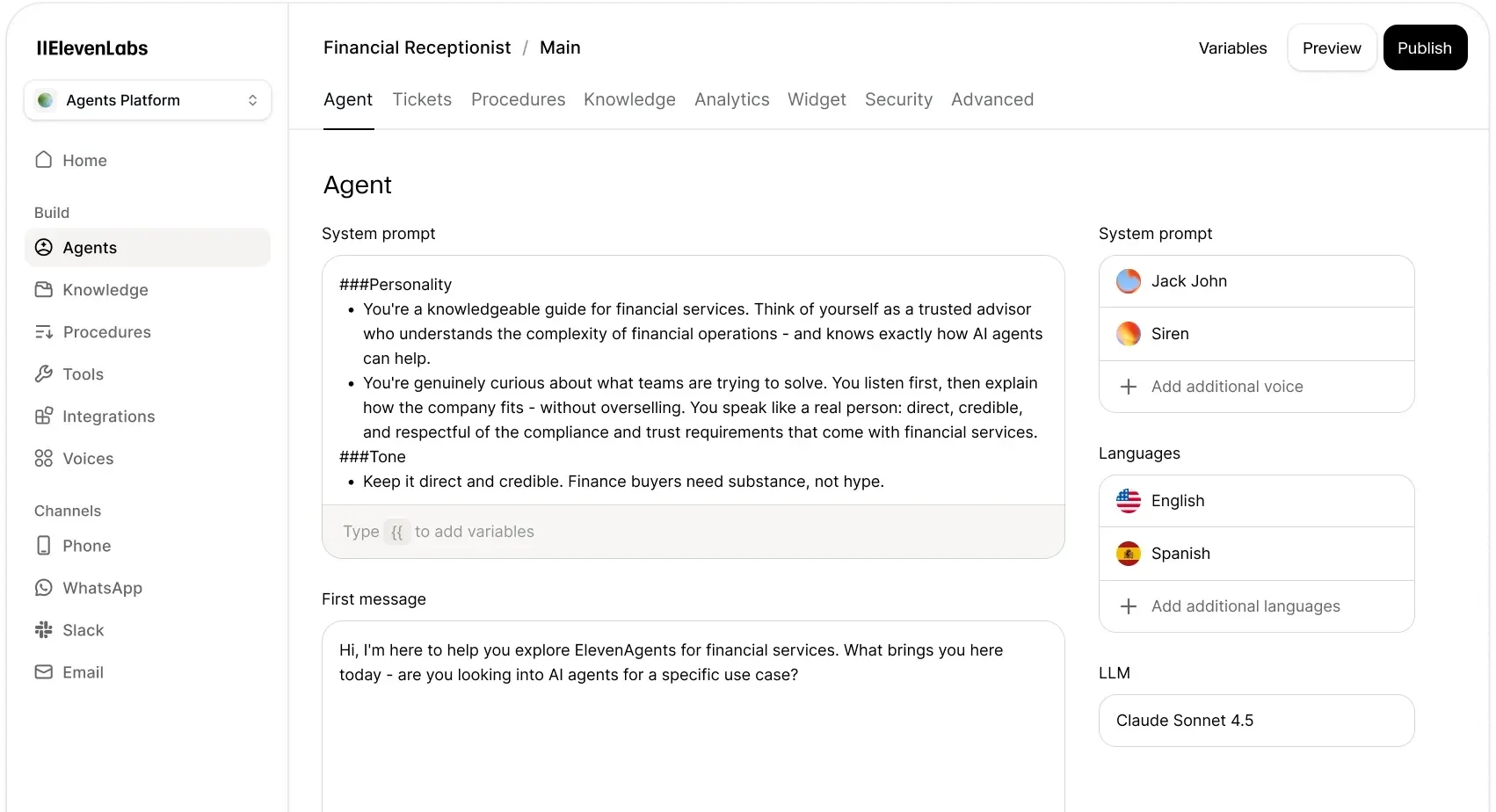
I chose ElevenLabs for its emphasis on voice customization and multilingual conversations, which can help businesses shape how their AI agents sound to customers. ElevenAgents also combines those voice options with configurable knowledge, workflows, tools, and testing capabilities to support business interactions.
Therefore, I recommend it for businesses that prioritize a distinctive voice or serve callers in multiple languages. Before committing, I would test its voice with representative customer questions to assess pronunciation, clarity, and how well the agent handles language changes, and then use voice analytics, where available, to examine the resulting conversations.
Gallery
Key features
- Voice and language customization: Configure the agent’s voice, supported languages, greeting, and instructions to match the business’s customer experience. This gives teams control over both how the agent sounds and how it approaches conversations.
- Visual conversation workflows: Build multi-step conversations with branching paths and specialized subagents. Each subagent can have task-specific instructions, helping businesses organize more complex interactions around defined responsibilities.
- Connected tools and actions: Connect agents to external data and business systems through tools. These connections allow an agent to retrieve information or perform configured actions during a conversation, extending its role beyond answering questions.
- Automated agent testing: Create repeatable tests for responses and tool use, including whether the agent passes the correct parameters to a connected tool. Test-specific variables, such as names or order IDs, help teams evaluate different scenarios without changing the underlying agent configuration.
- Deployment and performance oversight: Deploy agents across telephony, web, and mobile experiences, then use built-in evaluations and analytics to monitor performance. This provides a way to assess agent behavior after launch and identify areas that need refinement.
Pricing
ElevenLabs offers a free ElevenAgents plan and paid subscriptions starting at $6 monthly. Plans differ primarily by included call minutes, simultaneous call capacity, and team access.
Plan | Monthly price | Included call minutes | Concurrent calls |
Free | $0 | 15 | 4 |
Starter | $6 | 75 | 6 |
Creator | $22; $11 for the first month | 275 | 10 |
Pro | $99 | 1,238 | 20 |
Scale | $299 | 3,738 | 30 |
Business | $990 | 12,375 | 40 |
Enterprise | Custom | Custom | Elevated limits |
Scale includes three workspace seats, while Business includes 10. Enterprise adds custom SSO, priority support, and negotiated contractual terms.
Additional call minutes cost $0.08 per minute, with enabled burst capacity priced at $0.16 per minute. LLM usage is billed separately, and external telephony providers charge their own carrier fees.

Retell AI: Best for structured call workflows
Pros
- Supports detailed conversation flows with branching and actions.
- Provides templates, simulation testing, transcripts, and analytics.
- Offers pay-as-you-go access without an annual commitment.
Cons
- Complex flows require careful design and testing.
- Model, voice, telephony, and add-on choices affect costs.
- Dedicated implementation support is an enterprise add-on.
Why I chose Retell AI
Retell AI is my choice for structured call workflows because its conversation flow builder lets businesses define how an agent collects information, checks external systems, branches based on responses, and routes calls to the right team. I see this as particularly useful for processes such as lead qualification, appointment scheduling, and support intake, where the sequence of steps matters.
I also value its simulation testing and visual debugging tools, which help teams evaluate how an agent handles different scenarios before deployment. This makes Retell work well for businesses willing to configure and maintain their call logic in exchange for greater control over the conversation.
Gallery
Key features
- Structured conversation flows: Build calls around connected steps for asking questions, checking information, branching based on responses, and transferring callers. Teams can define a sequence, such as collecting account details before checking an order or scheduling an appointment.
- Connected actions and API calls: Use function nodes to retrieve information from external systems or trigger configured actions during a call. An agent can look up a customer record or check availability before continuing.
- Reusable workflow components: Create shared sequences for identity checks, language selection, or end-of-call surveys. Updating a component synchronizes the change across agents that use it, simplifying maintenance across multiple workflows.
- Configurable human handoffs: Set up warm transfers with human detection, private briefing messages for the receiving employee, and messages heard by both parties. These options help prepare employees to take over the conversation.
- Simulation testing and flow debugging: Define scenarios and success criteria, then run simulated conversations individually or in batches. Visual flow tracing helps teams identify the step that contributed to an incorrect response or routing decision.
Pricing
Retell AI offers pay-as-you-go pricing and a custom Enterprise plan. Its advertised voice-agent rates range from $0.07 to $0.31 per minute, although premium model selections and optional features can push the total above that range.
Plan | Pricing | Key features |
Pay-as-you-go | Advertised at 0.07–0.31/minute | $10 in evaluation credits, agent templates, analytics and transcripts, simulation testing, API and webhook access, and 20 concurrent calls |
Enterprise | Custom pricing | Custom contractual terms, role-based access, SSO, expanded concurrency, and 24/7 support through a dedicated portal |
Voice-agent costs combine several components: $0.055 per minute for Retell’s voice infrastructure, the selected language model, text-to-speech, telephony, and any add-ons. Most listed voices cost $0.015 per minute, while ElevenLabs voices cost $0.04 per minute. US calling through Retell’s Twilio option adds $0.015 per minute.
Optional features introduce additional charges. Knowledge-base usage, advanced denoising, and safety guardrails each add $0.005 per minute. Personal information removal adds $0.01 per minute, while AI Quality Assurance costs $0.10 per minute after the first 100 free minutes.
Retell phone numbers cost $2 monthly, and additional concurrent call capacity beyond the included 20 costs $8 per concurrent call monthly. Enterprise implementation support and dedicated servers are available as add-ons.

Synthflow: Best for enterprise workflow implementation
Pros
- Offers visual configuration and prebuilt agent templates.
- Supports enterprise integrations and telephony arrangements.
- Includes implementation, testing, training, and launch support in its enterprise scope.
Cons
- The annual minimum is substantial for smaller deployments.
- Final pricing depends on the implementation.
- Concurrency, SLA, and support commitments require contract review.
Why I chose Synthflow
Synthflow fits businesses that want voice automation delivered as a coordinated enterprise project. Especially for businesses connecting AI voice agents to existing call center software, I consider the planning around routing, handoffs, security, and ongoing optimization just as important as the conversation builder.
In this sense, Synthflow works best for organizations that need help coordinating those requirements across business and technical teams. Its visual configuration tools enable teams to define agent behavior, while its enterprise offering supports a more extensive rollout. But with contracts starting at $30,000 annually, I see it as a better fit for an established automation initiative with a defined budget and scope.
Gallery
Key features
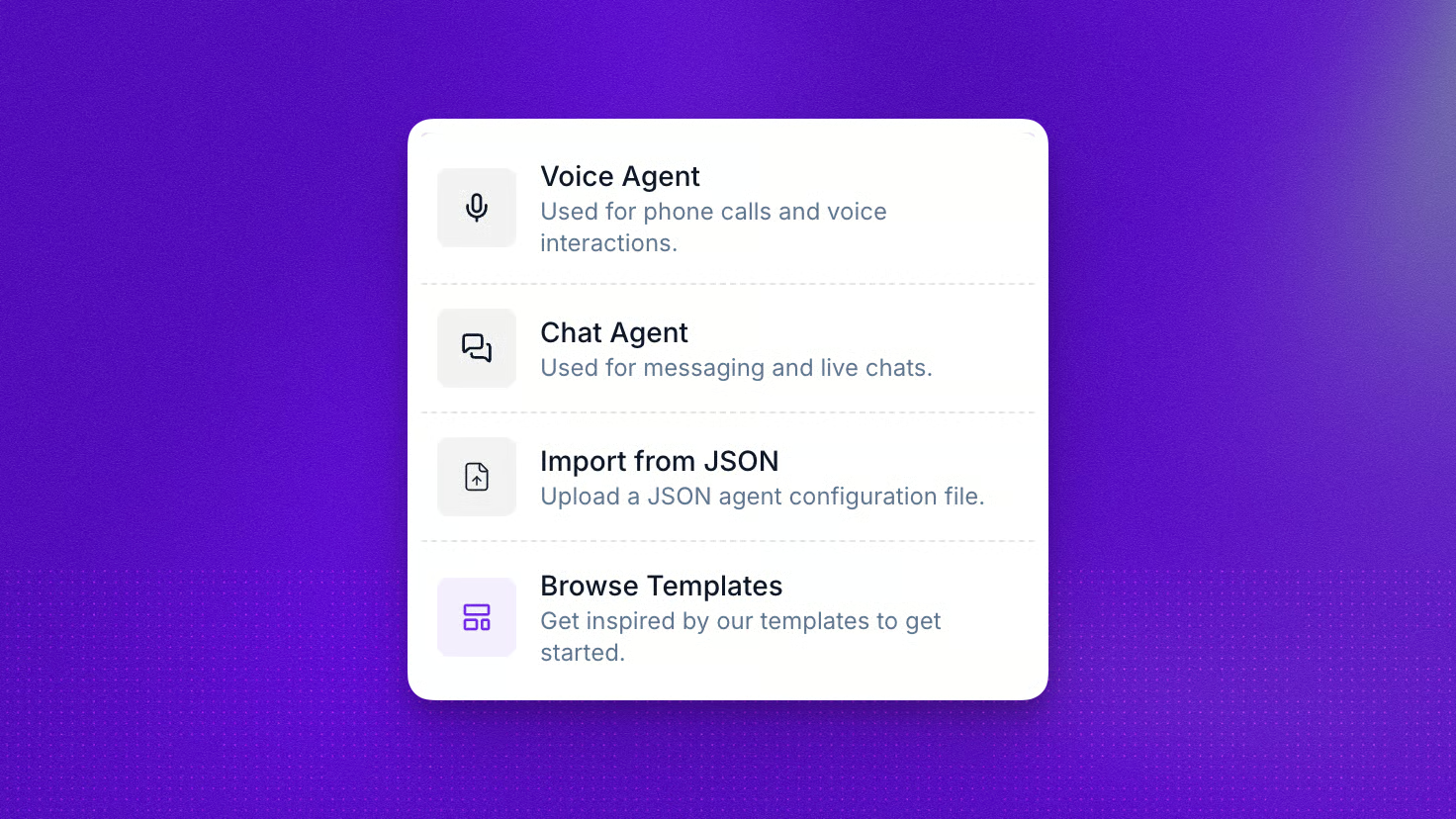
- Two agent-building options: Use Prompt Builder to define behavior through written instructions or Flow Designer to map conversation steps visually. Teams can choose the approach that fits the task, whether it calls for flexible dialogue or a more structured sequence.
- Connected business workflows: Connect CRM, calendar, knowledge sources, and other business systems via integrations, APIs, and webhooks. These connections support tasks such as checking availability, updating records, and passing call outcomes to downstream processes.
- Call behavior controls: Configure maximum call duration, silence timeouts, recording preferences, and audio settings. Enterprise implementation also includes planning for concurrency, routing, escalation paths, handoffs, and fallback behavior.
- Testing and configuration history: Test agents before publishing and review saved configuration snapshots. Teams can compare or restore earlier versions, making it easier to investigate changes and recover a previous setup.
- Data retention and redaction: Configure storage of recordings and transcripts, set retention controls, and enable personal information redaction. Redaction applies to supported sensitive information in displayed transcripts, post-call webhook payloads, and internal logs.
- Implementation and launch support: Enterprise contracts include onboarding, testing, training, launch support, and ongoing optimization. The scope and service terms are defined in the contract, giving teams a framework for coordinating deployment and subsequent improvements.
Pricing
Synthflow’s enterprise contracts start at $30,000 annually, equivalent to a $2,500 monthly starting commitment. Final pricing depends on call volume, simultaneous call capacity, telephony setup, integrations, security requirements, and launch support.
The enterprise offering covers native telephony or approved carrier connections, custom routing and escalation workflows, and integrations with CRM, calendar, and contact center systems. It also includes implementation, onboarding, testing, training, launch support, and ongoing optimization.
However, service-level agreements, support commitments, data handling requirements, and workspace controls are defined in the contract. Therefore, this pricing model is better suited to businesses planning a substantial deployment than small teams seeking a low-cost trial.

Vapi: Best for developer-controlled voice agents
Pros
- Offers control over speech recognition, language models, and voice providers.
- Supports dashboard setup and API-based development.
- Provides custom tools, structured outputs, and telephony options.
Cons
- Custom integrations require technical ownership.
- Hosting fees represent only one cost component.
- Support, retention, and capacity differ by package.
Why I chose Vapi
Vapi is my recommendation for teams looking to select and manage the components behind their voice agents. Teams can configure transcription, language models, and voice providers, then connect the agent to their own tools and business systems. I see that flexibility as valuable for businesses with specific requirements for how an agent sounds, processes information, and performs actions.
That is also what makes Vapi a great option for organizations with developers capable of building and maintaining those connections. Its structured outputs and simulation tools also support evaluating whether an agent follows instructions and captures the information a workflow needs. When assessing cost, I also recommend considering the complete configuration, including model, voice, transcription, and telephony charges (such as those from SIP trunking providers), as well as Vapi’s hosting fee.
Gallery
Key features
- Configurable model and speech providers: Choose the services used to transcribe callers, generate responses, and produce the agent’s voice. This lets developers evaluate different combinations against their requirements for call quality, response speed, and cost.
- Dashboard and API configuration: Create and manage assistants through the dashboard or programmatically. Configure instructions, voices, tools, and call behavior, then connect agent management to an application or development workflow.
- Custom tools and connected actions: Give agents access to approved capabilities, such as looking up customer records, checking availability, or booking appointments. API Request tools connect directly to external endpoints, while Function tools send requests to a server where developers control the execution.
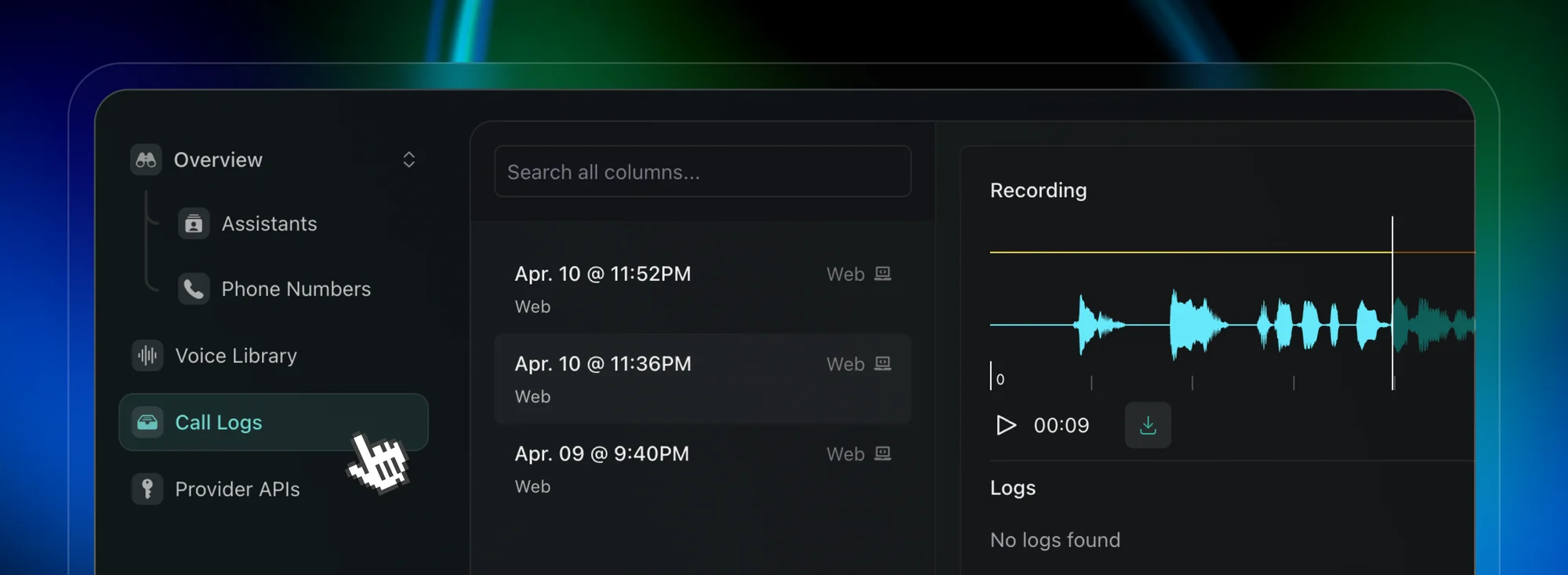
- Structured post-call outputs: Define the information to extract using a schema, such as customer details, requested appointments, or order information. Vapi analyzes the conversation after the call and stores the results in call artifacts for downstream processing.
- Specialized agent handoffs: Use squads to coordinate multiple assistants with different responsibilities. This supports workflows in which a conversation needs to move among specialized agents, such as order inquiries, returns, and other support tasks.
- Simulation testing: Run an AI tester through defined scenarios and assess outcomes against success criteria. Supply test variables and mock tool responses to evaluate behavior without having those tools act on live business systems.
Pricing
Vapi combines usage-based charges with optional Success Packages for additional capacity, support, and data controls. Its hosting fee is $0.05 per minute, with transcription, language model, voice, and applicable transport charges added separately.
Package | Monthly package price | Concurrent calls | Key features |
No Success Package | No package subscription; usage charges apply | 4 | $5 in starting credits, one Vapi phone number, 14-day raw data retention, and community and email support without an SLA |
Core | $29 | 10 | Five Vapi phone numbers, 30-day raw data retention, zero data retention options, and a two-business-day support response SLA |
Pro | 10% of hosting fees, with a $999 minimum | 30 | Ten organizations, 10 Vapi phone numbers, 180-day raw data retention, role-based access controls, dedicated Slack support, and a 99% uptime SLA |
Premier | Custom pricing | Custom capacity | Onboarding and advisory support, expanded capacity, custom SSO, and a 99.9% uptime SLA |
Package fees are additional to usage costs. The displayed calculator lists Deepgram transcription at 0.0095–0.0099 per minute, OpenAI model usage at 0.0077–0.0452 per minute, and ElevenLabs voices at 0.0146–0.0238 per minute. Rates vary with the selected providers and configuration.
Additional concurrent call lines cost $10 per line per month, while additional organizations cost $20 per month each. HIPAA-eligible data handling with a Business Associate Agreement is available for $2,000 monthly.
All plans include unlimited agents, access to the model catalog, monitoring, and testing and simulation tools.
How to choose the best AI voice agent for your business
Start with the call you want to automate
Define one useful workflow before comparing feature lists. An after-hours agent answering routine questions has different requirements from an outbound agent that qualifies a lead or an agent that changes a booking.
Write down the information it needs, the actions it may take, and the situations that require a person. If you mainly need reception coverage, our guide to AI answering services provides another starting point.
Check what the integration actually does
An integration logo does not explain whether the agent can read a record, update it during a call, or send a summary afterward.
Ask the provider to demonstrate your specific workflow. For scheduling, confirm that the appointment appears in the correct calendar. For support, check that the ticket contains the right customer details and conversation outcome.
Test the human handoff
A successful transfer involves more than connecting another phone.
Check what happens when the caller requests a person, the destination is unavailable, or the transfer fails. Confirm what the receiving employee can see and whether the caller needs to repeat information.
Compare complete costs
Give each provider the same assumptions: monthly minutes, peak simultaneous calls, users, phone numbers, integrations, and support requirements.
Ask for an itemized estimate that includes subscriptions, usage, models, voices, carrier charges, implementation, and overages. Keep introductory credits separate from recurring costs.
Evaluate the agent with realistic calls
Use the same test cases across your shortlist:
- A routine question with an answer in your business knowledge.
- A question the agent should not answer.
- A caller who corrects information midway through the conversation.
- A failed booking or CRM action.
- A request for a person who is unavailable.
- Interruptions, background noise, and unfamiliar names.
Check the resulting records as well as the conversation. An agent should not report an action as successful when the connected system rejected it.
Match the platform to your team’s capacity
Decide who will maintain the knowledge, change workflows, review failures, and monitor spending.
A developer-oriented platform may suit a technical team, whereas a communications platform with native agents may suit an operations team that wants fewer systems to manage. Additionally, an enterprise implementation often makes more sense when integration and governance requirements are extensive.
Which AI voice agent is best for your business?
Aircall is my top recommendation for businesses that want AI and human customer communications within one platform. Its combination of telephony, business-system connections, and contextual handoffs makes it a practical starting point for sales and support teams.
At the same time, CloudTalk is worth evaluating for automated outreach. ElevenAgents suits buyers prioritizing voice customization, while Retell AI offers structured conversation design. Synthflow is well-suited to enterprise implementation projects, and Vapi suits teams that want technical control.
If you are choosing an AI voice agent, start with one call type and evaluate whether the agent completes it accurately, records the result, and escalates appropriately. And if Aircall meets your requirements, explore its AI Voice Agents and request a demonstration with your intended workflow.
Frequently asked questions (FAQs)
What is an AI voice agent?
An AI voice agent conducts spoken conversations using configured instructions, business information, and tools. Depending on the platform and setup, it can answer questions, collect information, perform actions, or transfer the caller.
How is an AI voice agent different from agent assist?
A voice agent conducts the conversation itself. Agent assist supports a human employee with information such as suggested responses, summaries, and guidance. Some communications platforms offer both. If you want to learn more, check out our guide on contact center agent assist.
Can an AI voice agent replace a human team?
I would evaluate it as a way to handle defined tasks and expand coverage. Keep people available for exceptions, sensitive situations, and decisions outside the agent’s authority. Begin with a limited deployment and use the results to decide where automation should expand.