

Every business responds to inquiries and engages with potential customers and clients. However, not all business owners have the resources to hire in-house receptionists or provide 24/7 phone support. This is where answering services become essential.
Answering phone services offer live customer support through teams of receptionists who can answer calls, schedule appointments, and take messages for a business. You can utilize custom scripts to ensure the service aligns with your business style and presentation.
By selecting an answering service tailored to your industry, you can also establish a professional presence, helping to retain customers and clients.
Key takeaways
- Automated answering services use voice-over-Internet-Protocol (VoIP) technology, such as interactive voice response, to answer calls with menu options and system prompts.
- Virtual receptionists are often beneficial for businesses that do not have an in-house receptionist because they can use personalized scripts to answer questions and calls on your behalf.
- What are the types of answering services?
- Key features of answering services
- The top answering phone services of 2026
- Comparing the best answering services
- Choosing the best answering service for your business
- My methodology for reviewing the best phone answering services
- Frequently asked questions (FAQs)
What are the types of answering services?
Depending on your business needs, there are several types of answering services. Most solutions are live or automated, with some providers including phone and chat services. However, the primary difference between answering services is the type of agents available and what they do.
Live answering services provide human agents who answer calls, take messages, and transfer customers and clients between locations. In contrast, automated answering services use voice-over-Internet-Protocol (VoIP) technology, such as interactive voice response, to answer calls with menu options and system prompts. Therefore, automated technology is best for self-service systems.
In addition to traditional automation, many providers now offer artificial intelligence (AI) answering services that can handle basic conversations, route calls, collect caller information, and generate call summaries or voicemail transcriptions.
AI answering services are often used for after-hours coverage, high-volume call routing, and simple intake tasks, and some providers combine AI tools with live receptionists for more complex or sensitive calls.
Additionally, live answering services are categorized based on their communication capabilities. For example, virtual receptionists are often beneficial for businesses without an in-house receptionist because they can use personalized scripts to answer questions and take calls on your behalf.
Depending on the industry, some virtual receptionists are trained in specific processes, which can lower the costs of hiring additional staff.
Key features of answering services
Several key features of answering services focus on the availability of receptionists and how they handle calls. While some answering services provide 24/7/365 availability as an included feature or an additional charge, others offer service only during business hours.
Therefore, you should decide whether you require a receptionist for after-hours support or if transferring calls to a voicemail box is sufficient.
After determining your answering service’s availability, you should examine its core features and software capabilities. The following list includes essential features for an answering service, as well as advanced features that could benefit your business.
- Artificial intelligence (AI) tools: Some providers use AI to generate call summaries, transcribe voicemails, detect caller sentiment, and categorize calls based on intent. These features can reduce manual note-taking, improve message delivery accuracy, and help businesses identify trends in call volume and customer needs.
- Bilingual or multilingual support: For businesses with diverse clientele, it’s essential to have a receptionist who speaks multiple languages. While most answering services offer customer support in both English and Spanish, others provide additional language options to ensure you never miss a call because of language barriers.
- Custom greetings or scripts: Although answering services will provide training and general scripts for their receptionists, some offer more customizable options. In that case, you can create personalized greetings or scripts for your receptionist that reflect your business, such as specific announcements or statements to include in every call.
- Appointment scheduling: Many businesses adopt an answering service to save time on daily tasks. One such task is scheduling client appointments. Depending on your answering service, you can integrate calendar applications or workforce management tools to display your appointment availability and input data into your business calendar.
- Outbound calling: Although answering services are often used for incoming calls, you can also use an answering service to make outgoing calls. This feature is especially beneficial for businesses that send reminders or collect fees, such as healthcare providers or legal professionals.
- Message taking and recording: For many businesses, answering services are most helpful in taking messages instead of sending callers to voicemail. In addition to recording messages, many answering services offer multiple voice message delivery methods, such as email or text messaging.
- Call screening and intake: Whether you are a solopreneur or a distributed team, one of the primary benefits of an answering service is having a receptionist screen potential clients. Your answering service can filter out spam callers and qualify leads based on intake questions or forms.
- Call transfers and forwarding: After screening calls, the receptionist can transfer prescreened clients to specific phone numbers, extensions, or devices. In this sense, an answering service can perform the same functions as an in-house receptionist or a virtual switchboard that routes calls through an organization.
The top answering phone services of 2026
I developed a list of the top five answering services based on rigorous evaluation criteria and user reviews. The best answering services benefit businesses by routing calls, screening clients, and retaining valuable customers.
- AnswerFirst: Best for pay-as-you-go pricing
- Go Answer: Best for customizable services
- Abby Connect: Best for live chat and answering services
- AnswerConnect: Best for high inbound call volume
- Moneypenny: Best answering service for small businesses
- Davinci Virtual: Best for remote call management
Comparing the best answering services
Best phone answering services | My score (out of 5) | Key features | Monthly starting price |
|---|---|---|---|
| 4.23 |
| $30 (pay-as-you-go) | |
| Go Answer | 3.92 |
| $175 for 100 minutes |
| Abby Connect | 3.88 |
| $329 for 100 minutes |
| AnswerConnect | 3.38 |
| $350 for 200 minutes |
| Moneypenny | 2.88 |
| $165 for 50 minutes |
| Davinci Virtual | 2.71 |
| $129 for 50 minutes |

AnswerFirst: Best for pay-as-you-go pricing
Pros
- Pay-as-you-go pricing with no minute bundles or long-term commitments
- One-second billing (no rounding up to the nearest minute)
- U.S.-based receptionists who provide omnichannel support
- Free integrations with many business tools, plus 24/7 secure web portal access
Cons
- Exact per-minute rate varies by usage (less predictable month to month)
- No free trial
Why I chose AnswerFirst
AnswerFirst is the best pay-as-you-go answering service because its pricing is designed for businesses that want flexibility without getting locked into minute bundles or contract terms.
Instead of choosing a tiered plan, you pay a monthly base fee plus a usage-based per-minute rate, and that rate automatically adjusts based on your monthly volume. This approach is especially useful for seasonal businesses or teams with fluctuating inbound calls.
It also removes several common cost drivers found with other providers. AnswerFirst explicitly states that there are no extra charges for nights, weekends, or holidays, and it uses true one-second billing, meaning you don’t lose money to rounding.
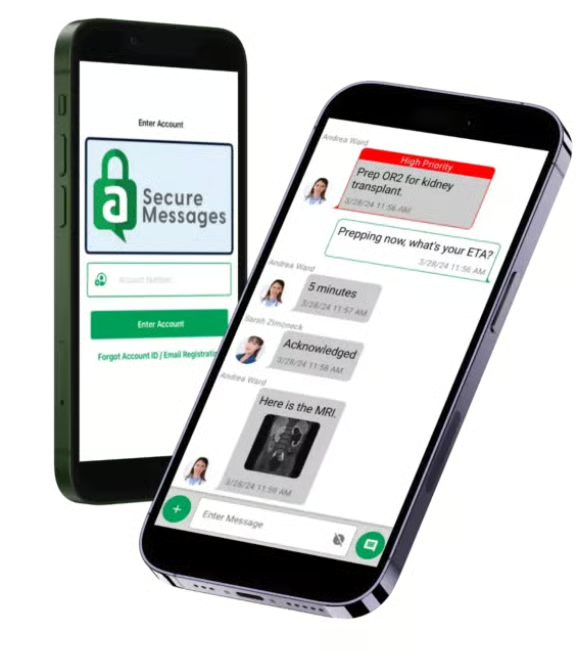
You also get a secure portal with reporting and call recordings, plus customization options for call handling and integrations, making it a strong value for teams that want straightforward billing and customer service support.
Gallery
Key features
- Free integrations: Includes integrations with many business software tools, such as HubSpot, Slack, and Zendesk.
- 24/7 secure web portal: Access recordings, reports, and account management anytime.
- Call screening: Filters out spam calls and solicitations, and qualifies leads for your business.
- Message taking: Receptionists take detailed messages from callers, which are then sent via text, email, or the system you prefer.
- Omnichannel support: Provide customer support via email, social media, and messenger chatbots to ensure seamless communication.
Pricing
- $30/month base fee with per-minute rates from $1.55–$1.90/minute (based on usage)

Go Answer: Best for customizable services
Pros
- Custom scripting and intake forms for different industries
- Dedicated account managers and receptionist teams
- 14-day free trial for answering services
Cons
- Bilingual receptionists incur an additional fee
- Lack of transparency on web chat pricing
Why I chose Go Answer
Go Answer stands out for its human-first and highly customizable answering services. Instead of relying on generic scripts, the platform allows you to build custom scripting and intake forms tailored to your workflows and industry.
Overall, it’s a strong fit for businesses that need detailed call handling, lead capture, or specialized client intake.
Customization is supported by dedicated account management and receptionist teams, so the people answering your calls can become familiar with your business rather than functioning like interchangeable agents.
Go Answer also offers industry-specific service options (including legal intake and enterprise solutions). But keep in mind that some features, like AI call summarization and bilingual receptionists, incur additional fees.
Gallery
Key features
- 24/7/365 support: Go Answer’s dedicated virtual receptionists are available to answer your calls at all times, even during weekends and holidays. This after-hours support ensures that you never miss an important call or the opportunity to capture a new client.
- Real-time dashboard: The online portal lets you view calls and business insights in real time to track your usage and any additional fees. The dashboard also provides instant updates about changes to your account, such as newly scheduled appointments, live chats, or incoming calls.
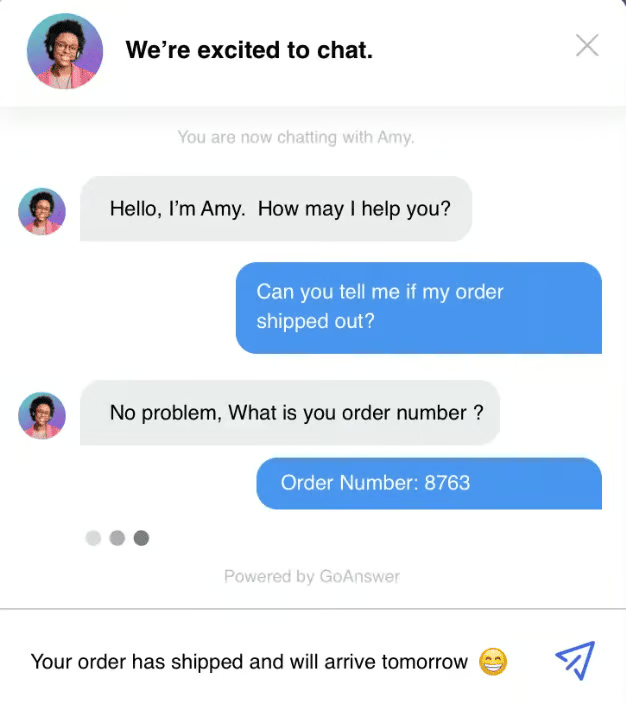
- Web chat: Receptionists are available for the live answering service and live web chat. The chat feature can be integrated into your business website as a widget to quickly answer customer questions and decrease wait times by providing multiple customer support avenues.
Pricing
Live receptionist plans
- 100 Minutes: $175/month and $1.75/minute (overage fee)
- 200 Minutes: $300/month and $1.75/minute (overage fee)
- 500 Minutes: $550/month and $1.50/minute (overage fee)
- Go Answer also offers extended plans for higher call volumes, up to 10,000 minutes.
AI receptionist plans
- 100 Minutes: $95/month and $0.95/minute (overage fee)
- 300 Minutes: $270/month and $0.90/minute (overage fee)
- 500 Minutes: $425/month and $0.85/minute (overage fee)
- 1000 Minutes: $800/month and $0.80/minute (overage fee)
Additional plans
Contact sales for pricing on enterprise solutions and web chat plans.
Abby Connect: Best for live chat and answering services
Pros
- Offers live chat and answering service plans
- Abby’s artificial intelligence (AI) provides call summaries and sentiment analysis
- English and Spanish support from bilingual receptionists
Cons
- Calendly scheduling isn’t available on the base plan
- 24/7 call support is an add-on feature
- Monthly plans are costly and require a setup fee
Why I chose Abby Connect
Abby Connect is a strong choice for teams that want live receptionist services plus live chat, with modern automation layered in.
Businesses can run both receptionist coverage and web chat as the platform supports helpful operational tools such as mobile access, message delivery, and call insights to reduce missed opportunities while maintaining a high-quality caller experience.
Abby’s biggest differentiator is its tech-enabled support, including structured call-handling workflows, integrations, and (depending on plan/add-ons) scheduling support, which can make it feel more like an operational system than a simple answering service.
However, Abby’s monthly plans start at a higher monthly cost than other providers on this list, so it’s best for teams that value a polished customer experience and workflow support enough to justify the premium price point.
Gallery
Key features
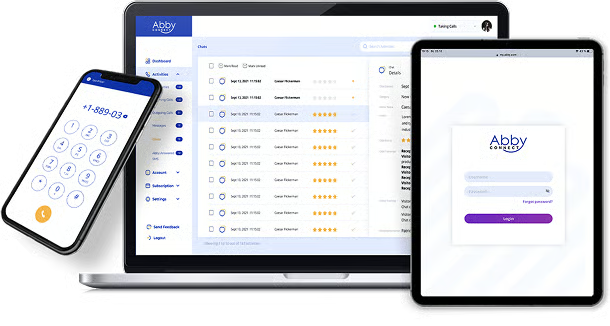
- Mobile application: In addition to its AI features, Abby Connect offers a mobile application to simplify call management. The Abby Go app can make outgoing calls, display account activity, and provide a simple way to update your answering service.
- Transfer tunes and hold music: Many of Abby Connect’s call-handling features are customizable, including the music that plays when a call is placed on hold. Use the dashboard to choose your music and further personalize your answering service.
- Calendly scheduling: Abby Connect receptionists can book appointments directly through Calendly, using your real-time availability and scheduling rules to confirm meetings while callers are on the line. It also supports calendar syncing with tools like Google Calendar and Microsoft Outlook to prevent double bookings and keep schedules up to date.
- Custom integrations: Regardless of your industry, Abby Connect integrates with business systems and popular CRMs, including HubSpot, Zapier, Lawmatics, and Clio.
Pricing
Human receptionist plans
- Essential: $329/month for up to 100 minutes
- Professional: $599/month for up to 200 minutes
- Growth: $1,380/month for up to 500 minutes
AI receptionist plans
- Starter: $99/month for up to 50 minutes
- Essential: $165/month for up to 100 minutes
- Professional: $299/month for up to 200 minutes
- Growth: $690/month for up to 500 minutes
- Enterprise: Contact sales for custom pricing
Live chat plans
10 Engaged chats
- Monthly price: $129 for 10 chats
- Additional chats: $12.90/chat
30 Engaged chats
- Monthly price: $329 for 30 chats
- Additional chats: $9.96/chat
50 Engaged chats
- Monthly price: $469 for 50 chats
- Additional chats: $9.38/chat

AnswerConnect: Best for high inbound call volume
Pros
- Scalable plans from 200 to 100,000 minutes
- 24/7 support is included in all plans
- Instant notifications with the mobile application
Cons
- Additional fee for bilingual support
- Customizable scripting isn’t available on the base plan
- Some of the plans include a $49.99 setup fee
Why I chose AnswerConnect
AnswerConnect is a great option for businesses with high inbound call volumes because its plans scale far beyond the small starter tiers offered by many competitors.
With 24/7 coverage included, it’s well-suited for teams that need dependable around-the-clock availability without worrying about staffing gaps during nights, weekends, or holidays.
The platform also includes operational tools such as reporting, notifications, and lead-capture support (including live chat), making it viable for both traditional call-answering teams and growth-focused teams.
However, pricing can get expensive quickly at higher volumes, and some advanced options (like bilingual support or IVR) may add fees, so it’s best for organizations that will actually use the scale and 24/7 coverage to justify the cost.
Gallery
Key features
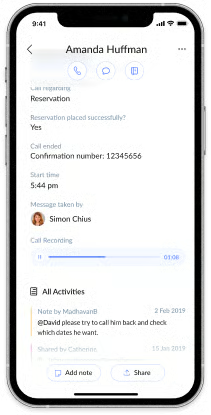
- Voice message delivery: The online portal and mobile application provide voicemail and chat transcriptions that can be delivered via email or text. You can also use instant notifications to receive a new message every time you receive one.
- Smart call routing: Customize your call handling with automated transfers and routing to virtual receptionists through the live answering service.
- Appointment scheduling: AnswerConnect receptionists can schedule appointments or reservations on your behalf, helping businesses capture leads and bookings without requiring staff to answer every call.
- Lead management: AnswerConnect offers several features that make capturing leads and generating sales more straightforward. For example, the purchase-to-call feature can schedule follow-up calls with potential customers based on specific conditions, while register-to-call prompts customers to fill out a form with their information.
Pricing*
Entry
- 200 Minutes: $350/month and $2.50 per additional minute (+ $49.99 setup fee)
Growth
- 300 Minutes: $395/month and $1.85 per additional minute (no setup fee)
Standard
- 400 Minutes: $575/month and $1.85 per additional minute (+ $49.99 setup fee)
Larger plans
- AnswerConnect offers scalable plans ranging from 500 minutes at $795 per month to 100,000 minutes at $132,950 per month.
*There is no charge for the first 30 interactions under 30 seconds within each monthly billing period.

Moneypenny: Best answering service for small businesses
Pros
- Online dashboard to customize scripts and manage call flows
- Free call forwarding number for simplified call transfers
- Order processing and appointment scheduling
- Call dispatching and on-call management
Cons
- Limited CRM integrations compared to other providers
- The quality of calls and message taking can be inconsistent
Why I chose Moneypenny
Moneypenny works well for small businesses that want receptionist support that feels like an extension of their team.
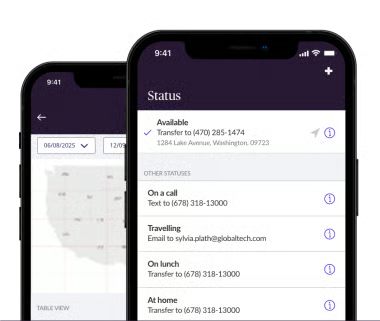
Its plans are designed for everyday call handling, so businesses can deliver a consistent customer experience without hiring full-time front desk staff. It also includes an online portal where you can update call instructions, view activity, and monitor performance through reporting tools.
In addition to core receptionist coverage, Moneypenny supports small businesses that need more flexible workflows, including handling overflow calls, prioritizing calls, and adjusting call flows as the business grows.
Unlike providers that require complicated onboarding to get started, Moneypenny combines straightforward plan tiers with strong service quality, making it an ideal fit for small teams that need reliable coverage, customization, and visibility into how calls are handled.
Gallery
Key features
- Warm call transfers: Moneypenny receptionists can introduce callers before transferring them to you or your team. Instead of sending calls through, the receptionist gathers context (name, reason for calling, and urgency) and then transfers the call with a brief overview so you can answer prepared and prioritize the right conversations.
- Unlimited caller information: Moneypenny lets you collect and store as much caller information as you need, rather than limiting input to a short message field. You can customize what receptionists capture (such as contact details, inquiry type, order details, or appointment preferences) to ensure every call produces actionable information your team can use.
- Caller recognition: Moneypenny’s caller recognition features help receptionists identify repeat callers and returning customers more quickly. By recognizing incoming numbers and surfacing previous notes or call history, receptionists can personalize interactions, reduce repetitive questions, and provide a smoother experience for loyal clients.
Pricing
People answering
- 50 minutes: $165/month and $2.85/additional minute
- 100 minutes: $265/month and $2.65/additional minute
- 250 minutes: $555/month and $2.39/additional minute
- 500 minutes: $985/month and $2.09/additional minute
- If you need a larger plan, contact the sales team.
AI answering
- 50 calls: $99/month and $2.39 (overage charge); $1.98 per call
- 100 calls: $199/month and $2.19 (overage charge); $1.99 per call
- 250 calls: $435/month and $1.89 (overage charge); $1.74 per call
- 500 calls: $775/month and $1.69 (overage charge); $1.55 per call
- $99 one-time setup fee and $1.99 per minute optional fee to transfer to a human representative

Davinci Virtual: Best for remote call management
Pros
- Unlimited calling in the United States and Canada
- Free local or toll-free business phone number
- Receptionists can answer calls and perform administrative assistant tasks
Cons
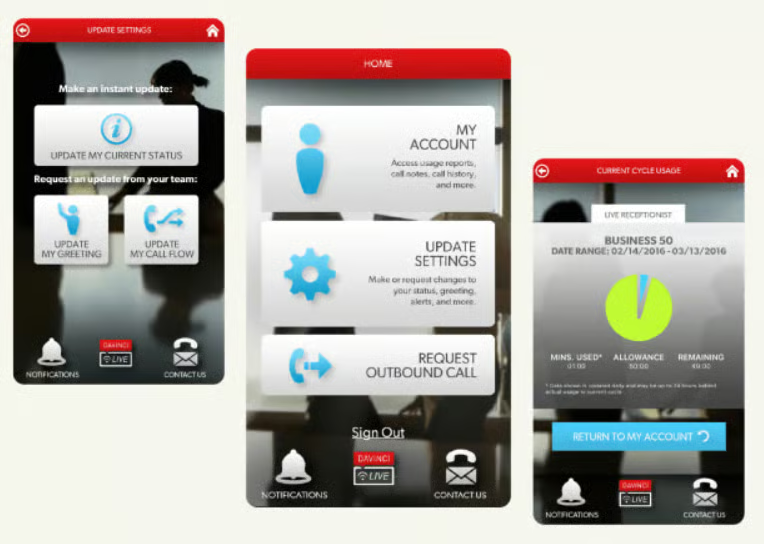
- Outdated website and mobile application
- Charges a $95 one-time setup fee
- Only provides receptionist services for extended business hours
Why I chose Davinci Virtual
Davinci Virtual is best for remote teams that want a mix of live receptionist services and virtual office tools, especially when the goal is basic call handling and professional front-desk coverage without building an in-house team.
It includes features like call forwarding, screening, voicemail management, and unlimited long-distance calling, along with the ability to add higher-touch administrative support through its Premium plan.
However, Davinci’s platform experience feels less modern than some competitors’, and several “standard” receptionist features, such as appointment scheduling and outbound calling, are reserved for Premium tiers.
It’s best for businesses that want dependable receptionist coverage and business phone extras, but don’t need advanced analytics, AI tooling, or deep integrations as a core requirement.
Gallery
Key features
- Automated receptionist: Davinci offers multiple remote call management tools, including a self-service system that routes callers with custom greetings and menu options. The auto receptionist also offers custom call flows that can route calls to a business or mobile phone number.
- Audio conferencing: Use the teleconferencing software to host virtual office meetings with up to 99 participants. The live receptionist team is also available to assist with conference calls.
- Online faxing: Send and receive faxes digitally through Davinci’s online portal or email, eliminating the need for physical fax machines while supporting secure remote workflows.
- Voicemail management: Davinci’s proprietary software and voicemail-to-text services let you receive messages in multiple formats, including MP3s, audio files, and text transcriptions.
Pricing
Live receptionist services*
- Business 50: $129/month for 50 minutes
- Business 100: $239/month for 100 minutes
- Premium 50: $249/month for 50 minutes
- Premium 100: $319/month for 100 minutes
Live web chat*
- Live Web Chat 25: $79/month for 25 chats
- Live Web Chat 50: $129/month for 50 chats
- Live Web Chat 75: $199/month for 75 chats
- Visit the website for plans that include up to 700 chats.
*Receptionist plans have a $95 one-time setup fee, and Web Chat plans have a $50 setup fee.
Choosing the best answering service for your business
Many answering services are available at varying price points and offer features that fit the needs of specific companies and industries. Consider the following criteria when selecting the best answering service for your business.
- Business needs and budget: Identify your needs and budget before choosing an answering service. While some answering services offer all-inclusive plans with a single monthly rate, many have different pricing structures based on the type of receptionist, call availability, and features.
- Inbound or outbound calling: While answering services specialize in handling incoming calls, some businesses may require follow-up calls or payment processing. Therefore, you should determine the type of call you need before selecting an answering service.
- Tools and technology: Answering services often integrate with VoIP phone systems, mobile phones, and third-party applications, so choose a provider that complements your current communication technology. This will ensure that your receptionist seamlessly integrates with your workspace.
- Live chat bundles: Many receptionists can interact with clients via live chat in addition to answering calls. If you have a website widget or wish to provide live chat services, choose a provider offering bundled answering services or web chat plans.
- Mobility and ease of use: Not all phone systems are easy to use, and depending on how customizable your answering service is, it may be more challenging to set up. Therefore, consider your time and technical skills when choosing a provider. If you work remotely or are constantly out of the office, choosing a service with a mobile application to access your answering service on the go will also be beneficial.
- Industry and expectations: Business needs vary by industry. While lawyers may prefer a legal receptionist who can provide case screening and 24/7 support, a doctor might require a high volume of appointment scheduling. Therefore, you should choose an answering service that caters to your industry.
Choosing based on industry
Most answering services provide industry-specific features and tools depending on your business needs. The following list breaks down the industries that benefit the most from adopting an answering service and the best features and use cases for these services.
Law firms and legal services
Legal professionals often utilize answering services to provide 24/7 support to clients and to screen calls. Lawyers should look for features like case screening and legal intake receptionists trained in privacy standards.
Furthermore, a reliable legal answering service can handle specific legal procedures, such as class-action suits or family law cases, and integrate with case-management software and tools, such as Clio or Lawmatic.
Healthcare and dental services
For solo practitioners or small offices, answering services can help schedule patients, send appointment reminders, and make payments. Some providers also offer custom integrations with healthcare platforms to ensure patient confidentiality and keep your records up to date. You should also look out for HIPAA-compliant security features, like data encryption and password-protected portals.
Real estate
If you are a realtor or a property manager, answering services can help you schedule appointments and handle inquiries from landlords and tenants. Additionally, if you manage multiple properties, a receptionist can take calls from service workers and prospective buyers while you show houses or manage your daily tasks.
Retail and e-commerce
Many retail stores and online businesses can benefit from an answering service that provides customer support and answers questions. Retailers can also use customized scripts to announce sales or provide information about business hours and holiday schedules.
Accounting and finance
From lenders to accountants, an answering service can help manage high call volumes and answer potential clients’ questions. Financial data is also sensitive information, and virtual receptionists are often trained to adhere to the industry’s highest data privacy and security standards, including PCI compliance.
Service industries
Whether you’re a contractor or an electrician, numerous service industry workers can benefit from adopting an answering service to handle calls and book clients while you are on the job.
You can also use a provider’s mobile application to receive messages from your receptionist and make business calls wherever you are.
Advertising and marketing
Answering services can generate leads and qualify clients for advertising and marketing firms. Receptionists can also conduct surveys and send the information they collect from calls to a CRM or other platforms, providing valuable business analytics and campaign feedback.
Small businesses
In addition to these specific industries, most answering services cater to small businesses. Small businesses often have fewer staff and resources to manage calls and inquiries than large companies or corporations.
Therefore, answering services can help small businesses manage call volume, provide after-hours support, or provide extra hands to manage payments and appointments.
My methodology for reviewing the best phone answering services
At TechnologyAdvice, we evaluate providers based on distinct criteria and rigorous research standards. I began by compiling a list of evaluation areas. Then, I collected information on the top service providers in a specific category.
Moving through that list, I compared the providers using a five-point system. Check out the tabs below to learn more about how I assigned points in each category.
Pricing and flexibility
I assessed each provider’s monthly subscription fees, focusing on pricing tiers, per-call costs, and whether the monthly plan was a good value. I also gave additional points to providers that offered free trials of their plans.
General features and usability
Each answering service was evaluated based on a set of standard features, such as whether receptionists were available for 24/7 support and whether bilingual support was available.
Then, I assessed the answering service’s customizability based on whether or not the provider offered custom greetings and scripts. Finally, I assessed ease of use and awarded additional points to services with intuitive mobile applications and online dashboards.
Core features
Core features represent the software capabilities of answering services. For this evaluation, I examined how effectively the answering service manages multiple accounts and communication channels and the role of automation and analytics in analyzing customer data.
Finally, I assessed whether the provider’s software offers business insights derived from this data collection and analysis.
Advanced features
Many answering services also offer advanced technology that helps receptionists take messages and manage calls. Therefore, I evaluated each provider based on whether they offered integrations with popular CRMs, access to automation and artificial intelligence, call recording and monitoring, and analytics and reporting.
Integration and compatibility
To ensure compatibility between answering services and existing software and tools, I also analyzed the primary integrations for each industry and whether the provider offered those integrations.
Specifically, I assessed whether the provider offered essential tools, including compatibility with leading VoIP solutions and application programming interfaces (APIs). Additionally, I evaluated their ability to import and export data across various communication channels.
Security and usability
Each phone answering service was evaluated for adherence to data privacy and security standards, including industry regulations and encryption of confidential information.
Additionally, I thoroughly analyzed each provider’s technological tools, assessing their interface design, customizability, and the technical skills required for successful implementation and onboarding.
User scores
I compiled user reviews and ratings from top industry sites, such as G2 and Trustpilot, to assess each answering service’s popularity and user-friendliness and to identify what users like most about the service. My assessment also noted any recurring issues or complaints about the providers.
Frequently asked questions (FAQs)
What is the average cost of an answering service?
The plan determines the average cost of the answering service. Depending on the call volume plan, a monthly service fee can range from $30 to $350. However, most plans charge by the minute, averaging around $1.12 to $4.50 per minute for a 100-minute-month plan with industry-specific services. This does not include the cost of setting up an answering service or additional fees.
What is the difference between a voicemail and an answering service?
The primary difference between voicemails and answering services is how they handle callers. A voicemail is an automated service, so the caller is greeted by an automated recording and prompted to leave a message. In contrast, an answering service provides a receptionist who can answer questions, transfer calls, and take messages.
How do I choose an answering service?
You should choose an answering service based on your business needs and budget, focusing on why you need it and whether it serves your industry. Then you should assess the features and benefits of each service, including 24/7 support, live chat, outbound calling, and an intuitive mobile application.
Finally, select an answering service that can integrate with your current phone system and communication tools, such as CRMs, VoIP technology, and industry-specific integrations.
Is VoIP cheaper than a landline?
Yes, voice-over-internet protocol (VoIP) is often cheaper than a landline because it uses cloud phone systems that require only a secure internet connection to operate. In contrast to traditional landlines, VoIP phones do not require purchasing specific hardware, such as phones.
Additionally, the monthly fees and features for VoIP services are usually lower than those of an on-premise phone system, which requires regular maintenance and phone line setup.