

The emergence of VoIP (Voice over Internet Protocol) technology has significantly benefited small businesses and startups, especially those leading these growing enterprises. While many applications claim to offer free VoIP services, hidden fees often arise later. In this article, I will explore how to obtain free VoIP services and discuss their advantages for small businesses and startups.
For most users, the best free VoIP phone service is Microsoft Teams, as it provides a robust combination of free voice calling, video meetings, chat, file sharing, security, and collaboration tools. For those who require a free business phone number, Google Voice is the more suitable option. Meanwhile, WhatsApp Business is ideal for entrepreneurs who primarily communicate with customers via mobile messaging.
- Microsoft Teams: Best overall free VoIP phone service
- Google Voice: Best for integrated team collaboration and communication
- WhatsApp: Best for small businesses and entrepreneurs
- Linphone: Best for open source customization
- Textfree: Best for North American users
- Jitsi: Best for secure open-source video conferencing
My top picks for the best free VoIP software
Free VoIP apps | My score (out of 5) | Key features |
|---|---|---|
| Microsoft Teams | 4.77 |
|
| Google Voice | 4.31 |
|
| 4.15 |
| |
| Linphone | 3.65 |
|
| Textfree | 3.54 |
|
| Jitsi | 3.29 |
|

Microsoft Teams: Best overall free VoIP phone service
Pros
- Offers chat, voice calls, video meetings, file sharing, and collaboration tools
- Integrates well with Microsoft 365 apps
- Includes encryption for meetings, chats, calls, and files
- Works across desktop, web, and mobile devices
Cons
- Free plan is better for collaboration than full business phone service
- Some calling and administrative features require paid plans or add-ons
- May feel excessive for users who only need a simple free phone number
Why I chose Microsoft Teams
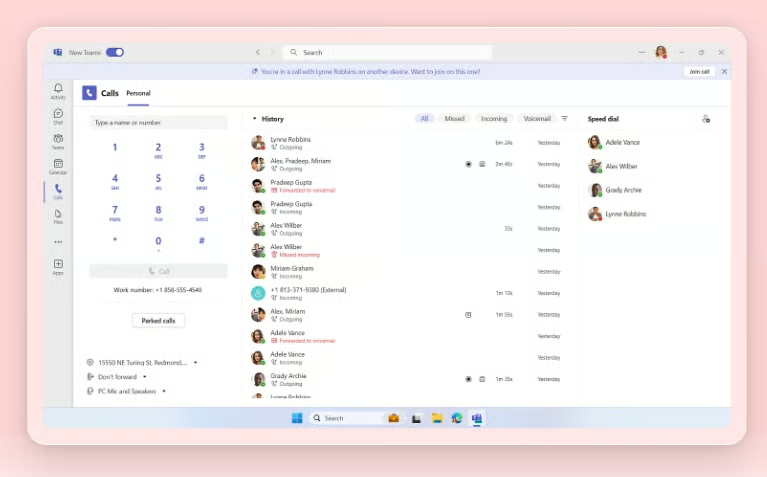
I chose Microsoft Teams as the best overall free VoIP service because it offers more than basic internet calling. In my evaluation, Teams stood out because it combines VoIP features like voice, video, messaging, file sharing, and collaboration in a single workspace, making it especially useful for small teams that want free communication tools without adopting separate apps for every task.
However, I would not position Teams as the best free replacement for a full business phone system, but I do think it is the strongest free VoIP option for everyday team communication. Its free and paid tiers are backed by Microsoft’s broader productivity ecosystem, and the paid business plans add more storage, support, collaboration features, and administrative structure as teams grow.
Gallery
Key features
- High-quality calls: Ensures high-quality voice calls even in remote areas with limited telephone infrastructure using Microsoft Teams quality of service features, like dashboards and call analytics.
- Bandwidth prioritization: Offers consistent call quality even on low bandwidth connections by prioritizing audio and video streaming.
- Call forwarding: This feature allows you to forward calls to mobile phones or switch to a backup connection during internet disruptions.
- Integrated IVR system: Features an interactive voice response system for streamlined operations and customer self-service.
- Comprehensive call management: Includes call recording, logs, and automated reports for effective call management.
- Voicemail-to-email feature: Converts voicemails to emails with transcripts, ensuring you never miss an important message.
Pricing
Microsoft Teams has a free option for basic use. Paid business plans include:
- Microsoft Teams Essentials: $4/user/month, billed annually
- Microsoft 365 Business Basic: $6/user/month, billed annually
- Microsoft 365 Business Standard: $12.50/user/month, billed annually

Google Voice: Best for integrated team collaboration & communication
Pros
- Free personal plan available in the U.S.
- Provides a phone number with call forwarding
- Includes voicemail transcription and spam filtering
- Paid plans integrate with Google Workspace
Cons
- The free plan is intended for personal use, not full business phone deployment
- Business plans require a Google Workspace subscription
- Advanced features like auto attendants and ring groups require paid tiers
Why I chose Google Voice
Google Voice is my pick for integrated team collaboration and communication because it is one of the easiest ways to get a VoIP number that works across devices. For individuals, freelancers, and very small teams, the greatest value is simplicity: users can forward and screen calls, read voicemail transcripts, and keep communication within the Google ecosystem.
When I compare Google Voice with more collaboration-heavy tools like Microsoft Teams, I see it as more phone-number-focused and less workspace-focused. That makes it especially useful for users who want a dedicated number for business calls but do not need a full UCaaS system.
Gallery

Key features
- Free local numbers: Google Voice provides users with free local phone numbers.
- Voicemail transcription: The service automatically transcribes voicemails into text.
- Spam call filtering: Google Voice includes an effective spam filtering system to block unwanted calls.
- Cross-platform accessibility: The service is available across iOS, Android, and web browsers.
- Call forwarding and screening: Users can forward calls to different numbers and screen calls.
- Integration with Google Workspace: Integrates with other Google services like Gmail, Meet, and Docs.
Pricing
Google Voice offers a free personal plan for users in the U.S. Paid business plans include:
- Starter: $10/user/month
- Standard: $20/user/month
- Premier: $30/user/month

WhatsApp: Best for small businesses & entrepreneurs
Pros
- Free WhatsApp Business App available
- Strong fit for mobile-first customer communication
- Includes business profiles, catalogs, greetings, and away messages
- Useful for international messaging with customers
Cons
- Not a traditional business phone system
- Lacks advanced call routing, IVR, and call recording
- Business Platform pricing varies by use case, country, and message type
Why I chose WhatsApp
I chose WhatsApp Business for small businesses and entrepreneurs because it is one of the most practical free communication tools for customer conversations. In my review, its value comes from helping small businesses create a business profile, showcase products, respond to customers, and manage one-on-one conversations from a familiar mobile app.
But, I would not recommend WhatsApp as a full VoIP phone system for teams that need call queues, call recording, or routing rules. But for entrepreneurs who rely on mobile messaging and international customer communication, WhatsApp Business is a strong free option because it supports the way many customers already prefer to communicate.
Gallery

Key features
- Catalog: Share your products and services with customers by displaying your business offerings on your WhatsApp profile.
- Contact labels: Organize your chats with customizable labels that sort messages by topic, contact, or marketing campaign.
- Quick replies: Set up automatic replies to common customer inquiries, such as your business phone number, hours of operation, or social media information.
- File sharing: WhatsApp lets you send various file types via messages, including images, videos, documents, and contact information.
- Social media integrations: You can link your business account to platforms like Facebook and Instagram, making it easier to advertise and sell products.
Pricing
- WhatsApp Business App: Free to use and download, with options to upgrade
- WhatsApp Business Premium: Cost varies by country and usage; contact sales for pricing
- WhatsApp Business Platform (API): Business verification with Meta incurs a $1,000 setup fee; Contact sales for additional subscription and conversation costs

Linphone: Best for open source customization
Pros
- Open-source VoIP software
- Supports SIP-based calling
- Works across desktop and mobile platforms
- Strong customization potential for technical users
Cons
- Less beginner-friendly than mainstream VoIP apps
- Requires more technical setup knowledge
- Business support and white-label options may require direct engagement with Linphone
Why I chose Linphone
Linphone earned its spot as the best free VoIP option for open-source customization because it gives technical users more control than most commercial apps. I like it for developers, IT teams, and advanced users who want SIP support, cross-platform availability, and the ability to inspect or adapt open-source communications software.
That flexibility also makes Linphone less suitable for users who want a polished, plug-and-play business phone app. In my view, Linphone is strongest if you value transparency, configurability, and open-source development more than guided onboarding or mainstream business phone features.
Gallery
Key features
- Open source: Linphone is fully open-source, allowing users and developers to inspect and modify the code.
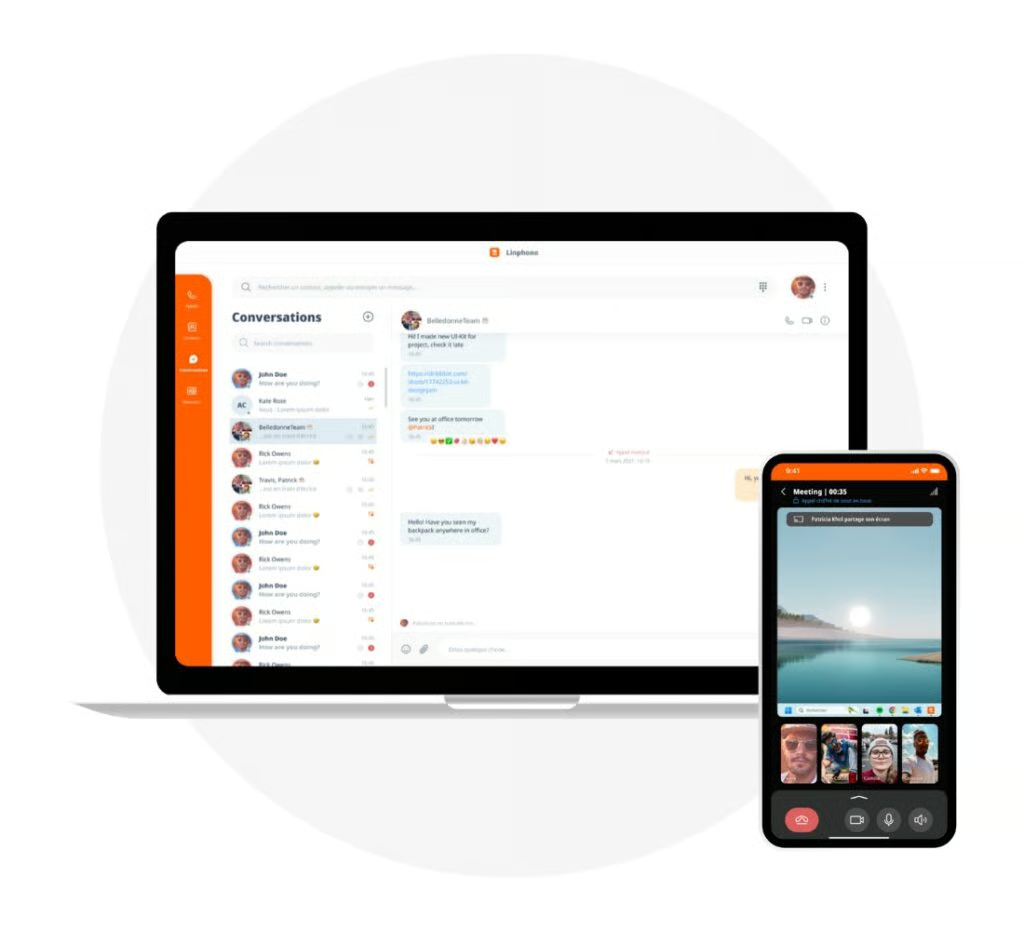
- Cross-platform compatibility: Available on iOS, Android, Windows, macOS, and Linux.
- HD voice and video calls: Supports high-definition voice and video calling.
- Instant messaging: Includes instant messaging capabilities with file sharing.
- SIP protocol support: Fully SIP-based support for all calling, presence, and instant messaging features.
- End-to-end encryption: Offers secure communications with end-to-end media encryption and virtual file systems for added privacy.
Pricing
- Linphone’s softphone is available under an open-source licensing model. Linphone also offers proprietary licensing and white-label options for organizations.

Textfree: Best for North American users
Pros
- Free U.S. phone number
- Unlimited calls and texts to U.S. and Canadian numbers
- Works on iOS, Android, and desktop
- Simple option for a secondary phone line
Cons
- Limited to users in the U.S. and Canada
- Free version includes ads
- Does not support international calling or texting
- Not built for advanced business phone needs
Why I chose Textfree
Textfree is my top choice for North American users because it solves a narrow but useful problem: getting a free phone number to call and text in the U.S. and Canada. For users who need a secondary number for personal communication, side work, or very basic business use, Textfree is simple and accessible.
At the same time, I wouldn’t recommend Textfree for businesses that need international calling, advanced call management, or a scalable phone system. Compared with the other options on this list, it is best viewed as a lightweight free calling and texting app rather than a complete VoIP platform.
Gallery

Key features
- Unlimited calls and texts: Textfree offers unlimited calling and texting to US and Canadian phone numbers.
- Virtual phone number: Users receive a free phone number with the area code of their choice for business or personal calls.
- Voicemail support: The service includes voicemail, allowing users to receive messages in their inbox.
- Custom wallpapers: Change the appearance of your application with background images and colors you can personalize.
- Wi-Fi and cellular data usage: Calls and texts can be made over Wi-Fi or using cellular data, providing flexibility in connectivity.
- Desktop application: While many free VoIP services offer only mobile apps, Textfree provides a desktop app as well as Android and iOS apps.
Pricing
- Free mobile application
- Textfree Plus: $9.99/month for an ad-free experience and permanent phone numbers

Jitsi: Best for secure open-source video conferencing
Pros
- Free and open-source video conferencing
- No account required for basic meetings
- Supports screen sharing and browser-based meetings
- Strong option for privacy-conscious users
Cons
- More focused on meetings than business phone service
- Limited native chat and phone system features
- Support is largely community-based unless using hosted or managed services
Why I chose Jitsi
Jitsi is an excellent choice for those who value open-source flexibility, high-quality video conferencing, and strong VoIP security features. The platform began as a simple messaging tool and has since expanded to include video conferencing and collaboration across multiple projects, such as Jitsi Meet and Videobridge. Its strong performance in call quality and compatibility makes it a viable option for those looking to host meetings with team members or stream content to a live audience.
Compared to other VoIP solutions, I would not present Jitsi as a complete VoIP phone service, such as Google Voice or a paid business phone platform. Its strength is secure video collaboration, not business telephony. For teams that want free meetings and screen sharing without a heavy software commitment, though, Jitsi remains a strong fit.
Gallery

Key features
- Open source: Jitsi is fully open-source, allowing for community-driven development and customization.
- No account required: Users can join meetings without signing up or logging in.
- High-quality video and audio: Jitsi provides clear video and audio conferencing capabilities, ideal for hosting conference calls or streaming live events.
- Screen sharing: The ability to share screens enhances collaboration and presentations.
- Multi-platform support: Available on various platforms, including web browsers, iOS, and Android.
- Integration capabilities: Jitsi can be integrated into websites and apps, offering developers flexibility.
Pricing
- Free licensing model
Methodology: How I selected the best free VoIP services
To select the best free VoIP phone services, I evaluated each product based on the features that matter most to freelancers, startups, entrepreneurs, small businesses, and users looking for low-cost communication tools.
Specifically, I considered:
- Free plan availability: Whether users can access meaningful VoIP, messaging, calling, or conferencing features without paying.
- Core VoIP features: Voice calling, video calls, call forwarding, voicemail, messaging, and phone number availability.
- Business usefulness: Whether the tool can support real small-business or solo-user communication needs.
- Ease of use: How quickly a new user can get started without technical setup.
- Security and privacy: Encryption, account controls, open-source transparency, and vendor reliability.
- Scalability: Whether the product offers paid plans, business features, or customization options as needs grow.
- Limitations: Whether the free plan has user caps, ads, regional restrictions, limited support, or missing business phone features.
My recommendations are based on the best-fit use case for each provider rather than vendor claims alone.
Key components of free VoIP apps
Free VoIP apps, in particular, offer a range of features that meet basic communication needs. Understanding the key components of these apps can help users make informed decisions about which app best suits their needs. Below are some of the VoIP protocols and elements commonly found in free software:
- Voice and video calls: The core functionality of any VoIP app is to facilitate voice and video calls over the internet. These calls typically offer decent quality and can be made to other users of the same app and sometimes to phone numbers.
- Messaging capabilities: Alongside voice and video, instant messaging is a staple feature that allows users to send text messages, images, videos, and files.
- User interface (UI): A user-friendly interface is crucial for ease of use. Free VoIP apps usually have a simple, intuitive design that makes navigation and operation straightforward for all users.
- Multi-platform support: Many free VoIP apps are available across platforms such as Windows, macOS, iOS, and Android, ensuring accessibility on any device.
- Group communication: The ability to conduct group calls and chats is vital, especially for collaborative tasks in a business environment or for personal group interactions.
- Security and privacy: Even free apps should offer a basic level of protection. Features like end-to-end encryption for calls and messages are becoming more common to protect user privacy.
- Integration with other apps: Some VoIP apps integrate with other applications, such as email clients, calendars, and productivity tools, to provide a more seamless user experience.
- Contact management: A critical component is efficiently managing contacts within the app, including adding, organizing, and syncing contacts from other sources.
- Call quality and reliability: A VoIP app’s effectiveness largely depends on the quality and reliability of its calls, which can vary depending on internet connectivity and uptime guarantees.
- Customer support and community: While free apps may not offer extensive customer support, many have community forums and help centers where users can seek assistance.
Benefits of using a free VoIP service for small businesses
Voice-over-Internet Protocol (VoIP) offers several advantages that align seamlessly with their unique needs and constraints. Click on the tabs below to learn how a free VoIP service can benefit your business.
Cost efficiency
Cost efficiency is central to these advantages, especially for small businesses with limited budgets. Free VoIP services eliminate the significant costs associated with traditional phone systems, including installation fees, maintenance, and long-distance charges. This financial relief enables small businesses to manage their resources more effectively, allowing them to invest savings into other areas that promote growth.
Scalability & flexibility
In addition to their cost-saving benefits, free VoIP services provide impressive scalability and flexibility. Small businesses often experience varying growth patterns, and these services can quickly adapt to changes in call volume and workforce size without requiring significant infrastructure changes. This scalability ensures that communication systems develop alongside the business, offering a reliable foundation for expansion.
Business integrations
VoIP integration capabilities allow it to connect with various business applications, including customer relationship management (CRM) systems and email platforms. This connectivity streamlines workflows and enhances overall productivity. Business integrations create a more cohesive operational environment and improve the customer experience, which is essential for small businesses aiming to build strong, lasting relationships with their clients.
Remote mobility
VoIP services provide mobility that fits seamlessly with an ever-changing work culture, where remote work and mobile operations are now commonplace. Employees can access VoIP systems from any location with an internet connection, ensuring that business communication remains uninterrupted. This flexibility benefits employees and guarantees that customer inquiries and opportunities are addressed without being hindered by geographical limitations.
Which free VoIP service is right for your business?
Lastly, the feature-rich nature of VoIP services, even the free versions, gives small businesses a competitive edge. Features such as call forwarding, voicemail, and conference calls, which were once the domain of larger corporations with substantial budgets, are now accessible to small businesses. This democratization of technology empowers small businesses to operate with professionalism and efficiency that was previously beyond their reach.
Looking for more low-cost and affordable VoIP services? Check out our cheapest VoIP phone service buyer’s guide.
Frequently asked questions (FAQs)
How can I set up a free VoIP phone service at home?
The best part about VoIP is that you only need an internet connection, a VoIP-enabled device, and a free VoIP service to access voice calling and other features.
Can I use free VoIP services for business purposes?
Yes. Many free VoIP software options offer sufficient features for basic communication needs for small businesses and startups. For example, WhatsApp offers a free business app for communicating with customers via VoIP.
Can I keep my existing phone number with a free VoIP service?
Yes, most VoIP providers offer free number porting so that you can keep your previous business phone number. Just make sure to research any requirements your provider has regarding virtual numbers and porting.