


Call recording is no longer just a convenience feature for sales reps or customer service teams. For many businesses, it is part of a broader communications strategy that supports various areas of operations, including training, quality assurance, and dispute resolution. It is also useful for coaching, compliance, and customer experience analysis.
After evaluating leading call recording apps and VoIP phone systems, RingCentral ranks as the best overall option. It combines call recording with a full business communications platform, robust admin controls, AI features, mobile apps, and comprehensive support.
| Provider | Best for | Starting monthly price |
|---|---|---|
| RingCentral | Best overall business communications platform with call recording | $30/user/month |
| Zoom Phone | Best for Zoom users needing built-in VoIP call recording | $18/user/month |
| Cube ACR | Best mobile call recording app | Free or ~$9.99 |
| 800.com | Best for toll-free and vanity numbers with call recording | $23 per month |
| Aircall | Best call recording solution for sales and support teams | $40 per license |
| Google Voice | Best simple VoIP option for Google Workspace users | $10/user/month |
Methodology: How I chose the best phone recording apps
To evaluate the best call recording apps and phone recording solutions, I carefully reviewed each provider using a proprietary scoring rubric that assessed pricing, core features, advanced capabilities, ease of use, support, and overall expert value.
I considered whether each product offers a free plan, affordable paid plans, free trials, and monthly billing. To determine whether they fit specific use cases, I looked into features such as Android and iOS compatibility, file recording management, sharing tools, automatic or manual call recording, security protections, AI capabilities, and transcription. Lastly, I evaluated providers based on the depth of their customer service offerings (i.e., unlimited recording support, setup complexity, and customer support availability) and their overall value for money.
Why you can trust TechnologyAdvice
TechnologyAdvice delivers research-driven recommendations to help businesses and technology professionals make informed decisions.
Our editorial team independently evaluates each product using a standardized methodology that considers key factors like pricing, features, integrations, security, and real user feedback. Our content is regularly updated to reflect the latest product developments and market trends. By combining expert analysis with insights from verified users, we ensure our buyer’s guides remain accurate, transparent, and relevant to today’s business needs.
Best phone recording apps at a glance
| Provider | Key features | Expert score |
|---|---|---|
| RingCentral | Automatic and on-demand call recording, AI features, transcription, admin controls, support coverage | 4.24 |
| Zoom Phone | Automatic and ad hoc call recording, Zoom ecosystem integration, AI Companion, mobile apps | 4.18 |
| Cube ACR | Mobile call recording, recording file management, Android/iOS support, low-cost app access | 3.95 |
| 800.com | Toll-free and vanity numbers, call recording, call routing, voicemail, business phone support | 3.61 |
| Aircall | Call recording, AI features, call summaries, sales and support workflows, CRM integrations | 3.52 |
| Google Voice | Google Workspace integration, call recording on business plans, mobile/web apps, voicemail transcription | 2.79 |

RingCentral: Best overall phone recording app
Pros
- Full business communications platform with calling, messaging, meetings, and recording
- Supports automatic and on-demand call recording
- Offers AI and transcription capabilities
- Includes Android and iOS apps
- Strong admin controls for permissions, access, and call management
- 24/7 support is promoted across support channels
Cons
- More expensive than lightweight mobile recording apps
- Can be overwhelming for very small teams
- Automatic recording and advanced analytics may depend on the plan level
- Not the best fit if you only need occasional personal call recordings
Why I chose RingCentral
RingCentral is my best overall choice for businesses that want call recording built into a complete communications platform. It offers strong recording controls, mobile apps, AI features, transcription, admin permissions, and broad support coverage, making it a good fit for sales, support, and operations teams that need more than a basic recorder.
The main drawback is cost and complexity. RingCentral may be more platform than a small team needs if the goal is simply to record occasional calls. If you want a lower-cost business phone system with reliable recording, consider Zoom Phone. If your team is more focused on call center workflows, Aircall may be the better fit.
Key features
- Policy-based call recording: RingCentral is strongest when recording needs to be managed at the business level. Admins can support automatic and on-demand recording workflows, which are useful for sales coaching, customer support review, compliance documentation, and dispute resolution.
- Centralized recording management: Instead of leaving recordings scattered across employee devices, RingCentral gives teams a more structured way to access, review, and manage recorded calls within the phone system.
- AI-assisted conversation review: RingCentral’s AI capabilities help make call recordings more actionable by supporting summaries, transcription, and follow-up insights, reducing the need to manually replay entire calls.
- User permissions and admin oversight: Businesses can control who can record, access, and manage call recordings, which is especially important for teams handling customer data, payment information, or regulated conversations.
- Unified communications context: Because RingCentral includes calling, messaging, meetings, and integrations, recordings can fit into a broader communications workflow rather than function as isolated audio files.
Gallery


Pricing
- Core: $30/user/month
- Advanced: $35/user/month
- Ultra: $45/user/month

Zoom Phone: Best for Zoom users needing built-in VoIP call recording
Pros
- Strong call recording features
- Familiar interface for existing Zoom users
- Supports automatic and ad hoc recording
- Works across desktop and mobile apps
- Integrates well with the broader Zoom ecosystem
- Includes AI and transcription capabilities
Cons
- Some support options may depend on plan or account type
- Advanced phone features may require higher-tier plans or add-ons
- Best value is usually for companies already using Zoom
- It may not be as deep as RingCentral for full unified communications
Why I chose Zoom Phone
Zoom Phone is a strong fit for businesses already using Zoom that want to add cloud calling and call recording without adopting a separate communications platform. While it is not the lowest-cost option, it scored highly for its VoIP functionality, mobile support, recording features, AI capabilities, and familiar user experience.
Its biggest limitation is that some advanced phone, support, and account management features may depend on the plan. It is also not as full-featured as RingCentral for businesses that want a more complete unified communications platform. If you need deeper communications features, choose RingCentral. If you need call center-focused recording and coaching tools, consider Aircall.
Key features
- Built-in VoIP call recording: Zoom Phone lets businesses record calls directly through the phone system, which is more reliable for team use than relying on individual mobile recording apps.
- Familiar Zoom interface: Teams already using Zoom can add phone recording without introducing a completely new communications environment, reducing training time and adoption friction.
- AI and transcription support: Zoom’s AI capabilities make recordings easier to review by helping users summarize conversations, identify follow-ups, and search through call content more efficiently.
- Cross-device calling: Zoom Phone works across desktop and mobile environments, which is useful for hybrid teams that need consistent access to recordings, whether they are in the office, remote, or on the road.
- Zoom ecosystem fit: For companies already using Zoom Meetings or Zoom Workplace, Zoom Phone keeps calling, meetings, messaging, and recordings all in one place.
Gallery

(Source: YouTube)
Pricing
- US & CA Unlimited: $18/user/month
- Pro Plus: $24/user/month
- Business Plus: $29
Cube ACR: Best mobile call recording app
Pros
- Strong mobile recording feature set
- Free app/free version available
- Low-cost paid option compared with business VoIP systems
- Supports Android and iOS use cases
- Includes file management and sharing/export
- Simple to operate once configured
Cons
- Not a full business phone system
- No clear business-grade AI feature set
- Support options are limited compared with those of VoIP providers
- Mobile call recording may still be affected by device, OS, carrier, and regional restrictions
Why I chose Cube ACR
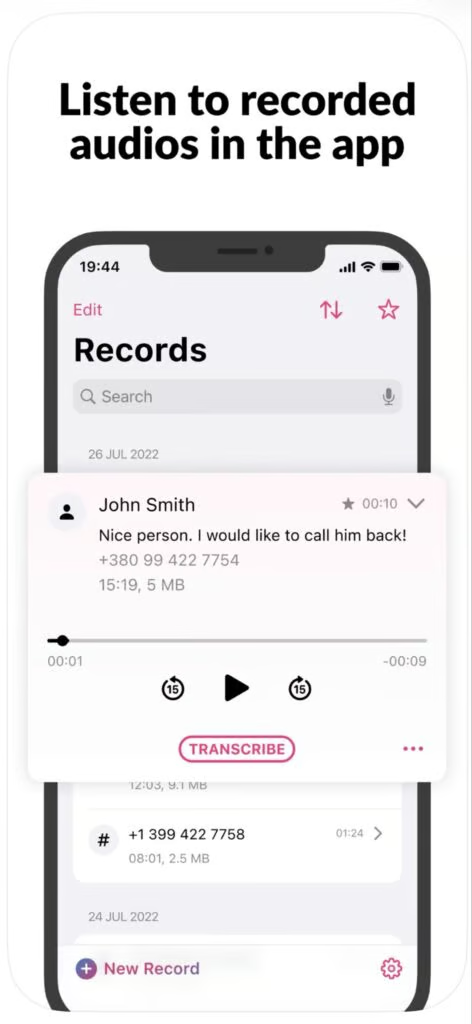
Cube ACR is best for users who want a mobile-first call-recording app rather than a full business phone system. It offers a free version, low-cost paid access, Android and iOS support, file management for recordings, and sharing/export tools.
The trade-off is that Cube ACR is not built for team-based business communications. It lacks the admin controls, centralized storage, support depth, and business phone features of a VoIP platform. If your business needs consistent recording across multiple users, choose RingCentral or Zoom Phone.
Key features
- Mobile-first call recording: Cube ACR is designed for users who need to record calls from a smartphone rather than from a full business phone system.
- Local recording control: The app gives individual users direct control over recording, saving, and managing calls, which is useful for consultants, field workers, freelancers, and professionals who work primarily from mobile devices.
- Recording organization tools: Cube ACR includes file management features that help users find and review saved recordings without relying on a separate business communications platform.
- Sharing and export options: Users can share or export recordings for follow-up, documentation, or transcription, making the app more useful than a basic voice memo workflow.
Gallery
Pricing
Cube ACR’s pricing is not posted on its website. However, several websites report that pricing starts at approximately $9.99 per month. Download the free version to get started, then upgrade to the Premium plan as your needs grow.

800.com: Best for toll-free and vanity numbers with call recording
Pros
- Strong option for toll-free and vanity business numbers
- Call recording is supported
- Includes Android and iOS support
- Offers 24/7 support signals
- Useful for businesses that prioritize phone number branding
- Easier to understand than full unified communications platforms
Cons
- Not as feature-rich as RingCentral, Zoom Phone, or Aircall
- Pricing is higher than that of lightweight recording apps
- AI and transcription capabilities are more limited
- Best suited to businesses that specifically need toll-free or vanity numbers
Why I chose 800.com
800.com is best for businesses that want toll-free or vanity numbers with call recording included. It is a practical option for service businesses, local companies, franchises, and teams that rely on memorable phone numbers for lead generation and customer contact.
The main drawback is that 800.com is more specialized than the top VoIP platforms. It does not offer the same depth of AI, transcription, integrations, or unified communications features as RingCentral, Zoom Phone, or Aircall. If vanity numbers are not a priority, choose RingCentral for the strongest overall feature set.
Key features
- Toll-free and vanity number support: 800.com’s main advantage is helping businesses choose memorable phone numbers while still supporting call recording and business phone management.
- Recording tied to business number activity: Calls can be recorded as part of the same system that manages toll-free or vanity numbers, which is useful for businesses that rely on inbound calls from ads, signage, or service-area marketing.
- Simple call management: 800.com keeps the focus on core phone functions like call routing, voicemail, forwarding, and recording rather than requiring a full unified communications rollout.
- Useful for lead-driven businesses: For local services, franchises, repair businesses, legal offices, and similar teams, recordings can help verify customer requests, review missed details, and improve intake quality.
- Accessible phone support structure: 800.com is a practical option for businesses that want recording and number management without adopting a more complex VoIP or call center platform.
Gallery

Pricing
- Startup: $23/month on monthly billing
- Small Business: $59/month
- Unlimited: $177/month
Aircall: Best call recording solution for sales and support teams
Pros
- Strong call recording features for customer-facing teams
- Built for sales, support, and call center workflows
- Offers AI capabilities, call summaries, and transcription features
- Integrates with business tools and CRMs
- Supports Android and iOS
- Good fit for teams that need more than basic VoIP calling
Cons
- More expensive than lightweight recording apps
- Setup may require more configuration than basic VoIP tools
- Some AI and advanced features may be plan-dependent
- Not ideal for individuals who only need occasional recording
Why I chose Aircall
Aircall is best for sales and support teams that need call recording as part of a high-volume customer communication workflow. It offers recording, AI features, transcription, summaries, CRM integrations, and call management tools that help managers review conversations and coach teams.
The drawback is that Aircall is more expensive and setup-intensive than simpler recording tools. It is not the best fit for individual users or very small teams that only need occasional recordings. If you want a more general business phone platform, consider RingCentral or Zoom Phone. If you only need a mobile recording app, Cube ACR is a lighter alternative.
Key features
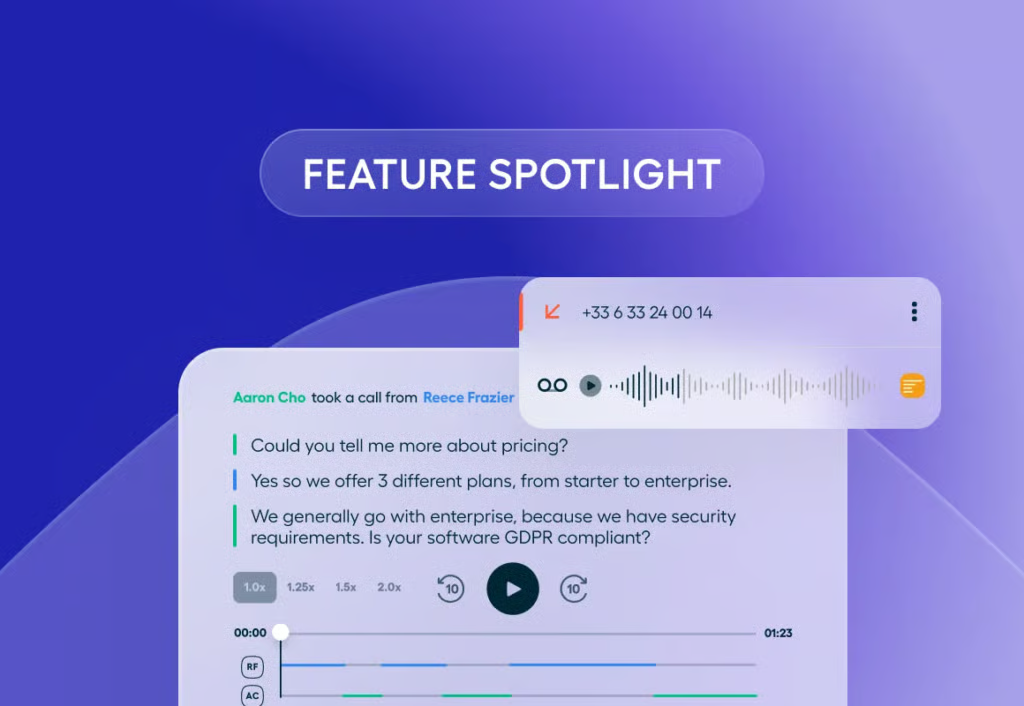
- Call recording for sales and support teams: Aircall is built around high-volume customer conversations, making its recording tools useful for coaching reps, reviewing escalations, and improving call quality.
- Conversation intelligence tools: Aircall’s AI and transcription features help managers and reps extract value from recordings through summaries, searchable transcripts, and call review workflows.
- CRM and help desk integrations: Aircall is especially useful when recordings need to connect to customer records, deals, tickets, or follow-up tasks instead of sitting in a separate call log.
- Team performance visibility: Managers can use Aircall’s call activity and recording history to evaluate how teams handle objections, service issues, lead qualification, and customer handoffs.
- Call center-style workflow: Aircall is a stronger fit for teams that need structured call routing, shared visibility, and customer communication workflows rather than a simple phone line.
Gallery
Pricing
- Essentials: $40/license
- Professional: $70/license
- Custom: Customized package

Google Voice: Best simple VoIP option for Google Workspace users
Pros
- Strong fit for Google Workspace users
- Android and iOS apps supported
- Integrates with Google’s broader productivity ecosystem
- Good value for basic business voice needs
Cons
- Weaker call recording depth than dedicated business phone systems
- File management and sharing for recordings are limited compared with the top competitors
- AI features are not a core Google Voice strength
- Automatic recording and advanced controls may require higher-tier business plans
Why I chose Google Voice
Google Voice is best for small teams already using Google Workspace that need simple business calling with some recording capability. It offers familiar Google-style usability, Android and iOS apps, voicemail transcription, and affordable paid business plans.
The drawback is that Google Voice is weaker for dedicated call recording workflows. Recording controls, file sharing, AI capabilities, and advanced call management are not as robust as the top-ranked providers. If recording is central to your sales, support, or compliance process, choose RingCentral or Zoom Phone. If you need more call center-oriented recording and coaching features, consider Aircall.
Key features
- Google Workspace-friendly calling: Google Voice fits naturally into organizations already using Google Workspace, giving teams a simple way to add business calling without adopting a separate communications suite.
- Basic call recording for business plans: Google Voice can support call recording in business contexts, though it is better suited to simple recording needs than advanced call review or compliance workflows.
- Voicemail transcription: Google Voice’s transcription support is most useful for voicemail and missed-call follow-up, helping users scan messages quickly without listening to every recording.
- Cross-device access: Users can manage calls from web and mobile apps, which is useful for small teams that need a lightweight business number across devices.
- Low-complexity VoIP option: Google Voice is best for businesses that want simple calling and Google integration, not advanced call center features or deep recording analytics.
Gallery

(Source: Quo) 
(Source: Quo)
Pricing
- Starter: $10/user/month
- Standard: $20/user/month
- Premier: $30/user/month
Things to consider when choosing a phone recording app
A phone recording app is not always the same thing as a business call recording solution. That distinction is important. A mobile recorder app can help an individual capture a call. A VoIP call recording solution can help a business manage recording policies, access, storage, retrieval, compliance, and quality assurance across users. Before choosing a tool, decide which category you actually need.
1. Are you recording business calls or personal calls?
If you only need to record the occasional call from your phone, a mobile app like Cube ACR may be enough. These tools are simpler and less expensive than full business phone platforms.
If your business needs recurring call recording across employees, choose a VoIP or cloud phone system. RingCentral, Zoom Phone, Aircall, and 800.com are better suited to team-based recording.
2. Do you need automatic recording?
Manual recording works when the stakes are low. Automatic recording is better when calls are tied to training, customer disputes, compliance, or quality assurance.
For businesses, relying on users to remember to record every important call introduces risk. A cloud phone system with admin-configured recording rules is usually more reliable.
3. How will you store and retrieve recordings?
Recording a call is only the first step. You also need to find that recording later.
Look for features such as:
- Searchable recording libraries
- User permissions
- File export
- Recording sharing
- Call tagging
- Retention settings
- Transcript search
- Customer relationship management (CRM) system or help desk integrations
These features matter more as call volume increases.
4. Do you need transcription or AI summaries?
Transcription turns call recordings into searchable business records. AI summaries go a step further by helping teams identify next steps, objections, action items, and customer concerns.
RingCentral, Zoom Phone, and Aircall are stronger options if you want AI and transcription tied to your business phone system.
5. What devices will your team use?
Desktop VoIP calling is usually the cleanest option for business recording. Mobile recording can work, but it may be affected by device settings, operating system limitations, carrier restrictions, and app permissions.
If your team takes calls across laptops, desk phones, and mobile devices, choose a VoIP system that supports multi-device calling and centralized recording management.
6. What are your compliance requirements?
Different industries have different expectations for recording retention, access, disclosure, and data security. Healthcare, finance, legal, insurance, and customer support teams should pay close attention to encryption, permissions, auditability, and consent policies.
Call recording is useful, but it also creates sensitive data. Treat recordings as business records, not casual audio files.
Frequently asked questions (FAQs)
What is the best phone recording app for businesses?
RingCentral is the best overall phone recording app for businesses because it combines call recording with a full business communications platform. It offers automatic and on-demand recording, mobile apps, admin controls, AI features, transcription, and support coverage.
What is the best free phone recording app?
Cube ACR offers free app access. However, free call recording apps often have limitations and may not be suitable for businesses that require consistent, policy-based recording.
Is it legal to record business phone calls?
It depends on where the caller and recipient are located. Some jurisdictions require one-party consent, while others require all-party consent. Businesses should use clear recording disclosures and consult legal counsel for industry- or region-specific requirements.
Bottom line
A phone recording app’s main function is to capture and preserve call audio so businesses can review conversations after they happen. For individual users, that may simply mean saving a call for notes or transcription. For businesses, call recording is more valuable when it supports training, quality assurance, compliance, dispute resolution, customer follow-up, and sales or support coaching.
When choosing a phone recording app, start by deciding whether you need a simple mobile recorder or a business phone system with built-in recording.
Mobile apps like Cube ACR are better for lightweight, individual use. VoIP platforms like RingCentral, Zoom Phone, Aircall, and 800.com are better for teams that need centralized storage, admin controls, recording permissions, searchable call histories, transcription, and secure access. Google Voice is a practical middle-ground option for Google Workspace users with basic VoIP needs, but it is less robust for advanced call recording workflows.