As of May 5, 2025, the once-dominant video and voice app officially shut down, leaving millions of users searching for a modern replacement. But this isn’t just the end of an era, it’s a turning point. Remote work, hybrid collaboration, and global communication have evolved, and outdated tools simply can’t keep up.
The good news? Today’s best Skype alternatives are faster, smarter, and built for modern business communication. Whether you’re managing a distributed team, hosting client meetings, or handling international calls, the right platform can significantly improve productivity and collaboration.
Below, I break down the seven best Skype alternatives for 2026 based on hands-on evaluation, feature depth, and real-world business use cases:
| CRM | Best for | Starting price |
| Zoom Phone | Video-first communications | $16/user/month |
| RingCentral | Complex, large-scale communications | $20/user/month |
| GoTo Connect | Expanding global reach | Contact sales |
| Nextiva | Digital engagement | $15/user/month |
| Ooma | A standalone phone system | $19.95/user/month |
| Phone.com | Light phone usage | $15/user/month |
| Vonage | API-driven communications | $13.99/user/month |
*All pricing is based on annual billing unless otherwise noted.
Featured partners
Why you can trust us
At TechnologyAdvice, I have evaluated dozens of VoIP and unified communications platforms and regularly update this guide to account for pricing changes, feature updates, and real user feedback. Whenever possible, I test platforms through free trials, demos, or sandbox environments to assess their performance in actual business scenarios, particularly for remote teams and hybrid workflows.
My editorial team also independently reviews business software using a standardized methodology that emphasizes real-world usability, feature depth, scalability, pricing transparency, and verified customer reviews. To learn more about this methodology, scroll to the end of the article.
What was Skype?
Skype was a cloud-based communication platform offering voice, video, and messaging. Launched in 2003, it was among the pioneering voice-over-internet-protocol (VoIP) services that quickly gained popularity for its free video calls and instant messaging features.
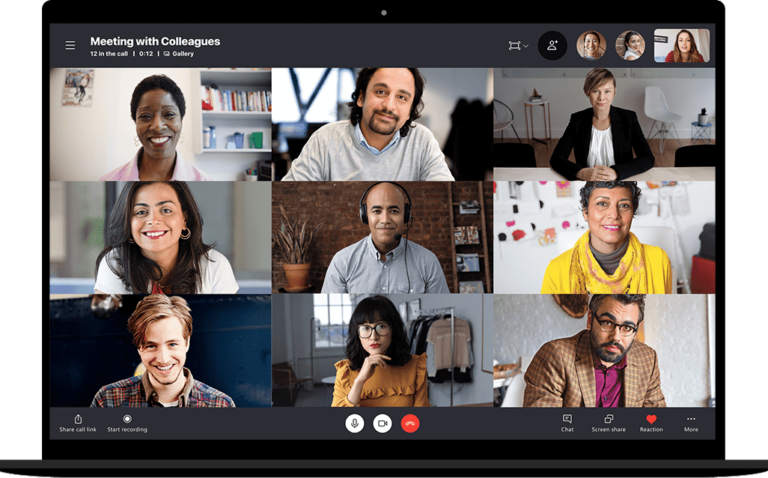
Microsoft acquired Skype in 2011 and integrated it into various services, including Xbox, Outlook, and Microsoft Teams, one of the top free VoIP services for video meetings. By 2020, Skype’s user base began to decline as more advanced video conferencing solutions emerged, boasting more interactive features and sleek interfaces.
Why did Skype shut down?
Skype officially shut down on May 5, 2025, marking the end of an era in digital communication. Its relevance steadily declined as newer platforms emerged with more modern features and better integrations.
Microsoft, which acquired Skype in 2011, gradually shifted its focus toward Microsoft Teams, a more comprehensive solution for workplace communication. Unlike Skype, Teams offered persistent chat, file collaboration, VoIP, and seamless integration with Microsoft 365, making it better suited for hybrid and remote work environments.
Over time, Skype updates slowed, user support decreased, and Microsoft actively encouraged users to migrate to Teams. The final shutdown reflected a broader shift in business communication needs from standalone tools to unified platforms.
While Skype’s closure may have disrupted some workflows, it also allowed businesses and professionals to adopt more scalable, secure, and feature-rich alternatives tailored to today’s demands.
Top Skype alternatives at a glance
Platform
Key features
My rating
How do the best Skype alternatives compare?

What makes Zoom Phone the best overall for video-first communications?
Overall Score
4.93/5
Pricing
3.25/5
General features
4.75/5
Advanced features
5/5
Support
4.38/5
Ease of use
5/5
Expert score
5/5
Pros
- Flexible calling plan options
- Elevate calls to Zoom meetings
- Charges the cheapest monthly per-user fees
- Allows mixing of metered and unlimited calling plans
Cons
- Has limited third-party integrations as a standalone VoIP service
- Charges $25 monthly for call queue analytics
Why I picked Zoom Phone
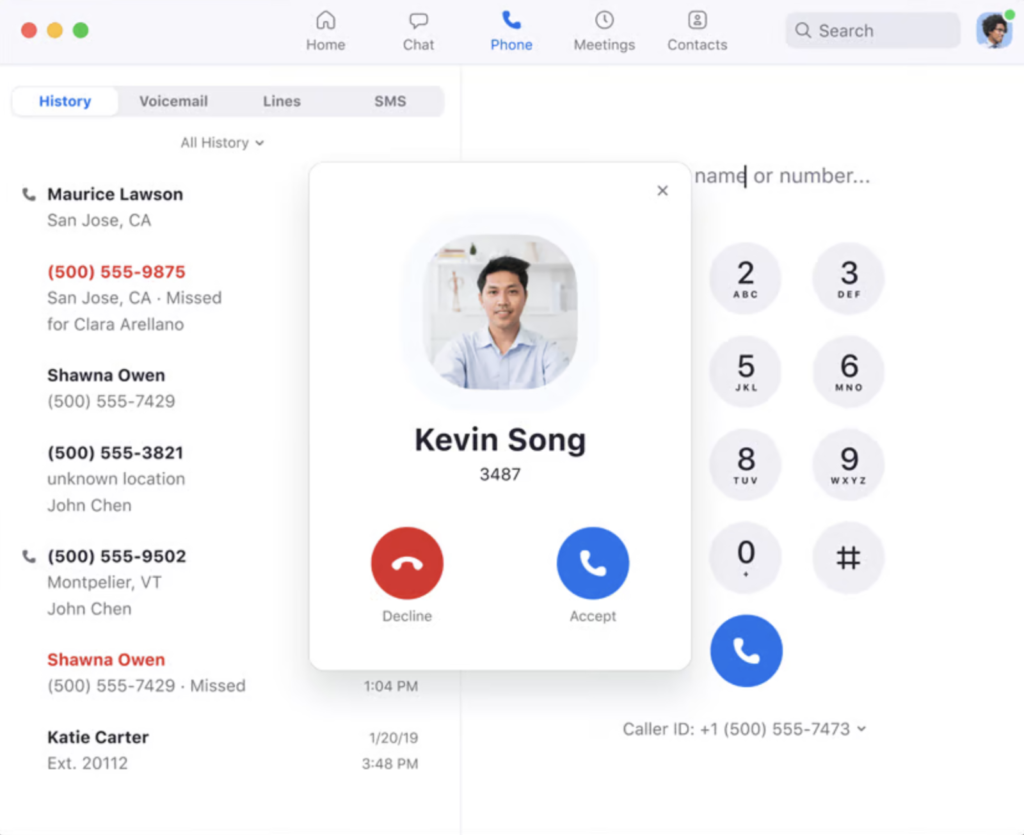
From my experience testing business communication platforms, Zoom Phone is the closest replacement for Skype if your workflow revolves around video meetings. What stands out is how naturally it blends VoIP and video. During testing, I was able to turn a standard call into a full Zoom meeting in seconds, which is a huge advantage for teams handling demos, client calls, or hybrid meetings.
I also found Zoom’s bundled plans especially practical for businesses already using Zoom Workplace, since everything from calling to AI-powered meetings lives in one ecosystem. At the same time, its international calling coverage is still somewhat limited compared to competitors, so if your team frequently connects globally, you may need to weigh that against options like GoTo Connect.
- Voicemail task extraction: Identifies task-related information from your voicemail transcription to generate a summarized task list.
- Call flip: Switch between devices amid an ongoing call by placing it on hold and picking it up on another device.
- Call delegation: Assign calling privileges to another user so they can make and receive calls on your behalf.
- Push-to-talk: Imitates the traditional walkie-talkie by allowing users to quickly relay group messages, facilitating real-time one-to-many or one-to-one voice communication.
- Quality of service dashboard: Provides a data overview of call quality across call queues, auto receptionists, and common area phones.
- US & CA Unlimited $16/user/month, billed annually
- Pro Plus: $20.50/user/month, billed annually
- Business Plus: $24.50/user/month, billed annually
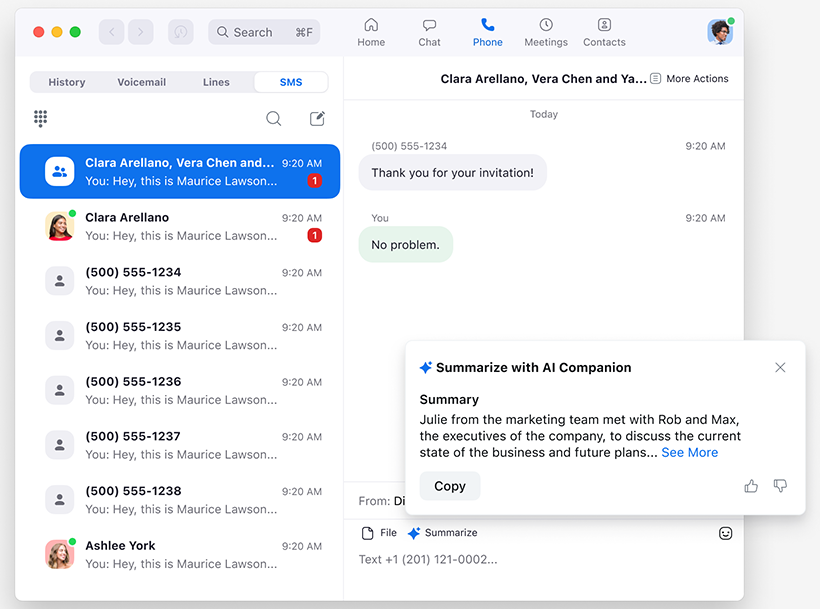
All plans include SMS/MMS, voicemail transcription, multi-device use, unlimited auto-attendants, interactive voice response (IVR), automatic call distribution, business hours routing, call recording, team messaging, hot desking, and Zoom AI Companion.

What makes RingCentral the best for complex, large-scale communications?
Overall Score
4.87/5
Pricing
4.25/5
General features
4.75/5
Advanced features
4.5/5
Support
5/5
Ease of use
3.75/5
Expert score
4.38/5
Pros
- Has complete features for voice, video, and chat
- Offers AI capabilities free of charge
- Generates in-depth call analytics data
- Integrates with over 400 third-party apps
Cons
- Restricts SMS credits across plans
- Can be complex to set up and administer
Why I picked RingCentral
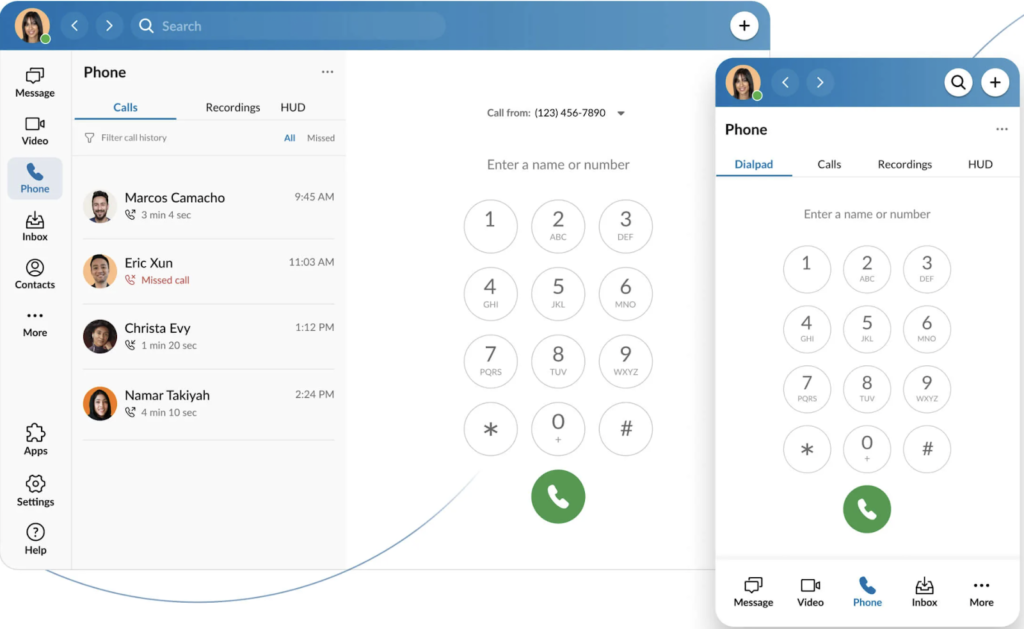
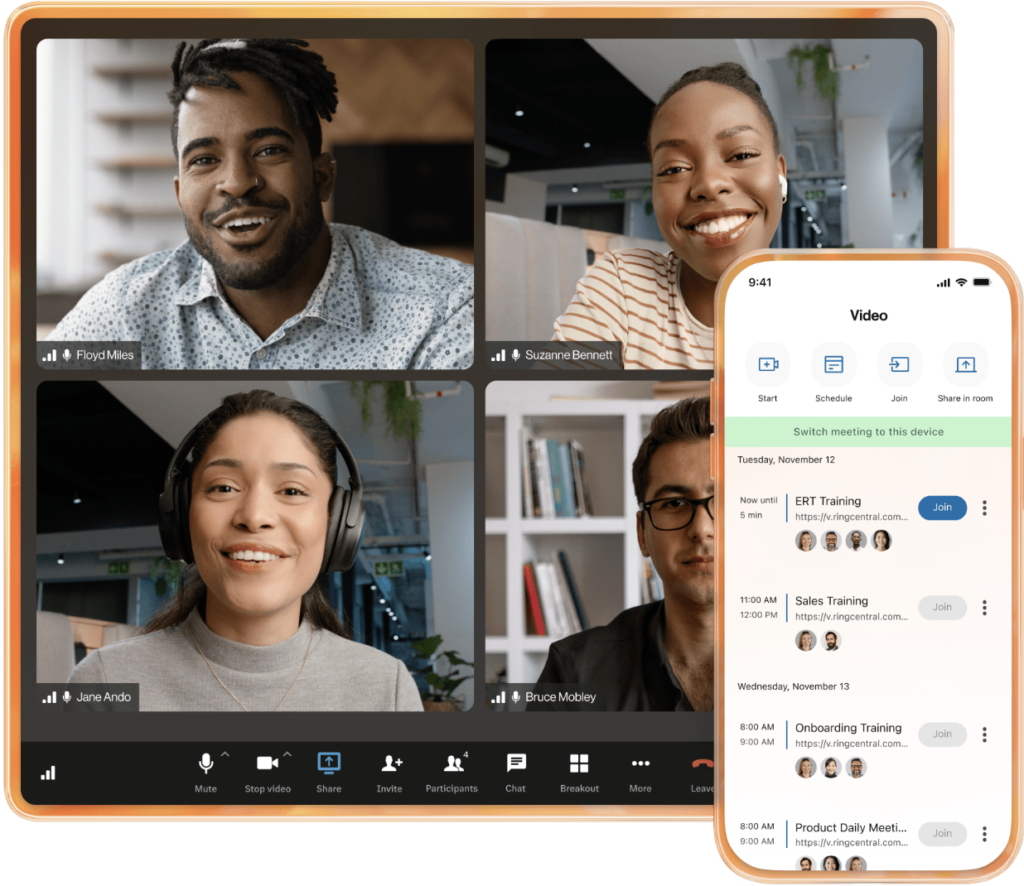
RingCentral consistently stands out for handling complex, large-scale operations. When testing it, I found its ability to support multi-location teams and high call volumes particularly strong, especially for businesses that need voice, video, messaging, and contact center tools all in one system.
What impressed me most is how deeply its VoIP features are embedded across the platform, from call analytics to messaging workflows. However, I’ve seen smaller teams struggle with its complexity, so if you only need basic calling, a simpler solution like Ooma may be a better fit.
- Collaborative notes: A notepad is displayed on the right panel of your video meeting gallery so you can take notes and share them with your team directly in the video interface.
- Shared lines: Set up multiple devices to share a single phone number so that all incoming calls to that line can be answered on any device.
- Team huddle: A persistent audio or video call where teammates can hop in and out at any time.
- Task assignment: Create tasks for yourself or assign projects to teammates right within a team conversation, group chat, or direct message.
- RingOut: If you’re unsure whether to place a call via VoIP or a landline, this feature lets you make a call from the RingCentral app and seamlessly transfer it to your landline.
- Core: Starts at $20/user/month
- Advanced: Starts at $25/user/month
- Ultra: Starts at $35/user/month
- Customer Engagement Bundle: Contact sales
*Get volume discounts for 100 or more users.

What makes GoTo Connect the best for expanding global outreach?
Overall Score
4.74/5
Pricing
4/5
General features
4.75/5
Advanced features
4/5
Support
3.75/5
Ease of use
4.38/5
Expert score
5/5
Pros
- Allows unlimited calls to up to 50 countries
- Includes 1,000 toll-free minutes for shared accounts
- Works with over 180 desk phone models
- Has a user-friendly call flow designer
Cons
- Requires a Connect CX subscription for AI capabilities
- Lacks CRM integrations on the base plan
- Pricing is not as transparent as that of other providers
Why I picked GoTo Connect
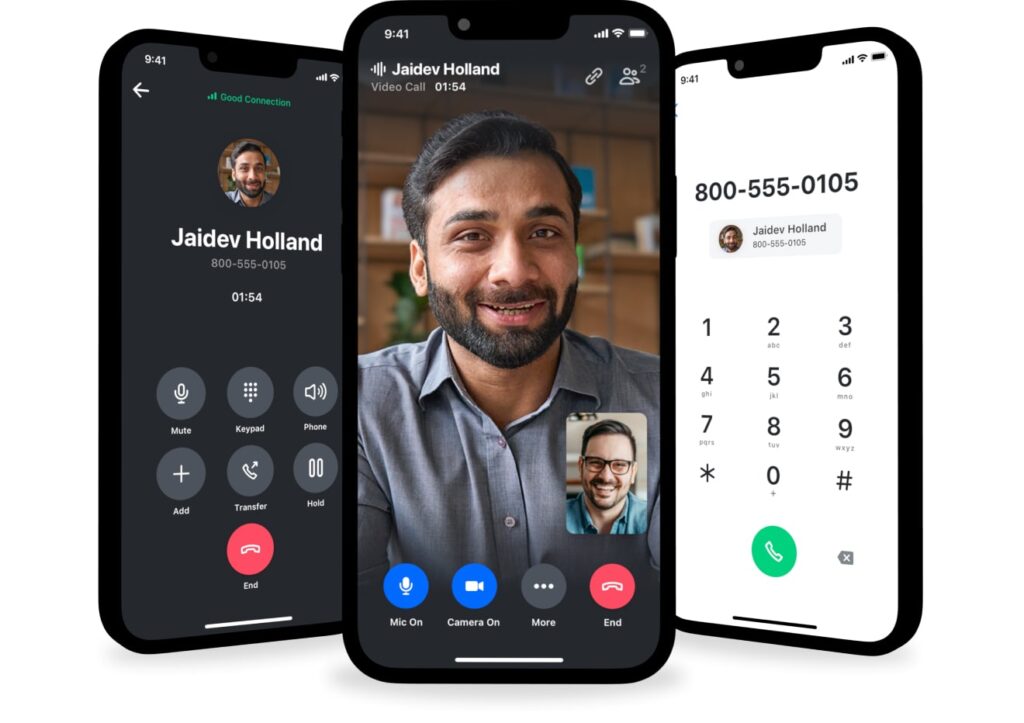
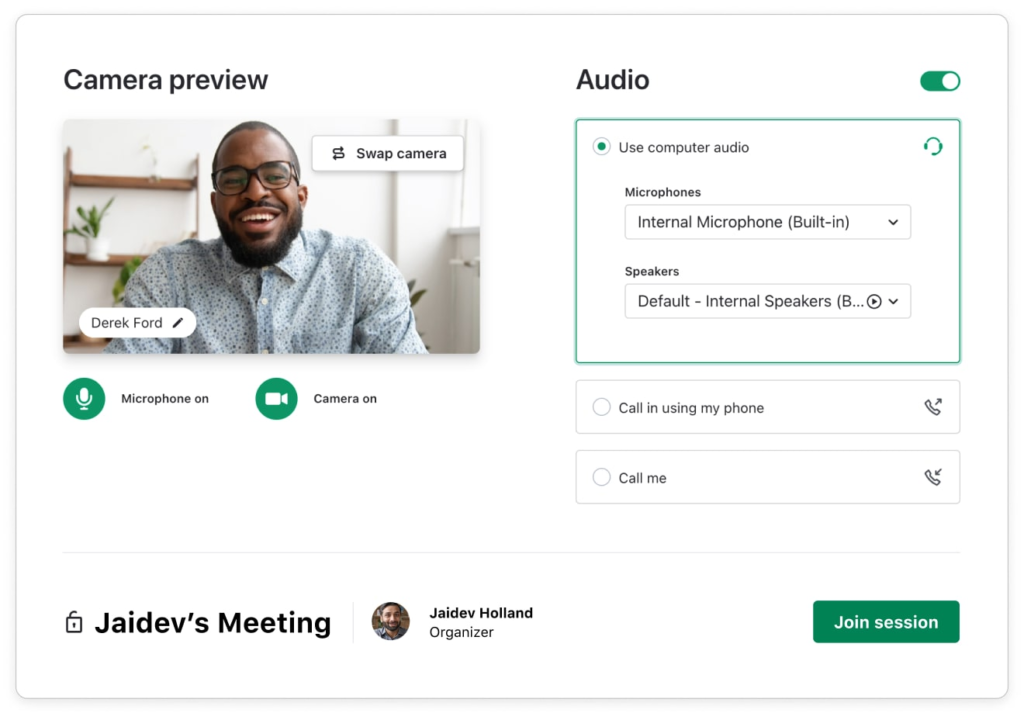
From my testing, GoTo Connect is one of the most cost-effective Skype alternatives for businesses that rely heavily on international calling. What stood out to me is its unlimited calling to 50+ countries, which can significantly reduce monthly costs compared to providers that charge per minute, especially for globally distributed teams.
I also found its call management tools, like the visual dial plan editor and smart routing, easy to configure even without advanced technical experience. As a vanity number provider, GoTo Connect also lets you create a custom company number to increase brand recognition. However, if you need an international number to establish a local presence in other regions, RingCentral is a better option, offering local dialing in over 99 countries.
- Dial Plan Editor: Customize your call flows visually in a drag-and-drop interface with color-coded nodes and connectors.
- Hot desking: Switch on any device or desk phone and instantly access your personally programmed speed dials.
- Unlimited extensions: Set up multiple extensions to ring the same device and customize them with distinct call forwarding rules and voicemail greetings.
- Call queuing: Distribute incoming calls to available staff and keep callers on hold with wait-time updates.
- Virtual voicemail: Access your voicemails via text or a web app, and receive transcripts in your email.
- Contact sales for pricing.

What makes Nextiva the best digital engagement platform?
Overall Score
4.36/5
Pricing
3.5/5
General features
4.75/5
Advanced features
2.5/5
Support
5/5
Ease of use
5/5
Expert score
4.06/5
Pros
- Supports multiple digital channels
- Has tight integrations with popular CRMs
- Offers features tailored for sales and support teams
- Merges team and client interactions in one platform
Cons
- Charges more than the average monthly fee for its phone system
- Lacks vanity phone numbers
Why I picked Nextiva
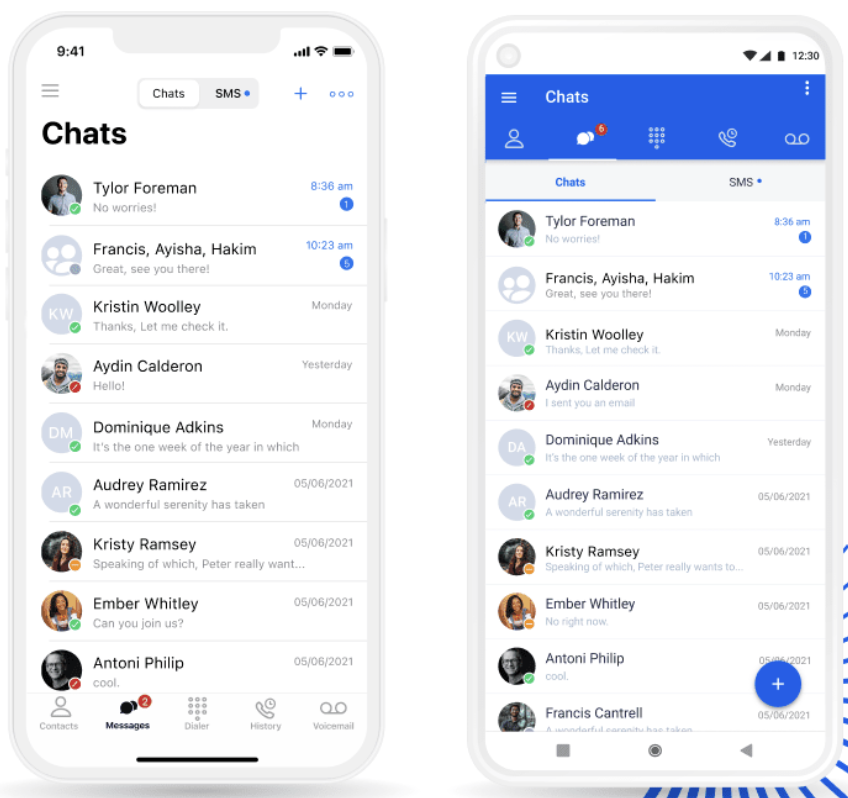
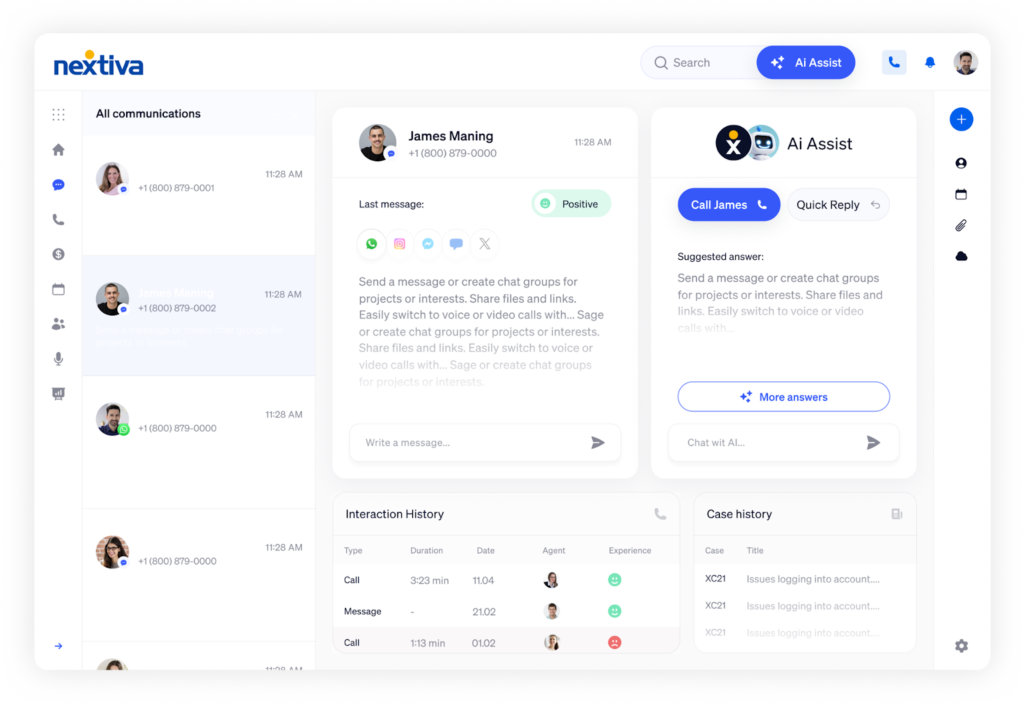
Nextiva is one of my top alternatives to Skype for managing customer communications across digital platforms, including messaging apps, live chat, social media, and review sites. It goes beyond basic hosted private branch exchange (PBX) capabilities by unifying multichannel interactions in a single app, allowing you to monitor the entire customer journey.
What impressed me most is how everything is centralized in the NextivaONE platform, reducing the need to switch between tools while keeping customer data easily accessible through CRM integrations. That said, its pricing is higher than many competitors, so if budget is a concern, Zoom Phone offers a more affordable entry point with solid core features.
- Custom ringback: Select the suitable music or recording to play for callers while they wait for their call to be answered.
- Call screening: Evaluates an incoming call’s characteristics against predefined criteria to determine whether it is accepted.
- Call notify: Define the conditions for sending an email after receiving a specific call, including the caller’s name and number.
- Extension dialing number change: Configure the extension numbering scheme for each office location to ensure direct employee contact.
- Priority alerts: Set a unique phone ring sound or custom ring pattern for specific callers.
Small Business
- Core: Starts at $15/user/month
- Engage: Starts at $25/user/month
- Power Suite: Starts at $75/user/month
Enterprise
- Essential: Starts at $75/agent/month
- Professional: Contact sales
- Premium: Contact sales
What makes Ooma the best standalone phone system?
Overall Score
4.36/5
Pricing
2.5/5
General features
3.5/5
Advanced features
2.5/5
Support
4.38/5
Ease of use
5/5
Expert score
5/5
Pros
- Includes over 50 phone features on the base tier
- Allows unlimited calls to the US, CA, PR, and MEX
- Supports analog fax machines
- Has rich call mobility features
Cons
- Lacks SMS credits on the entry-level plan
- Restricts desktop calling on Pro and Pro Plus plans
Why I picked Ooma
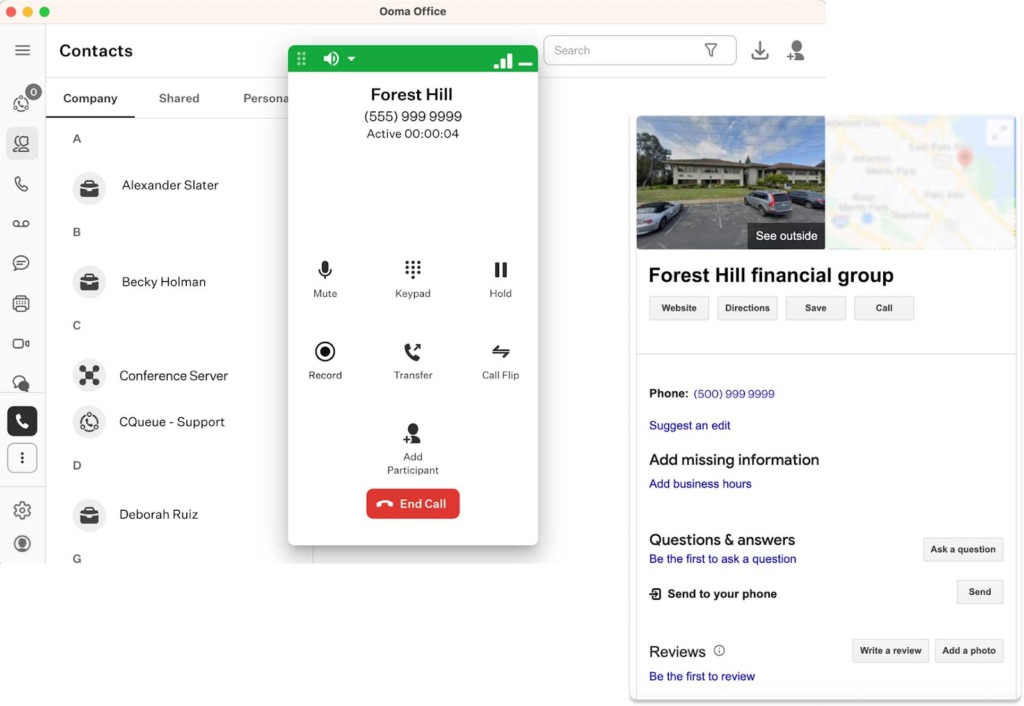
Ooma is the best Skype substitute for small businesses seeking a VoIP solution without additional collaborative features. While competitors like Nextiva and Zoom Phone highlight their AI capabilities for meetings and messaging, Ooma emphasizes its high-quality business phone system.
What stands out is its focus on core telephony features and ease of setup, which makes it a strong fit for small teams or solopreneurs. However, if your business relies on team messaging or video collaboration, Ooma can feel limited, while platforms like RingCentral offer a more complete unified communications experience.
- Enhanced call blocking: Screens all incoming calls against a database of over two million known spam numbers.
- Find Me, Follow Me: Create rules that route phone calls to your preferred location without ringing all connected devices at once.
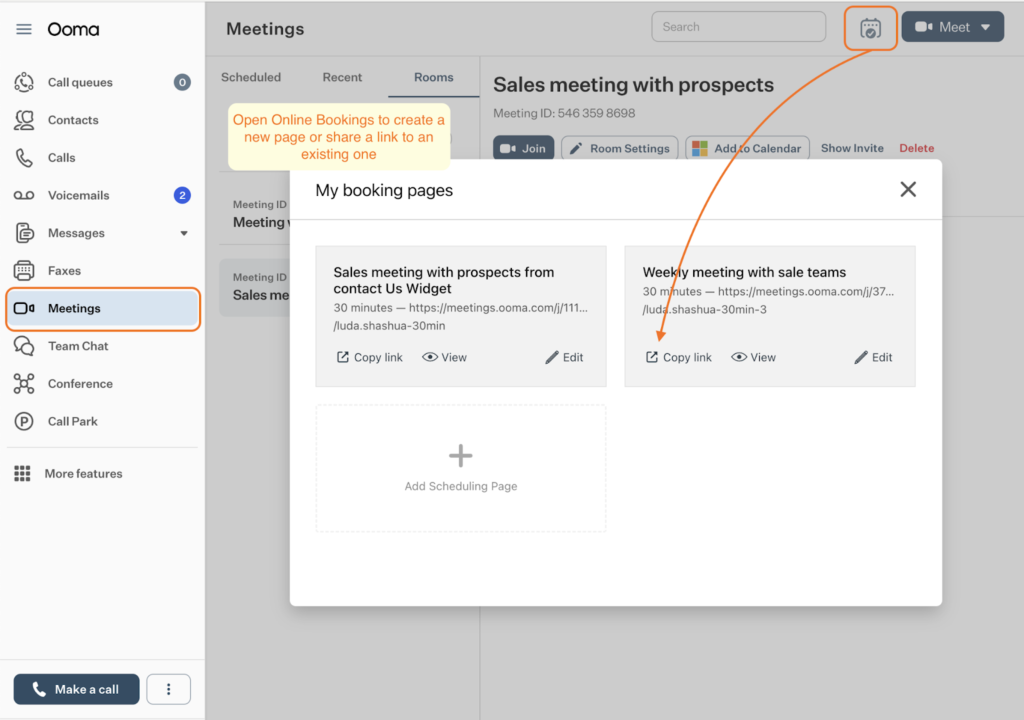
- Online bookings: Enable users to book a meeting with you by sharing your available calendar time slots.
- Shift-to-text: Provide callers the option to switch from a voice call to a text message with a single key press.
- Distinctive ringtones: Assign a unique ringtone to a call queue or ring group to give users an audible cue about the purpose of an incoming call.
- Essentials: $19.95/user/month
- Pro: $24.95/user/month
- Pro Plus: $29.95/user/month
- Enterprise: Contact sales

What makes Phone.com the best for light phone usage?
Overall Score
3.85/5
Pricing
3.5/5
General features
3.5/5
Advanced features
1.5/5
Support
5/5
Ease of use
5/5
Expert score
4.38/5
Pros
- Offers a pay-per-minute option
- Provides live receptionists as an add-on service
- Includes up to 50 phone features on the base plan
- Supports all phone number types
Cons
- Charges extra fees for call recording on non-Pro accounts
- Relies on Zapier for third-party integrations
Why I picked Phone.com
While most Skype alternatives confine users to fixed monthly rate subscriptions, Phone.com offers metered plans where you only pay for the minutes you use. When testing different plan scenarios, I found the mix-and-match approach to combining metered and unlimited calling especially useful for businesses with varying call volumes among team members that need a business phone number.
At the same time, Phone.com is clearly designed for simpler use cases. While it covers essential phone features well, I found the integrations less seamless, as many require Zapier, which can add extra cost and setup time. If your business depends heavily on connected tools, a platform like RingCentral offers a more integrated experience.
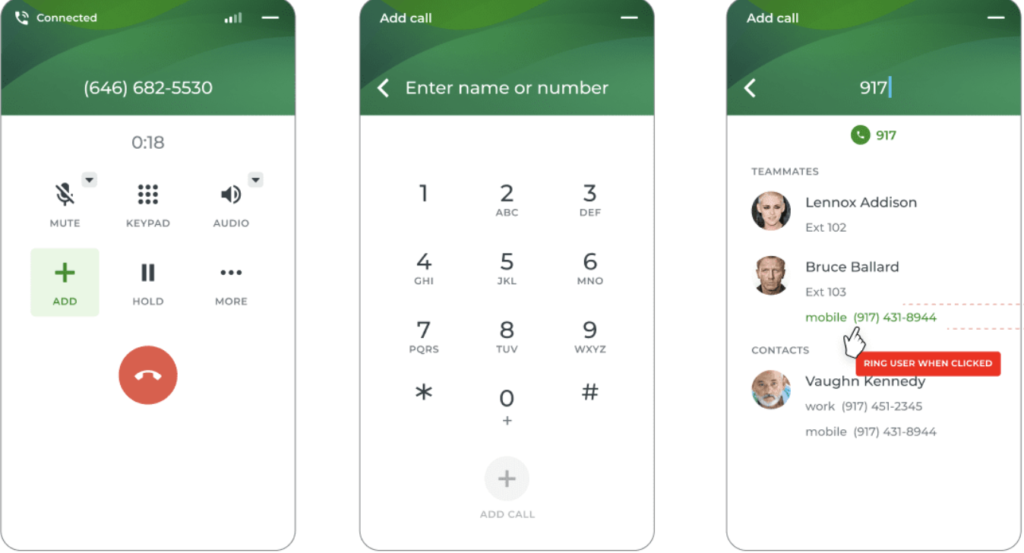
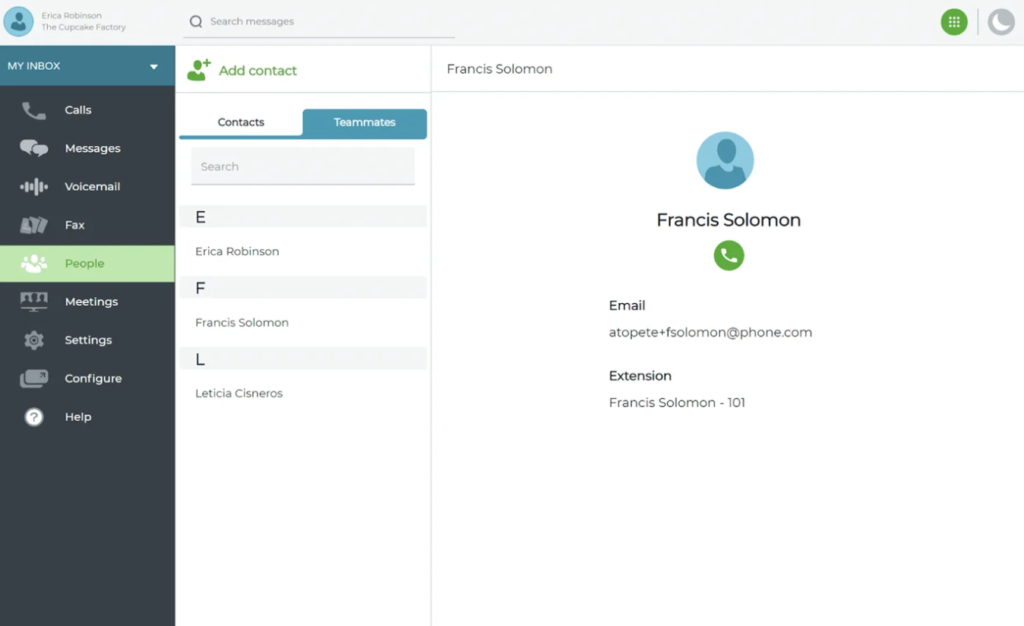
- Fax from phone: You can send and receive documents from your computer to any fax number without relying on an analog fax machine.
- Greetings: Phone.com offers three options for setting up your phone greetings: type and convert it to text-to-speech, upload a custom audio file, or record it directly in the app.
- Call handling rules: Modify your preferences for handling incoming calls based on your business hours and route calls to a specific destination based on time of day or caller ID.
- AI-Connect: Powered by artificial intelligence, this virtual reception service can handle all incoming calls in your company’s name, guided by a scripted response.
- Forward Connect: Select a business phone number and forward any incoming call to another number you prefer.
- Basic: $15/user/month
- Plus: $22.50/user/month
- Pro: $33.33/user/month

What makes Vonage the best API-driven communication solution?
Overall Score
3.82/5
Pricing
3.5/5
General features
4.5/5
Advanced features
2.5/5
Support
3.75/5
Ease of use
4.38/5
Expert score
3.13/5
Pros
- Allows you to pay for only the features you need
- Enables the integration of features into external apps and websites
- Offers generous discounts for multiple user accounts
- Guarantees high uptime availability
Cons
- Requires the purchase of up to 99 lines to avail of the 14-day trial
- Integrates with a limited number of apps
Why I picked Vonage
When it comes to developer-focused communication platforms, Vonage stands out for its flexibility and customization. When testing its capabilities, I found its API-first approach especially valuable for businesses that want to embed voice, messaging, or authentication directly into their apps rather than rely on out-of-the-box tools.
As a top-ranking small-business PBX system, Vonage also offers à la carte pricing for those who want to customize their unified communications subscription. However, this can be expensive as additional features add to your monthly fees. Zoom Phone provides the same features across plans for an all-inclusive VoIP package, avoiding unnecessary upgrade costs.
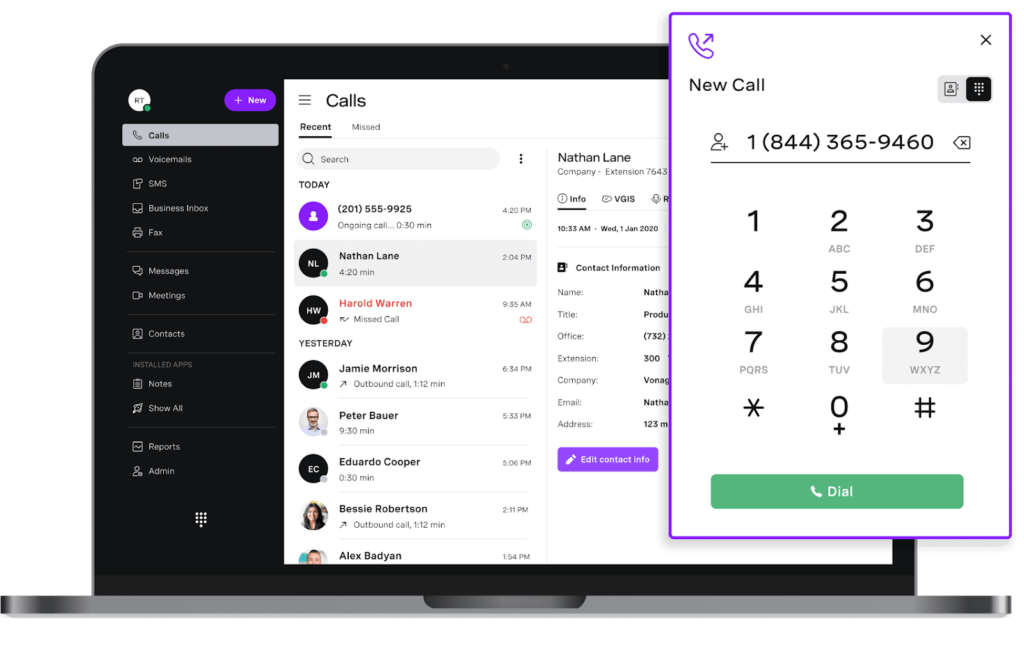
- On-demand call recording: Each phone extension has 15 hours of recording time, which you manage by downloading and deleting recordings.
- Call flip: You can move an ongoing call to another device assigned to the same extension on your Vonage account without interruption.
- Busy lamp field (BLF): This field supports up to 50 phone lines and displays the status of other extensions, whether they’re in use or idle.
- Call announce: Plays an audio message stating the incoming caller’s name and the purpose of the call before it is connected.
- Virtual mailbox: Works as a standalone voicemail box that can be used to gather general information and share it with multiple users.
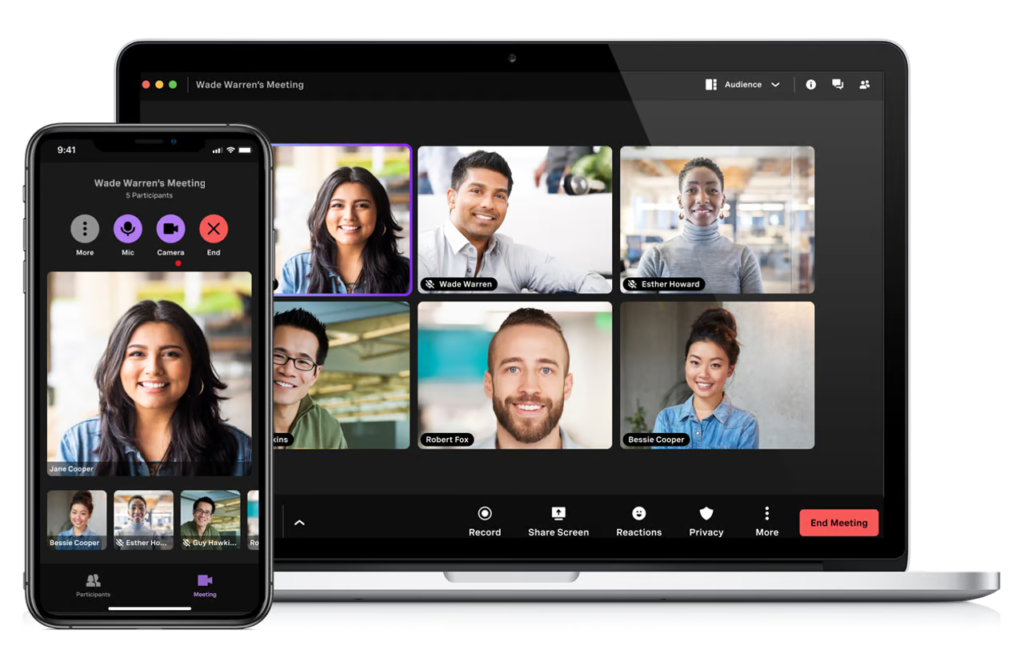
- Mobile: $13.99/line/month, billed annually
- Premium: $20.99/line/month, billed annually
- Advanced: $27.99/line/month, billed annually
Supported apps include Salesforce, Google Suite, Office 365, Clio, Bullhorn, ConnectWise, JobDiva, NetSuite, Microsoft Dynamics, SugarCRM, and Zoho.
Choosing the right alternative to Skype
Skype has long been a valuable tool for video calls, messaging, and voice communication. It’s free to use and offers cost-effective international call rates. However, its popularity has waned over time as it struggles to meet modern communication demands, such as advanced collaboration features, seamless integrations, and high-quality video.
Given these limitations, considering alternative solutions that fit your business needs is worthwhile.
- Zoom Phone is ideal for businesses that frequently hold video meetings, allowing seamless transitions between voice and visual communication.
- Enterprise-level organizations will benefit from RingCentral’s robust infrastructure, which offers advanced telephony, AI-powered meetings, and rich messaging features.
- If your business makes frequent international calls and wants to save on per-minute costs, choose GoTo Connect. Enjoy unlimited calls to 50 countries worldwide.
- Nextiva is best for sales and support teams engaging with customers across various digital channels.
- For solopreneurs and startups, a standalone VoIP provider like Ooma is an excellent option due to its simple setup and feature-rich business phone system.
- Phone.com shines with its flexible calling plans, which let users mix pay-as-you-go and unlimited plans—perfect for those with light phone usage.
- I recommend Vonage for companies looking to integrate communication tools directly into their applications and workflows.
Methodology: How I evaluated the best Skype alternatives
To build this list of the best Skype alternatives, I focused on platforms widely used for modern business communication that offer stronger capabilities than Skype’s legacy features.
Each provider was evaluated using consistent criteria that reflect how businesses compare communication tools in real purchasing decisions:
- Pricing & value: I compared various plans, focusing on scalability and overall cost efficiency for different business sizes.
- Core features: I evaluated each provider’s unified communication tools, including voice, video, messaging, and collaboration platforms.
- Ease of use: I assessed setup complexity, interface design, and overall learning curve for new users.
- Integrations: I reviewed compatibility with CRMs and other essential business tools.
- Customer support: I examined the availability and quality of support channels across plans.
- User feedback: I incorporated verified reviews from trusted third-party platforms to validate real-world performance.
When possible, I tested tools through free trials and demos to assess real-world usability.
Frequently asked questions (FAQs)
Bottom line
Skype’s shutdown marked the end of one of the original internet communication tools. But it also opened the door to more powerful, flexible alternatives.
Whether your team needs seamless video meetings, integrated messaging, or full-scale unified communications, today’s top platforms offer solutions far beyond what Skype could provide. Don’t wait until communication breaks down — now is the time to choose a modern replacement that fits your workflow.