

Nextiva 2026 Overview: Pricing, Ratings & Details
Nextiva Product Overview
Nextiva is a cloud-based unified communications and contact center platform that offers 99.999% uptime voice services, 24/7 support, comprehensive team-collaboration tools, and artificial intelligence (AI)-powered virtual agents. Focused on customer experience, it works equally well for small sales teams and multichannel service desks. For readers comparing Nextiva pricing with other VoIP options or those looking for a Nextiva review, this guide covers every plan, key features, and real-world user insights so you can determine if the platform suits your needs.
What is Nextiva?
Nextiva is a comprehensive communications platform that integrates all customer interactions and engagement into one accessible location, offering a unified view of each customer. This platform enables businesses to scale more efficiently and allows team members to work smarter through its various services, including business VoIP phone service, video conferencing, text messaging, and contact center software.
As a future-focused customer experience platform, Nextiva improves engagement with sales and service tools, analytics, AI, and automation. The platform includes built-in tools to support sales and service teams, boosting their productivity and efficiency. This is why more than 100,000 companies rely on Nextiva for customer and team communication.
Nextiva is best for small businesses and enterprises seeking to improve their customer experience and streamline call management. Whether you’re running an omnichannel contact center or delivering exceptional support to your clients, Nextiva provides a diverse array of tools and features designed to enhance your operations and propel your business forward.
Nextiva at a glance
If you are new to Nextiva, one of its key differentiators in the market is the variety of tools and plans it offers to businesses. Whether you need a basic business phone system or advanced call management software, Nextiva offers solutions tailored to meet your specific needs. For a brief introduction to what Nextiva has to offer, please check out the table below.
| Overall rating |
Overall score: 4.63 out of 5 |
|---|---|
| Best for | Small businesses and enterprises that aim to enhance customer experience and streamline call management. |
| Nextiva pricing | Small business plans: Start at $36 per user monthly with volume and annual discounts Enterprise plans: Start at $129 per agent monthly with options for usage-based or concurrent pricing |
| Integrations |
|
| Compliance | Nextiva is compliant with multiple regulatory standards, including PCI, HITRUST, GDPR, and HIPAA. |
| Support and reliability | 24/7 customer support across plans with a 99.999% SLA uptime guarantee |
| Learn more about Nextiva | |
Nextiva pricing and plans
When discerning whether or not Nextiva works for your business, it is important to understand that Nextiva offers two levels of pricing: small business plans and enterprise plans. With the small business plans, you have access to both business phone and call center subscriptions. In contrast, the enterprise plans are geared towards businesses with high call volumes and the need for omnichannel support. To learn more about each plan, please explore the sections below.
Tip: If you’re a solopreneur looking for simple call management, consider the NextivaONE plans for teams of fewer than 10. These plans feature business calling, messaging, and smart call routing, along with advanced chat and AI capabilities. Visit the Nextiva site to start a 14-day free trial.
Small business plans
Recently, Nextiva simplified its small business offerings by focusing on two business phone systems in the Core and Engage plans, and digital call center solutions in the Powersuite plan. These plans provide users with unlimited domestic calling and inbound and outbound voice solutions, along with customer support through screensharing, social media, and review management, as well as smart call routing.
Team collaboration features include a group email inbox, conference calling, and team chat. However, CRM integrations are only offered as additional features, and there are some additional fees and things to keep in mind when selecting one of these plans. To qualify for the annual small business pricing, businesses must have fewer than 100 employees. Additionally, accessing features like live chat and artificial intelligence chatbots will incur extra fees.
Enterprise plans
Unlike the small business plans, the enterprise plans provide a broad range of cloud contact center solutions and sales support. Each enterprise plan includes features that cater to different contact center needs, such as intelligent routing, real-time dashboards and reporting, as well as customer feedback surveys and agent support.
But the Essential plan focuses on voice and digital channels, making it suitable for basic communication needs. The Professional plan offers omnichannel contact center solutions and incorporates quality management features. Meanwhile, the Premium plan goes further by providing advanced analytics and workforce management tools, which help improve agent productivity and enhance supervisory efficiency. However, access to AI transcription services operates on usage-based pricing across plans.
Pros and cons of Nextiva
Overall, adopting Nextiva as your business communication platform comes with both advantages and disadvantages. Some teams may benefit greatly from Nextiva’s unified communication tools and collaborative features, while others may prefer it for managing customer support through a cloud contact center.
However, Nextiva may not be the best choice for international calling, and the variety of features that come with associated usage fees can make the platform challenging to manage for some teams.
Key features of Nextiva
Nextiva offers several key features that are beneficial for businesses prioritizing customer experience, team collaboration, and innovation. Most of Nextiva's solutions leverage AI and are supported by workflow automation tools, which make it easier to complete tasks and monitor the efficiency of your call management system. To learn more about these features, continue reading the sections below.
Unified communications
Unified communication tools are essential for effective team collaboration, and Nextiva provides a variety of these tools for its users. With Nextiva, teams can hold unlimited audio and video meetings from the desktop app. The platform also allows for audio conferencing, along with messaging and screen sharing capabilities. During conference calls, a dedicated conference bridge delivers HD audio without any line static.
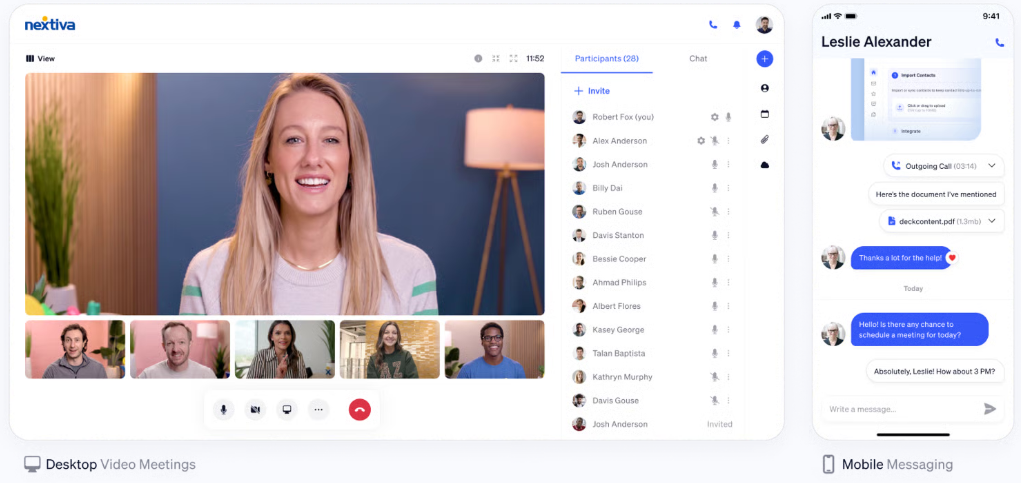
Within the app, users can create groups to connect through chat, video, and audio with features like chatting, screen sharing, and file sharing. Additionally, the software enables managers to schedule meetings and assign tasks with specific due dates. It also provides tools to track conversations and manage team projects effectively.
CRM & sales/support tools
Although Nextiva's customer relationship management (CRM) platform has been discontinued, it continues to integrate with popular CRMs, including Salesforce and HubSpot. Additionally, Nextiva continues to support sales teams with a variety of tools that enhance their ability to collect customer data and generate leads.
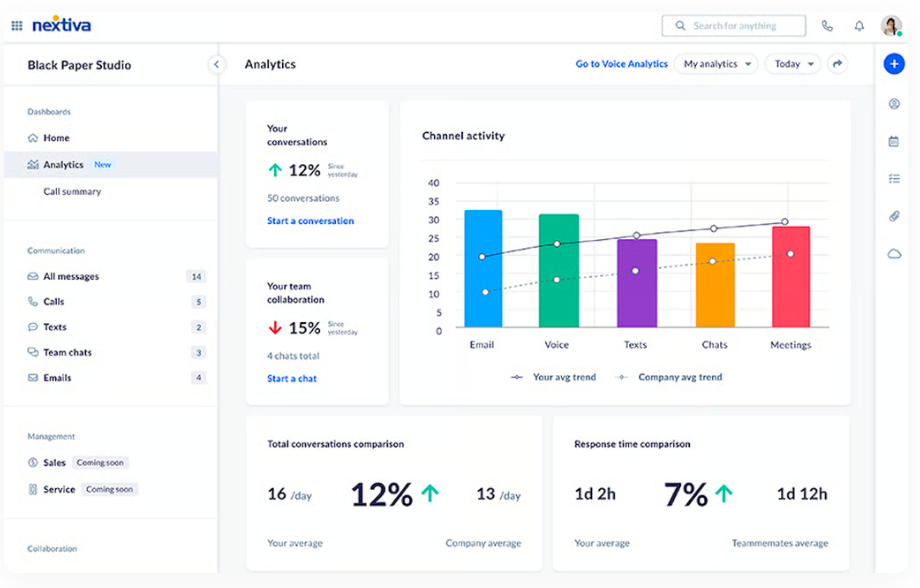
For example, Nextiva offers omnichannel contact center solutions that support voice chat, digital SMS, and social media interactions. Support teams will also benefit from access to chatbots and AI-powered chat, while sales teams can use Nextiva’s real-time analytics to monitor channel performance and track customer data.
Call analytics & reporting
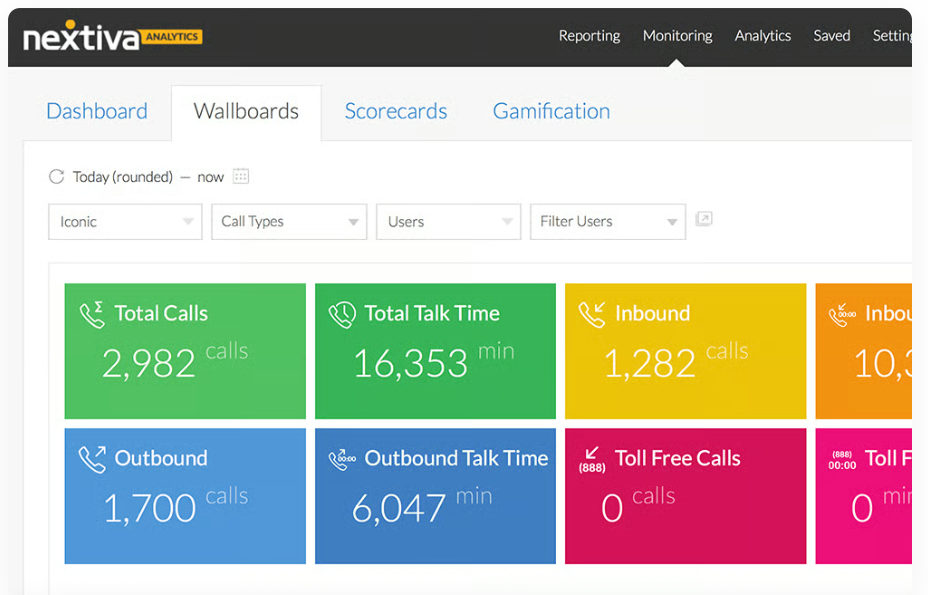
One of the ways Nextiva stands out for its ease of use is through its analytics dashboards. The platform offers real-time call tracking features, along with customizable reports and dashboards. Users can access both historical and live call data, allowing them to identify business trends by analyzing call logs. Additionally, Nextiva simplifies quality assurance with features for call recording and rating.
Mobile & desktop apps
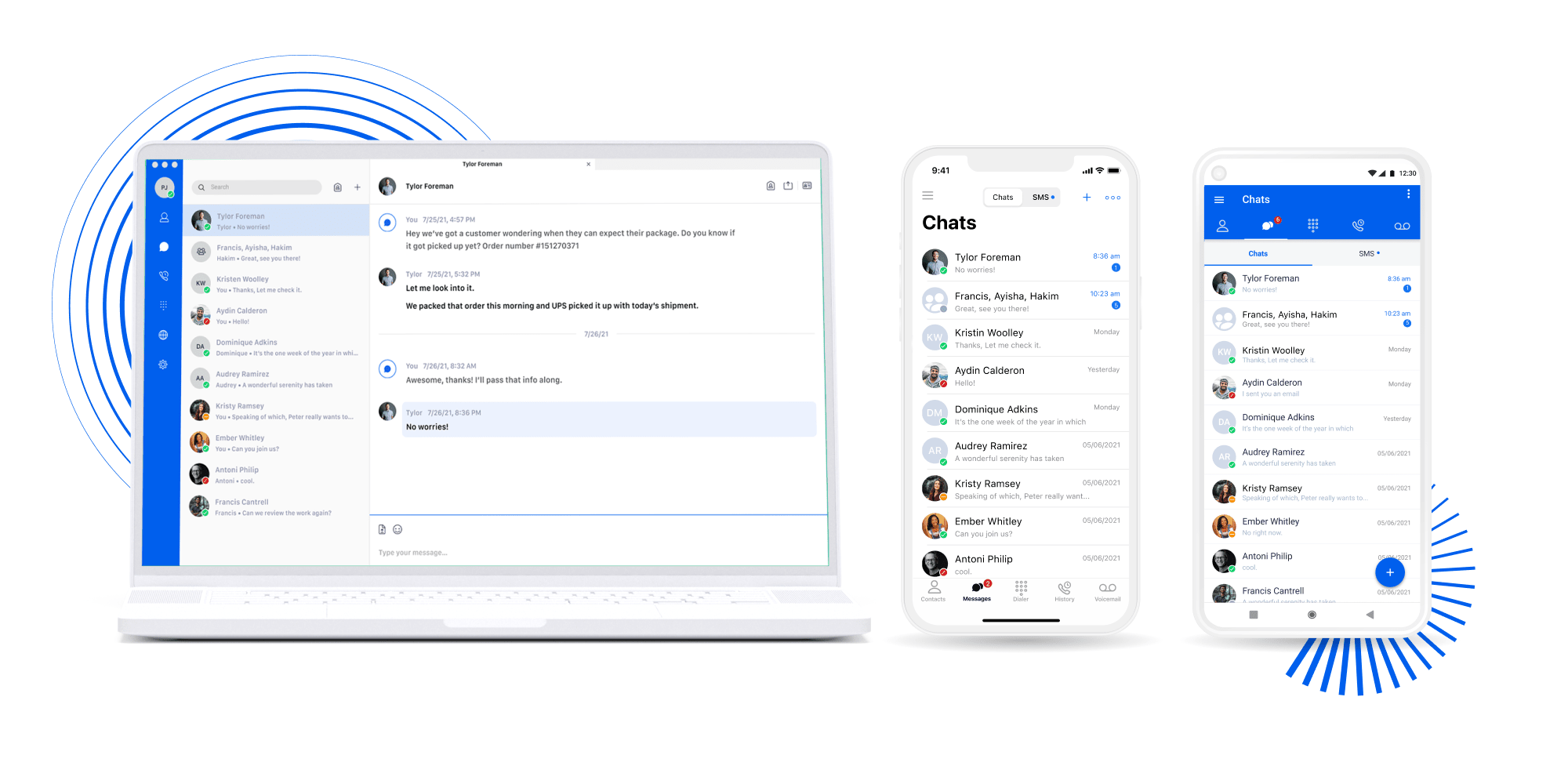
Nextiva offers mobile apps for both iOS and Android, allowing users to work from anywhere. It also provides a user-friendly desktop application for Windows and Mac, eliminating the need for traditional desk phones. With the NextivaONE softphone app, users can send text messages directly from their mobile devices and start conference calls with just one click from their cell phones.
Third-party integrations
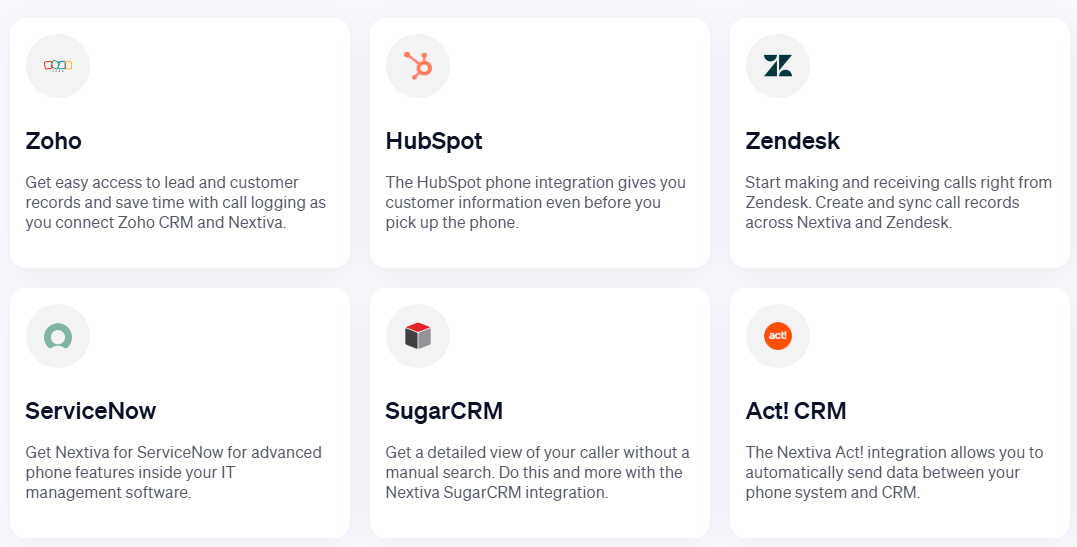
Many of Nextiva's native integrations include CRMs, productivity apps, and other workspace tools that prioritize customer support and unified communications. These integrations feature popular options such as Microsoft Teams and Google Workspace for collaboration, as well as Zendesk and Zoho for accessing customer information. However, when comparing Nextiva to RingCentral, some users may find that Nextiva's integrations feel limited in scope.
Security & compliance
As a cloud-based provider, security and reliability are essential components of the Nextiva platform, with various protocols across plans to meet your data security and compliance requirements, such as SOC 2 compliance to safeguard data stored in the cloud. Nextiva offers enterprise-grade data encryption and access to HIPAA-compliant plans specifically tailored for healthcare providers, along with HITRUST certification.
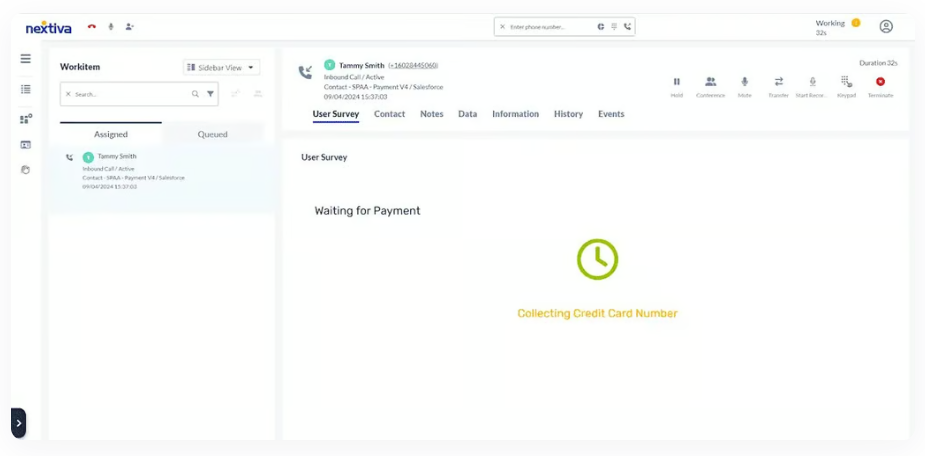
Nextiva's contact center plans comply with the Payment Card Industry Data Security Standard (PCI-DSS), making them suitable for businesses that process payments over the phone or through other channels. Additionally, Nextiva adheres to the General Data Protection Regulation (GDPR) standards, ensuring compliance for global businesses.
Automation and artificial intelligence
In our current era, automation and artificial intelligence are key features of any customer experience platform, especially when it comes to creating automated workflows to support team members and self-service systems to empower customers. Nextiva also incorporates these features in the Enterprise plans with smart automations that send emails and messages to generate leads and check in with customers.
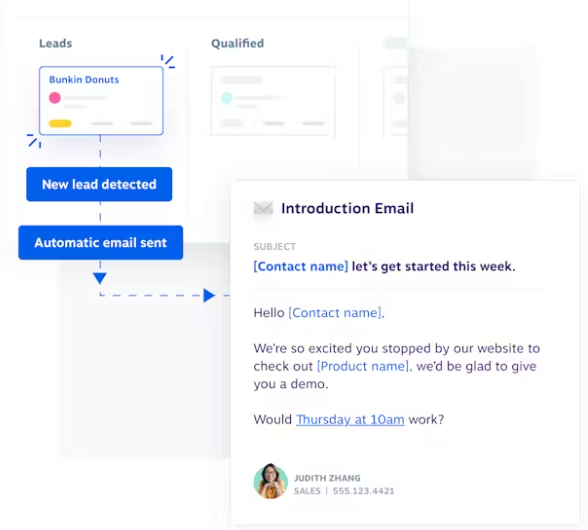
Automations can be programmed to send surveys to customers to gather feedback on their interactions or purchases. Additionally, AI can analyze these interactions to assess customer sentiment or to trigger the next step in a customer journey. For those interested in more self-service options, Nextiva offers live chat and chatbots to engage with customers, available for an additional fee.
Nextiva reviews: Praise, pitfalls & pro pointers
When evaluating user responses to Nextiva, the platform earns high marks from both new and loyal customers across third-party websites. At the time of this review’s publication, Nextiva boasts an impressive 4.8 out of 5 on Trustpilot and similar statistics for other sites, often receiving praise for its reliability, which aligns with the fact that Nextiva offers a 99.999% SLA uptime guarantee.
There are mixed reviews about customer support, with some praising the 24/7 availability and others frustrated by long wait times, slow responses, and a lack of solutions for their issues. However, there are significantly more reviews where users rate Nextiva highly for its customer service, which fits with a company that focuses on innovation in customer experience. Additionally, the company responds to 92% of user reviews on Trustpilot within a week, showing a dedication to addressing customer concerns.
The primary complaints when working with Nextiva are issues with the contract terms. Even when researching information about Nextiva’s plans, I found a clear lack of transparency around the company’s cancellation policies and money-back guarantees, which is reflected in the primary user complaints on third-party review sites like Trustpilot. So, if you do choose Nextiva, make sure to assess the terms and conditions of your agreement before committing to a subscription.
Expert tip: When relying on user reviews to make decisions about products and services, it's important to consider that critiques of a VoIP platform’s call quality or reliability may stem from either the platform itself or the user’s internet connection. Therefore, take reliability complaints with a grain of salt.
How Nextiva compares to alternatives
Even with all the benefits of choosing Nextiva, there are still some areas where other providers might be a better choice. Whether you need more robust international calling or a larger selection of third-party integrations, the following chart highlights my top three Nextiva alternatives, along with the business use cases that give them a competitive edge.
| Nextiva alternatives | Starting price | Best for | Key features |
|
|
$30 per user | Third-party integrations |
|
|
|
Contact sales | International calling |
|
|
|
$19.99 per extension | Customizable phone plans |
|


Ease of use & setup experience
Setting up Nextiva follows a familiar VoIP model, emphasizing simplicity during onboarding and installation. Because most of the process occurs online, users can expect a streamlined experience that minimizes setup time. Specifically, the onboarding wizard quickly facilitates the initial configuration, allowing administrators to establish teams, roles, voicemail greetings, and extensions. Nextiva also provides a series of videos that guide you through setting up your business phone system and troubleshooting issues at every stage of the onboarding process. Much of the configuration can also be completed through the NextivaONE app, which is available on both desktop and mobile, and consolidates communication tools and dashboards into a single, intuitive interface.
For businesses with more complex call flows, Nextiva offers an intuitive call flow designer that simplifies the setup process for its plans. This visual builder uses a drag-and-drop system, allowing you to easily create automated menus, voicemail inboxes, and extensions to facilitate clear and comprehensive customer journeys. However, the setup process can vary depending on the chosen plan and your business needs.
In user reviews, it is noted that some call flows may be easier to implement than others, so if your system is more complex, it's essential to keep that in mind. If you need additional assistance, Nextiva provides 24/7 customer support across all plans, making it easier to get help during and after the onboarding process. The company also offers professional implementation services, which are ideal for larger organizations that prefer a more hands-on approach to support.
Methodology
When evaluating tools for technology advice, each provider undergoes a rigorous review process. To determine the ratings for Nextiva, I assessed the provider based on several criteria relevant to VoIP phone services. Specifically, I examined the quality of Nextiva's core and advanced features, such as access to unified communication tools and the effectiveness of its voice capabilities and artificial intelligence. I also compared Nextiva's pricing to other providers in the market, focusing on the value that the solution offers to business owners.
To measure the intuitiveness of using these tools, I assessed ease of use, focusing on evaluating Nextiva's dashboards and product demonstrations. I also assessed access to integrations, considering the variety of integrations available compared to other providers and how easy it would be to make Nextiva compatible with different workspaces. Additionally, I determined user scores based on reviews from third-party websites, specifically those from users experienced with the platform.
Finally, I assessed the security and reliability of Nextiva, focusing on enterprise-grade features such as advanced data encryption and uptime SLA guarantees. My review concluded with an examination of customer support and the availability of support services for Nextiva account holders and new customer inquiries.
Final verdict — Is Nextiva worth it?
Whether or not Nextiva is worth it primarily depends on your budget and business needs. As a provider offering everything from straightforward VoIP plans to comprehensive cloud contact center solutions, Nextiva has a variety of services that can benefit many different types of businesses.
While it scores highly on criteria such as core and advanced features, as well as security and reliability, Nextiva does receive the lowest score for pricing and value. If your budget allows for Nextiva, it is a great choice; however, if you're looking to save money on your phone system, there are many other options with similar features available at more affordable prices, as indicated in the alternatives section of this article.
Frequently asked questions (FAQs)
What makes Nextiva different from other VoIP providers?
Nextiva stands out from other VoIP providers by offering a combination of unified communication and customer experience solutions. Additionally, Nextiva enhances these features with access to advanced call routing and AI tools, making it easier to gather customer feedback, support agents, and deliver high-quality service.
Is Nextiva secure for handling sensitive data?
Yes, Nextiva is designed with data security in mind, incorporating advanced data encryption. SOC 2 compliance and various practices for handling sensitive information. The platform adheres to major security standards, including PCI, HITRUST, GDPR, and HIPAA. This commitment makes Nextiva an excellent choice for businesses operating in regulated industries.
Can I use Nextiva internationally?
Whether you can use Nextiva internationally depends on your intended use. If you need to make international calls, Nextiva does support this, with specific rates that vary depending on the country you are calling. However, the platform does not support international SMS messaging and does not provide international phone numbers for businesses looking to establish a local presence overseas.
Over 3 million industry leaders trust our advice





Features
- Online Account Management
- Voicemail-to-email
- Remote User Ability
- 24/7 Customer Support
- Coaching Tools
- Online Fax
Pricing
- Average
Integrations
- ConnectWise
- Google Workspace
- HubSpot
- Microsoft Teams
- NetSuite
- Salesforce
Reviews
This product currently has no reviews.
Leave a ReviewTechnologyAdvice is able to offer our services for free because some vendors may pay us for web traffic or other sales opportunities. Our mission is to help technology buyers make better purchasing decisions, so we provide you with information for all vendors — even those that don't pay us.