Key takeaways
- The most important features to look for in an LMS are centered around optimizing the user’s learning experience, including blended, social, mobile, and asynchronous learning modalities.
- Other essential LMS capabilities include gamification, reporting, integrations, course creation, custom assessments, and certification management.
- Nov. 28, 2025: Hanna Sillo updated the page elements and overall structure for easier reading, expanded the section on advanced LMS features, added a new decision matrix to help readers choose the right LMS based on their goals, and expanded the FAQ section.
- Jul. 18, 2023: We revised the copy for accuracy, clarity, and style. We also updated the product screenshots and added dynamic page elements to improve navigation.
Picking an LMS can feel a little like shopping for a car: every vendor promises power, performance, and “premium features,” but you just want something that works for real people doing real work.
Today’s teams expect learning that’s flexible, mobile, and personalized — and they can tell instantly when a platform isn’t built for how they actually learn.
This guide breaks down the must-have LMS features for 2025 and what they mean for creating a smarter, more human learning experience.
Ready to find the perfect LMS? Explore popular solutions and expert recommendations in our LMS Software Guide.
10 must-have LMS features for your training program
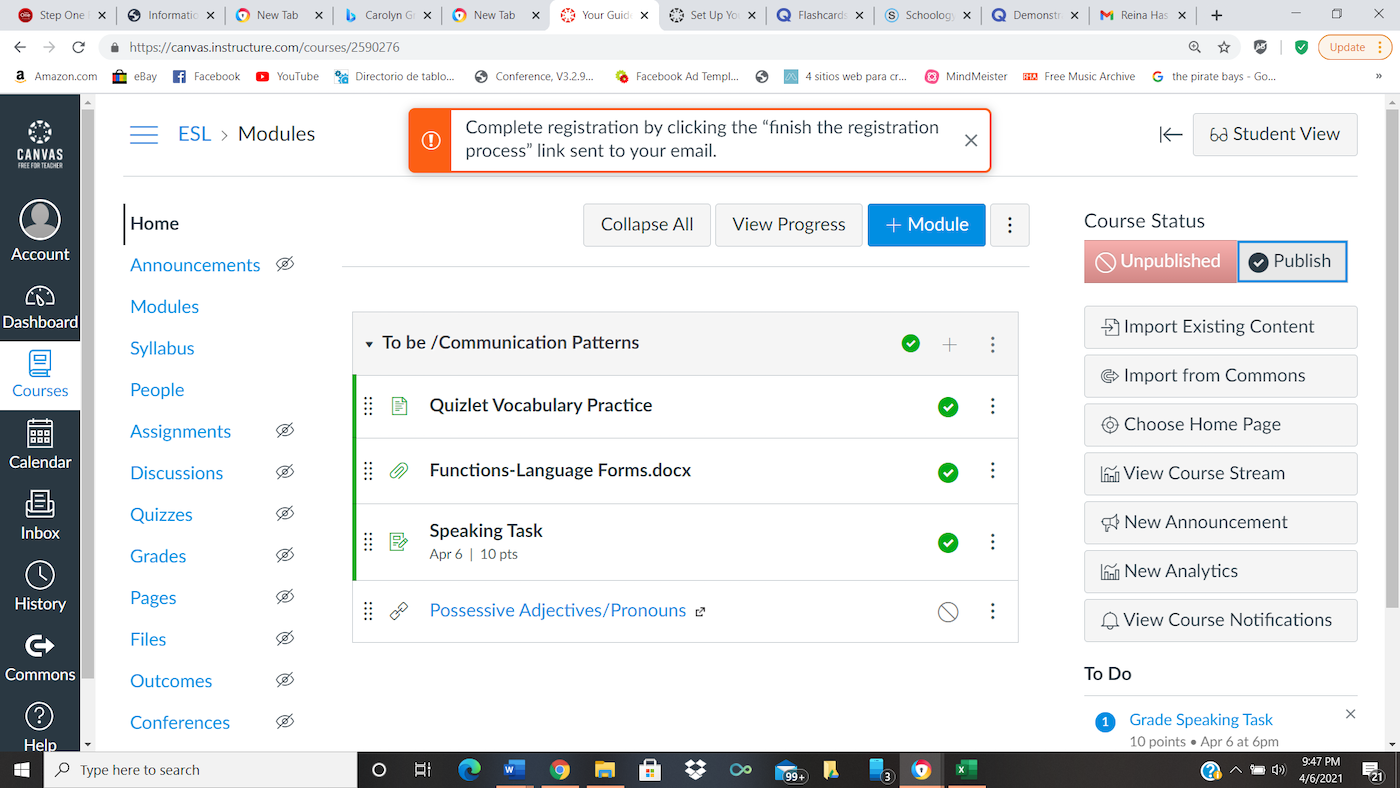
1. Course creation and content management
It seems like course management features would be included in all LMS platform options, but the most basic functions of a learning management system do not include course creation.
Some tools require you to bring your own content from a third-party platform, which means you’ll need to build training materials in a separate system and import them into the LMS program.
An LMS that includes native course-building features will help streamline your processes and simplify your tech stack.
Suggested platforms: Canvas, Bridge, 360Learning
2. Mobile learning
When your LMS offers a mobile-responsive design or a native mobile app, an employee can participate in training from any location. It also gives employees the flexibility to access training materials from the devices that work best for their unique accessibility needs and learning styles.
Mobile learning is especially helpful for distributed teams and certification programs that engage in training across multiple locations. For example, a retail business can use a mobile LMS app to conduct hands-on product training in all of its stores at once.
Suggested platforms: Cornerstone LMS, Litmos LMS

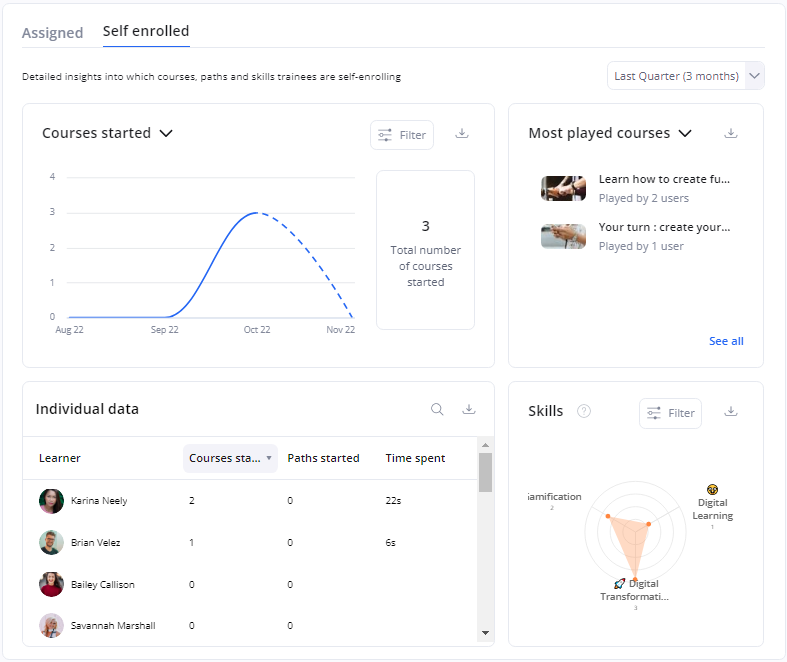
3. Built-in reporting and dashboards
One of the greatest advantages of working with an LMS is administrators and team managers can access a single platform to track participation, completion, and general performance across employee training content. A customizable dashboard with detailed visualizations and charts is an essential feature for reporting and analytics, while other features — like individual progress tracking and check-in data — are also nice to have.
Suggested platforms: 360Learning, Adobe Learning Manager, Absorb LMS
4. Custom assessments
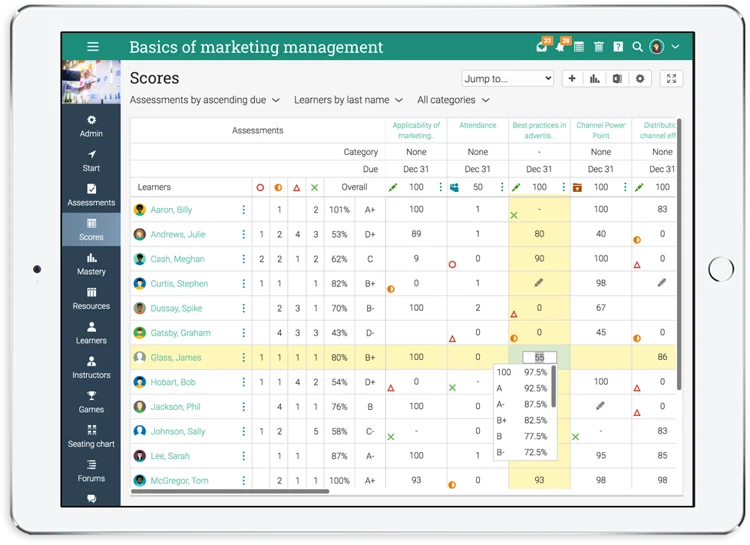
Whether your training program is optional or required, exams and assessments are the most effective methods for testing learner engagement and knowledge retention. The best learning management systems give administrators the option to assign pre-built assessments or create their own evaluations.
Suggested platforms: Cypher Learning, 360Learning
5. Native integrations
Depending on your organization’s needs and the goals of your training program, the right LMS integrations will help with tracking and managing the learning experience.
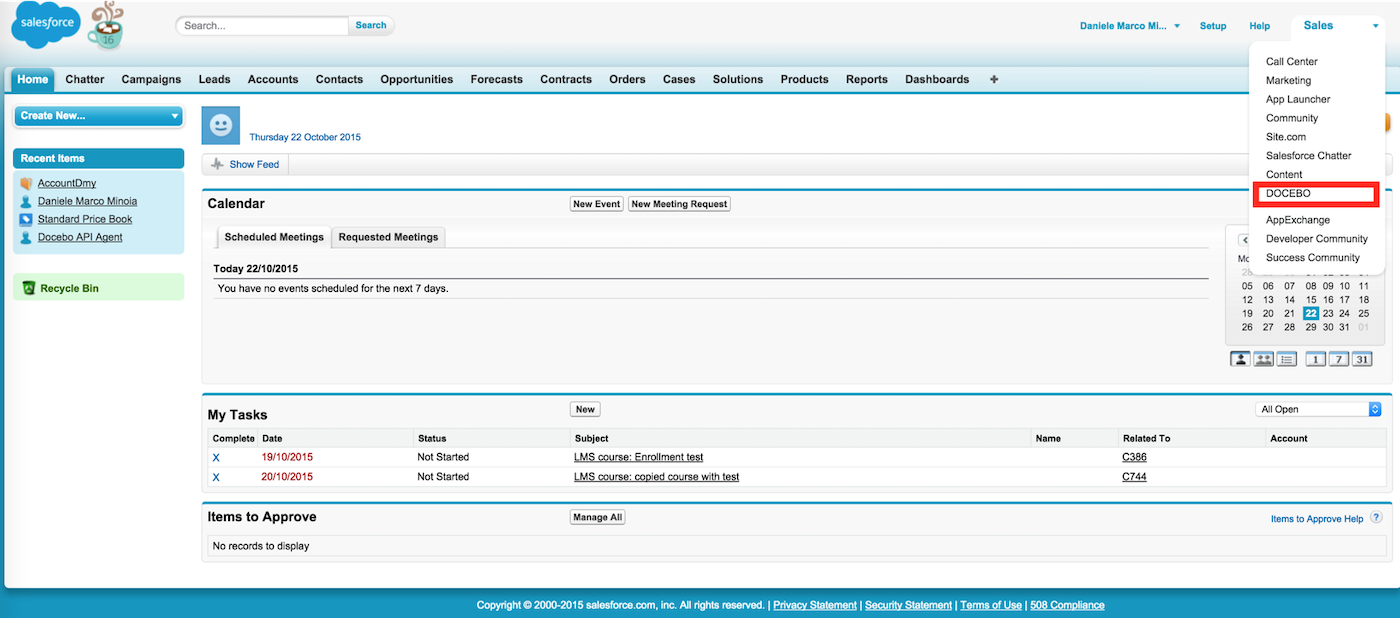
Some platforms integrate with communication and collaboration tools, like Zoom, Microsoft Teams, and Slack, to create blended and interactive learning experiences. Others integrate with department-specific platforms like Salesforce or to support on-the-job training.
Suggested platforms: Docebo, Canvas, Litmos
6. Blended learning
Blended training courses are delivered both online and in person, allowing employees to choose the format that works best for their location, schedule, and learning style.
A blended program might adapt the same training materials for each setting or use one approach to supplement the other. For example, an online lesson might leverage a tutorial video to provide the same instruction as a live demonstration, or employees might participate in online role-play simulations to practice skills they learned in person.
Suggested platforms: TalentLMS, Moodle, Adobe Learning Manager, iSpring

7. Asynchronous learning
One of the best features for improving engagement and knowledge retention is asynchronous learning — the ability for learners to complete coursework at their own pace. This means they don’t have to attend a lecture or work with an instructor at a set time.
An effective LMS organizes training videos, online readings, and discussion forums to maximize the impact of your training materials.
Suggested platforms: LearnUpon, Grovo
8. Social learning
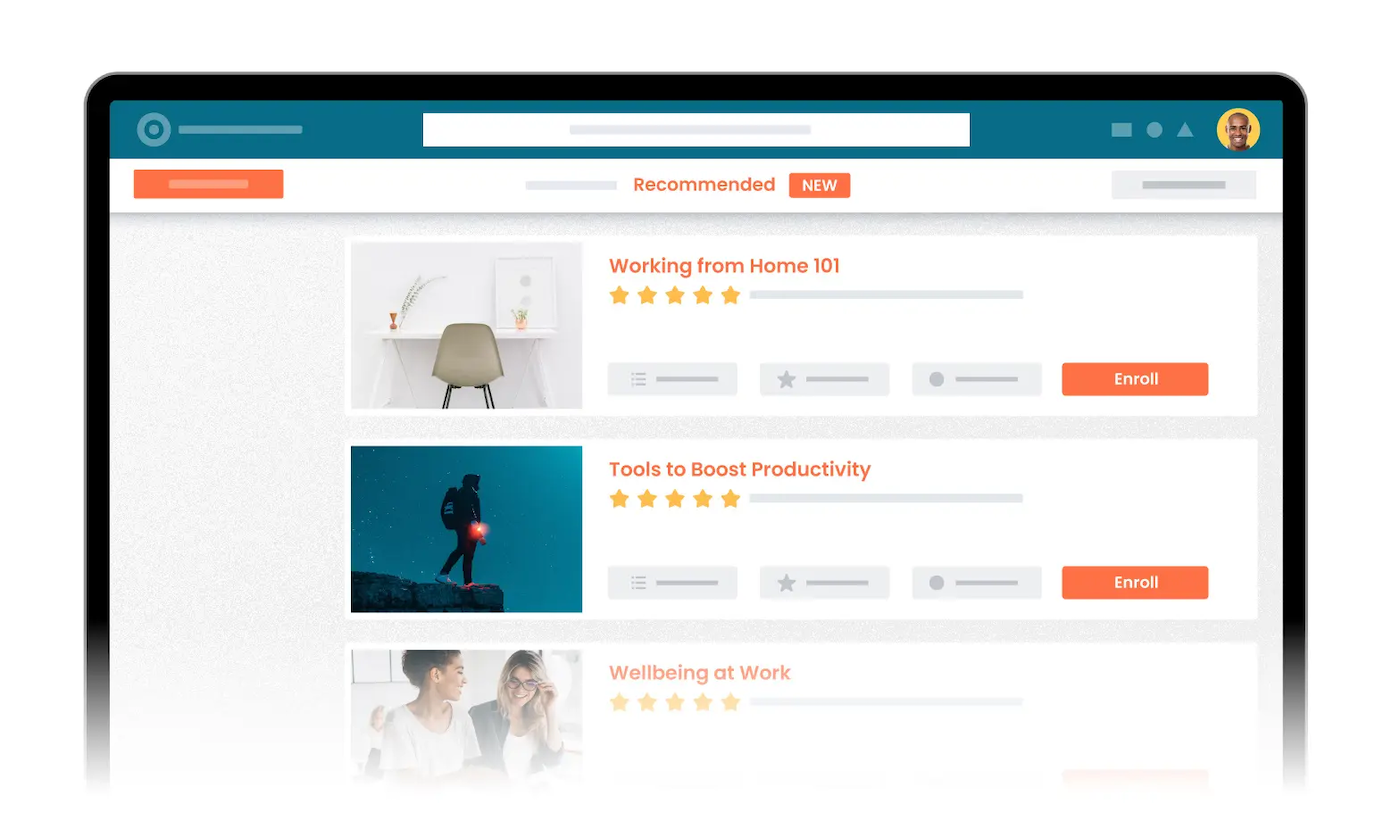
Learning is a fundamentally social experience, so your LMS should include features that help team members learn from one another through proven social learning methodologies. This not only enhances the learning process but also reduces the strain placed on your trainers.
By adding messaging boards and social learning features, your students can ask and answer questions in a forum setting and interact with their colleagues. The best way to show you understand a topic is by teaching it, so let your students teach each other.
Suggested platforms: TalentLMS, LearnUpon
Watch TalentLMS’ discussion forums in action:
9. Certification and accreditation management
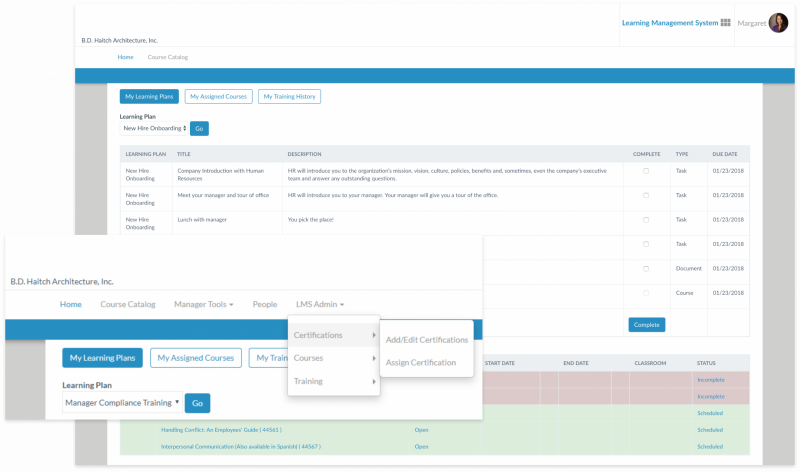
Certification and accreditation management are important LMS functions for nearly every kind of user. It’s nice to train your employees, but you’ll have no baseline for measuring performance and improvement if you aren’t tracking skills development and certifications — or at the very least, course completion.
These LMS features can increase government compliance by consolidating your learners’ completed and pending certifications in a single exportable spreadsheet. Tracking skills and certifications also gives you the power to report on learner progress, showing the immediate return on your efforts.
Suggested platforms: Cypher Learning, Arcoro
10. Gamification
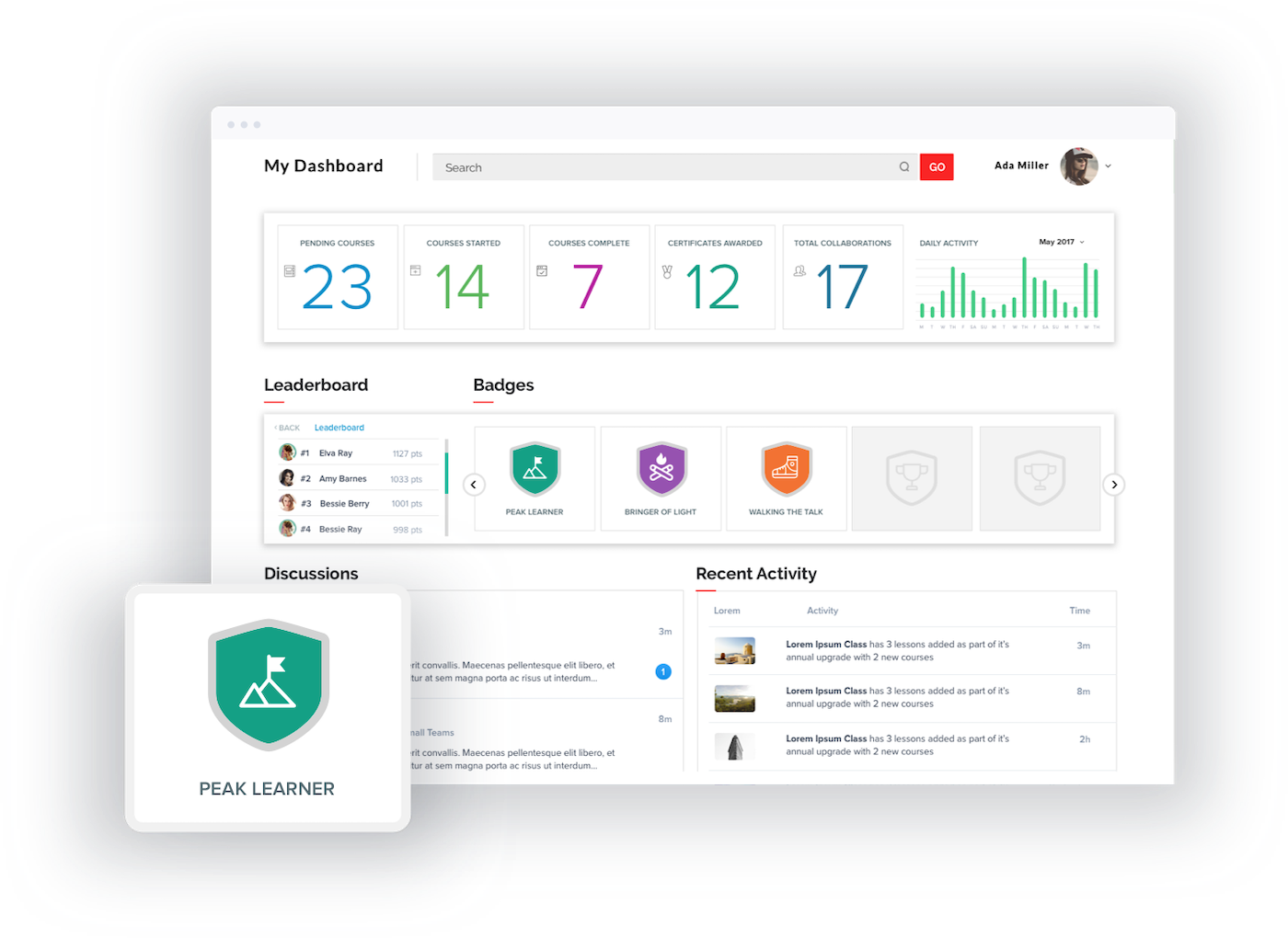
LMS gamification features like leaderboards, badges, and levels can turn learning into a more enticing experience. According to 2023 research from Zippia, gamification improves employee productivity by 90% and makes companies seven times more profitable than those that don’t use it.
While game elements may not make the subject matter itself more interesting, they help improve knowledge retention, completion rates, and overall engagement when implemented well.
Suggested platforms: Thought Industries, Docebo
Also read: 8 Ways to Increase Employee Engagement with Your LMS
Advanced LMS features worth considering
Beyond the basics, today’s “must-have” LMS capabilities are evolving. Modern buyers expect AI-assisted content creation and personalization, support for interoperability standards like xAPI and LTI 1.3 (for richer data sharing), and even immersive options such as VR/AR learning alongside mobile microlearning.
When evaluating vendors, confirm whether these capabilities are already available natively or at least on the product roadmap. These capabilities help organizations scale training, improve learner outcomes, and create more adaptive, skills-based learning ecosystems.
AI-assisted content creation helps L&D teams produce higher-quality training much faster by generating course outlines, quizzes, and microlearning assets that instructors can instantly refine.
Personalization engines tailor learning paths to each employee’s role, skill gaps, and performance data, which means learners spend time only on the most relevant content. This reduces cognitive overload and increases completion rates because training feels more targeted and practical.
AI also adapts difficulty in real time, helping learners build confidence through progressive mastery. The result is a training ecosystem that feels more intuitive, responsive, and aligned to the demands of modern work.
Immersive learning elevates workplace training by putting employees into realistic scenarios where they can practice skills safely and repeatedly. VR gives learners firsthand exposure to tasks that may be too risky, expensive, or variable to train on in the real world, which builds muscle memory and confidence.
AR complements this by overlaying digital guidance directly onto physical tasks, creating real-time coaching moments right where the work happens. These experiences accelerate learning because people remember what they’ve practiced far better than what they’ve read or watched.
When integrated with LMS tracking, immersive modules also give leaders richer insight into skill readiness across teams.
Automated learning workflows improve workplace learning by removing the manual friction that slows training down.
Instead of L&D teams chasing employees for overdue courses or assigning modules one by one, automation ensures that people receive exactly the training they need based on their role, certification status, performance, or career goals. This keeps development continuous rather than reactive, helping employees build skills ahead of business needs.
Automation also creates consistency across locations and teams, which is especially valuable for compliance, onboarding, and safety training. Overall, it frees HR and managers to focus more on coaching and less on administrative upkeep.
Interoperability standards like xAPI and LTI 1.3 improve learning at work by ensuring training is not limited to isolated modules inside the LMS. Instead, organizations can track learning wherever it happens — in simulations, VR scenarios, mobile apps, field training, and even informal peer learning moments.
This creates a more accurate picture of employee development and enables managers to understand how people actually learn on the job. Seamless integrations also cut down on administrative friction, letting employees move between tools and content libraries without losing progress.
As a result, learners experience a more cohesive, connected training environment that supports continuous skill growth.
Additional nice-to-have LMS features to consider
In addition to the LMS features covered above, consider finding a solution that offers the following:
- Automated workflows
- Notifications and reminders
- Surveys
- Multi-tenancy through multiple learning portals
- Automated user and assignment management with dynamic rules
- Smart scheduling
- User roles and permissions
- Personalized learning paths with designated learning path groups
- Data migration
- Multilingual feature with translations
- Single sign-on (SSO) and other cybersecurity controls
- Course categorization and tagging
- Offline learning trackers
- Centralized document storage
- Customer success and education
- Adherence to SCORM and industry-specific compliance requirem
How to match LMS features with your business priorities
Every organization wants an LMS that “does it all,” but the real trick is choosing the features that actually move the needle for your team. A good way to do that is to start with your goals, then work backward. This quick matrix breaks down the features that best support the outcomes most companies care about.
| Goal | Recommended feature | Why these features | LMS Examples |
|---|---|---|---|
| Improve learner engagement | Gamification, social learning, mobile learning | Increases motivation and participation through rewards, peer interaction, and access from any device, which makes learning feel more natural and engaging | Docebo, TalentLMS, Thought Industries |
| Reduce administrative workload | Automated workflows, native integrations | Automatically assigns training, manages reminders, syncs user data, and handles recertifications to cut hours of manual effort for L&D and HR | Absorb LMS, SAP Litmos, Docebo |
| Support distributed or frontline teams | Mobile learning, asynchronous learning | Allows employees in different locations or shifts to learn at their own pace and on the devices they use most | Cornerstone LMS, Litmos, LearnUpon |
| Strengthen compliance & certification tracking | Certification management, reporting dashboards | Consolidates training records, flags overdue requirements, and generates audit-ready reports, which are essential for regulated industries | Cypher Learning, Arcoro, Adobe Learning Manager |
| Accelerate onboarding | Personalized learning paths, AI-assisted content creation | Customizes onboarding experiences by role and quickly generates training content that helps new hires ramp up faster | Docebo, Cornerstone Xplor, TalentLMS+ |
| Develop critical skills across the workforce | AI personalization, xAPI support | Tracks skills development across formal and informal learning experiences and adjusts content to fill individual or team-level gaps | Cornerstone Xplor, Docebo, Totara + Learning Locker |
LMS FAQs
Ready to find the perfect LMS for your business? Get started by watching our video overview of the top platforms:
Featured partnersFeatured LMS partners