


A follow-up email can show the difference between AI agents vs AI assistants in Sales. An assistant might draft the message for a rep to review and send. An autonomous agent might handle the exchange — from sending the email to responding and arranging a meeting — within defined limits.
For sales leaders and technology buyers, the distinction is how much work the software can carry out independently. Product labels such as agent, assistant, and copilot don’t consistently tell you where human approval is required.
I’d start with the bottleneck: do reps need help completing tasks, or does a defined process need more capacity? This guide compares both approaches, uses Salesforce Sales Cloud to illustrate the difference, and explains what to verify before buying.
AI sales agents vs AI sales assistants at a glance
An AI sales assistant primarily helps a person complete work. An autonomous AI sales agent can pursue a defined goal by choosing and executing permitted actions without a rep directing every step.
The table below compares AI sales agents and assistants by what they do, how much human involvement they need, and where they fit best. Use it to determine whether your team needs help completing tasks, a system that can run a defined workflow, or both.
Buying consideration | AI sales assistant | Autonomous AI sales agent |
| Main role | Help a rep prepare, decide, or complete a task | Carry out a delegated workflow within defined limits |
| Typical work | Draft messages, summarize information, and recommend next steps | Execute approved workflows, such as prospect engagement and meeting scheduling |
| Human involvement | Rep usually directs the work or reviews consequential outputs | People define scope and monitor activity; approvals may still apply |
| Best fit | Reducing effort inside a rep-led process | Expanding capacity for a repeatable, well-defined process |
| Success measure | Useful output and rep time saved after review | Accepted outcomes, appropriate handoffs, and manageable exceptions |

Ask an AI sales assistant to surface upcoming opportunities, then review deal details to prioritize your follow-up. (Source: Salesforce) 
Use Salesforce Agentforce to connect follow-up drafting, meeting booking, and opportunity updates within your sales workflow. (Source: Salesforce)
In a demo, ask the vendor to show where the system stops and where a person must take over.
Also read: Best AI Sales Automation Tools
What is an AI sales assistant?
An AI-powered sales assistant uses AI to help salespeople complete tasks such as preparing for meetings, drafting outreach, reviewing customer information, and capturing activity. Some assistants also execute routine actions automatically, so assistance doesn’t necessarily mean a person must approve every click.
Common uses of AI for sales include:
- Meeting preparation: Summarize available account information and recent interactions.
- Email drafting: Turn CRM context and rep instructions into a proposed message.
- Conversation support: Extract notes, objections, and action items from supported recordings or transcripts.
- Work prioritization: Suggest follow-up based on available account and opportunity information.
For example, an account executive preparing for a renewal could ask for a summary of recent conversations and a draft agenda. The rep checks that the summary is complete and decides which issues to raise with the customer.
An assistant fits a process the rep still owns. It can reduce prep and administrative work, but the rep may still be responsible for initiating follow-up and moving the deal forward.
What is an AI sales agent?
Autonomous AI agents for sales use available information and permitted tools to work toward a defined goal. Within its assigned scope, it can choose and execute a next step without a person directing every action.
The best AI sales agents for your team should support the tasks you want to delegate while giving you control over their data access, permitted actions, and handoffs to salespeople. Its common uses include:
- Prospect engagement: Responding to eligible inquiries and sending follow-up messages.
- Question handling: Answering routine questions using approved product and business information.
- Prospect qualification: Gathering details about buyer needs and assessing them against defined criteria.
- Meeting scheduling: Arranging sales conversations based on qualification rules and calendar availability.
- CRM updates: Saving collected information and performing authorized record updates.
- Exception escalation: Routing requests requiring human judgment or approval to the appropriate person.
For example, a B2B software company could use an agent to respond to inquiries outside working hours, gather qualification details, and offer a meeting. Requests involving custom contracts or questions the approved information cannot answer would go to a salesperson.
The agent’s authority is limited to the actions you permit. Permission to answer product questions should not automatically include permission to negotiate discounts or change contract terms.
AI sales agents vs AI sales assistants: Five differences that matter
When comparing AI sales agents vs AI sales assistants, focus on how much responsibility you want to delegate to the software. The table below outlines differences in task execution, oversight, data access, value, and cost to help you identify your buying priorities.
Buying factor | AI sales assistant | Autonomous AI sales agent |
| Execution | Supports rep-led tasks | Executes delegated tasks within limits |
| Oversight | Reps review outputs and direct next steps | People set boundaries, monitor, and handle exceptions |
| Data access | Needs context and permissions for enabled tasks | Also needs permission to execute workflow actions |
| Value | Output quality and net time saved | Completed work, accepted handoffs, and intervention rates |
| Cost | Licenses, usage, setup, and review | Licenses, usage, setup, monitoring, and exceptions |
1. Task support vs delegated execution
An assistant typically helps complete a piece of work: a summary, a draft, or a recommendation. A salesperson uses that output to decide what happens next.
An autonomous agent can carry out several connected steps toward an assigned goal. It may choose a permitted action based on a prospect’s response rather than simply return an answer to a rep.
Verdict: Choose assistant capabilities when reps need help doing their work. Evaluate an agent when you need software to carry out a defined process with fewer manual interventions.
2. Output review vs approval and escalation rules
With an assistant, oversight often happens when a rep checks a draft or recommendation. The review needs to catch factual errors, missing context, and inappropriate promises.
With an agent, oversight also belongs in the workflow design. Define which actions it can take independently, which require approval, and when it must stop or transfer responsibility.
A team could authorize routine follow-up while requiring a person to handle unusual commercial requests.
Verdict: Favor assistance when each interaction needs substantial human judgment. Consider an agent when routine actions can be authorized in advance, and exceptions have a clear owner.
3. Context for an answer vs reliable access for action
An assistant needs relevant information to produce useful output. A draft based on an outdated opportunity record can still contain the wrong details.
An agent also needs the connections and permissions to execute its work. It may have to check ownership, consult approved product information, or confirm calendar availability before proceeding.
Verify which CRM records and fields the system can access, how current they are, and whose permissions govern each action.
Verdict: Use an assistant for a bounded task when the necessary context is available. Deploy an agent only when the data, permissions, and action paths required by its workflow are dependable.
4. Individual productivity vs workflow capacity
Assistant value often appears in faster preparation, less administrative work, or better first drafts. Measure the time saved after editing, rather than counting generated outputs alone.
Agent value depends on whether delegated work produces useful outcomes. More messages or booked meetings aren’t enough if sellers reject the handoffs or prospects receive irrelevant follow-up.
For a lead engagement pilot, I’d track response time, qualification completeness, sales-accepted meetings, and the frequency of manual intervention.
Verdict: Choose assistance to address rep-level friction. Choose an agent for a capacity problem that can be measured through completed work and accepted handoffs.
5. Cost: reviewed output vs managed execution
Assistant costs may include licenses, AI usage, configuration, and the time reps spend reviewing output. For a drafting tool, assess cost per usable draft alongside the net time saved.
Agent costs may emphasize ongoing execution, monitoring, and exception handling. Both approaches can incur integration, testing, and usage charges; pricing depends on the product and contract.
Compare equivalent workflows, including administration and corrections. For a lead engagement agent, evaluate cost per sales-accepted meeting alongside the quality of the handoff.
Verdict: Favor assistance when helping reps is sufficient to solve the bottleneck. Invest in an agent when the additional operating responsibility is justified by measurable capacity or service improvements.
Also read: Best Sales Chatbots
Salesforce AI sales assistants and AI sales agents in action
Salesforce Agentforce Sales, formerly Sales Cloud, supports both AI-assisted tasks and delegated sales workflows using CRM data. The examples below show where a rep reviews the output and where an agent can act within configured permissions and approval rules.
Rep-led assistance: draft, review, and send
Einstein Sales Emails illustrates an assistive workflow. A seller generates a draft, reviews and edits it, and sends the message. The AI helps with composition while the salesperson retains control of the communication.
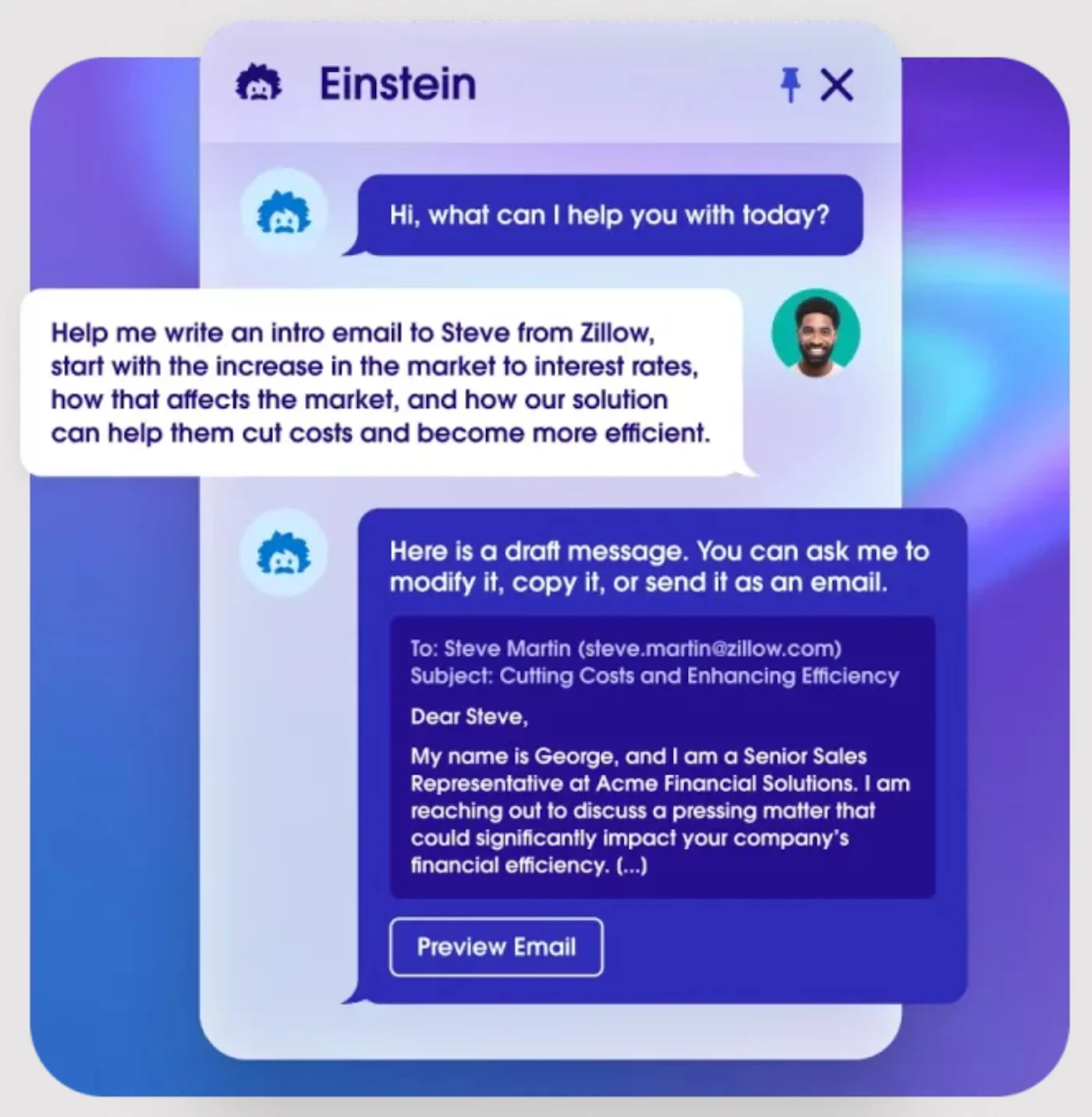
For an account executive handling a sensitive renewal, that review point can be valuable. The rep can check the wording against the relationship history and any commercial commitments before the message reaches the customer.
Also read: How Agent Assist in Contact Centers Boosts Customer Experience
Delegated engagement: follow-up within an assigned scope
Agentforce Engagement illustrates a more autonomous workflow. Salesforce documents capabilities for initial outreach, follow-up, answering questions, and meeting booking. Its setup requires the relevant edition, licensing, permissions, and configuration.
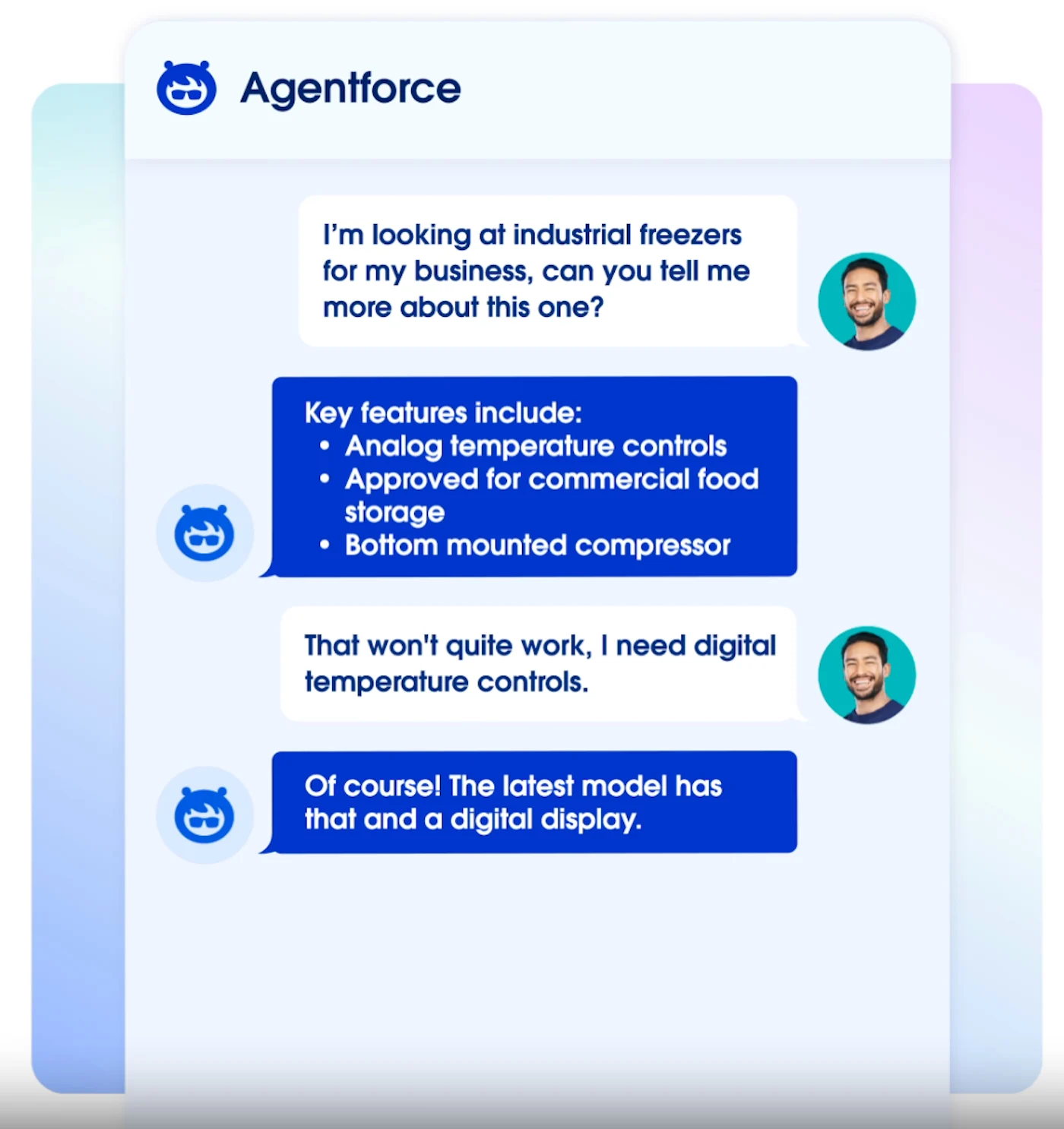
Human intervention remains possible. Authorized users can edit, reschedule, or cancel scheduled outreach, and administrators can deactivate the agent.
These capabilities can serve different parts of the same sales process: assistance for rep-led conversations and delegated engagement for suitable prospects. Availability depends on the edition and purchased features. Salesforce also documents usage-credit consumption for sales agent features, so confirm licensing and estimate consumption before deployment.
Also read: Best Sales Engagement Software
Which approach should your sales team choose?
To choose between AI sales agents vs AI sales assistants, match your team’s bottleneck with the level of authority you’re prepared to delegate.
Your situation | Recommended starting point | Why |
| Reps spend too long researching accounts or drafting follow-up | AI sales assistant | Reduce preparation effort while keeping the rep in control |
| Strategic deals require nuanced relationship or commercial decisions | AI assistance with human approval | Help sellers prepare without delegating sensitive decisions |
| Eligible inbound prospects wait for routine engagement | A narrowly scoped AI sales agent | Add response capacity within defined boundaries |
| A repeatable process stalls between routine steps | An agent pilot, after checking simpler automation | Delegate connected actions when the workflow warrants AI reasoning |
| CRM records, ownership, or handoffs are unreliable | Fix the process before expanding autonomy | Establish a dependable basis for delegated actions |
| Different sales motions have different requirements | A combination of assistants and agents | Set authority by workflow rather than buying one model for everything |
Company size alone doesn’t settle the decision. An entrepreneur may need help preparing thoughtful follow-up, while a large sales organization may still keep its most sensitive conversations firmly rep-led.
Also read: Best AI SDR Tools: AI-powered Outbound and Sales Development Solutions
How to evaluate an AI sales assistant or agent
Use one real sales scenario to compare the proposed tools, including the work required to configure and maintain them. Test exceptions alongside the ideal interaction so you can assess how the system handles incomplete information or a request it cannot fulfill.
1. Define the task and its boundaries.
Specify the starting event, allowed actions, desired outcome, and situations that require a person. Keep the first use case narrow enough to inspect.
Example: For inbound product inquiries, define which questions the AI can answer, what information it should collect, and which requests must go directly to an account executive.
2. Check whether simpler automation is enough.
A fixed rule or CRM workflow may handle a predictable task without requiring an AI agent. Use AI where interpreting information or adapting to a response adds value.
Example: Assigning every inquiry from a particular region to the same queue may need a routing rule. Interpreting a buyer’s free-text question and choosing an appropriate response calls for a different capability.
3. Verify data access and permissions.
Inspect the actual information available to the tool and the actions it can perform. Ask how access differs between the rep using an assistant and the identity executing agent actions.
Example: Have the vendor demonstrate access to an authorized account record and refusal of access to a restricted record. Check that proposed updates stay within the tool’s assigned permissions.
4. Test mistakes, exceptions, and handoffs
.Include missing data, contradictory records, out-of-scope requests, and an instruction to stop contact. Confirm that someone receives enough context to take over.
Example: Ask for a discount outside the approved policy. The system should follow the defined escalation process rather than invent a concession or continue as if approval exists.
5. Run a measured pilot.
Record the existing workload and outcomes, then pilot the proposed workflow with a limited group. Include configuration, review, monitoring, and exception-handling time in the comparison.
Example: Compare sales-accepted meetings and total staff effort for a defined inquiry group. Expand only after the results show an improvement without an unacceptable increase in corrections or unwanted outreach.
Also read: AI Sales Coaching: The Ultimate Guide for SMBs
Frequently asked questions
Is an AI sales agent the same as an AI SDR?
Not necessarily. An AI SDR generally supports sales development work, such as prospect engagement and qualification. An AI sales agent can serve that role or handle other sales tasks, including internal assistance and coaching.
Are AI sales assistants just chatbots?
No. A conversational interface is one way to interact with an assistant, but assistants may also work within email, CRM records, or meeting tools. Judge the supported tasks and actions rather than the presence of a chat window.
Can AI sales agents replace sales representatives?
An AI agent for sales can take over selected activities, but replacing an entire role depends on its responsibilities and the system’s proven capabilities. Evaluate each workflow and keep people accountable for exceptions, commercial decisions, and customer relationships.
How do you correct an AI sales agent’s mistakes?
First, identify whether the problem comes from the source data, instructions, available actions, or reasoning. Corrections may require updates to one or more of those components and further testing. Ask the vendor how feedback changes the deployed system; don’t assume it automatically learns from each mistake.