

If you run a small business, manage freelancers, or sell at events, having a reliable credit card reader for your iPhone can make a major difference in how you get paid. The best credit card readers for iPhone let you accept payments anywhere without complicated setup, long-term contracts, or expensive hardware, making them ideal for mobile and growing businesses.
After evaluating multiple leading solutions, I narrowed this list down to the best credit card readers for iPhone in 2026 based on pricing, ease of use, payment flexibility, and real-world performance. This guide explains how each option works with your iPhone, what features to expect, and which providers offer the best value for your business needs.
| Credit card readers for iPhone | Best for | Credit card reader price |
|---|---|---|
| Square | All-in-one POS + ease of use | $59 |
| Stripe M2 | Online businesses | $59 |
| SumUp | Simple, pin-pad payments | $54 |
| Shopify | Multi-channel selling | $49 |
| Clover Go | User reviews | $199 |
| Helcim | Growing businesses with higher processing volumes | $199 |
Why you can trust us
For this guide, I’ve evaluated multiple tools that support small businesses, mobile sellers, and field teams. My process involved a thorough review of vendor pricing, hardware specifications, and app capabilities. I compared crucial factors such as transaction fees, payout speeds, and available integrations.
To ensure a real-world perspective, I analyzed verified customer reviews across multiple platforms and assessed the practical usability of each tool for mobile and event-based selling. Additionally, our editorial team continuously evaluates dozens of business tools each year, applying a consistent methodology that accurately reflects how buyers compare solutions in the marketplace.
Comparing the best credit card readers for iPhone
Providers | Key features | Card reader | My Score (out of 5) |
|---|---|---|---|
| Square | Easy setup, no monthly fees, free versatile POS | 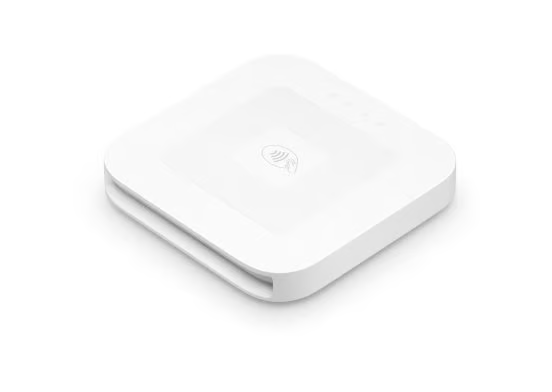 | 4.53 |
| Stripe M2 | Developer-friendly API, low transaction fees | 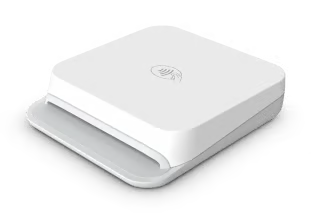 | 4.35 |
| SumUp | Flat-rate pricing, easy portability | 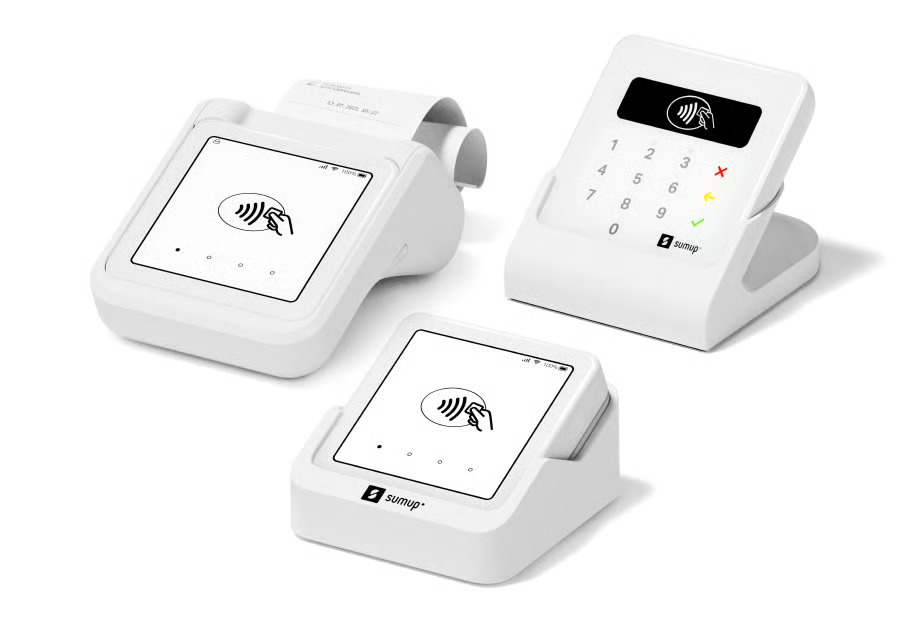 | 4.33 |
| Shopify | Seamless Shopify integration, multichannel support | 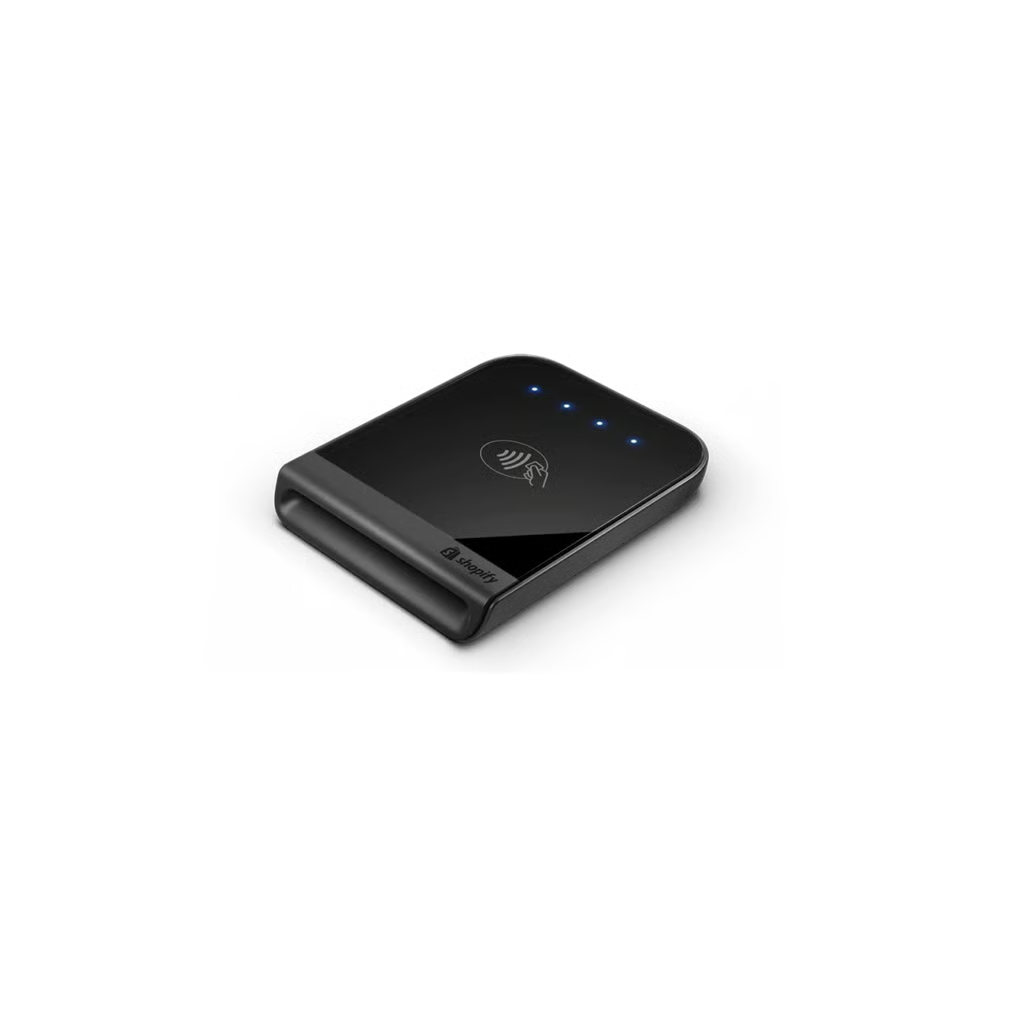 | 4.29 |
| Clover GO | Fast payouts, flexible payment options | 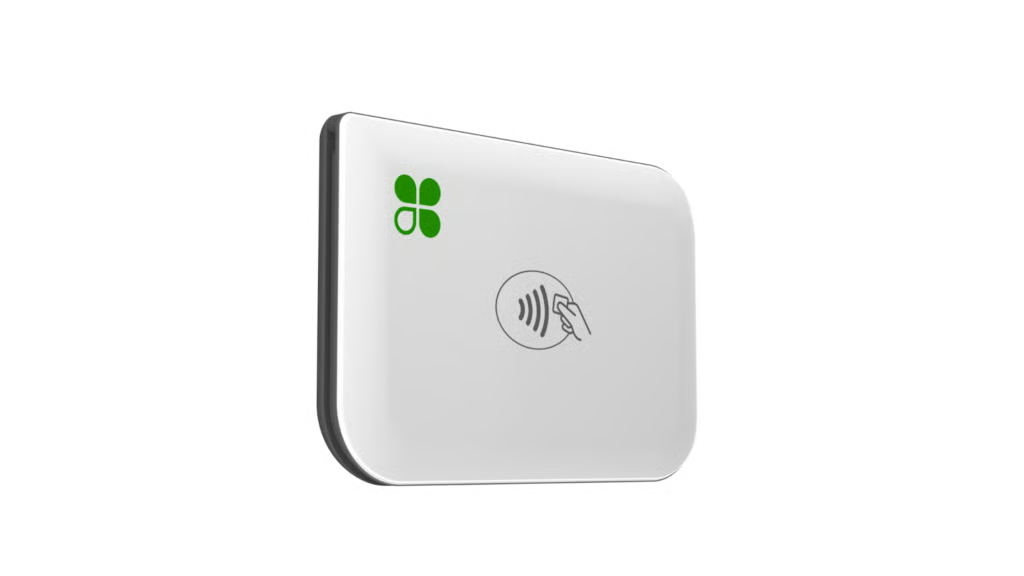 | 4.16 |
| Helcim | Interchange-plus pricing, automatic volume discounts, Tap to Pay on iPhone | 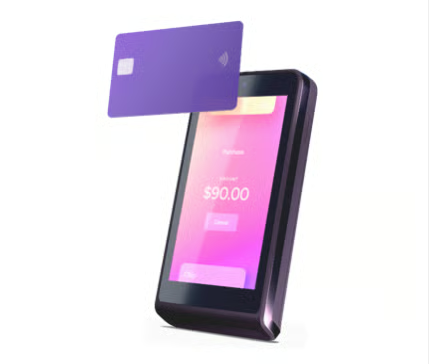 | 4.16 |

Square: Best overall credit card reader for iPhone
Pros
- Clear pricing model with no monthly fees
- Supports all major payment types
- Longer battery life than previous generations
- Works seamlessly with the Square POS app
- Accepts offline payments
- Positive user reviews
Cons
- Contactless and chip reader doesn’t support swiped magstripe payments
- Fee for immediate transfers
- Not compatible with all business types
Why I chose Square
After testing multiple mobile payment solutions, Square consistently stands out as the most well-rounded credit card reader for iPhone. Its combination of transparent pricing, fast setup, and a feature-rich POS app makes it especially effective for small businesses that need more than just basic payment acceptance. In real-world use, the onboarding process takes minutes, and the app’s interface is intuitive even for first-time users.
In addition to payment processing, you get built-in tools for reporting, inventory management, and customer management, plus access to integrations and add-ons as your business grows. Compared to simpler options like SumUp, Square delivers significantly more operational value without making the system harder to use, which is why it remains the best overall choice for most iPhone users.
Gallery

The Square Reader for contactless and chip is portable for mobile use, and can be docked for countertop setups. 
The Square Reader for contactless and chip connects wirelessly to your iPhone or iPad via Bluetooth, allowing you to accept secure chip cards and contactless payments like Apple Pay without the need for a headphone jack or adapter.
Key features
- Accepted payment types: Accepts EMV chip cards, contactless payments (Apple Pay, Google Pay), and magstripe payments, along with options for invoices and manually keyed transactions.
- POS software & business tools: Includes the free Square POS app with built-in inventory management, sales reporting, customer profiles, invoicing, and online store capabilities. Industry-specific tools are also available for retail, restaurants, and services.
- Tap to Pay on iPhone: Lets you accept contactless payments directly on your iPhone without additional hardware, making it ideal for mobile or low-volume sellers.
- Connectivity: Bluetooth Low Energy (LE) wireless connection to iPhone; magstripe reader connects via Lightning or USB-C, depending on device compatibility.
- Battery life: Designed for all-day use with improved battery performance in newer (2nd gen) readers; supports hundreds of transactions per charge.
- Offline payments: Can accept payments without an internet connection and sync transactions once connectivity is restored (with some risk of declined payments).
- Integrations & scalability: Connects with accounting software, ecommerce platforms, and Square’s broader ecosystem, including marketing, payroll, and loyalty tools.
Pricing
Square Free
Price: $0/month
Features:
- Includes Square’s core POS tools for taking payments in person, online, over the phone, or on the go.
- Supports an online site, item library, and basic business management tools.
- Includes next-business-day transfers, offline payments, fraud prevention, and end-to-end encrypted payments.
- Hardware is sold separately, with Square hardware starting at $59.
- Processing fees:
- Tap, dip, or swipe: 2.6% + 15 cents
- Online or invoices: 3.3% + 30 cents
- Manual entry or card on file: 3.5% + 15 cents
Square Plus
Price: $49/month per location
Features:
- Includes everything in Square Free, plus more advanced POS features for food, retail, and appointment-based businesses.
- Adds lower in-person processing rates, loyalty rewards, email and text marketing, and staff management tools.
- Includes 500 text messages per month per account, then 3 cents per text.
Processing fees:
- Tap, dip, or swipe: 2.5% + 15 cents
- Online or invoices: 2.9% + 30 cents
- Manual entry or card on file: 3.5% + 15 cents
Square Premium
Price: $149/month per location
Features:
- Includes everything in Square Plus, plus 24/7 priority support and advanced reporting.
- Offers the lowest listed processing fees in Square’s standard lineup.
- Includes 2,500 text messages per month per account, then 1.5 cents per text.
- Removes gift card load fees.
Processing fees:
- Tap, dip, or swipe: 2.4% + 15 cents
- Online or invoices: 2.9% + 30 cents
- Manual entry or card on file: 3.5% + 15 cents
Payouts
- Square says standard transfers to an external bank account arrive the next business day for free, while instant transfers incur a fee.

Stripe M2: Best for online businesses
Pros
- Top-tier security with end-to-end encryption
- Accepts chip, contactless, and magstripe payments
- Highly portable and lightweight design
- Powerful developer tools and APIs
- Unified online and in-person payments
Cons
- Requires more setup than plug-and-play solutions
- No free POS software with full features out of the box
- International transaction fees can be higher
- Limited built-in POS features compared to Square
Why I chose Stripe M2
After evaluating Stripe and its alternatives, it stands out for businesses that already rely on online payments or need advanced customization. In testing, the Stripe M2 reader paired quickly with iPhone via Bluetooth, and its performance was consistent across contactless and chip transactions. However, its real strength isn’t the hardware, but the underlying infrastructure powering both in-person and online payments.
You can manage subscriptions, ecommerce, invoices, and in-person payments all within one system, with full access to APIs and reporting. While competitors like Square offer more out-of-the-box POS features, Stripe provides significantly more flexibility and scalability for businesses that need deeper integrations or operate across multiple channels.
Gallery

Caption: With a compact design, the Stripe Reader M2 is lightweight and portable, offering up to 28 hours of active use on a full charge. 
Caption: Enhance your Stripe Reader M2 setup with the optional dock for stable countertop use and a mount for secure, portable transactions.


Key features
- Accepted payment types: EMV chip cards, contactless payments (Apple Pay, Google Pay), and magstripe cards
- Unified payments platform: Combines in-person, online, subscription, and invoice payments into a single system with centralized reporting
- Developer tools & APIs: Fully customizable payment flows, backend integrations, and automation through Stripe’s APIs
- Connectivity: Bluetooth connection to iPhone via the Stripe Terminal SDK
- Battery life: Supports hundreds of transactions per charge (optimized for all-day use in mobile environments)
- Security: End-to-end encryption (E2EE), PCI-compliant infrastructure, and advanced fraud detection tools
- Integrations: Native integrations with e-commerce platforms, billing systems, and custom-built applications
Pricing
Hardware costs
Stripe Reader M2: $59
- Bluetooth-enabled mobile card reader
- Accepts chip, contactless, and magstripe payments
- Designed for mobile and on-the-go transactions
Processing fees
- In-person payments: 2.7% + $0.05 per transaction
- Online payments: 2.9% + $0.30 per transaction
- Manual entry: 3.4% + $0.30 per transaction
- Custom pricing available for high-volume businesses
Payouts
- Standard payouts: 2–3 business days (varies by account)
- Instant payouts: Available for ~1% fee (minimum applies)

SumUp: Best for simple payments
Pros
- Send payment links via text or messaging apps
- Easy to set up, takes just a few minutes
- Free basic inventory tools synced across channels
- Competitive flat-rate fees
Cons
- Longer payout times
- Doesn’t offer comprehensive employee management features
Why I chose SumUp
SumUp caters to businesses of all sizes by offering a diverse selection of card readers, allowing business owners to pick the device that best fits their specific needs. The setup process is one of the fastest I’ve seen, as you can connect the reader to an iPhone via Bluetooth and start accepting payments within minutes. For small vendors, freelancers, or event-based sellers, this ease of use makes a noticeable difference in day-to-day operations.
What makes SumUp especially appealing is its straightforward pricing and hardware flexibility. Unlike more complex POS systems, SumUp keeps things focused on fast transactions and portability, while still offering essentials like invoicing and sales tracking. While it lacks Square’s advanced features, it delivers strong value for businesses that prioritize affordability and minimal setup over deep customization.
Gallery

SumUp’s iPhone card readers are compact yet versatile, including options to accept PIN-secured transactions. 
SumUp’s POS system on iPhone, tablet, and the connected card reader. 
SumUp’s dashboard and reports viewable via browser or the iPhone POS app.
Key features
- Accepted payment types: EMV chip, contactless payments (Apple Pay, Google Pay), and magstripe (on select devices)
- POS app & tools: Free mobile app with sales tracking, basic inventory management, invoicing, and payment links
- Connectivity: Bluetooth connection to iPhone (SumUp Plus); optional standalone devices available
- Battery life: Supports 500+ transactions per charge, depending on the device
- Ease of use: Quick onboarding with minimal setup required; designed for non-technical users
- Portability: Compact, lightweight readers designed for mobile and on-the-go payments
Pricing
SumUp Plus card reader
Price: $54
Features:
- Bluetooth-enabled card reader for iPhone
- Accepts EMV chip and contactless payments (Apple Pay, Google Pay)
- Compact, portable design for mobile businesses
- No monthly fees or contracts
SumUp Solo (standalone device)
Price: ~$99
Features:
- Built-in connectivity (Wi-Fi / optional SIM depending on model)
- No phone required for payments
- Touchscreen interface for standalone use
- Accepts chip and contactless payments
Transaction fees
- In-person payments: 2.6% + $0.10 per transaction
- Online & manually entered payments: 3.5% + $0.15
- Invoices: 2.9% + $0.15
- No monthly fees for basic card reader usage
Optional POS plans (SumUp Connect POS)
- Connect Lite: $99/month
- Connect Plus: $199/month
- Connect Pro: $289/month
These plans include:
- Cloud-based POS software
- Customer database tools
- Staff training and onboarding
- Advanced features like loyalty programs, automated marketing, and promotions (on higher tiers)
Payouts
- Standard payouts: Typically 1–3 business days
- Instant payouts: Not widely offered in the U.S.

Shopify: Best for multichannel selling
Pros
- Seamless integration between online and in-person sales
- Strong multichannel selling capabilities
- Supports multiple currencies and global selling
- Reliable hardware with all-day battery life
Cons
- Exclusive to the Shopify POS & ecommerce ecosystem
- No free plan
- Limited offline features
Why I chose Shopify
The core reason Shopify outshines competitors like Square in e-commerce integration is its deep synchronization between the Shopify card reader and its online store. It consistently performs best for businesses that sell both online and in person, and the biggest advantage is how seamlessly it syncs inventory, orders, and customer data across channels. Whether you’re selling through your website, social media, or in person, everything updates in real time without requiring third-party integrations.
Beyond payments, it offers built-in ecommerce, marketing tools, and multichannel selling capabilities that go far beyond what Square provides out of the box. While Square is stronger for simple in-person payments, Shopify is the better choice for businesses that want a unified commerce platform to manage growth across multiple sales channels.
Gallery

Shopify’s sleek chip and contactless card reader has glowing lights to indicate battery life. 
Shopify’s iOS POS app features customizable tiles on the main screen. 
Shopify’s POS app can be used to accept Tap to Pay payments directly from your iPhone – no hardware required. 
You can also track online orders from your Shopify ecommerce store and their status from your iPhone.
Key features
- Accepted payment types: All major credit cards (Visa, Mastercard, Amex, Discover), plus Apple Pay, Google Pay, and other digital wallets
- Multichannel selling: Syncs in-person, online, social, and marketplace sales in one system
- POS software: Shopify POS (Lite included, Pro available) with inventory, customer profiles, discounts, and reporting
- Connectivity: Bluetooth-enabled card readers for iPhone; optional dock for countertop setups
- Battery life: Supports full-day usage or ~400 transactions per charge
- E-commerce integration: Native integration with Shopify’s online store, checkout, and fulfillment tools
Pricing
Basic
Price: $39/month
Processing fees (in-person): 2.6% + $0.10
Features:
- Shopify POS Lite included
- Online store + multichannel selling
- Inventory and order management
- Discount codes and customer profiles
- 24/7 support
Grow
Price: $105/month
Processing fees (in-person): 2.5% + $0.10
Features:
- Everything in Basic
- Lower transaction fees
- Enhanced reporting and analytics
- More staff accounts and automation tools
- Improved marketing and customer insights
Advanced
Price: $399/month
Processing fees (in-person): 2.4% + $0.10
Features:
- Everything in Grow
- Custom reporting and advanced analytics
- Lower transaction fees
- Advanced shipping and fulfillment tools
- Third-party calculated shipping rates
Shopify Plus
Price: $2,300/month for a 3-year term
Processing fees: Custom rates
Features:
- Enterprise-grade commerce platform
- Advanced automation and customization
- Dedicated account management
- Scalable infrastructure for high-volume businesses
Hardware
- Shopify Tap & Chip Reader: $49
- Dock (optional): ~$40 ($89 bundle with Tap & Chip Reader)
Payouts
- Standard payouts: Typically 1–3 business days
- Faster payouts are available depending on account setup

Clover Go: Best user reviews
Pros
- Works with multiple merchant account providers (Fiserv network)
- Supports offline payments
- Next-day payouts available
- Strong user reviews and app ratings
Cons
- Compatibility with third-party hardware (like printers) is limited.
- Although Clover Go can process payments offline, there is a higher risk of transaction failure when syncing once the connection is restored.
Why I chose CloverGo
After reviewing Clover Go alongside other mobile readers, its biggest differentiator is flexibility. Unlike Square or Shopify, which lock you into their payment processing, Clover Go can be purchased through a range of providers on the Fiserv network. In practice, this means businesses can negotiate rates or keep an existing merchant account, which is a major advantage for more established sellers.
Clover’s hybrid approach combines traditional merchant accounts and modern mobile POS tools. While setup can be more complex depending on the provider, it offers more control over pricing and processing relationships. Based on user feedback and testing, the app experience is reliable, and the ability to accept offline payments adds value for mobile businesses, even with some risk during syncing.
Gallery

Clover Go pairs seamlessly with the Clover POS iOS app for smooth payments on-the-go. 
Accept payments directly from your iPhone via Tap to Pay on Clover’s POS app. 
Clover’s mobile card reader is compact, lightweight, and easily portable. 
Key-in payments on any browser or the Clover POS app with Clover’s virtual terminal feature to take payments anywhere, whether in-person or over the phone.
Key features
- Accepted payment types: EMV chip, magstripe, and contactless payments (Apple Pay, Google Pay, Samsung Pay)
- Tap to Pay on iPhone: Supports contactless payments directly on iPhone without additional hardware (availability depends on provider setup)
- Connectivity: Bluetooth pairing with iPhone for mobile payments
- Offline payments: Ability to accept transactions without internet and sync later
- Battery life: Designed for mobile use; supports dozens to hundreds of transactions per charge
- POS tools: Includes basic reporting, transaction tracking, and customer management via the Clover Go app
Pricing
Clover Go Starter
Price: $199 (one-time hardware cost)
Transaction fees:
- In-person (tap, dip, swipe): 2.6% + $0.10
- Manually entered: 3.5% + $0.10
Features:
- Accepts cards, mobile wallets, cash, and checks
- Tap to Pay on iPhone support
- Invoicing and recurring payments
- Basic sales reporting
- Employee management tools
- Rapid Deposit available (1.75% fee)
Clover Go Essentials
Price: $199 + $29.95/month
Transaction fees:
- In-person (tap, dip, swipe): 2.6% + $0.10
- Manually entered: 3.5% + $0.10
Features:
- Everything in Starter, plus:
- Inventory tracking and item categorization
- Real-time sales tracking and detailed reporting
- Customer database, promotions, and loyalty tools
- Gift cards and enhanced business management tools
- Online store integration
Payouts & cash flow
- Next-day payouts typically included
- Rapid Deposit: Instant payouts for 1.75% fee
- Access to Clover Capital (merchant cash advance based on sales)

Helcim: Best for growing businesses with higher processing volumes
Pros
- Works with multiple merchant account providers (Fiserv network)
- Supports offline payments
- Next-day payouts available
- Strong user reviews and app ratings
Cons
- Compatibility with third-party hardware (like printers) is limited.
- Although Clover Go can process payments offline, there is a higher risk of transaction failure when syncing once the connection is restored.
Why I chose Helcim
Helcim stands out for businesses that expect their payment volume to grow and want processing costs that can become more competitive as sales increase. Instead of using a fixed flat rate, Helcim charges interchange plus a published margin that automatically drops at higher monthly processing volumes.
It is also a strong fit for businesses that want more than a basic iPhone card reader without adding a monthly POS software bill. Merchants can start with Tap to Pay on iPhone for $0, upgrade to the $199 Helcim Card Reader, or move to the $349 Smart Terminal. The same Helcim POS system works across smartphones, tablets, computers, and Helcim hardware, so businesses can add more payment options without moving to a separate platform.
Gallery

The Helcim Card Reader accepts chip and contactless payments and can work as a standalone device or with the Helcim POS app. (Source: Helcim) 
Helcim Tap to Pay on iPhone lets US merchants accept contactless cards and digital wallets without a separate card reader. (Source: Helcim) 
Helcim lets merchants manage connected phones, tablets, POS terminals, and workstations from a central dashboard. (Source: Helcim) 
Merchants can log in to the Helcim POS app, select a business, and configure an iPhone as a payment device. (Source: Helcim)
Key features
- Tap to Pay on iPhone: Merchants can accept contactless cards and digital wallets directly on an iPhone without purchasing additional hardware.
- Accepted payment types: Helcim supports major credit and debit cards, Apple Pay, Google Pay, Samsung Pay, and regional debit networks. The Helcim Card Reader accepts tap, chip, PIN, and manual entry, while the Smart Terminal also supports swipe payments.
- Interchange-plus pricing: In-person pricing starts at interchange plus 0.40% + 8 cents and decreases automatically as monthly processing volume increases.
- Helcim Card Reader: The $199 reader has a 4-inch touchscreen and can operate independently or pair with the Helcim POS app on a smartphone, tablet, laptop, or workstation.
- POS software: Full POS software is included with inventory management, customer profiles, sales reporting, employee access, tipping, receipts, and discount tools.
- Business payment tools: Invoicing, Virtual Terminal, Payment Pages, payment links, and customer payment management are included without an additional software fee. Recurring payments cost an additional 0.4% per applicable transaction.
- Integrations: The Helcim Payment Extension connects with more than 40 SaaS platforms, including QuickBooks, Xero, Zoho, Jane, and Wave.
- Security: Helcim uses PCI-compliant processing, tokenization, encrypted card storage, and AES-256 encryption for stored card information.
Pricing
Tap to Pay on iPhone
Price: $0 hardware cost
Features:
- Available to US merchants
- Accepts contactless credit and debit cards
- Supports Apple Pay, Google Pay, and other compatible digital wallets
- Runs directly on an eligible iPhone
- Includes access to Helcim POS software
Helcim Card Reader
Price: $199
Features:
- 4-inch color touchscreen
- Accepts tap, chip, PIN, and manual-entry payments
- Works as a standalone device or pairs with the Helcim POS app
- Supports digital receipts
- Built-in rechargeable battery for all-day use
- Connects with more than 40 SaaS products through the Helcim Payment Extension
Helcim Smart Terminal
Price: $349 or 12 monthly installments of $32
Features:
- 6.7-inch HD touchscreen
- Accepts tap, chip, PIN, swipe, and manual-entry payments
- Built-in thermal receipt printer
- Up to 12 hours of battery life
- Full Helcim POS software on the device
- Wi-Fi with optional 4G/LTE connectivity
Processing fees
- In-person credit, $0 to $50,000 monthly volume: Interchange + 0.40% + 8 cents
- In-person credit, $50,000 to $100,000: Interchange + 0.35% + 7 cents
- In-person credit, $100,000 to $500,000: Interchange + 0.25% + 7 cents
- In-person credit, $500,000 to $1 million: Interchange + 0.20% + 6 cents
- In-person credit, $1 million to $5 million: Interchange + 0.15% + 6 cents
- More than $5 million: Custom rates
- Monthly software fee: $0
- Setup fee: $0
- PCI fee: $0
- Contract/cancellation fee: $0
- Chargebacks: $15 if lost; $0 if won
What to check before choosing an iPhone credit card reader
The best credit card reader for iPhone depends on how you accept payments, whether you need separate hardware, and what business tools you want in the app. Before choosing a reader, compare compatibility, payment types, offline mode, payout speed, and total cost.
| Factor | What to check |
|---|---|
| iPhone compatibility | Bluetooth, Lightning, USB-C, Tap to Pay, and app support |
| Payment types | Chip, contactless, digital wallets, magstripe, and keyed-in payments |
| POS app | Inventory, invoices, customer profiles, reports, and online selling |
| Offline mode | Whether payments can be accepted and synced later |
| Battery life | Number of transactions per charge and charging method |
| Payout speed | Standard transfer timing and instant payout fees |
| Total cost | Hardware, processing fees, monthly plans, add-ons, and transfer fees |
Tap to Pay on iPhone
Tap to Pay on iPhone lets eligible sellers accept contactless cards and digital wallets directly on an iPhone without a separate card reader. This is useful for mobile sellers, service providers, and low-volume businesses that want to start taking payments without buying hardware.
iPhone card reader vs Tap to Pay on iPhone
| Option | Best for | Trade-off |
|---|---|---|
| iPhone card reader | Businesses that need chip, tap, swipe, or more reliable checkout hardware | Requires buying or carrying a reader |
| Tap to Pay on iPhone | Sellers that only need contactless payments | Does not cover every payment situation |
| Mobile POS terminal | Higher-volume sellers that need a screen, receipt options, and more durable hardware | Higher upfront cost |
Methodology: How I evaluated the best credit card readers for iPhone
To build this list of the best credit card readers for iPhone, I focused on solutions widely used by small businesses, mobile vendors, and retailers. My overall goal was to identify tools that balance affordability, mobility, and scalability, whether you’re just starting out or processing high transaction volumes.
Each provider was evaluated using consistent criteria that reflect how businesses compare payment solutions in real purchasing decisions:
- Pricing & contract (20%): I compared hardware costs, transaction fees, and monthly pricing to determine overall affordability and scalability.
- Payment processing (20%): I evaluated supported payment types, reliability, and processing speed, prioritizing solutions that accept chip, contactless, and digital wallet payments.
- Hardware features (20%): I assessed portability, durability, battery life, and ease of setup for real-world mobile use.
- Security & scalability (20%): I reviewed encryption standards, PCI compliance, and the ability to grow with your business through integrations or POS expansion.
- User reviews (20%): I analyzed customer reviews to validate ease of use, reliability, and support quality across different industries.
Choosing which iPhone credit card reader is best for your business
The right choice depends on how and where you sell:
- Square is the best all-around option for most small businesses thanks to its balance of price, features, and ease of use.
- Shopify is ideal if you already run an online store and want seamless inventory syncing.
- Stripe M2 works best for businesses that prioritize online payments but need occasional in-person transactions.
- SumUp is a strong choice for budget-conscious sellers or occasional use.
- Clover Go stands out if you want flexibility to choose your own merchant account provider.
- Helcim is best for growing businesses that want interchange-plus pricing and automatic volume discounts as processing increases.
Frequently asked questions (FAQs)
What is the best credit card reader for iPhone?
Square is the best credit card reader for most iPhone users because it offers affordable hardware, a free POS app, transparent pricing, Tap to Pay on iPhone, offline payments, and built-in tools for inventory, invoices, reporting, and customer management.
Can I accept credit cards with an iPhone?
Yes. You can accept credit cards with an iPhone using a compatible card reader, Tap to Pay on iPhone, or a mobile POS app that supports keyed-in payments, invoices, or payment links.
Can I accept payments on iPhone without a card reader?
Yes. Some providers support Tap to Pay on iPhone, which lets you accept contactless cards and digital wallets without separate hardware.
What is the cheapest credit card reader for iPhone?
The cheapest iPhone card reader depends on hardware cost, monthly fees, and processing rates. Square and SumUp are strong low-cost options because they offer affordable readers and no required monthly software fee.
Do iPhone credit card readers work offline?
Some iPhone credit card readers support offline payments, but availability and risk rules vary by provider. Square, for example, supports offline payments that sync once connectivity returns.
What payments can an iPhone card reader accept?
Most iPhone card readers accept EMV chip cards, contactless cards, Apple Pay, Google Pay, and sometimes magstripe payments, depending on the reader. Square and Stripe M2 both support multiple payment types.
How do I choose a credit card reader for iPhone?
Compare iPhone compatibility, payment types, processing fees, POS app features, offline mode, battery life, payout speed, hardware cost, and whether the provider supports how you sell.