

The best credit card reader for Android depends on how you sell, what payment methods you accept, and how much you pay in processing fees. I compared the top Android credit card readers based on hardware costs, transaction fees, app quality, portability, and business features to find the best options for mobile businesses, retailers, and service providers.
I evaluated the top Android-compatible card readers based on pricing, hardware, payment features, deposit speed, support, reliability, and ease of use. Based on my analysis, the best credit card readers for Android are:
| Reader | Best for | Device cost |
|---|---|---|
| Square Reader | Best overall credit card reader for Android | Starts at $59 |
| Chase Card ReaderTM | Same-day deposits | $99 |
| Stripe Reader M2 | Custom solutions | $59 |
| Shopify | Shopify stores | $49 |
| Helcim | Low transaction fees | $99 |
| Clover Go | Small businesses needing scalable solutions | $199 |
| SumUp Plus | Cheapest mobile credit card reader | $54 |
| PayPal Point of Sale (formerly Zettle) | Occasional in-person sales | $29 for the first reader $79 for the next reader |
Card Reader | Our Rating (out of 5) | Transaction fee | Key Features |
|---|---|---|---|
| Square Reader | 4.42 | 2.6% + 15 cents |
|
| 4.36 | 2.6% + 10 cents |
| |
| Stripe Reader M2 | 4.34 | 2.7% + 5 cents |
|
| Shopify | 4.26 | 2.6% + 10 cents |
|
| Helcim | 4.26 | Interchange + 0.40% + 8 cents |
|
| Clover Go | 4.22. | 2.6% + 10 cents |
|
| SumUp Plus | 4.17 | 2.6% + 10 cents |
|
| PayPal Point of Sale | 4.15 | 2.29% + 9 cents |
|
Methodology
To build this list of the best credit card readers for Android, I researched the providers most commonly used by small businesses, mobile sellers, and service-based companies. I compared pricing transparency, hardware quality, payment features, Android app performance, security standards, and real customer feedback to evaluate which solutions deliver the best value for different business needs. When available, I reviewed demos, product walkthroughs, app marketplace reviews, and vendor documentation to verify hardware compatibility and mobile payment capabilities.
Each provider was scored using consistent criteria based on how businesses typically evaluate mobile payment solutions:
- Pricing and value (20%): I compared upfront hardware costs, payment processing rates, monthly software fees, and contract requirements. Providers earned higher scores for transparent pricing, no long-term commitments, and strong value relative to included features.
- Hardware quality and portability (30%): I evaluated each Android credit card reader based on durability, portability, Bluetooth reliability, battery life, and ease of setup. I also reviewed compatibility across Android phones and tablets to ensure consistent performance for mobile businesses.
- Payment features (20%): I looked at core payment capabilities like EMV chip, magstripe, and NFC contactless payments, along with added features such as offline payments, invoicing, POS integrations, inventory tracking, and customer management tools.
- Stability and security (15%): I assessed PCI compliance, encryption standards, fraud protection tools, and platform reliability. Consistent app performance and secure payment processing were important scoring factors.
- User experience (10%): I compared onboarding, app navigation, ease of transaction processing, and day-to-day usability. I also considered how quickly new users could start accepting payments on Android devices.
- User reviews (5%): To validate real-world performance, I reviewed ratings and feedback from the Google Play Store, Capterra, G2, and other third-party review platforms. While some providers, including Square and Clover, maintained strong Android app ratings, several processors received mixed feedback around app stability and customer support.
These weighted categories were used to calculate overall scores and identify the best Android card readers for different business use cases.
Update notes
June 22, 2026: Agatha Aviso introduced a new comparison table and a step-by-step guide on how to choose an Android credit card reader. She also refreshed provider pricing and hardware costs, verified current transaction fees and features, and updated Zettle branding to PayPal Point of Sale throughout the article.
January 20, 2025: Andrea Herrera re-evaluated each card reader and added PayPal to the list. Scores, pricing, and feature information have all been updated.
Why you can trust my advice
I’ve spent years researching and evaluating payment processors, POS systems, ecommerce platforms, and retail technology for small businesses. My focus is helping businesses find practical payment solutions that improve checkout speed, simplify operations, and support long-term growth, not just card readers with the most features.
For this guide, I evaluated multiple Android credit card readers across pricing, hardware quality, payment processing fees, app performance, portability, ease of use, security, and POS capabilities. I also compared how each provider handles real-world payment scenarios like tap-to-pay transactions, mobile checkout, offline payments, invoicing, inventory syncing, and multichannel sales support.
To validate my research, I reviewed customer feedback from platforms like G2, Capterra, Google Play, and Trustpilot alongside provider documentation, product demos, and hands-on testing whenever free trials, demo apps, or sandbox environments were available. This helped me assess how each Android credit card reader performs for retailers, restaurants, mobile businesses, and service providers accepting payments on the go.
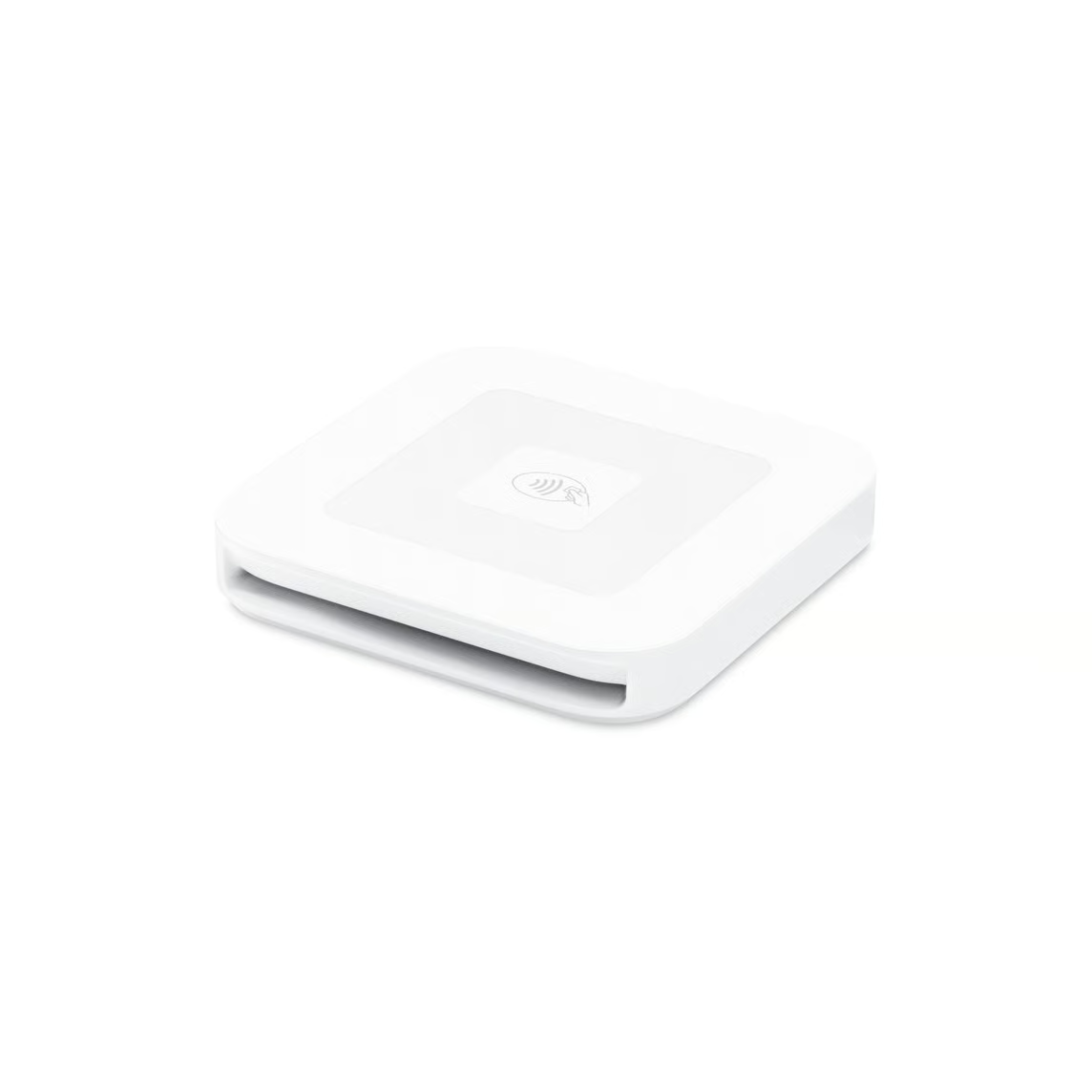
Square Reader: Best overall credit card reader for Android
Pros
- Comprehensive POS app for Android
- No monthly fees
- Competitive transaction rates
Cons
- Locked into Square Payments
- Users reported lengthy holds on funds in some cases
Why I chose Square Reader
The Square Reader takes the top spot for all-around use, offering a combination of affordability, versatility, and advanced features that make it suitable for businesses of all sizes.
One standout factor is its cost-effectiveness. Square provides a free magstripe reader for swipe payments, which is available separately, alongside its premium contactless and chip reader. With no monthly fees, this makes it particularly appealing to small businesses. The contactless and chip reader accepts a wide range of payment methods, including EMV chip cards and NFC payments like Apple Pay and Google Pay, giving customers flexibility in how they pay.
Square’s latest reader boasts improved technology, with longer battery life and enhanced Bluetooth connectivity, allowing for more reliable operations. Beyond just processing ecommerce payments, Square provides a comprehensive business solution, offering tools for invoicing, analytics, and specialized features for retail and restaurant businesses.
This integrated ecosystem sets it apart from competitors that focus solely on transactions. While some users have reported occasional issues with fund holds, Square generally offers quick access to your money with next-day transfers to your bank account. When compared to alternatives like Clover Go, PayPal, Helcim, or Stripe M2, Square often emerges as the top choice due to its balance of features, pricing, and overall functionality.
Key features
- Compatibility with EMV and NFC payments: Supports both EMV chip cards and NFC payments, including Apple Pay and Google Pay, ensuring versatility in payment options.
- Longer battery life: The second-generation Square Reader has an improved battery life, allowing for up to 20% more transactions on a single charge.
- Enhanced security: Includes built-in security features to prevent fraud and ensure PCI compliance, providing peace of mind for businesses and customers.
- Stronger connectivity: Upgraded to Bluetooth Low Energy 5.3, which offers better range, a more reliable connection, and lower power consumption.
- Total business ecosystem integration: Integrates seamlessly with Square’s suite of business tools, including invoicing, analytics, and various purpose-built solutions like Square for Retail and Square for Restaurants.
- Transparent pricing: Charges a flat rate per transaction with no hidden fees and offers next-day transfers to any external bank account, making financial planning straightforward.
Pricing
Square Reader for Contactless and Chip
- Price: $59
- Transaction fees for dip or tap: 2.6% + 15 cents
- Transaction fees for manually keyed-in: 3.5% + 15 cents
Square Reader for Magstripe
- First reader: Free at sign-up
- Additional readers: $10 each
- Transaction fees: 2.6% + 15 cents
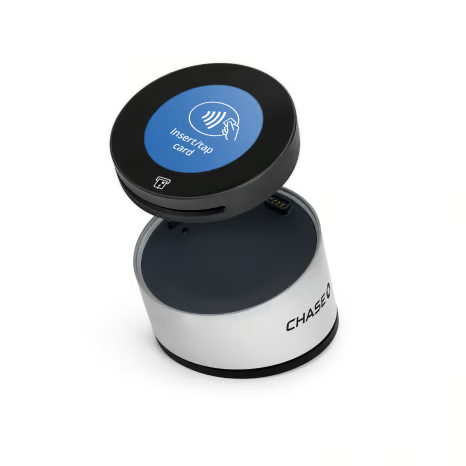
Chase Card Reader: Best for same-day deposits
Pros
- Free same-day funding
- Competitive processing rates
- Integrated business insights
Cons
- Limited hardware options
- No offline mode
Why I chose Chase Card Reader
Chase Payment Solutions® is a top choice for businesses prioritizing quick access to funds. The same-day deposits at no extra cost when using a Chase business checking account is a feature that outperforms competitors like Square and Clover. This rapid fund availability can be crucial if you need immediate access to cash for daily operations.
The service offers competitive transaction fees, with rates of 2.6% + 10 cents for dip and tap transactions and 3.5% + 10 cents for manual entries and payment links. Most businesses won’t face monthly fees, potentially reducing your fixed costs. Chase also provides strong security measures, including PCI compliance, real-time fraud monitoring, and advanced encryption, helping you to protect customer data and maintain trust.
Through the Chase POS app and Card Reader, you have access to an integrated suite of tools for managing your product catalog, inventory, and employee access, all from your smartphone. This integration offers more flexibility than some competitors like PayPal.
However, Chase’s limited POS hardware options compared to specialized POS systems like Clover might be a drawback if you need a wider range of physical payment solutions.
Key features
- Same-day deposits: Offers same-day deposits at no extra cost for quick access to funds.
- Chase Customer Insights: Provides actionable business analytics to help reach more customers and manage finances effectively.
- Tap-to-Pay on iPhone: Accepts contactless payments directly on iPhones without additional hardware.
- Versatile mobile POS system: Turns smartphones into POS systems for payments, product catalog management, and tips handling.
- Robust security features: Includes real-time fraud monitoring and PCI compliance for secure transactions.
- Integrated payment solutions: Integrates with various enterprise systems and eCommerce platforms.
Pricing
Chase Card Reader
- Base: $49
- Chase Card Reader: $99
- Chase Card Reader and Base Bundle: $129
- Transaction fees for tap or dip: 2.6% + 10 cents
- Transaction fees for manually keyed-in: 3.5% + 10 cents
Square Reader for Magstripe
- First reader: Free at sign-up
- Additional readers: $10 each
- Transaction fees: 2.6% + 10 cents
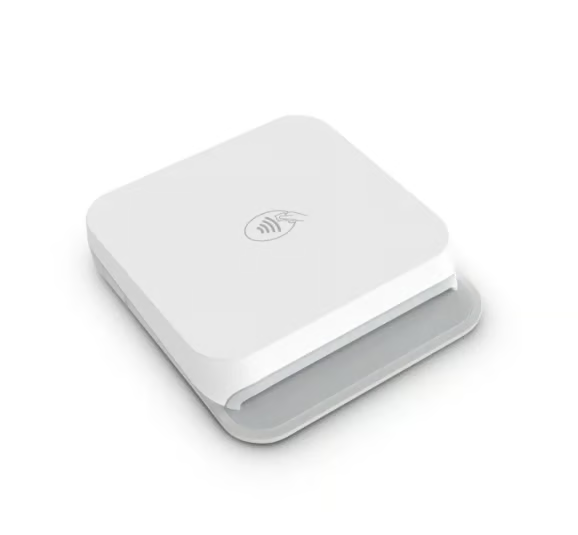
Stripe Reader M2: Best for custom solutions
Pros
- Custom integration capabilities
- Offline mode
- Developer-friendly
Cons
- Requires some technical know-how
- Limited business management features
Why I chose Stripe Reader M2
If your business requires a highly customizable payment solution, the Stripe Reader M2 is an excellent choice. It integrates seamlessly with Stripe’s powerful APIs and online tools, making it ideal for businesses that need tailored payment workflows or unique checkout experiences. Stripe’s transaction rates are competitive, at 2.9% + 30 cents for online payments and 2.7% + 5 cents for in-person payments, and its robust support for international transactions makes it particularly attractive for businesses with a global customer base.
The Stripe Reader M2 stands out for its compact, portable design and ability to process chip cards, contactless payments, and magstripe transactions. With Bluetooth connectivity, it eliminates the hassle of wires and provides up to 28 hours of battery life, making it ideal for mobile or on-the-go businesses.
Security is another strong point, with end-to-end encryption ensuring customer data is protected. While setup might require technical expertise, especially for advanced customizations, this flexibility is a significant advantage for businesses seeking to integrate Stripe into their unique operational systems. If customization is your priority, Stripe Reader M2 offers the tools to make it happen.
Key features
- Bluetooth Low Energy (LE) connectivity: The Stripe Reader M2 connects seamlessly via Bluetooth LE, ensuring reliable and efficient communication with your point-of-sale system.
- Versatile payment types: Supports EMV chip cards, contactless cards, digital wallets like Apple Pay and Google Pay, and magstripe cards.
- End-to-end encryption (E2EE) and P2PE ready: Provides security with built-in end-to-end encryption and is ready for point-to-point encryption.
- Battery-powered with long life: Offers up to 28 hours of active use and 42 hours of standby on a single charge, ensuring it can handle a full day of transactions without needing frequent recharging.
- Compact and lightweight design: Weighing 85 grams and with dimensions of 73.5 x 67 x 19.5 mm, it is designed for portability.
- Seamless integration with Stripe Terminal SDK: Compatible with iOS, Android, and React Native SDKs, allowing businesses to integrate it easily with their existing applications and create custom in-person payment experiences.
Pricing
Stripe Reader M2
- Card Reader: $59
- Dock: $19.00
- Mount: $5.00
- Transaction fees for swipe, tap, or dip: 2.7% + 5 cents
- Transaction fees for manually keyed-in: 3.4% + 30 cents
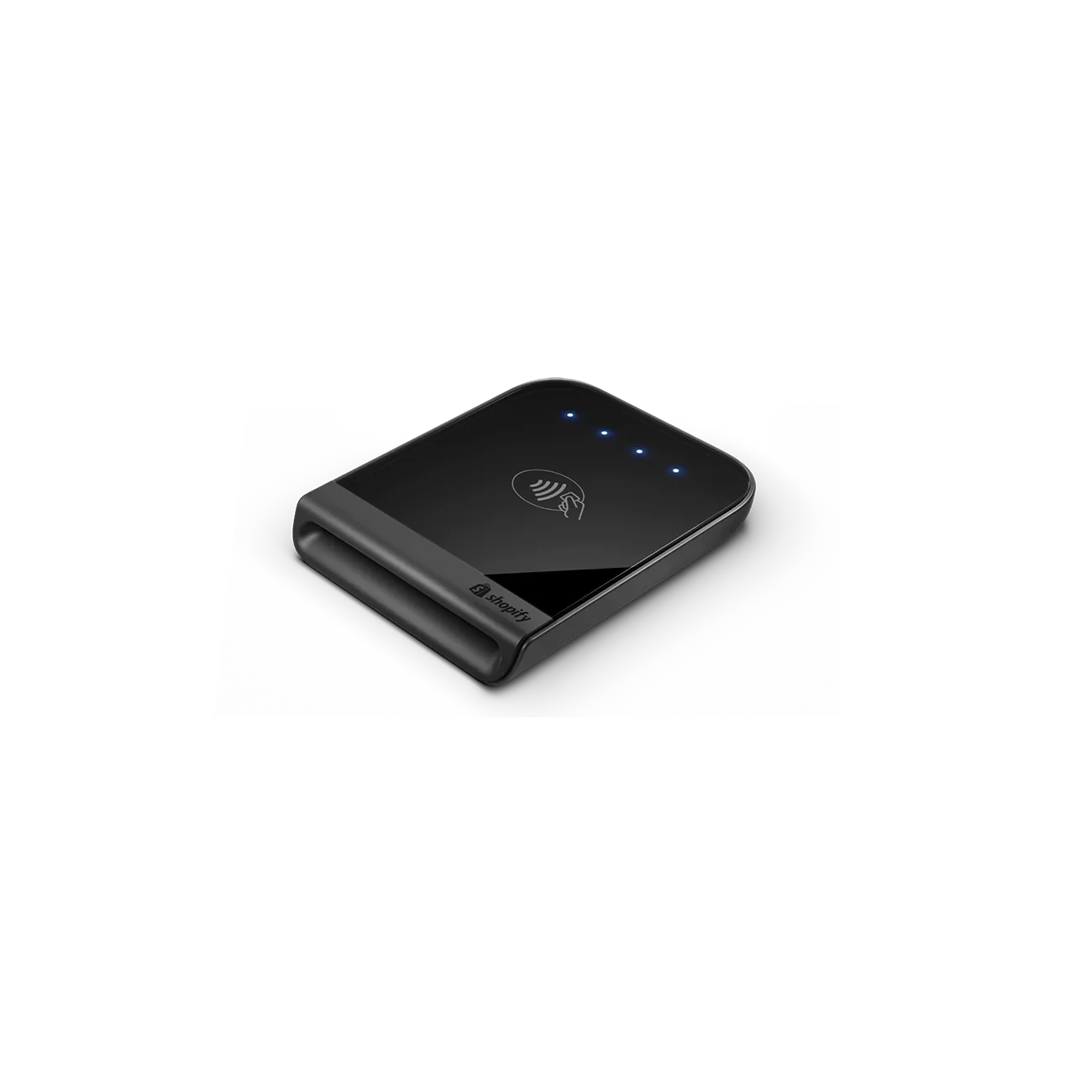
Shopify Tap and Chip Reader: Best for Shopify stores
Pros
- 24/7 customer support
- Extensive reporting and inventory management
- Syncs with Shopify store
Cons
- Requires Shopify subscription
- Requires the use of Shopify Payments
Why I chose Shopify Tap and Chip Card Reader
If you’re running a business with a Shopify store, the Shopify Tap & Chip Card Reader is the best choice for seamlessly integrating your in-person and online sales. Designed specifically for Shopify’s ecosystem, this $49 reader works flawlessly with Shopify’s POS system, enabling you to manage inventory, customer information, and sales reports across your online store and physical locations in one unified platform.
The reader connects wirelessly via Bluetooth, accepting a variety of payment methods like credit cards, Apple Pay, and Google Pay. Its integration with Shopify’s tools goes beyond payment processing, offering features like sales data analytics, inventory tracking, and customer relationship management. These capabilities make it perfect for Shopify merchants aiming to streamline operations and make data-driven business decisions.
However, to use the reader, you’ll need a Shopify subscription, which ranges from $29 to $299 per month. Transaction fees for in-person sales range from 2.4% to 2.7% depending on your plan, while online transactions incur slightly higher fees. While this may be a consideration for some smaller businesses, the unmatched integration between Shopify’s card reader and its overall platform makes it the ideal solution for Shopify store owners.
Key features
- Accepts multiple payment methods: Supports chip and contactless payments, including Visa, Mastercard, American Express, Discover, Apple Pay, and Google Pay.
- Integrated with Shopify POS: Fully integrated with the Shopify POS system, allowing seamless synchronization of in-person and online transactions.
- Portable and ergonomic design: Designed to be comfortable to hold and easy to take with you wherever you’re selling.
- Security compliance: PCI DSS-compliant and EMV-certified, ensuring secure transactions and protection of cardholder data.
- Easy setup and use: Quick setup process with pre-configured devices, typically ready to use within minutes.
- Free and expedited shipping: Hardware is delivered for free, with next-day shipping options available.
Pricing
Shopify Tap and Chip Card Reader
- Card Reader: $49
- Card Reader with Dock: $89
- Plans:
- Basic
- Monthly fee: $39
- Transaction fee for tap and dip: 2.6% + 10 cents
- Transaction fee for online: 2.9% + 30 cents
- Shopify
- Monthly fee: $105
- Transaction fee for tap and dip: 2.5% + 10 cents
- Transaction fee for online: 2.7% + 30 cents
- Advanced
- Monthly fee: $399
- Transaction fee for tap and dip: 2.4% + 10 cents
- Transaction fee for online: 2.5% + 30 cents
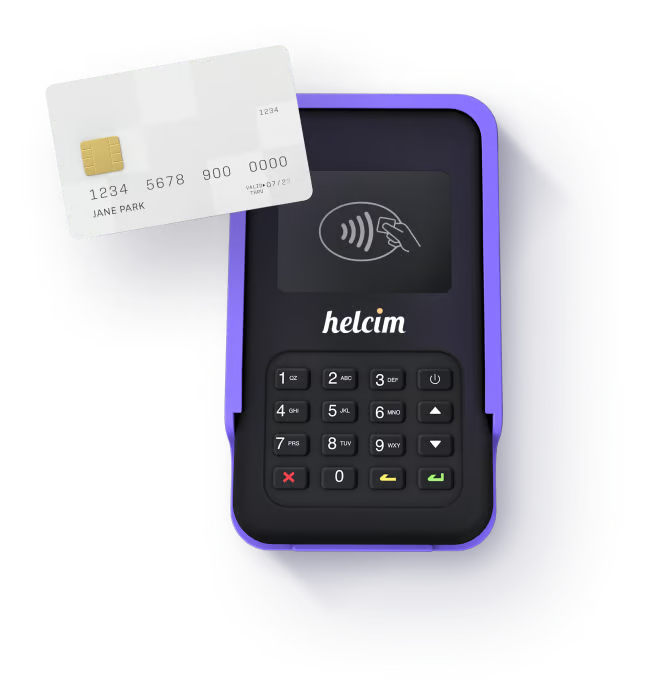
Helcim: Best for low transaction fees
Pros
- Interchange-plus pricing
- Automatic volume discounts
- Zero-cost payment processing program
Cons
- Limited options to scale up
- No offline mode
Why I chose Helcim Card Reader
If you’re looking to keep your transaction fees low or eliminate them altogether, Helcim might be the perfect Android card reader for your business. With its innovative Helcim Fee Saver program, Helcim supports zero-cost payment processing through surcharging, allowing you to pass processing fees to your customers for credit card payments.
For those opting for standard pricing, Helcim uses an interchange-plus model, meaning you pay the true cost of processing plus a small markup. This structure can save you significant money, especially if you process more than $5,000 a month. You’ll pay 0.4% + 8 cents for in-person transactions and 0.5% + 25 cents for online or phone orders, on top of interchange fees. Compared to flat-rate providers like Square, Helcim often results in substantial savings.
The Helcim Card Reader supports tap, chip, PIN, and mobile wallet payments, ensuring you can accept payments in any form. With no monthly fees or long-term contracts, it’s a flexible option for businesses that want to avoid unnecessary commitments.
While Helcim’s pricing model shines for businesses processing higher volumes, it may not be the most cost-effective choice for startups handling less than $5,000 a month. However, as your business scales, the benefits of Helcim’s pricing, automatic volume discounts, and fee-saving options become clear.
Key features
- Interchange plus pricing: Offers transparent interchange plus pricing so businesses pay only the actual cost plus a fixed markup, which can be more cost-effective than flat-rate pricing models.
- Automatic volume discounts: Provides businesses with automatic discounts as their processing volume increases, making it even more cost-effective for growing businesses.
- Bluetooth and USB connectivity: The Helcim Card Reader connects seamlessly to devices via Bluetooth or USB, providing flexibility and reliability in various business environments.
- Comprehensive payment types: Supports tap, chip & PIN, and PIN debit transactions, as well as mobile wallets like Apple Pay and Google Pay.
- Integrated POS app: The Helcim Payments App integrates with the card reader to offer a complete point-of-sale system, including inventory and customer tracking, without additional hardware costs.
- Long battery life: Designed for portability, the Helcim Card Reader features a long-lasting battery, allowing it to function all day on a single charge, which is ideal for mobile businesses.
- Free online store and invoicing: Helcim provides a free online store and invoicing software, enabling businesses to manage both in-person and online sales seamlessly, enhancing overall operational efficiency.
- Zero-cost payment processing/surcharging: Includes support for surcharging, allowing businesses to offset credit card fees by passing them to customers when applicable.
Pricing
Helcim Card Reader
- Card Reader: $199
- Transaction fee for dip and tap:
- $0 to $50k: Interchange + 0.40% + 8 cents
- $50k to $100k: Interchange + 0.35% + 7 cents
- $100k to $500k: Interchange + 0.25% + 7 cents
- $500k to $1M: Interchange + 0.20% + 6 cents
- $1M+: Interchange + 0.15% + 6 cents
- Transaction fee for online:
- $0 to $50k: Interchange + 0.50% + 25 cents
- $50k to $100k: Interchange + 0.45% + 20 cents
- $100k to $500k: Interchange + 0.35% + 20 cents
- $500k to $1M: Interchange + 0.25% + 15 cents
- $1M+: Interchange + 0.15% + 15 cents
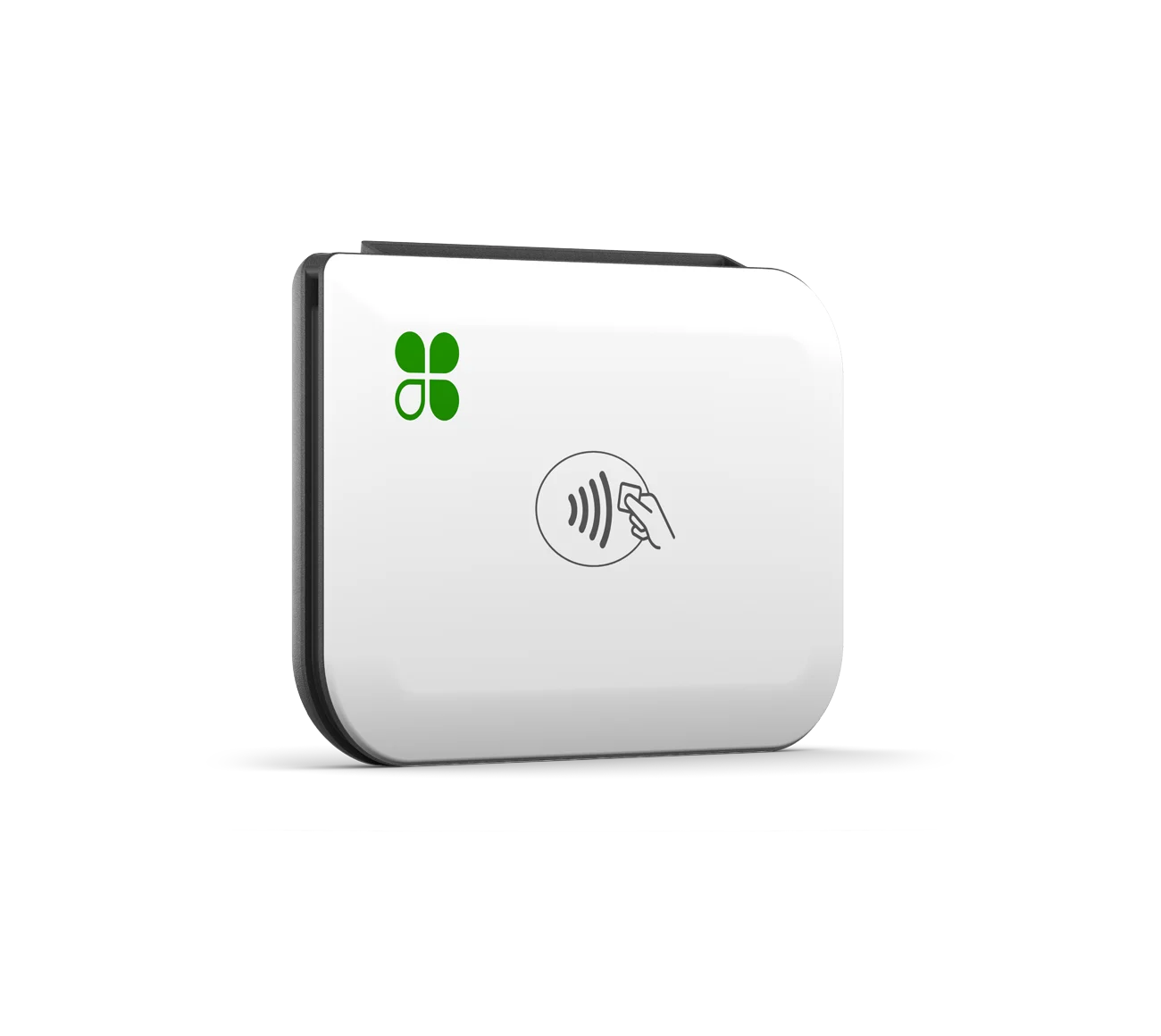
Clover Go: Best for small businesses needing scalable solutions
Pros
- Scalable and expandable setup with additional hardware
- Can work with different payment processors
- Integrated business insights
Cons
- Expensive hardware
- Hardware cannot be reprogrammed
Why I chose Clover Go Card Reader
Clover Go is an excellent choice for small businesses needing scalable solutions, offering robust integrations, advanced security, CRM tools, and detailed analytics to support growth and operational efficiency.
While Square is well-suited for beginners with a simpler setup and no monthly fees, Clover Go stands out for businesses with growing transaction volumes and more complex needs. Its ability to integrate seamlessly with other Clover products and the Clover App Market enables businesses to expand their operations without losing efficiency, providing greater flexibility compared to Square’s more self-contained ecosystem.
Clover Go also prioritizes security with features like end-to-end encryption, tokenization, tamper-detection, and two-factor authentication, making it ideal for businesses handling sensitive transactions.
Additionally, Clover Go provides extensive customer engagement tools, including email lists, loyalty programs, and gift card capabilities, empowering businesses to build lasting customer relationships. Coupled with its detailed reporting and analytics, Clover Go helps businesses track revenue, analyze performance, and manage multiple locations with ease. These capabilities give it an edge over Square’s more basic reporting tools, making Clover Go the better option for businesses that need a scalable, feature-rich solution.
Key features
- Versatile payment options: Accepts magstripe, EMV chip, and contactless payments, including Apple Pay and Google Pay.
- Seamless integration with Clover suite: Syncs with other Clover products and the Clover Marketplace for comprehensive data management and operations.
- Robust security measures: Features end-to-end encryption, tokenization, tamper-detecting sensors, and two-factor authentication to prevent fraud.
- Extensive CRM features: Includes CRM tools like email lists, loyalty programs, and gift cards for effective customer engagement.
- Customizable tax and tip rates: Allows setting custom tax rates and suggested tipping amounts to suit various business models.
- Detailed reporting and analytics: Provides tools to track revenue, analyze peak hours and best-selling products, and manage data across multiple locations and devices.
Pricing
Clover Go Card Reader
- Card Reader: $199
- Transaction fee for dip, tap, or swipe: 2.6% + 10 cents
- Transaction fee for manually keyed-in: 3.5% + 10 cents
- Plans:
- Payments monthly fee: $0
- Essentials monthly fee: $14.95
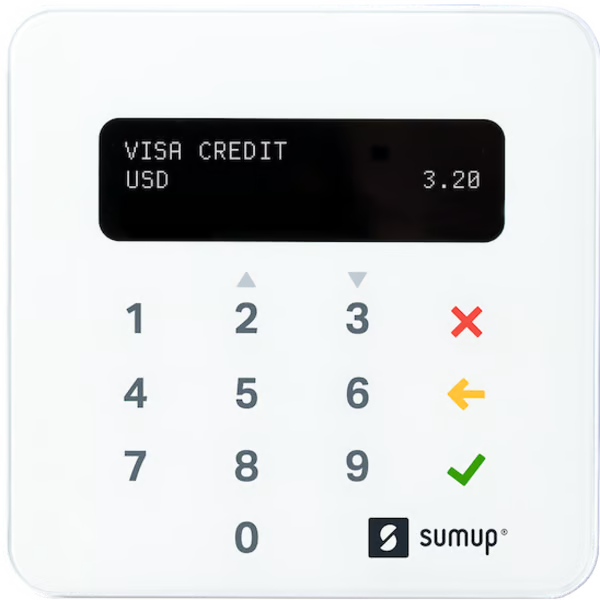
SumUp Plus: Cheapest card reader with no monthly fees
Pros
- Low-price card reader
- Simple and easy to use
- Offline mode
Cons
- Limited advanced features
- No support for multiple users
Why I chose SumUp Plus
If you’re running a small business on a tight budget, SumUp might be the perfect card reader for you. Its lowest-priced card reader, the SumUp Plus, is the cheapest on this list because it doesn’t have any monthly fees. This is in contrast to Shopify’s $49 with a minimum monthly fee of $39.
The free SumUp app covers most small business needs. It handles all the types of payments you could encounter — magstripe, chip, contactless, and even Google Pay and Apple Pay. You can also use it to keep track of your inventory, send invoices, and email or text receipts to your customers. It’s a solid all-in-one package that doesn’t require any extra investment.
Now, SumUp isn’t perfect. Their customer support isn’t available 24/7, and they don’t have a live chat option. Also, if you’re looking to do a lot of online selling or need advanced marketing tools, you might find SumUp a bit basic. Their app has some basic CRM and loyalty program features, but it doesn’t integrate with more advanced marketing tools or offer extensive customization for ecommerce.
Compared to some other credit card payment apps, like Helcim, SumUp is more straightforward. Helcim has some great features like advanced invoicing, detailed reporting, and customer management tools, plus low transaction fees. But it comes with higher upfront hardware costs that might not work for you if you’re just starting out or running on a tight budget.
Key features
- No fixed costs: SumUp charges a flat 2.6% + $0.10 per transaction without any monthly fees.
- Compatibility: The card readers support major debit and credit cards, as well as NFC payment options like Google Pay and Apple Pay.
- Bluetooth connectivity: The SumUp Plus connects to your smartphone or tablet via Bluetooth for easy setup and use.
- Extended battery life: SumUp Plus can process over 500 transactions on a single charge, ensuring long-lasting usage.
- Standalone option: The SumUp Solo operates independently with built-in WiFi and a SIM card providing free, unlimited mobile data.
- Digital and physical receipts: Users can send digital receipts via the app or print physical receipts with the Solo Printer Bundle.
Pricing
SumUp Plus
- Card Reader: $54
- Transaction fee for dip, tap, or swipe: 2.6% + 10 cents
- Transaction fee for manually keyed-in: 3.5% + 15 cents
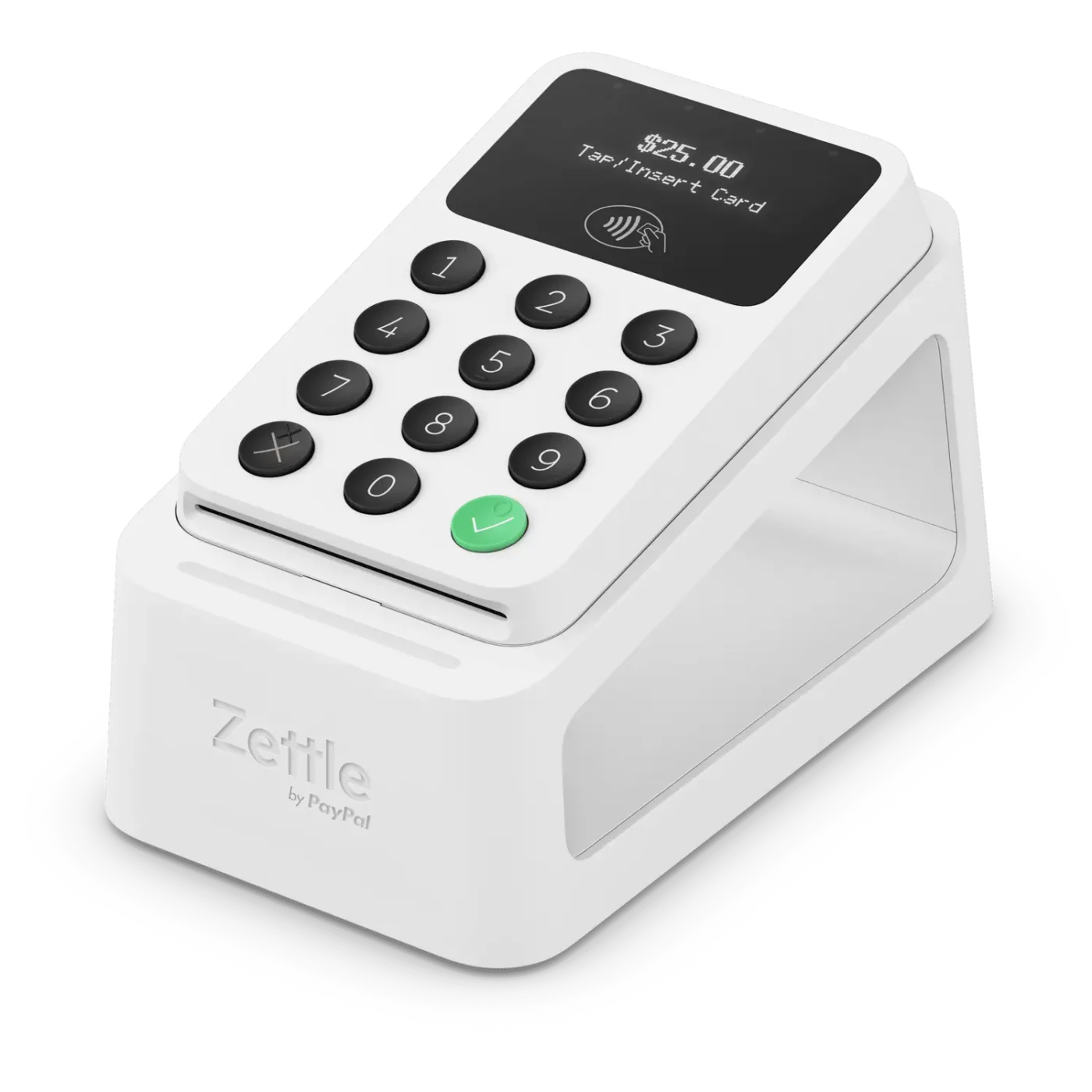
PayPal Point of Sale: Best for occasional in-person sales
Pros
- Immediate payout into PayPal account
- Accepts PayPal and Venmo payments
- Very easy to use
Cons
- No offline mode
- Limited integrations
Why I chose PayPal Point of Sale
PayPal Point of Sale (formerly Zettle) offers a unique combination of affordability and functionality. Unlike other mobile card readers, PayPal Point of Sale’s device includes a built-in PIN pad for processing chip and tap transactions, offering added convenience and security. Plus, at just $29 for your first reader, it’s one of the most budget-friendly options available.
What sets PayPal Point of Sale apart is its simple POS solution with no monthly fees, making it perfect for occasional sellers like crafters, artists, and farmers market vendors. Whether you’re selling at a weekend fair or a seasonal event, PayPal Point of Sale provides an affordable, easy-to-use solution without locking you into a subscription.
It’s also backed by PayPal, giving sellers access to trusted payment processing and seamless integration with PayPal accounts. In addition to accepting cards, it lets you take PayPal and Venmo payments, offering customers more ways to pay. This makes managing transactions and accessing funds quick and straightforward, ideal for businesses that value simplicity, flexibility, and multiple payment options.
Key features
- Affordable Mobile Card Reader: Priced at just $29 for your first device, with a built-in PIN pad for secure chip and tap transactions.
- No Monthly Fees: Ideal for occasional sellers, with a simple pricing structure and no recurring costs.
- Accepts PayPal and Venmo Payments: Customers can pay using PayPal or Venmo, providing more payment flexibility.
- Supports Multiple Payment Types: Accepts chip, tap, mobile wallets (Apple Pay, Google Pay), and major credit cards.
- Easy-to-Use POS Solution: A straightforward point-of-sale app for managing sales, inventory, and customer receipts.
- Seamless Integration with PayPal: Funds from sales are directly connected to your PayPal account, ensuring fast access to money.
- Lightweight and Portable: Compact design perfect for mobile businesses, trade fairs, and farmers markets.
- Secure Transactions: Built-in encryption and PIN pad enhance transaction security.
- Transparent Pricing: Flat-rate fee of 2.29% + $0.09 per transaction, with no hidden costs.
- Quick Setup: Easy to get started with minimal setup, making it user-friendly for new or occasional sellers.
Pricing
SumUp Plus
- Card Reader: $79 ($29 for the first one)
- Transaction fee for dip or tap: 2.29% + 9 cents
- Transaction fee for manually keyed-in: 3.49% + 9 cents
- How to choose the best card reader for your Android device
- 1. Check Android compatibility
- 2. Decide which payment methods you need
- 3. Compare hardware and transaction costs
- 4. Prioritize ease of use
- 5. Evaluate battery life and portability
- 6. Verify security standards
- 7. Review customer support options
- FAQs
How to choose the best card reader for your Android device
Choosing the right credit card reader for Android starts with understanding how and where you accept payments. Use the steps below to narrow down the best option for your business.
1. Check Android compatibility
Start by confirming that the card reader works with your Android phone or tablet. Some readers support only newer Android operating systems or specific Bluetooth versions. If you already use a POS system, verify that the reader integrates with your existing software.
2. Decide which payment methods you need
Most businesses should accept EMV chip cards, tap-to-pay transactions, and digital wallets like Google Pay and Apple Pay. If you still process older magnetic stripe cards, make sure the reader supports magstripe payments too.
3. Compare hardware and transaction costs
Look beyond the upfront reader price. Compare payment processing rates, monthly software fees, chargeback costs, and any long-term contract requirements. Lower hardware costs do not always translate to lower overall processing expenses.
4. Prioritize ease of use
A good Android credit card reader should be easy to set up and simple to use during busy sales periods. I recommend choosing a provider with a clean mobile app, fast Bluetooth pairing, and straightforward checkout tools.
5. Evaluate battery life and portability
If you sell at markets, pop-up shops, or customer locations, battery life matters. Lightweight readers with all-day battery performance are easier to carry and reduce charging interruptions during business hours.
6. Verify security standards
Choose a provider that supports PCI DSS compliance, encrypted transactions, and fraud prevention features. Secure payment processing protects both your business and customer payment data.
7. Review customer support options
Reliable support becomes important when payment issues affect sales. Look for providers that offer live chat, phone support, email assistance, and detailed self-service resources.
The best Android card reader should match your business size, payment volume, and selling environment. A mobile service business may prioritize portability, while a retail store may need stronger POS integrations and inventory tools.
FAQs
What is the best credit card reader for Android?
Square Reader is the best credit card reader for Android for most small businesses because it combines affordable hardware, free POS software, and strong mobile payment features.
Can I use a credit card reader with an Android phone?
Yes. Most modern credit card readers connect to Android phones through Bluetooth and work with dedicated payment processing apps.
Which Android credit card reader has the lowest fees?
Helcim typically offers some of the lowest processing fees for businesses with higher sales volume, while SumUp offers low upfront hardware costs for smaller sellers.
Do Android credit card readers accept tap-to-pay payments?
Most Android card readers support NFC contactless payments, including Google Pay, Apple Pay, and tap-enabled credit cards.
What should I look for in an Android credit card reader?
Focus on Android compatibility, payment methods, processing fees, battery life, portability, POS integrations, and security compliance when comparing options.
Are Android credit card readers secure?
Yes. Reputable Android credit card readers use encryption, tokenization, and PCI-compliant payment processing to protect customer payment data.
Can I use an Android credit card reader without internet access?
Some providers, including Square and Stripe, support offline payment processing. Transactions are stored temporarily and processed once the device reconnects to the internet.