

Page Summary
Who it’s for: Small business owners looking for the right credit card reader to accept in-person payments.
Overview: This guide compares the best credit card readers based on hardware features, payment processing, pricing, ease of use, mobility, and business type.
Top recommendation: Clover Compact is the best overall credit card reader because it offers a strong balance of affordability, durability, payment features, built-in receipt printing, and scalability for growing businesses.
Key takeaway: The best credit card reader depends on how and where you accept payments, whether you need a simple mobile device or a full-featured payment terminal.
Products compared: Clover Compact, Clover Flex, Square Register, Square Terminal, Clover Mini, Toast Go, SumUp Solo, Square Handheld, PayPal Point of Sale, and Helcim Smart Terminal.
Important considerations: Hardware cost, processing fees, payment methods, portability, POS features, connectivity, scalability, and business type.
Choosing the best card reader for small business depends on how you sell. A weekend market vendor may only need a low-cost reader that pairs with a phone, while a retail shop, restaurant, or growing service business may need a standalone terminal with receipt printing, inventory tools, staff logins, and offline mode.
For this 2026 guide, I evaluated the top credit card readers and smart terminals for small businesses, including Square, Clover, Toast, SumUp, PayPal, and Helcim. I compared hardware cost, processing rates, supported payment types, POS features, mobility, setup, and long-term scalability.
Clover Compact is my top pick overall because it offers the best balance of durability, payment features, built-in receipt printing, offline mode, LTE connectivity, and ease of use in a compact standalone device. However, the best choice depends on your setup. Square Terminal is better for new businesses that want simple flat-rate pricing and no monthly POS software fee, while Helcim is better for businesses focused on interchange-plus pricing.
- Best credit card readers for small business at a glance
- Why you can trust TechnologyAdvice
- Best credit card readers comparison
- Best card reader by business type
- Card reader vs terminal vs POS: What you actually need
- Do you need a standalone card reader?
- How much does a small business card reader actually cost?
- What is a credit card reader?
- How do credit card readers work?
- Types of credit card readers
- How to choose a credit card reader
- Cheapest alternatives to standalone card readers
- Processor vs merchant accounts: How it affects card reader pricing
- Frequently asked questions (FAQs)
Best credit card readers for small business at a glance
| Card reader | Best… | Device cost |
|---|---|---|
| Clover Compact | Overall credit card reader for small businesses | $349 |
| Clover Flex | Handheld credit card reader with full POS functionality | $749 |
| Square Register | Dual-screen countertop POS for growing businesses | $899 |
| Square Terminal | Credit card reader for new businesses | $299 |
| Clover Mini | Compact countertop POS for growing retail stores | $849 |
| Toast Go | Credit card reader for restaurants | $749 |
| SumUp Solo | Cheapest standalone credit card reader | $99 |
| Square Handheld | Handheld smart terminal for retail and events | $399 |
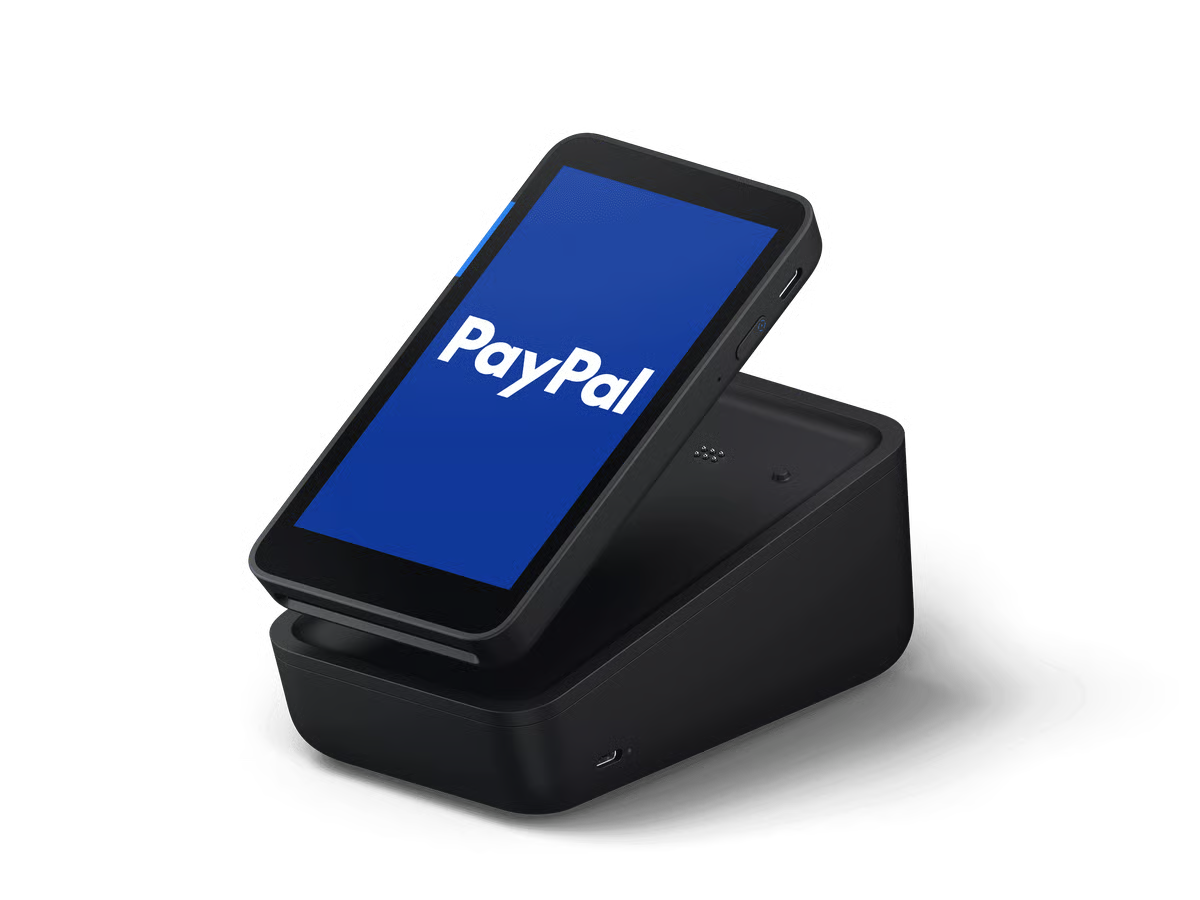
| PayPal Point of Sale Terminal | Credit card reader for PayPal and Venmo payments | $199 |
| Helcim Smart Terminal | Credit card reader for interchange-plus pricing | $349 |
Methodology
For this list, I specifically targeted smart terminals. These readers conveniently combine advanced capabilities with portability, making them ideal for small businesses ready to scale and seeking efficient, versatile, and user-friendly payment solutions.
Smart terminals or standalone terminals support a range of payment methods, offer robust security features, and often integrate seamlessly with other business systems like inventory management and ecommerce platforms. This evaluation focused on identifying the top smart terminals that provide the best balance of functionality, ease of use, and affordability for small businesses.
I took advantage of free trials and demos to get a first-hand user experience of available solutions.
Finally, I built an internal algorithm to rate over 10 readers based on my evaluation of their hardware and payment features, cost, and user experience. Each category also includes my expert score, which contributes to its overall score.
Here’s a breakdown of how I evaluated each card reader:
- Hardware features: I first considered the hardware features. I assessed the physical aspects of the credit card readers, including multi-device setup, warranty, connectivity, battery life, screen quality, user interface, charging options, receipt printing capabilities, and overall durability. These factors determine the device’s usability, reliability, and adaptability to different business environments.
- Payment processing: I evaluated the range of payment types accepted (swipe, dip, tap, QR), the transaction speed, the variety of processors supported, and the integration of ecommerce systems. Efficient and versatile payment processing is crucial for providing a smooth customer experience and managing sales data effectively.
- Pricing: The overall cost of using the reader was also considered. I looked at the overall cost structure, including initial setup costs, hardware and software costs, and contract length. I prioritize solutions that offer flexible and transparent pricing models, with minimal upfront costs and no long-term commitments, making them suitable for budget-conscious small businesses.
- Other features: I examined additional functionalities that enhance the utility of the smart terminals, such as offline mode capabilities, developer tools, security and PCI compliance, and system reliability. These features ensure the device can operate effectively under various conditions and maintain high-security standards.
- User experience: I also looked at the ease of use, scalability, user reviews, and the application and onboarding process. A user-friendly interface, smooth onboarding experience, and positive user feedback are essential for ensuring that small businesses can quickly adopt and benefit from the technology.
Update notes
July 7, 2026: Agatha Aviso and updated this guide to help small businesses choose the right card reader faster. This update refreshed provider pricing, hardware details, transaction fees, and scoring. It also expanded the guide beyond standalone smart terminals to better explain when a business should choose a basic mobile reader, Tap to Pay, a smart terminal, or a full POS device.
This update also added clearer buying guidance, including best picks by business type, cost scenarios, reader vs terminal vs POS comparisons, and “skip this reader if” notes to help readers avoid paying for hardware they do not need.
May 27, 2026: Andrea Herrera reviewed this article, fact-checked it to reflect the most updated data, and ensured provider scores accurately represent her evaluation. She also revamped the formatting of this guide for better readability.
February 2, 2026: Andrea Herrera evaluated three additional credit card readers, including the newly released Square Handheld. Scores and rankings were updated, increasing the final list from eight to 10 standalone devices.
February 10, 2025: Andrea Herrera added four more devices to be evaluated and increased the number of credit card readers featured in the article from five to eight. All the scores were updated based on the current information available.The card readers I evaluated for this article are standalone devices, which means that they do not need to be paired with any other device. For simpler card readers that work by connecting it to your mobile phone, you may check our list of the best credit card readers for Android.
Why you can trust TechnologyAdvice
My best credit card reader recommendations are based on more than three years of evaluating merchant account service providers across different industries and business types. I spent hours of research comparing available features and gathering feedback from real-life users to score each one based on a 26-point criteria.
Best credit card readers comparison
Card Reader | Our Score (out of 5) | Hardware Features | Price | Accepted Payment Types |
|---|---|---|---|---|
 | 4.67 |
|
|
|
 | 4.63 |
|
|
|
 | 4.61 |
|
|
|
 | 4.49 |
|
|
|
 | 4.39 |
|
|
|
 | 4.32 |
|
|
|
 | 4.24 |
|
|
|
 | 4.22 |
|
|
|
 | 4.22 |
|
|
|
 | 4.22 |
|
|
|
Best card reader by business type
| Business type | Best pick | Why it fits | Watch out for |
|---|---|---|---|
| New small business | Square Terminal | Simple setup, no monthly POS software fee, built-in receipt printer | No 4G support |
| Pop-up shop or market seller with inventory | Square Handheld | Best for mobile checkout, barcode scanning, and event-based selling with Square POS | Wi-Fi only and no built-in receipt printer |
| Pop-up shop or market seller with simple payments | SumUp Solo | Low-cost standalone reader for mobile sellers that do not need advanced POS tools | Limited inventory tools and fewer integrations |
| Retail store | Clover Compact or Square Register | Better checkout hardware for staffed counters | Higher upfront cost |
| Restaurant or food truck | Toast Go | Built for food service, tableside payments, and restaurant workflows | Toast fees and plans need close review |
| Service business | Square Terminal or PayPal Terminal | Easy mobile checkout and invoicing support | Fewer advanced retail tools |
| Ecommerce seller selling in person | Square Terminal or Shopify card reader | Easier online and in-person sales sync | Shopify reader should be considered if Shopify is already the ecommerce platform |
| High-volume seller | Helcim Smart Terminal | Interchange-plus pricing can lower processing costs | Smaller hardware ecosystem |
Card reader vs terminal vs POS: What you actually need
A card reader is only one part of accepting payments. Some businesses only need a small Bluetooth reader. Others need a smart terminal or full POS setup.
| Type | What it is | Best for | Typical downside |
|---|---|---|---|
| Mobile card reader | Small reader that pairs with a phone or tablet | Pop-ups, markets, solo service providers, occasional sellers | Requires a separate device |
| Tap to Pay on phone | Uses your phone’s NFC reader to accept contactless payments | Lowest-cost in-person payments | Contactless-only and dependent on phone setup |
| Smart terminal | Standalone device with screen and built-in card reader | Small businesses that want a professional checkout device | Higher upfront cost |
| Handheld POS terminal | Portable terminal with POS tools | Restaurants, events, mobile retail, line-busting | More expensive than basic readers |
| Countertop POS/register | Full checkout station with POS software and hardware | Retail stores, cafes, staffed counters | Less portable and higher cost |
Do you need a standalone card reader?
You may not need a standalone terminal if you only sell occasionally, already use a phone or tablet at checkout, do not need printed receipts, or want the lowest possible upfront cost. In that case, a basic mobile reader or Tap to Pay may be enough.
A standalone terminal is worth it if you want a more professional checkout experience, need a built-in receipt printer, have employees taking payments, sell from a fixed counter, need offline mode, or want a dedicated device instead of using a personal phone.
How much does a small business card reader actually cost?
Hardware cost is only the first number to check. Processing fees, monthly software fees, accessories, and contract terms can matter more over time.
| Business scenario | Monthly sales | Best device type | Why |
|---|---|---|---|
| Weekend vendor | $2,000 | Basic mobile reader or Tap to Pay | Low upfront cost matters more than advanced POS tools |
| Solo service provider | $5,000 | Mobile reader or Square Terminal | Portable checkout and simple invoicing are usually enough |
| Small retail shop | $20,000 | Smart terminal or countertop POS | Inventory, receipts, staff logins, and reporting start to matter |
| Restaurant or food truck | $30,000+ | Restaurant handheld terminal | Tips, menus, tableside ordering, and offline mode matter |
| High-volume seller | $75,000+ | Interchange-plus provider or merchant account setup | Small rate differences can outweigh hardware cost |

Clover Compact: Best overall credit card reader
Pros
- Built-in printer
- Splash- and scratch-proof screen
- Has a tactile PIN pad
Cons
- Smaller screen size
- No full POS function (i.e., inventory management, menu management)
Why I chose Clover Compact
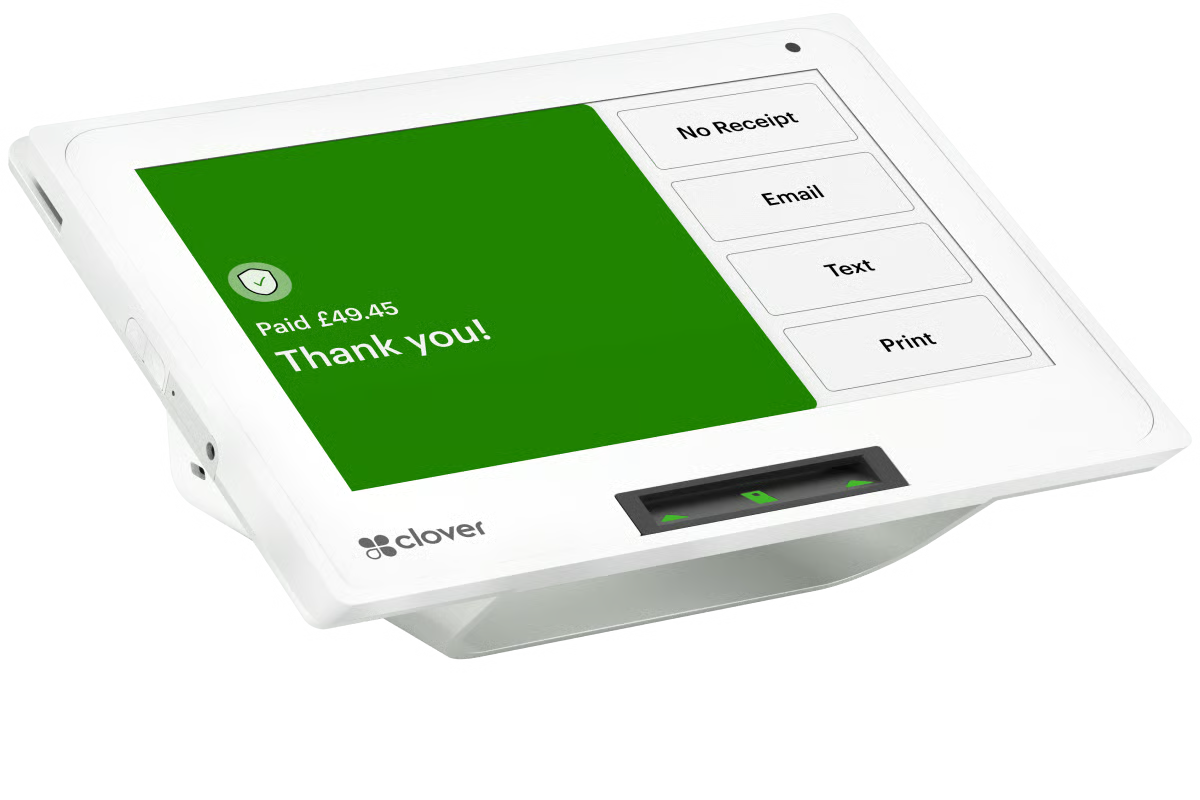
Clover Compact stands out as the best overall standalone credit card reader because it offers a strong balance of features, durability, and ease of use. It delivers reliable payment processing and a smooth user experience in a compact, countertop-friendly design.
It’s the only device on this list with a built-in tactile PIN pad, making it well-suited for businesses that process debit transactions. While the screen is smaller than some alternatives, it’s splash- and scratch-resistant and includes a built-in receipt printer, which many small businesses still rely on.
Compared to the Clover Flex, which is designed for mobility, the Compact works better as a dedicated checkout station. It supports multiple payment methods and fits well in retail, service, and food-based environments that need a simple but durable payment terminal.
Skip Clover Compact if…
- You need full POS functions like inventory management, menu management, or advanced reporting built into the device.
- You want the lowest upfront hardware cost.
- You need a larger touchscreen for staff-facing checkout.
- You prefer a more mobile handheld device for line-busting, tableside payments, or event selling.
- You do not want Clover pricing to vary depending on whether you buy through Clover directly or a reseller.
Key features
- Seamless integration with other Clover devices
- Built-in receipt printer
- Built-in tactile PIN pad
- Splash- and scratch-proof screen
- Compact countertop design
- Offline mode
- LTE, ethernet, and Wi-Fi connectivity
- Pre-loaded apps
- Passcode to unlock the device
- Tipping option
- Employee log-ins
Scaling options
Clover offers an assortment of other hardware products, from simple card readers that pair with a smartphone to full-blown countertop register kits.
Lower-cost options
- Clover Go card reader: $199
- Tap to Pay on iPhone
Higher-end options
- Clover Mini: $849
- Clover Station Solo: $1,799
- Clover Station Duo: $1,899
- Clover Kiosk: $3,499
This makes it easy to start with Clover Compact and upgrade to a full POS system as your business grows.
Pricing
- Device fee: $349 or $16 per month for 36 months
- Software fee: $0 (Payments plan required)
- Card-present transaction fee: 2.6% + $0.10
- Keyed-in transaction fee: 3.5% + $0.10
Clover has several pricing plans. The Clover Compact is only available with the Payments Plan. Although Clover’s pricing is relatively standard, the prices we include in this guide are if you purchase the Clover Compact through Clover directly. If you purchase any Clover device through a reseller or other merchant service provider, the hardware pricing, contract terms, and transaction fees will vary.
Gallery

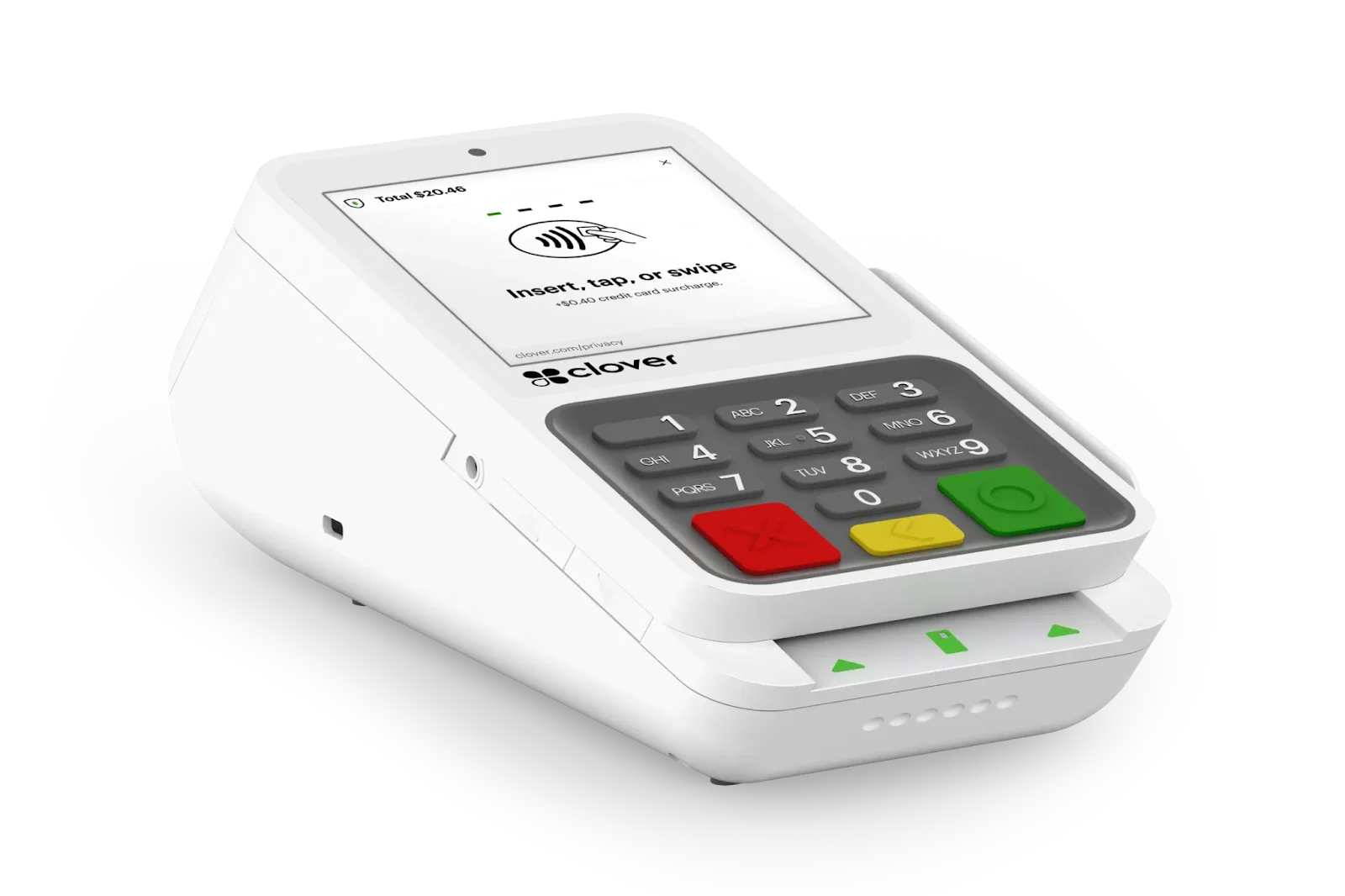
Clover Compact has a built-in magstripe reader, EMV chip reader, NFC reader, PIN pad, receipt printer, camera, and a 3.6” scratch- and fingerprint-resistant touchscreen. (Source: Clover) 
The Clover Compact has a PIN shield and swivel stand as optional accessories. (Source: Clover)
Clover Flex: Best credit card reader with full POS function
Pros
- Built-in printer, scanner, camera
- All-in-one device with inventory, employee management, reports
- 4G and Wi-Fi connectivity
Cons
- Higher upfront cost
- Higher processing fees
Why I chose Clover Flex
Clover Flex is the best credit card reader with full POS functionality because it combines payment processing and business management tools in a handheld device. It includes a built-in receipt printer, barcode scanner, camera, and inventory management, making it far more capable than basic card readers.
Unlike countertop-focused devices like Square Terminal, Clover Flex supports 4G LTE and Wi-Fi, allowing businesses to accept payments anywhere. Its offline mode also helps prevent missed sales during internet outages.
While Clover Flex has a higher upfront cost, its all-in-one design and ability to scale with Clover’s larger POS systems make it a strong choice for growing businesses that need a mobile checkout solution with full POS features.
Skip Clover Flex if…
- You only need basic card acceptance and do not need a full handheld POS.
- You want a lower-cost standalone reader.
- You do not need a built-in printer, scanner, camera, or employee tools.
- You want simple flat-rate pricing with fewer plan decisions.
- You mostly sell from a fixed counter and do not need staff to carry the device.
Key features
- Seamless integration with other Clover devices
- Full POS functionality in a handheld device
- Built-in receipt printer
- Offline mode
- 4G and Wi-Fi connectivity
- Pre-loaded apps
- Passcode to unlock the device
- Tipping option
- Employee log-ins
- Inventory management
Scaling options
Clover offers an assortment of other hardware products, from simple card readers that pair with a smartphone to full-blown countertop register kits.
Lower-cost options
- Clover Go card reader: $199
- Tap to Pay on iPhone
Higher-end options
- Clover Mini: $849
- Clover Station Solo: $1,799
- Clover Station Duo: $1,899
- Clover Kiosk: $3,499
This makes it easy to start with Clover Flex and move into a full countertop POS setup as your business grows.
Pricing
| Plan | Payments | Essentials | Register |
|---|---|---|---|
| Device fee | $749 or $40 per month for 36 months | ||
| Software fee | $0 | $14.95 per month | $49.95 per month |
| Card-present transaction fee | 2.6% + $0.10 | 2.6% + $0.10 | 2.3% + $0.10 |
| Keyed-in transaction fee | 3.5% + $0.10 | 3.5% + $0.10 | 3.5% + $0.10 |
Clover’s pricing is relatively standard. Though, note that the prices we include in this guide are for purchase of Flex through Clover directly. If you purchase the Clover Flex through a reseller or other merchant service provider, the hardware pricing, contract terms, and transaction fees will vary.
Gallery

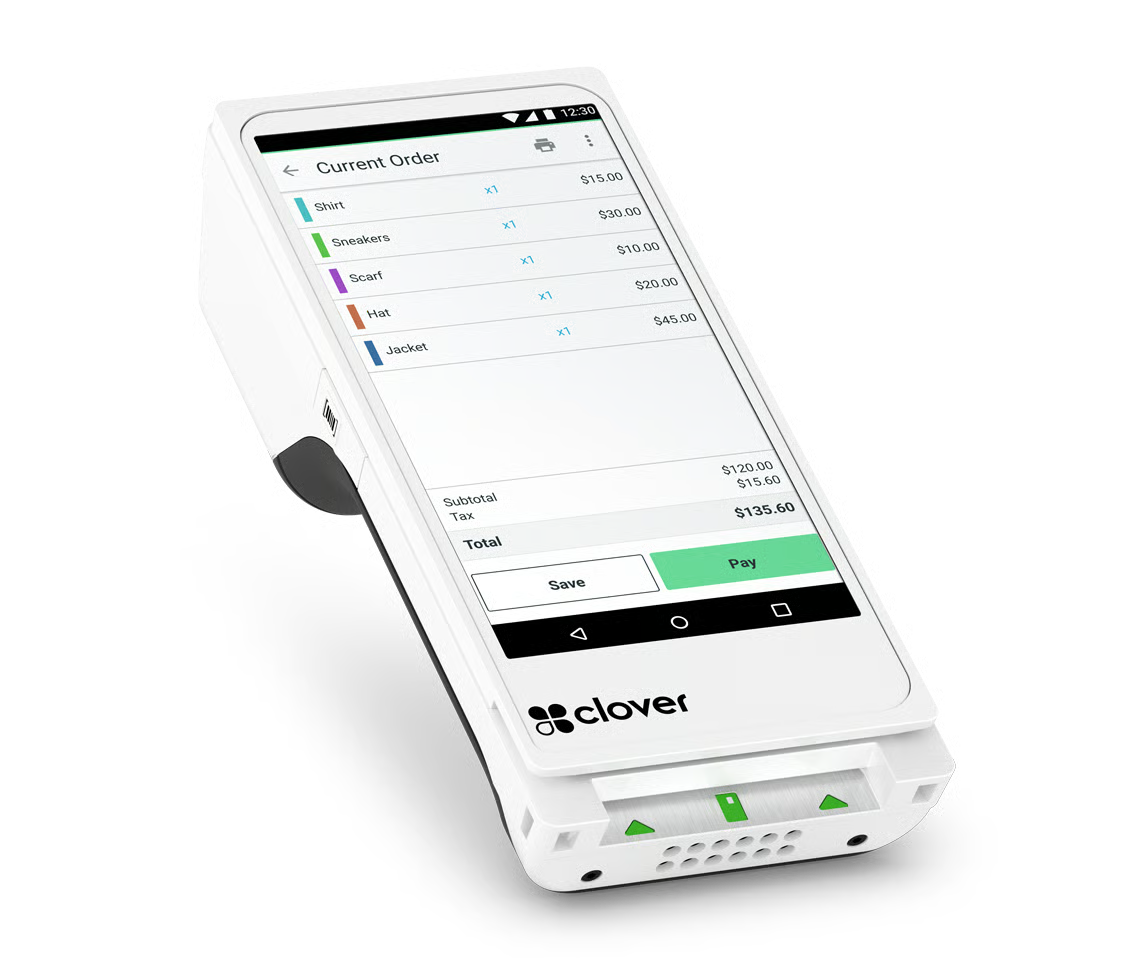
Clover Flex has a built-in magstripe reader, EMV chip reader, NFC reader, receipt printer, camera, scanner, and a 6” touchscreen. (Source: Clover) 
The Clover Flex starter kit includes the Clover Flex card reader, silicone protective sleeve, charging cradle, power brick, power cord, paper roll, screwdriver, and quick start guide. (Source: Clover)

Square Register: Best for businesses needing a dual-screen countertop POS
Pros
- Dual screen setup
- Fully integrated POS system
- 24/7 phone support
Cons
- Higher upfront cost
- No built-in receipt printer or barcode scanner (external accessories required)
Why I chose Square Register
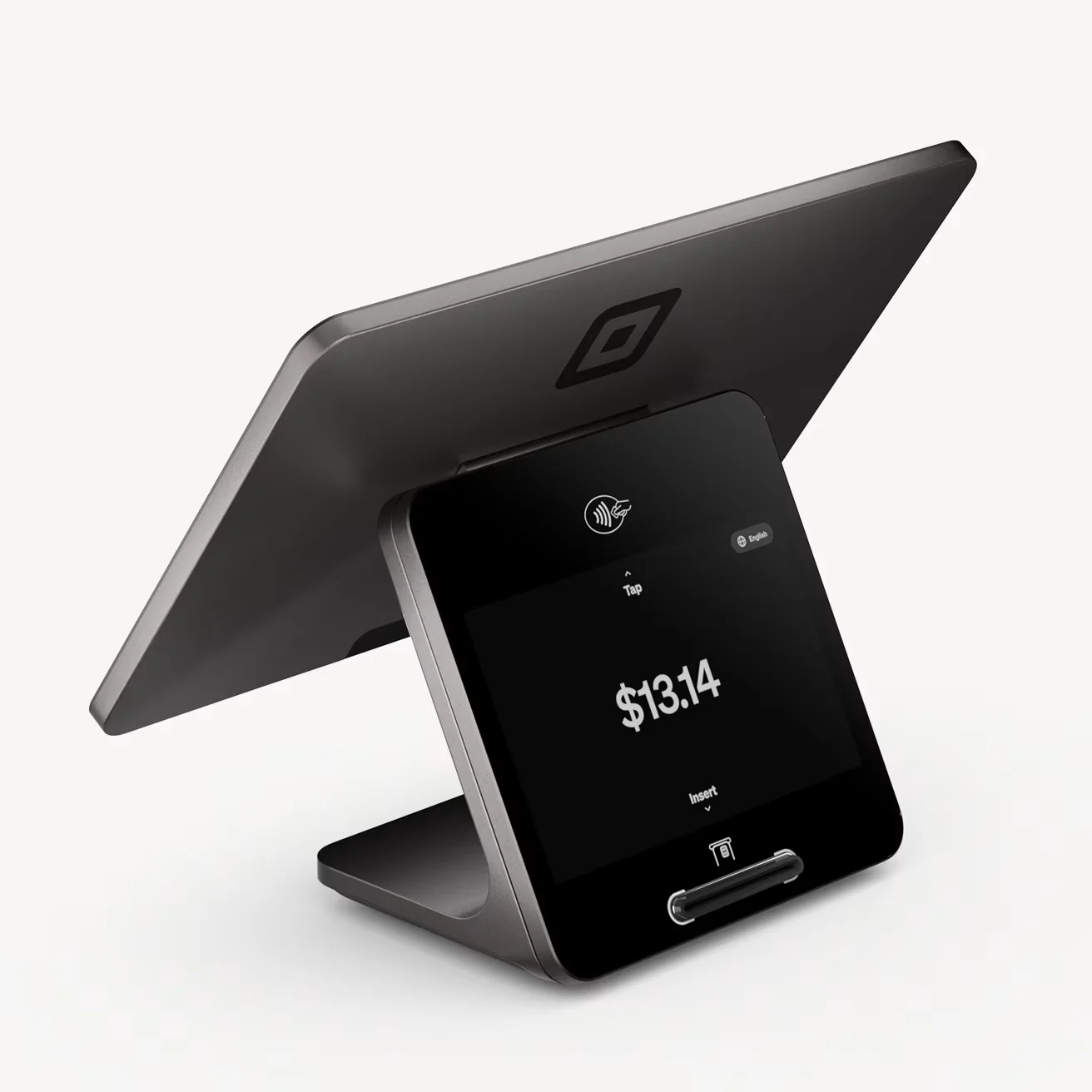
Square Register is the only dual-screen countertop POS on this list, making it the best choice for businesses that want a dedicated checkout station with a customer-facing display. Customers can review totals and complete payments on the second screen, which helps speed up checkout and reduce staff workload.
Compared to Square Terminal, Square Register is better for staffed counters and higher-traffic checkout areas where multiple employees take payments throughout the day. And compared to Square Handheld — built for mobile selling and line-busting — Register is the better fit when you want a fixed, professional counter setup.
Square also keeps pricing straightforward with no monthly software fee for its core POS tools and no long-term contract, making Square Register a strong option for businesses that want a modern dual-screen experience without paying ongoing software costs.
Skip Square Register if…
- You need a portable or handheld card reader.
- You want to keep upfront hardware costs low.
- You need a built-in receipt printer or barcode scanner without buying accessories.
- You only take payments occasionally.
- You are not ready for a dedicated countertop checkout station.
Key features
- Dual-screen design
- Customer-facing display
- Ethernet and Wi-Fi connectivity
- Offline mode
- Inventory management
- Automatic software updates
- Optional accessories: cash drawer, receipt printer, kitchen printer, barcode scanner
- Seamless integration with other Square devices
- Customizable interface
Scaling options
Like Clover, Square also offers a variety of hardware options, including several card readers that can pair with smartphones for mobile payments. The Square app can also accept Tap to Pay payments for a hardware-free setup.
Additionally, Square offers several countertop hardware options, including iPad stands, built-in readers, touchscreen registers with a customer-facing display, and card readers.
Lower-cost options
- Square magstripe reader: Free
- Square Contactless and chip reader: $59
- Tap to Pay on iPhone
- Tap to Pay on Android
Higher-end options
- Square Stand: $149
- Square Register: $799
- Square Kiosk: $149
Most Square hardware purchases can qualify for interest-free payment plans.
Pricing
- Square Register: $899 or $44 per month for 24 months
- Software fee: $0
- Card-present transaction fee: 2.6% + $0.15
- Keyed-in transaction fee: 3.5% + $0.15
Square offers transparent flat-rate pricing with no monthly software fee for its core POS tools. Businesses processing higher volumes may qualify for custom pricing, which can lower effective rates compared to standard flat fees.
Gallery


Square Terminal: Best for new businesses
Pros
- Seamless ecosystem integration
- Built-in receipt printer
- Inventory management
Cons
- No built-in barcode scanner
- No 4G support
Why I chose Square Terminal
Square Terminal stands out for its compact design and comprehensive user-friendly ecosystem. It is cost-effective with its low device cost and zero monthly fees, making it the best credit card reader for new businesses. Its all-in-one design includes a built-in receipt printer and robust inventory management capabilities, making it more affordable than full-fledged POS systems like the Square Register and easy for businesses to get started without additional equipment.
I like that it works effortlessly with other Square hardware and software, allowing businesses to scale up easily as they grow. Plus, with transparent pricing and no monthly software fees, it’s an excellent choice for businesses that need a reliable, cost-effective payment solution without hidden costs.
Skip Square Terminal if:
- You need built-in 4G or LTE.
- You need a barcode scanner built into the device.
- You only sell occasionally and can use a basic mobile reader.
- You already need a full dual-screen checkout station.
Key features
- Seamless integration with other Square devices
- Built-in receipt printer
- Offline mode
- Wi-Fi connectivity
- Long battery life
- Employee log-ins
- Inventory management
- Optional accessories: countertop mount, belt clip, barcode scanner, cash drawer
Scaling options
Like Clover, Square also offers a variety of hardware options, including several card readers that can pair with smartphones for mobile payments. The Square app can also accept Tap to Pay payments for a hardware-free setup.
Additionally, Square offers several countertop hardware options, including iPad stands, built-in readers, touchscreen registers with a customer-facing display, and card readers.
Down
- Square magstripe reader: free
- Square Contactless and chip reader: $59
- Tap to Pay on iPhone
- Tap to Pay on Android
Up
- Square Stand: $149
- Square Register: $899
- Square Kiosk: $149
Most Square hardware purchases can qualify for interest-free payment plans.
Pricing
- Square Terminal: $299 or $27 per month for 12 months
- Software fee: $0
- Card-present transaction fee: 2.6% + $0.15
- Keyed-in transaction fee: 3.5% + $0.15
Square offers custom pricing to qualifying businesses processing over $250,000 annually.
Gallery

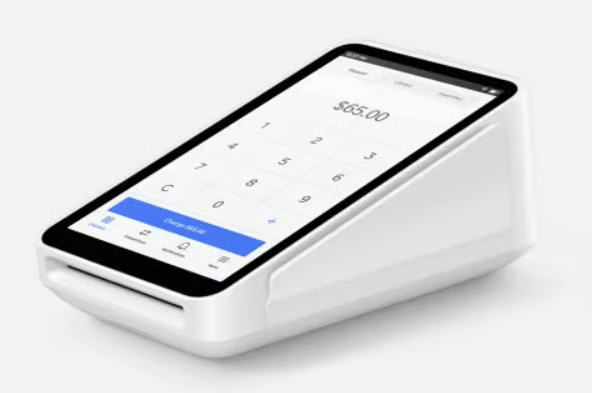
Square Terminal has a built-in magstripe reader, EMV chip reader, NFC reader, and receipt printer. (Source: Square) 
The Square Terminal comes with the Square Terminal card reader, power adapter, power adapter cable, and paper roll. (Source: Square Terminal) 
Other Square devices can be connected to the Square Terminal for a complete POS setup. (Source: Square)
Clover Mini: Best compact countertop POS
Pros
- Compact countertop POS with a large touchscreen
- Full POS functionality (inventory, employees, reporting)
- Built-in receipt printer
- Supports both countertop and semi-mobile use
Cons
- Higher upfront cost than basic terminals
- No built-in barcode scanner
Why I chose Clover Mini
Clover Mini is the best compact countertop POS for small businesses that want full POS functionality without committing to a large, dual-screen register. It delivers nearly the same feature set as Clover’s larger systems in a smaller footprint, making it ideal for retail counters, cafés, and service-based businesses with limited space.
I like that Clover Mini balances power and size. It includes a built-in receipt printer, a responsive touchscreen, and access to Clover’s full app marketplace for inventory management, employee permissions, customer engagement, and reporting. Compared to Clover Compact, the Mini offers a larger screen and more advanced POS capabilities. Compared to Square Register, it takes up far less counter space while still supporting complex workflows.
While Clover Mini is more expensive than entry-level terminals like Square Terminal or SumUp Solo, it’s a strong fit for businesses that need a permanent checkout station with advanced POS features and room to scale.
Skip Clover Mini if…
- You only need to accept card payments and do not need full POS tools.
- You want a lower-cost smart terminal.
- You need a built-in barcode scanner.
- You need a highly portable handheld reader.
- You prefer Square’s simpler no-monthly-fee POS setup.
Key features
- Full POS functionality in a compact countertop device
- Large touchscreen with intuitive interface
- Built-in receipt printer
- Supports swipe, dip, tap, and mobile wallets
- Inventory management and employee log-ins
- Offline mode for continued sales during outages
- Wi-Fi and ethernet connectivity
- Access to Clover App Market for customization
- Tipping and customer-facing payment flow
Scaling options
Clover Mini sits between simple card readers and full register systems, making it easy to scale up or down within the Clover ecosystem.
Lower-cost options
- Clover Go card reader: $199
- Tap to Pay on iPhone
Higher-end options
- Clover Flex: $749
- Clover Station Solo: $1,799
- Clover Station Duo: $1,899
- Clover Kiosk: $3,499
This makes Clover Mini a strong midpoint choice for businesses that want countertop stability today and expansion options later.
Pricing
| Plan | Starter | Essentials | Register |
|---|---|---|---|
| Device fee | $849 or $45 per month for 36 months | ||
| Software fee | $0 | $14.95 per month | $49.95 per month |
| Card-present transaction fee | 2.6% + $0.10 | 2.6% + $0.10 | 2.3% + $0.10 |
| Keyed-in transaction fee | 3.5% + $0.10 | 3.5% + $0.10 | 3.5% + $0.10 |
Clover’s pricing is relatively standard. Though, note that the pricing shown reflects purchases made directly through Clover. If you buy Clover Mini through a reseller or merchant service provider, hardware costs, monthly software fees, transaction rates, and contract terms may vary.
Gallery

The Clover Mini countertop POS system has a large touchscreen interface and built-in card reader, designed for compact retail and service checkout counters. (Source: Clover) 
Customers can complete fast, contactless payments on the Clover Mini countertop POS using mobile wallets like Apple Pay and Google Pay. (Source: Clover)

Toast Go: Best for restaurants
Pros
- Restaurant-grade (spill-proof, drop-proof, dust-proof)
- Offline mode
- Pay-as-you-go plan with no upfront hardware cost
Cons
- No built-in receipt printer (printer available as accessory)
- No built-in barcode scanner
Why I chose Toast Go
Toast Go stands out as the best handheld POS for restaurants because it’s purpose-built for food service operations. Its restaurant-grade durability, long battery life, and offline mode make it reliable in fast-paced environments where spills, drops, and connectivity issues are common.
I find it especially well-suited for tableside ordering and mobile payment workflows. Unlike general-purpose handheld card readers from Square or Clover, Toast Go is designed to work seamlessly within Toast’s full restaurant management ecosystem, including kitchen display systems, online ordering, team management, and inventory tracking.
The Pay-as-you-Go plan lowers the barrier to entry by eliminating upfront hardware costs, making Toast Go an attractive option for restaurants that want industry-specific tools without a large initial investment.
Skip Toast Go if…
- You are not a restaurant, food truck, cafe, or food-service business.
- You want the lowest possible processing fees.
- You need a built-in receipt printer.
- You need barcode scanning for retail inventory.
- You do not want to commit to a restaurant-specific POS ecosystem.
Key features
- Restaurant-grade durability
- Integrated with Toast’s restaurant management system (KDS, online ordering, team management, inventory)
- Up to 24-hour battery life
- Employee log-ins
- Tipping option
- Optional accessories: receipt printer, kitchen printer, cash drawer, label printer, kitchen display screen
Scaling options
Toast Go 2 is Toast’s entry-level card reader. Like Square and Clover, Toast also offers countertop solutions and customer-facing displays. Toast also excels in restaurant-specific hardware solutions like kitchen display systems (KDS) and self-service kiosks.
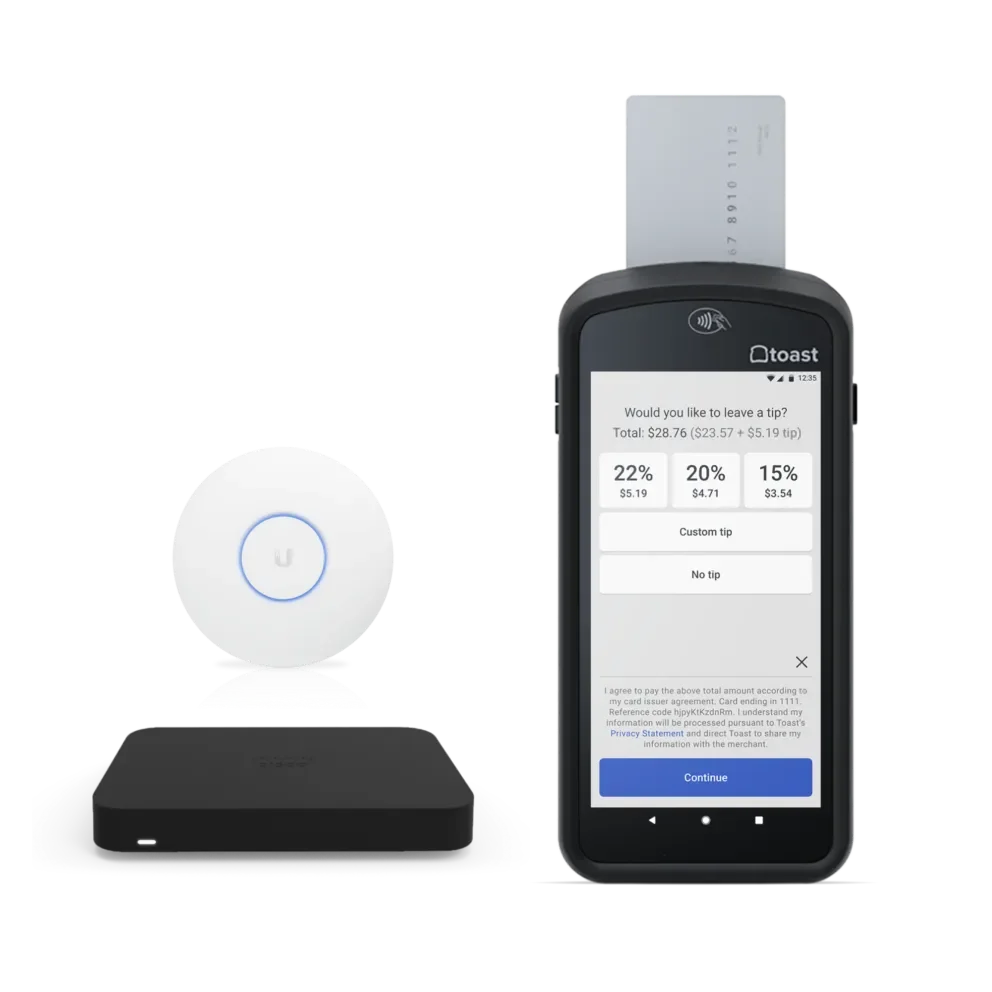
Unique to this list, Toast hardware kits also come with routers for setting up a local network for maximum device security and stability.
Lower-cost options
- None
Higher-end options
- Toast Flex with Tap (Countertop Starter Kit): $1,068.20
- Toast Flex with Tap and Guest Facing Display: $1,202.30
- Kiosk with Tap (Guest Self Service Starter Kit): $1,339.10
Pricing
Toast offers restaurant-specific software and payment processing plans, including a Pay-as-you-Go option that allows restaurants to get started with no upfront hardware cost. However, the Pay-as-you-Go plan includes higher transaction fees and an inactivity fee if no card transactions are processed for 90 days.
As restaurants grow, they may qualify for customized transaction and software rates under Toast’s standard plans.
| Plan | Pay-as-you-Go Basics plan* | Standard |
|---|---|---|
| Device fee | $0 | $749 |
| Software fee | $20 | $89 per month |
| Card-present transaction fee | 3.09% + $0.15 | 2.49% + $0.15 |
| Keyed-in transaction fee | 3.09% + $0.15 | 3.50% + $0.15 |
*With an $85/mo inactivity fee if there is no card transaction for 90 days.
Gallery

The Toast Go has a built-in magstripe reader, EMV chip reader, and NFC reader. (Source: Toast) 
The Toast Go starter kit includes the Toast Go card reader, wireless access point, and data security router. (Source: Toast) 
The Toast Go links and syncs with other Toast products for a unified restaurant platform. (Source: Toast)


SumUp Solo: Cheapest standalone credit card reader
Pros
- Compact, lightweight, and highly portable
- Free unlimited data witha built-in SIM card
- Comes with a free SumUp Business Account
Cons
- Limited POS features
- Limited third-party integrations
Why I chose SumUp Solo
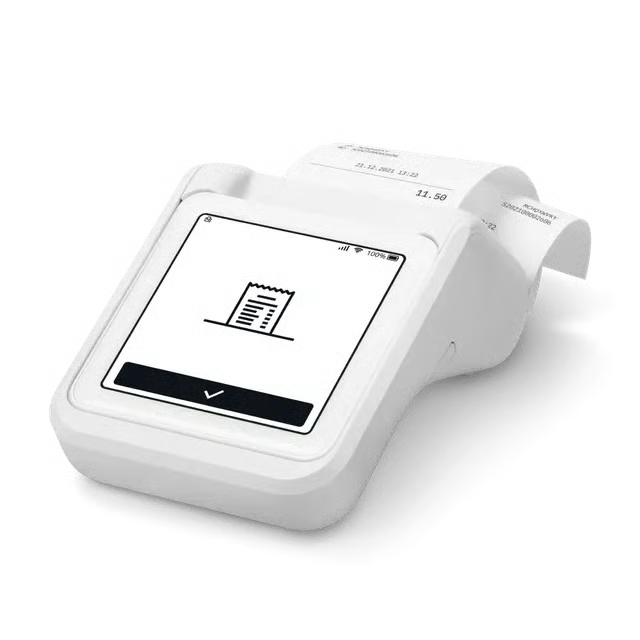
Compared to other readers on this list, SumUp Solo is one of the most lightweight and compact options, making it a strong choice for businesses that are frequently on the move. While the main unit lacks a built-in receipt printer, purchasing the dock-and-printer bundle still makes it cheaper than most standalone terminals.
It also lacks advanced inventory and third-party integrations, but its affordability, portability, and pay-as-you-go pricing model make SumUp Solo a strong entry-level option for businesses that want a straightforward way to accept in-person payments.
Skip SumUp Solo if…
- You need advanced inventory tools.
- You need strong third-party integrations.
- You plan to scale into a larger multi-device POS setup.
- You need built-in receipt printing without buying the printer bundle.
- You want deeper retail, restaurant, or ecommerce tools.
Key features
- Compact, all-screen design
- No monthly fees
- Built-in SIM card & Wi-Fi connectivity
- Free SumUp Business account
- Smart tipping
- Sales reporting
- Automatic software updates
- Same-day funding to the free SumUp business account
Scaling options
SumUp has two different card readers. The SumUp Solo is available as a standalone reader ($99) or with a printer bundle ($169). There are very limited options for scaling up your operations with SumUp
Lower-cost options
- SumUp Plus: $54
- SumUp Plus with Cradle Bundle (charging station): $64
- Tap to Pay on iPhone
- Tap to Pay on Android
Higher-end options
- SumUp Terminal: $249
- SumUp POS Lite and Solo Bundle: $499
- SumUp Point of Sale: Pricing not disclosed
- Self-service Kiosk: Pricing not disclosed
Pricing
- Device fee: $99 device only, $169 with printer bundle
- Software fee: $0
- Card-present transaction fee: 2.6% + $0.10
- Keyed-in transaction fee: 3.5% + $0.15
Gallery

The SumUp Solo Printer Bundle is the Solo card reader together with a thermal inkless printer that also serves as a battery pack. (Source: SumUp) 
SumUp also has a POS and card reader bundle, which comes with a touchscreen tablet that’s pre-installed with the SumUp POS. (Source: SumUp)

Square Handheld: Best handheld smart terminal
Pros
- Built-in barcode scanner for fast item lookup
- Lightweight, all-in-one handheld design
- Full access to Square POS software
- No monthly software fees
Cons
- No built-in receipt printer
- Wi-Fi only (no LTE/4G support)
- Smaller screen than countertop terminals
Why I chose Square Handheld
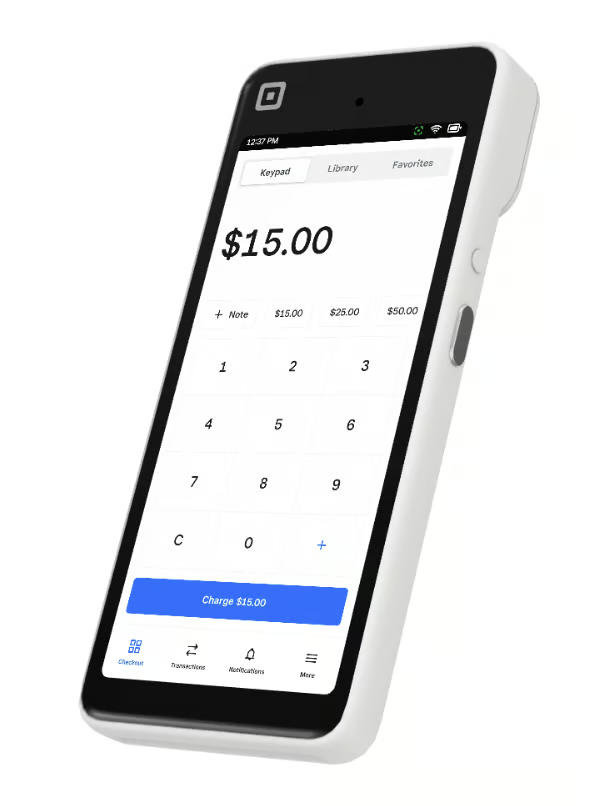
Square Handheld is the best handheld smart terminal for retail and event-based selling where mobility and fast checkout matter. It’s designed for businesses that need staff to move freely — scanning products, taking payments, and managing inventory without being tied to a fixed counter.
What differentiates Square Handheld from Square Terminal is its built-in barcode scanner, which makes it especially useful for retail stores, pop-up shops, and events with SKU-based inventory. While Square Terminal is better suited for stationary checkout with a built-in receipt printer, Square Handheld excels in line-busting and floor-based sales workflows. Compared to Clover Flex, Square Handheld offers a simpler setup with Square’s free POS software and flat-rate pricing, making it easier to deploy quickly for temporary or mobile locations.
It doesn’t include LTE connectivity or an integrated printer, but for retail and event sellers that prioritize speed, mobility, and barcode-driven checkout, Square Handheld is a strong fit.
Skip Square Handheld if…
- You need built-in LTE or 4G connectivity.
- You need a built-in receipt printer.
- You want a larger countertop screen.
- You do not use barcode scanning or SKU-based inventory.
- You mostly sell from a fixed counter and would be better served by Square Terminal or Square Register.
Key features
- Built-in barcode scanner for inventory-based selling
- Handheld smart terminal design for mobile checkout
- Accepts swipe, dip, and tap payments
- Supports Apple Pay, Google Pay, Samsung Pay, and Cash App
- Full Square POS access, including inventory and reporting
- Offline mode for continued sales during outages
- Wi-Fi connectivity
- Employee log-ins and role-based permissions
- Optional accessories: charging dock, receipt printer, cash drawer
Scaling options
Square Handheld fits seamlessly into Square’s hardware ecosystem, making it easy to scale across locations or event setups.
Lower-cost options
- Square magstripe reader: Free
- Square Contactless and chip reader: $59
- Square Terminal: $299
- Tap to Pay on iPhone
- Tap to Pay on Android
Higher-end options
- Square Stand: $149
- Square Register: $899
- Square Kiosk: $149
Most Square hardware purchases can qualify for interest-free payment plans.
Pricing
- Square Terminal: $399 or $37 per month for 12 months
- Software fee: $0
- Card-present transaction fee: 2.6% + $0.15
- Keyed-in transaction fee: 3.5% + $0.15
Square offers custom pricing to qualifying businesses processing over $250,000 annually.
Gallery

The Square Handheld smart terminal has a compact, mobile-first design with a built-in touchscreen for fast checkout at retail stores, pop-up shops, and events. (Source: Square) 
The Square Handheld smart terminal’s built-in barcode scanner allows staff to quickly scan products for fast, mobile checkout in retail stores and at events. (Source: Square)

PayPal Point of Sale (formerly Zettle): Best for PayPal and Venmo payments
Pros
- Low processing fees
- Pre-loaded SIM card at no cost
- Native PayPal and Venmo payment acceptance
Cons
- No magstripe reader
- No offline mode
Why I chose PayPal POS
PayPal Point of Sale (formerly Zettle) is the best option for businesses that rely heavily on PayPal and Venmo payments. Its tight integration with PayPal’s ecosystem makes it especially appealing for sellers who already use PayPal for online payments, invoicing, or peer-to-peer transactions and want a seamless way to accept those same payment methods in person.
I like that PayPal Point of Sale keeps costs predictable. Among the card readers on this list, it offers some of the lowest flat-rate processing fees, which can translate into meaningful savings for small and mid-sized businesses. The terminal also includes a pre-loaded SIM card at no extra cost, allowing businesses to accept payments without depending entirely on Wi-Fi.
While it doesn’t support magstripe payments or offline mode, the optional barcode scanner and dock with built-in receipt printer make it well-suited for retail environments. Overall, PayPal Point of Sale stands out as a simple, cost-effective solution for businesses that prioritize PayPal and Venmo acceptance and want a straightforward in-person checkout experience without monthly software fees.
Skip PayPal Point of Sale Terminal if…
- You need offline mode.
- You still need magstripe payment support.
- You want a broader POS hardware ecosystem.
- You do not rely on PayPal or Venmo payments.
- You need stronger inventory, staff, or retail management tools.
Key features
- Optional barcode scanner
- Charging dock with built-in receipt printer
- Pre-loaded SIM card included at no cost
- Accepts PayPal and Venmo payments
- Inventory management
- Tipping option
- Optional accessories: dock+printer, barcode scanner, cash drawer, receipt printer
Scaling options
PayPal has two core hardware products — the Terminal we recommend in this guide, and the Card Reader, which is a basic PIN-enabled card reader that pairs with the PayPal POS mobile app. Both offer charging docs, but the Terminal also has optional accessories available in Kit bundles.
Like Square, PayPal also offers a hardware-free option with Tap to Pay payments on iPhone and Android.
Lower-cost options
- Card Reader: $29 for the first reader, $79 for succeeding readers
- Tap to Pay on iPhone
- Tap to Pay on Android
Higher-end options
- Store Kit Mini: $229
- Store Kit Standard: $479
- Store Kit Plus: $699
- Store Kit Portable: $339
Pricing
PayPal’s hardware fees are comparable to the other options on this list. However, its card-present transaction fees are much lower than our other recommended options, which is ideal for businesses of any size looking to maximize profit margins.
- Device fee: $199 device only, +$40 with barcode scanner, +$99 with printer and dock
- Software fee: $0
- Card-present transaction fee: 2.29% + $0.09
- Keyed-in transaction fee: 3.49% + $0.09
Gallery

The PayPal POS Terminal has an EMV chip reader, NFC reader, optional barcode scanner, and optional dock with printer. (Source: PayPal) 
The PayPal Point of Sale terminal allows scanning of product barcodes for quick inventory lookup and checkout, ideal for retailers that want seamless PayPal and Venmo payment acceptance. (Source: PayPal)

Helcim Smart Terminal: Best for interchange-plus pricing
Pros
- Interchange-plus pricing
- Built-in receipt printer
- Automatic volume discounts
- Surcharging option
Cons
- Limited other hardware options
- No offline mode
Why I chose Helcim Smart Terminal
The Helcim Smart Terminal stands out as the best option for businesses that want transparent interchange-plus pricing and lower long-term processing costs. It’s also featured in our lists of the best mobile credit card processing solutions and the cheapest credit card processing providers, thanks to its clear pricing structure and lack of monthly fees.
Unlike flat-rate processors, Helcim passes interchange costs directly to merchants and applies a transparent markup, which often results in lower processing fees as transaction volume grows. I like that Helcim also offers automatic volume discounts, reducing rates over time without requiring contract renegotiations.
The terminal’s built-in receipt printer, inventory tracking, and employee log-ins make it practical for everyday retail use, while the surcharging option allows businesses to offset processing costs by passing fees to customers where permitted. Although Helcim doesn’t offer offline mode or a broad hardware ecosystem, its combination of interchange-plus pricing, zero monthly fees, and automatic discounts makes it one of the most cost-effective card readers for fee-conscious small businesses.
Skip Helcim Smart Terminal if…
- You want the easiest beginner setup.
- You need offline mode.
- You want a broad POS hardware ecosystem with registers, handhelds, kiosks, and accessories.
- You prefer predictable flat-rate pricing.
- Your sales volume is too low for interchange-plus pricing to make a meaningful difference.
Key features
- Interchange-plus pricing
- Built-in receipt printer
- Inventory tracking
- Automatic volume discounts
- Surcharging program
- Employee log-ins
- Tipping option
- Optional accessories: countertop printer, barcode scanner, cash drawer
Scaling options
Similar to PayPal, Helcim has two card reader options: one that pairs with a smartphone and a standalone all-in-one terminal.
Lower-cost options
- Helcim Card Reader: $199
- Tap to Pay on iPhone
Higher-end options
- None
Unlike Square or Clover, Helcim does not offer larger countertop registers or multi-device POS systems, making it best suited for small and mid-sized businesses that prioritize low processing costs over hardware expansion.
Pricing
Helcim’s hardware is on the pricier side. But, it’s the only option on this list that offers transparent interchange-plus transaction fees, which almost always end up being cheaper for businesses than flat-rate transaction fees.
Uniquely, Helcim also automatically adjusts its pricing as your transaction volume increases, charging fewer and fewer fees as you grow.
- Device fee: $349 (or $32 in 12 months)
- Software fee: $0
Transaction fees:
| Monthly transaction volume | Card-present transaction fee | Keyed-in translation fee |
|---|---|---|
| $0 to $50,000 | Interchange + 0.40% + $0.08 | Interchange + 0.50% + $0.25 |
| $50,000 to $100,000 | Interchange + 0.35% + $0.08 | Interchange + 0.45% + $0.20 |
| $100,000 to $500,000 | Interchange + 0.25% + $0.07 | Interchange + 0.35% + $0.20 |
| $500,000 to $1,000,000 | Interchange + 0.20% + $0.06 | Interchange + 0.25% + $0.15 |
| $1,000,000+ | Interchange + 0.16% + $0.06 | Interchange + 0.15% + $0.15 |
Gallery


What is a credit card reader?
A credit card reader is a device that enables businesses to accept payments from customers via credit and debit cards. These readers can be standalone units or part of a larger POS system. They read the card’s information through a magnetic stripe, EMV chip, or contactless technology (NFC) to process transactions securely. Credit card readers are essential for modern businesses as they facilitate quick and secure payment processing.
How do credit card readers work?
Credit card readers work by capturing and transmitting card information to a payment processor. When a card is swiped, dipped, or tapped, the reader retrieves the card’s data (magnetic stripe, chip, or NFC signal). This data is encrypted and sent to the payment processor, which verifies the card details and checks for available funds. Once approved, the transaction is completed, and funds are transferred to the merchant’s account. This process happens in seconds, ensuring fast and secure payments.
Types of credit card readers
Credit card readers come in various forms to meet different business needs. These types include magstripe readers, EMV chip readers, NFC (contactless) readers, and smart terminals, each offering distinct features and security levels to cater to diverse payment processing requirements.
- Magstripe readers: Basic devices that read the magnetic stripe on the back of cards, offering straightforward but less secure transactions.
- EMV chip readers: Devices that read the embedded chip in cards, providing enhanced security against fraud.
- NFC (contactless) readers: Readers that accept contactless payments from cards or mobile wallets, enabling fast and convenient transactions.
- Smart terminals: Advanced, multifunctional devices that support magstripe, chip, and contactless payments, often integrated with POS systems.
Simple credit card readers, like ones that just perform the functions listed above, typically require integration with a different device (computer, tablet, or mobile device) where the POS app is installed. These simpler readers are in contrast to all the smart terminals discussed above – our recommended options are all standalone terminals and do not require any other integration to accept card payments.
How to choose a credit card reader
The best credit card reader depends on how your business accepts payments, what features you need at checkout, and how much you want to spend upfront. Before choosing a provider, consider:
- Payment environment: Decide whether you need a fixed countertop terminal, a handheld reader, or a mobile-friendly option for pop-ups, events, or tableside payments.
- Accepted payment types: Look for support for swipe, dip, tap, QR code, and digital wallet payments based on how your customers prefer to pay.
- Total cost: Compare hardware prices, monthly software fees, transaction rates, contract terms, and add-on costs.
- POS features: Consider whether you need inventory management, employee log-ins, reporting, tipping, barcode scanning, or receipt printing.
- Scalability: Choose a provider that can support additional devices, locations, integrations, or more advanced POS tools as your business grows.
Cheapest alternatives to standalone card readers
All of the card readers featured above are standalone smart terminals, meaning they work independently without needing a phone or tablet. If you don’t need a full smart terminal or want the lowest possible upfront cost, there are cheaper alternatives worth considering.
Tap to Pay on mobile (No reader required)
Tap to Pay lets businesses accept contactless payments directly on a smartphone using NFC. Customers tap their card or mobile wallet on your phone.
This is the lowest-cost way to accept in-person payments, but it only supports contactless transactions and lacks the reliability, offline support, and built-in features of smart terminals.
Providers that support Tap to Pay on mobile include:
- Square (Android and iPhone)
- ./Stripe (Android and iPhone)
- Clover (Android and iPhone)
- SumUp (Android and iPhone)
- PayPal Point of Sale (Android and iPhone)
- Helcim (iPhone only)
Mobile phone-paired card readers
Unlike the standalone terminals ranked above, these readers require a phone or tablet to run the POS app. Phone-paired card readers connect to a smartphone or tablet via Bluetooth and support chip, tap, and sometimes swipe payments. These devices are significantly cheaper than standalone terminals, but they require a separate phone or tablet to function.
They’re best for mobile vendors, pop-ups, and very small businesses that don’t need a fully independent device.
If you’re looking for these simpler options, see our guide to the best credit card readers for Android and best card readers for iPhone.
Processor vs merchant accounts: How it affects card reader pricing
Most card readers are tied to one of two payment models: all-in-one processors or merchant accounts. This affects not only your transaction fees, but also which card readers you can use, how easy setup is, and how flexible your hardware options are as your business grows.
| Comparison | All-in-one processors (Square, PayPal, Stripe, etc.) | Merchant accounts |
|---|---|---|
| Card reader setup | Plug-and-play, reader works out of the box | Reader must be compatible with your processor |
| Pricing model | Flat-rate per transaction | Interchange + processor markup |
| Best fit for | Simple setups, mobile sellers, lower volumes | Higher volume or fee-sensitive businesses |
Frequently asked questions (FAQs)
What is the best card reader for small business?
The best card reader for a small business depends on specific needs, such as budget, payment types, and business environment. For growing and scaling businesses, my evaluation shows that Clover Flex is the best credit card reader.
How much does a card reader cost?
A simple card reader costs anywhere from $0 to $100, while a standalone card reader costs anywhere from $200 to $800. Some payment solutions providers may also have card readers for monthly rent.
Can I use my phone as a card reader?
Yes, you can use your phone as a card reader. Newer options like Tap to Pay on iPhone and Android allow you to accept contactless payments directly through your phone without any additional hardware.