Managing payroll goes beyond paying employees accurately and on time. Behind every pay run is a set of payroll tax forms that document wages paid, taxes withheld, and employer tax obligations across the year, forming the reporting trail used by the Internal Revenue Service (IRS), the Social Security Administration (SSA), and state and local tax agencies.
In this guide, I’ve pulled together a list of key payroll tax forms for employers and explained when each one is used. It also covers where payroll tax reporting issues tend to surface.
Payroll tax forms are easiest to manage when they’re generated from consistent payroll data. QuickBooks Workforce (formerly QuickBooks Payroll) calculates taxes for each pay run and prepares payroll tax forms from that data, saving you time and reducing manual work.
Essential payroll tax forms for employers
Payroll tax forms are used at different points in the year, but they all pull from payroll that’s already been processed. Knowing when each form comes into play after you do payroll makes it easier to see how payroll activity flows into reporting and where issues are most likely to surface.
Quarterly and annual forms
These forms are filed periodically to report wages and taxes from completed payroll runs and to close out annual reporting.
Form 941: Employer’s Quarterly Federal Tax Return
Form 941 is used to report federal income tax withheld from employee wages, along with both the employee and employer portions of Social Security and Medicare taxes. You file this form quarterly using payroll data from the applicable reporting period.
Each Form 941 is filed after the end of a calendar quarter, generally by the last day of the following month:
- April 30 for quarter 1 (January 1 to March 31)
- July 31 for quarter 2 (April 1 to June 30)
- October 31 for quarter 3 (July 1 to September 30)
- January 31 for quarter 4 (October 1 to December 30)
When that date falls on a weekend or federal holiday, the deadline shifts to the next business day.
Form W-2: Wage and Tax Statement
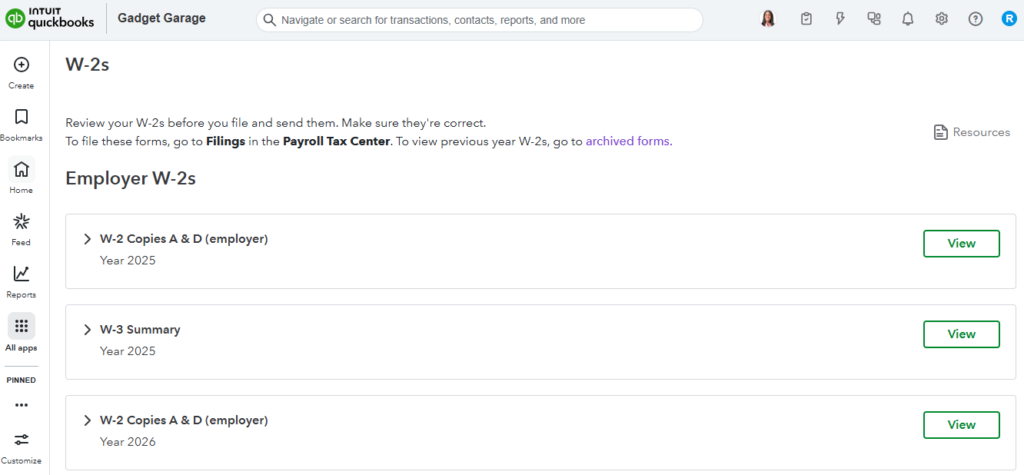
Form W-2 provides a record of each employee’s total wages and tax withholdings for the calendar year. You provide copies to employees and file them with the SSA.
W-2s must be furnished to employees and submitted to the SSA by January 31 following the end of the calendar year. If January 31 falls on a weekend or federal holiday, the deadline moves to the next business day.
If you want to streamline wage reporting, you can use pay processing tools like QuickBooks Workforce. It prepares W-2s using year-to-date payroll data, helping ensure totals reflect all payroll activity across the year and simplifying year-end distribution.
Form W-3: Transmittal of Wage and Tax Statements
Form W-3 is filed to transmit and summarize all Forms W-2 you submit to the SSA. Employees do not receive this form. The filing deadline is January 31, and it must be filed at the same time as the corresponding W-2s.
The totals included on Form W-3 should reconcile with the combined totals of all employee W-2s. If you use centralized payroll records in systems, like QuickBooks Workforce, it can help ensure W-3 totals match employee wage statements before submission.
Form 940: Employer’s Annual Federal Unemployment (FUTA) Tax Return
Form 940 is filed to report federal unemployment tax, which is paid entirely by you as the employer.
The filing deadline for this payroll tax report is January 31. However, if all of your FUTA tax deposits were made on time during the year, you may file by February 10.
Form 944: Employer’s Annual Federal Tax Return
Form 944 is used by eligible employers to report federal payroll taxes annually instead of filing Form 941 quarterly. The IRS determines eligibility and notifies employers directly.
If approved, you file Form 944 by January 31 following the end of the calendar year. Although this payroll tax form is filed once per year, the totals reported come from payroll activity across the entire year.
Form 945: Annual Return of Withheld Federal Income Tax
Form 945 is used to report federal income tax withheld from nonpayroll payments, such as backup withholding, certain retirement distributions, and other non-wage income.
The filing deadline is January 31. This form does not include wages or FICA taxes reported on other payroll tax forms.
Amendment and correction forms
When payroll tax forms are filed incorrectly, corrections must be made using designated amendment forms rather than resubmitting original filings.
Form 941-X: Adjusted Employer’s Quarterly Federal Tax Return
Form 941-X is used to correct wage, withholding, or tax calculation errors reported on a previously filed Form 941. Access to historical payroll records in tools like QuickBooks Workforce can make it easier to identify changes and prepare accurate amended returns.
The filing deadline depends on when the error is identified, but corrections generally must be submitted within the IRS statute of limitations.
Form W-2c: Corrected Wage and Tax Statement
Form W-2c is filed to correct information previously reported on a filed Form W-2. You provide the updated form to affected employees and submit it to the SSA after an error is identified.
Similar to Form 941-X, corrections rely on original payroll records, so having centralized year-to-date payroll data helps streamline the W-2c preparation process.
Independent contractor form
These payroll tax forms report payments made to non-employees and support year-end contractor reporting.
Form 1099-NEC: Nonemployee Compensation
Form 1099-NEC is filed to report payments of $2,000 or more made to independent contractors during the year. This is an increase from the prior $600 threshold, and is applicable for payments made on or after January 1, 2026. You must provide a copy to contractors and file the form with the IRS by January 31 or the next business day.
While this form does not involve payroll tax withholding, it is often managed alongside payroll tax forms for employees. Accurate contractor classification and complete W-9 information help ensure this document is prepared correctly and on time.
If you want to simplify payments and reporting for contract workers, check out our list of the top contractor payroll solutions.
State and local payroll tax forms
Most employers also file state and, in some cases, local payroll tax forms. These filings are usually based on the same wage data used for federal reporting but follow different formats and deadlines.
For example:
- State withholding returns, such as California Form DE-9 or New York Form NYS-45
- State unemployment filings, such as Texas Form C-3 or Florida Form RT-6
- Local income tax filings, including New York City, Philadelphia, and certain Ohio municipalities
Payroll tax forms for recordkeeping
These forms support payroll setup and compliance, but are typically collected rather than filed to tax agencies.
Form W-4: Employee’s Withholding Certificate
Form W-4 determines how much federal income tax is withheld from an employee’s pay. Employees complete it at hire and whenever their withholding needs change.
Form I-9: Employment Eligibility Verification
Form I-9 verifies that an employee is authorized to work in the United States. While it is not a payroll tax form, it is closely tied to payroll compliance and onboarding. Keep the form on file and produce it only if requested during an audit.
Where payroll tax reporting breaks down
Payroll tax reporting issues rarely originate in the forms themselves. In most cases, they trace back to payroll activity that wasn’t recorded, updated, or classified correctly and only becomes visible when data is summarized for quarterly or year-end filings.
Some pay items never make it into regular pay runs or are classified incorrectly. Off-cycle payrolls, bonuses, commissions, and taxable fringe benefits are common examples. When these amounts aren’t recorded properly at the time of payment, they often show up later as discrepancies across payroll tax forms.
Payroll tax reporting is based on when payroll is run and paid. If wages are paid later than the expected pay period, such as retroactive pay or late adjustments, those amounts appear in a different reporting period than the work they relate to.
Incorrect names, Social Security numbers, addresses, taxpayer identification numbers, or employee classifications frequently lead to rejected filings or required corrections. These issues often originate during onboarding or when updates aren’t entered promptly after changes occur.
Employee relocations, remote work arrangements, and multi-state operations increase the risk of incorrect withholding. When work locations aren’t updated in payroll systems, discrepancies tend to appear in state or local filings rather than federal ones.
Small payroll discrepancies that aren’t addressed early can accumulate across multiple pay periods. For example, an incorrect tax setup for a single employee may impact dozens of pay runs before it’s discovered, making year-end reconciliation more complex and time-consuming.
If you’re looking for a payroll system to help you manage and automate reporting, use our Payroll Software Guide to find the best option for you.
Tips for managing payroll tax reporting
Managing payroll tax forms successfully depends on accuracy, timing, and consistency. These tips focus on keeping payroll tax compliance on track throughout the year.
- Stay current on payroll tax laws: Payroll tax rates, wage bases, and filing requirements can change from year to year. Reviewing IRS and state guidance before each new tax year helps ensure payroll tax forms reflect current rules.
- Maintain a payroll tax filing calendar: Payroll tax forms follow different schedules, including quarterly, annual, and event-driven filings. Having a single calendar helps ensure Forms 941, 940, W-2, and related filings are submitted on time.
- Keep payroll records up to date: Accurate employee and payroll records support tax filings, corrections, and payroll audits. Keeping documentation organized makes it easier to trace discrepancies if questions arise later.
- Review payroll and tax data: Periodic checks of payroll totals and tax amounts help surface inconsistencies before they affect multiple filings or require corrected forms.
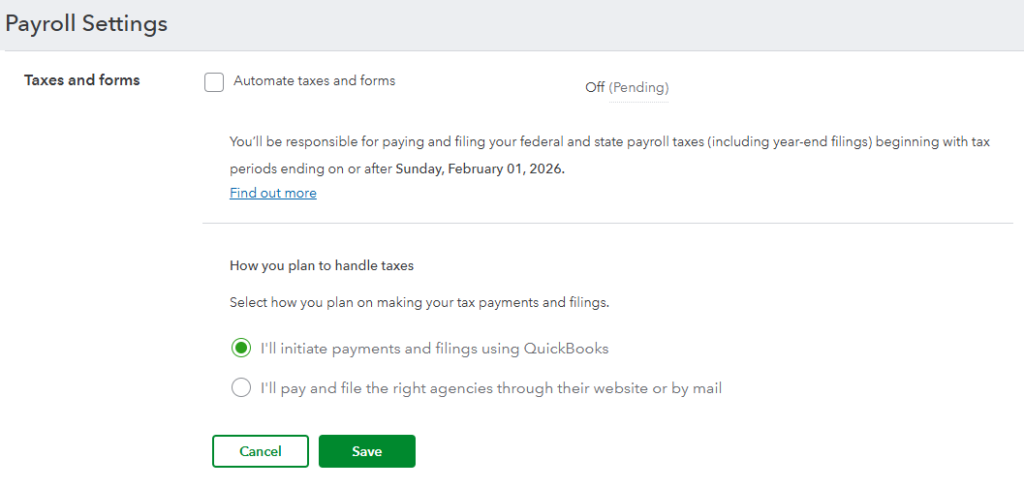
- Leverage payroll software features: Payroll software can automate tax calculations and generate payroll tax forms directly, reducing manual effort and helping keep reporting consistent across filings. Some providers, like QuickBooks Workforce, also offer tax filing services and assist with resolving IRS notices related to payroll tax issues.
Frequently asked questions about payroll tax forms
Payroll tax forms report payroll activity that has already occurred, while payroll tax deposits are payments made throughout the year based on that activity. Filing a payroll tax form does not replace the requirement to make timely tax deposits, which are often due more frequently than the forms themselves.
No. Required payroll tax forms depend on factors such as business size, payroll volume, worker classification, and tax liability. While many employers file quarterly and annual federal forms, others may qualify for different filing schedules or have additional state and local reporting requirements.
Amended payroll tax forms are typically required when wages, tax withholdings, or employee information were reported incorrectly on an original filing. Common triggers include late payroll adjustments, corrected employee data, or errors discovered after a filing deadline has passed.
No. Even when payroll tax forms are prepared or filed by a payroll provider or accountant, employers remain legally responsible for the accuracy and timeliness of the filings. Tax agencies look to the employer, not the service provider, when issues arise.