Key takeaways
Stripe and PayPal are two of the most widely used online payment processors, but they’re built for very different types of businesses. Stripe is known for its powerful APIs, customization options, and scalability, while PayPal is valued for its ease of use, consumer trust, and fast access to funds.
Today, the Stripe vs PayPal decision goes beyond basic payment processing. Both platforms now offer fast checkout experiences, AI-driven fraud protection, global payment support, and enterprise-grade tools — making the right choice highly dependent on your business model and growth plans.
If you’re building a highly customized checkout, subscription platform, or marketplace, Stripe is often the better fit. If you want a simple, recognizable checkout option that’s quick to set up and easy for customers to use, PayPal is usually the better choice.
| Business type | Better choice | Why |
|---|---|---|
| SaaS & subscriptions | Stripe | Billing, APIs, usage-based pricing |
| Freelancers & creators | PayPal | Invoicing, brand trust, instant access |
| Global ecommerce | Stripe | Local payment methods, currency support |
| Marketplaces | Stripe | Connect, split payments |
| Side hustles | PayPal | No-code setup |
| Enterprise | Stripe or PayPal | Depends on pricing + stack |

Stripe: Best for growing businesses
Our rating
4.46/5
Pricing
4.25/5
Hardware
4/5
Payment Software
4.79/5
Support and Reliability
4.58/5
User Experience
4.69/5
User Scores
4.43/5
Pros
- Advanced checkout customization and APIs
- Supports global payments and local payment methods
- Strong fraud detection and chargeback tools
- Scales well for SaaS, marketplaces, and enterprise businesses
Cons
- Full customization often requires developer resources
- Limited built-in virtual terminal
- Add-on fees for invoicing and recurring billing
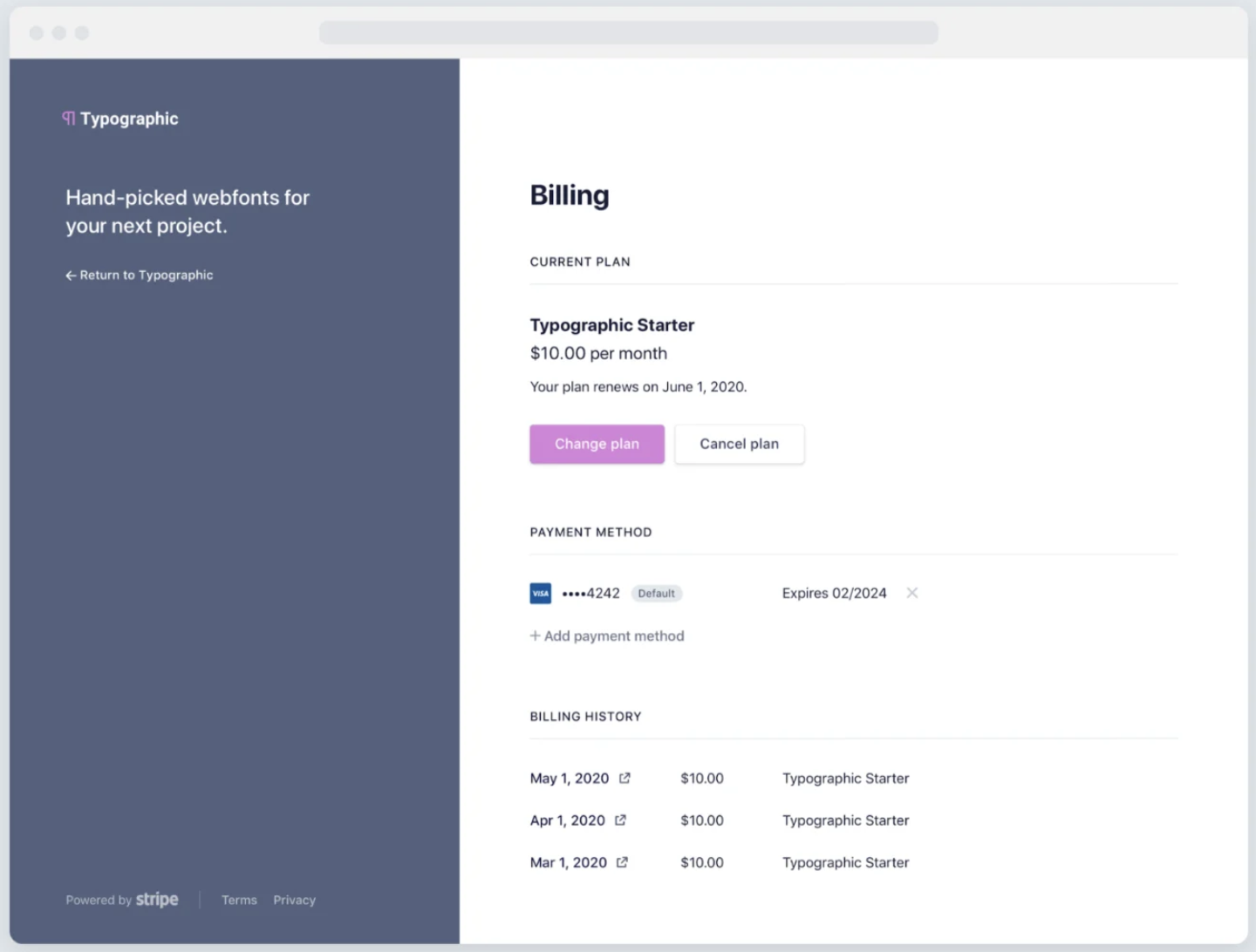
Stripe is a developer-first payment platform designed to support businesses as they scale. Its modular ecosystem includes products such as Stripe Payments, Billing, Connect, and Terminal, allowing businesses to build highly customized payment workflows across online, mobile, and in-person channels.
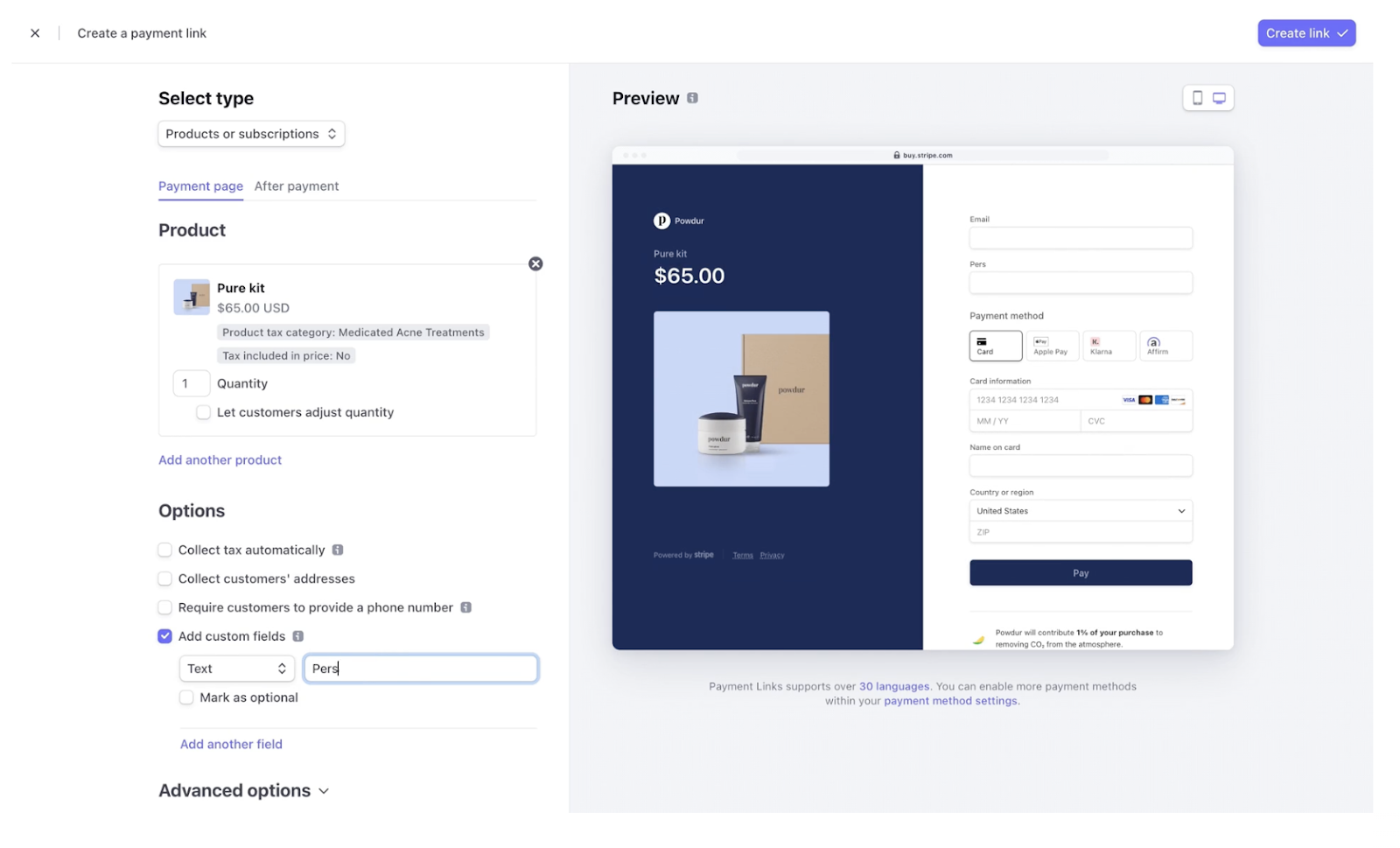
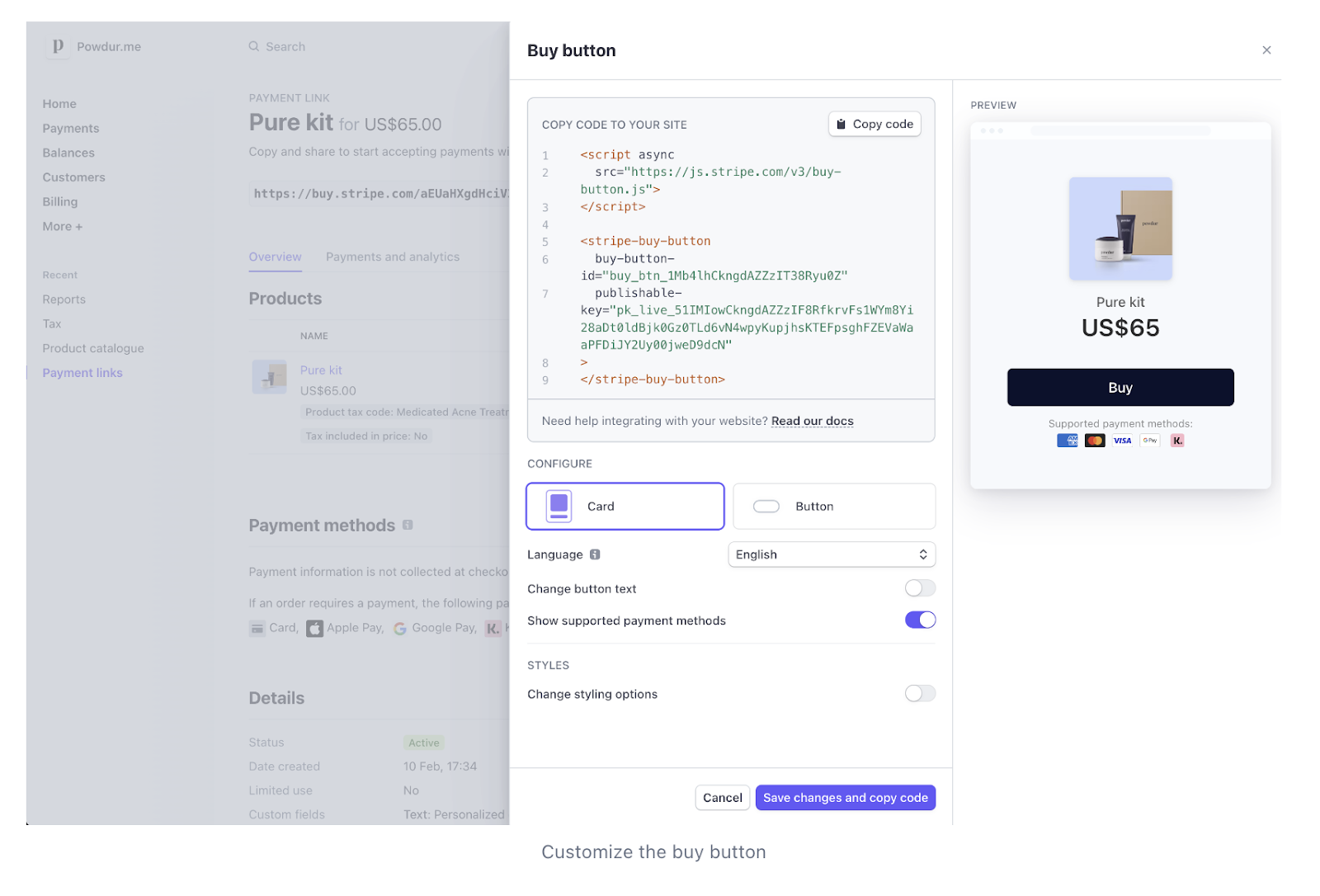
While Stripe was once viewed as complex for non-technical users, it now offers prebuilt checkout pages, payment links, invoicing tools, and a mobile dashboard that make it more accessible — without sacrificing flexibility for advanced use cases.
Read more: Stripe alternatives
Payment methods
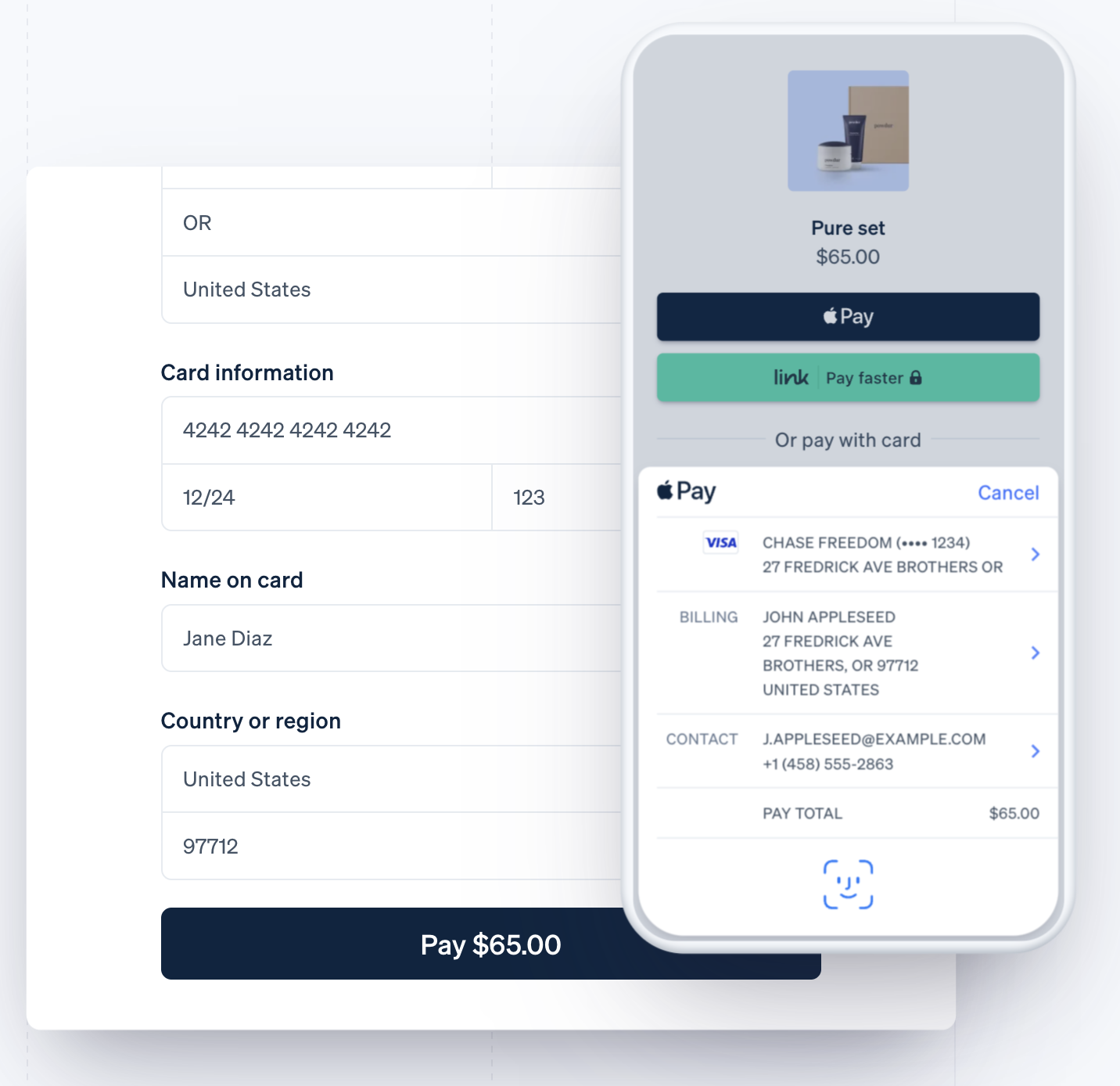
Stripe supports most types of payment services, including e-wallets, cross-border payments, Level 2 and 3 data processing for B2Bs, nonprofits, cryptocurrency, and even PayPal. It also supports local payment methods in 47 countries and integrates with various peer-to-peer and buy now, pay later (BNPL) services. Stripe also supports fast checkout through Stripe Link, enabling saved payment details for returning customers.
Custom checkouts
Stripe’s rich resources for designing custom online checkouts are popular among online and in-person business owners. The system offers both no-code and coding-required customizations for all business types. Businesses can choose between no-code checkout pages or fully custom integrations using Stripe’s APIs.
Payment security
Stripe is well-known for its suite of payment security features. It allows businesses to fine-tune the built-in fraud monitoring and detection tools to their acceptable risk levels. Stripe allows businesses to fine-tune fraud prevention rules based on their risk tolerance, helping reduce false declines while minimizing fraud.
Integrations
Stripe integrates with hundreds of third-party applications and ecommerce platforms, including tools for accounting, subscriptions, marketplaces, and enterprise operations.

PayPal: Best for startups and freelancers
Our rating
4.21/5
Pricing
4.25/5
Hardware
4.25/5
Payment Software
4.17/5
Support and Reliability
3.33/5
User Experience
4.69/5
User Scores
4.60/5
Pros
- Fast, no-code setup for online payments
- Widely trusted consumer brand
- Instant access to funds through PayPal Balance
- Built-in BNPL and peer-to-peer payment options
Cons
- Complex pricing and add-on structure
- Monthly fees for virtual terminal and advanced tools
- Fund holds and account freezes can occur
PayPal is one of the most recognizable payment brands in the world and is widely trusted by online consumers. For businesses, PayPal provides an easy way to accept payments online, in person, or through invoices, often with little to no technical setup.
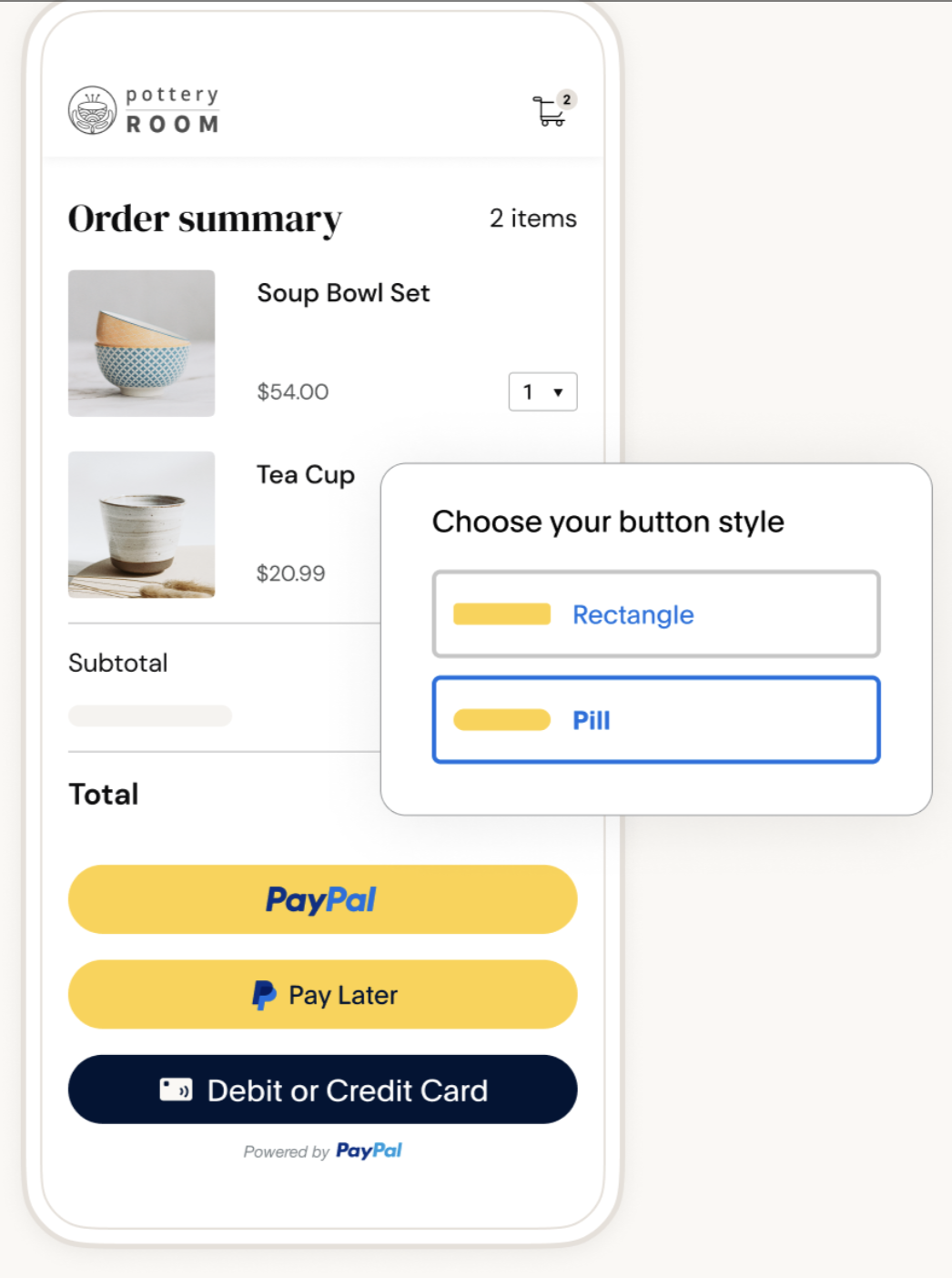
Businesses with an ecommerce website can easily integrate PayPal’s standard or customized checkout without any coding skills. Or, simply add PayPal as an extra payment option to your existing checkout.
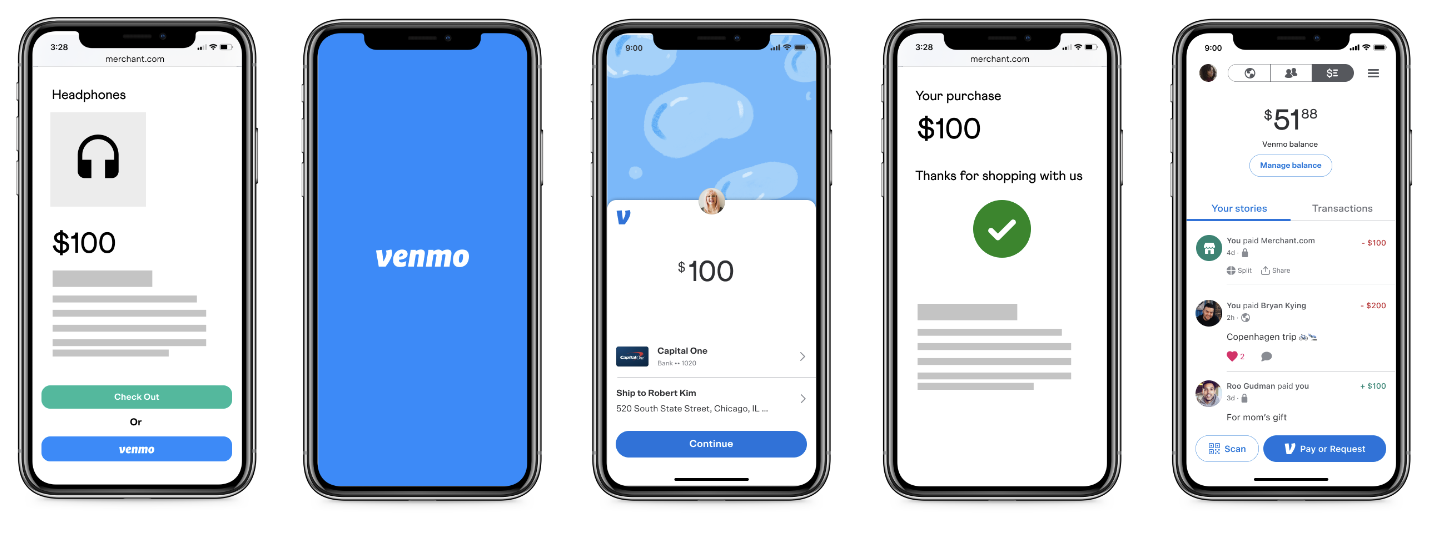
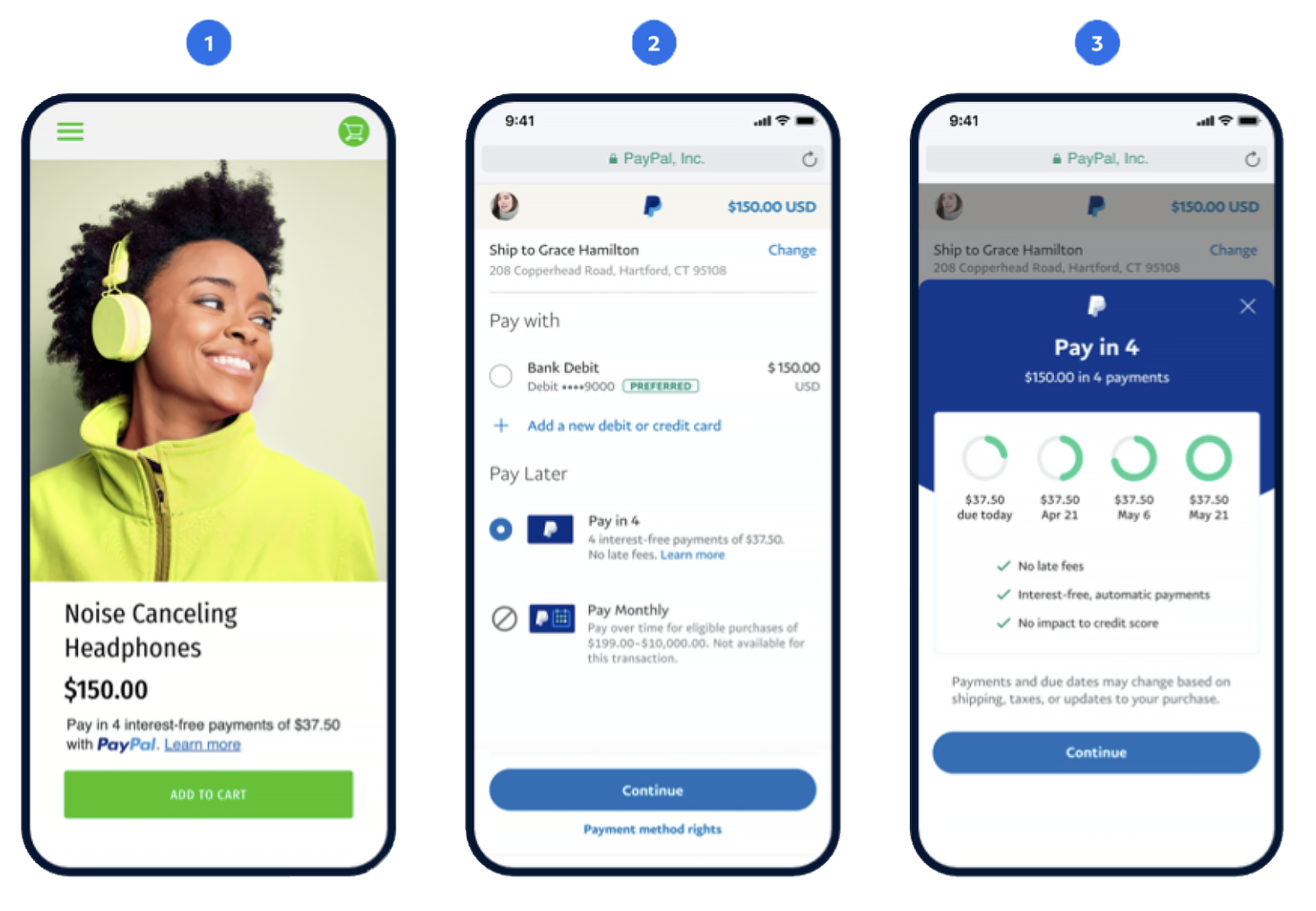
In addition to standard checkout options, PayPal offers native tools such as PayPal Checkout, Fast Lane, Venmo (for US merchants), and Pay in 4, making it especially attractive for businesses focused on conversion and ease of use.
But PayPal’s most exciting development is its enterprise payment solutions. It offers businesses custom interchange-plus pricing and developer tools for creating tailored payment and even POS solutions, much like Stripe.
Read more: Best Retail POS Systems
Payment methods
PayPal supports all types of credit card payment services, including invoicing, cross-border, digital wallets, and virtual terminals. It also allows businesses to accept cryptocurrency payments and BNPL. US merchants can also accept Venmo payments directly through PayPal checkout.
Custom checkouts
PayPal offers easy checkout customization tools and developer resources for advanced features. On top of these, PayPal also has a product called PayPal Checkout, which can be integrated into ecommerce websites to provide customers with the option to make payments using their personal PayPal account. PayPal Checkout prioritizes speed and familiarity, allowing customers to pay using their PayPal account without re-entering payment details.
Payment security
PayPal uses Transport Layer Security (TLS) and machine-learning fraud detection technology to protect PayPal transactions. Advanced risk monitoring tools are also available with an enterprise plan. Seller Protection is available on eligible transactions.
Integrations
PayPal lists hundreds of third-party integrations for ecommerce, accounting, nonprofits, and other business operation tools. PayPal can also integrate with several POS software to allow customers to pay for in-person purchases with their PayPal account. Even if you’re already using a different payment processor, PayPal can be added as an additional checkout option.
How are Stripe and PayPal different?


Software type
Payments
Payments and POS
Monthly account fee
$0-$10
$0-$30
Fee structure
Flat rate or custom interchange-plus
Flat rate, custom interchange-plus for enterprise business
Customizations
Advanced, developer-based
Limited, no coding required
Enterprise solutions
Available
Available
POS integration
Custom software/app development
Server-driven integration
Integrates w/ some POS systems
Proprietary POS
Bank funding speed
2 business days, first deposit takes up to 14 days
3 business days
(Instant access to funds in PayPal balance)
On the surface, Stripe and PayPal appear similar, offering global payment acceptance, fast checkout options, and enterprise capabilities. However, their core strengths differ, making each platform better suited to specific business needs and growth stages.
Below is a closer look at how Stripe and PayPal differ in everyday use.
Ease of use
Stripe and PayPal are both easy to get started with, offering quick account setup and no long-term contracts. However, the overall experience differs once businesses move beyond basic payment processing.
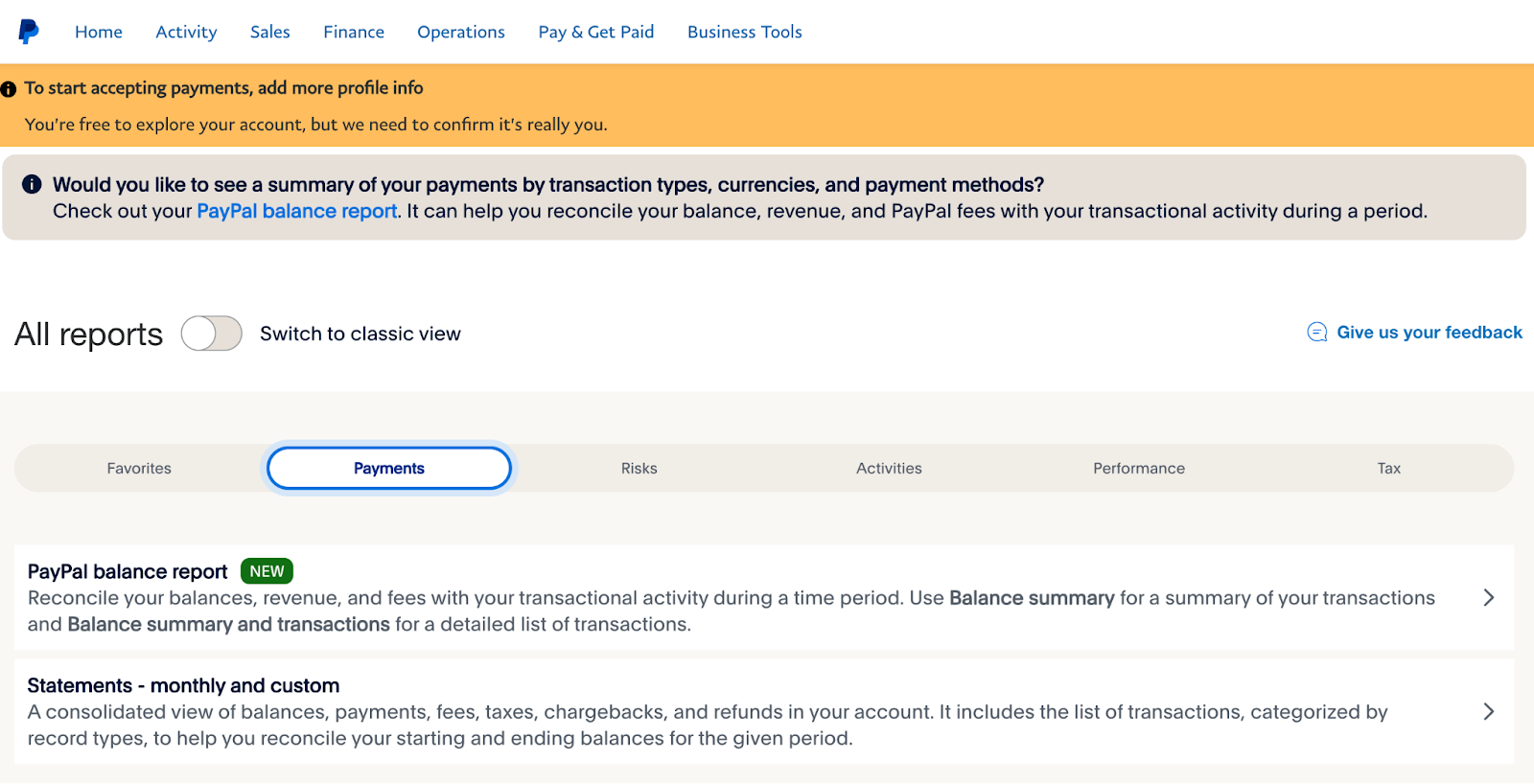
PayPal stands out for its simplicity. Its merchant dashboard is clean, intuitive, and designed for non-technical users, making it easy to send invoices, manage transactions, and access funds without additional setup. Most features work out of the box, which is ideal for freelancers, startups, and small businesses.
Stripe offers more flexibility but comes with a learning curve. While it provides prebuilt checkout pages and a user-friendly dashboard for everyday tasks, many advanced features, such as custom checkout logic, subscriptions, and integrations, require technical configuration. This makes Stripe better suited for businesses that need control and are willing to invest time or development resources to customize their payment experience.
Customization options
Customization is Stripe’s strongest advantage. Businesses can tailor checkout experiences, automate billing logic, localize pricing by region, and configure fraud prevention rules using Stripe’s APIs or no-code tools. These capabilities make Stripe particularly attractive to SaaS companies, marketplaces, and fast-growing ecommerce brands.
PayPal also offers customization tools, but they are more limited and focused on ease of implementation. PayPal Checkout provides a trusted, branded payment experience that many consumers recognize and prefer. While less flexible than Stripe, PayPal’s checkout options can still be customized to support alternative payment methods and optimize conversion.
Compatibility with existing systems
Both Stripe and PayPal integrate easily with most ecommerce platforms. Stripe is widely supported by major platforms and is commonly used as the primary payment processor for online businesses. PayPal, meanwhile, can function either as a primary processor or as an additional payment method alongside other gateways.
For in-person and omnichannel sales, the two platforms diverge. PayPal offers a ready-made POS solution through PayPal Point of Sale and integrates with select POS systems, making it a practical option for retailers and service-based businesses. Stripe supports in-person payments through Stripe Terminal, which is designed for custom-built POS and omnichannel experiences and typically requires development work.
Read more: Best POS Hardware
Security & stability
Stripe and PayPal are both PCI Level 1–compliant and provide tools for managing disputes and fraud. Stripe offers more advanced risk management features, including AI-driven fraud detection, customizable fraud rules, and a centralized chargeback management dashboard. These tools allow businesses to fine-tune security settings based on acceptable risk levels.
PayPal also provides fraud prevention and risk controls, though with fewer customization options. In exchange, PayPal emphasizes guided workflows and Seller Protection on eligible transactions.
Both providers use aggregate merchant accounts, which allow for fast setup but can increase the risk of withheld funds or delayed payouts. PayPal generally offers faster access to funds through its balance system, while Stripe is less frequently associated with account freezes but may take longer to release initial payouts.
Funding options
Stripe deposits funds into a connected bank account in approximately two business days, though the first payout may take up to 14 days due to additional verification. PayPal deposits typically take around three business days.
Both platforms offer same-day funding for a 1.5% fee. However, PayPal also provides instant access to funds through the PayPal Balance, which can be used like a digital wallet or withdrawn using a PayPal debit card. This makes PayPal especially appealing for businesses that prioritize immediate cash flow.
Stripe vs. PayPal: Fees and pricing
Monthly account fee
Starts at $0
Starts at $0
Account upgrade option
$10 for custom domain
$30
Online transaction fee
2.9% + $0.30 or custom interchange-plus rate
2.29% + $0.09 (QR) to 3.49% + $0.49
Cross border fee
1.5%
1.5%
ACH/E-checks
0.8%, $5 cap (ACH)
3.49% + 49 cents, $300 cap (E-check)
0.8%, $5 cap (ACH)
Invoicing/recurring billing
+ 0.4%–0.7%
+$14.99 for invoicing
+$10-$30 for recurring billing services
Discount for nonprofits
✓
✓
Available upgrades
✓
✓
Same-day funding
1.5%
1.5%
Chargeback fee
$15
$15 (PayPal checkouts)
$20 (guest checkouts)
Discounted processing rates
Custom interchange plus rates for qualified businesses (by request)
Custom interchange plus rates for large businesses
At first glance, Stripe and PayPal appear evenly matched. Both offer free merchant accounts, flat-rate pricing for most users, and optional upgrades for advanced features. The key difference lies in how add-ons are priced and how costs scale over time.
Stripe generally favors usage-based pricing, where businesses pay small percentage-based fees as they use advanced services. This model often benefits growing businesses, as costs scale with revenue rather than requiring fixed monthly subscriptions.
PayPal relies more heavily on monthly add-on fees for features like invoicing, recurring billing, virtual terminals, and advanced checkout tools. While this can be predictable for very small sellers, it often results in higher total costs as businesses adopt more features.
Stripe charges additional fees for:
- Custom domain for checkout pages: +$10 per month
- Invoicing services: + 0.4%-0.5% per invoice (Stripe invoicing)
- Recurring billing services: + 0.7% per billing volume (Stripe billing)
- Tap-to-pay on mobile: +10 cents per authorization
- Accepting international cards: +1.5%
PayPal charges additional fees for:
- Invoicing: +$14.99 per month
- Virtual terminal: +$30 per month
- Advanced payment gateway: +$25 per month (Payflow Pro)
- Customizable PayPal payment checkout: +$30 per month (Payments Pro)
- Customized embedded checkout page: +$5 per month (Payments Advanced)
- Accepting international cards: +1.5%
- Recurring billing service: +$10 per month
- Recurring payments tools: +$30 per month
One particular downside of PayPal is its complicated pricing scheme, which sometimes makes it difficult to compare with alternatives like Stripe. That said, PayPal offers discounts for charities and nonprofits, while Stripe relies on default nonprofit interchange fees. PayPal also charges significantly lower rates for in-person/mobile transactions.
Read more: Cheapest Credit Card Processing Companies
Stripe vs. PayPal: Online payment services
Payment types
Credit/Debit cards
✓
✓
Digital wallets
✓
✓
One-click
✓
✓
ACH/E-check
ACH
ACH & E-check
Invoicing/Recurring billing
✓
✓
International
✓
✓
Virtual terminal
Limited
✓
Level 2 and 3 (for B2Bs)
Requires coding
Upgrade to Braintree
HIPAA compliance (healthcare)
✓
(needs BAA agreements)
✗
Microtransactions
With integration
✓
BNPL
With integration
✓
Cryptocurrency
✓
✓
CBD
✗
✗
PayPal has a slight edge over Stripe regarding online payment services, primarily because it requires little integration to support its payment methods. Unlike Stripe, PayPal offers its own BNPL platform, Pay in 4, and peer-to-peer payment app, Venmo. Accepting micropayments with PayPal is also readily available, while this will require some coding to use on Stripe.
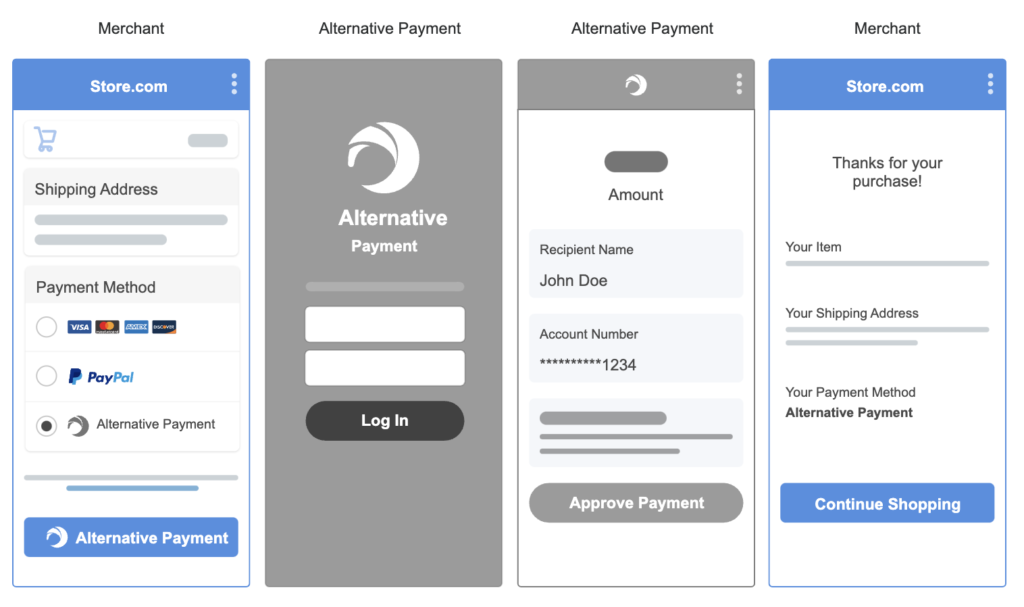
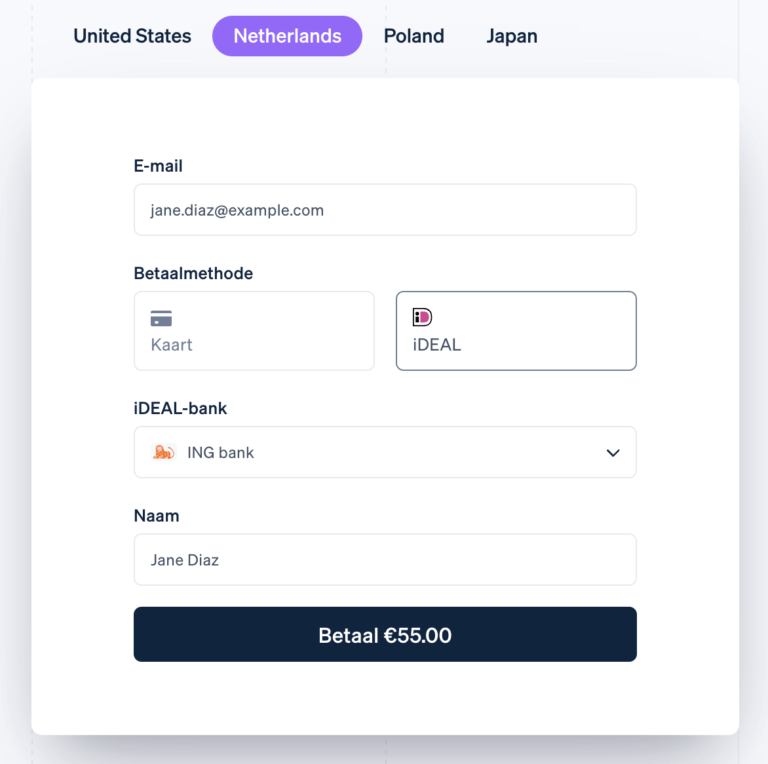
While Stripe may not be the easiest to set up, it does offer a lot of room for a more personalized payment solution for businesses. For instance, with developer tools, Stripe can support Level 2 and 3 data processing for B2B businesses to get better transaction rates. Using Stripe also means businesses can choose their preferred BNPL service and cryptocurrency wallet instead of just working exclusively with one.
Read more: Best payment gateways
Stripe vs. PayPal: Scalability
Stripe offers superior scalability for high-growth and enterprise businesses with its modular infrastructure, extensive global support, and advanced customization tools tailored for complex integrations. In contrast, PayPal provides reliable scalability for small to mid-sized businesses through turnkey solutions and value-added services that simplify growth without extensive technical setup.
Stripe is engineered for high-growth and enterprise businesses, offering:
- Global reach: Supports over 135 currencies and local payment methods across 47+ countries.
- Modular infrastructure: Features like Stripe Connect, Billing, and Terminal allow businesses to scale operations seamlessly.
- Advanced tools: Provides APIs and SDKs for custom integrations, enabling businesses to adapt as they grow.
Meanwhile, PayPal caters to businesses of all sizes, with:
- Global scalability: Offers payment solutions that perform reliably during high-demand periods and international expansions.
- Integrated services: Combines payment processing with value-added services to support business growth.
- Enterprise solutions: Provides tools to enhance operational agility and focus on growth.
Also see: Complete Guide to Subscription Payment Gateways
Stripe vs PayPal: Customization capabilities
Checkout options
Excellent
Great
Payment methods
Excellent
Excellent
Security
Excellent
Good
Reporting & Analytics
Excellent
Good
Native add-ons
Payments
Business tools
Payments
Options
Code-free
Developer setup
Integrations
Code-free
Developer setup
Integrations
Stripe’s customization features are hands-down better than PayPal’s. With advanced coding, Stripe can be configured to enhance the look and feel of checkout pages through custom fields, automation, and branding. This also includes detecting a customer’s location, adapting the language and currency, and fine-tuning fraud prevention protocols.
PayPal, on the other hand, relies very little on customizations to start accepting payments. Advanced developer tools are available to expand payment methods, add unique integrations, generate reports, handle disputes, and more. Note that most of these tools are already available on Stripe as add-on products.
Developer & API Tools
Stripe is renowned for its developer-centric approach, while PayPal provides robust developer tools.
RESTful APIs with extensive documentation for various programming languages.
REST APIs for integrating PayPal services into applications.
Offers SDKs for mobile (iOS, Android) and web platforms.
Mobile SDKs that support iOS and Android platforms.
Developer dashboard tools like Workbench and CLI for testing and monitoring integrations.
Sandbox environment that allows developers to test transactions in a simulated environment.
Stripe leads in developer AI tools with features like AI-driven fraud detection (Radar), personalized checkout experiences, and GPT-4-powered virtual assistants to streamline integration and support. PayPal, while less developer-centric, is advancing with tools like its Agentic AI Toolkit and Smart Receipts to enable personalized commerce and predictive customer engagement.
AI in payment customization
As more consumers become aware of the use of artificial intelligence (AI), it’s important to consider how AI benefits businesses in payment processing.
For instance, both Stripe and PayPal have tapped into machine-learning technology to manage payment security for their users. Reporting analytics also use some level of AI to generate relevant insights from large volumes of business data.
That said, Stripe is well ahead in embedding AI into their payment platform. It uses GPT-4 to manage its developer resources with virtual assistants and chatbots. Stripe also uses AI for facial recognition in selfie checks with its online identity verification feature.
Meanwhile, PayPal began 2024 with exciting updates centered around using AI to analyze customer data from around 400 million consumers who use its service. This includes accelerating the checkout process with biometric access (face or fingerprint) and guest checkout recognition (now used by BigCommerce).
Additionally, PayPal is using personalized AI to improve customer engagement with new tools such as Smart Receipts, which offer personalized recommendations and cashback, and the Advanced Offers platform, which uses specific merchant data instead of impressions to generate more relevant customer recommendations.
So, while Stripe currently has the upper hand in customizations, PayPal is not far behind. The role that AI will play in both Stripe’s and PayPal’s improvements this year should also factor into your decision-making.
Stripe vs. PayPal: E-commerce integrations
As big names in the online payments industry, both Stripe and PayPal are considered experts in ecommerce integrations.
Stripe’s expertise is in providing custom-branded checkout services for websites with a trove of payment methods to choose from, including PayPal. With its advanced customization tools, Stripe can be integrated with most ecommerce platforms for all business models, sizes, and types. Stripe’s marketplace lists hundreds of ready integrations with a variety of business tools, from accounting to project management platforms.
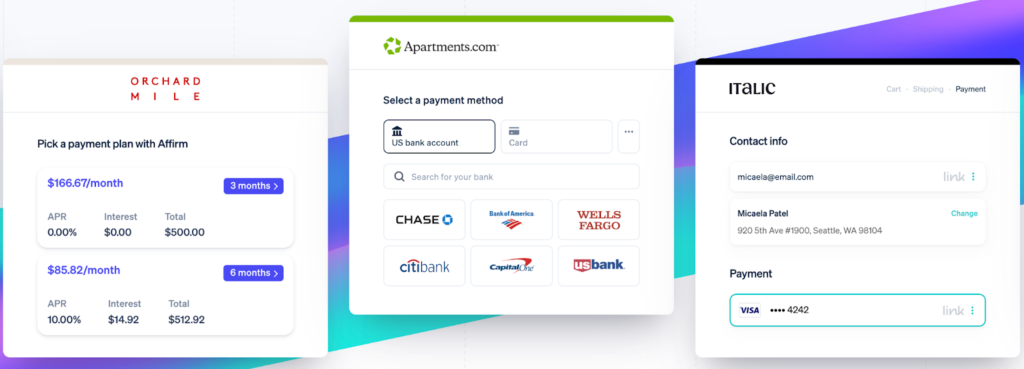
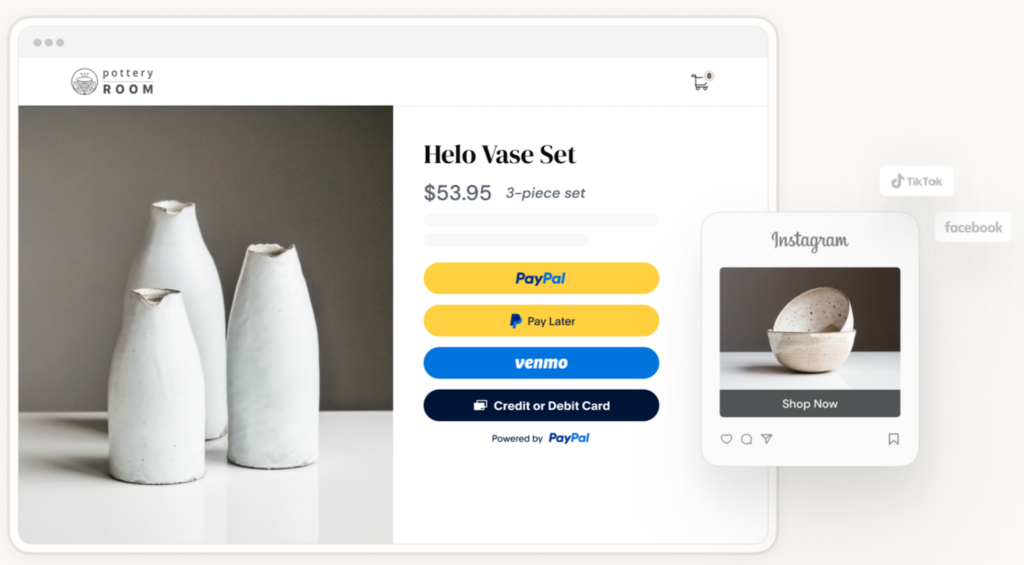
Meanwhile, PayPal has a similar marketplace for various business integrations, including ecommerce. But what’s unique about PayPal is that websites can use it alongside other payment processors at checkout. So, even if businesses already have Stripe embedded on their ecommerce website, it’s still possible to add PayPal as an extra payment method option.
While Stripe also supports independent payment links, PayPal-branded “buy now” buttons are recognizable and easy to add to social media and instant messaging platforms.
Read more: Best E-commerce Payment Processors
Stripe vs. PayPal: Security
Stripe and PayPal are both Level-1 data PCI-compliant. This means both providers are equipped with the layers of security and procedures to handle customer payment data. Both also have dispute resolution management tools.
However, Stripe has a longer list of security features to protect customers’ access to your ecommerce website and payment processing features. Aside from the standard security protocols, Stripe also comes with a number of products for risk and identity management, such as ID verification and biometric security.
However, what makes Stripe unique is its ability to let businesses fine-tune their fraud prevention rules based on their acceptable risk level. This means businesses are less likely to lose out on legitimate sales.
Similarly, PayPal has its own fraud management filters that allow companies to manage settings and select risk-control options to implement. Although not as comprehensive as Stripe’s functionality, you can still set your own list of monitored countries, cap transaction amounts, enable address and security code verification, and more.
Based on the level of control over security and fraud management, Stripe’s features are better suited to businesses with higher sales volume, while PayPal offers stronger security for businesses with low-volume sales.
Stripe vs. PayPal: Ease of use
I find Stripe and PayPal equal in terms of ease of use for simple payment processing. Both providers are easy to sign up for, offering instant merchant account approval and pay-as-you-go contracts.
Stripe and PayPal offer basic payment processing setups that require no special coding skills to create a checkout page, invoice templates, or reports. However, I find PayPal’s merchant dashboard cleaner, easier to navigate, and more user-friendly overall.
On the other hand, while both Stripe and PayPal offer developer tools for advanced payment processing and customization, Stripe offers more functionality.
Stripe vs PayPal: Customer support quality
24/7 support: All customers have access to round-the-clock phone, email, and chat support.
Help center: Offers solutions for common issues like account access, payment holds, and disputes.
Premium plans: Options include named technical account managers and proactive engagement for businesses requiring dedicated support.
Contact options: Users can reach out via phone or message for personalized assistance.
Developer community: Access to a developer Discord server for technical queries.
Developer support: Technical support available through the PayPal Developer Portal.
Stripe and PayPal both offer robust support systems, but they differ in delivery style and responsiveness. While Stripe caters more to developers and enterprise clients with tiered support and dedicated account managers, PayPal emphasizes ease of access and fast resolution for a broader user base.
Dispute management
Stripe offers a more advanced and customizable chargeback management system, ideal for businesses with higher technical capabilities or enterprise needs. Its AI-powered tool, Stripe Radar, proactively detects fraud and allows merchants to tailor risk thresholds and fraud rules. In contrast, PayPal relies on a more standardized approach, with fewer customization options but a simpler setup better suited for smaller businesses or those with limited technical resources.
When a chargeback occurs, Stripe automatically compiles dispute evidence and allows merchants to manage responses directly from the dashboard, streamlining the resolution process. Additionally, Stripe offers optional Chargeback Protection through Stripe Checkout, which reimburses dispute costs for a small fee — something PayPal does not offer in the same form.
PayPal instead supports merchants through its Resolution Center and provides Seller Protection on eligible transactions, which helps prevent financial loss but offers less automation and fewer tools for optimization.
Both Stripe and PayPal charge fees for handling chargebacks — $15 for Stripe and $20 for PayPal (guest checkouts). While Stripe allows more control and transparency through its programmable tools and chargeback analytics, PayPal prioritizes ease of use and a guided experience for dispute management.
Also read: Best Online Payment Processors
Which is best?
After comparing PayPal vs Stripe, my evaluation shows both products are closely matched in pricing and ease of use. However, PayPal definitely stood out in terms of payment services, while Stripe edged out PayPal in customization and security features.
As for ecommerce integrations, PayPal and Stripe differ in intent. PayPal’s focus is on creating easy website checkout and other online platform payment options, while Stripe leverages ecommerce integrations to build a personalized online checkout experience.
Read more: Stripe vs. Square
Making your choice
With intent being the key difference between these two providers, the choice between PayPal vs Stripe depends heavily on business goals.
Stripe is a better payment service for businesses that need custom solutions, such as a fast-growing restaurant. However, the setup required to create a customized integration between Stripe and restaurant POS software will take longer to complete.
PayPal is more convenient and easier to use for businesses looking for simple checkout solutions, such as an additional payment method on their ecommerce platform or a standalone “buy now” payment link to use without a website.
Frequently asked questions (FAQs)