Managing local visibility gets harder with every new location. The right software keeps listings, reviews, local content, and customer engagement consistent across the business.
Local marketing can quickly become an operational challenge for businesses managing dozens or hundreds of stores, offices, franchises, dealerships, or regional teams. Updating location data, responding to reviews, publishing local content, and measuring performance become much harder when every location has different needs and users.
I evaluated the best local marketing software specifically for multi-location businesses, focusing on platforms that can centralize this work and scale with growing location networks.
Uberall scored the highest in my evaluation, earning a score of 4.83 out of 5. But the overall winner will not suit every organization equally. Some platforms stand out for listings and search visibility, while others are stronger for reputation management, automation, customer engagement, or franchise and dealer networks. You can find my top picks in the table below:
| Software | Best for | Starting price |
|---|---|---|
| Uberall | Overall multi-location marketing | Custom quote |
| Yext | Listings and local search visibility at scale | Custom pricing |
| Reputation | Enterprise reputation management and performance intelligence | $80 per location, per month |
| Birdeye | Reputation and customer engagement | Custom quote |
| SOCi | AI-powered multi-location marketing automation | Custom quote |
| Ansira | Franchises, dealers, and distributed partner networks | Custom quote |
| Synup | Scaling multi-location businesses and agencies | $99 per month |

Uberall: Best overall for multi-location local marketing
Overall score:
4.83/5
Pricing:
4.63/5
General features:
5/5
Advanced features:
4.88/5
Ease of use:
4.78/5
Customer support:
4.65/5
Expert score:
4.73/5
Pros
- Covers listings, reviews, local social, local pages, local SEO, and analytics in one platform
- Supports centralized management and bulk updates across large location networks
- Offers strong reporting, benchmarking, workflow controls, and AI functionality
Cons
- Pricing requires contacting Uberall for a quote
- Several advanced capabilities are sold as add-ons
- Advanced permissions, SSO, and approval workflows require the Collaborate Plus add-on
Why I chose Uberall
Uberall earned its strongest marks for general and advanced features because it covers nearly every major area of multi-location local marketing in one platform. Listings, reviews, local social media, local pages, local SEO, analytics, bulk location management, competitive intelligence, and workflow controls can all be managed in its platform. It’s also easy to use because bulk updates, centralized dashboards, customizable reports, and no-code local page tools reduce repetitive work across a network of locations.
Uberall is best suited to brands that want to consolidate multiple local marketing functions rather than maintain separate tools for listings, reputation, social media, local pages, and reporting. Some advanced capabilities, including stronger permission controls, GEO Studio, Locator & Local Pages, and expanded analytics, are available as add-ons, so brands should compare the full package they need rather than the base offering alone.
Uberall is a multi-location marketing platform for managing local visibility, reputation, customer engagement, and location performance from a centralized system. Its tools cover listings, reviews, local social media, local pages, analytics, and AI search visibility.
Uberall offers three core packages but does not publish its pricing.
- Show Up: Includes Uberall Essentials and Listings
- Stand Out: Adds Reviews
- Connect: Adds Local Social and Posting to Google & Apple
- Available add-ons: Locator & Local Pages, GEO Studio, Social Ads, Reviews Plus, Analytics Plus, and Collaborate Plus
Contact Uberall for a custom quote based on your location count, package, and add-ons.
- Listings management: Create, update, and synchronize location data across directories, maps, voice platforms, and search services. Bulk management, duplicate suppression, scheduled updates, and listing-level reporting help teams maintain accurate information across many locations.
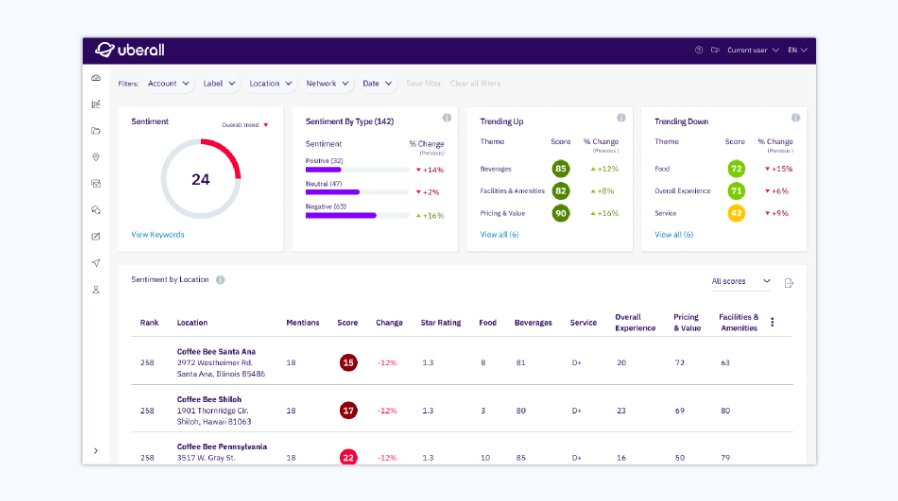
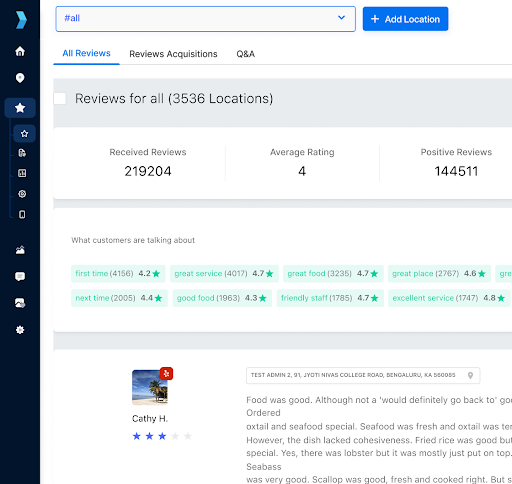
- Review management: Monitor reviews from a centralized inbox, generate review requests, respond using AI-assisted tools and templates, and analyze sentiment and recurring customer feedback.
- Local social: Create, schedule, and publish localized social content while maintaining central brand oversight. Uberall also provides AI writing tools, templates, localization fields, and performance reporting.
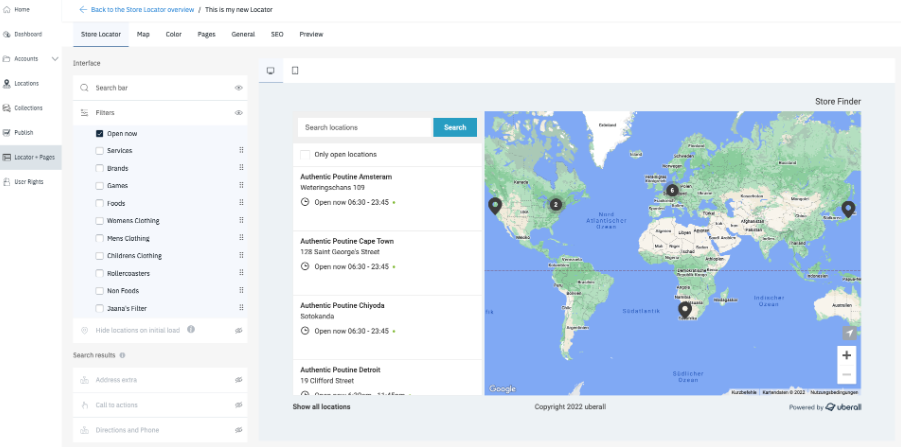
- Locator and local pages: Build location pages and store locators without code. Businesses can manage location content centrally, support multiple languages, sync listing data, and track customer actions by location.
- Local search and AI visibility: Track local keyword rankings, competitive visibility, and AI search presence to identify locations that need attention.
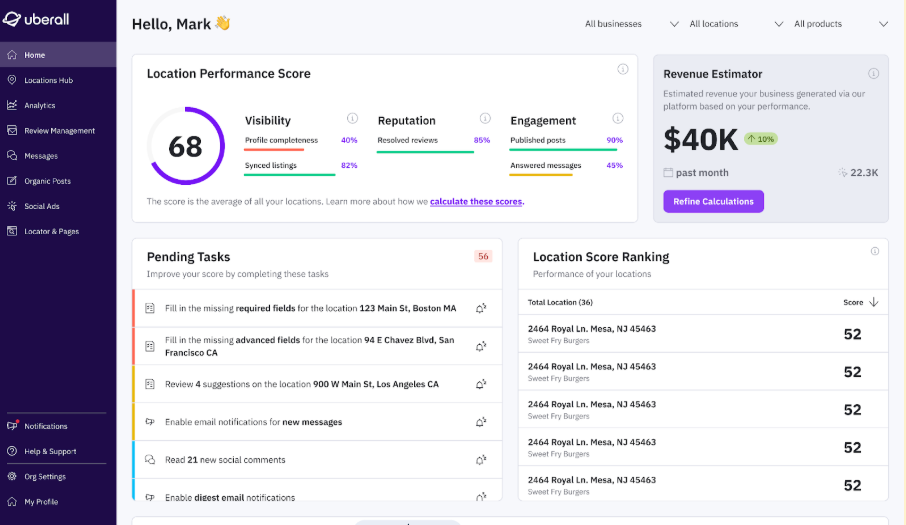
- Reporting and analytics: Compare visibility, reputation, engagement, and conversion performance across locations using dashboards, benchmarks, sentiment analysis, and scheduled reports.

Yext: Best for listings and local search visibility at scale
Overall score:
4.79/5
Pricing:
4.28/5
General features:
5/5
Advanced features:
4.81/5
Ease of use:
4.55/5
Customer support:
4.85/5
Expert score:
4.85/5
Pros
- Strong listings and location data management across large location networks
- Centralizes reviews, social, pages, analytics, and structured business information
- Offers deep API access and enterprise integration options
Cons
- Current enterprise pricing is not published
- Some capabilities, including Social and certain publisher integrations, require separate subscriptions
- Product packaging can make total costs harder to compare with platforms that bundle more local marketing functions together
Why I chose Yext
Yext’s biggest advantage is the way it treats location data as the foundation for local search visibility. Businesses can manage location information centrally, publish updates across listings, connect that data to pages and other digital experiences, and use reporting to track local performance across its network of locations.
Yext is a stronger choice than Uberall for organizations where structured location data, search presence, and integration depth are the main business priorities. Its APIs can push and pull information from Listings, Reviews, Analytics, and other Yext products, which is useful for enterprises that need local marketing data to stay synchronized with internal systems.
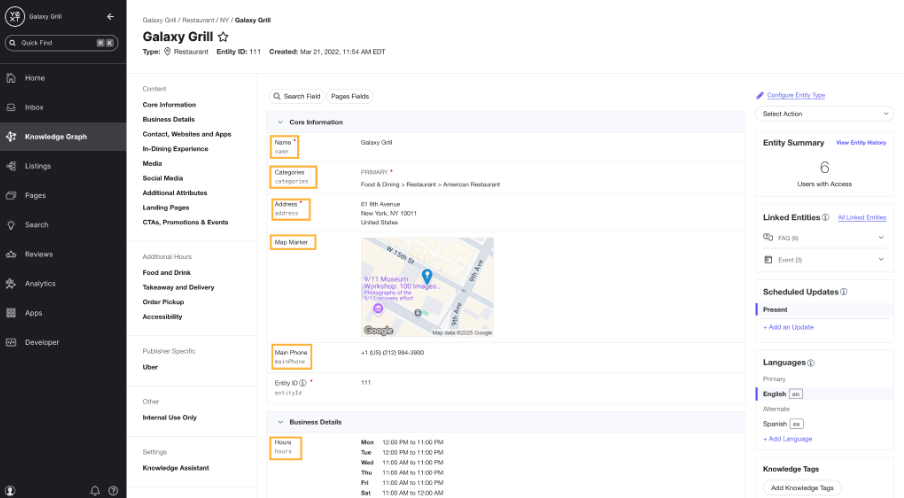
Yext is a digital presence platform for managing business information and customer-facing experiences across locations. Its platform includes Listings, Reviews, Social, Pages, Analytics, Search, and a Knowledge Graph that stores structured data used across Yext products and connected systems.
Yext’s current enterprise packages page does not publish standard pricing. Businesses can compare available packages and features, but businesses need to contact Yext for a quote.
Older Yext PowerListings pages still show self-service pricing ranging from $199 to $999 per year, depending on the package, with the Emerging plan listed at $199 annually and Essential at $449 annually. These figures appear on a legacy Yext plan page and should be treated as historical or small business reference pricing rather than current enterprise pricing.
Contact Yext for current pricing based on your location count, products, and subscription requirements.
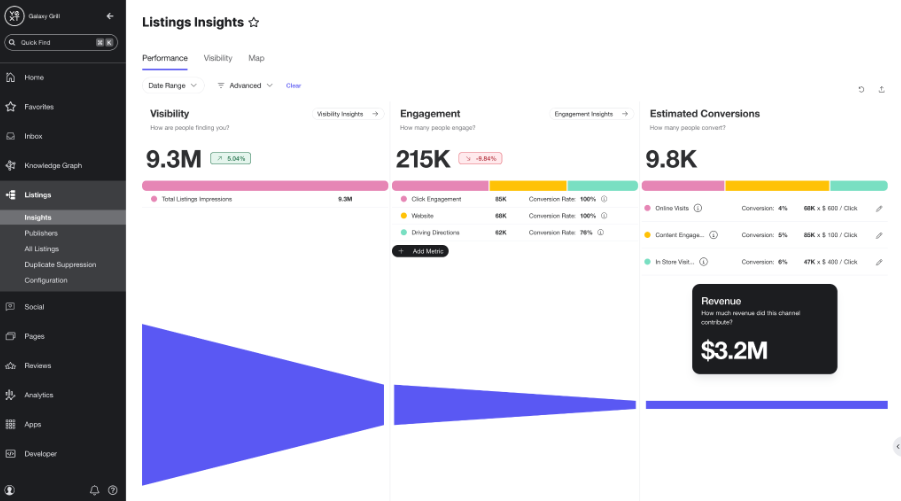
- Listings: Manage and update business information across publisher networks from a centralized system. Yext also supports bulk listing updates, publisher suggestions, synchronization monitoring, and publisher-status reporting.
- Reviews: Monitor and respond to platform reviews, generate review invitations, apply workflow rules, and use AI-powered review summaries to identify themes and sentiment across filtered review groups.
- Social: Create and manage local social content with account permissions, post controls, AI-assisted caption generation, comment and direct-message tools, and post-level analytics.
- Pages and location experiences: Use structured location data to power local pages, locators, and other customer-facing experiences. Yext’s Content Delivery API can also send entity information to locators, mobile apps, and other external applications.
- Search visibility: Track local keyword performance, compare with competitors, and use search metrics to identify where locations are gaining or losing visibility.
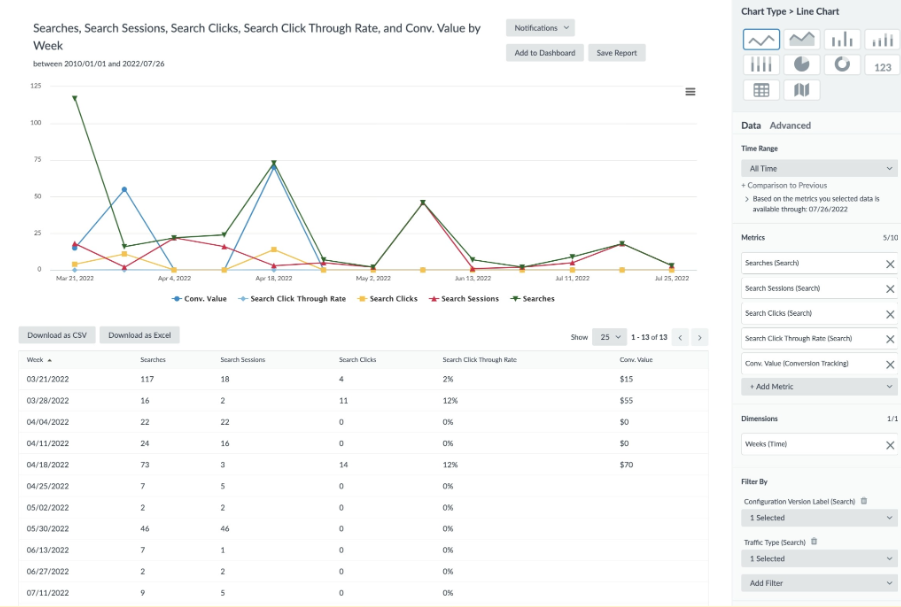
- Analytics: Build customizable dashboards and reports across location performance, reviews, social activity, pages, and search. Corporate teams can compare results while giving local managers access to location-level performance data.
- Integrations and APIs: The Management API provides programmatic access to Yext account data, including Content, Analytics, Reviews, and Listings, while the Content Delivery API supports external customer-facing experiences.

Reputation: Best for enterprise reputation management and performance intelligence
Overall score:
4.74/5
Pricing:
4.63/5
General features:
5/5
Advanced features:
4.68/5
Ease of use:
4.66/5
Customer support:
4.25/5
Expert score:
4.90/5
Pros
- Combines reviews, listings, local SEO, social, surveys, and location performance insights
- Centralized reputation oversight
- Competitive benchmarking and AI-powered insights help identify location-level performance gaps
Cons
- Some features and integrations are separate upgrades or add-ons
- Some industry-specific review sources and integrations require premium connectivity options
Why I chose Reputation
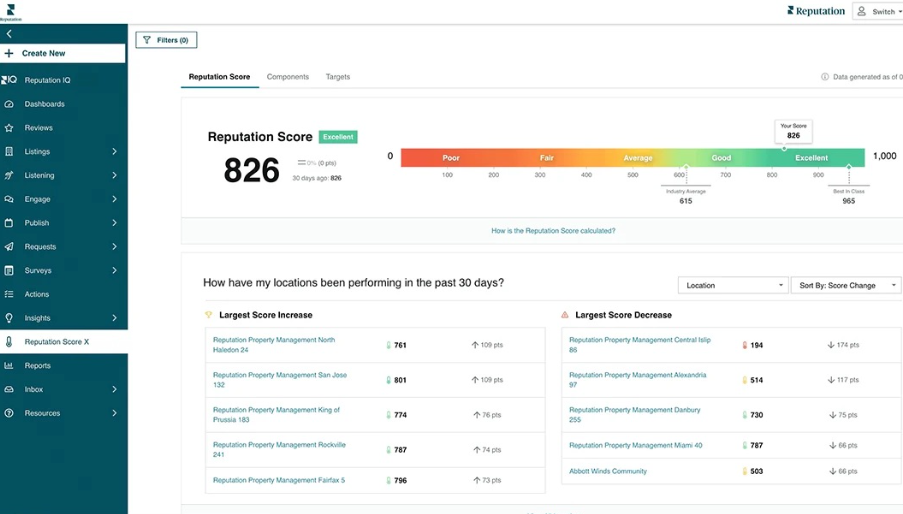
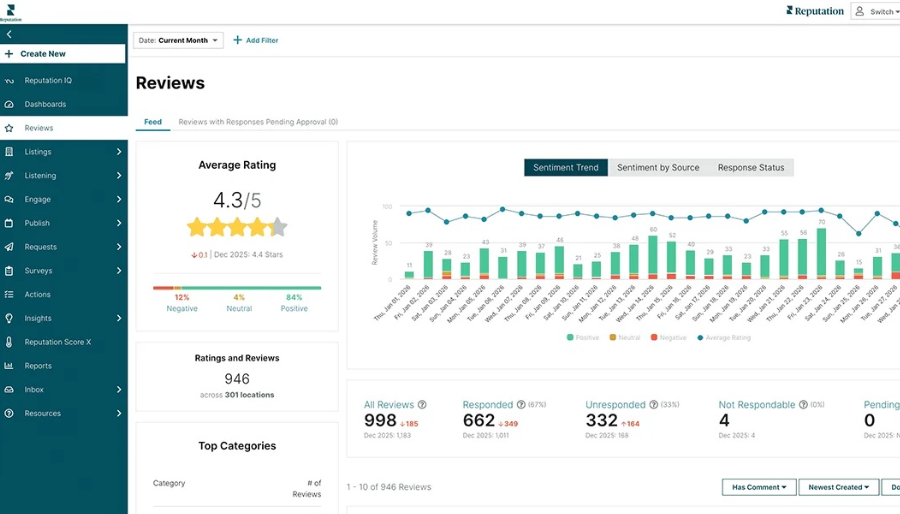
Reputation stands out for turning customer feedback into operational intelligence. Reviews, survey responses, listing activity, sentiment, and other local signals feed into a centralized platform where teams can compare locations, identify emerging issues, and see how reputation performance is helping or hurting visibility. Its Insights tools add AI-powered analysis and unified reporting, while Competitive Insights benchmarks individual locations against nearby competitors rather than relying only on brand-wide averages.
Reputation is the strongest choice for brands where customer sentiment, reviews, and location reputation carry more weight than broad local campaign execution. It can show which locations are losing ground, what customers are saying, how competitors compare, and where local teams should act next. Companies primarily looking for a wider mix of local social, location-page, and campaign management tools may get a better fit from Uberall, but Reputation is stronger when reputation data itself is the priority.
Reputation is an AI-native reputation management and local performance platform for multi-location organizations. It brings reviews, surveys, listings, social, local experience signals, competitive data, and performance insights into one system so corporate and local teams can monitor and improve customer perception across locations.
Reputation publishes three per-location plans and a custom Enterprise option:
- Rep Core: $80 per location, per month: Includes review management, review collection and requesting, AI-assisted responses, and business listings and SEO.
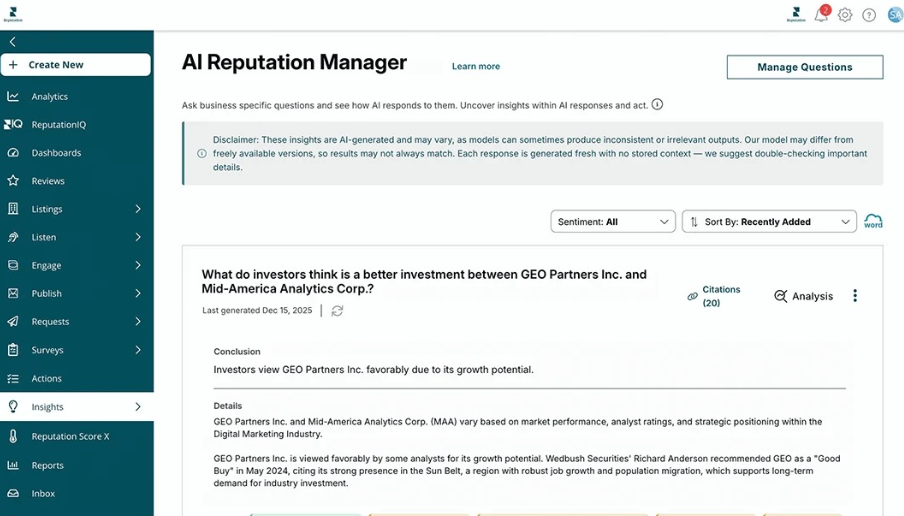
- Rep Core + Pulse: $115 per location, per month: Adds Reputation Insights, AI Reputation Manager, Pulse Analytics, and basic customer surveys.
- Rep Core + Surveys: $150 per location, per month: Adds advanced surveys, email survey requests, targeted outreach campaigns, and deeper experience insights.
- Enterprise: Custom pricing for organizations with 125+ locations. Includes dedicated infrastructure and a customer success manager.
Competitive Insights, Actions & Ticketing, Social Suite, premium sources, premium integrations, managed services, and professional services are available separately.
Contact Reputation for Enterprise pricing or to build a plan with additional modules.
- Reviews and reputation management: Centralize reviews from Google, Facebook, Yelp, and industry-specific sites; send review requests via email or SMS; use AI-assisted responses; and compare review volume, sentiment, and response performance across locations.
- Listings and local SEO: Maintain accurate business information across search and map platforms while improving local discoverability and location-specific search presence. Listings and SEO are included in the base Rep Core plan.
- Social: Manage social listening, publishing, and engagement from a centralized workspace. Social Suite is sold as a platform upgrade rather than included in the core plans.
- Location performance: Reputation combines reviews, listings, surveys, sentiment, and operational signals to help teams compare performance across locations and identify where action is needed.
- Competitive intelligence: Benchmark locations against nearby competitors, compare ratings and sentiment, identify local performance gaps, and use AI-generated SWOT analysis to surface strengths, weaknesses, threats, and opportunities.
- Analytics and insights: Unified reporting brings together multiple customer and location signals, while AI-powered analysis helps identify trends, recurring issues, and performance changes that may be harder to spot in static reports.

Birdeye: Best for reputation and customer engagement
Overall score:
4.69/5
Pricing:
4.28/5
General features:
4.86/5
Advanced features:
4.64/5
Ease of use:
4.73/5
Customer support:
4.55/5
Expert score:
4.83/5
Pros
- Strong review generation, monitoring, response, and reputation management tools
- Combines listings, social, messaging, local pages, and customer engagement in one platform
- BirdAI agents automate work across reviews, listings, social, search, messaging, and reporting
Cons
- Pricing is not published
- Final costs vary by location count and which products are deployed
- Some capabilities, including Search AI, Marketing Automation, Messaging AI, Surveys AI, and other products, may need to be added separately depending on the deployment
Why I chose Birdeye
Birdeye has expanded far beyond review management. Its platform now covers reviews, listings, social media, local search visibility, customer messaging, surveys, local pages, competitive intelligence, and reporting. It is a strong fit for multi-location brands that want reputation management directly connected to the rest of the customer journey, rather than managed as a standalone function.
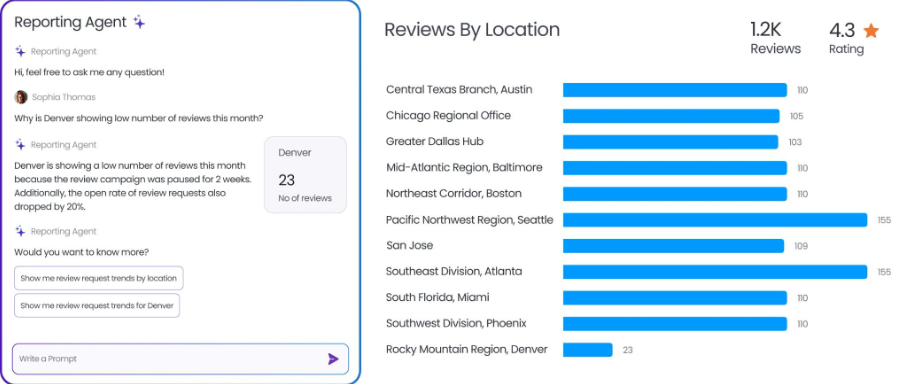
Its strongest differentiator is the connection between reputation and customer engagement. Reviews AI can automate requests and responses, Messaging AI handles customer conversations and lead capture, and Social AI supports publishing and engagement across locations.
Birdeye is especially well-suited to businesses that want to turn customer feedback into ongoing communication, stronger local visibility, and repeat engagement, rather than simply tracking ratings.
Birdeye is an agentic marketing and customer experience platform built for multi-location brands. Its BirdAI system coordinates AI agents across reviews, listings, social, search, marketing automation, messaging, surveys, insights, and reporting, while its platform connects with more than 3,000 applications through APIs and integrations.
Birdeye does not publish its pricing online. Pricing is based on the number of locations and the products a business chooses to deploy. The pricing form groups businesses into location ranges from 1 to 3 locations through 1,000+ locations.
Birdeye states that customers use one platform and one contract while paying for the products deployed at their locations. Contact Birdeye for a custom quote based on your location count and selected products.
- Reviews AI: Generate review requests, monitor reviews across more than 200 sites, automate on-brand responses, analyze review performance, and repurpose strong reviews into social and web content. Review agents can publish responses automatically or hold them for approval based on location and rating rules.
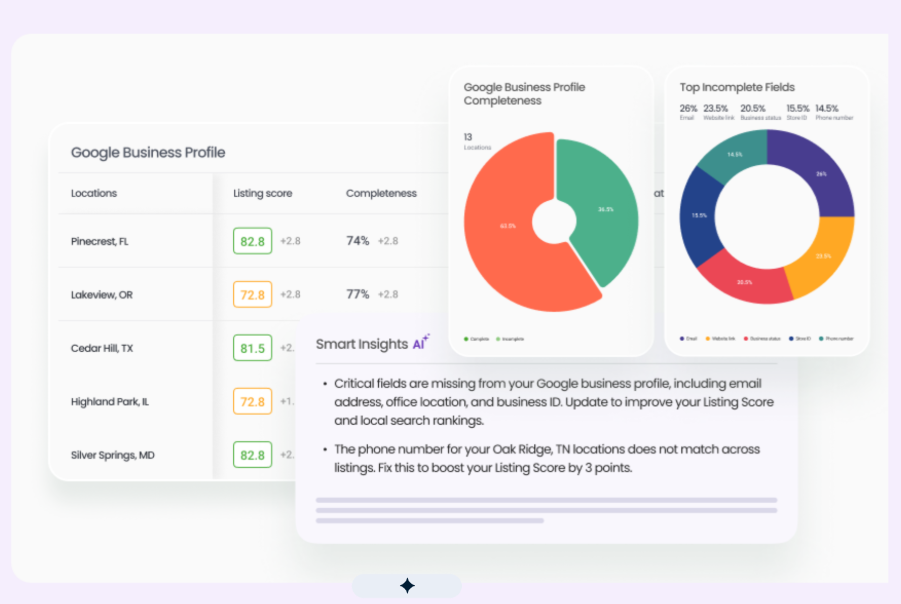
- Listings AI: Manage and optimize business profiles across Google, Apple, Facebook, Yelp, and other directories. Listings agents continuously scan profiles and competitors for errors, missing information, and opportunities to improve local search visibility.
- Social AI: Create, schedule, and publish localized social posts across locations while using AI agents to support content creation and customer engagement.
- Messaging and customer engagement: Messaging AI captures leads, segments audiences, and manages customer conversations, while chatbot and mass-texting products extend engagement across websites and messaging channels.
- Pages: Build customizable location pages that help customers find individual locations and convert from local search traffic.
- Search AI and local visibility: Track brand visibility across Google, ChatGPT, Perplexity, and other search environments, while Search AI and Listings Optimization agents recommend actions that can improve location visibility.
- Insights and reporting: Insights AI analyzes reputation, sentiment, and online presence, while Reports AI tracks outcomes across search, social, and reputation and turns performance data into recommended actions.

SOCi: Best for AI-powered multi-location marketing automation
Overall score:
4.63/5
Pricing:
3.93/5
General features:
4.93/5
Advanced features:
4.78/5
Ease of use:
4.50/5
Customer support:
4.05/5
Expert score:
4.78/5
Pros
- Built specifically for multi-location brands managing local search, reviews, and social at scale
- Genius Agents can execute listing updates, review responses, social publishing, and other local marketing tasks automatically
- Strong AI search visibility tools track performance across Google Search, Google Maps, ChatGPT, Gemini, and Perplexity
Cons
- Pricing is not publicly available
- Some capabilities are limited to specific SOCi products or sold as paid add-ons
- Standard support is provided through in-platform ticketing during regular business hours, which may be limiting for teams that need broader support coverage
Why I chose SOCi
SOCi stands out for how much of the local marketing workload its Genius Agents can handle. They can update listings, respond to reviews, create and publish social content, and flag visibility issues across individual locations, which reduces the manual work that usually piles up as a location network grows.
That makes SOCi a particularly strong fit for enterprises that want automation to carry more of the day-to-day workload. If your main needs are basic listings or reputation management, it may be more platform than you need, but for teams managing hundreds or thousands of locations, its agentic AI gives it an edge.
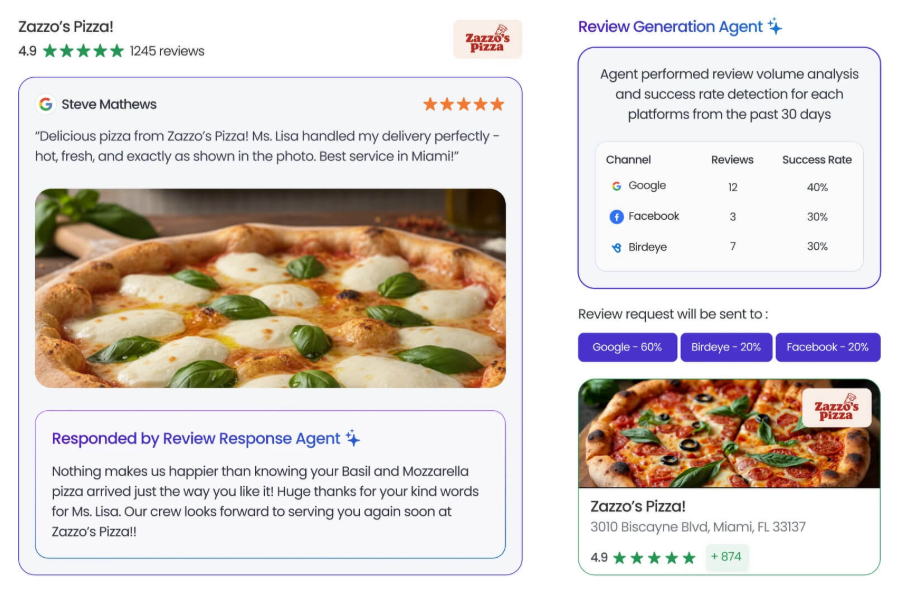
SOCi is an AI-powered local marketing platform built for multi-location brands and franchises. Its Genius Agents operate across local search, reputation, and social media, with each agent trained on brand guidelines, workflows, and location context.
SOCi does not publish its pricing online. Its current offering centers on Genius Agents for local search, reputation, and social, with other capabilities available depending on the product and deployment.
SOCi has also documented paid add-ons for certain features. For example, automated Google Posts using property floor plan data are sold as an add-on to the Local Search Agent’s Listings Skill, while other features require specific Social Agent or Local Pages products.
Contact SOCi for a custom quote based on your location count, selected products, AI agents, implementation requirements, and add-ons.
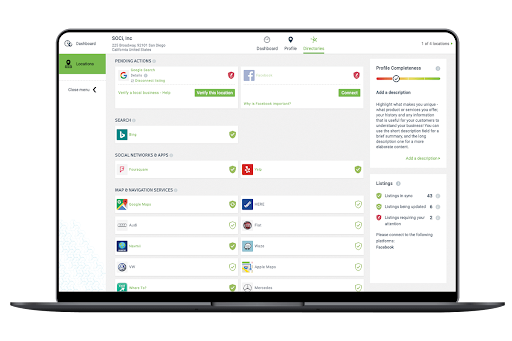
- Listings and local search: Genius Local Search Agent manages listing accuracy, identifies keyword and category opportunities, updates business information, publishes Google Posts, and uses signals from reviews and social activity to improve local visibility.
- Local pages: Manage location-specific pages and update content across multiple locations in bulk. SOCi also supports custom fields and location data synchronization to reduce duplicate administrative work.
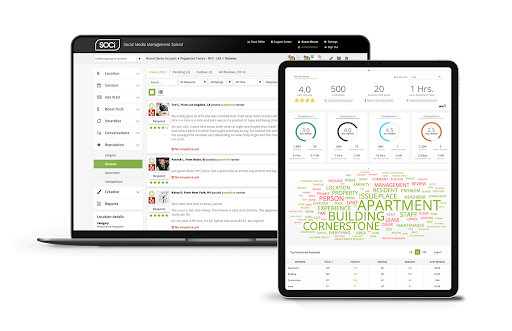
- Reviews and reputation: Reputation Agent analyzes review sentiment and urgency, responds in the brand’s voice, routes sensitive feedback for human approval, solicits new reviews, and identifies recurring customer themes.
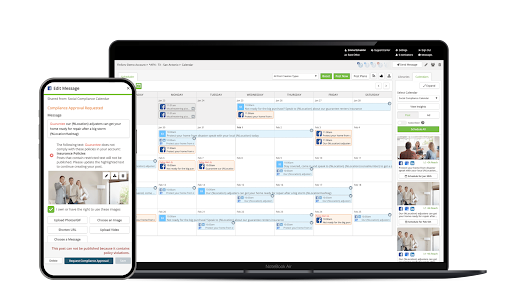
- Social publishing and engagement: Social Agent plans, creates, approves, and publishes localized social content. It can also generate responses to comments and private messages, with workflows that allow either automatic publishing or human review.
- Genius Agents: SOCi’s agentic AI continuously monitors activity across locations and executes approved marketing work, rather than stopping at recommendations. Agents are trained around the brand’s voice, rules, workflows, and local context.
- Local and AI search visibility: SOCi measures visibility across traditional local search and AI-driven discovery, including Google Search, Google Maps, ChatGPT, Gemini, and Perplexity. This helps brands identify locations that perform well in traditional search but are missing from AI-generated recommendations.
- Multi-location analytics: Cross-location reporting combines search, reputation, social, and visibility signals, enabling teams to compare markets, identify underperforming locations, and prioritize work based on business impact.

Ansira: Best for franchises, dealers, and distributed partner networks
Overall score:
4.55/5
Pricing:
4.28/5
General features:
4.50/5
Advanced features:
4.71/5
Ease of use:
4.51/5
Customer support:
4.18/5
Expert score:
4.74/5
Pros
- Strong brand-to-local tools for franchises, dealers, agents, and other distributed networks
- Combines local marketing with compliant content, incentives, and partner enablement
- Supports listings, reputation management, social, local search, store locators, and campaign execution
Cons
- Pricing is not publicly available
- Ansira combines software with professional services, so buyers should clarify what is included in the platform versus delivered by Ansira teams
- Some use cases may require multiple Ansira modules rather than Attract alone
Why I chose Ansira
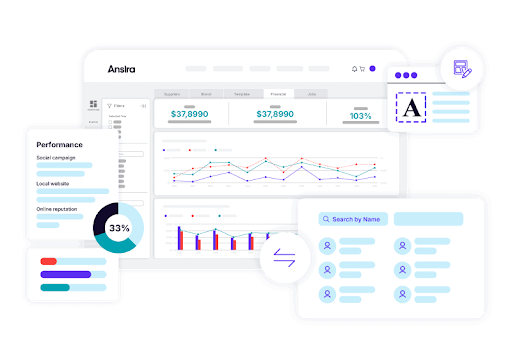
Ansira is built for brands that rely on dealers, franchisees, retailers, agents, and other local partners rather than managing every location directly. Ansira Attract brings local search, listings, reputation, social media, media campaigns, and store locators together, while other Ansira tools support brand-approved content, incentive programs, and customer outreach.
This setup gives local partners room to market in their communities while corporate teams maintain brand and compliance controls. Ansira’s connected software-and-services model can also reduce the need for separate systems for local advertising, content, co-op programs, email, direct mail, and reporting. Uberall, Yext, or Reputation may be a better fit for more traditional location networks, but Ansira stands out when local marketing also involves partner participation, localized assets, funding programs, or managed services.
Ansira is a brand-to-local marketing platform for companies operating through distributed sales and marketing networks. Its modular platform includes Ansira Attract for local customer acquisition, Ansira Create for compliant marketing content, Ansira Incent for co-op and incentive programs, and Ansira Connect for customer messaging.
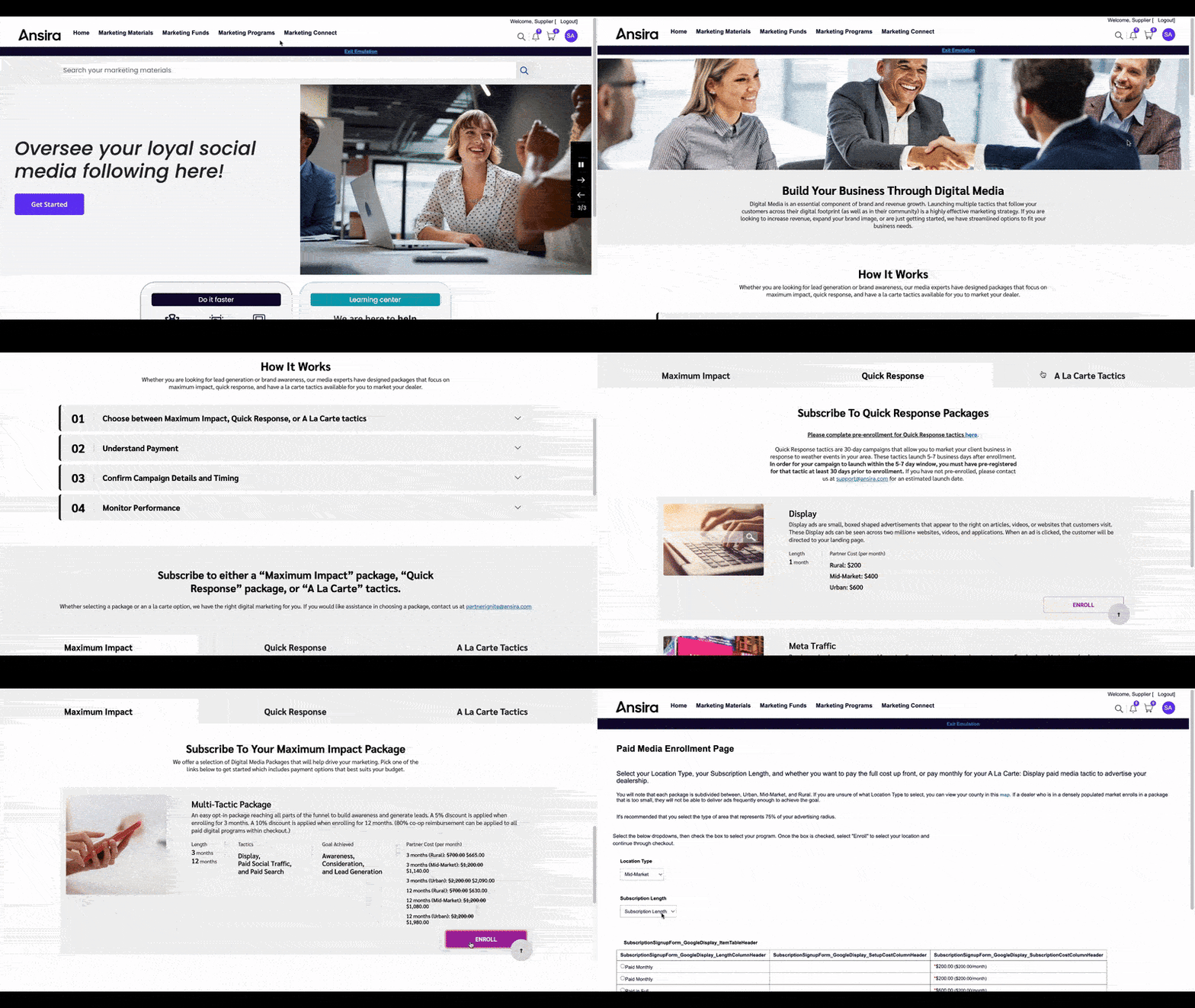
Ansira does not publish standard pricing. The platform is modular, so final costs can vary based on the products selected, size of the partner or location network, campaign requirements, implementation, integrations, media, fulfillment, and professional services.
Contact Ansira for a custom quote based on the modules and services your organization needs.
- Local listings and organic search: Ansira Attract manages partner business listings and supports SEO and answer engine optimization to improve local visibility across traditional and AI-driven search.
- Reputation management: Monitor reviews, posts, comments, ratings, and customer sentiment across local partners while collecting location-level experience data.
- Local social: Help partners publish and engage with local audiences across Facebook, Instagram, LinkedIn, X, and other supported channels from a centralized marketing environment.
- Store and dealer locators: Add location finders to brand websites so customers can identify nearby stores, dealers, or partners and connect with the appropriate local business.
- Media and campaign management: Distribute local campaigns across digital and traditional channels, including paid social, display, streaming media, out-of-home, search, and print. Ansira also offers strategic and managed support for campaign execution.
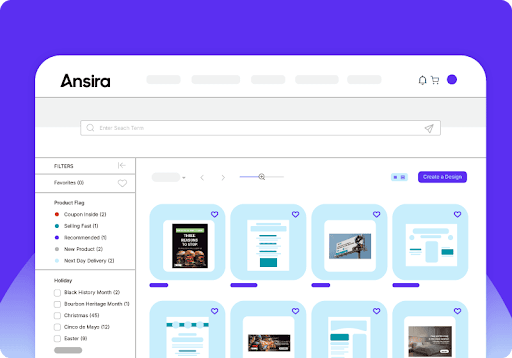
- Brand-controlled local execution: Ansira Create provides customizable templates, local microsites, approval and compliance controls, and centralized asset management so partners can personalize marketing without altering protected brand elements.
- Partner incentives: Ansira Incent can connect local marketing activity with co-op funds, incentives, and participation programs, which is useful for dealer and franchise networks where corporate funding influences local execution.
Related: 6 Best Channel Marketing Software Platforms for 2026

Synup: Best for scaling multi-location businesses and agencies
Overall score:
4.53/5
Pricing:
4.63/5
General features:
4.60/5
Advanced features:
4.41/5
Ease of use:
4.65/5
Customer support:
4.85/5
Expert score:
4.30/5
Pros
- Strong listings, review management, social media, and local visibility tools
- Offers agency and reseller capabilities alongside direct multi-location business tools
- More accessible pricing and packaging than many enterprise-focused competitors
Cons
- Advanced automation and enterprise controls are less extensive than those of higher-ranked providers
- Some features, including white labeling and managed services, depend on the plan or product selected
- Businesses may need multiple Synup products to cover listings, reputation, social media, and local pages
Why I chose Synup
Synup is a strong fit for multi-location brands that are growing but do not yet need the heavier enterprise setup of platforms such as Yext, Reputation, or SOCi.
Synup covers the essentials, including listings, reviews, social media, local search reporting, bulk updates, and location-level analytics, with published plans that support up to 500 locations and separate products available by location or connection. But it also gives brands room to grow. Synup supports centralized oversight, local user permissions, location groups, and self-service tools for franchises, while agencies get white-label dashboards, client management, and reseller features.
Larger enterprises can still use Synup, but the platform is especially appealing to scaling organizations that want strong local marketing coverage without paying for a more advanced enterprise stack before they actually need it.
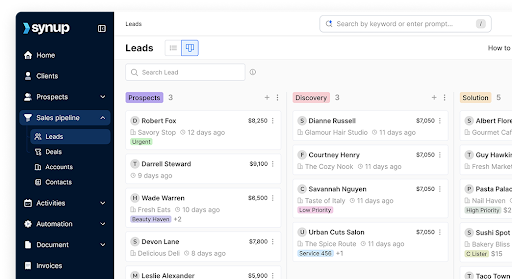
Synup is a local marketing platform for multi-location businesses, agencies, and resellers. Its products cover business listings, reputation management, social media, local pages, analytics, and agency-focused client management.
Synup publishes pricing for both its agency platform and individual local marketing products. Its Synup OS plans start at $79 per month when billed annually, while individual products can also be purchased separately.
- Startup: $79 per month billed annually, or $99 month to month. Includes listings and review management for up to 25 locations.
- Agency: $199 per month billed annually, or $249 month to month. Supports up to 100 locations.
- Scale: $799 per month billed annually, or $999 month to month. Supports up to 500 locations.
Synup also sells individual products separately:
- Listings Pro: $35 per location, per month
- Reviews Pro: $20 per location, per month
- Reviews Gold: $50 per location, per month
- Social Pro: $6 per connection, per month
- SEO Pro: $5 per location, per month
The published plans are geared heavily toward agencies and client management, so larger multi-location brands should confirm whether Synup recommends a standard plan, individual products, or a custom arrangement for their deployment.
- Listings: Manage business information across search engines, directories, maps, and other publisher networks from one dashboard. Bulk editing and synchronization tools make it easier to maintain information across growing location networks.
- Reviews and reputation: Monitor customer reviews, respond from a centralized interface, generate review requests, and track ratings and sentiment across locations.
- Social: Create, schedule, and manage social posts across multiple brands and locations. Synup Social also includes AI-assisted content creation and centralized engagement tools.
- Local pages: Create location-specific pages that leverage centralized business information to support local discovery and provide customers with relevant information about individual locations.
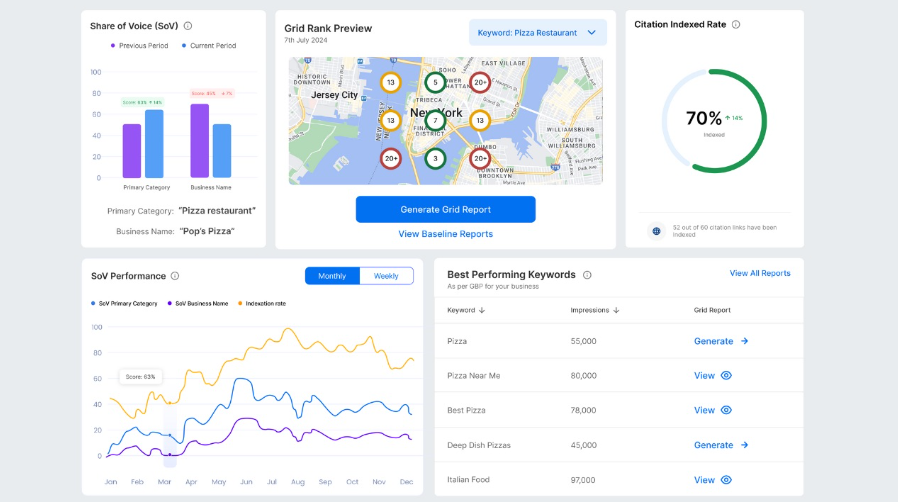
- Reporting: Track listings, reviews, rankings, traffic, and other local performance metrics through dashboards and reports that can be filtered by location.
- Agency and reseller management: Agencies can manage multiple clients from one account, provide white-labeled dashboards and reports, and use reseller tools to offer local marketing services under their own brands.
Key features to look for in local marketing software
Multi-location businesses need local marketing software that centralizes execution while giving corporate, regional, and local teams the right level of control. Prioritize these capabilities when comparing platforms.
Centralized listings and location data
Look for centralized management of names, addresses, hours, categories, services, and other location data across Google Business Profile and major directories. Bulk updates, duplicate suppression, scheduled changes, and data-quality alerts become especially useful as location counts grow.
Review and reputation management
Review tools should centralize monitoring, review requests, responses, sentiment analysis, and escalation. Multi-location brands should also be able to compare ratings, response rates, sentiment, and review volume across locations and regions.
Local search and location pages
Look for local landing pages, store or dealer locators, local rank tracking, structured location data, and search-visibility reporting. Some platforms now also monitor brand and location visibility across AI search tools such as ChatGPT, Gemini, and Perplexity.
Local social management
Local social tools should balance centralized brand control with location-level customization. Useful features include scheduling, local publishing, templates, approval workflows, engagement tools, and permissions controlling what local users can create or publish.
Multi-location governance
Governance separates many enterprise platforms from tools built primarily for individual businesses. Look for user roles, location groups, regional hierarchies, bulk actions, approval workflows, templates, and separate corporate and local permissions.
Automation and AI
Automation can reduce repetitive work such as updating listings, responding to reviews, creating social content, and identifying performance issues. Ask what the AI actually performs: AI-assisted tools may draft or recommend actions, whereas agentic systems can complete approved tasks under predefined rules.
Analytics and integrations
Reporting should provide both company-wide and location-level views of listings, reviews, search visibility, social activity, conversions, and other performance metrics. Also check for APIs and integrations with your CRM, analytics tools, social networks, internal databases, and data warehouse.
How to choose the best local marketing software for your business
Once you know which features matter, evaluate how well each platform can apply them to your location structure, workflows, and existing technology.
1. Map your location structure
Document your number of locations, regions, franchises, dealerships, or other business units and identify who needs platform access. This will help determine the permissions, location groups, and administrative controls you need.
2. Prioritize the workflows you need to centralize
Identify where your teams spend the most time or use disconnected tools. Rank listings, reviews, local SEO, social media, location pages, customer engagement, campaigns, and reporting by importance rather than paying for features you may not use.
3. Define corporate and local responsibilities
Decide what corporate marketing controls and what local teams can customize or publish. Use those rules to evaluate permissions, templates, approval workflows, and escalation controls during product demos.
4. Check your required integrations
List the systems that need to connect with the platform, including Google Business Profile, your CRM, social networks, analytics tools, and internal location databases. Determine how data moves between systems and which one will serve as your primary source of location information.
5. Test workflows at scale
Ask vendors to demonstrate common tasks across hundreds of locations rather than one profile. Test actions such as updating regional business hours, publishing to selected stores, adding a location, responding to reviews in bulk, and restricting a regional manager or franchisee to assigned locations.
6. Calculate the full cost
Compare the cost of the setup you would actually purchase, including subscription or per-location fees, implementation, integrations, add-ons, premium support, managed services, and training. This is especially useful for platforms that require custom enterprise quotes.
7. Set performance goals
Define how you will judge the platform after implementation. Track metrics relevant to your goals, such as listing accuracy, local search visibility, review volume and response rates, local conversions, location-page traffic, social engagement, and time saved on administration.
Frequently asked questions