Call center CRM software helps sales and support teams manage customer conversations, call histories, tickets, and follow-ups from one centralized platform. The best tools combine contact management with calling, automation, reporting, and omnichannel communication features, enabling agents to resolve issues faster and deliver more consistent customer experiences.
To help you find the right fit, I reviewed the top call center CRM platforms and narrowed the list to five providers based on features, pricing, ease of use, integrations, and best-fit use cases.
Our top call center CRM picks for 2026:
| Provider | Best for | Monthly fee starts at |
| Zoho CRM | Customization and affordability | $0 |
| Bitrix24 | Comprehensive free features | $0 |
| HubSpot Sales Hub | Sales and marketing integration | $0 |
| Nextiva | VoIP integration | $15 |
| Pipedrive | Sales-focused teams | $19 |
Featured partners
Top 5 call center CRM software comparison
CRM software
Our score (out of 5)
Free plan/trial
Core call center capabilities
Core call center capabilities
4.64
- Free plan for up to 3 users
- Free trial available
- Telephony integrations and click-to-call
- Call logging and incoming call pop-ups
- Follow-up task creation from calls
- Zia AI assistant
- Sales automation and customizable dashboards
- Lead, deal, and omnichannel customer management
4.51
- Free plan for 1–2 users
- 15-day free trial for higher-tier features
- Built-in telephony
- Call tracking and recording
- CRM-linked call history
- Sales pipelines
- Task and project management
- Team chat and workflow automation
4.41
- Free CRM tools available
- HubSpot calling and click-to-call
- Automatic call logging
- Call recording and VoIP integrations
- Smart CRM and deal pipelines
- Email tracking and sales sequences
- Reporting dashboards and marketing/service integrations
4.37
- Free trial available
- VoIP calling, IVR, and call queues
- Intelligent routing and call recording
- AI transcription and call summaries
- Shared inbox
- Customer journey orchestration
- Workforce engagement and analytics tools
4.29
- 14-day free trial
- No credit card required
- Calling through phone integrations
- Automatic call logging and recordings
- Voicemail and SMS logging through connected apps
- Visual sales pipelines
- AI sales automation and lead management
- Activity tracking, reports, and 500+ integrations
What is a call center CRM, and why is it important?
A call center CRM is customer relationship management software that helps teams manage customer calls, contact records, communication history, and follow-up tasks from one centralized platform. It gives agents quick access to the context they need during inbound and outbound calls, including previous conversations, open deals or tickets, customer preferences, and next steps.
Using a call center CRM can help sales and support teams reduce manual work, respond to customers faster, and deliver more consistent service. It also gives managers better visibility into call activity, agent performance, customer trends, and operational bottlenecks.
Also read:
Zoho CRM: Best for customization and affordability
Overall Score
4.64/5
Pricing
4.38/5
General features and interface
4.43/5
Core features
5/5
Call center-specific features
4.64/5
Integration and compatibility
5/5
UX
4.75/5
User scores
4.3/5
Pros
- Mobile app includes call logging, sales tracking, and business card scanning
- Omnichannel communication
- Automates call center tasks and customizes workflows
- Powerful lead management with Zia AI
- Affordable pricing and a free plan
Cons
- Add-ons increase costs significantly
- Limitations in the free version
Why I chose Zoho CRM
Zoho CRM is a strong choice for call centers that need a flexible, affordable platform they can customize as they grow. Its paid plans start at $14 per user per month (on the annual plan) and include core tools like call logging, lead scoring, sales forecasting, and basic automation, making it a practical option for small and growing teams.
Higher-tier plans add more advanced capabilities, including real-time SalesSignals notifications, workflow blueprints, Zia AI insights, customizable dashboards, and CommandCenter for automating complex customer journeys. Zoho also supports omnichannel customer management and integrates with a wide range of third-party apps, helping teams manage phone, email, social, and other interactions from one system.
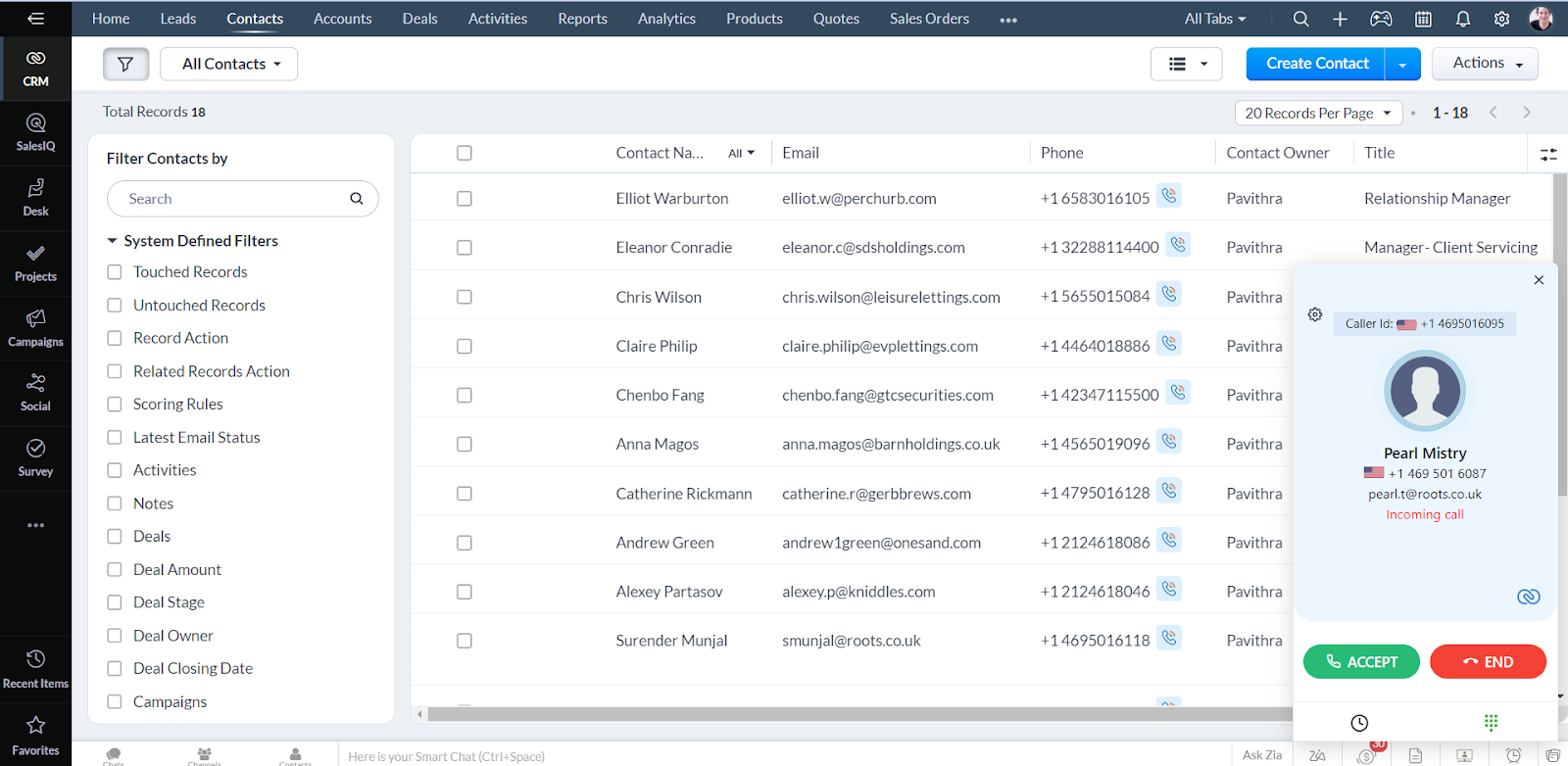
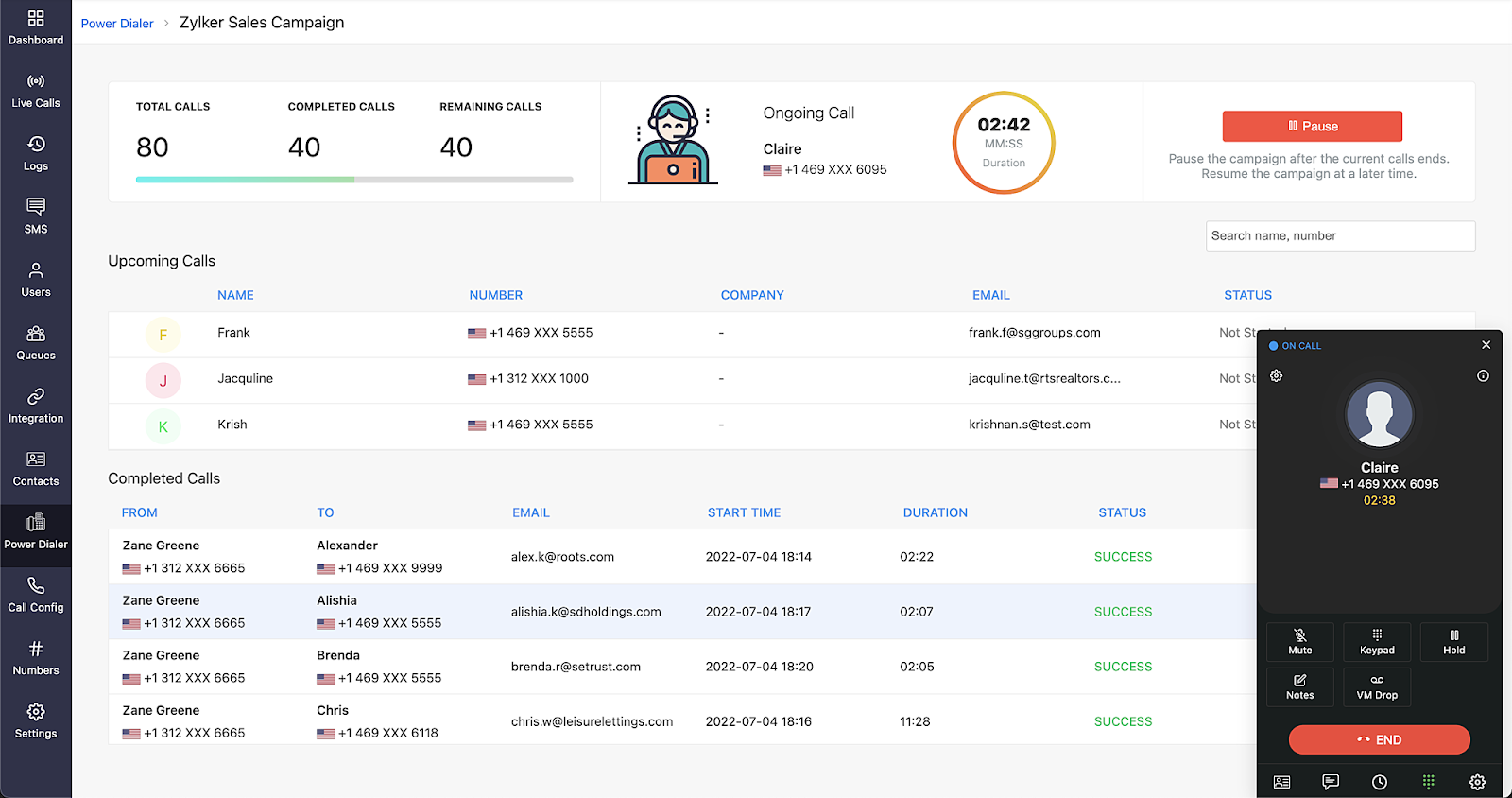
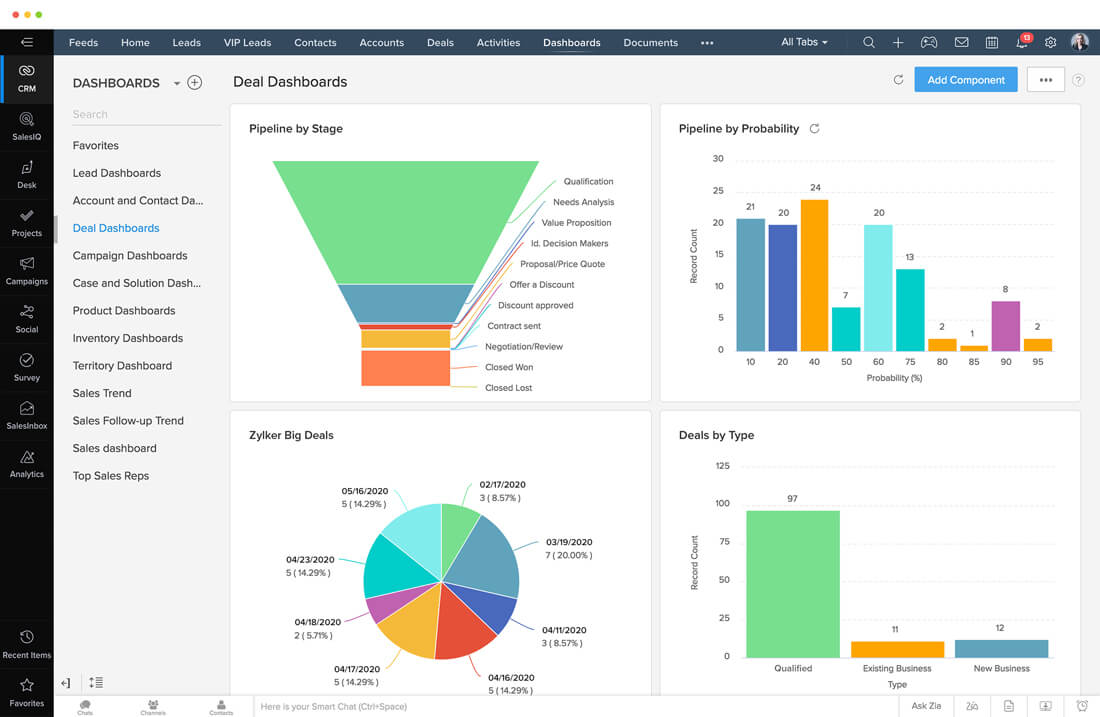
- Telephony integration: Supports one-click dialing, call logging, and recording, fully integrated with major telephony systems.
- Call analytics: Tracks key metrics like call duration and response rates to monitor performance.
- Automatic call routing: Distributes incoming calls to the right agent using predefined rules.
- IVR system integration: Works with IVR to automate call routing and provide self-service options.
- Omnichannel contact management: Manages interactions across phone, email, live chat, and social media in one platform.
- Real-time monitoring: Allows managers to listen to live calls and provide coaching without disrupting the interaction.
- Free plan
- Up to 3 users
- Leads, deals, workflows, reports, and a mobile app
- Standard: $20/user/month
- Workflows & assignment rules
- AI agents
- Cadences
- Reports & dashboards
- Sales forecasting
- Self-service kiosks
- Professional: $35/user/month
- CPQ
- Email intelligence
- Process automation
- Widgets
- Inventory management
- Google Ads integration
- Enterprise: $50/user/month
- AI sales assistant
- Journey orchestration
- Territory management
- Custom functions
- Wizards
- Customer portals
- Ultimate: $65/user/month
- Enhanced feature limits
- Consulting
- Migration assistance
- Custom AI/ML
- Data preparation
Bitrix24: Best for comprehensive free features
Overall Score
4.51/5
Pricing
4.58/5
General features and interface
4.55/5
Core features
4.82/5
Call center-specific features
4.46/5
Integration and compatibility
5/5
UX
4/5
User scores
4.17/5
Pros
- Free plan with call center features
- Omnichannel communication
- Strong customization options
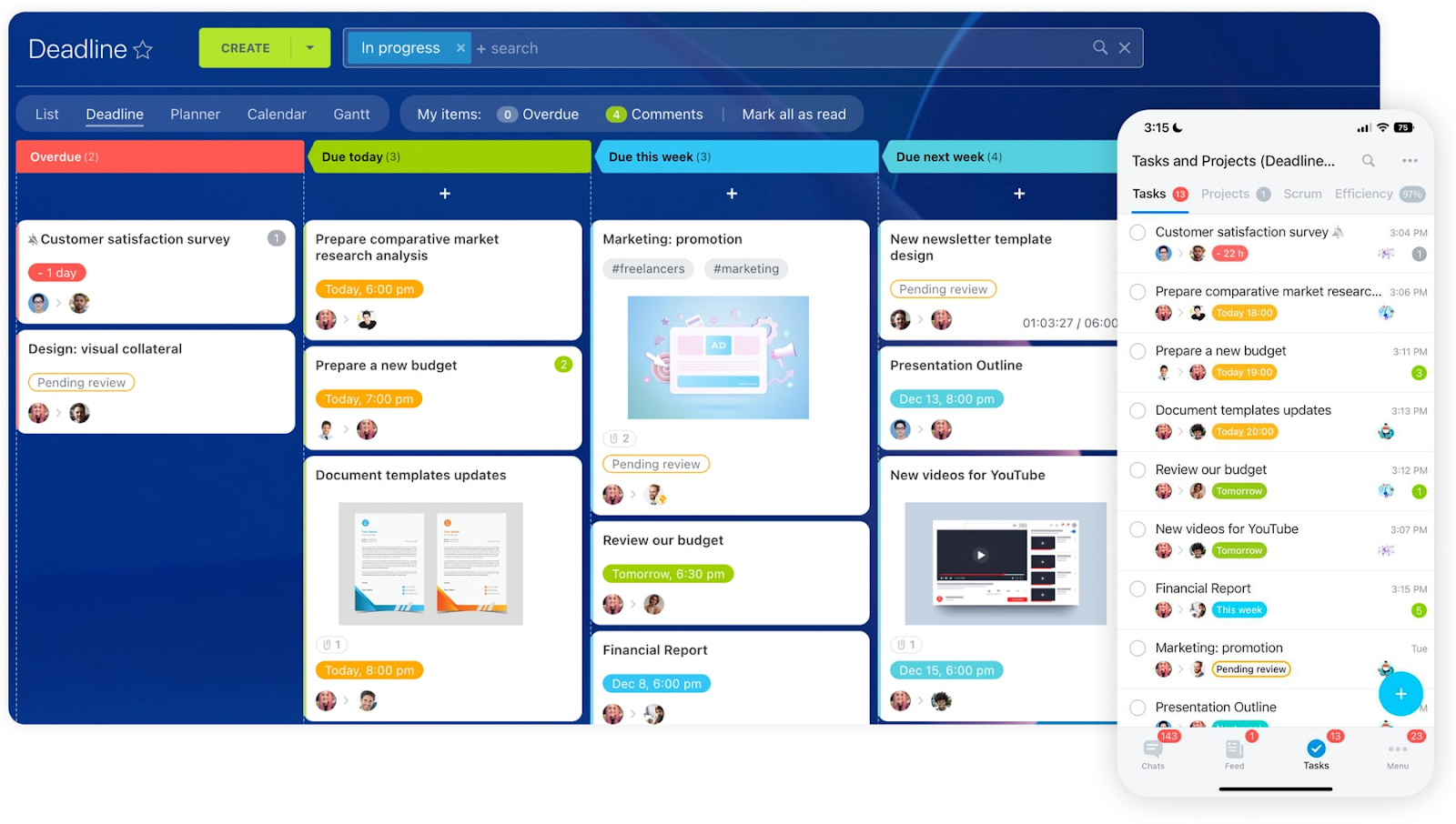
- Task management tools like Kanban boards and Gantt charts
- Built-in telephony
Cons
- Complex interface
- Add-ons for full functionality
Why I chose Bitrix24
Bitrix24 is a strong option for budget-conscious teams that need CRM, communication, and collaboration tools in one platform. Its free plan includes useful features for call center workflows, such as lead capture, deal management, task management, and basic automation.
Bitrix24 also stands out for its built-in telephony and CRM-linked call activity, which can help smaller teams manage calls without immediately adding separate phone or project management tools. Its combination of contact management, multichannel communication, workflows, and team collaboration makes it a practical choice for businesses seeking broad functionality at a low upfront cost.
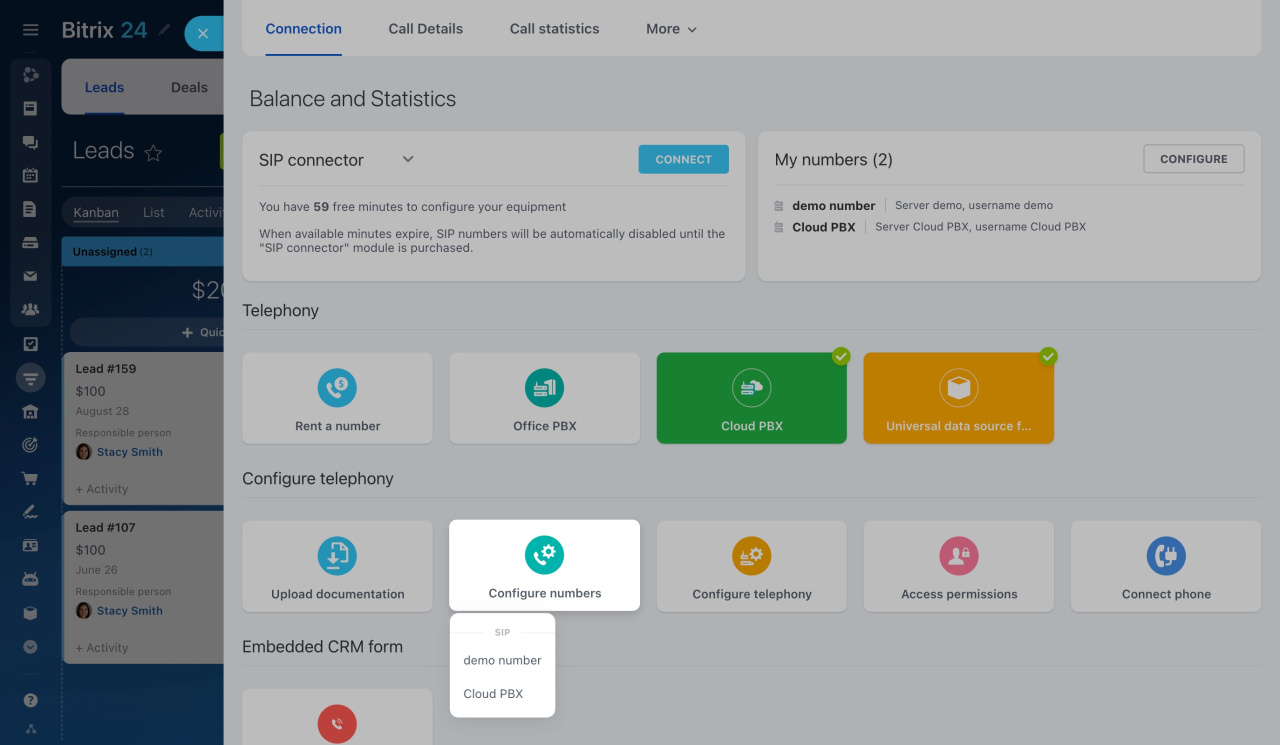
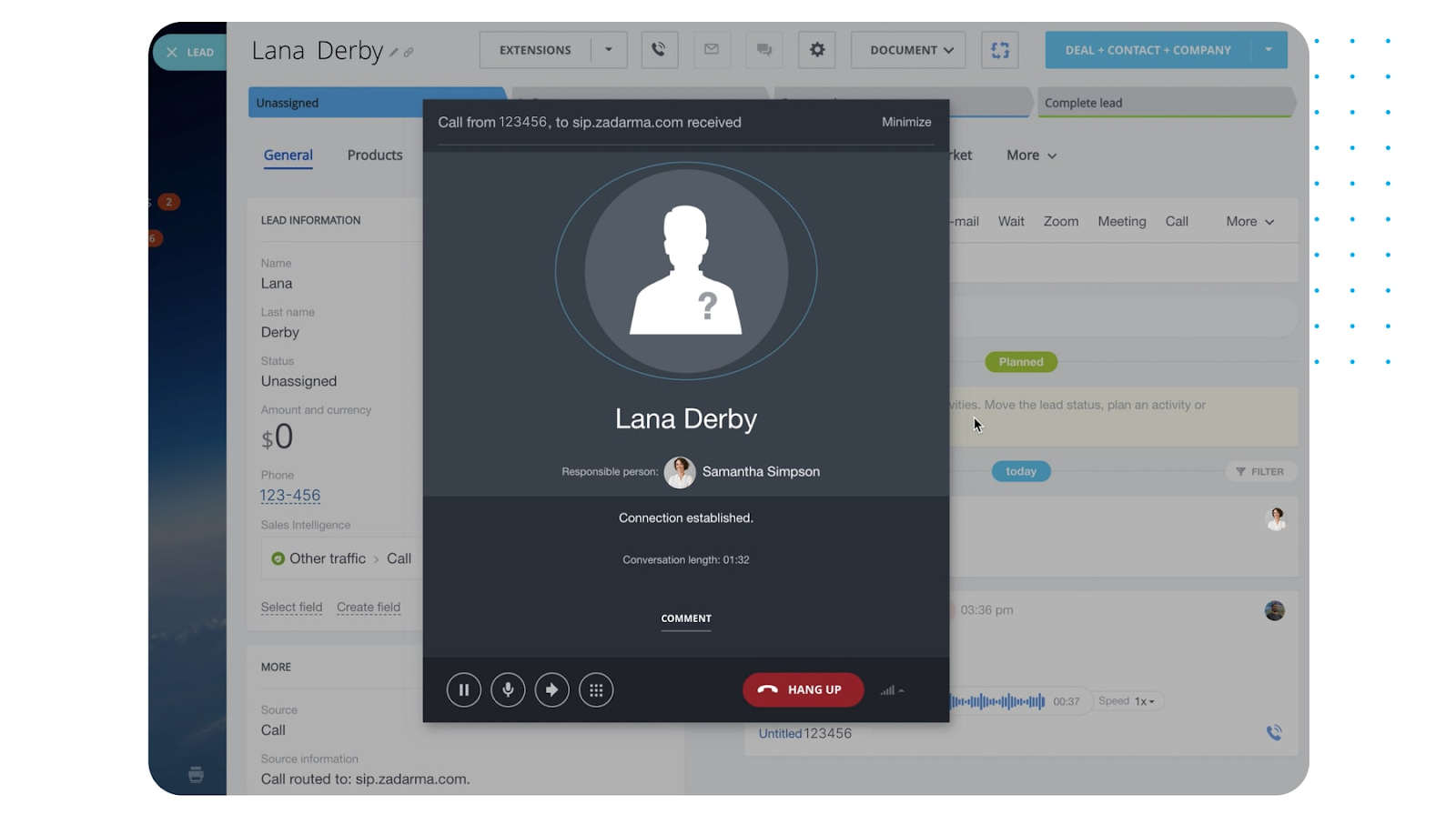
- Integrated telephony: Manage calls with built-in one-click calling, call recording, and routing from the CRM.
- Omnichannel support: Handle interactions across phone, email, live chat, and social media within a unified platform
- Lead management: Capture and track leads automatically, with tools for segmentation and prioritization.
- Customizable pipelines: Create multiple, fully customizable pipelines to manage and track deals.
- Real-time reporting: Get real-time call data and performance metrics to improve operations.
- Automated call routing: Automatically route incoming calls to the appropriate agents based on predefined rules.
- Free plan
- Up to 2 users
- 5 GB storage
- Basic CRM (deals, contacts)
- Tasks (Kanban, Gantt)
- Shared calendars
- Chat & video calls
- Basic: $69/month
- Up to 5 users
- 24 GB storage
- Sales pipelines
- Recurring deals
- Email integration
- Telephony
- Web form designer
- Website builder
- Standard: $144/month
- Up to 50 users
- 100 GB storage
- Sales automation
- Unlimited leads
- Invoices & estimates
- Online payments
- WhatsApp marketing
- E-commerce
- Recurring tasks
- Unlimited projects
- Professional: $289/user/month
- Up to 100 users
- 1024 GB storage
- AI-powered sales
- Call tracking
- Email marketing
- Workflow automation
- Ad automation
- Analytics & reporting tools
- Task automation
- RPA
- E-signature
- Unlimited boards
- Booking
- HR management tools
- Employee hours tracking
- Enterprise: $579/user/month
- Up to 250 users
- 3 TB storage
- Unlimited branch accounts
- Centralized management
- Distributed servers
- SOC-compliant AWS hosting
- High-performance cluster
- API boost
- Encryption at rest
- Dynamic load balancing
- 99.95% SLA guarantee
- Active Directory integration
- Login history
- 30-day backup period
- Multi-level permissions
- Custom branding
- Priority customer support
HubSpot Sales Hub: Best for sales and marketing integration
Overall Score
4.41/5
Pricing
4.58/5
General features and interface
4.43/5
Core features
3.75/5
Call center-specific features
4.64/5
Integration and compatibility
5/5
UX
5/5
User scores
4.38/5
Pros
- Call tracking, VoIP integration, and automatic call logging
- Advanced automation for email follow-ups, lead rotation, and deal updates
- Customizable pipelines
- Over 150 pre-built reports with customizable options
Cons
- No built-in social media management in Sales Hub
- Limited pipelines in lower plans
Why I chose HubSpot Sales Hub
HubSpot Sales Hub is a strong option for call centers that want sales, marketing, and customer data in one connected platform. It helps teams manage calls, emails, website activity, lead engagement, and deal tracking without relying heavily on separate tools.
Its CRM includes calling, email tracking, pipeline management, automation, reporting, and lead scoring, with more advanced features available on higher-tier plans. For teams already using HubSpot’s marketing or service tools, Sales Hub offers a unified view of customer activity, making lead follow-up and customer conversations easier to manage.
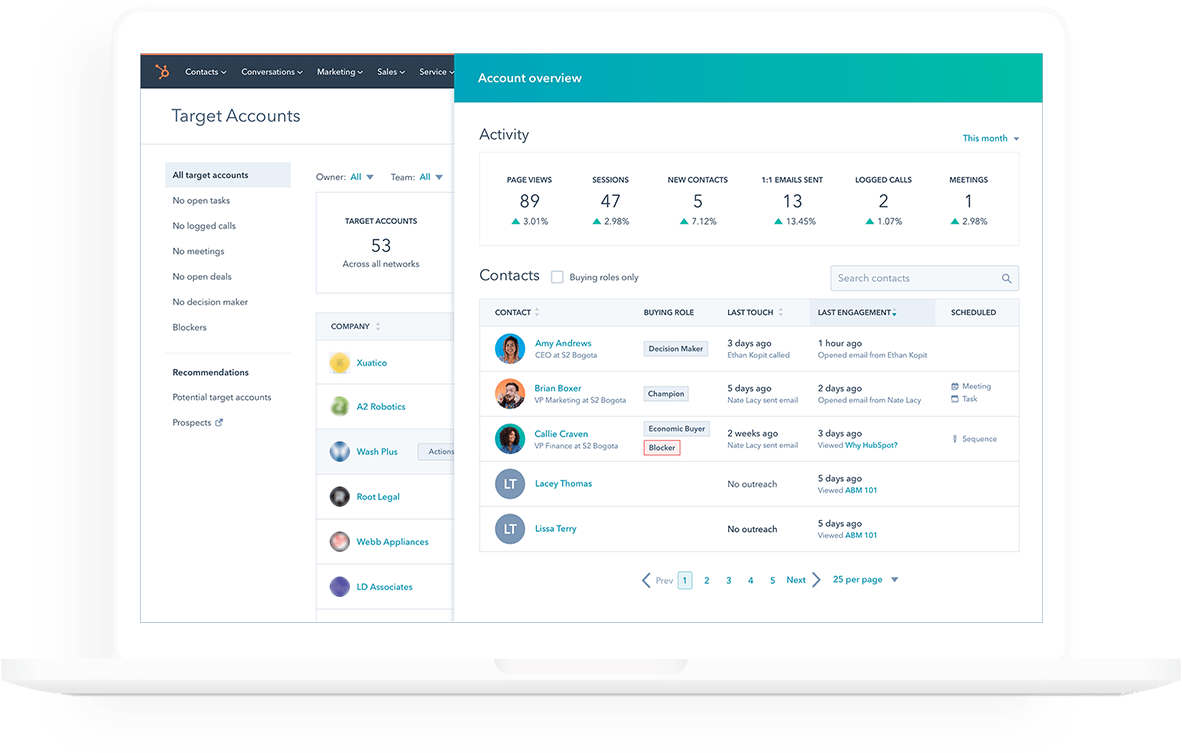
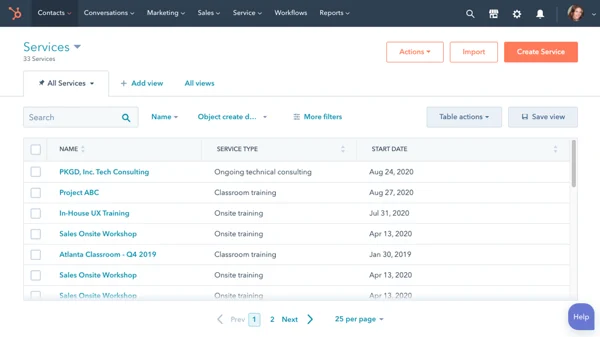
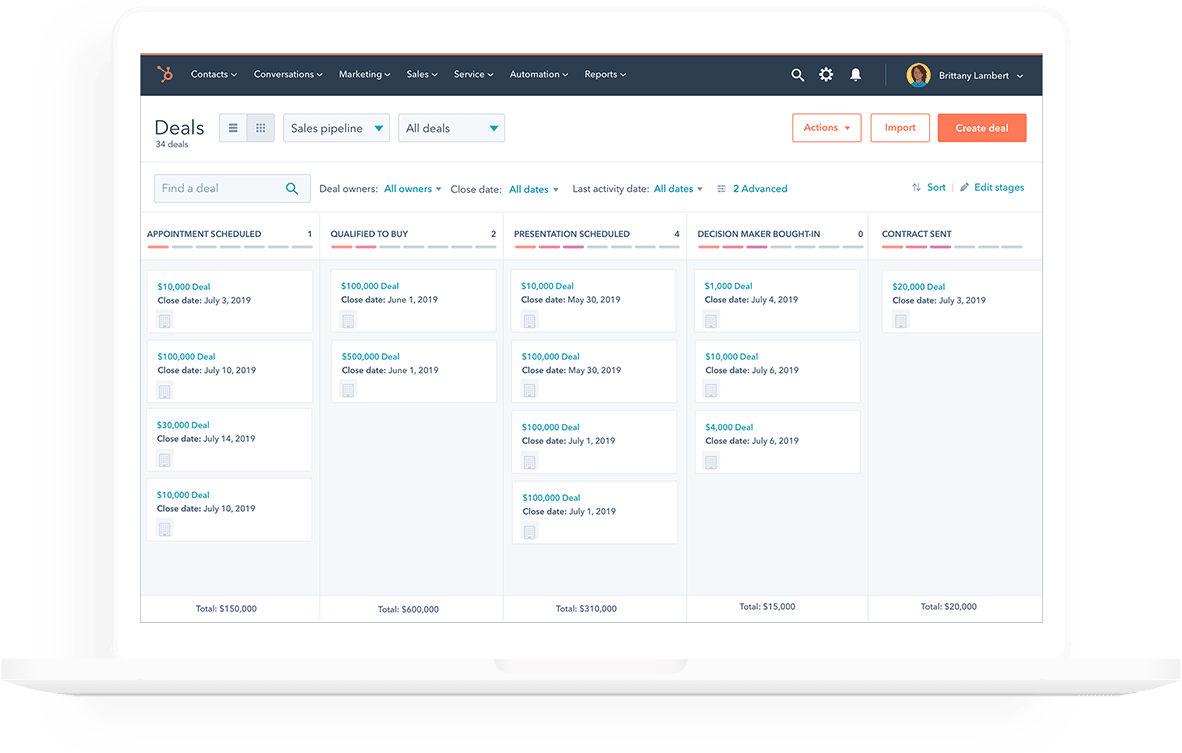
- Call tracking and logging: HubSpot tracks and logs all calls automatically for later review.
- VoIP integration: Allows agents to make calls directly from their browser via integrated VoIP.
- Automated call queue: Prioritizes calls based on engagement data, helping agents focus on key interactions.
- Click-to-call: Enables agents to initiate calls directly from contact records
- Call recording: Records calls for training and quality assurance, stored in the CRM for easy retrieval.
- Customizable dashboards: Offers customizable dashboards and reports to track key metrics
- Free
- Up to 2 users
- Free Marketing tools
- Free Sales tools
- Free Service tools
- Free Content tools
- Free Data tools
- Free Commerce tools
- Starter: $10/seat/month
- 500 HubSpot credits
- Breeze Assistant
- Calling
- Data Agent
- Intent signals
- Repeating tasks and task queues
- Professional: $100/seat/month
- 3,000 HubSpot credits
- Conversation intelligence
- Forecasting
- Sales analytics
- Sales workspace
- Smart Deal Progression
- Enterprise: $150/user/month
- AI transcript enrichment
- Custom Channels API
- Deal splits
- Deal journey analytics
- Lead Form Routing
- Pipeline approvals for Deals

Nextiva: Best for VoIP integration
Overall Score
4.37/5
Pricing
3.13/5
General features and interface
3.98/5
Core features
4.82/5
Call center-specific features
4.82/5
Integration and compatibility
4.79/5
UX
4.5/5
User scores
4.57/5
Pros
- “Call Pop” feature
- Highly reliable call quality and uptime
- Gamification features
- Built-in VoIP system
Cons
- Call recording is only available at higher tiers
- High starting cost for call center features
Why I chose Nextiva
Nextiva is a strong choice for teams that prioritize VoIP, call management, and scalable customer communication. It supports omnichannel interactions across voice, email, chat, and social media, giving agents a unified view of customer conversations.
Its contact center features include skills-based routing, real-time monitoring, call recording, toll-free numbers, inbound call center tools, AI-powered IVR, and advanced routing. Nextiva also integrates with CRM platforms like Salesforce and Zoho, making it a good fit for businesses that need robust communication tools alongside their existing customer management systems.
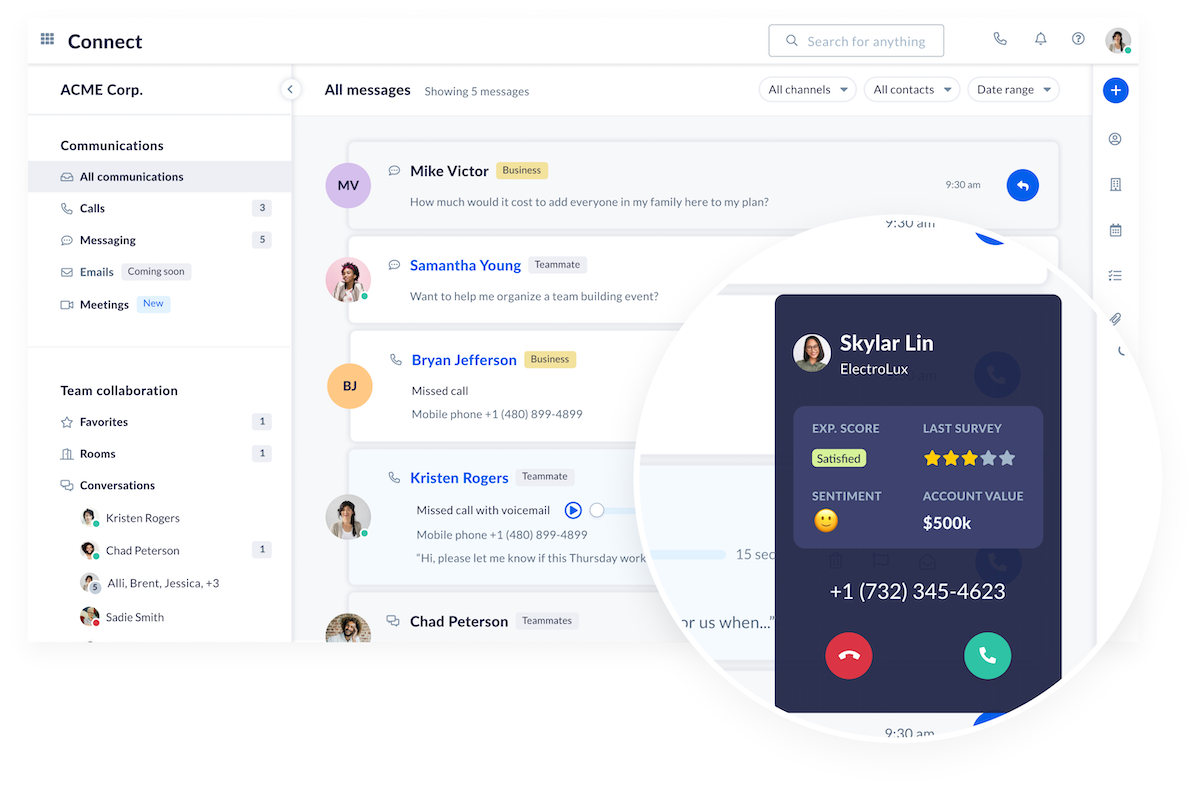
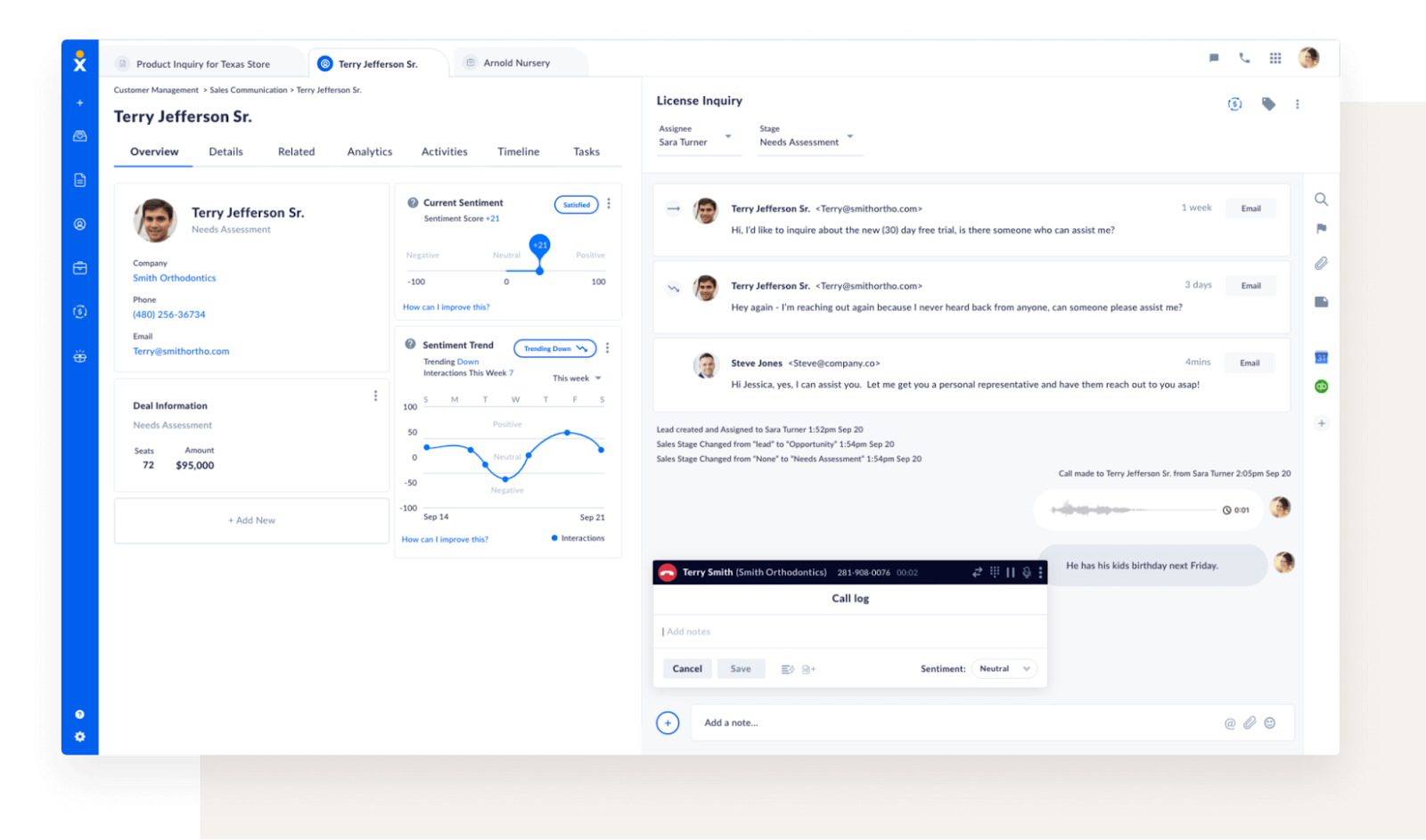
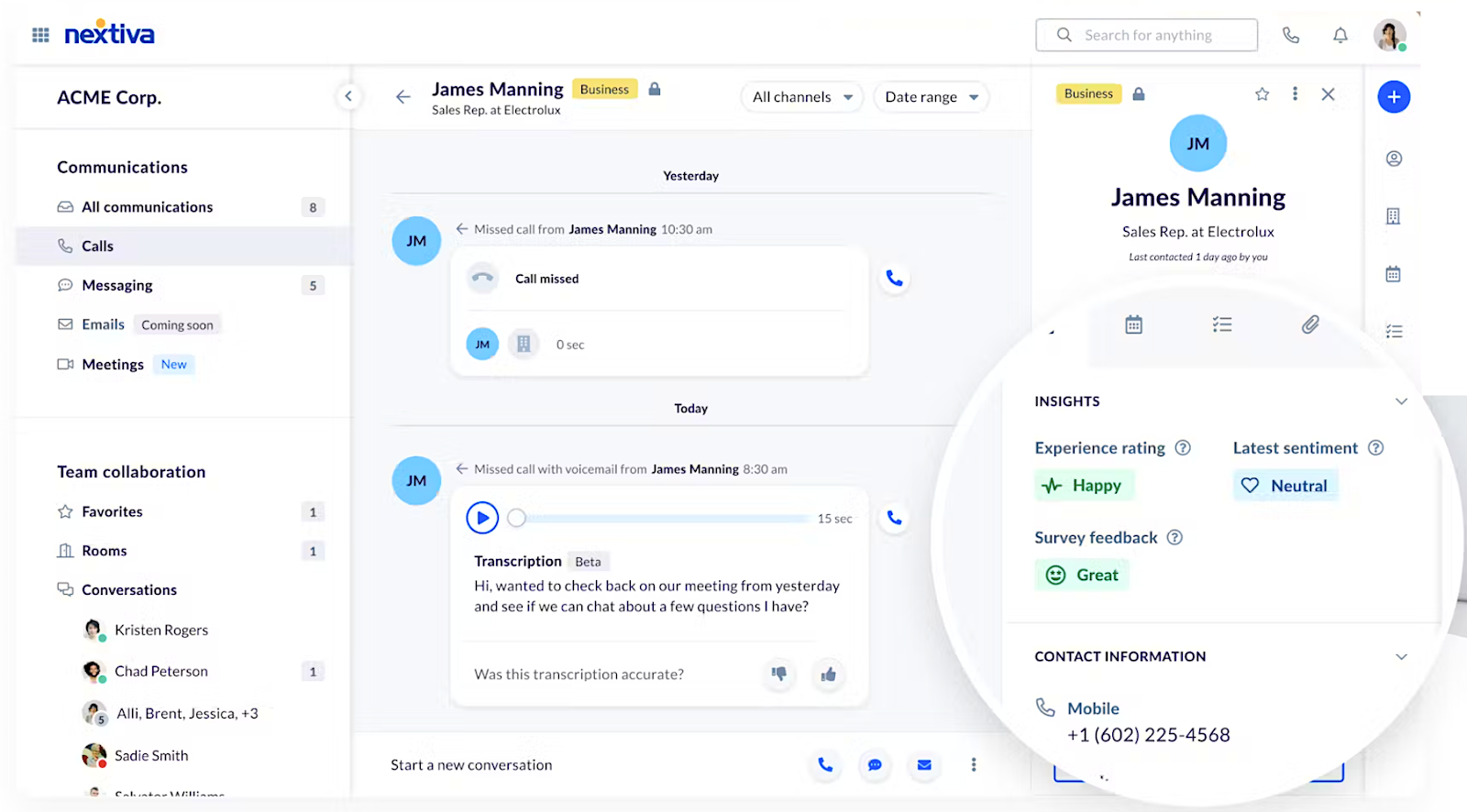
- Call pop: Displays customer details before agents answer, improving personalized service.
- Skills-based routing: Routes calls to the most qualified agents, speeding up resolutions.
- Advanced IVR: Automates call flows with speech recognition, guiding customers through menus.
- Real-time analytics: Tracks call center metrics like call volume and agent activity for optimization.
- Omnichannel integration: Manages voice, email, chat, SMS, and social media interactions from one platform.
- Call recording and monitoring: Records and monitors calls for quality assurance and agent coaching.
- Core: $15/user/month
- Inbound & Outbound Voice
- Business SMS
- Video Meetings
- Screen & File Sharing
- Call Routing
- Team Chat
- Mobile App
- Engage: $50/user/month
- Customer-to-Team SMS
- Toll-Free Number & Minutes
- Advanced Reporting
- Inbound Call Center
- Live Chat & Chatbot
- Scale: $75/user/month
- Voice & Web Chat
- Blended Inbound & Outbound
- AI Transcription & Summary
- Skills-Based Routing
- Journey Orchestration

Pipedrive: Best for sales-focused teams
Overall Score
4.29/5
Pricing
3.54/5
General features and interface
4.2/5
Core features
4.46/5
Call center-specific features
4.46/5
Integration and compatibility
4.79/5
UX
5/5
User scores
4.46/5
Pros
- Real-time data access
- Easy to use
- Integrates smoothly with telephony systems
- Customizable pipelines
Cons
- Limited email features on lower plans
- Add-ons can increase costs significantly
Why I chose Pipedrive
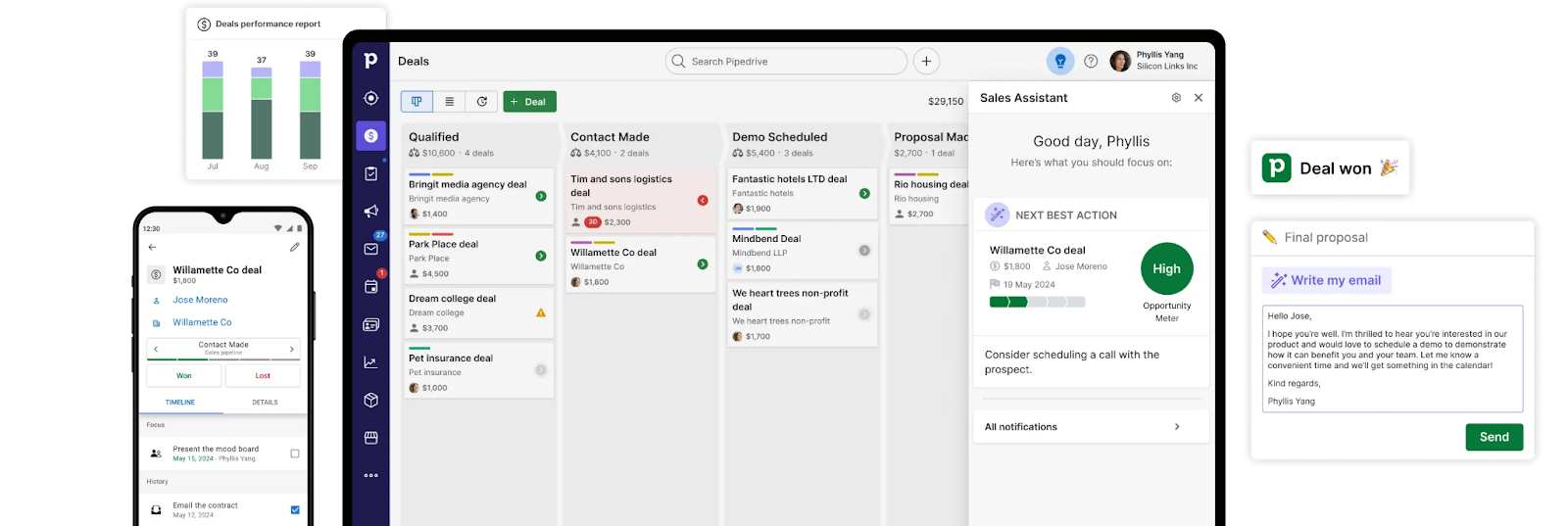
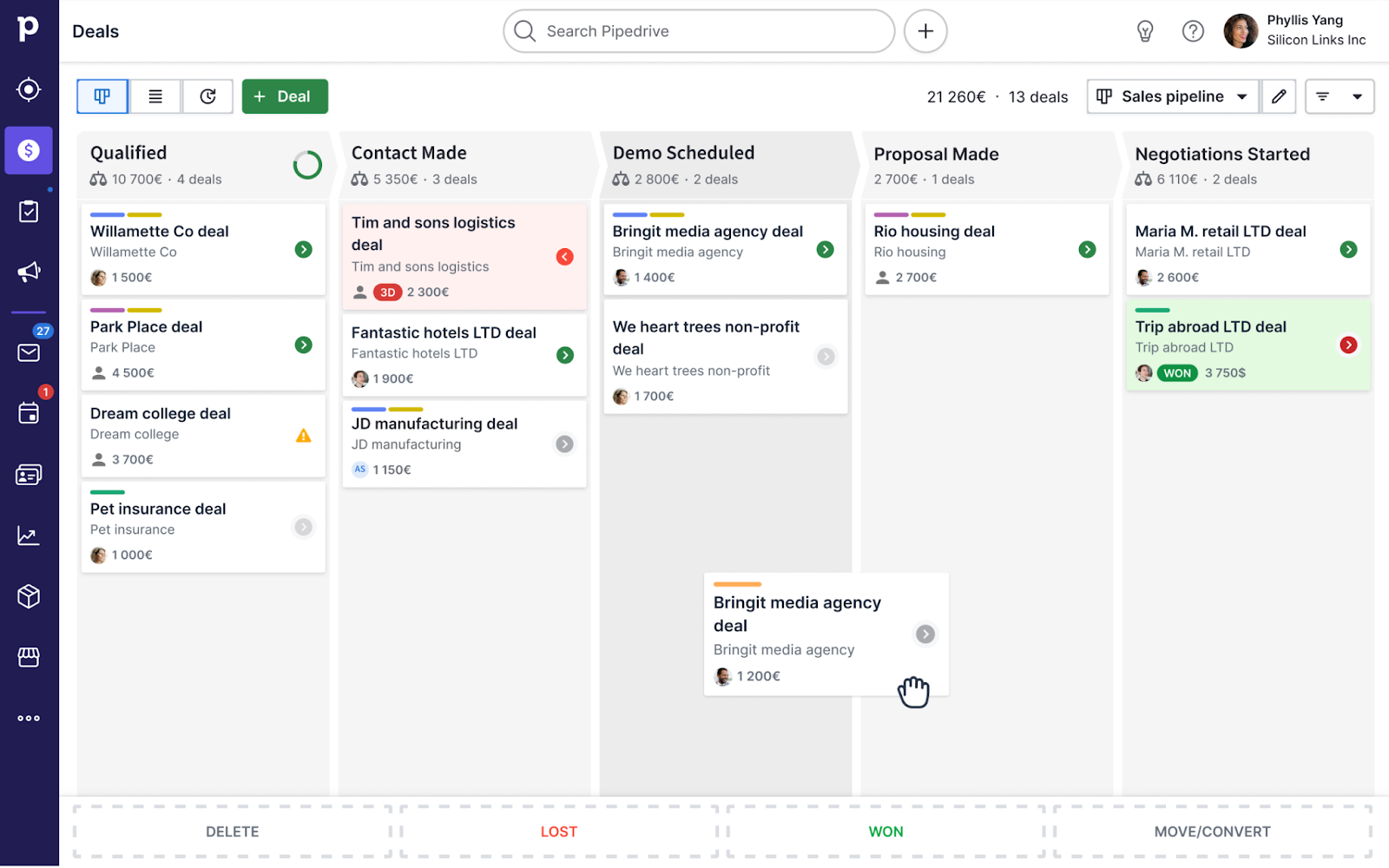
Pipedrive is a strong choice for sales-focused call centers that need a simple way to manage leads, deals, and follow-ups. Its visual pipelines help teams track opportunities in real time, while workflow automation supports tasks like follow-up scheduling and activity reminders.
Pipedrive also connects with telephony tools like Aircall for one-click calling, automatic call logging, and call activity tracking. Combined with sales reporting and customer interaction history, these features help agents prioritize leads, personalize outreach, and move deals through the pipeline more efficiently.
Also read: 6 Best VoIP Software & Providers
- Call logging and recording: Automatically logs and records calls for better tracking and training.
- Telephony integrations: Integrates with tools like Aircall for one-click calling and automatic call logging.
- Workflow automation: Automates tasks like call routing and scheduling to improve efficiency.
- Customizable pipelines: Allows for fully customizable sales pipelines tailored to your specific workflows.
- Real-time analytics: Provides detailed analytics on call center performance, including call durations and conversion rates.
- Smart contact data: Enriches customer profiles with data from past interactions for personalized service.
- Lite: $19/seat/month
- Lead, calendar, and pipeline management
- AI-powered report creation
- Real-time sales feed
- 500+ integrations
- Personalized onboarding
- Growth: $34/seat/month
- Full email sync with tracking
- Automations and nurturing sequences
- Subscriptions and forecast reports
- Meeting scheduler and contacts timeline
- Live chat support
- Premium: $64/seat/month
- Lead generation and routing
- Custom scoring and company data enrichment
- AI-powered multi-email tools
- Contracts and e-signatures
- Enhanced customization for teams, reports, and data fields
- Ultimate: $89/seat/month
- Fortified account security with rules and alerts
- Phone and email data enrichment
- Sandbox testing account
- Extended phone support
- Partnership discounts
How to choose the best call center CRM software
The best call center CRM depends on how your team handles customer conversations, what tools you already use, and whether your priority is sales, support, or all-in-one communication. Use these factors to narrow your options:
1. Start with your main use case
Identify whether your team needs a CRM primarily for sales calls, customer support, inbound call routing, outbound outreach, or multichannel communication. This will help you focus on platforms with the right mix of calling, contact management, automation, and reporting tools instead of comparing features you may not actually use.
2. Check your call center requirements
Before comparing pricing, make sure the platform supports your must-have call center workflows. Look for features such as:
- Call logging and recording
- Click-to-call or built-in calling
- IVR and call routing
- Call queues and agent assignment
- Real-time reporting and performance dashboards
- Integrations with your phone system or contact center software
For example, Nextiva is a stronger fit if voice calling is central to your operation, while HubSpot, Zoho CRM, and Pipedrive may be better if you want call activity tied closely to sales or customer records.
3. Match the CRM to your team size and budget
Small teams may prefer platforms with free plans, low starting costs, or simple setup. Bitrix24, HubSpot, and Zoho CRM are good options to evaluate if affordability is a priority.
Growing teams should also consider whether the CRM can scale with more users, advanced automation, analytics, and integrations. A low-cost plan may work at first, but costs can increase as you add users, calling features, storage, or automation tools.
4. Prioritize ease of use
Call center agents need to find customer details quickly while handling live conversations. A CRM with too many clicks, confusing dashboards, or limited search tools can slow down response times.
Look for a platform with:
- Clean contact records
- Easy call notes and follow-up task creation
- Fast access to call history
- Simple reporting dashboards
- Minimal setup and training requirements
5. Review integrations before you commit
Your CRM should work with the tools your team already uses, especially your phone system, help desk, email, calendar, marketing platform, and reporting tools.
HubSpot Sales Hub is a strong option for teams already using HubSpot’s marketing or service tools. Pipedrive works well for sales teams that rely on integrations to connect calling, lead generation, and workflow automation. Zoho CRM is a good fit for businesses that want flexibility across a broader software ecosystem.
6. Test the platform when possible
Use free plans, trials, or demos to test the daily agent experience before choosing a provider. During the trial, check how easy it is to:
- Import contacts
- Place or log calls
- Create follow-up tasks
- View customer history
- Build reports
- Connect your phone or communication tools
A call center CRM should make customer conversations easier to manage, not add extra work for your team.
Also read: CRM Types: Which CRM Software is Right for You?
Frequently asked questions (FAQs)