Over the years, AI has transformed how businesses build and manage websites by eliminating the need for complex coding and reducing time-to-launch from weeks to minutes. In 2026, AI website builders have developed far beyond simple templates. They now generate full websites, write content, optimize for SEO, and even personalize user experiences in real time.
These tools use artificial intelligence to guide you step by step through the website creation process, adapting layouts, content, and features based on your goals. Whether you’re launching a small business site, an online store, or a portfolio, the right AI website builder can dramatically reduce both cost and effort.
To help you choose, I evaluated each platform based on pricing, features, ease of use, and real-world performance. Below are the best AI website builders for 2026:
| AI-powered website builders | Best for | Starting price |
| B12 | AI-assisted service-based business websites | $42 per month (billed annually) |
| 10Web | Seamless migration of existing WordPress sites | $13 per month (billed annually) |
| Squarespace | AI-powered design and branding suggestions | $16 per month (billed annually) |
| Wix | Beginners seeking tailored website designs | $17 per month |
| Jimdo | Small businesses seeking an all-in-one solution | $11 per month |
| GoDaddy Airo | Quick website setup with minimal input | $7.99 per month |
Featured partners
Why you can trust us
At TechnologyAdvice, I’ve reviewed numerous AI tools and evaluated software using a consistent methodology aligned with actual business needs. In this guide, I analyzed seven top AI website builders, focusing on pricing, key features, customization, and usability.
I also reviewed user feedback from third-party websites and tested features through free trials and demos. I also regularly update this guide to incorporate new capabilities, pricing changes, and emerging competitors.
B12: Best for AI-assisted service-based business websites
Pros
Cons

B12 stands out for the control it offers over AI-generated output. Unlike many AI website builders that rely on a question-and-answer format leading to generic results, B12 provides customizable prompts. This flexibility allows you to refine messaging, adjust service descriptions, and shape the site’s tone, which is crucial for service-oriented companies that need clear positioning and trust-building content.
Another reason B12 made this list is its hybrid approach. While many platforms focus purely on sales and automation, B12 bridges the gap between DIY and professional services. If you outgrow the AI-generated site or need more polish, you can tap into its Expert Marketplace without switching platforms. For consultants, agencies, and other service providers, the combination of AI efficiency and human support makes B12 a practical long-term solution.
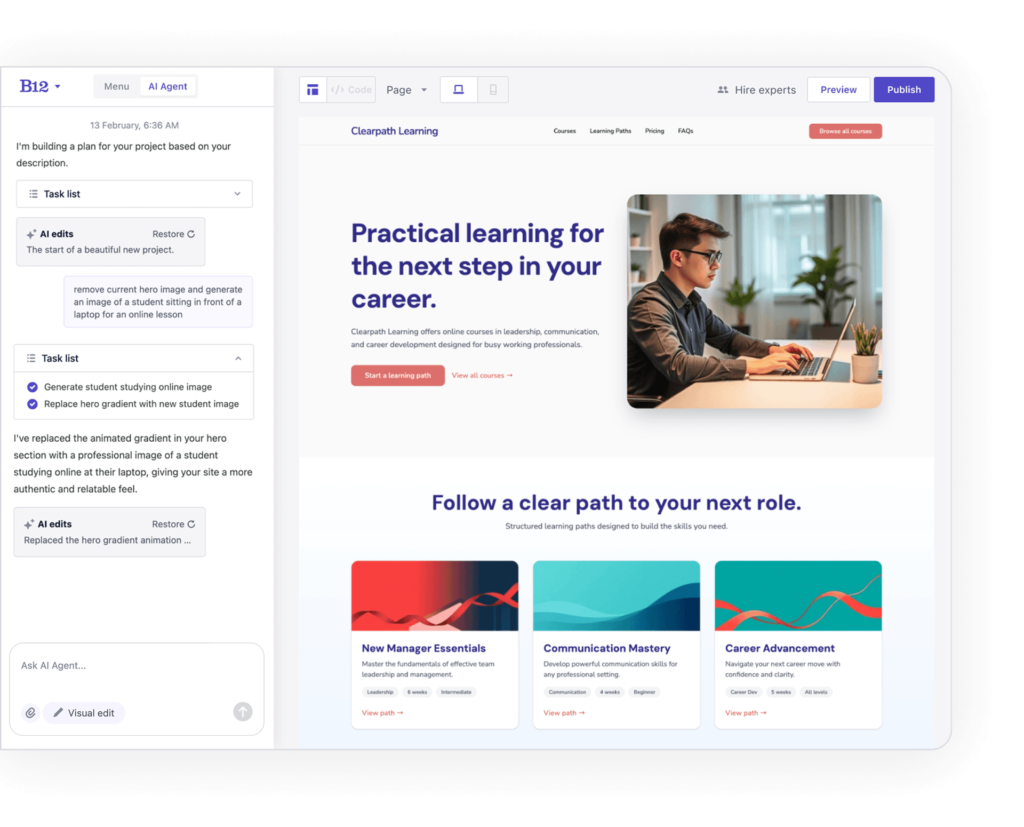
- Customizable website prompts: Refine prompts to better match your brand voice, services, and target audience, resulting in more relevant website content and structure.
- Expert marketplace: Access professional designers, copywriters, and SEO specialists if you want to enhance or fully delegate your website build.
- Invoicing and client tools: Built-in features for client intake, contracts, and invoicing make it easier to manage service-based workflows directly from your site.
- Mobile optimization: Automatically generates mobile-friendly websites with responsive layouts across devices.
Do It Yourself: Build your own website using the editor and AI Agent
- Free: $0/month
- Website: $49/month ($42/month billed annually)
- Website + Client Engagement: $78/month ($67/month billed annually)
Experts Do It For You: Work with an expert to design your website
- Professional: Starts at $199/month ($169/month billed annually)
- Advanced: Starts at $399/month ($339/month billed annually)
10Web: Best for seamless migration of existing WordPress sites
Pros
Cons

WordPress remains a popular platform for website hosting, and 10Web caught my attention for its effective integration of AI into the WordPress ecosystem. For example, the URL-to-site cloning feature lets you recreate an existing website from a live URL and convert it into a fully editable WordPress site in minutes. That’s a major advantage for businesses handling migrations or redesigns since it eliminates the need to manually rebuild pages.
10Web also offers built-in performance optimization tailored for WordPress, automatically managing tasks like image compression, code minification, lazy loading, and full-page caching. It integrates with Cloudflare Enterprise CDN to enhance global load times and improve core web vitals, without requiring multiple plugins or manual configuration. Overall, these features make 10Web a great choice for WordPress users seeking AI-driven site creation.

- Vibe coding: 10Web’s AI builder lets you generate and refine website layouts and content with intuitive prompts, streamlining the design process without manual coding.
- URL-to-site cloning: Allows you to enter an existing website URL, and 10Web recreates it on WordPress using AI, significantly reducing migration time.
- White-label solutions: Agencies can rebrand the platform and manage multiple client websites from a single dashboard.
- Automated WordPress hosting: Offers hosting for WordPress websites on Google Cloud, ensuring fast and reliable website performance.
- Security measures: Monitors websites for security breaches, malware, DDoS attacks, and more, ensuring robust website protection.
Business:
- AI Starter: $25/month ($13/month billed annually)
- AI Premium: $36/month ($18/month billed annually)
- AI Ultimate: $55/month ($28/month billed annually)
E-commerce:
- AI E-commerce Starter: $26/month ($14/month billed annually)
- AI E-commerce Premium: $56/month ($29/month billed annually)
- Dedicated hosting: Contact a representative for pricing
Agency:
- Agency Starter (3 websites): Plans start at $60/month ($30/month billed annually)
- Agency Premium (10 websites): Plans start at $120/month ($90/month billed annually)
Squarespace: Best for AI-powered design and branding suggestions
Pros
Cons
Squarespace is a website-building platform recognized for its elegant, customizable templates and user-friendly interface. It caters to beginners and DIY enthusiasts, providing tools for creating websites, blogs, and online stores. During testing, the site offers intuitive drag-and-drop editing, ecommerce integration, and easy-to-use AI-powered design recommendations.
This makes Squarespace an excellent choice for creatives and small business owners who want to build visually impressive, professional websites with minimal coding required. Unlike faster AI builders like Wix or Jimdo, Squarespace prioritizes a polished, customized aesthetic, giving users greater control over their sites. This also makes it ideal for e-commerce and content creation, such as blogging and courses.
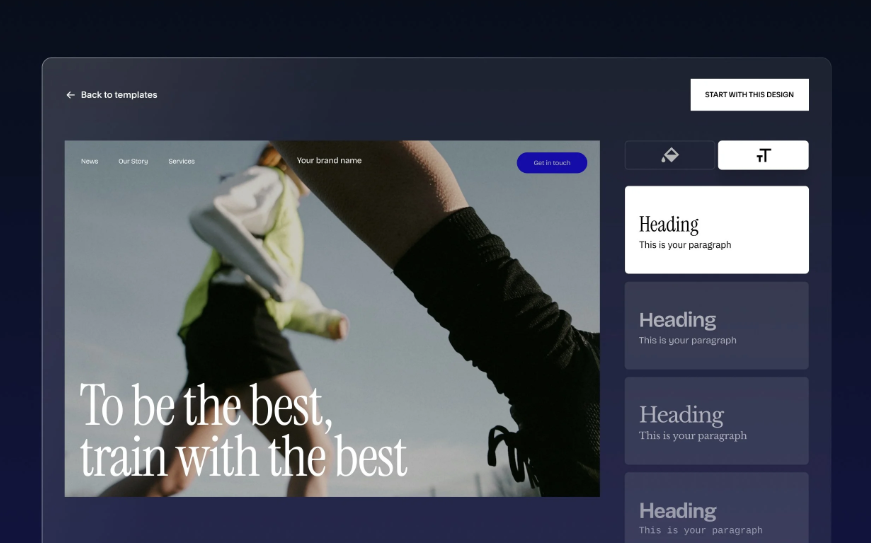
- Squarespace AI: Uses AI to generate layouts, suggest color palettes, and assist with content creation, helping users quickly build a cohesive brand presence.
- SSL security: Free SSL certificates are included with Squarespace domains to secure websites and protect user data.
- Design templates: Industry-leading templates known for modern, polished aesthetics that are optimized for mobile devices.
- Blogging platform: Robust content management tools with scheduling, categorization, and SEO-friendly formatting.
- Drag-and-drop editor: Intuitive, code-free design tools for seamless customization.
- Basic: Starts at $25/month ($16/month billed annually)
- Core: Starts at $36/month ($23/month billed annually)
- Plus: Starts at $56/month ($39/month billed annually)
- Advanced: Starts at $139/month ($99/month billed annually)
Wix: Best for beginners seeking tailored website designs
Pros
Cons

For businesses seeking a more tailored design approach, I recommend the Wix AI Website builder for its conversational interface that lets you change site themes, shuffle layouts, and update site content with the Wix AI virtual assistant, Aria. Users who want a more vibe-based coding approach can also use Wix Harmony, which lets you describe your business, goals, and style in natural language and generates a structured website to match.
Wix also stands out for how it blends AI with a full ecosystem of business tools. Beyond website creation, it includes built-in SEO optimization (including support for emerging LLM search visibility), marketing integrations, and monetization features like bookings and ecommerce. While the initial AI-generated designs can feel somewhat templated, the platform gives you enough control to refine and customize your site over time.

- Lead capture forms: Built-in tools for collecting visitor information, helping businesses convert traffic to leads.
- Google Ads integration: Enables users to launch and manage ad campaigns directly from the platform.
- Aria AI assistant: A conversational AI tool that helps generate site content, refine layouts, and guide users through the website creation process.
- Mobile optimization: The platform ensures your website is mobile-friendly, maintaining essential features and functionality across devices.
- Smart tips: The platform provides instant access to helpful tips and common actions throughout the website creation process.
- Free plan: $0
- Light: $17/month
- Core: $29/month
- Business: $39/month
- Business Elite: $159/month
- Enterprise: Contact sales for custom plans and pricing.
Jimdo: Small businesses seeking an all-in-one solution
Pros
Cons

As an international offering, Jimdo is my top choice for individuals and small businesses to build their online presence effortlessly. Its Companion AI is specifically designed to assist solopreneurs with web hosting and development. This includes analyzing customer analytics, enhancing webpages, and providing smart recommendations and insights to improve outreach and support.
Jimdo also stands out for its simplicity as an all-in-one platform. It combines hosting, SEO basics, analytics, and design tools into a single experience without overwhelming the user. However, it’s not without its limitations, as some users might seek more advanced customization and automation. However, Jimdo provides just enough features to get small teams started at an affordable price.
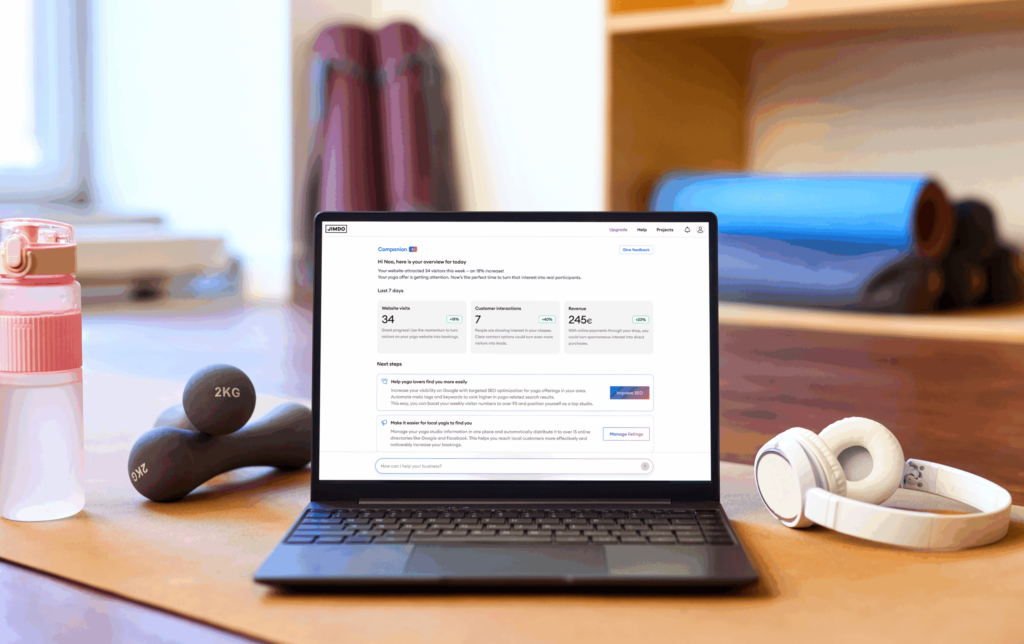
- Companion AI: Jimdo’s AI builder creates a website based on a few business-related questions, helping users launch quickly with minimal setup.
- Website analytics: Built-in analytics provide insights into visitor behavior and site performance without requiring third-party tools.
- Advanced SEO tools: Automated SEO setup helps optimize pages for search engines, including fast indexing and metadata configuration.
- Image library: Access to a library of images to populate and design your site without the need for a media catalog.
- Connect your own domain: Register a custom domain with Jimdo or transfer it from a previous website hosting platform.
- Free: $0
- Start: $11/month, billed annually
- Grow: $17/month, billed annually
GoDaddy Airo: Quick website setup with minimal input
Pros
Cons

GoDaddy is a veteran in domain registration, making it a go-to platform. But I added it to this list because it offers an AI Website Builder and a fully customizable AI-generated environment with GoDaddy Airo. With only a few questions and prompts, the AI will generate a website complete with relevant imagery and content. The Airo All Access plan also bundles multiple business tools, combining website building with marketing automation.
By offering domain search, branding, and website creation into a single flow, users can go from ideation to live site with minimal manual setup. In addition to generating pages, the AI can also create logos and suggest content for key sections while connecting your site with marketing tools. Even compared to website builders like Wix, GoDaddy continues to stand out for its advanced AI capabilities and is a great option for those who want to launch with a live site rather than a “coming soon” page.
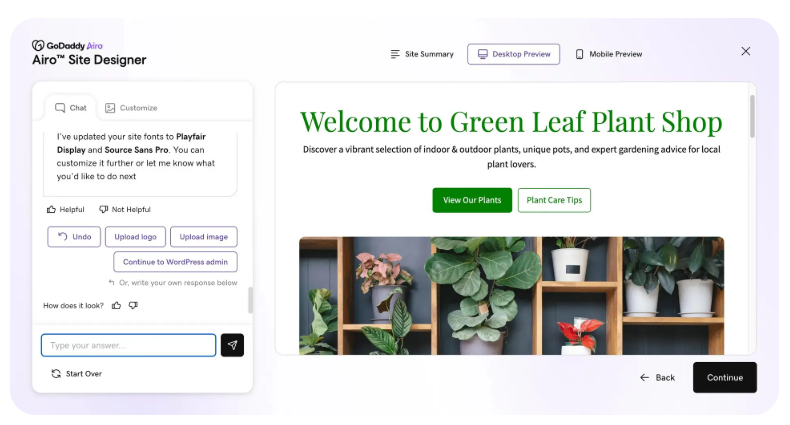
- AI domain search: Helps users find and secure available domain names aligned with their brand and business idea.
- One-page site generation: Instead of starting your website with a “Coming Soon” page, create a functional, single-page website ideal for simple business needs or fast launches.
- AI-generated logos: Automatically generate brand assets, including logos, based on business inputs.
- Built-in marketing features: The builder includes tools such as email marketing and social media integration.
- Security updates: The platform ensures your website is secure by providing simple updates.
GoDaddy Airo
- Airo: Free artificial intelligence features are included in most website plans
- Airo Plus: $7.99/month and $4.99/month, billed annually
- Airo All Access: $323.88/year for a bundled suite (Websites + Marketing, Email, etc.)
AI Website Builder plans
- The free plan is available
- Starter: $14.99/month (or $9.99/month for the first year, billed annually)
- Professional: $24.99/month (or $36.99/month for the first year, billed annually)
- Ultimate: $149.99/month (or $99.99/month for the first year, billed annually)
Key components of AI website-building software
When it comes to AI website building software, there are several key components that contribute to its functionality and effectiveness:
- Artificial design intelligence (ADI): The core engine that automates the design process using user input and data analytics. It can suggest themes, layouts, and even content.
- Natural language processing (NLP): Enables the software to understand user queries in a conversational manner, making it easier for users to specify their requirements.
- Content generation: AI algorithms can automatically generate text, images, and other content tailored to a website’s context and industry.
- SEO optimization: Many AI website builders include built-in SEO tools that automatically analyze and optimize the website for search engines.
- User behavior analytics: These tools track how visitors interact with the website, providing insights for data-driven design decisions.
- E-commerce integration: For businesses, AI can manage inventory, recommend products to users, and even handle basic customer service queries.
- Mobile responsiveness: AI algorithms automatically optimize the website design for various screen sizes and devices.
- Drag-and-drop interface: While not AI per se, this feature often complements AI functionalities by allowing users to make manual adjustments easily.
- Template library: A wide range of pre-designed templates that the AI can customize according to user needs.
- Scalability: As your business grows, the AI algorithms adapt and scale the website features accordingly.
Finding the right AI website builder for your business
Not all AI website builders are created equal. The best choice depends on your business goals, technical experience, and required features.
When evaluating your options:
- Look for strong AI capabilities (not just basic templates labeled as “AI”)
- Prioritize ease of use if you’re a beginner or solo operator
- Ensure the platform supports SEO, integrations, and scalability
- Consider whether you need e-commerce, booking tools, or CRM integrations
- Review customer feedback to understand real-world performance
Many platforms offer free trials or demos, so take advantage of them to see how well the AI integrates with your workflow. Keep in mind that your website is often the first impression potential customers have of your business. Selecting the right AI builder will help ensure that this impression is fast, professional, and aligned with your brand.
Frequently asked questions (FAQ)