


Square merchant services provide payment processing for in-person and online transactions, along with point-of-sale (POS) software, payment hardware, invoicing, and business management tools. You can use the platform to accept credit and debit cards, contactless payments, and digital wallets without setting up a separate, dedicated merchant account.
Square uses flat-rate transaction pricing, with fees that vary by payment type and subscription plan. You may also qualify for custom processing rates if your business meets certain volume requirements. However, processing fees, software subscriptions, hardware costs, and account limitations all factor into Square's overall value.
Here's how Square merchant services work, what they cost, which features they include, and what you should consider before choosing the platform.
- What are Square merchant services?
- How do Square merchant accounts work?
- Square merchant services fees and pricing
- Square merchant services features
- Is Square cheaper than other merchant services?
- Pros and cons of Square merchant services
- Who should use Square credit card merchant services?
- How to get started with Square merchant services
- Bottom line
What are Square merchant services?
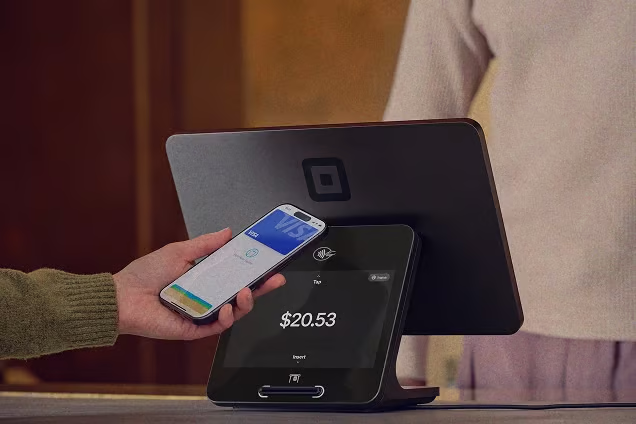
Square merchant services combine payment processing, POS software, and business management tools that let you accept and manage payments across sales channels. You can process credit and debit card transactions, contactless payments, and digital wallets in person or online. Square also supports remote payments through invoices and payment links.
Square combines several services under one account, including:
- Payment processing: Accept credit and debit cards, contactless payments, and digital wallets in person and online.
- POS software and hardware: Manage checkout, sales, inventory, and transactions using Square's POS software, card readers, terminals, and registers.
- Online payment solutions: Accept payments through an online store, checkout integrations, payment links, and invoices.
- Business management tools: Access sales reports, customer profiles, employee management, and inventory tracking.
- Payment security and fraud management: Use built-in security features, PCI compliance support, fraud monitoring, and dispute management tools.
One important distinction is how Square handles merchant accounts. Traditional merchant service providers typically establish a dedicated merchant account for each business, often requiring a separate application and underwriting process.
Square operates as a payment facilitator (PayFac), aggregating merchants under its own master merchant account and assigning individual sellers sub-merchant accounts. This means you can accept payments through Square without opening a separate merchant account with an acquiring bank.
For established businesses, this model provides a centralized way to manage payment acceptance. However, it also means Square oversees payment processing and account monitoring rather than giving you an independent merchant account relationship.
Read more:
How do Square merchant accounts work?
Square manages payment acceptance, processing, and fund transfers through one platform. You collect payments in person or online, Square processes the transactions and deducts applicable fees, and the remaining funds are transferred to your linked bank account.
The process involves four main steps:
1. Set up a Square account
Start by creating a Square account and providing your business and ownership information for identity verification and underwriting. Square may request additional documentation depending on your business type and risk profile. Once approved, link a bank account and configure your preferred payment methods and sales channels.
2. Accept customer payments
You can accept payments through several channels:
- In person: Use Square Readers, Terminals, Registers, or compatible mobile devices with Tap to Pay.
- Online: Accept payments through Square Online, integrated checkout, or supported ecommerce platforms.
- Remote: Collect payments through invoices, payment links, or Square Virtual Terminal.
Square supports major credit and debit cards, contactless payments, and digital wallets such as Apple Pay and Google Pay.
3. Square processes the transaction
When a customer pays by card, Square routes the authorization request through its processing and acquiring partners and the card network to the issuing bank. Additionally, Square supports some third-party ecommerce integrations. It coordinates payment processing, deducts applicable fees, and makes transaction details available through your Square Dashboard.
4. Receive funds in your bank account
Square transfers your net proceeds to your linked bank account according to your deposit schedule. If eligible, you can also use faster transfer options, including instant transfers for an additional fee.
Actual deposit timing depends on your transfer method, bank processing schedules, and account status. Square may delay or withhold funds if it needs additional verification or identifies potentially suspicious activity or payment disputes. Keep these possibilities in mind when managing cash flow and reconciling transactions.
Learn more: How to Use Square: A Step-by-Step Guide
Square merchant services fees and pricing
Square uses flat-rate pricing, with processing fees based on your payment method and subscription plan. You can use Square Free without a monthly software fee or upgrade to Plus or Premium for additional features and lower rates on some transactions.
Square payment processing fees
Here's how Square's standard US processing rates compare across its three plans:
Payment type | Square Free | Square Plus | Square Premium |
|---|---|---|---|
| In-person (tap, dip, or swipe) | 2.6% + 15 cents | 2.5% + 15 cents | 2.4% + 15 cents |
| Online payments and invoices | 3.3% + 30 cents | 2.9% + 30 cents | 2.9% + 30 cents |
| Online API payments | 2.9% + 30 cents | 2.9% + 30 cents | 2.9% + 30 cents |
| Manually entered or card-on-file payments | 3.5% + 15 cents | 3.5% + 15 cents | 3.5% + 15 cents |
| ACH bank transfers through invoices | 1%, $1 minimum | 1%, $1 minimum | 1%, $1 minimum |
| International card fee | additional 1.5% | additional 1.5% | additional 1.5% |
These rates apply to standard US transactions. Square also has separate rates for online API payments and ACH transfers through its APIs.
Your payment mix can make a significant difference in processing costs. For example, a $100 in-person transaction costs $2.75 on Free, $2.65 on Plus, and $2.55 on Premium. Manually entered transactions and card-on-file payments cost more because the physical card and cardholder aren't present.
Other Square merchant services costs
Beyond transaction fees, consider these additional expenses when calculating your total costs:
- Monthly software subscriptions: Square Free costs $0 per month, while Plus costs $49 and Premium costs $149 per month, per location. Both paid plans include a 30-day free trial.
- POS hardware: You can purchase Square Readers, Terminals, Registers, and accessories separately. However, you don't need to buy hardware for every payment method. Invoicing, payment links, Virtual Terminal, and Tap to Pay can work without a separate card reader.
- Faster transfers: Standard next-business-day transfers are free. Instant and same-day transfers cost 1.95% of the transferred amount.
- Additional fees: Square charges a 1.5% international card fee. Gift card loads cost 2.5% on Free and Plus, while Premium has no load fee.
- Custom processing rates: If you process more than $250,000 in annual card sales, you can contact Square about eligibility for custom pricing.
Does Square charge monthly or hidden fees?
Square doesn't charge account activation or early termination fees, and you don't have to meet a monthly processing minimum or sign a long-term processing contract. You can start with Square Free and pay only when you process transactions.
However, no monthly subscription fee doesn't mean your entire payment setup is free. Paid POS plans, hardware, faster transfers, and optional services can increase your costs. Review these expenses alongside your processing rates to estimate what you'll actually pay.
Square merchant services features
Square combines payment acceptance with POS software and business management tools, so you can manage several parts of your sales operation from one platform. Its features cover in-person and online transactions, invoicing, inventory, customer management, and payment security. Some advanced capabilities require a paid subscription or separate add-on.
In-person credit card processing
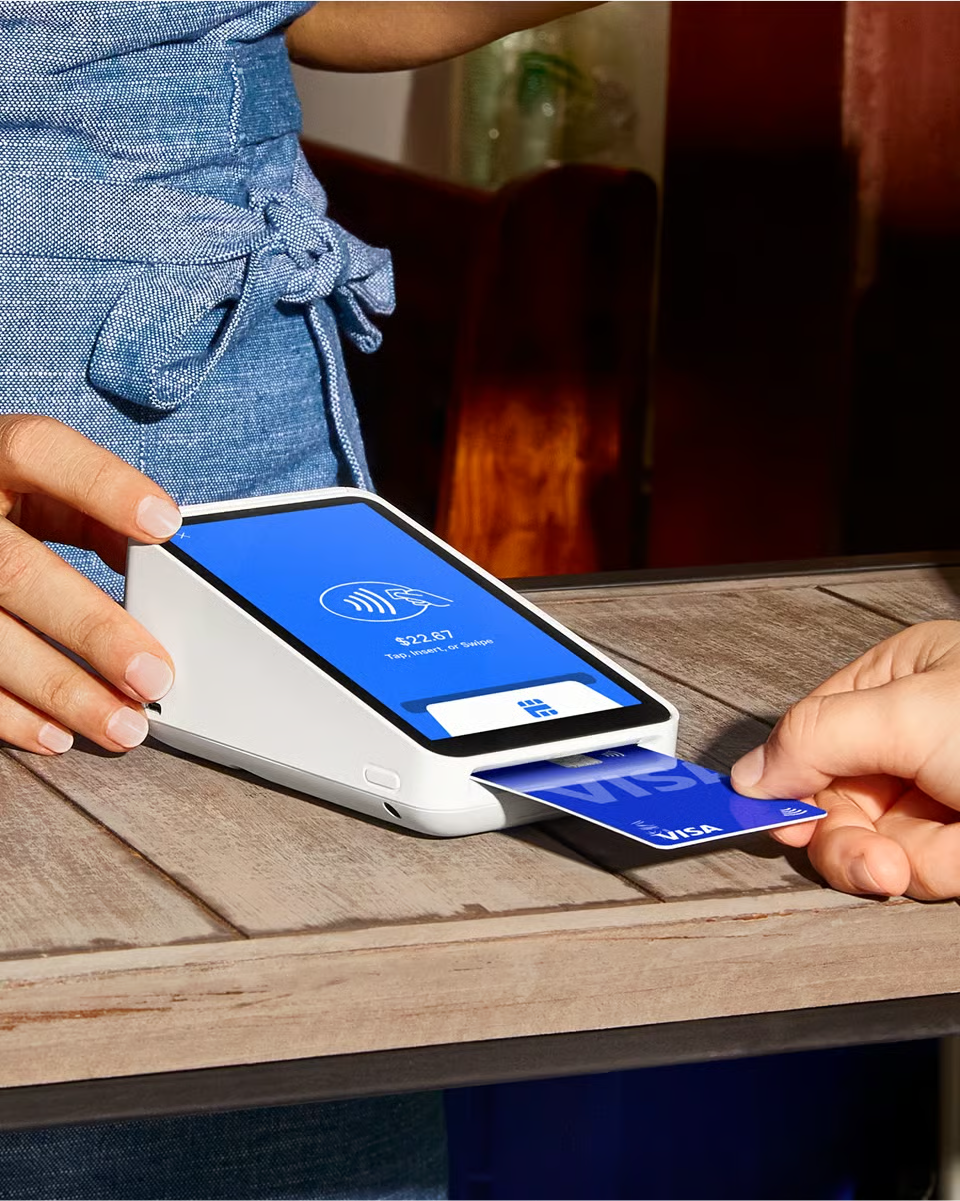
You can accept credit and debit card payments using Square's readers, terminals, registers, or compatible smartphones. Square supports magnetic stripe (swipe), EMV chip (dip), and contactless (tap) transactions, including digital wallets such as Apple Pay and Google Pay.
If you use a compatible iPhone or Android device, Tap to Pay lets you accept contactless payments directly on your phone without purchasing a separate card reader. This is useful for mobile sales teams, field services, and businesses that need flexible checkout options.
Online and ecommerce payments
Square lets you accept online payments through Square Online, hosted checkout pages, payment links, and supported third-party integrations. You can build an online store, list products, configure checkout, and sync your Square item catalog with your in-person sales operation.
You can also use Square's payment APIs to integrate payment acceptance into your existing website or application. This gives you more control over the checkout experience, although businesses with complex ecommerce requirements should review the available integrations and customization options before committing to the platform.

Learn more: Square vs Shopify: Which Is Better for POS and Ecommerce?
Invoicing and recurring payments
With Square Invoices, you can create and send estimates, one-time invoices, and recurring invoices. Customers can pay online using supported card and bank payment methods, while you can automate payment reminders and track outstanding balances through your dashboard.
You can also save customer payment methods for authorized future charges and set up recurring payments for subscriptions or ongoing services. ACH bank transfers provide another collection option, particularly for larger invoices where card processing fees can add up.
POS software and payment hardware
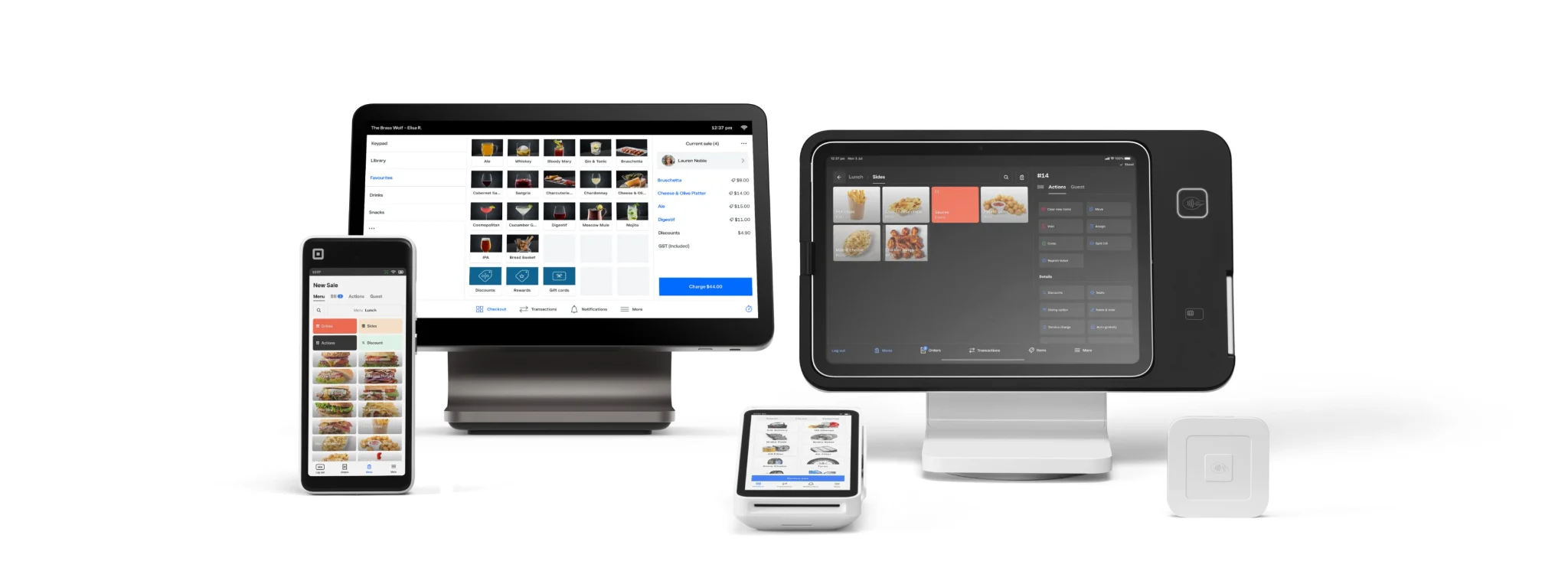
Square Point of Sale gives you tools to manage checkout, orders, inventory, and customer transactions. You can run the software on compatible iPads, iPhones, and Android devices or use Square's dedicated hardware, including Square Reader, Terminal, Register, and Handheld.
Square also offers industry-specific POS solutions for retail, restaurants, and appointment-based businesses. These include features tailored to inventory management, table service, order management, and scheduling. You can start with basic POS software and add hardware or specialized tools as your operations grow.
Learn More: Best Square Alternatives for POS Systems
Reporting and business management tools
Square Dashboard gives you a centralized view of sales, transactions, and business activity across your locations. Depending on your plan and setup, you can access:
- Sales reporting: Track revenue, transaction volume, refunds, and sales trends.
- Inventory management: Monitor stock levels, manage product variations, and track inventory across locations.
- Customer management: Maintain customer profiles and purchase histories, and connect them with marketing and loyalty tools.
- Employee management: Manage staff permissions, track hours, and configure team access to POS functions.
These tools help you monitor performance and coordinate daily operations without relying on separate systems for every function. Advanced reporting and workforce management capabilities may require paid plans or add-ons.
Payment security and fraud management
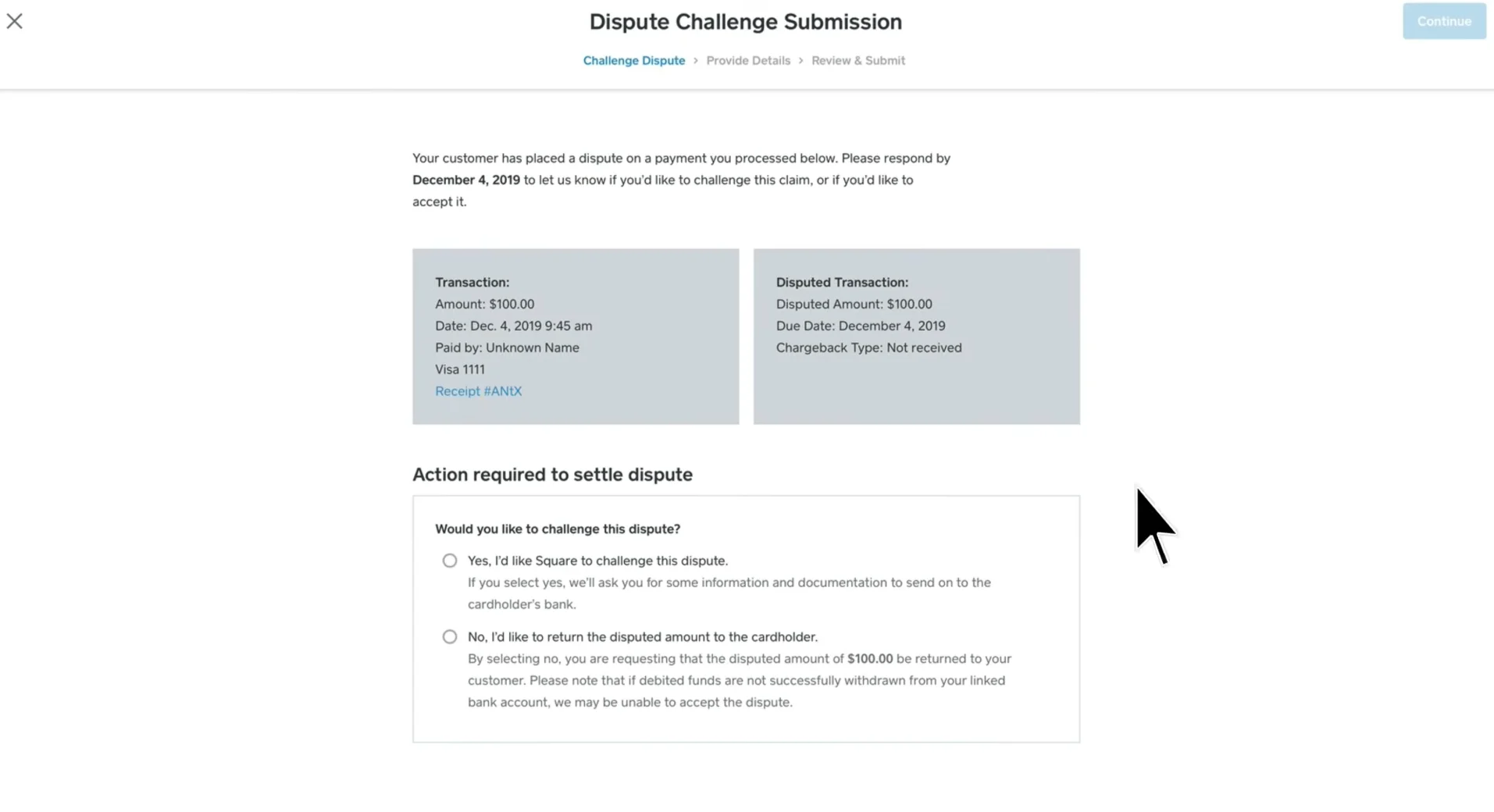
Square includes payment security features such as end-to-end encryption, fraud monitoring, and PCI compliance support. It also provides dispute management tools to help you respond to chargebacks and payment disputes.
You can review transactions, monitor account activity, and manage team permissions through your dashboard. Square also provides account takeover protection and tools to help identify potentially fraudulent transactions. These features reduce some of the work involved in securing payments, although you remain responsible for protecting your account credentials and following appropriate security practices.
Is Square cheaper than other merchant services?
Square can be cheaper than other merchant services providers if you want predictable, flat-rate pricing without monthly processing minimums or long-term contracts. However, its rates aren't automatically the lowest. Your total cost depends on how much you process, your average transaction size, the types of payments you accept, and the pricing model you can negotiate with another provider.
Square's flat-rate model makes costs easier to predict, especially if you have relatively low transaction volume or a mix of in-person and online sales. You pay a published rate for each transaction, rather than tracking different interchange costs and processor markups.
However, businesses with higher processing volumes may find better rates through providers that use interchange-plus pricing. For example, Helcim passes through the underlying interchange costs and adds a fixed markup. Its published markup decreases as monthly processing volume increases.
Pricing factor | Square | Other merchant services providers |
|---|---|---|
| Processing fees | Published flat rates based on payment type and subscription plan | May use flat-rate, interchange-plus, or subscription pricing |
| Monthly fees | Free plan available, with paid plans at $49 or $149 per location, per month | Varies. Some providers have no monthly fee, while others charge a subscription or account fee |
| High-volume pricing | Eligible businesses processing more than $250,000 annually can contact Square about custom rates | Some providers offer volume-based discounts or negotiated pricing |
| Contract requirements | No standard long-term processing contract or early termination fee | Depends on the provider and agreement |
| Cost predictability | Easier to estimate because transaction rates are fixed | Interchange-plus costs vary with card type and transaction details |
For example, Square's Free plan charges 2.6% + 15 cents for in-person transactions, regardless of the card's underlying interchange cost. With interchange-plus pricing, your processing fee varies based on the card and transaction, but the provider's markup is disclosed separately. This can reduce costs if your transaction mix and processing volume qualify for lower effective rates.
Square can be a cost-effective choice if you value predictable fees, simple setup, and integrated POS tools. If you process substantial card volume across multiple locations, compare its total costs against interchange-plus providers and request custom quotes. Include software subscriptions, hardware, add-ons, and transfer fees in your calculations, not just the advertised transaction rate.
Pros and cons of Square merchant services
Square combines payment processing, POS software, and business management tools in one platform. This can simplify payment operations, but its pricing structure, account model, and customization limits may not suit every business.
Pros | Cons |
|---|---|
| No separate merchant account required: You can start accepting payments through Square's payment facilitator model without applying for a traditional dedicated merchant account. | Account holds and restrictions: Square manages merchants under its aggregated payment processing model. Its risk monitoring can result in payment holds, account reviews, or termination, which may disrupt cash flow. |
| Predictable flat-rate pricing: Published rates make it easier to estimate processing costs without calculating interchange fees and processor markups. | Not always the lowest processing cost: Businesses with high transaction volumes may get better rates from providers offering interchange-plus pricing or negotiated contracts. |
| Multiple payment channels: You can accept payments in person, online, through invoices, and with payment links using one account. | Limited processor flexibility: You must use Square Payments with Square's POS ecosystem. You cannot simply connect another payment processor to keep using Square's payment tools. |
| Integrated POS and business tools: Sales reporting, inventory, customer management, and employee tools can reduce the need for separate software. | Additional costs for advanced features: Paid subscriptions, hardware, and optional services can increase your total cost, especially across multiple locations. |
| Flexible setup: You can start with the free plan and add payment hardware or specialized POS features as your operations require them. | Less flexibility for complex operations: Businesses with specialized payment workflows, extensive ecommerce requirements, or complex enterprise integrations may need a more customizable platform. |
What these trade-offs mean for your business
Square is a practical option if you want to consolidate payment acceptance and everyday sales management without negotiating a traditional merchant services contract. Its flat-rate pricing and integrated tools can also make budgeting and administration easier.
However, larger businesses should look beyond the advertised transaction rates. Compare Square's effective processing costs, subscription fees per location, hardware requirements, and integration capabilities with providers that offer dedicated merchant accounts and customized pricing.
Who should use Square credit card merchant services?
Square merchant services work best for businesses that want payment processing, POS software, and business management tools under one platform. Its flat-rate pricing and flexible setup appeal to companies that value convenience and predictable costs, although larger operations should assess its processing rates, integrations, and account limitations before committing.
Square may be a good fit for:
- Retail businesses with in-person and online sales: Square can connect checkout, inventory, and customer data across physical stores and online channels. It's a practical option if you want a unified view of sales without managing separate payment systems.
- Restaurants and food service businesses: Square for Restaurants supports order management, table service, menu management, and payment acceptance. It can work for single-location restaurants and growing operators that need integrated front- and back-of-house tools.
- Service-based businesses: You can use Square Invoices, payment links, recurring billing, and appointment tools to collect payments for projects, bookings, and ongoing services.
- Mobile and field-based businesses: Tap to Pay and portable card readers let you accept payments at customer locations, events, markets, and other places outside a traditional checkout counter.
- Businesses consolidating payment systems: If you're replacing separate payment processing, POS, and basic business management tools, Square can reduce the number of platforms you need to maintain.
Who should consider a Square alternative?
Square may be less suitable if your business:
- Processes high transaction volumes: Interchange-plus providers or processors offering negotiated enterprise rates may deliver lower effective processing costs.
- Needs a dedicated merchant account: Square's payment facilitator model gives it greater control over account approval, monitoring, and payment availability. Businesses that prefer a direct merchant account relationship may want a traditional merchant services provider.
- Has complex ecommerce or enterprise integration requirements: Review Square's available APIs and integrations carefully if you rely on specialized ecommerce platforms, ERP systems, or custom payment workflows.
- Operates across multiple countries: Square's payment processing availability and features vary by country, so international businesses should confirm that their locations and required payment methods are supported.
Before choosing Square, estimate your monthly processing costs and check that its POS features, integrations, and account model can support your current operations and expected growth.
How to get started with Square merchant services
Before signing up for Square, assess your payment needs and estimate the total cost of using the platform. This is especially important if you operate multiple locations, process high transaction volumes, or rely on existing business software.
Use this checklist to evaluate your setup:
- Estimate your processing costs. Calculate your expected monthly card volume and average transaction size. Compare Square's in-person, online, and manually entered rates with quotes from other merchant services providers. Include subscription fees and any applicable transfer charges.
- Choose the right POS plan. Review the differences between Square Free, Plus, and Premium. Consider the features you actually need, such as advanced reporting, employee management, inventory tools, or industry-specific POS capabilities. For multiple locations, account for subscription costs per location.
- Check hardware requirements. Determine if you can use existing compatible devices or need Square Readers, Terminals, Registers, or other hardware. Factor equipment costs into your initial budget, particularly if you need to outfit several checkout stations.
- Review integrations and compatibility. Check that Square works with your accounting, ecommerce, inventory, payroll, and other business systems. If you depend on custom workflows or enterprise software, confirm API capabilities and integration requirements before switching.
- Understand account policies. Review Square's terms, prohibited goods and services policies, verification requirements, dispute procedures, and account suspension rules. Because Square operates as a payment facilitator, it monitors transactions and may restrict or hold funds if it identifies risk concerns.
- Plan for growth and support. Consider how Square will handle additional locations, higher transaction volumes, employee access, and more complex reporting needs. Review available customer support channels and confirm that the service level meets your operational requirements.
Once you've checked these areas, you can create a Square account and configure the services that fit your business. If your processing volume is substantial, contact Square about custom pricing before making a final decision.
Frequently asked questions (FAQs)
Does Square provide merchant services?
Yes. Square provides payment processing, POS software, payment hardware, online payment tools, invoicing, and business management features. You can use its platform to accept credit and debit cards, digital wallets, and other supported payment methods across in-person and online sales channels.
Does Square require a merchant account?
No. Square operates as a payment facilitator (PayFac), allowing businesses to accept card payments through its payment processing platform without opening a separate traditional merchant account. Square manages the payment processing relationship and monitors seller accounts under its payment terms.
How much does Square charge for merchant services?
Square charges flat-rate processing fees based on the payment method and subscription plan you choose. Its Free plan has no monthly subscription fee, while Plus and Premium cost $49 and $149 per location per month, respectively. Additional costs may apply for hardware, faster transfers, and optional services.
Is Square a payment processor or a merchant services provider?
Square is both a payment processor and a merchant services provider. More specifically, it operates as a payment facilitator, providing payment processing alongside POS software, hardware, invoicing, and other business tools. It does not operate like a traditional merchant services provider that establishes a separate merchant account for each business.
Can I use Square to accept credit card payments online and in person?
Yes. Square supports in-person payments through card readers, terminals, registers, and compatible mobile devices. You can also accept online payments through Square Online, checkout tools, payment links, invoices, and supported integrations.
How long does Square take to deposit payments?
Square's standard transfer schedule generally sends funds to your linked bank account on the next business day, although timing depends on your bank and account eligibility. Eligible sellers can also use instant or same-day transfers for an additional fee.
Can Square hold or freeze merchant funds?
Yes. Square may delay transfers, withhold funds, or restrict an account if it needs additional verification or identifies potentially risky transactions, disputes, or activity that violates its terms. These reviews can affect access to your sales proceeds, so businesses that depend on predictable cash flow should understand Square's account and reserve policies before signing up.
Bottom line
Square merchant services bring payment processing, POS software, and business management tools together in one platform. With flat-rate pricing, flexible payment options, and no separate merchant account requirement, Square gives businesses a straightforward way to manage in-person and online transactions.
Its range of plans and tools can support different business needs, from single-location retailers and restaurants to growing multi-location operations. Before choosing a plan, consider your transaction volume, payment channels, hardware requirements, and integration needs to determine which Square setup makes the most sense for your business.