

What is RMM?
Remote monitoring and management (RMM) is the practice of installing local software on devices so that IT can observe and operate them from another location when necessary. With multi-location businesses or organizations with a lot of remote workers, the IT team may be located in the central headquarters or work from home. However, they still need the ability to troubleshoot problems for other employees, and RMM software allows them to access other devices remotely, so they can identify and fix the problem. MSPs can cut down on their travel expenses and offer better rates to customers if they don’t have to travel to their client’s office to fix a problem.
With more employees working remotely than ever before, it can be difficult for IT to perform regular maintenance and updates while also providing support. Plus, more companies are turning to managed services providers (MSPs) as they struggle to find the internal IT resources they need. IT professionals can no longer just pop down to the employee’s office to see what the problem is and fix it onsite. Instead, they have to use remote monitoring and management (RMM) tools to handle support and maintenance from afar.
Looking for the right RMM software for your business? This guide contains everything you need to know about RMM, including key features, benefits, and product comparisons.
Find your new RMM software
Compare the best RMM tools
 | yes | yes | yes |
|---|---|---|---|
 | no | yes | yes |
 | yes | no | no |
 | yes | yes | no |
 | yes | yes | no |
 | yes | yes | yes |
| Product | Asset Tracking | Remote IT Support Tool | Security Assessment |
Each of the products listed above includes IT automation to simplify workloads and help organizations react more quickly.
Robin by Atera
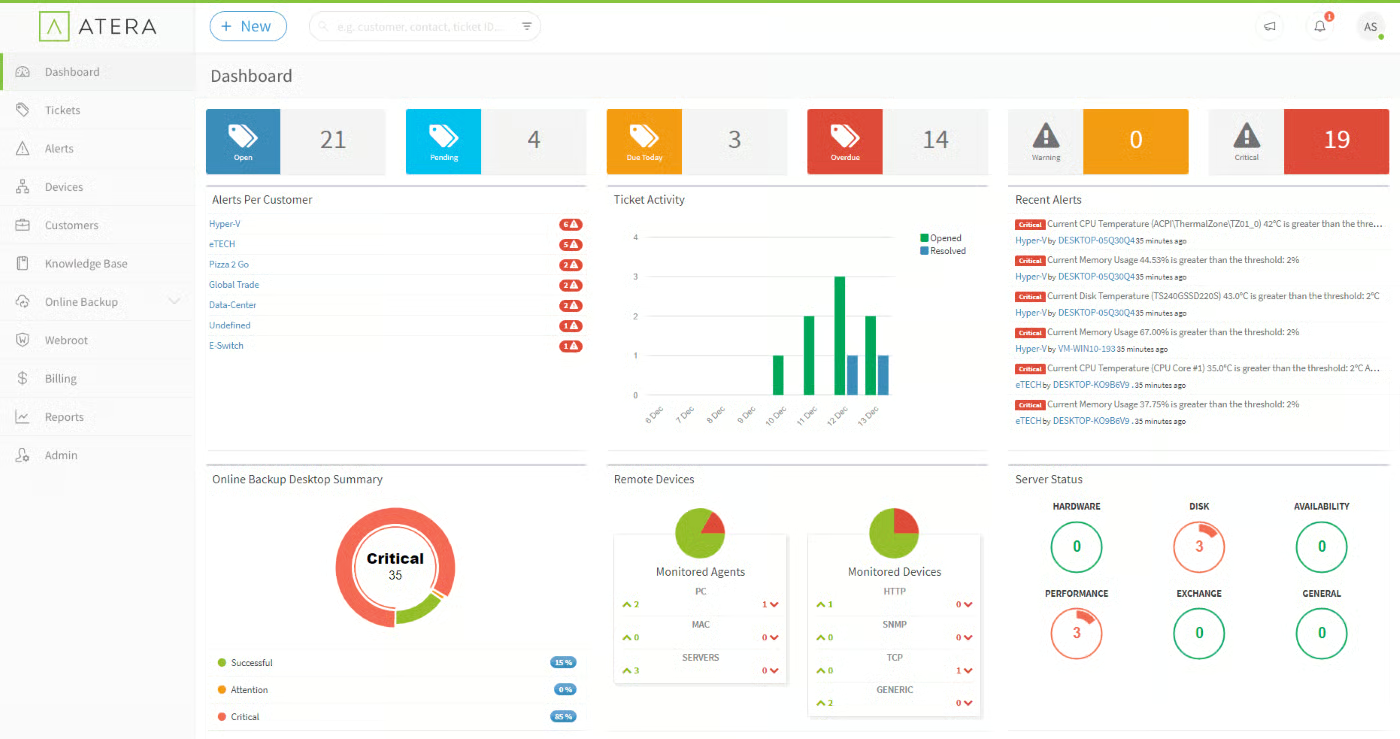
Robin provides real-time visibility into resource usage, which users are logged on, any updates that need to be installed, and more. Automated tasks include vulnerability scans, patch and update checks, and deleting temporary files. The patch management features allows users to install Windows, Java, Adobe, and Driver updates, even restarting the computer if necessary. With Robin, IT gets advanced control over devices, including the ability to uninstall applications and run scripts.
Barracuda RMM
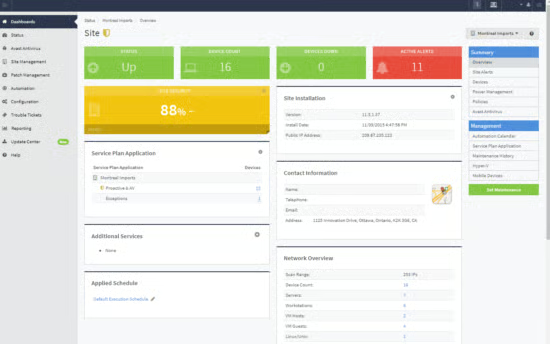
Barracuda RMM includes a built-in security assessment tool that allows IT or an MSP to analyze the network and identify vulnerabilities and recommend improvements. There are over 200 pre-built scripts that organizations can use to automate routine tasks and begin remediation for threats. With a remote support tool and professional services automation (PSA) ticketing, your IT team can solve issues quickly and get employee devices back to normal. MSPs also get the option to create different levels of service plans to cater to their customers.
Connectwise Automate
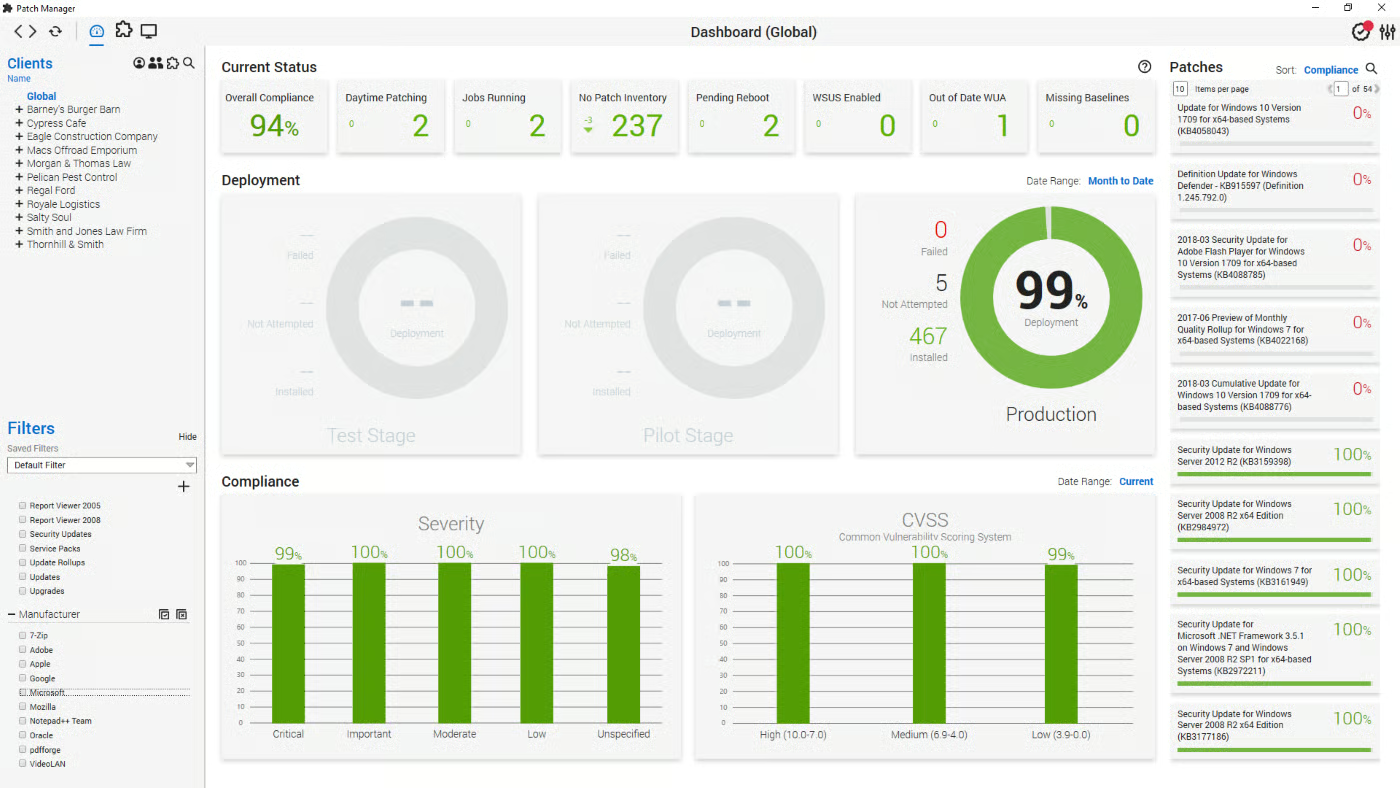
ConnectWise Automate is an RMM solution that offers out-of-the-box scripts and automation capabilities to streamline workflows and increase security as soon as it’s implemented. The Asset Discovery feature automatically identifies new devices that connect to the network and tracks their behavior to identify a threat quickly. And with remote monitoring, IT and MSPs can resolve bottlenecks and application performance issues before users even realize there’s a problem.
Kaseya VSA
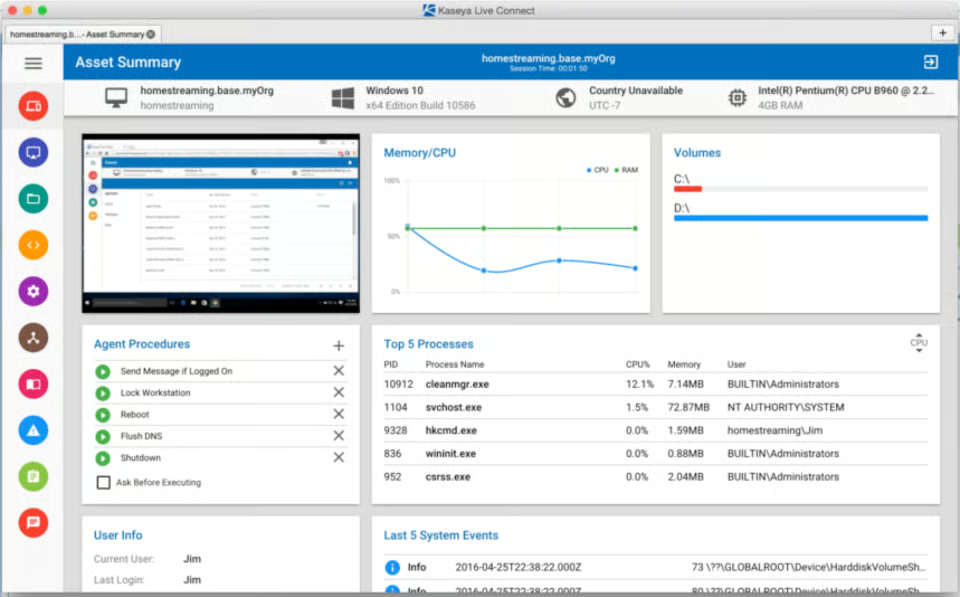
Kaseya VSA is an RMM tool that provides live, remote control sessions where IT can access the user’s device and work with them to solve issues quickly. Users can also get reports on remote control sessions that include a history of access to maintain compliance and audit trails. The system supports multiple monitors, making it easier for IT teams to see more information at once, and it provides information on connection strength to reduce latency.
N-able RMM
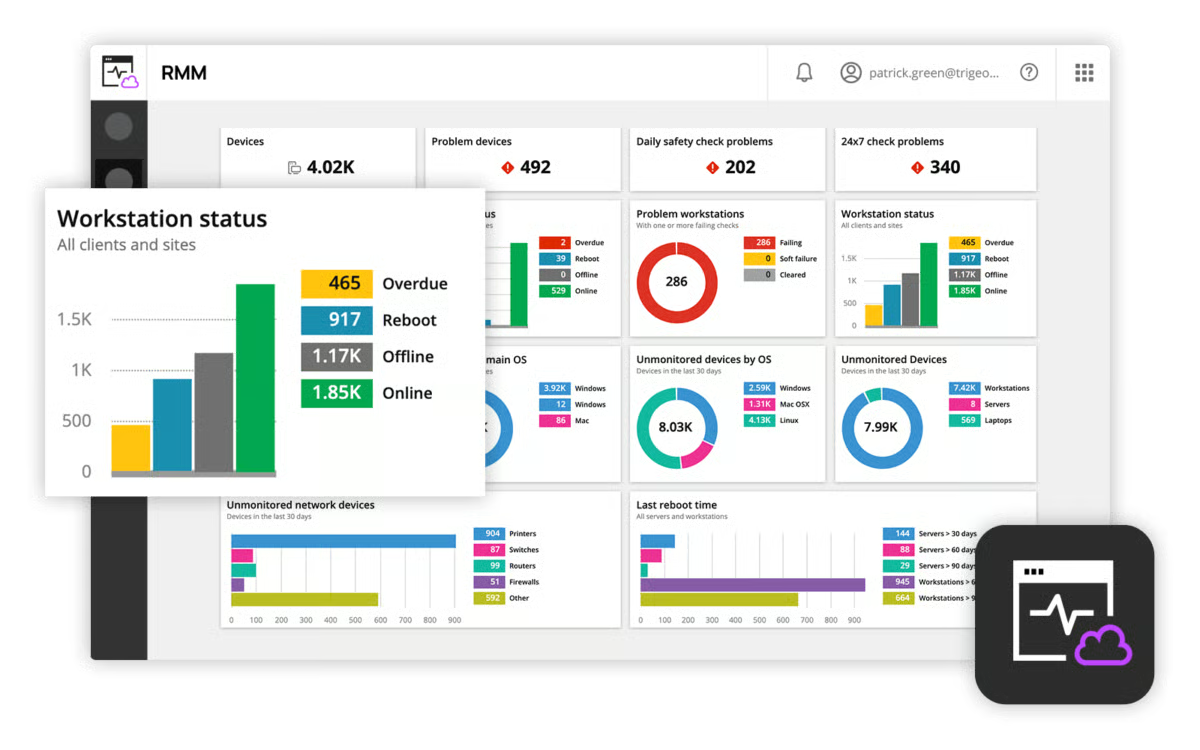
N-able RMM provides script-free automation that makes implementation and routine tasks easier. Layered security solutions protect against known and evolving threats, while the dashboard makes it easy to quickly spot anomalies. Third-party patching support is available for a variety of common application types, including Apple, Java, Google, and Adobe. There are several add-on features available, making it easy for businesses to roll out the product slowly and avoid paying for options that they don’t need until later.
NinjaOne
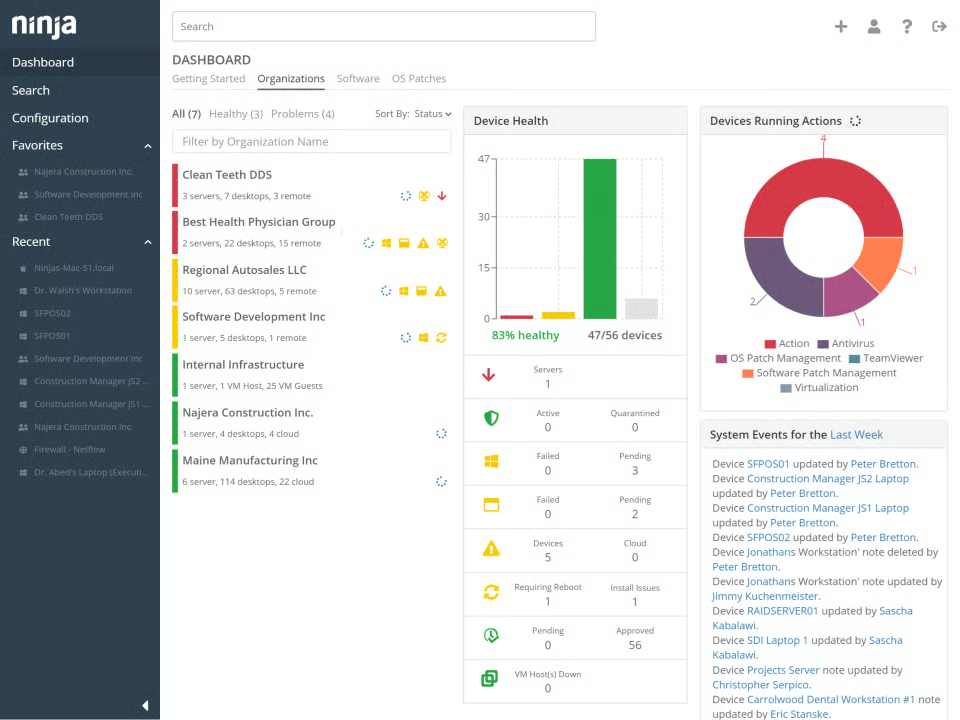
NinjaOne RMM software is quick to implement, easy to use, and offers low overhead, making it perfect for small businesses and new MSPs. In addition to the typical RMM features, NinjaOne also offers endpoint management for Windows, Mac, Linux, SNMP, or VMWare devices from a single, centralized dashboard. IT teams can create custom alerts and prompt automatic ticket generation to begin remediation quickly. NinjaOne also includes a cloud backup solution to keep files and folders safe.
NinjaOne automates vulnerability remediation, simplifies deployments, and backs up critical business data, while powerful dashboards bring together performance reporting across a company’s managed environments.
What are the key features of RMM software?
RMM software needs to make it easy for IT to handle routine maintenance, like applying patches, while also staying up to date on the security landscape of the network.
Patch management
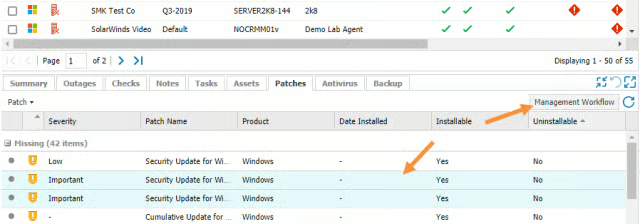
Software vendors rollout patches when they discover a vulnerability in their software. Unlike updates which are moderately optional and tend to improve or add new features, companies that don’t apply patches immediately leave themselves open to breaches. Because IT typically handles patching a company’s software, their RMM tool has to include patch management, so they can stay on top of new patches and install them quickly.
Centralized dashboard
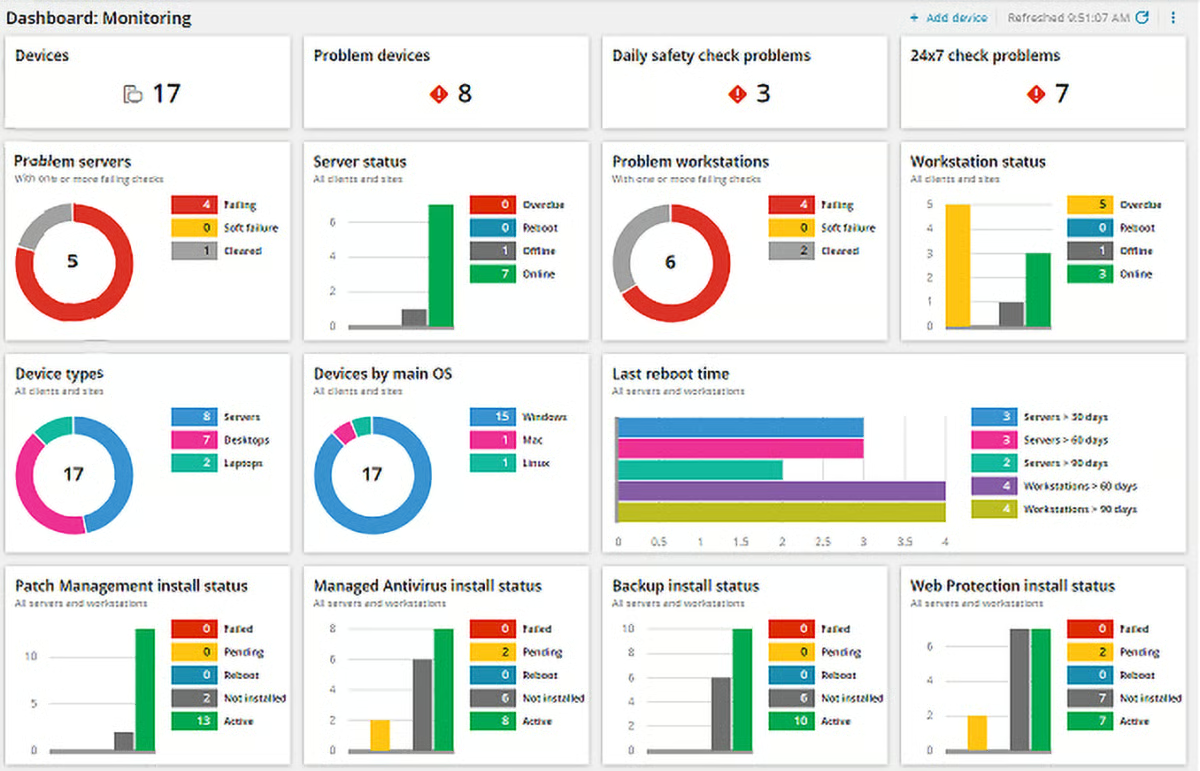
Rather than monitoring each device individually, which would be impossible at large organizations, IT professionals should be able to look at a centralized dashboard through their RMM. The dashboard should show them any patches they need to install, security alerts, and unusual activity, so they can investigate and remediate problems before they become larger issues.
Alerts and reporting
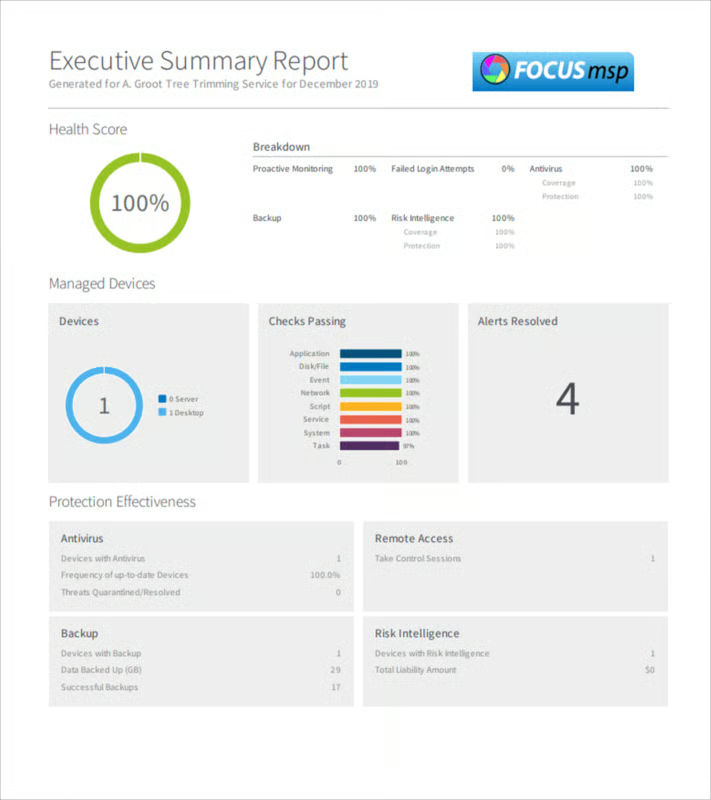
Companies should also be able to customize their alerts and reporting in their remote monitoring and management solution to prevent false positives and alert fatigue as much as possible. They should have different options for alert delivery, including smartphone notifications that allow IT to respond to threats even when away from their computers. Reports give companies an idea of their overall security health and identify areas where they should improve.
Easy deployment
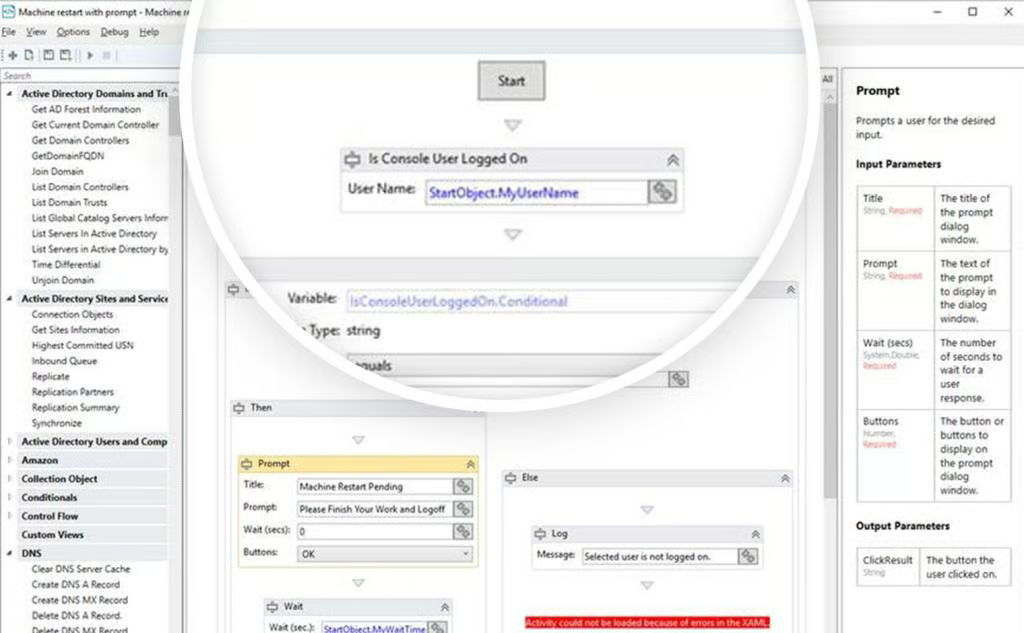
IT could have to implement RMM software on hundreds of devices, depending on the size of the company, meaning deployment has to be easy in order to be able to roll the solution out in a timely manner. Additionally, getting every employee in the office on the same day is nearly impossible, so RMM software has to be easy to install remotely.
Benefits of remote monitoring and management solutions
RMM software makes it easier for companies to stay secure even when employees are working from home, cut costs, and monitor access to sensitive information.
Simplifies and secures remote work
Without an RMM tool, IT helpdesk staff would need to stay on the phone with remote employees when they have problems and walk them through possible solutions step-by-step without ever being able to see what the problem really is. Plus, non-technical employees aren’t always motivated to install patches quickly or solve issues that aren’t directly impacting their work. With an RMM, however, companies can secure and simplify remote work by giving IT professionals direct access to company devices.
Also Read: Digital Transformation Strategy & Guide 2022
After-hours security
Companies that have an MSP or round-the-clock security staff can use their RMM solution to secure devices 24/7, including when employees aren’t currently using devices. This allows IT to respond to potential attacks immediately, rather than giving attackers hours to carry out their breach and get ahold of more files while everyone is offline.
Limited access to sensitive data
Using RMM software, companies can also have their IT team limit who has access to sensitive information, including financial data. IT can set user permissions and block access to everyone below a certain level. However, if someone does need conditional access for a project they’re working on, IT can also grant that as needed. Additionally, IT can use an RMM to password protect files on an onsite server or lock them to prevent changes.
Fewer travel expenses
Because IT can use remote monitoring and management software to access devices remotely, they no longer have to travel between offices to fix devices or remediate threats. MSPs can also reap these benefits and possibly pass some of the savings onto their customers in more competitive pricing models. RMMs also keep businesses from having to limit the places they can source IT talent or MSPs from because they won’t need to be onsite.
Trends contributing to RMM growth
While RMM tools were popular before the pandemic, COVID-19 and its lasting impacts have made RMM software a necessity.
COVID-19 and remote work
Thanks to COVID-19, there are more people working remotely than ever before, and many employees don’t want to go back to the office. Companies need IT solutions like RMM software to allow their employees to securely work from home and still get the IT support they need. This shift in remote work has made RMM software non-negotiable if companies still want functioning devices and cybersecurity.
Also Read: Recruiting Challenges Will Be Heightened by Hybrid Work
Shortage of IT professionals
COVID-19 also increased the demand for skilled IT professionals as businesses sought new technology to keep operations running, but the supply of those workers remained the same. In some cases, it even dropped due to the burnout that many IT professionals are feeling. Because they can’t hire the in-house resources they need, many organizations, especially small and medium-sized businesses (SMBs), are turning to MSPs to get the support they need. And for MSPs to be able to support more clients, they need RMM software that allows them to manage their clients’ devices remotely, rather than working on site.
Open-source software usage
Most major applications today are built on the back of open-source software. While good for rolling out applications faster, it can leave users vulnerable if they don’t patch the applications in a timely manner. With RMM software, an organization’s IT team or MSP can handle all of the patching needs from a single dashboard, rather than having to rely on internal employees to do it.
Also Read: Open Source Storage May Change How Enterprises Code
Choosing the best RMM tool for your business
To find the right RMM for your business, make sure it’s easy to deploy and provides patch management and alerts to keep your devices secure. It should also include a centralized dashboard so IT can identify any issues at a glance. And consider RMM tools that integrate with your other security software to simplify threat remediation.