
A project can generate plenty of revenue and still lose money if you don't track labor, materials, and other expenses properly. That's why project accounting software is useful. It helps you monitor costs, compare actual spending with budgets, and see how much profit each project generates.
But not every business needs the same level of project accounting. Freelancers may only need time tracking and project-based invoicing, while growing businesses may require detailed job costing, budget forecasting, and revenue recognition. QuickBooks Online is my top overall pick, earning 4.37 out of 5 in my evaluation.
Here's how all the top seven providers compare:
Provider | Best for | Starting monthly price |
| QuickBooks Online | SMBs needing integrated project accounting and bookkeeping | $38 |
| Sage Intacct | Midsize businesses with complex project accounting needs | Custom quote |
| Acumatica | Growing project-based businesses needing advanced cost controls and ERP capabilities | Custom quote |
| Deltek Ajera | Architecture and engineering firms | Custom quote |
| BQE CORE | Professional services firms managing project budgets and staff utilization | Custom quote |
| Xero | Growing service businesses tracking project costs and profitability | $27 |
| FreshBooks | Freelancers and service businesses billing by project or hourly work | $23 |
Why you can trust TechnologyAdvice
I bring nearly two decades of experience in banking, finance management, and business operations, along with hands-on bookkeeping experience for US-based businesses. As a QuickBooks Online and Xero-certified advisor, I've worked extensively with accounting software to manage expenses, accounts payable and receivable, reconciliations, and financial reporting.
I've also managed the finances of small businesses and helped set up accounting systems for different business operations. This experience has taught me the importance of tracking costs accurately and understanding where a business actually makes money. For this article, I evaluated project accounting software based on its ability to track project costs, monitor profitability, manage billing, and provide useful financial insights, not simply the number of features it offers.

How I evaluated the best project accounting software
I evaluated each platform based on how well it helps small and midsize businesses track project costs, manage budgets, and measure profitability. Project accounting and job costing received the highest weight because accurate cost tracking is essential to understanding a project's financial performance.
- Project accounting and job costing (30%): Tracks project income, expenses, labor, materials, subcontractor costs, and profitability.
- Project budgeting and financial reporting (20%): Supports project budgets, estimated vs. actual costs, profit margin analysis, and project-level financial reports.
- Billing and revenue management (15%): Handles hourly billing, fixed-fee contracts, milestone invoicing, billable expenses, and revenue recognition.
- Core accounting capabilities (15%): Covers general ledger, accounts payable and receivable, bank reconciliation, and financial statements.
- Ease of use and integrations (10%): Measures setup difficulty, navigation, reporting, and integrations with payroll, time tracking, and project management tools.
- Pricing and scalability (10%): Considers subscription costs, feature limitations, additional fees, and the ability to support business growth.
Best project accounting software compared
Provider | Free trial | Price tiers (monthly) | Key features | My score (out of 5) |
| QuickBooks Online | 30 days | Simple Start: $38 Essentials: $85 Plus: $140 Advanced: $340 |
| 4.37 |
| Sage Intacct | demo available | Custom quote |
| 4.26 |
| Acumatica | demo available | Custom quote |
| 4.24 |
| Deltek Ajera | demo available | Custom quote |
| 4.12 |
| BQE CORE | demo available | Custom quote |
| 4.00 |
| Xero | 30 days | Early: $27 Growing: $59 Established: $97 |
| 3.88 |
| FreshBooks | 30 days | Lite: $23 Plus: $43 Premium: $70 Select: Custom |
| 3.37 |

QuickBooks Online: Best overall for SMBs needing integrated project accounting and bookkeeping
Pros
- Tracks income, expenses, and profitability by project
- Compares estimated project costs with actual spending
- Connects project transactions directly to the general ledger
Cons
- Limited advanced resource and capacity planning
- Lacks native construction-specific change order management
- Less suited to complex project revenue recognition
Pricing and other deciding factors
| Monthly pricing | Simple Start: $38 Essentials: $85 Plus: $140 Advanced: $340 |
| Free trial | 30 days |
| Project accounting availability | Plus and Advanced only |
| Number of users | Simple Start: 1 Essentials: 3 Plus: 5 Advanced: 25 |
| Project accounting differences | Plus: Project income, expense, and profitability tracking Advanced: Adds project cost estimates vs. actuals |
| Integrations | Third-party apps for project management, time tracking, payroll, and other business functions |
| Support | Help center, chat, and callback support; Priority Circle support with Advanced |
My evaluation
QuickBooks Online is my top pick because it combines project accounting with everyday bookkeeping in one system. I evaluated both Plus and Advanced since these plans support project tracking, but Advanced has an advantage with its project cost estimates versus actuals feature. What I like most is that I can track project income, expenses, and profitability directly from the accounting records without having to maintain separate spreadsheets.
The downside is that QuickBooks Online isn't built for businesses with complex project requirements, such as resource planning, construction change orders, and advanced revenue recognition. Another thing to watch is how project costs are recorded, especially employee labor and shared expenses, since incorrect allocations can affect profitability reports. For smaller businesses that simply need to know how much they're earning from each project, I believe Plus is already a practical choice.
For a closer look at its advanced project accounting features, pricing, and limitations, read our QuickBooks Online Advanced review.
Standout features
- Project profitability tracking: Assign income and expenses to individual projects to monitor financial performance.
- Estimated vs. actual costs: Compare planned project costs with recorded expenses to identify budget overruns.
- Billable time and expenses: Track project-related work and costs that can be charged to customers.
- Project-based invoicing: Create invoices associated with projects and monitor customer payments.
- Project financial reporting: Review project profitability and cost details alongside company-wide financial reports.
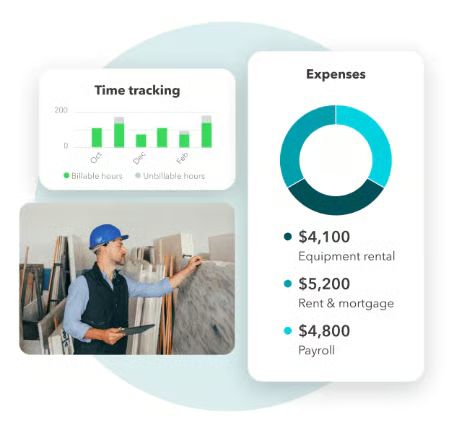

Sage Intacct: Best for midsize businesses with complex project accounting needs
Pros
- Tracks project costs across multiple financial dimensions
- Supports project budgets and detailed profitability reporting
- Offers advanced revenue recognition capabilities
Cons
- Project capabilities depend on purchased modules
- Requires more configuration than small business accounting software
- Advanced project scheduling may require additional applications
Pricing and other deciding factors
| Monthly pricing | Custom quote based on selected modules and organizational requirements |
| Free trial | Product demo available; no free trial terms confirmed |
| Project accounting availability | Available through Sage Intacct's project accounting capabilities |
| Number of users | Depends on the licensing agreement; confirm user types and access requirements |
| Project accounting differences | Project Accounting: Project costs, budgets, time, expenses, and billing Project Costing and Billing: Advanced billing and revenue recognition workflows Project Intelligence: Additional utilization, realization, and profitability analytics |
| Integrations | Sage Marketplace integrations, Salesforce connectivity, and an open API for custom integrations |
| Support | Sage support and training resources |
My evaluation
Sage Intacct stands out to me for businesses that need to understand project profitability beyond a simple income-versus-expense report. Its multidimensional reporting is particularly useful for finance teams that need to analyze project performance by department, location, or entity without maintaining separate sets of financial records. Its ability to separate project billing from revenue recognition is another major advantage, especially for businesses with long-term contracts where invoicing and earned revenue don't always happen in the same period.
The biggest consideration is the cost and complexity of implementing Sage Intacct compared with QuickBooks Online or Xero. You'll need to identify which project accounting, billing, and reporting modules your business actually requires, since the subscription is configured around those needs. I recommend it for midsize organizations managing complex contracts or multiple entities, but it's excessive for a freelancer or small business that only needs basic job costing.
Learn more about its financial management and project accounting capabilities in our Sage Intacct review.
Standout features
- Multidimensional project accounting: Tracks project financial data by department, location, entity, and other reporting dimensions.
- Project budgeting and cost management: Monitors actual project expenses against approved budgets and cost categories.
- Project profitability reporting: Analyzes project revenue, expenses, and margins across projects and business units.
- Contract billing and revenue recognition: Supports complex billing arrangements and revenue recognition workflows through applicable modules.
- Multi-entity financial management: Consolidates financial information across entities while maintaining detailed project-level records.
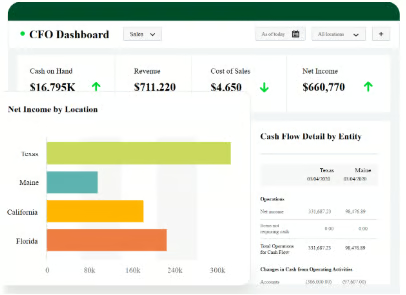

Acumatica: Best for growing project-based businesses needing advanced cost controls & ERP capabilities
Pros
- Detailed project budgets and cost tracking
- Tracks committed costs from purchase orders and subcontracts
- Connects project accounting with purchasing and inventory
Cons
- Requires more configuration than standalone accounting software
- Advanced project workflows may depend on additional modules
- Implementation can be demanding for businesses with limited accounting resources
Pricing and other deciding factors
| Monthly pricing | Custom quote based on applications, usage, resource requirements, and deployment preferences |
| Free trial | Product demo and guided tour available; no free trial terms confirmed |
| Project accounting availability | ✅ |
| Number of users | Unlimited users; no per-user licensing fees |
| Project accounting differences | Project Accounting: Project budgets, cost tracking, billing, and profitability Construction Edition: Adds construction-focused workflows, including subcontract management, retainage, and change orders |
| Integrations | Open APIs and integrations with construction, CRM, and other business applications |
| Support | Customer support and partner-provided services |
My evaluation
Acumatica is a strong choice for growing project-based businesses that need more control over costs than traditional accounting software can provide. One of its key strengths is commitment tracking, which accounts for purchase orders and subcontract costs before the corresponding vendor bills arrive. This helps project managers understand how much of their budget is already committed, rather than relying solely on expenses recorded in the general ledger.
The downside is that Acumatica requires more planning and configuration, especially when connecting project accounting with purchasing, inventory, and other ERP functions. Businesses also need to review which applications and resource levels are included in their subscription because these affect the total cost. I recommend Acumatica for growing contractors and project-based businesses that need stronger financial controls across operations, but it may be more than a small service business needs.
Explore its ERP capabilities, project cost controls, and other business management features in our Acumatica review.
Standout features
- Project budgeting and cost control: Tracks original budgets, revised budgets, actual costs, and project financial performance.
- Commitment tracking: Monitors purchase orders and subcontract commitments to identify costs that have been committed but not yet fully billed.
- Change order management: Helps manage approved changes to project budgets, costs, and contract amounts through applicable functionality.
- Project billing and revenue recognition: Supports project-based billing and configurable revenue recognition workflows.
- Integrated ERP accounting: Connects project costs with accounts payable, purchasing, inventory, and general ledger transactions.
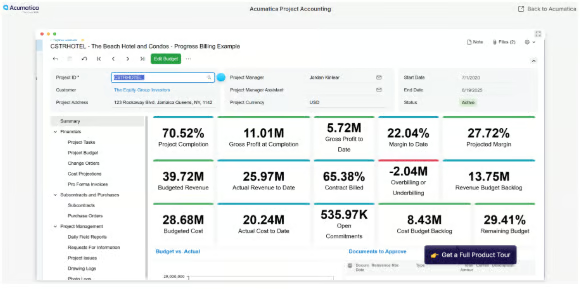

Deltek Ajera: Best for architecture and engineering firms
Pros
- Detailed project and phase-level cost tracking
- Supports A&E-specific billing and contract structures
- Integrates project management with financial accounting
Cons
- Limited suitability outside A&E industries
- Requires careful setup of projects, phases, and cost rates
- Less flexible for general-purpose business workflows
Pricing and other deciding factors
| Monthly pricing | Custom quote; contact Deltek for subscription pricing |
| Free trial | Demo available; free trial terms not specified |
| Project accounting availability | Built-in project accounting designed for architecture and engineering firms |
| Number of users | User limits and licensing terms not available online |
| Project accounting differences | Ajera: Project accounting, time and expense tracking, billing, and reporting AjeraCore: More limited project setup and management capabilities |
| Integrations | Confirm supported integrations and any additional licensing requirements with Deltek |
| Support | Deltek customer support and product training resources; service entitlements depend on the agreement |
My evaluation
Deltek Ajera is well-suited for architecture and engineering firms because its accounting tools are designed around their project workflows. Its ability to track labor, consultant fees, and other expenses by project phase helps managers identify where costs are accumulating and which phases are affecting profitability. Another advantage is its flexible billing options, including percentage-of-completion and percentage-of-construction-cost billing, which are particularly relevant to A&E contracts.
The drawback is that Ajera requires firms to establish their project structures, billing rates, and cost allocations carefully before they can get reliable reports. It's also highly specialized, so I wouldn't recommend it to a general service business that only needs basic project tracking and invoicing. For smaller A&E firms handling multiple phases and complex client contracts, though, I think its industry-specific capabilities justify considering it over a general accounting platform.
For more details on its project accounting, billing, and financial management tools for A&E firms, read our Deltek Ajera review.
Standout features
- Project and phase-level job costing: Tracks labor, expenses, and other costs against individual projects and phases.
- Project budgeting and forecasting: Compares actual project costs with budgets and helps managers monitor projected financial performance.
- A&E-specific billing: Supports time-and-materials, fixed-fee, and cost-plus billing arrangements.
- Employee time and expense tracking: Captures project-related hours and expenses for costing and invoicing.
- Integrated project accounting: Connects project transactions with accounts payable, accounts receivable, general ledger, and financial reports.
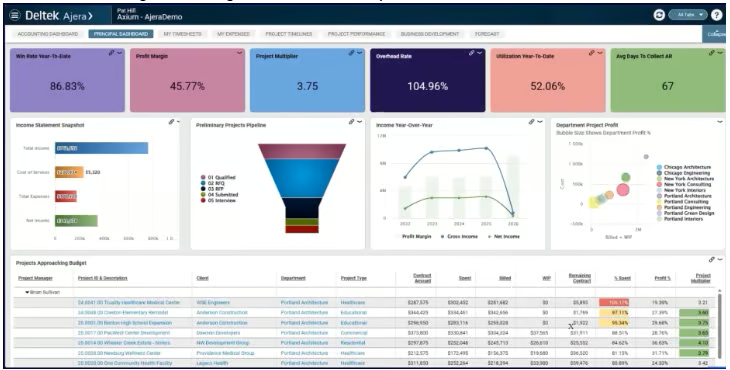

BQE CORE: Best for professional services firms managing project budgets and staff utilization
Pros
- Detailed project budgets and job costing
- Tracks billable hours, labor costs, and staff utilization
- Supports multiple project billing methods
Cons
- Less suited to product-based businesses
- Advanced capabilities may require additional modules
- More setup and configuration than basic accounting software
Pricing and other deciding factors
| Monthly pricing | Custom quote based on selected modules, licenses, and firm requirements |
| Free trial | Demo available; free trial terms not specified |
| Project accounting availability | Project management, budgeting, time tracking, billing, and reporting included in Foundations |
| Number of users | License-based pricing; some packages carry per-user charges |
| Project accounting differences | Foundations: Project budgets, time and expenses, billing, and profitability reporting Accounting add-on: General ledger, bank reconciliation, and financial statements |
| Integrations | QuickBooks Online, QuickBooks Desktop, Xero, Microsoft 365, Power BI, Zapier, and others |
| Support | 24/7 support, dedicated account manager, and training resources |
My evaluation
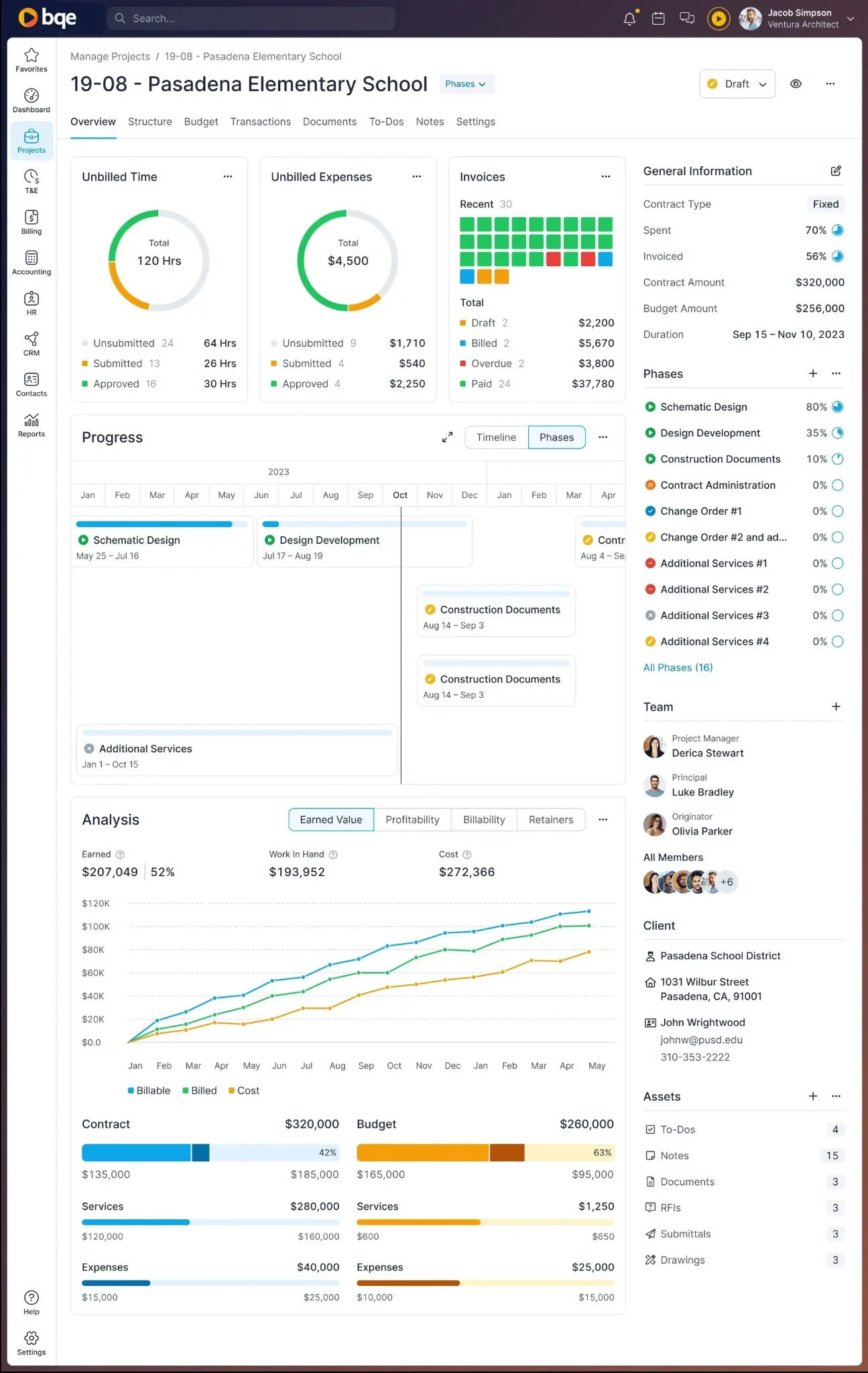
BQE CORE stands out to me because it goes beyond tracking project income and expenses. For professional services firms, labor is often the biggest project cost, so having employee time, cost rates, budgets, and utilization reports in one system is particularly useful. I also like that managers can monitor project performance by phase, which helps identify budget overruns before a project is completed.
The main drawback is that BQE CORE requires more planning and setup than simpler accounting tools like QuickBooks Online or FreshBooks. Its full accounting capabilities are also sold as an additional module, so firms need to check what's included in their quote before deciding whether to replace their existing accounting software. I would recommend it to firms managing multiple projects and employees, especially when staff utilization and project margins are important to their profitability.
Learn more about its project budgeting, resource management, and billing features in our BQE CORE review.
Standout features
- Project budgeting and cost tracking: Compares project budgets against recorded labor, expenses, and other costs.
- Time and expense management: Captures billable and nonbillable hours and expenses by project.
- Staff utilization reporting: Helps managers evaluate employee billable time and available capacity.
- Flexible project billing: Supports hourly, fixed-fee, and other contract-based billing arrangements.
- Project profitability reporting: Provides visibility into project revenue, costs, and financial performance.

Xero: Best for growing service businesses tracking project costs and profitability
Pros
- Tracks project costs, time, and profitability
- Supports project quotes and progress invoicing
- Connects project transactions with core accounting records
Cons
- Projects not included in every subscription
- Limited resource planning and advanced job costing
- Project cost accuracy depends on consistent time and expense allocation
Pricing and other deciding factors
| Monthly pricing | Early: $27 Growing: $59 Established: $97 |
| Free trial | 30 days |
| Project accounting availability | Established plan only |
| Number of users | Unlimited users across plans; no per-user subscription fees |
| Project accounting differences | Early and Growing: Core accounting without Xero Projects Established: Adds project time and cost tracking, estimates, invoicing, and profitability reporting |
| Integrations | Third-party apps for project management, time tracking, payroll, CRM, and other business functions |
| Support | Online support resources and Xero customer support with free setup assistance |
My evaluation
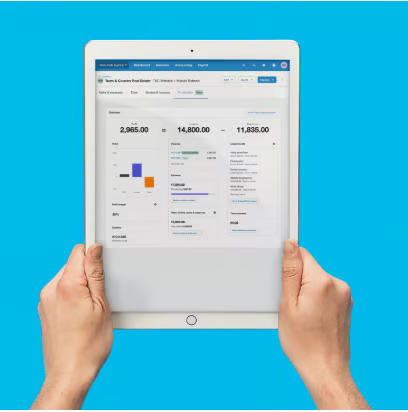
Xero is a strong choice for growing service businesses that want to track project profitability alongside their regular accounting. What I like about Xero Projects is that it connects project estimates, time entries, bills, and invoices, making it easier to review project costs without maintaining separate records. Its project summary reporting is particularly useful when you're handling multiple client jobs and want to compare which ones are generating better margins.
One limitation is that Xero Projects is available only in the Established plan, so businesses on Early or Growing will need to upgrade. You'll also need to make sure employee hours, cost rates, and expenses are assigned correctly because missing costs can make a project appear more profitable than it actually is. For businesses with complex resource scheduling, contract management, or detailed cost commitments, I'd consider a more specialized project accounting system.
For a deeper look at its accounting features, pricing, and integrations, check out our Xero review.
Standout features
- Project profitability tracking: Monitors project revenue, costs, and profit margins.
- Time and expense tracking: Records employee hours and project-related expenses against individual jobs.
- Project estimates and quotes: Helps estimate project costs and prepare customer quotes.
- Project invoicing: Supports invoicing for project work, including progress billing.
- Integrated accounting: Connects project transactions with invoices, bills, and financial reporting.

FreshBooks: Best for freelancers and service businesses with hourly or project-based billing
Pros
- Built-in time tracking linked to projects
- Supports hourly and flat-rate project billing
- Tracks project profitability using labor costs and expenses
Cons
- Limited project budgeting and cost forecasting
- Lacks advanced resource scheduling and cost commitments
- No native construction-specific job costing workflows
Pricing and other deciding factors
| Monthly pricing | Lite: $23 Plus: $43 Premium: $70 Select: Custom |
| Free trial | 30 days |
| Project accounting availability | Project tracking and time billing are available; advanced project profitability features require Premium or Select |
| Number of users | Additional team members cost $11 per user/month Select includes two team member accounts |
| Project accounting differences | Plus: Project time tracking and billing Premium: Adds project profitability, team cost rates, project estimates, and utilization reporting |
| Integrations | Integrations with time tracking, productivity, payments, and other business applications |
| Support | Help resources and customer support; Select includes dedicated phone support |
My evaluation
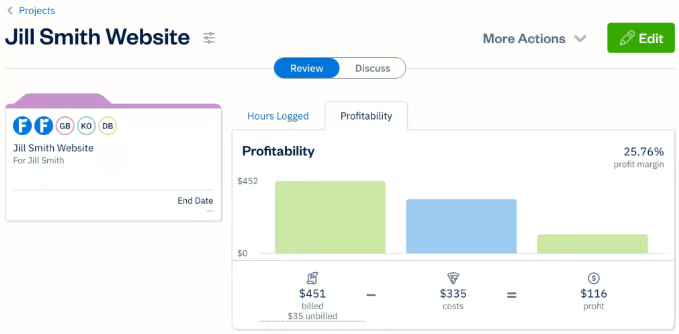
FreshBooks is a good fit for freelancers and service businesses that bill clients based on hours worked or fixed project fees. What I like most is how its time tracking connects with project billing and profitability reports, so you can see not just how much you've invoiced but also how much the work costs you. Its team cost rates are particularly useful for agencies and consulting firms that need to understand their labor costs before taking on similar projects.
The downside is that FreshBooks isn't designed for businesses with complex job costing or project financial requirements, such as construction contractors. Its project budgets focus mainly on estimated hours, and profitability calculations rely on assigned team cost rates rather than actual payroll expenses. You'll also need Premium or Select to access project profitability reports, which makes the lower-tier plans less useful for businesses that want detailed project financial analysis.
Explore its invoicing, time tracking, and project management capabilities in our FreshBooks review.
Standout features
- Project profitability tracking: Compares project revenue against recorded costs, including team labor and expenses.
- Built-in time tracking: Records billable and nonbillable hours against individual projects.
- Hourly and flat-rate projects: Supports different billing arrangements based on the client's contract.
- Team cost rates: Assigns internal hourly costs to team members for project profitability calculations.
- Project-based invoicing: Converts tracked billable hours and expenses into customer invoices.
How to choose the best project accounting software
The best project accounting software depends on how your business tracks project costs, bills customers, and measures profitability. A freelancer billing by the hour has different accounting needs from a construction company managing subcontractors, purchase orders, and long-term contracts.
Before choosing a platform, I recommend looking at these factors.
1. Identify which project costs you need to track
Start by listing the costs that directly affect your project profitability. For a consulting firm, labor may account for most project expenses, while a construction company may need to track materials, subcontractors, equipment, and other job costs.
Make sure the software can assign these costs to individual projects and, if necessary, specific phases or tasks. Otherwise, you may have accurate company-wide financial statements but still struggle to determine whether a particular project made money.
2. Check how the software handles project budgets
A project budget should help you identify potential overruns before the work is completed.
Look for software that compares budgeted costs against actual expenses. If your business regularly issues purchase orders or hires subcontractors, consider a system that also tracks committed costs. These are expenses you've agreed to incur but may not have recorded as bills yet.
For example, if you've spent $30,000 on a project and have another $20,000 in outstanding purchase orders, your financial exposure is already $50,000, even though only $30,000 has been recorded as an expense.
3. Match the billing features to your contracts
Consider how you charge customers. Some businesses bill by the hour, while others use fixed-fee contracts, milestone payments, or progress billing.
A freelancer may only need to convert tracked hours into an invoice. An engineering firm, however, may need to bill clients based on completed project phases or contract terms.
Also, check whether the software supports your revenue recognition requirements. Sending an invoice and earning revenue aren't always the same accounting event, particularly for long-term contracts.
4. Decide how much accounting functionality you need
Some project management platforms specialize in time tracking, budgeting, and billing but require integration with separate accounting software. Others include general ledger accounting, accounts payable, accounts receivable, and financial reporting.
If you already use QuickBooks or Xero, a specialized project management application may be sufficient. However, if you're managing multiple entities or need project costs connected to purchasing and inventory, an integrated accounting or ERP system may make more sense.
5. Compare the cost of the plan you'll actually use
Don't base your decision solely on the advertised starting price. Some providers reserve project profitability reporting, advanced budgeting, or other important capabilities for higher-tier plans.
Check whether the subscription includes the project accounting features you need, how many employees require access, and whether you'll pay extra for accounting modules, implementation, or integrations.
For businesses considering an ERP system, I recommend requesting a detailed quote that separates software licensing from implementation, training, and ongoing support.
6. Test the reports using a real project
Before committing to a platform, enter a sample project with an estimated budget, employee hours, expenses, and customer invoices.
Then try answering three questions:
- How much have we spent on this project?
- How much of the budget remains after accounting for outstanding commitments?
- How much profit have we earned, and how does it compare with our original estimate?
If the software can't answer the questions relevant to your business without extensive manual calculations, it may not be the right fit.
Frequently asked questions (FAQs)
What is project accounting software?
Project accounting software helps businesses track income, expenses, budgets, and profitability for individual projects. Unlike traditional accounting software, which focuses primarily on company-wide financial performance, project accounting software shows how much each job costs and whether it's generating a profit. Some platforms also include time tracking, project billing, cost forecasting, and revenue recognition.
What is the difference between project accounting and job costing?
Job costing focuses on calculating the costs of completing a particular job, including labor, materials, subcontractors, and other direct expenses. Project accounting covers a broader range of financial activities, such as budgeting, billing, revenue recognition, and profitability reporting.
Job costing is an important part of project accounting, but it doesn't cover the entire financial lifecycle of a project.
Can QuickBooks Online be used for project accounting?
Yes. QuickBooks Online Plus and Advanced include project tracking features that help businesses assign income and expenses to individual projects, monitor profitability, and manage project-related transactions.
Advanced adds project cost estimates versus actuals, which can help businesses compare their original cost expectations with recorded expenses. However, businesses needing advanced resource planning, construction change orders, or detailed cost commitments may need specialized software.
Can project accounting software track profitability in real time?
Many project accounting platforms update profitability reports as transactions, employee hours, and project expenses are recorded. However, the figures are only as current and accurate as the information entered into the system.
For example, if an employee hasn't submitted a timesheet or a vendor bill hasn't been recorded, the reported project profit may be overstated. Businesses should establish consistent procedures for recording and reviewing project costs to keep their reports reliable.