Choosing the best ecommerce platform is rarely straightforward. Some businesses need a simple store that can launch in a day. Others require multi-storefront management, B2B pricing logic, ERP integrations, or global currency support.
The best ecommerce platform should include scalable infrastructure, flexible checkout options, multichannel selling, SEO controls, strong inventory management, and integrations that support marketing and operations. For mid-market and enterprise businesses, features like headless architecture, advanced reporting, and custom workflows become critical.
I’ve been evaluating ecommerce platforms since 2018. For this guide, I tested leading providers by building demo stores, configuring products, and reviewing payment processing and backend tools. Each platform was scored using a weighted rubric that evaluates pricing, site builder functionality, sales features, user experience, and overall value.
Below are my top picks based on hands-on testing and scoring results.
| Shopify | Best overall; small businesses and scaling brands | $5 |
| BigCommerce | Multi-storefront and complex catalogs | $39 |
| Square Online | Retailers selling online and in person | Free; $49 |
| Wix | Small businesses prioritizing SEO and design control | $29 |
| Squarespace | Creators and brand-led ecommerce | $25 |
| Ecwid by Lightspeed | Adding ecommerce to an existing website | $5 |
| GoDaddy | Beginners wanting to launch quickly | $20.99 (annual billing) |
| WooCommerce | WordPress users and full customization | Free plugin; hosting required (varies) |
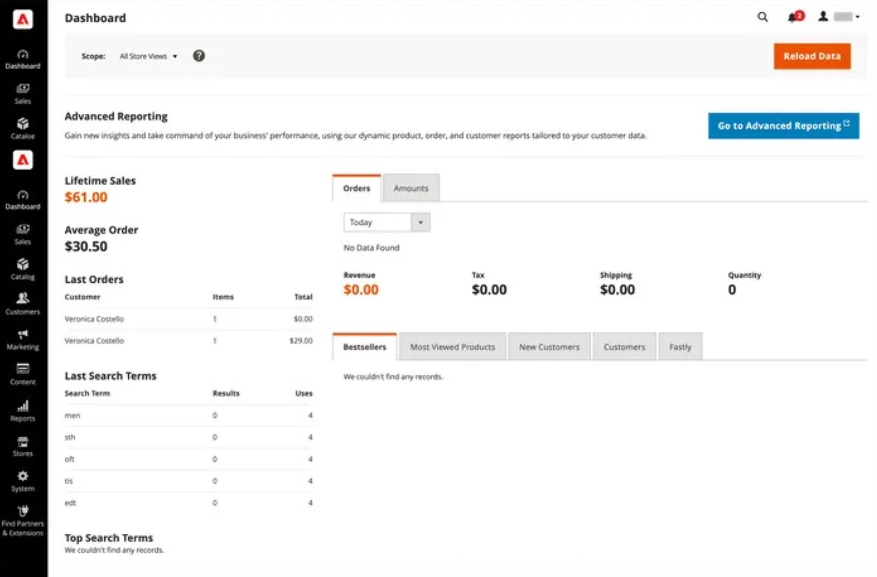
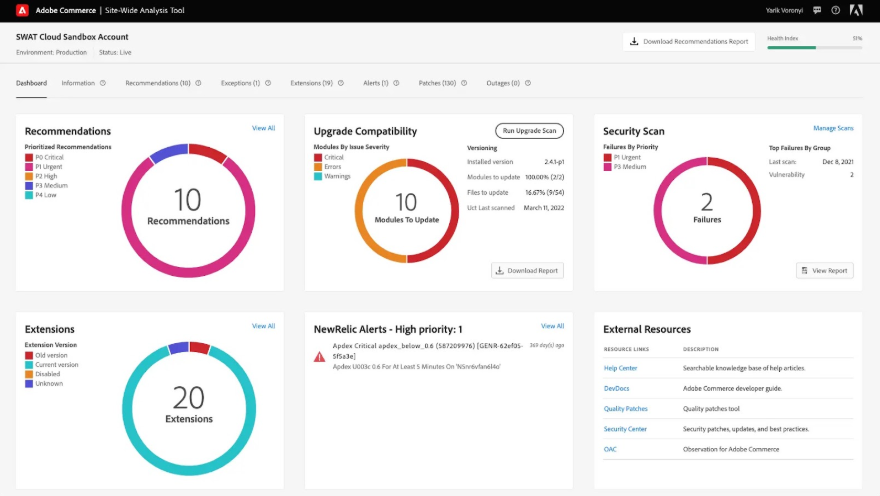
| Adobe Commerce | Enterprise and global commerce | Custom enterprise pricing |
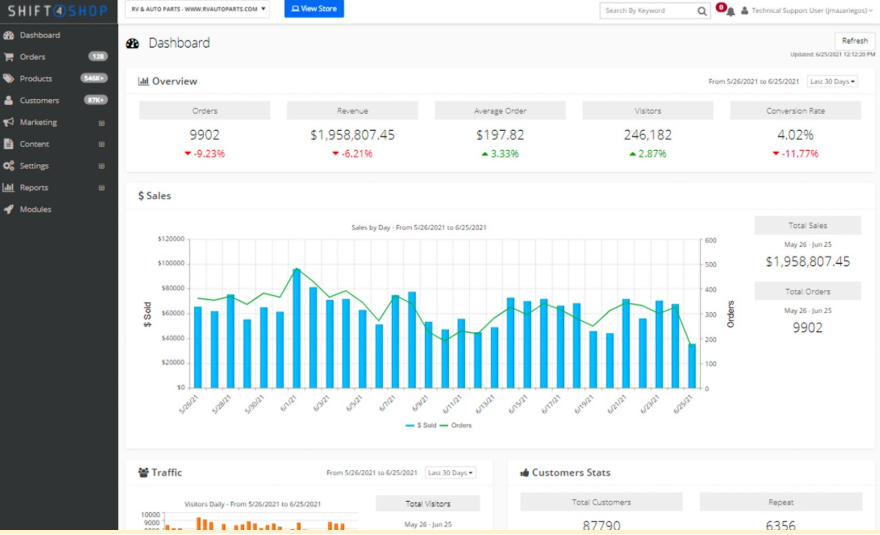
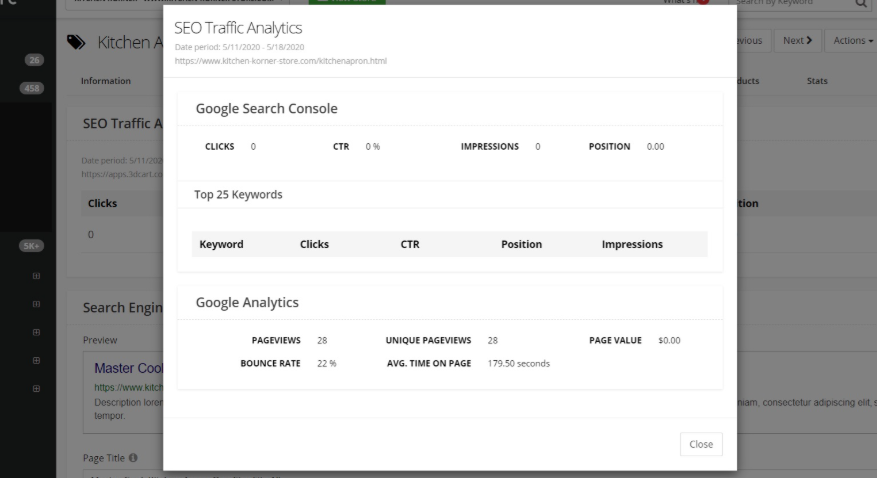
| Shift4Shop | Built-in ecommerce tools | Free with Shift4 payments; otherwise $39 |
How I tested these ecommerce platforms
I evaluated 15 ecommerce platforms across 37 data points, including pricing, payments, site builder tools, sales features, checkout, AI tools, POS support, support quality, and user experience. When possible, I built demo stores, added products, configured payments, tested checkout, and reviewed backend workflows. You can read my full methodology below.
Best ecommerce platforms comparison
My expert score
(out of 5)
Ease of use
(out of 5)
Website builder
In-person selling (POS integration)
AI tools
4.67
4.47
Drag-and-drop builder (theme-based)
Native Shopify POS
Built-in AI (Shopify Magic), automation
4.62
4.33
Advanced (theme framework + code access)
Third-party POS integrations
Limited native AI, app-based
4.31
4.47
Drag-and-drop builder (basic customization)
Native Square POS
Limited built-in AI
4.28
4.37
Drag-and-drop builder
Third-party POS integrations
Built-in AI site generator + automation
4.13
4.63
Limited/basic
(embedded store editor)
Third-party POS integrations
Limited native AI
3.93
4.47
Advanced
(WordPress + full code control)
Third-party POS integrations
AI via plugins
3.93
4.20
Advanced
(developer-level customization)
Third-party POS integrations
Advanced AI via Adobe Sensei

Shopify: Best ecommerce platform for scaling brands
Overall Reviewer Score:
4.67/5
Pricing and payments
3.93/5
Site builder and maintenance features
4.63/5
Support and reliability
5/5
Sales and product features
5/5
User experience
5/5
Average user scores
4.47/5
What are the advantages of using Shopify?
- Strong all-in-one ecosystem that minimizes the need for custom development, making it accessible for small businesses while still scalable for high-growth brands.
- Extensive app marketplace that supports advanced functionality, such as subscriptions, automation, and international selling.
- Native POS integration and unified backend simplify omnichannel operations for retailers selling online and in-store.
What are the downsides of using Shopify?
- Advanced customization often requires paid apps, which can increase monthly software overhead.
- Checkout customization is limited unless upgrading to higher-tier plans.
- Platform dependency means less infrastructure control compared to open-source alternatives.
Why I picked Shopify as the best ecommerce platform
Since our last update: Shopify released its Spring ’26 Edition in June with 150+ updates, including improvements to the mobile Online Store Editor, Sidekick, Markets, analytics, customer accounts, POS workflows, inventory, checkout, and payments. These updates strengthen Shopify’s fit for growing brands that need omnichannel selling, international selling, retail POS, AI-assisted store management, and more advanced reporting.
Shopify is a SaaS ecommerce platform built specifically for selling online, in person, and across marketplaces from a single backend. It supports businesses of all sizes, from new sellers to enterprise brands running on Shopify Plus.
Ever since I started evaluating ecommerce platforms in 2018, Shopify has been a consistent top pick. Across multiple scoring updates and rubric revisions, it continues to perform at or near the top in the areas that matter most: sales functionality, user experience, and reliability.
In my scoring, Shopify earned perfect marks (5 out of 5) in the sales and product features, support and reliability, and user experience criteria. No other platform scored as consistently high across those three key categories.
What I appreciate most is how aggressively Shopify innovates. The company releases major updates twice a year through Shopify Editions, which consistently introduce meaningful improvements rather than minor cosmetic changes. Shopify has also been one of the earliest large ecommerce platforms to roll out practical AI tools at scale.
Compared to BigCommerce, Shopify relies more on apps, but its ecosystem is broader. Compared to WooCommerce, it removes the infrastructure and maintenance burden. And while Adobe Commerce offers deeper customization, Shopify delivers enterprise-level scalability without requiring a dedicated development team.
It is rare to find a platform that works equally well for startups and established brands, but Shopify has consistently delivered that balance in my testing.
My Shopify testing insights
When I built a demo Shopify store using the free trial, the setup process felt structured and beginner-friendly. The onboarding wizard guided me through adding products, connecting payments, choosing a theme, and configuring shipping without feeling overwhelming. I was able to launch a functional store within the trial period because the dashboard is logically organized and clearly labeled. The only real learning curve was understanding how themes and apps interact, but once that clicked, customization became straightforward.
Who should use Shopify
- Growing small businesses planning to scale
- Direct-to-consumer brands
- Retailers needing strong POS integration
- Multichannel sellers across social and marketplaces
- Mid-market brands that want enterprise scalability without heavy infrastructure
When Shopify may not be the best fit
Shopify may not be the best fit if you want full checkout control on lower-tier plans, want to avoid app costs, or prefer open-source infrastructure ownership. It is also not ideal if you need highly custom backend workflows without relying on third-party apps or Shopify Plus.
- 3-day free trial: Try the full platform before committing, then have the option to extend it for three months for only $1 per month (optional introductory offer for new stores).
- $5 per month for Starter: Sell via social media and checkout links, send invoices, accept payments, and get a simple landing-page style site.
- $39 per month for Basic Shopify: Full ecommerce features, basic reporting; online transactions charged at 2.9% + 30 cents.
- $105 per month for Grow: Stronger reporting (including first-time vs returning customer data), USPS cubic pricing, and a reduced transaction fee of 2.6% + 30 cents.
- $399 per month for Advanced Shopify: Custom reports and third-party calculated shipping rates; transaction fees reduced to 2.4% + 30 cents.
- $2,300 per month (three-year) / $2,500 per month (one-year) for Shopify Plus: Enterprise-grade ecommerce with custom pricing and dedicated support.
Shopify plans include hosting, SSL security, unlimited products and bandwidth, blogging tools, multichannel selling, and access to Shopify’s app ecosystem.
- Multichannel selling leader: Native integrations with Instagram, Facebook, TikTok, Amazon, Walmart, and Google Shopping from a single dashboard; one of the most mature multichannel ecosystems in the market.
- Website builder & themes: Drag-and-drop theme editor with professionally designed templates (free and paid themes available); large third-party theme marketplace.
- In-person selling: Native Shopify POS with unified inventory and reporting; strong omnichannel synchronization.
- Dropshipping ecosystem: Deep integrations with apps like DSers, Spocket, and Zendrop; widely considered the default platform for dropshipping businesses.
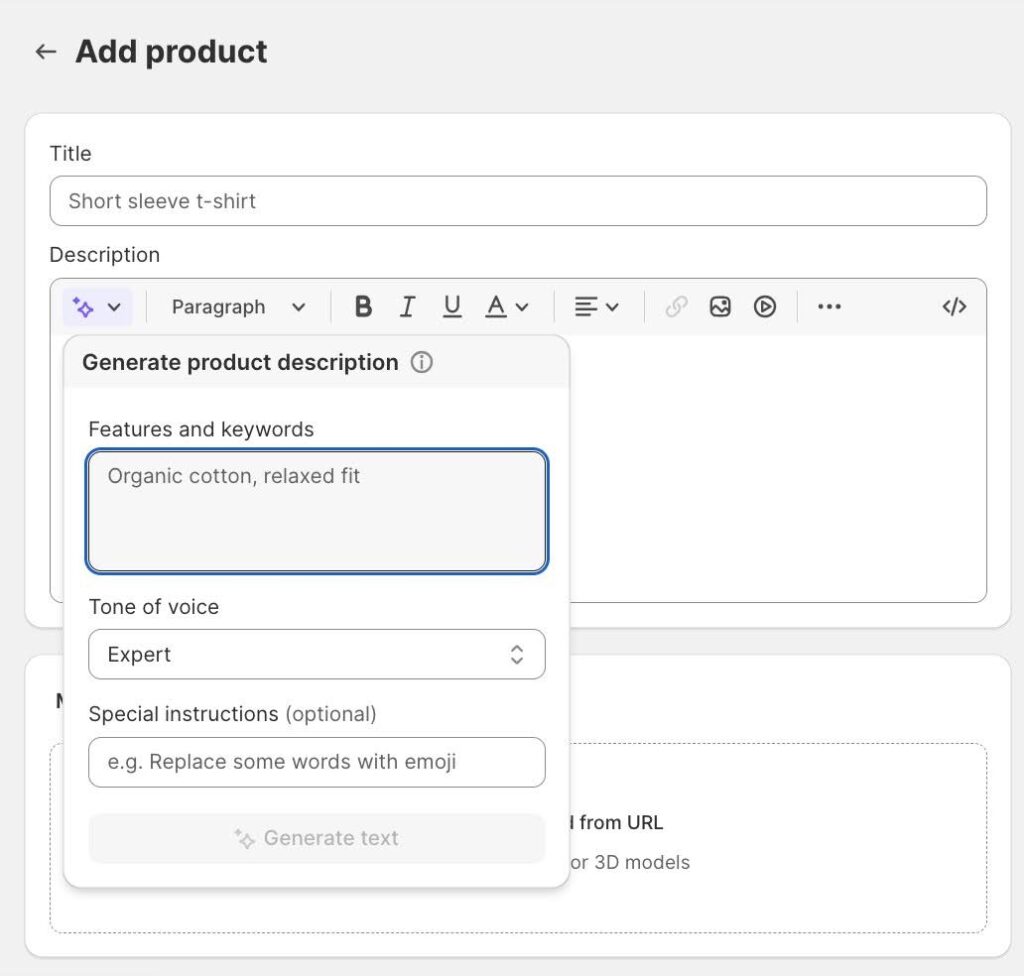
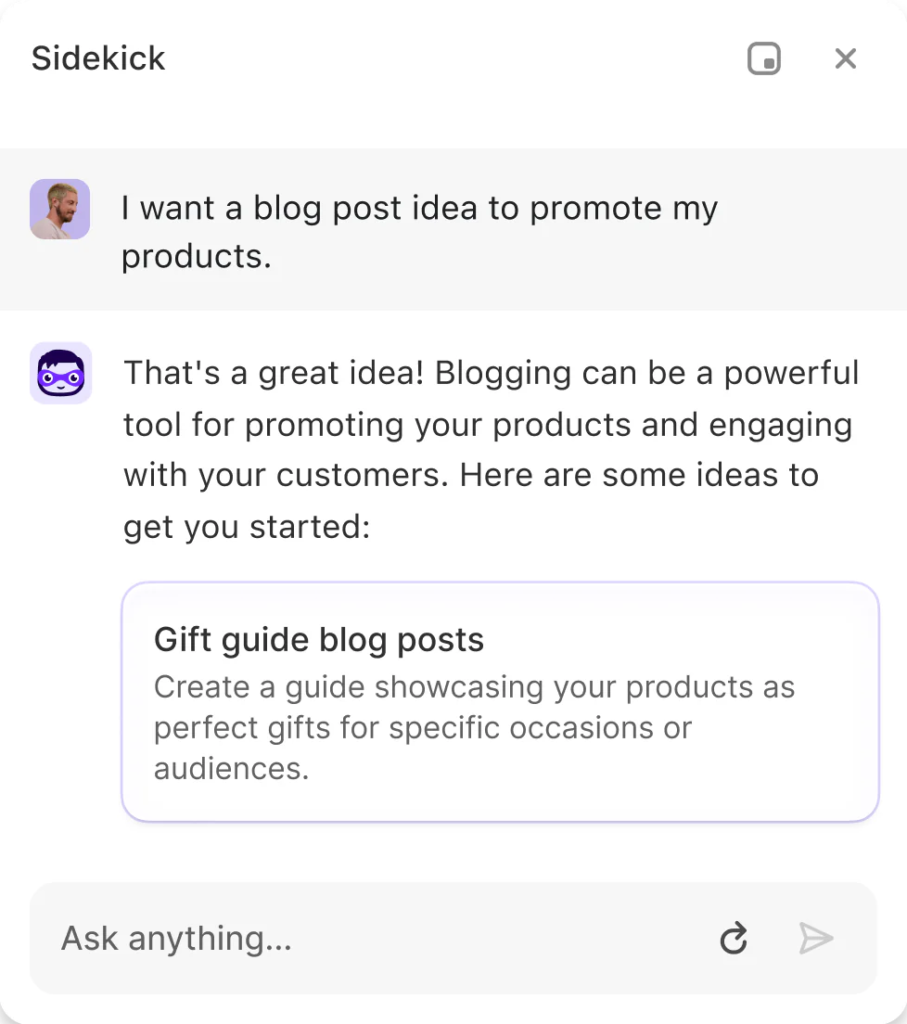
- AI tools: Shopify Magic generates product descriptions, email campaigns, and other marketing content; Shopify’s AI-powered store builder can create a responsive storefront based on a short text prompt or product link; and Sidekick serves as an AI assistant that provides real-time guidance inside the admin dashboard.
- Marketing tools: Built-in discount engine, email marketing, abandoned cart recovery, and advanced segmentation (offered in higher plans).
- Mobile app: Full store management via Shopify mobile app, including order fulfillment, product editing, and reporting.
- App ecosystem: Largest ecommerce app marketplace; strong developer community and API infrastructure.
Why Shopify stands out: In my experience testing the best ecommerce platforms, Shopify is the most mature all-in-one SaaS ecommerce platform, supported by the largest third-party app ecosystem.


BigCommerce: Best for multi-storefront and complex catalogs
Overall Reviewer Score:
4.62/5
Pricing and payments
4.11/5
Site builder and maintenance features
4.63/5
Support and reliability
5/5
Sales and product features
4.5/5
User experience
5/5
Average user scores
4.33/5
What are the perks of using BigCommerce?
- Many advanced features are included natively, reducing reliance on third-party apps for growing businesses.
- Strong B2B functionality, including customer groups and pricing tiers, suitable for wholesale and hybrid models.
- No additional platform transaction fees, which can benefit scaling merchants.
What are the downsides of using BigCommerce?
- Revenue-based plan limits may require upgrades as sales increase.
- Interface has a steeper learning curve compared to beginner-focused builders.
- Smaller app ecosystem compared to Shopify.
Why I picked BigCommerce
BigCommerce is a SaaS ecommerce platform designed for businesses that need more built-in functionality from day one. It is particularly strong for high-SKU catalogs, B2B operations, and brands that plan to scale across multiple storefronts or regions.
I chose BigCommerce as my top alternative to Shopify because it includes more native features without relying as heavily on third-party apps. In my scoring, BigCommerce earned a 5 out 5 score in the site builder and maintenance features category, reflecting its strong built-in tools for multi-storefront management, real-time shipping quotes, advanced product options, and catalog flexibility. It also scored competitively in the sales and product features category, especially for businesses managing complex inventory or wholesale pricing structures.
What differentiates BigCommerce is its native multi-storefront support and extensive variant handling. Unlike many SaaS competitors, you can manage multiple branded storefronts and currencies from one backend. It also includes real-time carrier-calculated shipping on lower-tier plans, which some platforms restrict to higher pricing tiers. Compared to Shopify, BigCommerce requires fewer paid apps for advanced product configuration. Compared to WooCommerce, it offers similar catalog power without requiring separate hosting or infrastructure management.
For sellers with complex products or B2B needs, BigCommerce feels purpose-built rather than extended through plugins.
My BigCommerce testing insights
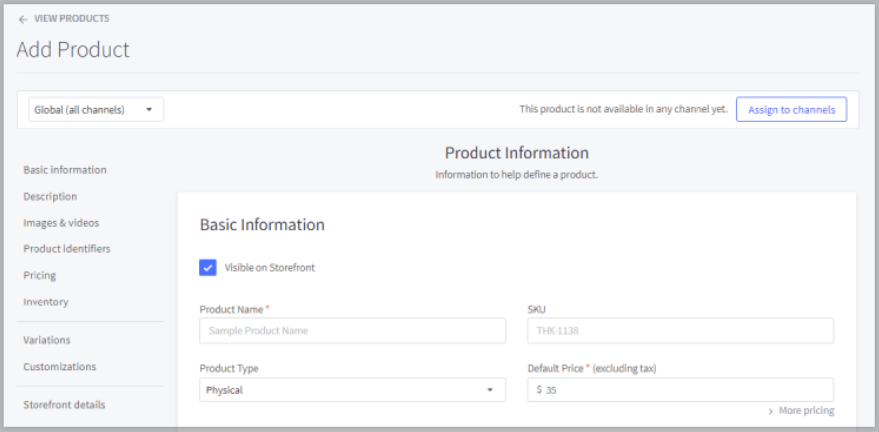
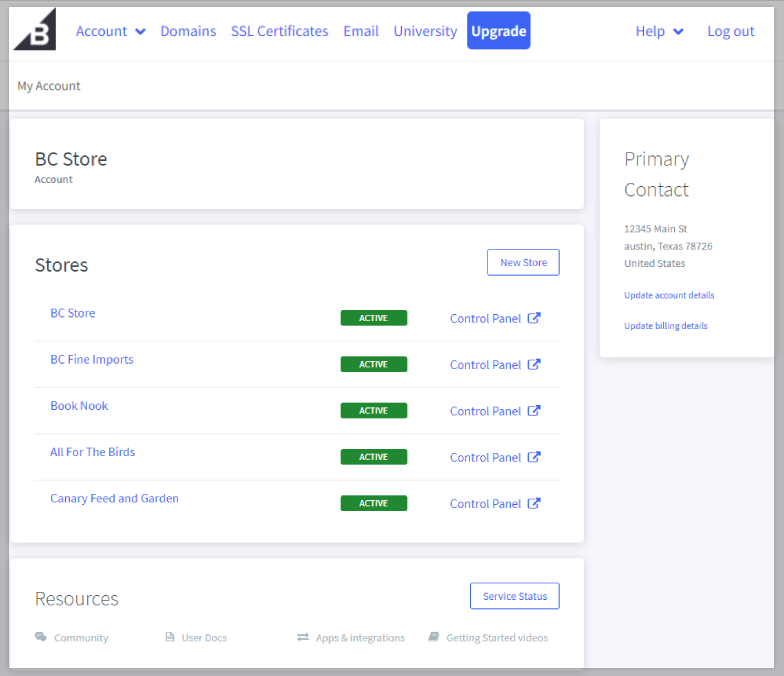
When I set up a demo BigCommerce store, I appreciated how structured and thorough the onboarding process was, especially for detailed product setup. I wasn’t as impressed with the free website templates, as many felt visually similar, and the builder interface, along with the overall dashboard, looked somewhat dated and clunky compared to Shopify.
However, the depth of product configuration stood out. I was able to add SKUs, manage inventory rules, apply pricing discounts, configure detailed variants, and work with advanced product options in ways that felt far more robust than most entry-level platforms. For sellers with complex catalogs, that tradeoff in interface polish may be worth it.
Who should use BigCommerce
- Mid-market and growing ecommerce brands
- Businesses with large or complex product catalogs
- B2B or wholesale sellers
- Brands managing multiple storefronts or regional sites
- Retailers that need advanced shipping logic and pricing flexibility
If your business requires deeper product configuration and multi-store management out of the box, BigCommerce is one of the strongest SaaS ecommerce platforms I tested.
When BigCommerce may not be the best fit
BigCommerce may not be the best fit if you want the simplest ecommerce setup or a more beginner-friendly site builder. It has strong native ecommerce tools, but smaller sellers may find Shopify, Wix, or Square Online easier to learn and manage.
- 15-day free trial available: Test features before subscribing (no credit card required) including access to core ecommerce tools.
- $39 per month for Standard ($348 when billed annually): Unlimited products, no platform transaction fees, multichannel selling, basic promotions and SEO tools.
- $105 per month for Plus ($948 when billed annually): Includes customer segmentation, abandoned cart saver, and enhanced analytics.
- $399 per month for Pro ($3,588 when billed annually): Advanced product filtering and optimization tools.
- Custom pricing for Enterprise: Tailored for global or high-volume businesses with dedicated service.
BigCommerce plans include hosting, PCI compliant security, unlimited staff accounts, and built-in SEO and analytics tools, and no additional platform transaction fees (payment processor fees still apply).
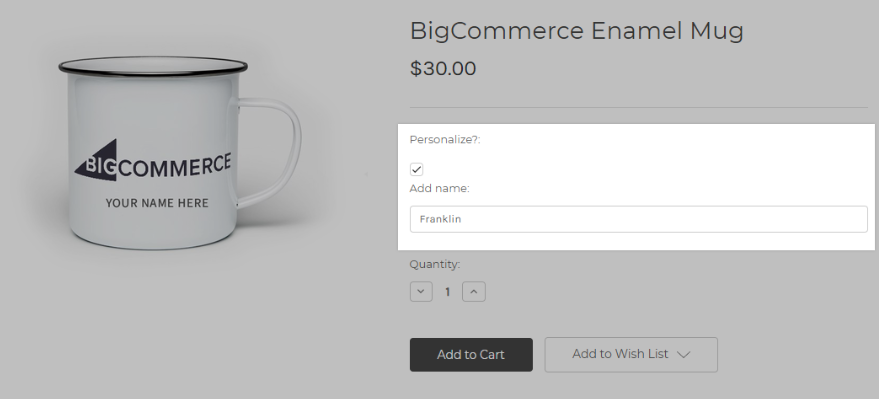
- Native custom product configuration and digital product support: BigCommerce supports complex product options, modifier rules, and digital product sales without relying heavily on third-party apps. Merchants can create configurable products with conditional options, which is especially useful for made-to-order, customizable, or high-variation catalogs.
- Extensive product variants and modifier options: Unlike many SaaS platforms that cap variants, BigCommerce allows a high number of product options and SKUs, making it well suited for businesses with large, complex catalogs or wholesale product structures.
- Enterprise marketplace integrations built in: BigCommerce enables selling on Google Shopping, Walmart Marketplace, Amazon, eBay, and PriceGrabber directly from the dashboard, with fewer required apps compared to competitors.
- Multi-currency and multi-storefront functionality, even on lower-tier plans: BigCommerce offers multi-currency support and the ability to manage multiple storefronts from a single backend, allowing brands to segment by region, brand, or customer group without separate accounts.
- Real-time shipping quotes included on entry plans: Unlike some competitors that gate carrier-calculated shipping behind higher tiers, BigCommerce includes real-time shipping quotes at checkout even on its basic plans.
- Strong B2B and wholesale features: Built-in customer groups, custom pricing tiers, and quoting workflows make it viable for hybrid B2B and DTC models.
- Open SaaS, API-first architecture: Provides deeper integration flexibility than many traditional SaaS platforms while avoiding full open-source maintenance overhead.
- AI commerce: BigCommerce has introduced BigAI, an AI suite that helps merchants generate product descriptions, optimize content, and accelerate merchandising workflows using machine learning tailored to commerce needs.
Why BigCommerce stands out: BigCommerce includes more native enterprise features without requiring as many paid add-ons.

Square Online: Best for retailers selling online and in person
Overall Reviewer Score:
4.31/5
Pricing and payments
5/5
Site builder and maintenance features
3.5/5
Support and reliability
4/5
Sales and product features
3.88/5
User experience
5/5
Average user scores
4.47/5
What are the perks of using Square Online?
- Seamless integration with Square POS, offering unified inventory and reporting for physical retailers.
- Straightforward setup designed for merchants transitioning from in-store to online selling.
- Built-in tools for pickup, delivery, and local fulfillment.
What are the downside of using Square Online?
- Limited customization flexibility compared to other leading ecommerce platforms.
- Fewer advanced ecommerce features for high-growth or enterprise sellers.
- Ecosystem is strongest for retail use cases, less robust for complex ecommerce models.
Why I picked Square Online
Square Online is an ecommerce platform built around Square’s broader payments and POS ecosystem. It is designed primarily for retailers, restaurants, and service-based businesses that want to connect in-person and online sales without managing separate systems.
I chose Square Online as the best option for businesses that already use Square POS or plan to sell both online and in person. In my scoring, Square earned a perfect score in user experience, largely because of how intuitive the setup process is and how seamlessly it connects to Square’s payment and inventory tools. The ability to sync online and in-store inventory automatically is a major operational advantage compared to platforms that require third-party POS integrations.
What makes Square compelling is how much functionality is available even on the free plan. You get hosting, unlimited bandwidth, a free POS, pickup and local delivery tools, QR code ordering, and age verification pop-ups. Few ecommerce platforms bundle this much physical retail functionality at no monthly software cost. Compared to Shopify, Square’s customization is more limited, but its POS integration is more deeply embedded. Compared to Wix or Squarespace, Square feels more operationally focused rather than design-first.
My Square Online testing insights
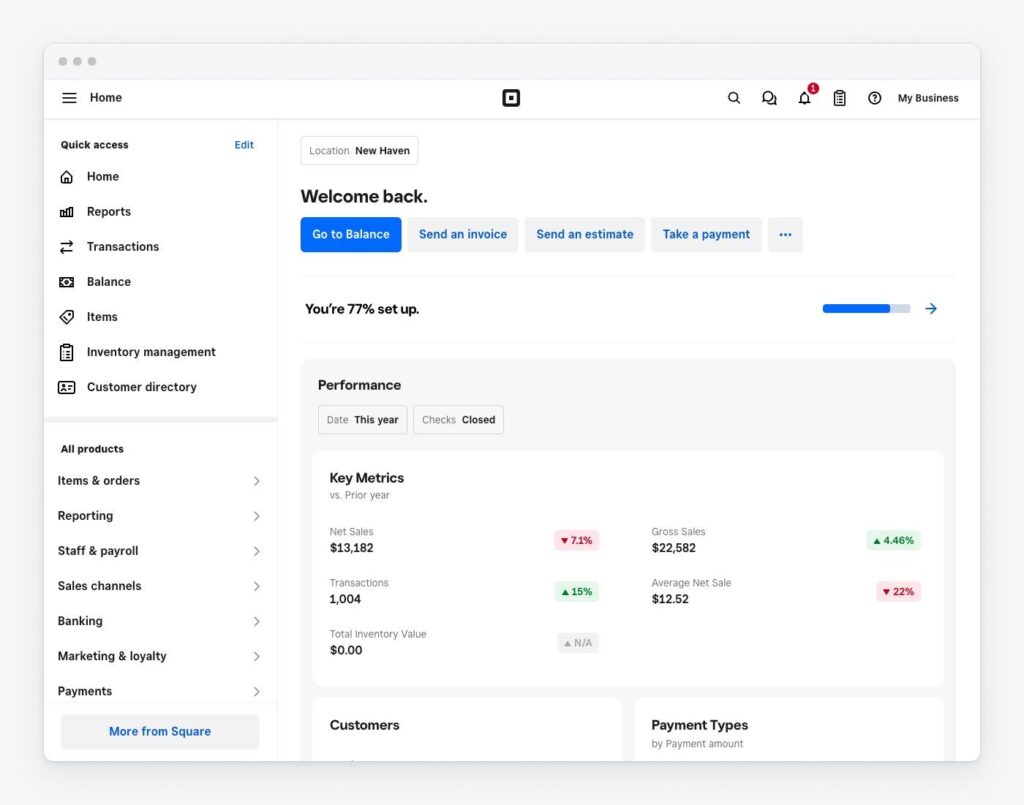
When I built a demo store with Square Online, the setup process felt fast and streamlined. Because it’s tightly connected to Square’s ecosystem, many settings, like payments and POS for in-person selling, were already structured logically. I was able to configure pickup, delivery, and shipping options quickly without digging through multiple menus.
The design editor is more limited than Shopify or Wix, but the tradeoff is simplicity. I was able to finish building a website and configuring less than 10 products in about four hours.
Who should use Square Online
- Brick-and-mortar retailers expanding online
- Restaurants and food service businesses
- Service providers offering appointments plus product sales
- Small businesses that want a free ecommerce option
- Sellers prioritizing POS and inventory sync over deep customization
If your business operates both online and in person, Square Online offers one of the simplest unified commerce solutions I tested.
When Square Online may not be the best fit
Square Online may not be the best fit if you need advanced design control, complex catalog tools, or deep B2B ecommerce features. It works best for sellers already using Square POS or businesses that want simple online and in-person selling.
- $0 per month for Square Free: Includes a POS app for any payment type, an online site, item library, invoicing, booking tools, and access to Square checking and savings accounts. Payment processing fees are 2.6% + 15 cents for in-person (tap, dip, swipe) and 3.3% + 30 cents for online transactions.
- $49 per month per location for Square Plus: Includes everything in Square Free plus industry-specific POS features, lower processing fees, a loyalty rewards program, email and text message marketing, and staff management tools. Processing fees are 2.5% + 15 cents in-person and 2.9% + 30 cents online. A 30-day free trial is available.
- $149 per month per location for Square Premium: Includes everything in Square Plus plus 24/7 priority support, advanced reporting, the lowest processing fees, expanded marketing tools, and no gift card load fees. Processing fees are 2.4% + 15 cents in-person and 2.9% + 30 cents online. A 30-day free trial is available.
Square Online plans include hosting, SSL security, mobile optimization, and integrated POS functionality for unified in-person and online sales.
- Square is one of the few platforms with fully unified POS, banking, and ecommerce in one ecosystem.
- Retail-first multichannel selling: Deep integration with Square POS; ideal for brick-and-mortar retailers going online.
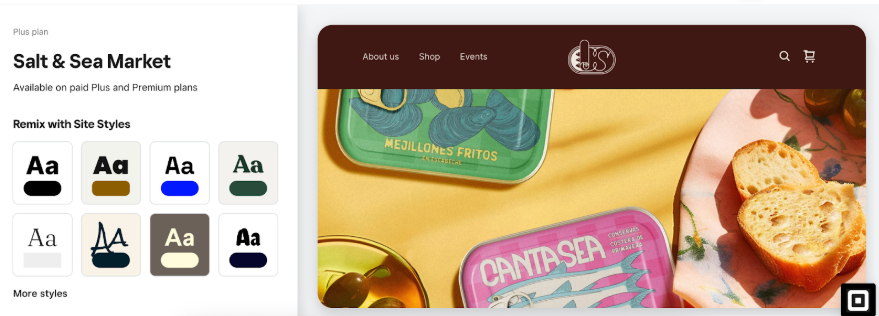
- Website builder: Simple drag-and-drop builder optimized for product catalog sync.
- In-person selling: Best-in-class POS-native ecommerce integration; unified payments and reporting.
- Free web hosting and unlimited bandwidth: All Square Online plans, including the free tier, include hosting and unlimited bandwidth, removing infrastructure concerns for small businesses.
- Seamless sync between online and in-person sales: Inventory, orders, and customer data automatically sync between Square Online and Square POS, creating a unified commerce experience without third-party integrations.
- Free POS included: Square offers a free POS system with its ecosystem, making it one of the few ecommerce platforms with built-in in-person selling at no additional software cost.
- Pickup, local delivery, and time-based ordering: Native support for curbside pickup, local delivery, and scheduled or time-based online ordering makes it especially strong for restaurants and retail shops.
- QR code ordering: Merchants can generate QR codes for table-side or in-store ordering, a feature particularly useful for food service and hospitality businesses.
- Native shipping tools and label creation: Square includes shipping management and label printing tools without requiring external apps.
- Multilocation support: Manage multiple physical locations with centralized inventory and reporting through the Square ecosystem.
- Age verification pop-ups (available on all plans): Square allows merchants to add age verification pop-ups to specific pages, including on the free plan. This makes it popular for businesses selling age-restricted products, such as alcohol. When I built a test site, I was able to enable this feature quickly. Take note, though, that while Square Online includes age verification pop-ups, it does not provide legally compliant identity verification. The feature acts as a confirmation prompt rather than formal age validation, so businesses in regulated industries should confirm compliance requirements separately.
- AI tools: Square’s suite of AI features can assist with content generation, campaign creation, and customer engagement workflows, helping merchants automate routine tasks and improve marketing efficiency.
Related: 8 Best POS Systems for Small Business

Wix: Best for small businesses prioritizing SEO and design control
Overall Reviewer Score:
4.28/5
Pricing and payments
3.57/5
Site builder and maintenance features
4.5/5
Support and reliability
5/5
Sales and product features
3.63/5
User experience
4.38/5
Average user scores
4.37/5
What are the perks of using Wix ecommerce?
- Intuitive drag-and-drop builder ideal for small businesses without technical expertise.
- Built-in AI site creation tools help accelerate setup.
- Strong design flexibility for brand-focused storefronts.
What are the downsides of using Wix ecommerce?
- Advanced ecommerce features often require third-party apps.
- Not designed for large or highly complex product catalogs.
- Limited deep backend customization compared to open-source platforms.
Why I picked Wix
Since our last update: Wix expanded its AI website-building tools with a ChatGPT integration for Wix Harmony. Users can start building a site from ChatGPT and use natural language to add or update business tools, ecommerce, scheduling, payments, SEO, and performance settings. This strengthens Wix’s fit for sellers that want a beginner-friendly ecommerce platform with AI-assisted setup and design control.
Wix is a drag-and-drop website builder with built-in ecommerce functionality designed for small businesses that prioritize design flexibility and marketing tools. I chose Wix as one of the best ecommerce platforms for small businesses that care about design and SEO. In my scoring, Wix performed especially well in the site builder and maintenance features category, thanks to its flexible editor, built-in marketing tools, and strong SEO controls.
Compared to Shopify and BigCommerce, Wix offers more visual freedom in layout design. And compared to Squarespace, I found Wix’s SEO controls more granular and customizable. What I particularly like about Wix is how much has improved over the past few years. The Wix Stores app now supports subscriptions, product variations, multichannel inventory management, and recurring payments. Its SEO tools allow custom page titles, meta descriptions, URLs, automatic sitemaps, 301 redirects, and direct Google Search Console integration.
For small businesses focused on organic traffic, Wix is more competitive than many people realize. The built-in email marketing, AI-powered ad tools, and abandoned cart automation also make it a strong all-in-one solution. Wix may not be built for high-SKU enterprise catalogs, but for small businesses that want control over branding and visibility, it delivers.
My Wix testing insights
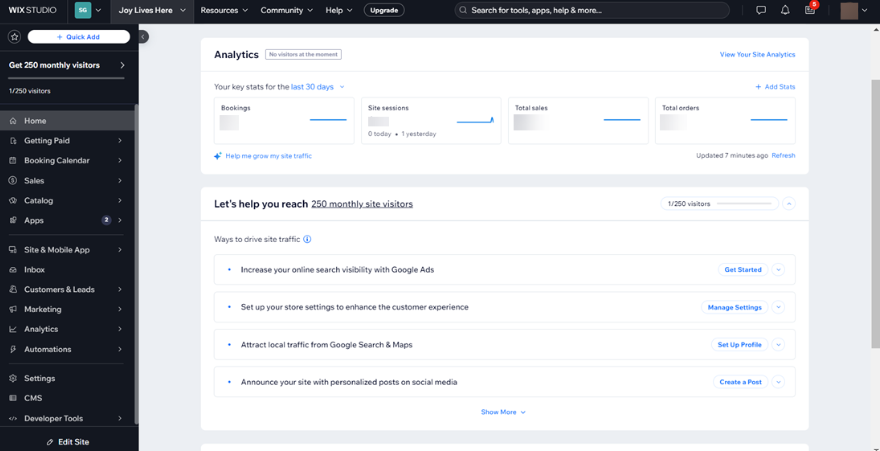
When I built a demo Wix store, I found the drag-and-drop builder powerful but somewhat overwhelming for beginners because it offers so much creative freedom. It is easy to accidentally create cluttered layouts or hard-to-read text if you are not careful. Wix ADI, its AI-powered builder, felt better suited for new users who prefer a more guided setup with fewer design decisions.
One limitation I ran into is that Wix does not allow you to switch templates midway and keep your existing content. You must rebuild from scratch. I learned that the hard way during testing, which is something beginners should plan for before committing to a design.
Who should use Wix
- Small businesses focused on branding and design
- Creators and service providers selling digital products
- Businesses prioritizing organic SEO growth
- Entrepreneurs launching their first ecommerce site
- Brands that want built-in marketing tools without heavy app reliance
If visual flexibility and SEO control are priorities, Wix is one of the strongest website builder ecommerce platforms I tested.
When Wix may not be the best fit
Wix may not be the best fit if you manage a large product catalog, need advanced inventory workflows, or plan to scale into more complex ecommerce operations. It is stronger for design flexibility and small-store setup than for high-volume selling.
- Free plan available: Wix offers a free website plan, but ecommerce functionality and payment acceptance require a paid Business plan.
- $29 per month for Core: Includes 50 GB storage, free domain for one year, multi-cloud hosting, basic marketing suite, basic ecommerce features, scheduling tools, and up to five site collaborators. Accepts online payments.
- $39 per month for Business: Includes 100 GB storage, free domain for one year, multi-cloud hosting, standard marketing suite, standard ecommerce features, scheduling tools, and up to 10 site collaborators.
- $159 per month for Business Elite: Includes unlimited storage, advanced marketing suite, advanced ecommerce tools, scheduling services, advanced developer platform features, and up to 100 site collaborators.
All Wix ecommerce plans include hosting, SSL security, mobile optimization, and the ability to accept online payments. Payment processing fees apply through third-party providers, such as Wix Payments, Stripe, or PayPal.
- Highly intuitive drag-and-drop builder with strong design control: Wix remains one of the most user-friendly website builders, allowing merchants to customize layouts visually without coding. It is especially strong for brand-focused and content-heavy stores.
- Improved and competitive SEO capabilities: Wix now offers robust SEO tools, including customizable page titles, meta descriptions, and URLs, automatic sitemap generation, 301 redirects, and direct Google Search Console integration. Combined with blogging functionality, this makes Wix one of the strongest website builders for organic search among SaaS ecommerce platforms.
- Comprehensive ecommerce tools within Wix Stores: Wix supports physical and digital products, product variations on a single page, and subscription-based products for recurring revenue models.
- Multi-channel inventory management: Manage inventory across multiple sales channels from a single dashboard, reducing manual tracking errors.
- Integrated members area: Customers can manage accounts and access gated content or exclusive forums, which is useful for subscription or community-driven businesses.
- Sell in multiple currencies (tier-based): International selling with localized currency display is available on higher-tier plans.
- Built-in marketing suite: Wix includes email marketing automation, discount creation, abandoned cart recovery, loyalty programs (VIP plan), and branded social media post creation directly within the dashboard.
- AI tools: Wix AI assists with generating Facebook and Instagram ad campaigns, simplifying paid social promotion and Wix ADI can generate an entire website based on business inputs.
- Multichannel selling: Integrates with Facebook, Instagram, and eBay (availability varies by plan).
- Mobile management app: The Wix Owner app allows merchants to manage products, orders, bookings, and customer communication on the go.
Why Wix stands out: Wix is one of the leaders in AI-driven website creation among ecommerce platforms, along with strong native SEO tools and integrated marketing automation.




Squarespace: Best for creators and brand-led ecommerce
Overall Reviewer Score:
4.23/5
Pricing and payments
4.82/5
Site builder and maintenance features
4.5/5
Support and reliability
3/5
Sales and product features
3.5/5
User experience
5/5
Average user scores
4.57/5
What are the perks of using Squarespace?
- High-quality templates suited for visually driven brands and creative businesses.
- Clean interface that simplifies product and content management.
- Integrated content and ecommerce tools in a single platform.
What are the downsides of using Squarespace?
- Limited advanced B2B or wholesale capabilities.
- Customization beyond template constraints can be restrictive.
- Smaller app marketplace compared to Shopify or WooCommerce.
Why I picked Squarespace
Squarespace is a design-focused ecommerce platform that combines content, commerce, and service tools into a single ecosystem. It is especially strong for brands that care about presentation, storytelling, and visual identity.
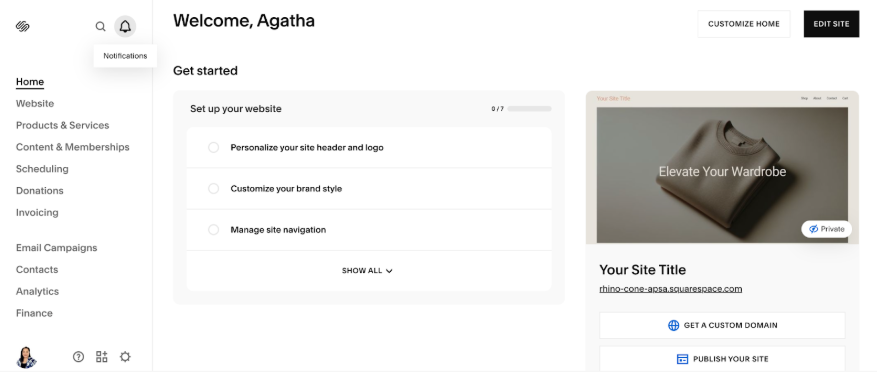
I chose Squarespace as one of the best ecommerce platforms for design-led businesses. In my scoring, it performed strongly in the categories site builder and maintenance features and user experience, largely because of its polished templates and intuitive editing environment. Compared to Wix, Squarespace feels more structured and less overwhelming. It also offers stronger built-in content and membership tools without relying heavily on apps compared to Shopify.
What stands out to me is how cohesive the ecosystem feels. The Fluid Engine editor allows for flexible layout adjustments without the chaos of unrestricted drag-and-drop. The built-in email automations, AI-powered SEO tools, subscriptions, and service integrations through Acuity make it strong for hybrid product-and-service businesses. While it may not offer the catalog depth of BigCommerce or the extensibility of WooCommerce, it delivers a clean, professional storefront experience out of the box.
My Squarespace testing insights
During testing, I was impressed by how polished and attractive the templates looked. They are easily among the best of any ecommerce platform I’ve reviewed. I do recommend investing in strong product photography because Squarespace’s aesthetic templates amplify visual quality. That said, I was frustrated to discover that changing templates mid-build wipes out existing site content, including the Commerce setup, forcing you to start from scratch.
After testing further, I realized switching templates is often unnecessary because Squarespace templates are highly customizable with flexible sections and layouts. In fact, in terms of layout fluidity, Squarespace felt more refined than most other ecommerce builders I’ve used.
Who should use Squarespace
- Creatives — brands, designers, artists, photographers, and makers
- Service providers selling digital or physical products
- Membership and subscription-based businesses
- Small businesses prioritizing design and storytelling
If visual presentation and brand cohesion are top priorities, Squarespace is one of the strongest ecommerce platforms I tested.
When Squarespace may not be the best fit
Squarespace may not be the best fit if your store needs advanced inventory, marketplace selling, POS workflows, or deep ecommerce automation. It is better for creators and visual brands than for retailers with complex operations.
- 14-day free trial: Full access to test the platform before committing to a paid plan.
- $25 per month for Basic ($16 per month when billed annually): Includes website builder tools, templates, Squarespace AI, up to two contributors, and the ability to accept payments. Online store transaction fee is 2%, with credit card processing starting at 2.9% + $0.30. Digital content and memberships incur a 7% transaction fee.
- $36 per month for Core ($23 per month when billed annually): Removes online store transaction fees (0%), includes unlimited contributors, advanced website analytics, CSS and JavaScript customization, professional email via Google Workspace, and digital content/membership transaction fees reduced to 5%. Credit card rates start at 2.9% + $0.30.
- $56 per month for Plus ($39 per month when billed annually): Includes lower credit card processing rates starting at 2.7% + $0.30, no online store transaction fees, reduced digital content fees (1%), advanced analytics, API integrations, and professional shipping and tax services.
- $139 per month for Advanced ($99 per month when billed annually): Offers the lowest credit card rates starting at 2.5% + $0.30, no transaction fees on digital content and memberships (0%), advanced commerce tools, API integrations, sales funnel analytics, and full customization options.
All Squarespace ecommerce plans include hosting, SSL security, mobile-optimized templates, blogging tools, and built-in analytics.
- Design-forward store builder with Fluid Engine: Squarespace’s grid-based, drag-and-drop Fluid Engine editor provides precise layout control with professional-level styling. Templates are mobile-first, visually polished, and optimized for content-heavy or brand-driven ecommerce stores.
- AI-powered design and SEO tools: Squarespace Blueprint AI assists with site creation and layout design, while AI-driven SEO tools can optimize metadata and image alt text with one click. AI content generation also supports faster page and product creation.
- Strong built-in SEO foundation: Squarespace includes clean URLs, structured site architecture, automatic sitemaps, mobile optimization, customizable metadata, and Google Search Console integration. The platform emphasizes optimized template structure to support organic visibility.
- Integrated multichannel selling: Merchants can sell directly through Instagram, Facebook, and Google Shopping using built-in integrations rather than relying heavily on third-party apps.
- Squarespace POS (US only): Accept in-person payments through the Commerce app using supported Square hardware. Inventory, orders, and customer data sync in real time between online and in-store sales.
- Comprehensive ecommerce sales tools: Supports physical and digital products, subscriptions, scheduled product drops, customer accounts, abandoned cart recovery, advanced product variants, and gift cards.
- Marketing automation and promotional tools: Includes email automations (including for form submissions), seasonal email templates, pop-ups, banners, discount codes, and integrated campaign management.
- Service, membership, and scheduling support: Integrated tools for memberships, gated content, coaching services, invoicing, and scheduling through Acuity, making it strong for service-based and creator-led businesses.
- Mobile app management: Manage orders, update pages, upload media, and monitor analytics directly from the Squarespace mobile app.
Why Squarespace stands out: Squarespace excels at blending ecommerce and content for brand-driven businesses.




Ecwid by Lightspeed: Best for adding ecommerce to an existing website
Overall Reviewer Score:
4.13/5
Pricing and payments
3.39/5
Site builder and maintenance features
3.75/5
Support and reliability
4.25/5
Sales and product features
4.38/5
User experience
4.38/5
Average user scores
4.63/5
What are the perks of using Ecwid by Lightspeed?
- Easy to embed into an existing website, making it useful for businesses that do not want a full platform migration.
- Strong multichannel selling capabilities across social and marketplaces.
- Lightweight setup suitable for small or supplemental online stores.
What are the downsides of using Ecwid by Lightspeed?
- Not a full-featured standalone site builder by default.
- Limited advanced customization options.
- Fewer enterprise-grade features for scaling operations.
Why I picked Ecwid by Lightspeed
Ecwid is an embedded ecommerce platform that allows businesses to add online selling to an existing website, blog, or social channel without rebuilding their entire site. It functions differently from Shopify or Wix because it layers commerce onto what you already have.
I chose Ecwid because it is one of the most flexible options for businesses that do not want to migrate platforms. In my scoring, it performed strongly in multichannel selling and ease of implementation, particularly for merchants who already have a WordPress, Wix, or custom-built website. Ecwid is easier to deploy quickly than Wix and it requires less commitment if you are simply adding ecommerce functionality rather than launching a full storefront from scratch like Shopify.
What stands out is the ability to embed a full ecommerce checkout almost anywhere. You can sell through your existing website, social channels, and marketplaces while managing products and inventory from a centralized dashboard. It obviously excels at quick integration and lightweight commerce.
My Ecwid by Lightspeed testing insights
I tested Ecwid using the free plan option. As of March 17, 2025, Ecwid stopped offering its free plan to new users and now starts at $5 per month for the Starter tier. Under the free version, product configuration was limited, but I could clearly see how robust the setup becomes on paid tiers since locked features were visible but greyed out.
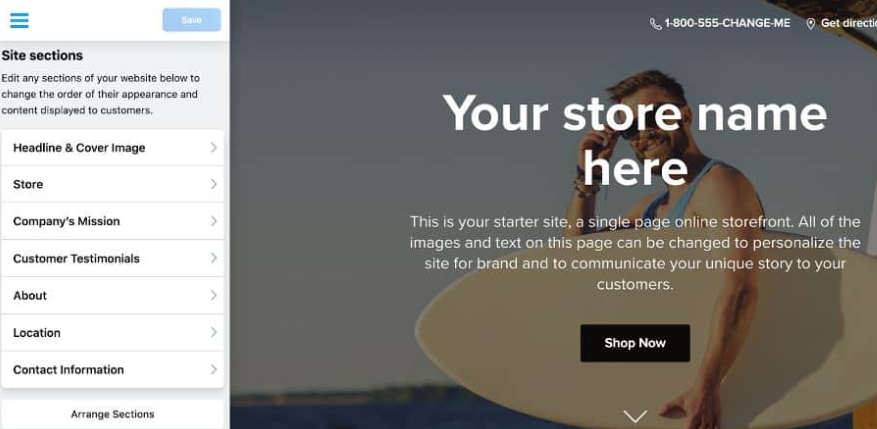
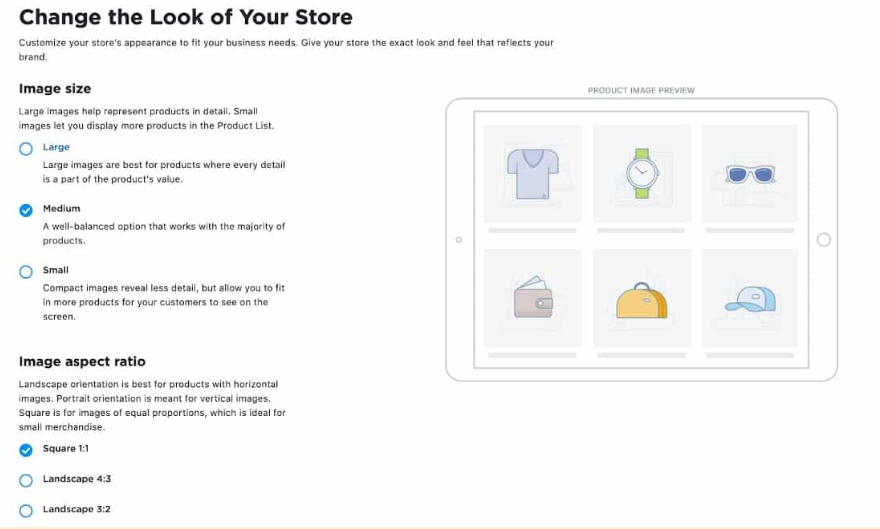
I tested the embed configuration on a WordPress site and found it extremely easy to implement. I also tried the Instant Site option, which functions like a simple landing page and can be built in under an hour. While you are limited to predefined site blocks, it is easy to hide sections you do not need.
Who should use Ecwid
- Businesses with an existing website adding ecommerce
- Small retailers testing online sales
- Social-first sellers
- Businesses that want low-commitment ecommerce integration
When Ecwid by Lightspeed may not be the best fit
Ecwid may not be the best fit if you want to build a full ecommerce website from scratch with complete design and site structure control. It is strongest when you already have a website and want to add ecommerce without rebuilding.
- $5 per month for Starter: Supports up to 10 products, 70+ site templates, a default Ecwid domain, the ability to add a store to any existing site, and email support.
- $35 per month for Venture: Supports up to 100 products plus digital goods, selling on Instagram and Facebook, mobile store management, live chat support, access to the App Market, automated tax calculations, discount coupons, custom checkout, custom domain support, and built-in reports and analytics.
- $65 per month for Business: Supports up to 2,500 products, marketplace selling, subscriptions, two staff accounts, phone support, abandoned cart recovery, wholesale pricing groups, multilingual storefronts, limited promotions, product reviews, custom URL slugs, and advanced reports and analytics.
- $149 per month for Unlimited: Supports unlimited products, POS integration for in-person selling, unlimited staff accounts, priority support, and expanded promotions.
Ecwid does not charge additional platform transaction fees on any plan, but standard payment processing fees apply. All plans include hosting and multichannel selling functionality.
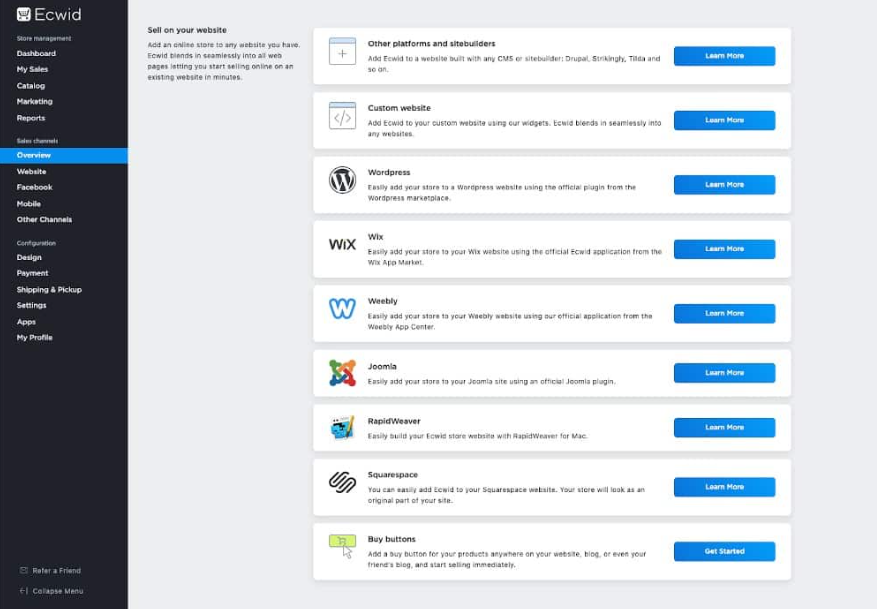
- Add ecommerce to almost any existing website: Ecwid is built as an embedded commerce solution, allowing merchants to add a full ecommerce checkout to an existing website, blog, or even a social profile without rebuilding the site. This makes it ideal for businesses that already have a WordPress, Wix, or custom-built website.
- Real-time carrier-calculated shipping rates: Paid plans include live carrier shipping rates at checkout, allowing customers to see accurate shipping costs without relying on third-party plugins.
- Multilingual storefront (Business and Unlimited plans): Ecwid allows merchants to create multilingual storefronts, helping brands sell internationally without separate installations.
- Strong multichannel selling capabilities: Sell across Facebook, Instagram, TikTok, Amazon, and eBay from one dashboard, with centralized inventory management.
- Marketing tools on higher tiers: Includes Facebook Messenger chat integration, discount coupons, gift cards, and abandoned cart recovery to support conversion and customer retention.
- POS integrations on the Unlimited plan: Integrates with Square, Clover, Lightspeed Retail, and Alice POS, enabling in-person selling with synced inventory and order data.
- Mobile store management app: Merchants can manage orders, products, and customers from a dedicated mobile app.
What makes Ecwid by Lightspeed stand out: Ecwid by Lightspeed stands out for its ability to layer ecommerce onto nearly any existing website or social channel without requiring a full platform migration.

GoDaddy: Best for beginners launching quickly
Overall Reviewer Score:
3.94/5
Pricing and payments
3.04/5
Site builder and maintenance features
3.75/5
Support and reliability
4.75/5
Sales and product features
4.25/5
User experience
3.75/5
Average user scores
4.13/5
What are the perks of using GoDaddy?
- Simplified setup process aimed at first-time sellers.
- Integrated domain, hosting, and website builder in one environment.
- Suitable for small businesses needing a basic online presence quickly.
What are the downsides of using GoDaddy?
- Limited advanced ecommerce features for growth-stage businesses.
- Basic marketing and automation tools compared to competitors.
- Not well suited for complex catalogs or advanced integrations.
Why I picked GoDaddy
Since our last update: GoDaddy launched a unified mobile app that brings domains, website building, email, marketing, and ecommerce tools into one place. This strengthens GoDaddy’s fit for entrepreneurs and small businesses that want to launch and manage a simple online store from their phone.
GoDaddy is an all-in-one website and ecommerce builder designed for small businesses that want to launch quickly without managing multiple systems. It combines domain registration, hosting, payments, and online store tools in one dashboard.
I chose GoDaddy as a strong option for beginners and service-based businesses that prioritize speed over deep customization. Compared to Shopify or BigCommerce, GoDaddy is less feature-rich, but it removes much of the friction involved in launching an online store.
What stands out is how tightly bundled everything feels. Domain, hosting, payments, and marketing tools are integrated from the start. It is not built for large or complex catalogs, but for entrepreneurs who want to start selling online today without technical setup, it delivers one of the fastest paths to launch.
My GoDaddy testing insights
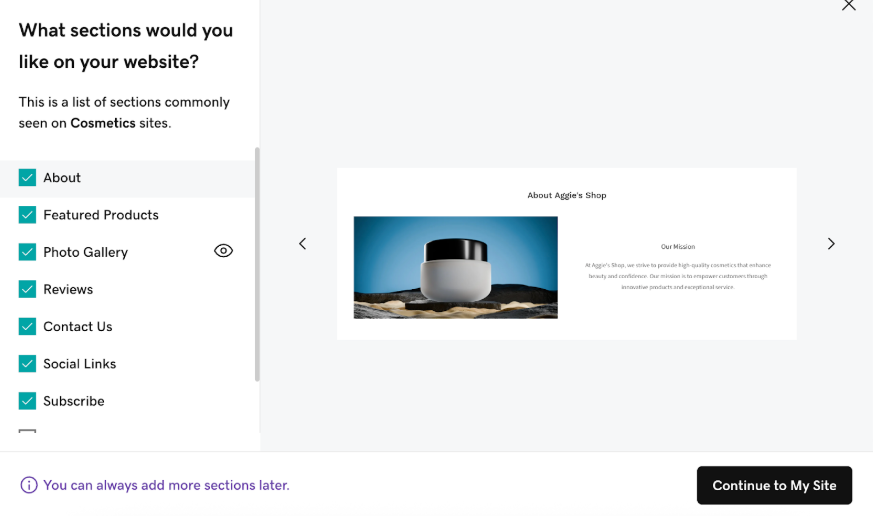
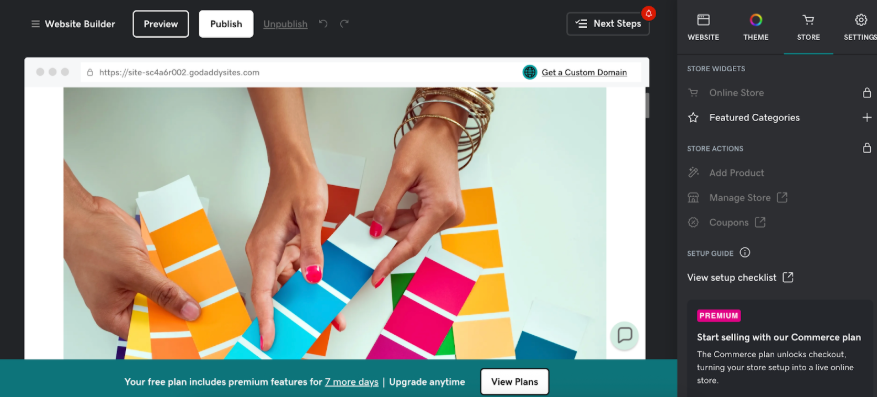
GoDaddy surprised me during testing with how quickly it gets you selling online. After answering a few prompts about my business type and products, the Online Store builder loaded a complete site with stock photos, a tagline, and prebuilt sections already in place based on my answers.
For those who want to get an ecommerce site live fast without wrestling with design choices, this is one of the smoothest setups I’ve tested. The tradeoff is limited customization depth compared to Shopify or Wix, but the simplicity is intentional.
Who should use GoDaddy
- First-time ecommerce sellers
- Solopreneurs and freelancers
- Service providers adding product sales
- Small local businesses
- Sellers who prioritize speed over customization
When GoDaddy may not be the best fit
GoDaddy may not be the best fit if you need advanced ecommerce features, detailed customization, or a large app ecosystem. It is best for sellers that want to launch a simple store quickly, not businesses building a more advanced online operation.
- $20.99 per month with a one-year term and annual billing (Commerce): Online transactions are processed at 2.7% + $0.30 per transaction. The plan includes online appointment booking, social media scheduling tools, and integrations with online marketplaces, making it suitable for service-based businesses and small retailers expanding into ecommerce.
- Fast and intuitive AI-assisted website and ecommerce builder: GoDaddy’s Artificial Design Intelligence (ADI) makes setup extremely quick by generating an initial store based on answers to simple business questions, which is especially helpful for first-time sellers and non-technical entrepreneurs.
- All-in-one commerce ecosystem: GoDaddy combines domain registration, hosting, SSL security, site builder, store management, payment processing, and marketing tools in a single dashboard — reducing friction for new business owners who don’t want to manage multiple vendors.
- Multichannel sales and marketplace integration: Merchants can sell from their online store while connecting to marketplaces and social platforms like Instagram, Facebook, Amazon, eBay, Google Shopping, and Etsy, all managed under one interface.
- Built-in marketing and SEO tools: GoDaddy includes email and social marketing campaigns, promotional discounts, integrated SEO tools (custom URLs, meta tags, analytics), and Google My Business integration to help stores attract and retain customers.
- Unified inventory and order management: Orders and inventory can be tracked in one place, simplifying operations for sellers handling both online and in-person sales.
- Integrated payments and flexible checkout: GoDaddy supports GoDaddy Payments with competitive rates, accepts major credit cards, Apple Pay, Google Pay, and offers fast payouts, lowering barriers to getting paid quickly.
- Built-in shipping and tax tools: Merchants can set up dynamic shipping calculations and local delivery/pickup options, plus automated sales tax calculations to streamline compliance.
- Mobile store management: The GoDaddy mobile app lets sellers monitor and manage orders, update products, and post social content on the go.
What makes GoDaddy stand out: GoDaddy offers one of the simplest bundled website + domain + ecommerce setups. GoDaddy stands out for its beginner-friendly ecommerce experience, rapid AI-assisted setup, and integrated sales and marketing toolkit.


WooCommerce: Best for WordPress users and full customization
Overall Reviewer Score:
3.93/5
Pricing and payments
4.64/5
Site builder and maintenance features
3.63/5
Support and reliability
3/5
Sales and product features
4.13/5
User experience
3.75/5
Average user scores
4.47/5
What are the perks of using WooCommerce?
- Full control over design and functionality within WordPress.
- Highly extensible through plugins and developer customization.
- Strong SEO capabilities due to WordPress ecosystem.
What are the downsides of using WooCommerce?
- Requires separate hosting, security, and maintenance management.
- Plugin reliance can increase operational overhead.
- Performance depends heavily on hosting provider and configuration.
Why I picked WooCommerce
WooCommerce is an open-source ecommerce plugin built on WordPress that gives merchants full control over their store’s infrastructure, design, and functionality. Unlike SaaS ecommerce platforms, WooCommerce requires separate hosting, security, and maintenance management.
I chose WooCommerce because it offers the highest level of customization and extensibility among all the ecommerce platforms I evaluated. WooCommerce gives you deeper control over SEO, URL structure, and backend workflows. It removes almost all design limitations, assuming you have the right theme and technical support.
What I appreciate most is the flexibility. You can sell virtually anything, integrate with nearly any system, and build advanced workflows through plugins and developer customization. However, that power comes with responsibility. WooCommerce is not hosted for you, and performance depends heavily on your hosting provider and setup decisions.
For business owners comfortable with WordPress or those with access to a developer, WooCommerce can scale far beyond most website builders.
My WooCommerce testing insights
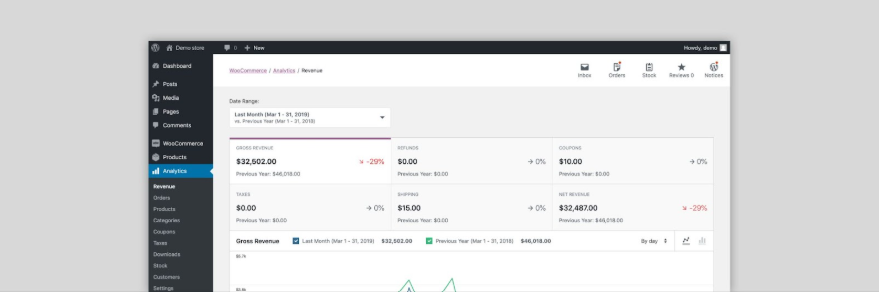
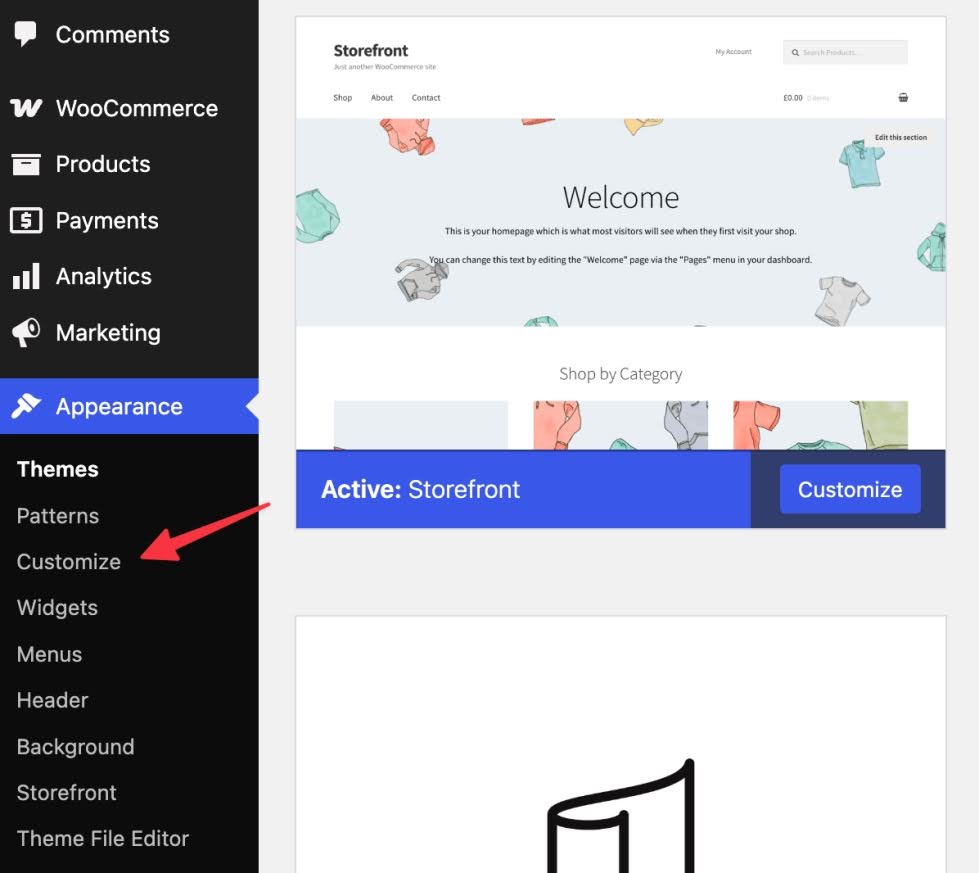
Since I am familiar with WordPress, setting up WooCommerce felt intuitive to me. However, I can see how it might overwhelm someone who has never worked inside WordPress before. I don’t know how to code, so my store’s design depended heavily on the theme I chose (Divi). It looked great, but I didn’t have the same visual customization freedom I experienced with Squarespace or Wix without additional configuration.
I also had to connect a domain, activate payments, secure hosting, and install SSL myself. This is not a plug-and-play platform, but if you are comfortable with WordPress or have the budget for a developer, WooCommerce offers serious long-term upside.
Who should use WooCommerce
- WordPress users and bloggers
- Businesses prioritizing SEO control
- Developers or teams with technical resources
- Stores with unique workflow requirements
- Businesses planning long-term custom builds
When WooCommerce may not be the best fit
WooCommerce may not be the best fit if you want an all-in-one hosted ecommerce platform with built-in support, hosting, security, and maintenance. It offers strong customization, but it requires more setup and ongoing management than Shopify or Wix.
- $0 for WooCommerce plugin: Core ecommerce capability is free, but does not include hosting or site management tools.
- Hosting: Typically $10-$40+ per month for shared or managed hosting; enterprise cloud solutions cost more.
- Extensions/Add-ons: Premium plugins for subscriptions, advanced shipping, and marketing vary in price.
- Payment processing fees: Vary by processor (Stripe, PayPal, etc.).
WooCommerce provides full control over your store but requires separate hosting, security, and maintenance, making total cost of ownership variable based on setup.
- Deep open-source flexibility on WordPress: WooCommerce is an open-source ecommerce plugin for WordPress, giving merchants complete control over storefront design, data, and backend workflows without being locked into a SaaS ecosystem.
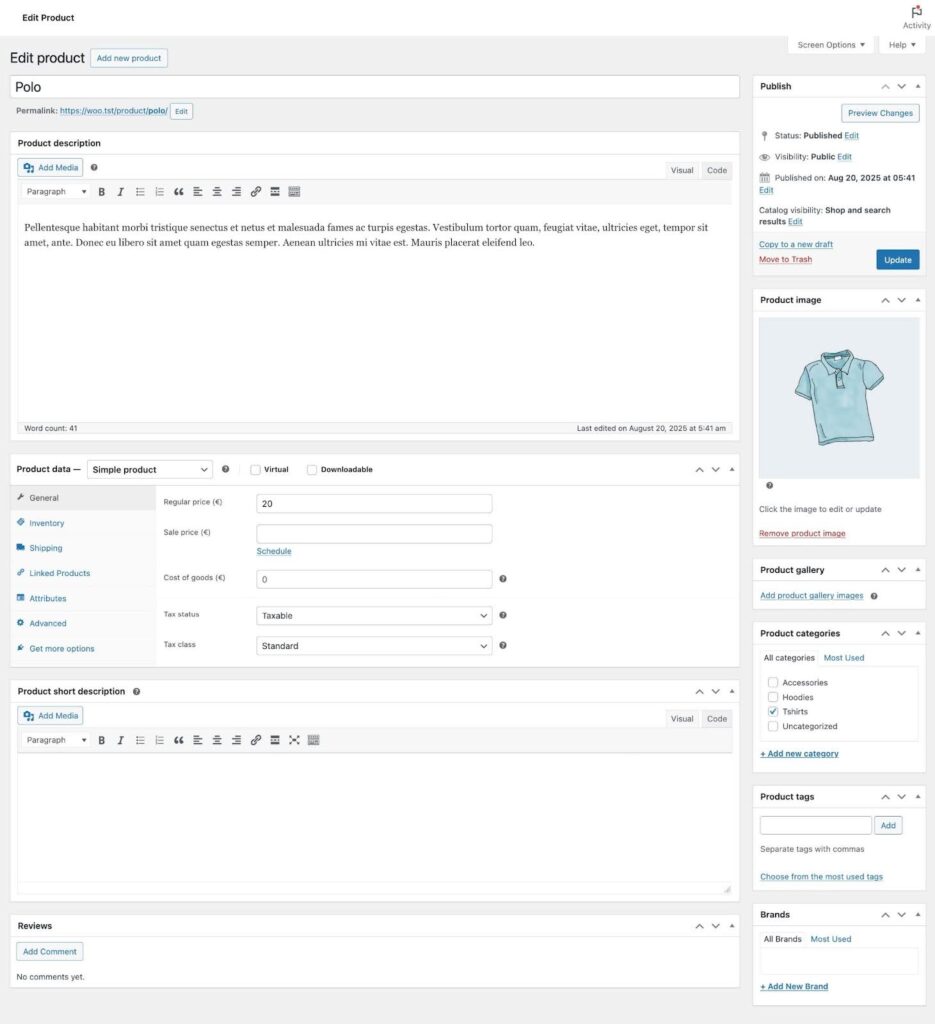
- Sell virtually anything: The core plugin supports physical products, digital downloads, memberships, subscriptions, and bookings with extensions. Advanced product types and SKU management are built into the WooCommerce ecosystem, making it suitable for diverse business models.
- Massive ecosystem of extensions, themes, and integrations: Thousands of free and premium plugins are available for marketing, SEO, payments, shipping carriers, analytics, and more. This extensibility means WooCommerce can scale with your business as needs evolve.
- Full control over SEO and content: Built on WordPress, WooCommerce inherits best-in-class SEO capabilities and content tools. You can enhance search visibility with advanced SEO plugins, rich blogging, and granular URL/meta control.
- Robust developer and API environment: With REST and Store APIs plus ongoing innovation around AI-friendly protocols (such as the emerging Agentic Commerce and MCP initiative), WooCommerce is positioning itself to integrate with advanced tools and future commerce workflows.
- Large global install base and community: WooCommerce powers millions of stores worldwide and benefits from one of the largest ecommerce communities, meaning more shared knowledge, support resources, and third-party solutions.
What makes WooCommerce stand out: WooCommerce offers unmatched customization control through its open-source foundation on WordPress.

Adobe Commerce: Best for enterprise and global commerce
Overall Reviewer Score:
3.93/5
Pricing and payments
4.11/5
Site builder and maintenance features
5/5
Support and reliability
3.5/5
Sales and product features
4.25/5
User experience
2.5/5
Average user scores
4.20/5
What are the perks of using Adobe Commerce?
- Enterprise-grade customization and API flexibility.
- Advanced B2B features and global commerce capabilities.
- Strong infrastructure support for large catalogs and international operations.
What are the downsides of using Adobe Commerce?
- Requires development resources for implementation and maintenance.
- Higher total cost of ownership compared to SaaS platforms.
- Longer implementation timelines.
Why I picked Adobe Commerce
Adobe Commerce is an enterprise ecommerce platform built for large-scale, highly customized online stores. It is designed for global brands, B2B operations, and businesses with complex catalog and infrastructure needs.
I chose Adobe Commerce as the strongest enterprise-level ecommerce platform in this guide. Adobe Commerce offers far greater backend customization and workflow control. It provides enterprise scalability with dedicated commerce architecture rather than relying solely on plugins.
What makes Adobe Commerce different is its flexibility. It supports multi-store, multi-language, and multi-currency environments from a single backend. It includes advanced pricing rules, customer segmentation, custom catalogs, and quote workflows. With Adobe Sensei powering AI-driven personalization and product recommendations, it also competes strongly in enterprise AI adoption.
My Adobe Commerce evaluation notes
Because Adobe Commerce requires hosting, infrastructure configuration, and often a development team, I did not build a full demo store as I did with SaaS platforms. My evaluation is based on platform documentation, feature analysis, enterprise use cases, and comparisons against other ecommerce systems I have tested.
Who should use Adobe Commerce
- Enterprise brands
- High-SKU and high-traffic stores
- Global ecommerce businesses
- B2B and wholesale companies
- Organizations with dedicated development teams
When Adobe Commerce may not be the best fit
Adobe Commerce may not be the best fit for small businesses that need an easy, low-cost ecommerce platform. It is built for enterprise sellers with developer resources, custom workflows, and the budget to manage a more technical ecommerce setup.
Adobe Commerce does not publish standard pricing, as costs are quote-based and depend on gross merchandise value (GMV), infrastructure requirements, and business complexity. In practice, total annual costs for enterprise licensing, cloud hosting, and professional implementation services often range from approximately $20,000 to $200,000 or more per year, depending on scale and customization needs.
Adobe Commerce is enterprise-focused and requires implementation support, hosting, and ongoing maintenance. Pricing varies widely based on scale, customization, and SLA.
Adobe Commerce stands out as a true enterprise ecommerce platform built for global brands, complex catalogs, and advanced B2B workflows. Its headless-ready architecture, deep customization capabilities, and AI-driven personalization tools make it one of the most powerful, but also most resource-intensive, ecommerce platforms available.
- Fully customizable open-source foundation: Adobe Commerce (built on Magento) offers near-unlimited design and functionality flexibility. Businesses can customize frontend experiences, backend workflows, checkout logic, and integrations without the structural constraints typical of SaaS platforms.
- Enterprise-grade architecture for complex catalogs: Designed to support high-SKU, high-traffic ecommerce environments, Adobe Commerce handles large product catalogs, configurable products, layered navigation, and advanced attribute management at scale.
- Advanced B2B commerce capabilities: Includes native support for company accounts, bulk pricing, custom catalogs, quote workflows, approval processes, and negotiated pricing structures — making it well suited for wholesale and hybrid B2B/B2C operations.
- Headless and API-first architecture: Adobe Commerce supports headless commerce implementations through robust REST and GraphQL APIs, allowing brands to decouple frontend presentation from backend commerce infrastructure.
- Multi-store, multi-language, multi-currency support: Manage multiple branded storefronts, regional sites, and global currencies from a single backend environment — a core strength for international commerce.
- AI-powered personalization through Adobe Sensei: Adobe Sensei drives intelligent product recommendations, merchandising automation, and personalized shopping experiences based on customer behavior.
- Extensive extension marketplace: Thousands of third-party extensions and integrations support advanced marketing, ERP, CRM, shipping, payments, and analytics functionality.
- Deep enterprise integrations: Strong compatibility with major ERP, CRM, PIM, and marketing automation systems for complex enterprise workflows.

Shift4Shop: Best value for built-in ecommerce tools
Overall Reviewer Score:
3.87/5
Pricing and payments
4.29/5
Site builder and maintenance features
3.88/5
Support and reliability
3.5/5
Sales and product features
3.75/5
User experience
3.75/5
Average user scores
4.03/5
What are the perks of using Shift4Shop?
- Built-in ecommerce features reduce dependency on external apps.
- Native integration with Shift4 payment ecosystem.
- Suitable for merchants looking for an alternative to mainstream SaaS platforms.
What are the downsides of using Adobe Commerce?
- Interface feels dated compared to modern competitors.
- Limited design flexibility.
- Smaller ecosystem and community support.
Why I picked Shift4Shop
Shift4Shop is a feature-rich ecommerce platform that combines hosting, store management, and payment processing under one system. It is particularly notable for offering a full-featured free plan for US merchants using Shift4 Payments.
I chose Shift4Shop as a strong value-driven alternative for cost-conscious businesses. Compared to Shopify, Shift4Shop includes more native features without requiring as many paid apps. Compared to Wix or GoDaddy, it offers deeper ecommerce functionality, especially for product configuration and promotions.
The addition of Affirm Buy Now, Pay Later and the upgraded Klaviyo integration in 2025 strengthen its conversion and marketing capabilities. While it does not offer native AI tools, it compensates with strong built-in commerce functionality. Shift4Shop is less polished visually than Shopify, but it delivers serious ecommerce depth at a lower entry cost.
My Shift4Shop evaluation notes
I evaluated Shift4Shop based on feature testing within the admin environment, product documentation, pricing structure, and comparison against other SaaS ecommerce platforms I built demo stores on.
Who should use Shift4Shop
- Budget-conscious small businesses
- US merchants using Shift4 Payments
- Ecommerce stores that want advanced product configuration without enterprise pricing
When Shift4Shop may not be the best fit
Shift4Shop may not be the best fit if you want full flexibility in payment processing or a more modern beginner-friendly store builder. Its value is strongest for sellers comfortable using Shift4 Payments and working within its platform structure.
- $0 for End-to-End: Includes all features with unlimited products and users; requires using Shift4 Payments with a processing fee of 2.9% + 30 cents per transaction; limited to US merchants.
- $29 per month for Basic: Two users, up to $100,000 in annual sales, core ecommerce tools.
- $79 per month for Plus: Up to $250,000 in annual sales and additional marketing tools.
- $229 per month for Pro: Up to $1,000,000 annual sales and broader storefront functionality.
Shift4Shop plans include hosting, unlimited bandwidth, SSL security, themes, and social selling integration. Transaction fees depend on Shift4 Payments if using the End-to-End plan.
- Free full-featured plan (with Shift4 Payments): One of the few ecommerce platforms that offers a feature-complete plan at $0 for US merchants using Shift4 Payments, including unlimited products, bandwidth, and core ecommerce tools.
- Built-in multichannel selling: Native integrations for Facebook, Instagram, Google Shopping, and eBay allow merchants to sync products, inventory, and orders without heavy reliance on third-party middleware.
- Advanced product configuration tools: Supports unlimited products, variants, and categories, along with dynamic pricing rules, advanced product options, digital downloads, recurring orders, gift registries, waitlists, and back-in-stock alerts.
- Robust built-in marketing engine: Includes abandoned cart recovery, email marketing, loyalty rewards programs, affiliate tracking, coupon creation, and promotional tools without requiring extensive add-ons.
- Strong SEO toolset: Custom URLs, dynamic meta tags, XML sitemaps, schema markup, Google AMP support, and mobile optimization help merchants improve search visibility.
- Performance and infrastructure included: PCI-compliant hosting, free SSL certificate, daily backups, unlimited bandwidth, and CDN integration are included across plans.
What makes Shift4Shop stand out: Shift4Shop offers a free full-featured plan for US merchants using Shift4 Payments.
How to choose the right ecommerce platform for your business
The best ecommerce platform depends on your business size, growth plans, and technical resources. Small businesses should prioritize ease of use and built-in sales tools, while growing and enterprise brands should focus on scalability, automation, and customization flexibility.
Choosing from the best ecommerce platforms is not about picking the most popular name. It is about selecting software that supports your revenue model, sales channels, and long-term growth without forcing an early migration.
What is an ecommerce platform?
An ecommerce platform is software that allows businesses to build, manage, and scale an online store. It handles product listings, checkout, payments, inventory management, customer data, and order processing. Examples include Shopify, BigCommerce, Adobe Commerce (Magento), WooCommerce, Wix ecommerce, and Square Online.
Step 1: Define your business stage before choosing an ecommerce platform
Your growth stage should guide your decision.
- If you are a small business: Look for intuitive dashboards, built-in sales tools, and minimal technical setup. The best ecommerce platforms for small businesses reduce complexity and speed up launch.
- If you are scaling: Evaluate automation, advanced reporting, multichannel selling, and flexible integrations. In my testing, scaling brands often outgrow basic builders once catalog size or sales volume increases.
- If you are enterprise: Focus on infrastructure, API access, headless ecommerce capabilities, and global selling tools. This is where Adobe Commerce or headless setups become relevant.
Step 2: Compare essential selling capabilities
Before you compare ecommerce platforms, evaluate how they support revenue generation. Platforms that rely heavily on paid apps for basic sales workflows often increase long-term costs and make day-to-day management harder. Look closely at the following:
- Multichannel selling: Can you sell on social media, marketplaces, and in-store POS from one dashboard?
- Product management: Does the platform support unlimited SKUs, variants, digital products, and bundles?
- Checkout tools: Are abandoned cart recovery and one-click checkout included?
- Built-in marketing: Does it include discounts, segmentation, email marketing, or product recommendations?
Related: Checkout Optimization: 15 Fixes to Reduce Cart Abandonment
Step 3: Evaluate builder flexibility and customization
For most small businesses, the website builder determines how quickly you can launch and how easily you can update your store without hiring a developer.
Start by asking:
- Is the builder truly drag-and-drop, or does it require coding?
- Can I customize layouts, product pages, and branding myself?
- Are important features built in, or will I need paid apps?
- Can checkout be customized if my business grows?
If you’re a small business, prioritize platforms that let you build and manage your store without technical expertise. In my testing, drag-and-drop builders reduce launch time and make day-to-day updates much easier.
For growing and enterprise businesses, customization depth becomes more important. When comparing Shopify, WooCommerce, and Adobe Commerce, the key difference is how much control you have over code and infrastructure. SaaS platforms like Shopify reduce technical maintenance, while open-source or headless ecommerce setups offer deeper frontend control for companies with development resources.
The right balance depends on whether you value simplicity today or maximum control long term.
Step 4: Assess scalability and performance
The best ecommerce platforms for 2026 must support growth without slowing down operations or customer experience.
Evaluate whether the platform can handle:
- Traffic spikes during promotions or seasonal peaks
- Large product catalogs with thousands of SKUs and variants
- International expansion, including multi-currency and multi-store setups
- ERP, CRM, and fulfillment integrations
As revenue grows, infrastructure reliability becomes more important. A platform that works well at 100 orders per month may struggle at 10,000. Before committing, consider how easily the system can scale without requiring a full rebuild or disruptive migration.
Step 5: Review payment flexibility and checkout tools
Today’s shoppers expect fast, mobile-first checkout with minimal friction. If customers cannot use their preferred payment method or complete a purchase in seconds, they may abandon their cart. In my experience testing ecommerce platforms, checkout flexibility often has a bigger impact on conversion than design alone.
When choosing an ecommerce platform, evaluate the following:
- Mobile wallet support: Look for built-in support for Apple Pay, Google Pay, and other digital wallets. Mobile wallets speed up checkout and are especially important for mobile traffic, which now represents a significant share of ecommerce sales.
- Buy now, pay later (BNPL) options: BNPL providers such as Shop Pay Installments, Afterpay, Klarna, or Affirm can increase average order value. Small businesses benefit from offering installment payments without managing credit risk directly.
- Processor flexibility: Determine whether the platform requires you to use its native payment processor or allows third-party integrations such as Stripe or PayPal. Processor flexibility can affect fees, international payments, and payout timing.
- Transaction fees: Some ecommerce platforms charge additional fees if you use an external payment provider. These fees can add up as sales volume increases, so review them carefully before committing.
- One-click checkout: Features like Shop Pay or stored payment credentials reduce friction for repeat customers. Faster checkout typically improves conversion rates, especially for returning buyers.
For small businesses, flexible and streamlined checkout tools help increase conversions without requiring custom development. For enterprise brands, processor choice, international payment support, and advanced checkout customization become more critical as scale and global reach expand.
Related: Ecommerce Payment Processing: The Complete Guide
Step 6: Calculate total cost of ownership
The monthly subscription price is only part of what it costs to run an ecommerce store. The real answer to “how much does it cost to run an ecommerce store?” depends on your tools, integrations, and growth plans.
Ecommerce platform pricing comparison (as of PUB DATE, 2026)
| Platform | Starting price (per month) | Transaction fees | App/Add-on costs | Hosting included? |
| Shopify | $5 for social selling; $39 for standalone online store | Yes (unless using Shopify Payments) | Likely | Yes |
| BigCommerce | $39 | No | Sometimes | Yes |
| Square Online | Free | No | Sometimes | Yes |
| Wix | $29 | No | Sometimes | Yes |
| Squarespace | $25 | Yes | Sometimes | Yes |
| Ecwid by Lightspeed | $5 | No | Sometimes | Yes |
| GoDaddy | $20.99 (annual billing) | No | Sometimes | Yes |
| WooCommerce | Free | No | Likely | No |
| Adobe Commerce | Custom | No | Yes | No |
| Shift4Shop | Free | No | Sometimes | Yes |
When comparing the best ecommerce platforms, I look beyond entry-level pricing and calculate total cost of ownership over time. A platform that looks affordable upfront can become expensive once you add apps, transaction fees, and operational tools.
Evaluate the following:
- Monthly subscription: Entry plans for small businesses typically range from $20 to $50 per month, while advanced and enterprise plans can exceed several hundred dollars. Make sure the plan includes the features you actually need, not just basic storefront access.
- App and extension costs: Many platforms rely on third-party apps for email marketing, subscriptions, advanced reporting, or automation. Individual apps may cost $10 to $100 per month each, and those costs compound quickly.
- Transaction fees: Some ecommerce platforms charge additional fees if you use an external payment processor. As sales volume increases, even a small percentage difference can significantly impact margins.
- Developer support: Drag-and-drop platforms reduce the need for developers, but advanced customization, integrations, or headless setups may require ongoing technical support. This is especially relevant for mid-market and enterprise businesses.
- Marketing software: Email marketing tools, SMS platforms, personalization engines, and paid advertising integrations may not be fully included in base plans. Budget for these if customer acquisition is a priority.
- Infrastructure and hosting: SaaS platforms bundle hosting and security into the subscription. Open-source platforms such as WooCommerce or OpenCart may require separate hosting, security management, and performance optimization.
For small businesses, choosing a platform with more built-in functionality can reduce ongoing software costs. For growing and enterprise brands, investing in scalable infrastructure and automation early may prevent expensive migrations later.
The cheapest ecommerce platform is rarely the most cost-effective long term. Focus on value, scalability, and operational efficiency rather than headline pricing alone.
Step 7: Test before committing
If a platform offers a free trial, use it. Add products. Configure shipping. Test checkout. Explore the backend. When I evaluate the best ecommerce platforms, hands-on testing consistently reveals usability differences that product pages do not.
Best ecommerce platform by business type
| Business type | What to prioritize | Ideal or suggested ecommerce platform |
| Small business | Ease of use, built-in marketing, fast setup | SaaS platforms like Shopify or Wix ecommerce |
| Growing brand | Automation, multichannel selling, flexible integrations | Shopify, BigCommerce |
| Enterprise | API access, headless capability, advanced customization | Adobe Commerce, headless setups |
| Physical retailer | POS integration, unified inventory | Shopify POS, Square Online |
| Creator or visual brand | Polished templates and easy content-led selling | Squarespace |
| WordPress business | Most control for WordPress-based stores | WooCommerce |
| Enterprise seller | Deep customization, global commerce, and custom workflows | Adobe Commerce |
| Existing website owner | Lets you add ecommerce without rebuilding the site | Ecwid by Lightspeed |
| Beginner launching quickly | Fastest setup for a basic online store | GoDaddy |
Key features to look for in the best ecommerce platforms
The best ecommerce platforms include a flexible site builder, secure checkout, strong product management, built-in marketing tools, multichannel selling, automation features, and scalable infrastructure. These capabilities determine how easily you can launch, manage, and grow your online store.
If you are comparing the best ecommerce platforms for small business or enterprise use, focus on features that directly impact revenue, operational efficiency, and long-term scalability. In my experience, the strongest platforms reduce reliance on paid apps by including essential selling and automation tools natively.
Below are the most important features to prioritize in 2026.
- User-friendly site builder: The platform should offer drag-and-drop editing or intuitive customization tools so you can design and update your storefront without needing a developer.
- Mobile-optimized storefront: Your store must load quickly and function seamlessly on smartphones and tablets, as mobile traffic represents a large portion of ecommerce sales.
- Secure and flexible checkout: Look for built-in SSL security, PCI compliance, mobile wallet support, and one-click checkout options to reduce friction and improve conversion rates.
- Robust product management tools: The platform should support bulk uploads, product variants, digital products, SKU management, and real-time inventory tracking to simplify catalog management.
- Multichannel selling capabilities: The best ecommerce platforms allow you to sell across social media, online marketplaces, and in-store POS systems from one dashboard.
- Built-in marketing tools: Native features like discount codes, customer segmentation, email marketing, abandoned cart recovery, and product recommendations reduce reliance on third-party apps.
- AI and automation tools: Modern ecommerce platforms increasingly include AI-generated product descriptions, automated workflows, and smart recommendations that help save time and increase sales.
- Order and fulfillment management: Look for integrated shipping tools, carrier rate calculations, label printing, and return management to streamline post-purchase operations.
- SEO and performance optimization: SEO-friendly URLs, customizable metadata, fast page speeds, and built-in analytics help increase organic traffic and monitor performance.
- Scalable infrastructure: As revenue grows, your platform should handle traffic spikes, large product catalogs, international selling, and ERP or CRM integrations without performance issues.
Ecommerce platform feature comparison
The table below shows how leading ecommerce platforms compare across the most important feature areas tied to this evaluation.
| Platform | Website builder | Multichannel selling | Marketing Tools | Scalability |
| Shopify | Drag-and-drop | Strong | Strong native | High |
| BigCommerce | Advanced themes | Strong | Strong native | High |
| Square Online | Basic drag-and-drop | Strong (retail-focused) | Basic | Moderate |
| Wix | Drag-and-drop | Social + apps | Moderate | Moderate |
| Squarespace | Drag-and-drop | Social selling | Moderate | Moderate |
| Ecwid by Lightspeed | Embedded builder | Strong | Basic | Moderate |
| GoDaddy | Simplified builder | Basic | Basic | Low–moderate |
| WooCommerce | Code-flexible | Strong via plugins | Plugin-based | High (hosting dependent) |
| Adobe Commerce | Fully customizable | Enterprise-level | Advanced | Very high |
| Shift4Shop | Basic builder | Moderate | Moderate | Moderate |
How to use this comparison
- Small businesses should prioritize ease of use, built-in marketing tools, and minimal technical setup.
- Growing brands should focus on automation, multichannel integration, and flexible customization.
- Enterprise organizations should evaluate API access, infrastructure control, and headless capabilities.
Frequently asked questions (FAQs)