Internal communication tools are essential for workplace engagement and creating a positive environment. My top picks are Slack, Connecteam, Google Workspace, Staffbase, Chanty, and Workshop.
Internal communication tools are essential for keeping teams connected, aligned, and productive, especially in remote and hybrid work environments.
The right platform goes beyond chat; it combines real-time messaging and file sharing with a searchable knowledge base and engagement features.
The stakes are high. A 2025 Gallup study found that 29% of employees say they lack clear or consistent communication, which may be why only 47% strongly agree they know what is expected of them at work. And that’s why the best tools for internal communication don’t just facilitate conversation — they organize it, track engagement, and adapt to how your team works.
To find the top platforms, I tested and researched eight options. Then, I narrowed it down to the six best internal business communication tools.
- Slack is best overall employee communications platform
- Connecteam is best for creating an employee knowledge base
- Google Workspace is best for collaboration tools
- Staffbase is best for setting up a fully branded intranet
- Chanty is best for integrated task management
- Workshop is best for email-first internal messaging

- Create on-brand employee emails in minutes with drag-and-drop editor and templates.
- Reach all teams instantly with two-way SMS and cross-post to Slack, Teams, SharePoint.
- Segment audiences, schedule by timezone, and track analytics across campaigns.
Top internal communication tools
Product
Overall Score
Best for
Free plan
Starting price
Slack
3.73
Best overall
✓
$8.75 per user monthly

Connecteam
3.30
Creating an employee knowledge base
Limited to 10 employees
$35 per month for first 30 users + 6¢ per additional user monthly

Google Workspace
3.29
Collaboration tools
✕
$7.56 per user monthly
Staffbase
3.07
Setting up a branded intranet
✕
Call for a quote.
Chanty
3.02
Integrated task management
Limited to 5 employees
$4 per user monthly

Workshop
3.01
Email-first internal messaging
✕
$250 per month for 250 employees
Note that most of the platforms on my list are primarily for internal employee communications. If you’re looking for a system that can handle collaboration with external stakeholders and clients, check out our communications software guide.
Also read:Top 10 Communication Tech Trends in 2025 to Power Your Business
Aug. 24, 2025: Robie Ann Ferrer
Jan. 13, 2025:Marta Gomez-Taylor tested the software mentioned in this guide and provided her expert scores. She used her hands-on research to provide expert analysis and recommendations.
To evaluate the best internal communication tools, I collaborated with Irene Casucian, one of our expert research analysts, who conducted preliminary research and provided scores for each product’s objective data points. We used a 45-point rubric to review and compare eight options:
- Slack
- Google Workspace
- Connecteam
- Staffbase
- WorkVivo
- Chanty
- Axero
- Workshop
I also added my expert rating to each criterion, where I considered the effectiveness of that area or feature. I drew from my own experience in an organizational setting and my extensive research into how companies collaborate to determine which internal communication platforms make the most sense for diverse work environments. Then, I narrowed down the list to my top six recommendations.
Below is the breakdown of the evaluation criteria.
Employee communication: 25%
The biggest question driving my research into communication platforms is, “How well does it actually facilitate everyday communication?” When I was comparing these tools, I thought about features like real-time chat, audio and video message capabilities, video conferencing functions, and extras like surveys and polls. I also considered whether the software offers an intuitively designed mobile app and how well it integrates with other well-known platforms for collaboration. I also evaluated every platform’s ability to archive conversations, looking into how long they store data for free and paid users.
Intranet: 20%
A front door intranet function makes accessing critical company assets and resources easier, so employees don’t have to sift through old chat threads to find what they need. This can look different from platform to platform, but here, I considered how easy it is to create a centralized knowledge hub that’s easy to update and only a few clicks away from real-time chat functions.
Platform and interface: 15%
While these tools are designed to make work easier, they can also hinder the employee experience due to the overwhelming amount of messages team members receive. That’s why I weighted navigability and ease of use so heavily, considering whether employees have access to message history and the ability to organize and customize the UI from their side.
Pricing: 15%
When it comes to pricing, I looked into whether the tools offer free plans, free trials, transparent pricing, and discounts for non-profits or educational organizations. For the higher-priced options on this list, I considered how many extra features users can get with a paid plan and whether the platform offers discounts for bundling products.
Support: 15%
Because employees are likely using communication tools more than they are other business software, it’s important they have access to plenty of resources and support for troubleshooting. Along these lines, I considered whether the platform offered help desk resources and articles for answering common queries. I also investigated whether they offer 24-hour support via chat box, email, or phone.
Reporting and analytics:10%
Communication data can give company leaders a lot of insight into how engaged team members feel at work, yet communication analytics are often overlooked in the software purchasing process. That’s why I gave extra consideration to platforms that let you track how much employees interact with the content company leaders share. Although not all the options on this list offer this feature, many of them make up for this by letting you share pulse surveys directly in the team chat.
The best internal communication tools
Slack: Best overall internal communication software
Overall Score
3.73/5
Employee communication
4.88/5
Intranet
3.10/5
Platform/interface
3.90/5
Pricing
4.13/5
Support
2.85/5
Reporting and analytics
2.63/5
Pros
- Easily navigable interface and in-product tutorials to acquaint users with Slack’s many functions
- A user-friendly mobile app that keeps teams connected when they’re away from their desks.
- Share files, send audio messages, and set up one-on-one meetings or “huddles.”
- Integrates with over 2,600 apps to make communication between platforms easier
Cons
- No company branding options means employees might get lost when switching between internal and external Slack channels.
- No intranet features
- Support is only available via chat, not phone
- Push notifications limited to DMs, mentions, and specific keywords
Why I like it
In my evaluation of internal business communication tools, Slack stood out for its ability to keep conversations organized and searchable. It scored the highest in the employee communication criterion thanks to features like threaded discussions, channel-based organization, and built-in polls for quick feedback.
Compared to Google Workspace, Slack offers more customization for organizing conversations. Its integration library is also far larger than Connecteam’s and Chanty’s. And since Salesforce acquired this internal messaging company in 2021, connecting the two platforms has become simpler. You can easily search and share Salesforce customer records, such as contacts, leads, accounts, and opportunities, directly within Slack.
If you value flexibility and speed, Slack’s combination of real-time messaging and easy search makes it one of the best internal communication tools available.
Heads up
Platforms like Slack can make the work experience overwhelming if employees constantly receive messages and notifications while trying to get into a “flow state” and push major projects over the line. For that reason, I recommend encouraging employees to keep their profiles updated with working hours and letting everyone know when they might not be readily available for a chat.
Slack is a platform that facilitates real-time communication and integrates with thousands of tools you already use for work. That means, for instance, that you can connect Slack with your favorite HR platform, so even when you’re logged out, Slack will notify you when your time off request was approved or when it’s time to complete your part in a 360-degree review.
What makes Slack unique is that you can use it to create dedicated company channels for specific topics and discussions, and you can configure those settings so only specific employees can see them. You can also send group messages, conduct polls and surveys, share files, and even arrange team meetings called “huddles.”
Channels
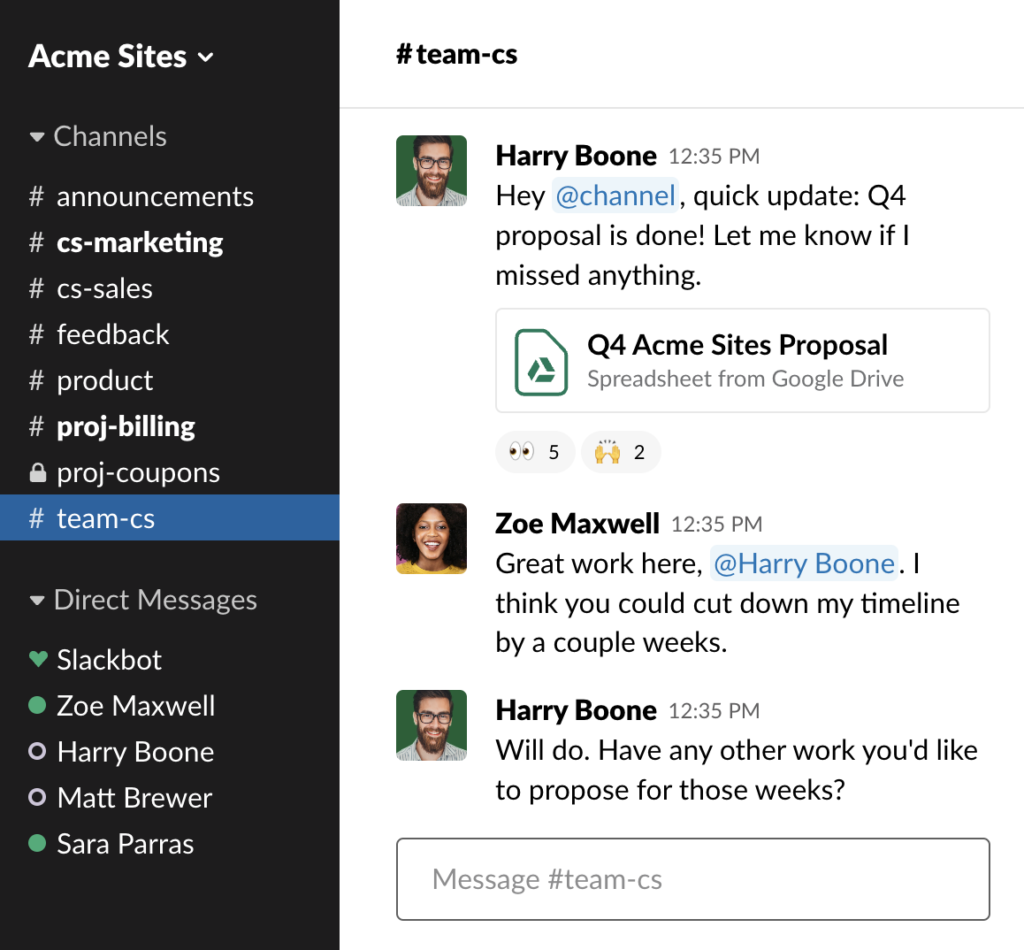
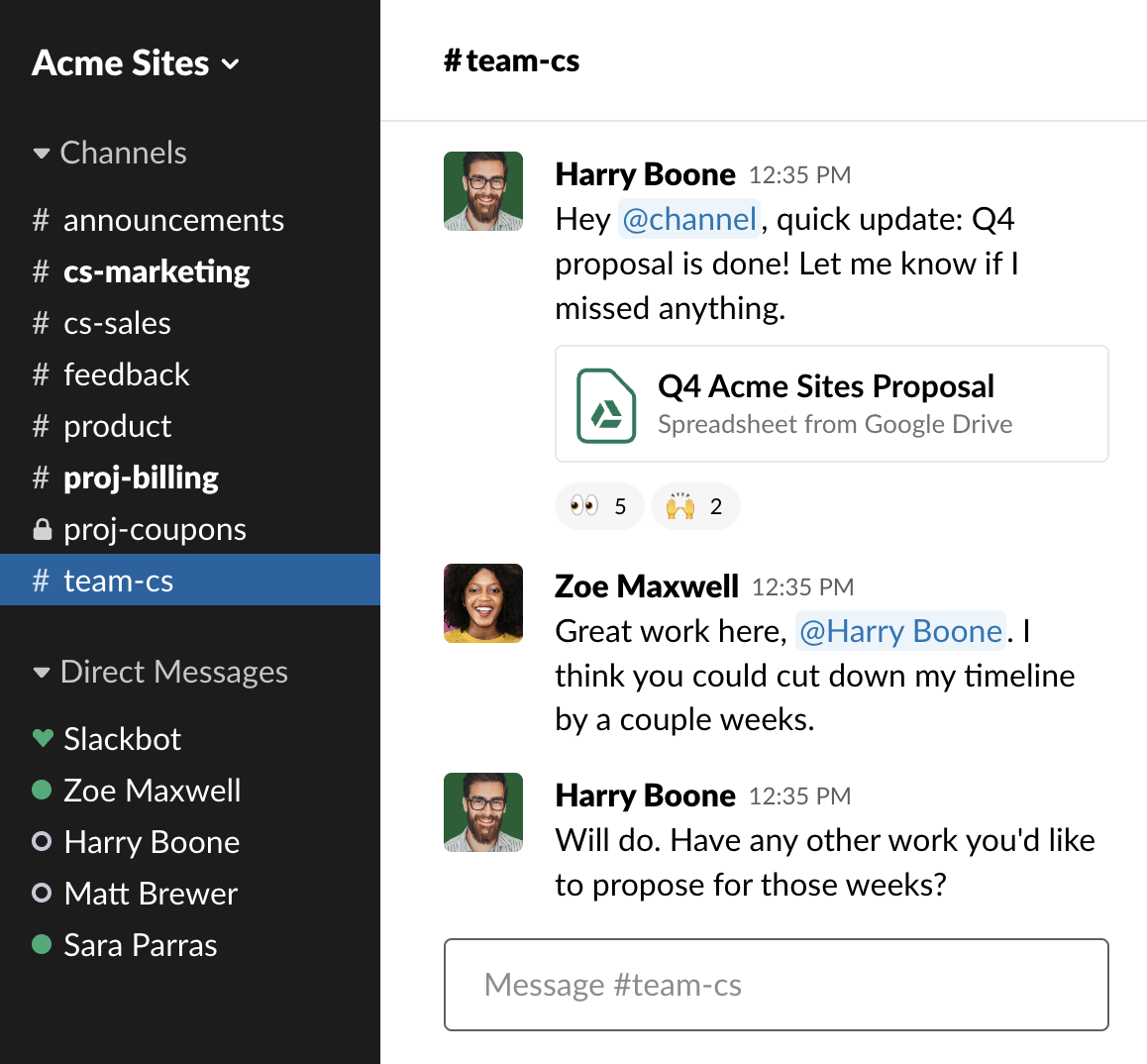
Slack lets you create dedicated channels for specific teams, projects, and recurring conversations within your organization. For example, your engineering team can create a temporary channel for discussing updates to features, or your HR team can create a #wins channel where you shout out team member successes.
This feature isn’t just for internal teams, either. With Slack Connect, you can create channels for communicating and sharing files with external partners, vendors, and agencies rather than emailing back and forth. Unlike Chanty, which also offers channels but with fewer customization options, Slack supports large-scale organizations with channel naming conventions, custom emojis, and workflow automation.
Messaging
What makes Slack great for scaling organizations is that you can send a group message to an entire channel or privately DM one or more users outside of public channel conversations. You can also quickly upload and share documents to get feedback, send recorded voice notes, and instantly set up team huddles.
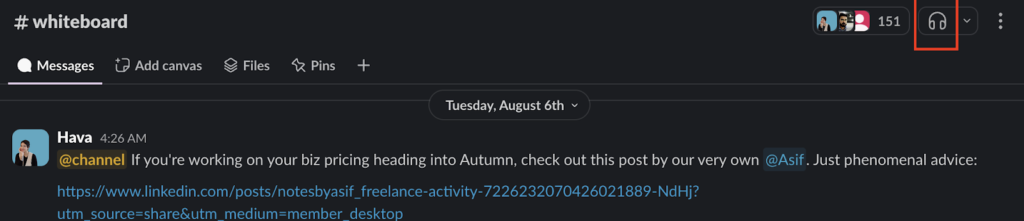
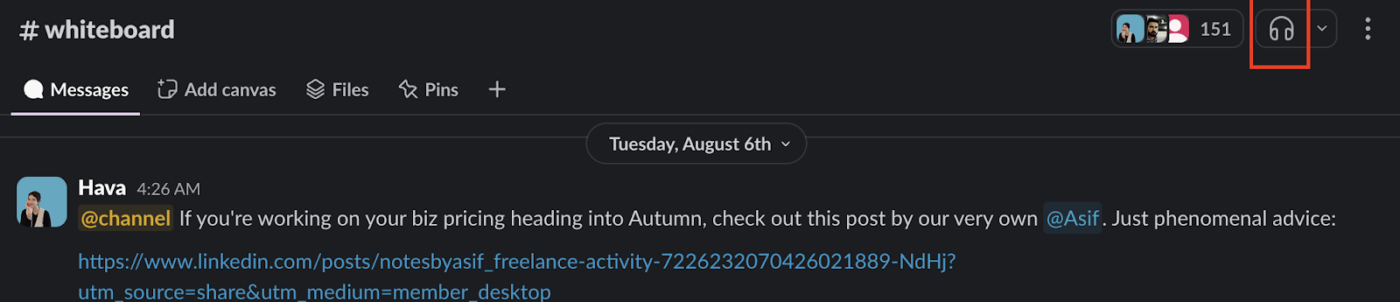
I also find Slack huddles faster and less disruptive than using Google Meet or Zoom. There’s no need to set up a meeting link in third-party software. Just click on the huddle icon in the top right-hand corner of any Slack channel or group message to start a meeting, and wait for team members to join.
Workflow builder
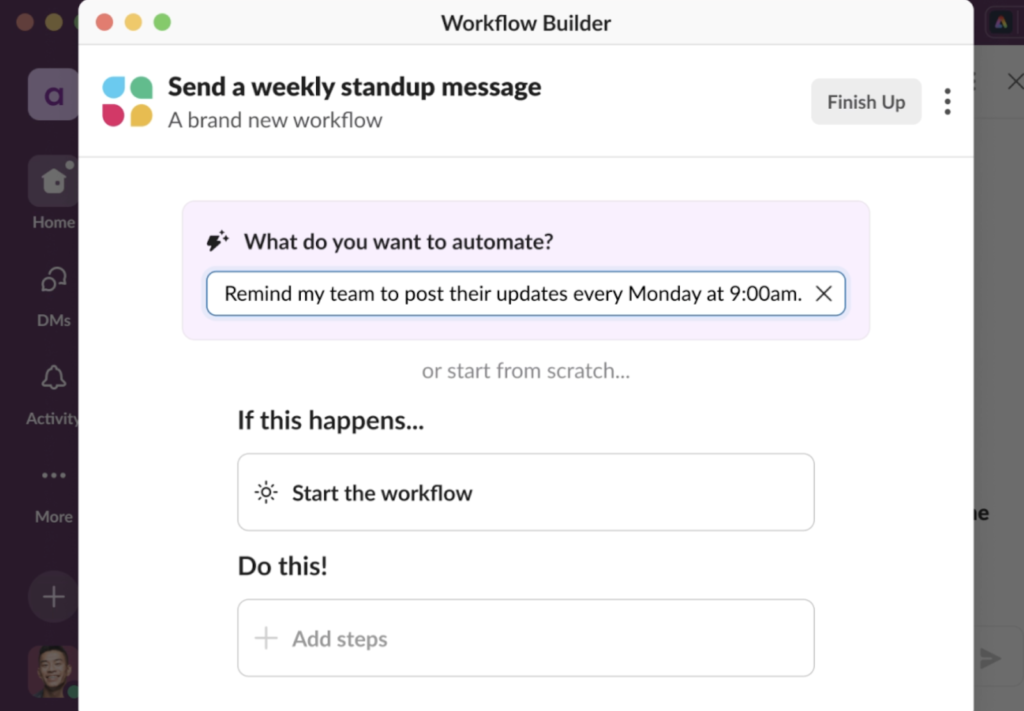
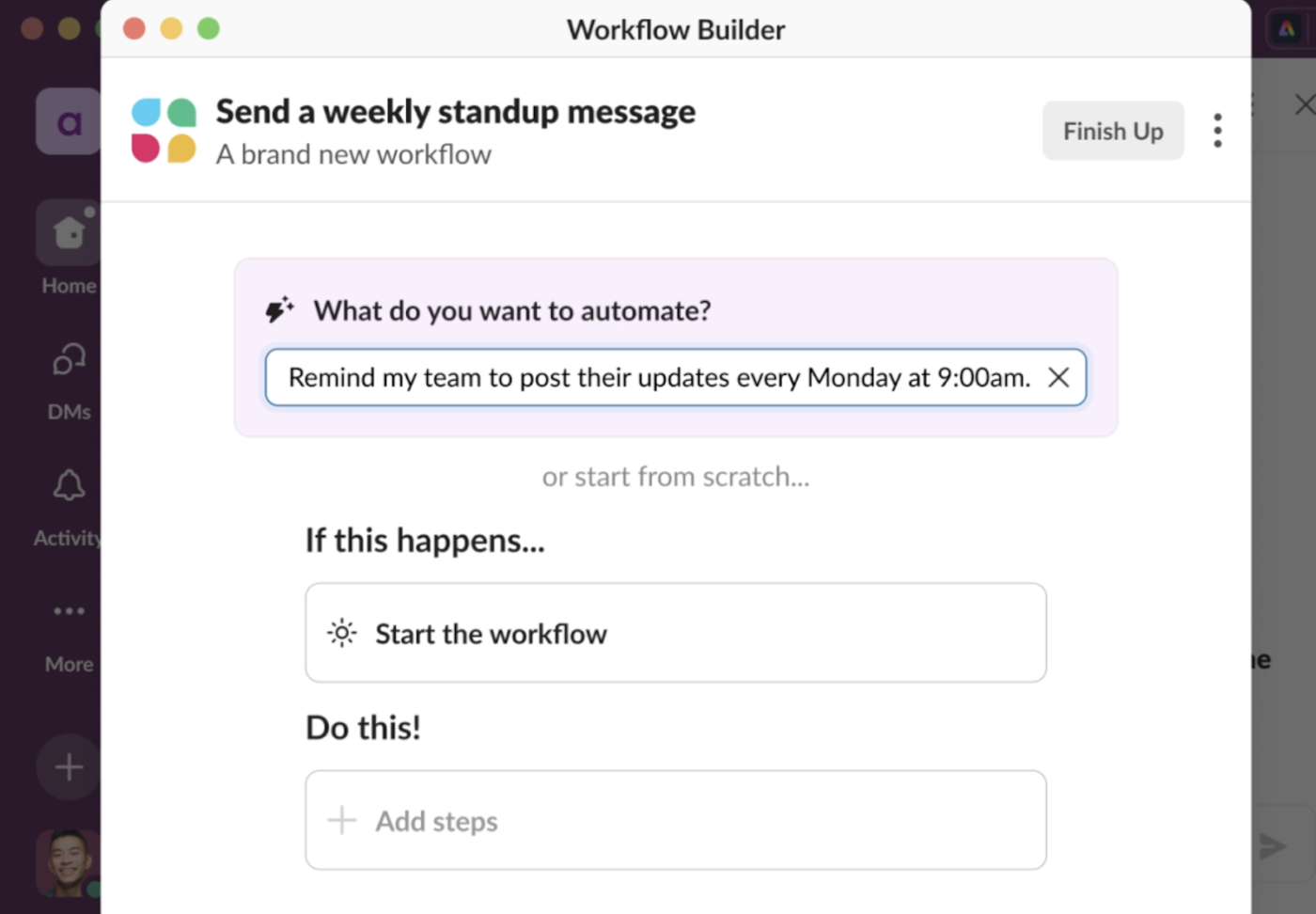
One often overlooked yet handy feature of Slack is its workflow builder. Let’s say you need to send a standup meeting reminder every Monday at 9:00 am. You can set up a workflow in Slack to message the team for you. You can also connect it with tools like Zoom, Google Workspace, or Asana to set up meetings or projects directly within Slack, saving team members from having to toggle between apps.
You can also create custom automation by connecting external code to Slack’s API, making Slack one of the best communication platforms in terms of its flexibility.
Search tools and Slack AI
Slack’s search function allows you to filter by message type, user, date, and channel. On paid plans, Slack AI summaries provide daily recaps of channel activity, and you can even ask its AI tool questions that start with “what” or “how.” This can save busy teams hours of scrolling when they need quick updates on what happened while they were away.
With a Slack free plan, users get access to 90 days of message history, integrate up to 10 apps, have one-on-one external messages, and hold one-on-one meetings only. That’s quite limited compared to Slack’s paid plans, which offer the following features:
- Slack Pro: Lets you build unlimited workflows, access unlimited message history and unlimited app integrations, use basic AI tools, and set up group meetings for $8.75 per user per month.
- Slack Business+: Offers everything in Pro plus advanced AI tools, and lets you set up SAML-based single sign-on through an identity provider like Microsoft Azure or OneLogin for $18 per user per month.
- Slack Enterprise+: In addition to Business+ features, you also get support for data-loss prevention and can protect private health information with HIPAA-compliant configurations. It also offers a built-in employee directory at a custom rate.
While I’m happy Slack offers transparent pricing for its Pro and Business+ plans, I suggest you take extra care when comparing Slack packages against other platforms. If you’re not planning on using the free plan, know that Slack is one of the more expensive options on this list, making it less suitable for small to midsize companies working under budgetary constraints.
Want to see how Slack compares with similar collaboration tools? Check out these guides:
Connecteam: Best for creating an employee knowledge base
Overall Score
3.30/5
Employee communication
3.19/5
Intranet
3.73/5
Platform/interface
3.45/5
Pricing
4.31/5
Support
3.65/5
Reporting and analytics
0.44/5
Pros
- Lets you create a central source of truth for sharing internal knowledge, announcements, and employee data storage
- Offers plenty of in-product tutorials and demo videos for easy navigation
- Combines chat, scheduling, time tracking, and training in one platform
- Has affordable pricing for small to mid-sized teams
Cons
- No internal communication report features
- You can’t send a voice chat or set up a video meeting directly within the platform
- The chat feature doesn’t connect with external apps
- No phone support available
Why I like it
There’s a reason why Connecteam scored higher than other options on this list in the “intranet” category: Connecteam is ideal for organizations that need to create a centralized place for information sharing and collaboration. You can return to conversations archived in its chat feature or head directly to the Connecteam knowledge base dashboard to get the latest company announcements and refresh your training on current processes and ways of working.
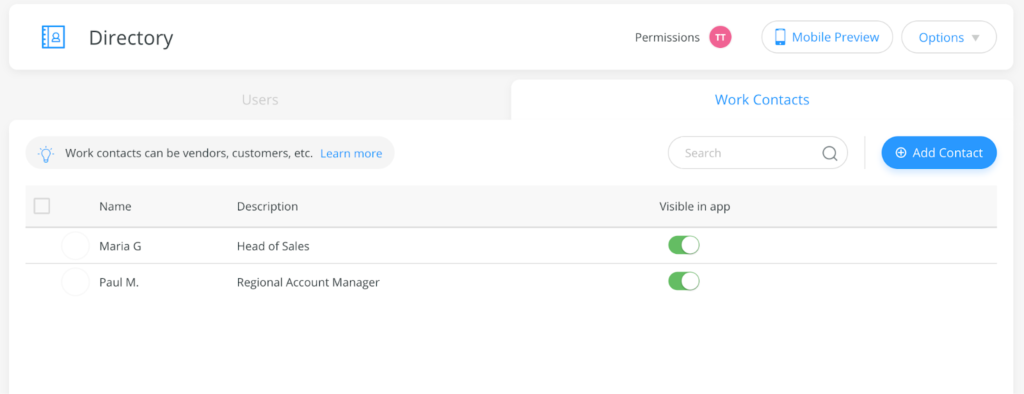
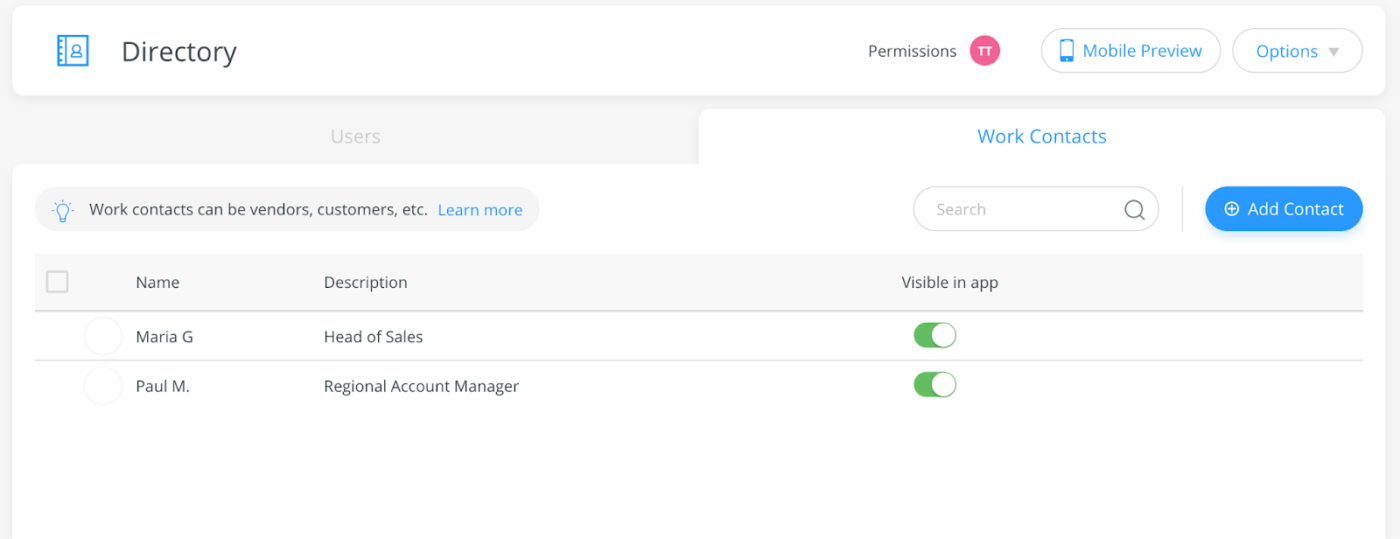
The Connecteam Directory feature also serves as your company’s internal phone book. You can upload employee details, vendor and supplier contacts, and client information. And if you’re worried about everyone in the company having access to sensitive information, the platform has advanced privacy tools for granting permissions to specific employees.
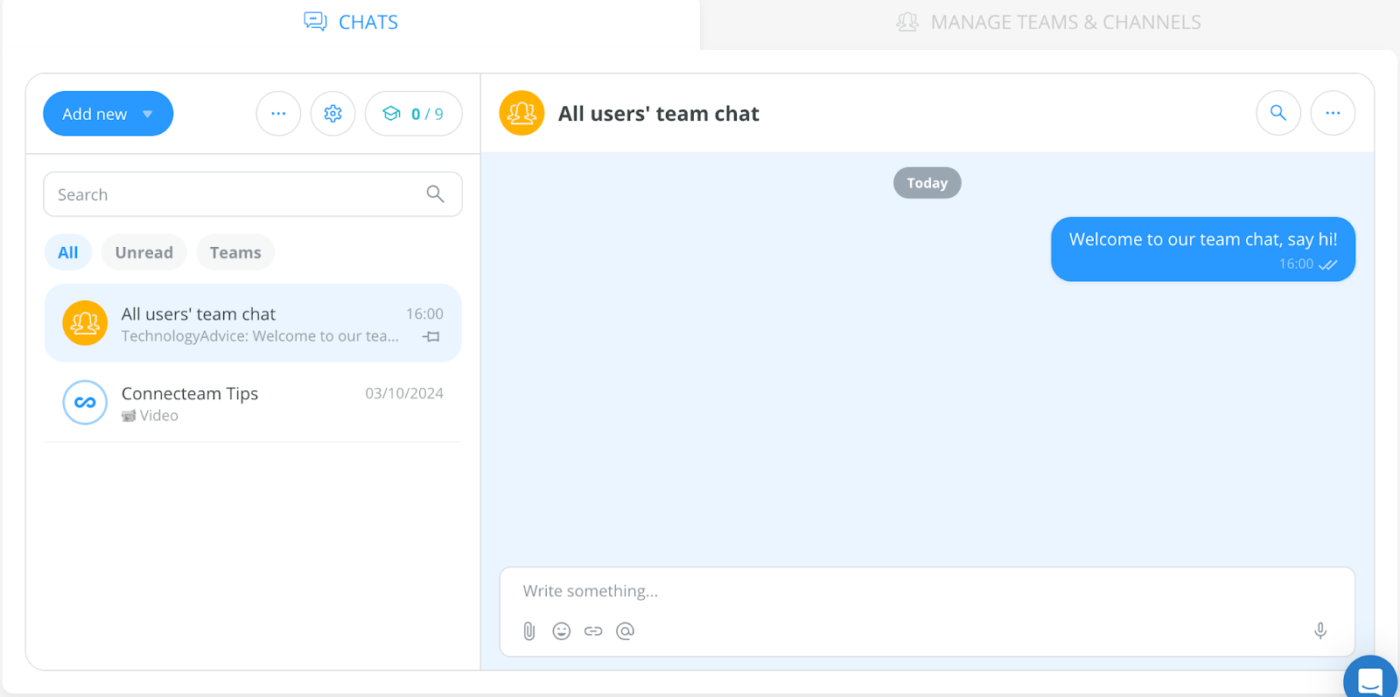
Connecteam is an employee management platform that offers core HR functions like scheduling, time tracking, and new hire onboarding, but also incorporates tools for employee communication. Workers can communicate with their teams via its easy-to-use chat feature and share files and documents from external sources or directly from your Connecteam Knowledge Base.
However, if you need robust reporting on employee communication, Connecteam might not be for you. The platform provides advanced analytics for time tracking and scheduling, which makes it great for monitoring employee engagement, but you won’t be able to track how often employees are communicating with each other.
Mobile messaging
Connecteam’s chat interface is super easy to navigate, both online and on the mobile app. While it doesn’t offer channels and huddle features that Slack does, this ease is a point in its favor. Its simplicity is what makes it less overwhelming for employees to use, and this makes it more likely for employees —especially remote and mobile ones— to adopt and use the mobile app.
And it’s not just for chat: Connecteam also houses HR docs in the same mobile app, which means sharing critical information can be done on the same platform without the need for integration. Employees can also use the mobile app to clock in and out, track hours, and even update their time sheets after a shift.
While I mentioned that Connecteam doesn’t let you track chat analytics, it does let admins export chat history and convert it into a CSV file when needed.
Knowledge base
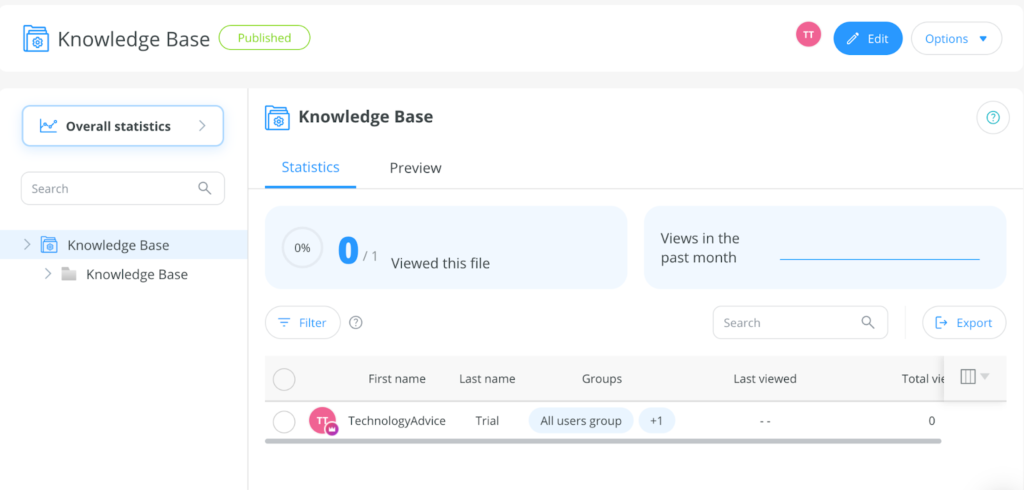
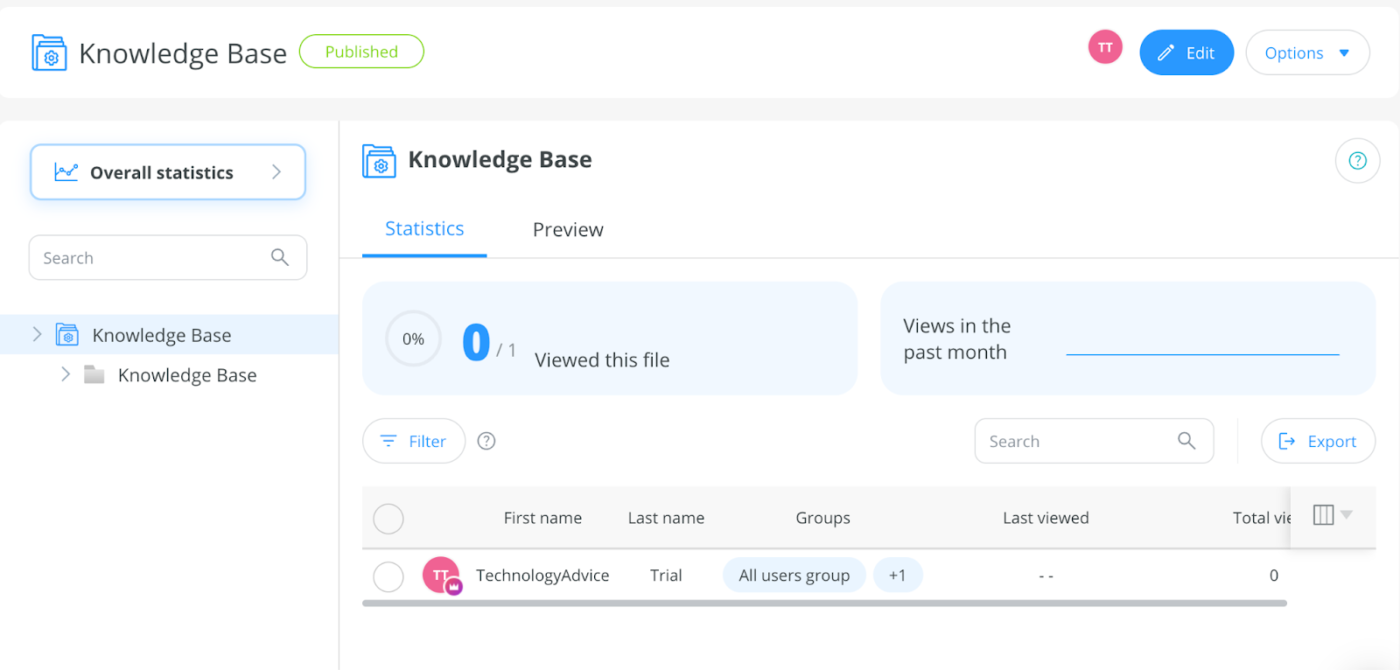
What I really appreciate about Connecteam is its Knowledge Base feature. When I tested it, uploading multimedia assets, labeling them, and sharing them with employees only took a few seconds. The platform even tracks how many people have viewed or opened the asset, so you know when everyone’s on the same page.
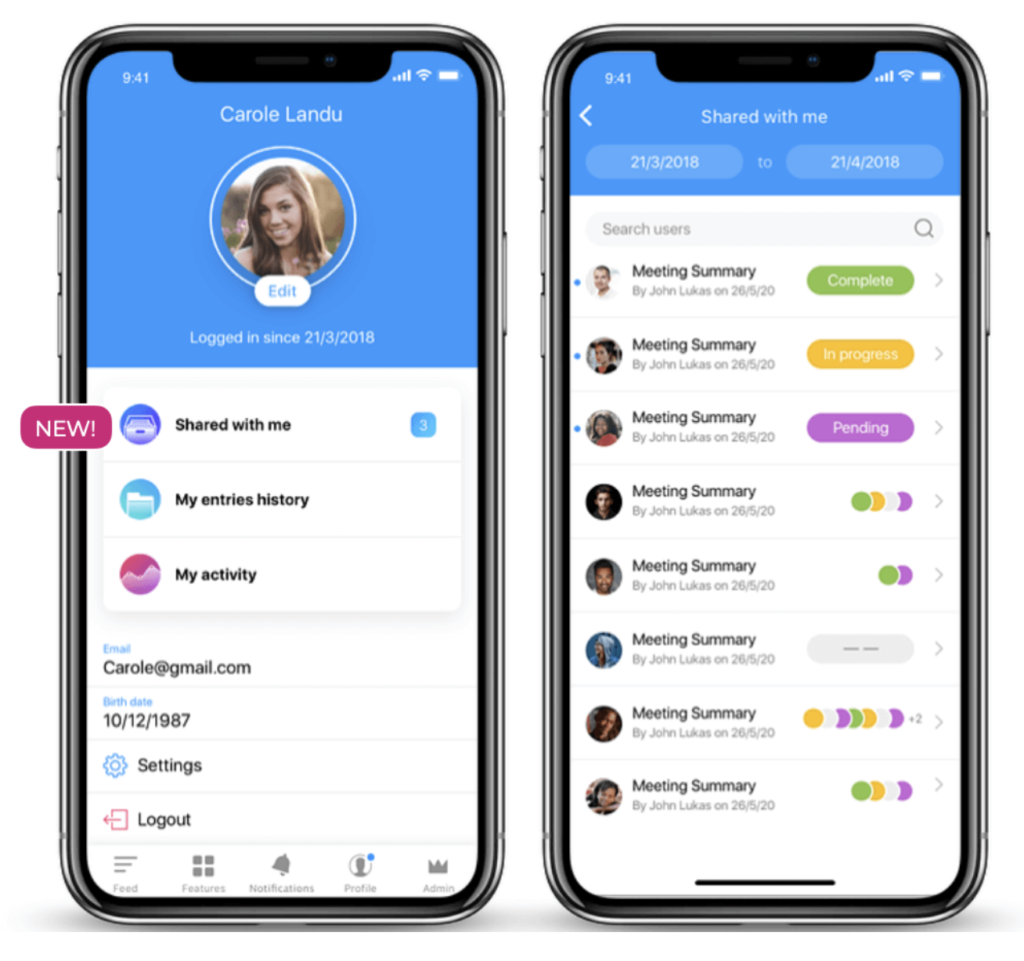
Another notable feature is the mobile preview. As you upload documents and files to the Knowledge Base, Connecteam will show you how they’ll appear on the mobile app, which makes it easier to tailor the employee experience to team members who work entirely from their phone, such as in the medical or construction industries.
Directory
Instead of asking employees to store external contacts on their phones or in email, Connecteam’s Directory feature puts everything they need in one place. Once a contact is added, users can reach vendors, suppliers, and partners directly from the app via text, email, or call.
This is a unique feature you won’t see with other tools in this roundup. While Slack and Google Workspace let you create a provisional directory, it won’t be as easy to access or navigate as Connecteam’s, which allows employees to access crucial contact information without having to toggle away to another tab or app.
The Directory feature also serves its traditional purpose of housing all employee contact details so team members can get in touch with their coworkers quickly and store emergency contact information. It not only speeds up collaboration but also ensures compliance with regulations requiring you to have an emergency action plan (EAP) in case an unforeseeable event occurs.
One consideration here: With a free trial, you can only upload contacts one by one. You’ll likely have to upgrade your plan to be able to import your entire employee directory from a spreadsheet.
Unlike most internal communication tools, where you only need to select the plan, Connecteam requires you to choose a plan and a hub or module. It has three hubs (Communications, Operations, and HR & Skills) and four plans (Small Business, Basic, Advanced, Expert, and Enterprise).
Depending on the hub and plan combination, you can access specific features with varying levels, from basic to advanced. For example, you can choose an Expert plan for the Communications hub, an Advanced tier for the Operations module, and a Basic package for the HR & Skills hub.
However, if you have a small team, you can sign up for its free small business plan for up to 10 users, which gives you access to all of its hubs and features. For larger organizations, Connecteam offers a free 14-day trial that gives you plenty of time to test the platform and gauge which plan-hub combination is right for you.
Its paid plans for the Communication hub come with these features:
- Basic: Lets you send private team chats, create surveys, and set up a knowledge base at $35 per month for the first 30 users + 6¢ per month for each additional user.
- Advanced: Lets you add live polls to posts and gives admins more advanced controls over who can use the chat function. This plan costs $59 per month for the first 30 users + $1.80 per month for each additional user.
- Expert: Automatically translates posts for non-English speakers and gives you more storage to house a larger knowledge base. This option is priced at $119 per month for the first 30 users + $3.60 per month for each additional user.
- Enterprise: This custom-priced plan adds unlimited storage to your knowledge base, including webhook management, two-factor authentication, and a fully customized app welcome screen.
Overall, Connecteam is a cheaper option than Slack if you need more advanced features and have over thirty employees. However, it might not be suitable if you’re looking for a free platform that can facilitate meetings in addition to team chat.
Google Workspace: Best for collaboration tools
Overall Score
3.29/5
Employee communication
3.83/5
Intranet
2.31/5
Platform/interface
4.38/5
Pricing
3.06/5
Support
3.15/5
Reporting and analytics
2.81/5
Pros
- Integrates chat features for free with Gmail, Google Calendar, Drive, Meet, and Groups for easier collaboration.
- Connects to tools like Zapier, Trello, and Workday to help you build uninterrupted workflows.
- Comes with Google Gemini to help you draft content and find information faster.
- Reliable video conferencing via Google Meet with minimal setup.
Cons
- No free plan available.
- You can only sign up for a free trial if you have a registered web domain.
- AI is only available as a premium feature.
- You can’t purchase individual apps.
Why I like it
I’ve worked with teams that live in Google Docs, Sheets, and Gmail all day, and having communication built directly into the same environment is a huge time saver. Plus, Google Workspace apps are designed to connect.
For example, you can receive a message in Gmail or Chat and instantly convert it into an event on Google Calendar. When users make a comment on your Google Doc, Slide, or Sheet, you’ll instantly receive a notification email linking you to their response.
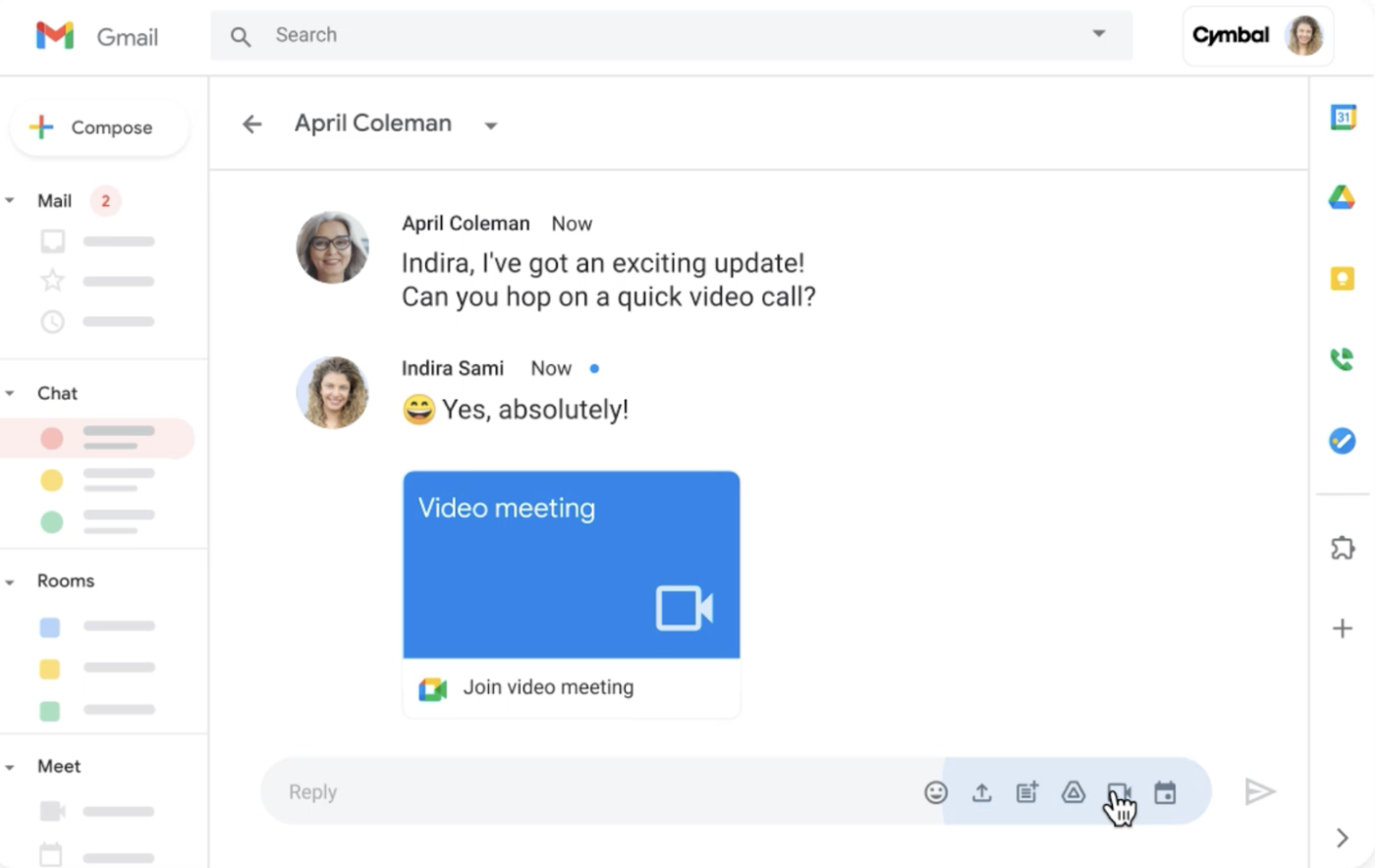
I also like that you can access Google Chat directly from Gmail and get a conversation going in real time rather than waiting for an email reply. You can even share files, set up meetings, and, similar to Slack, create dedicated spaces for company announcements and updates. And, if you pay for the Gemini add-on, you can use generative AI to draft emails, summarize information from entire channels, and edit your messages.
Google Workspace is the combined suite of tools that includes Gmail, Google Calendar, Google Meet, Google Docs and Sheets, and, of course, Google Chat. So if you purchase Google Workspace for your business, you’ll get access to all of these tools.
That may not be best for companies looking for “a la carte” pricing, but it’s ideal for organizations that want to create a unified place to store data and collaborate. It also makes sense for any business that’s already familiar with Google’s UI. Plus, it’s relatively easy to use, doesn’t require installation like other software, and lets you store all your data on Google Cloud.
Employee direct messaging
Google Chat is Workspace’s free instant messaging feature that lets you send DMs and group messages to anyone with a Gmail or Google account. You can access it directly from your Gmail app (via computers or mobile devices) to start a conversation, send files, or share videos in real time.
I also like how the Google Spaces tool works similarly to Slack channels, allowing you to set up dedicated places for collaborating on tasks. This function makes it easier to keep messages organized and create unique knowledge bases around specific initiatives or projects.
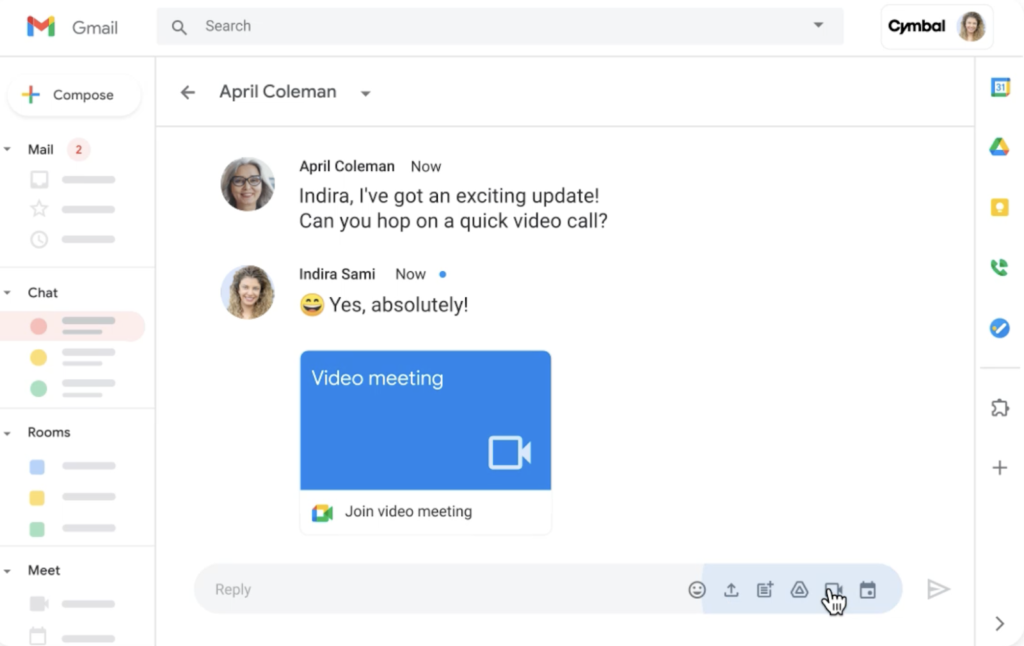
Google Chat even lets you migrate existing data from Microsoft Teams or Slack using Chat APIs or Workspace partners like CloudFuze, so you can store everything in one place. While it lacks Slack’s extensive app marketplace, Chat’s easy integration with other Google tools like Gmail and Calendar means you don’t have to switch from one app to another to send emails and meeting invites.
Video conferencing
Depending on your plan, Google Meet can handle video conferencing with 500 or more participants, and integrates directly with Calendar for easy scheduling. The ability to launch a video call right from a chat or calendar event, as well as from Google Docs, Sheets, and Slides, keeps communication flowing without adding extra tools.
While Slack’s huddles are faster for quick one-on-ones, Google Meet is stronger for structured meetings with presentations. It also comes with digital whiteboard tools, polling and Q&A features, breakout rooms, and Meet recordings that are automatically saved to Google Drive.
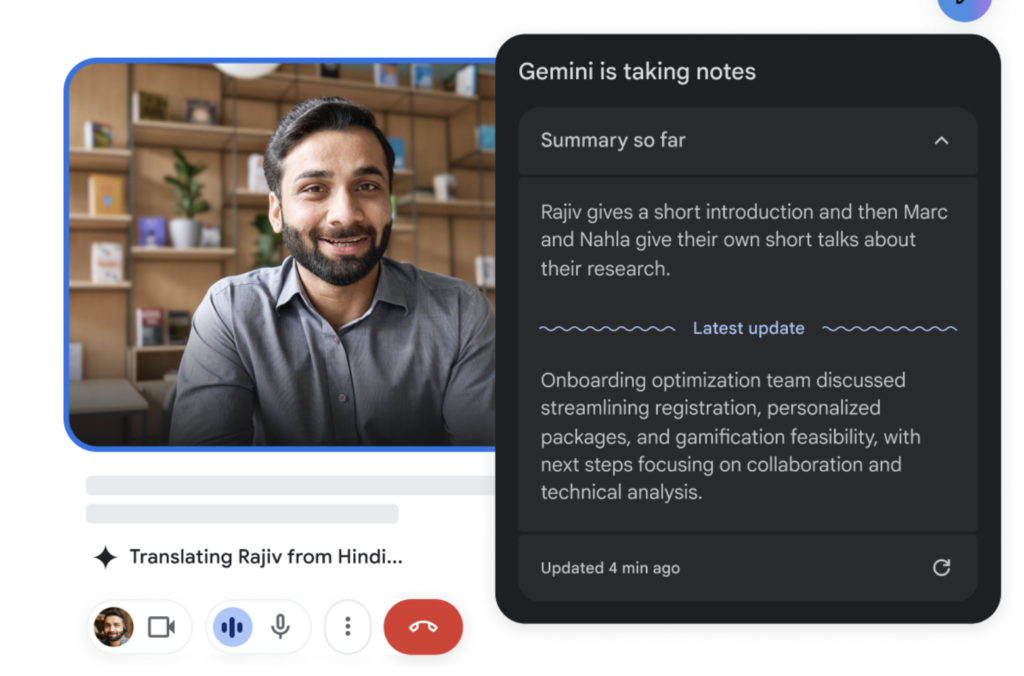
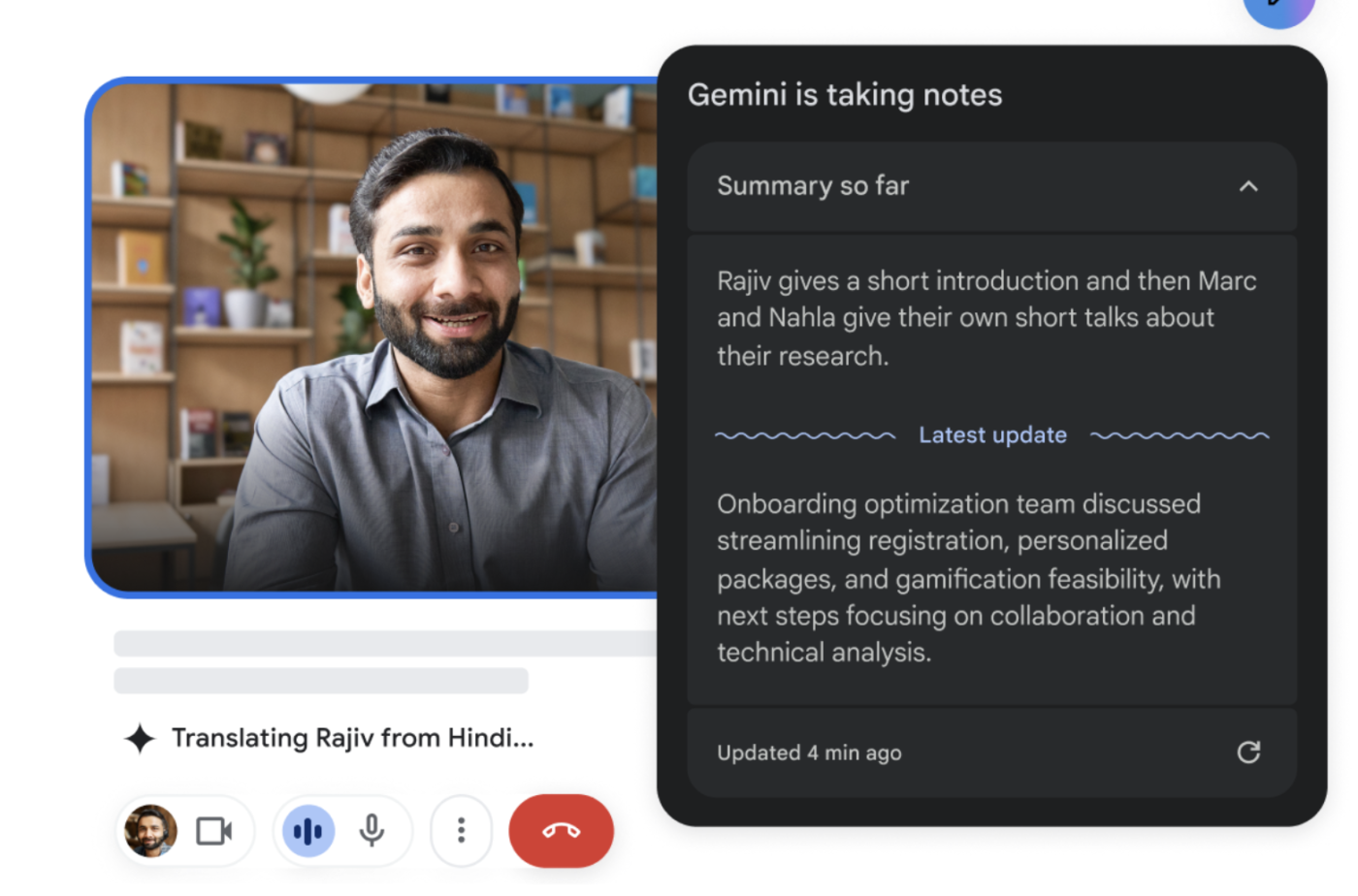
One last standout feature: All Google Workspace plans come with basic to advanced AI, where its Gemini tool will take notes for you during meetings, automatically provide captions, and even translate captions in over 65 languages.
Collaborative documents
Google Docs, Sheets, and Slides allow multiple people to work on the same file in real time, with commenting and version history built in. This is where Google Workspace outshines Slack and the other tools on my list. You can move from a chat in Google Chat to editing a document without breaking focus.
Files are also saved and organized in Google Drive, which comes with powerful search and permission settings. This makes it easier to share reference materials than relying solely on chat-based file uploads, which can get buried over time.
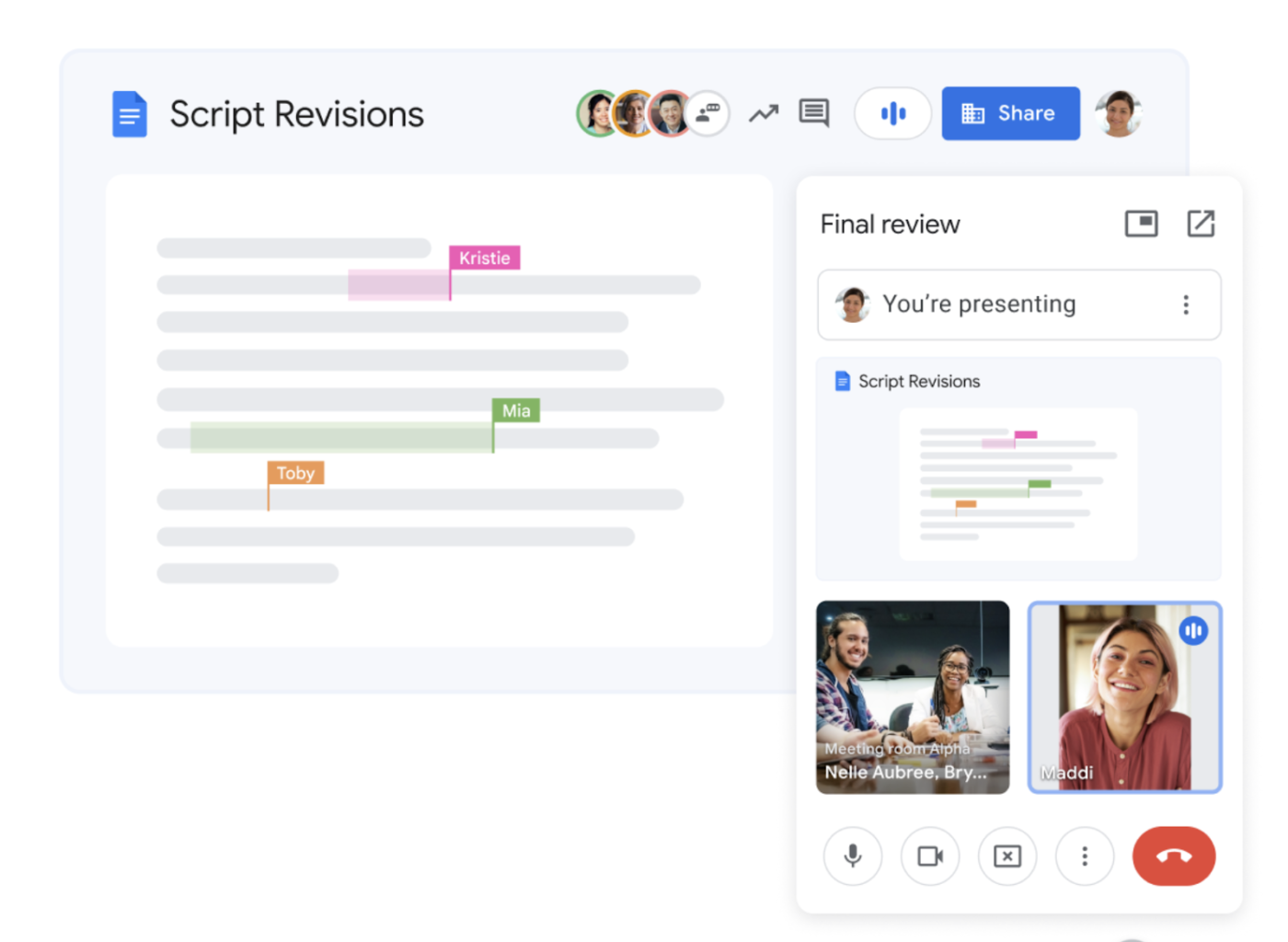
Google Workspace pricing is straightforward and scales based on storage, meeting capacity, and security needs. Every plan includes Gmail, Drive, Meet, Chat, Docs, Sheets, and Slides, where higher tiers get increased limits and additional features like e-signature tools and enhanced security controls.
It offers four plans:
- Business Starter: Includes custom, secure business email and meetings for up to 100 participants, 30GB of pooled storage per person, and Gemini AI assistant in Gmail and Chat for $7.56 per user monthly.
- Business Standard: Comes with additional e-signature tools, Gemini AI in Google Docs, and a 2 TB pooled storage. Plus, it lets you host meetings for up to 150 people and automatically stores recordings for you at $15.12 per user monthly.
- Business Plus: Includes a 5TB pooled storage, advanced endpoint management, and enhanced security controls. It also lets you lead meetings for up to 500 people, record all meetings, and get access to meeting attendance tracking tools for $26.40 per user monthly.
- Enterprise: Lets you host up to 1000 meeting attendants, offers everything in Plus, and also additional storage at a custom price.
Overall, Google Workspace is more cost-effective than Slack if your team needs both tools for internal communication and a complete suite for file sharing and document collaboration. And for organizations already invested in Google’s ecosystem, it keeps work and communication in perfect sync.
Staffbase: Best for setting up a branded internet
Overall Score
3.07/5
Employee communication
3.56/5
Intranet
3.44/5
Platform/interface
4.08/5
Pricing
1.25/5
Support
2.45/5
Reporting and analytics
3.25/5
Pros
- Lets you create a full-branded intranet experience for employees.
- Strong focus on top-down communication, including announcements and newsletters.
- Built-in surveys and feedback tools for measuring staff engagement.
- Multichannel communication, including push notifications, intranet, and email.
Cons
- Non-transparent pricing.
- No live chat support for users; only offers live chat for Sales.
- Limited real-time collaboration tools.
Why I like it
What I appreciate about Staffbase is its unique platform designed to streamline broader company-wide communication and make sharing news and updates more engaging for team members. I also like that it provides in-depth analytics to show you when, where, and how employees are engaging with the content you share company-wide.
While Staffbase features are limited compared to other platforms on this list, Staffbase offers deep integration with Microsoft Teams, making it great for companies already using Teams for communication and collaboration.
Staffbase is an internal business communication tool that specializes in creating branded employee apps and intranets. Its goal is to help companies deliver consistent messages across their entire workforce while reinforcing organizational identity.
Unlike the other options on my list, Staffbase isn’t a team collaboration platform, so it’s not for working together like Slack, Google Workspace, or Connecteam. But it does let you attach news and pages to dedicated channels that cater to various departments, teams, or locations. For instance, employees can use Staffbase if they need to find local lunch recommendations, the latest WiFi password, or customer contact information.
As it’s not specifically for team collaboration, Staffbase is designed to work together with Microsoft SharePoint, which means employees won’t miss notifications and news shared on Staffbase if they’re logged into Microsoft Teams. It also allows you to monitor engagement with content, providing you with another way to measure employee sentiment.
If you’re looking for more ways to improve engagement, check out our list of the Best Employee Engagement Software.
Front door intranet
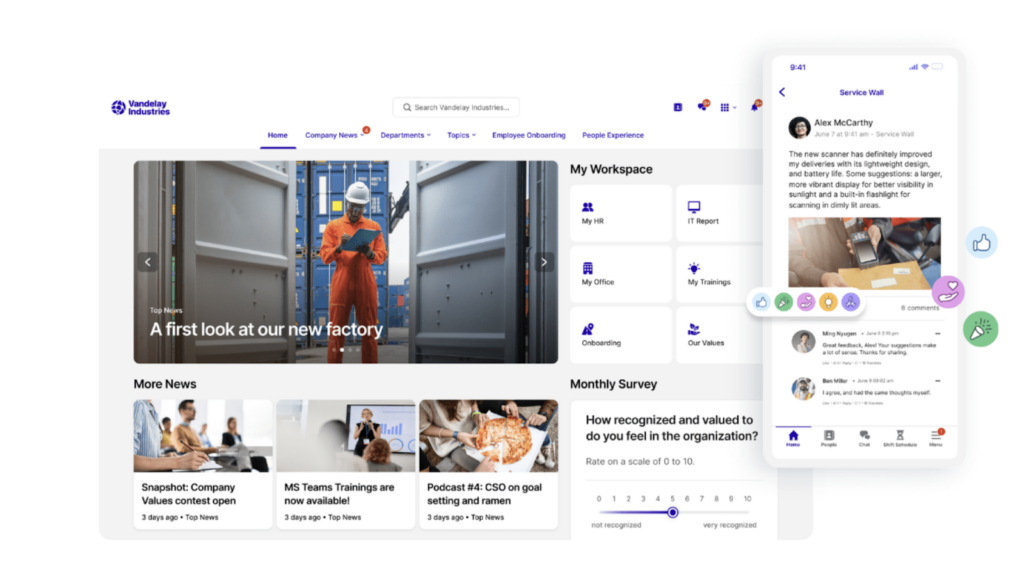
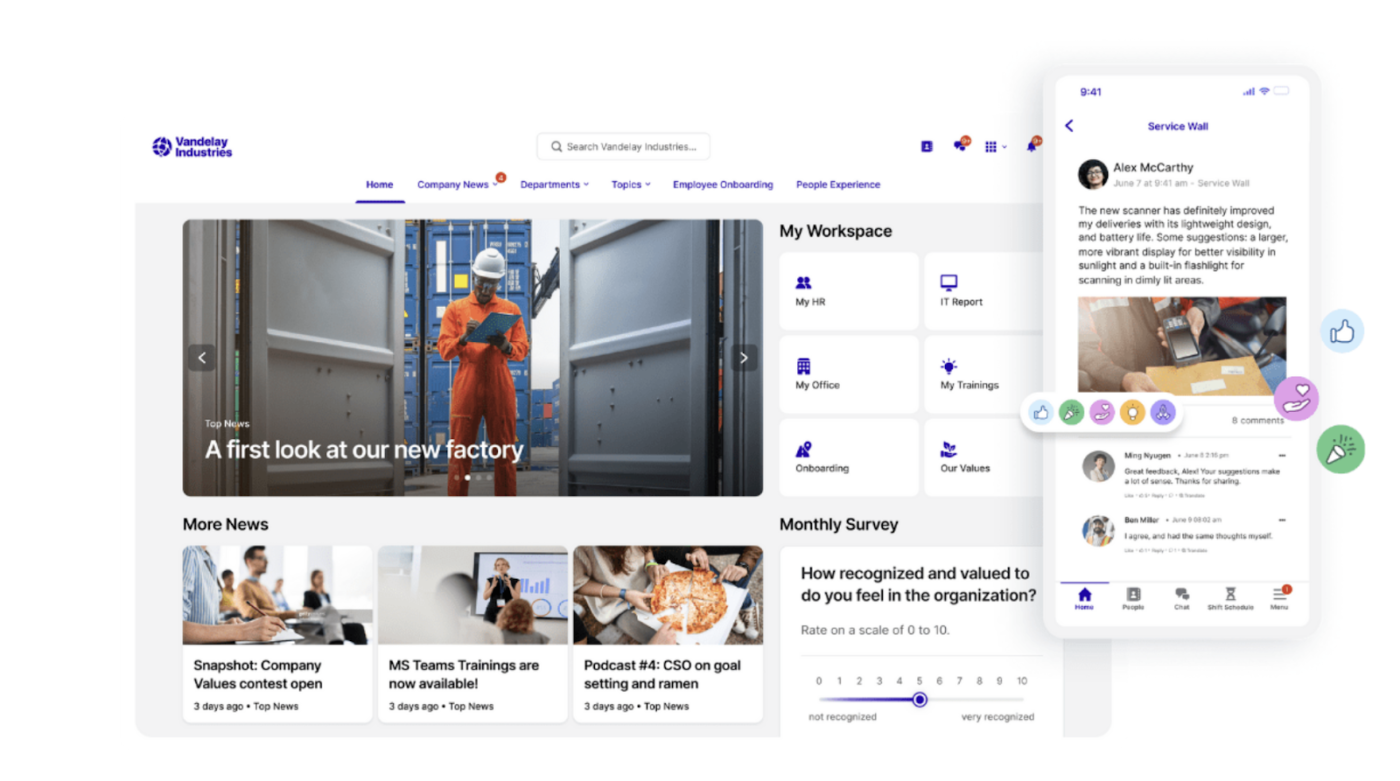
Staffbase has a drag-and-drop content builder, which makes it easy for you to create a fully branded intranet — no coding skills required. This gives users a centralized hub for sharing company news, information, and resources. You can even use the editorial calendar to plan content in advance and schedule when you want it to be released.
I like that you can create information hubs to share your employee handbook and onboarding videos for new hires. It’s ideal for building an internal communication platform that’s more engaging for employees than a simple news feed with updates. You can allow employees to like and comment on posts, but you can also turn off these controls for specific posts when you need to.
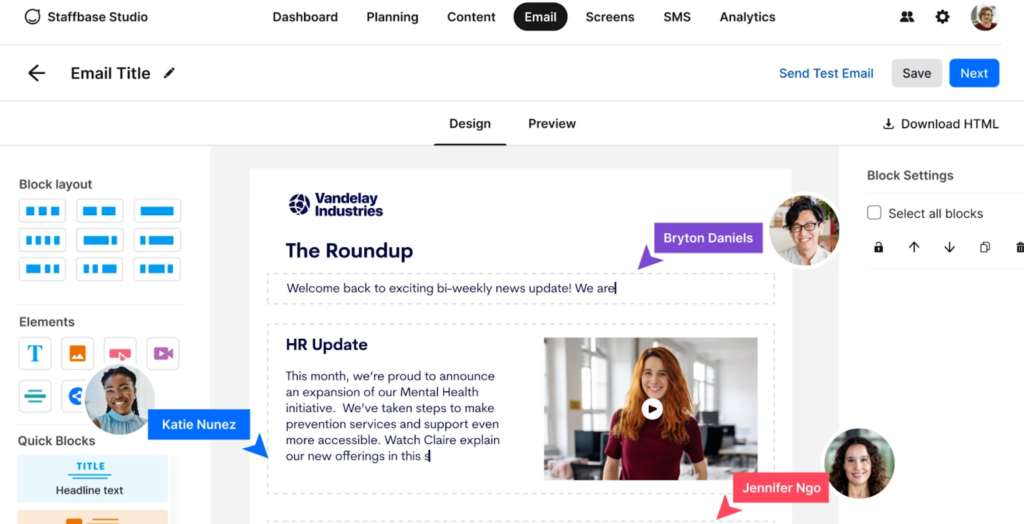
Email and newsletter designer
Just like its intranet tool, Staffbase’s email designer has drag-and-drop features for customizing employee emails. You’ll also have access to pre-built templates to save time. This feature is ideal for HR and people operations teams, who are often tasked with curating company newsletters and sharing updates that will impact everyone.
And if you’re going for a unified branding experience across both intranet and email, you can save specific colors and fonts within the designer, saving you time when whipping up future updates. You can also upload and save images, videos, and GIFs to the designer to make emails more fun and interactive.
Finally, the email designer is easily readable by screen readers, allowing you to make communications more inclusive and accessible for everyone within your organization.
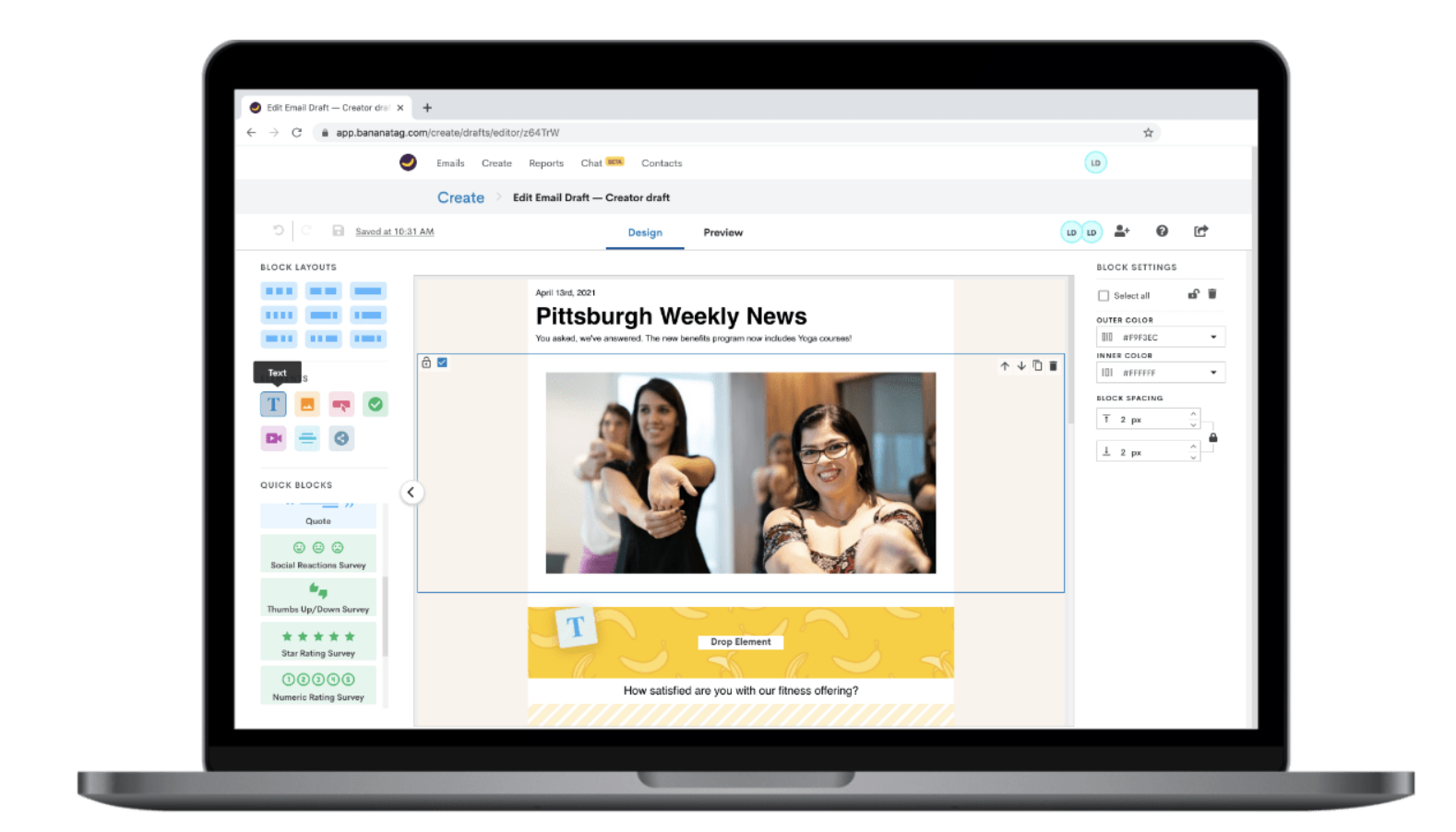
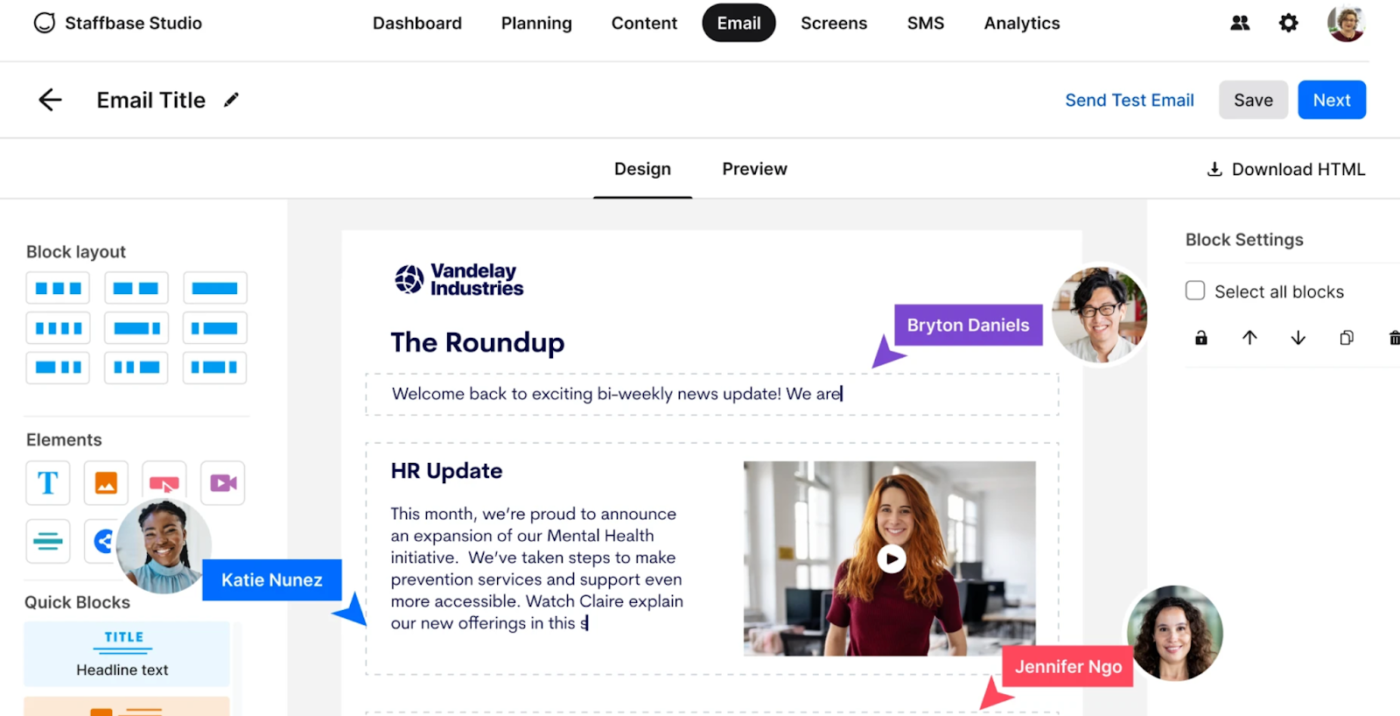
Staffbase doesn’t offer transparent pricing, which is why I gave them a lower score for pricing. You’ll have to contact its sales team for a custom quote. However, its paid plans are based on the channel or packages you want to purchase. There are three options: Employee App, Intranet, and Email.
According to independent user reviews, Staffbase plans tend to start around $30,000 per year, or $30 per employee for companies with around 1,000 employees. That makes it more expensive than other options on this list, and it means it’s less practical for small to midsize companies operating with smaller budgets.
Chanty: Best for integrated task management
Overall Score
3.02/5
Employee communication
3.98/5
Intranet
3.23/5
Platform/interface
2.14/5
Pricing
4.25/5
Support
2.55/5
Reporting and analytics
0.44/5
Pros
- Free plan available for up to five users
- Unlimited voice messages and audio calls for free users
- Built-in task management tools
- Easy-to-navigate interface
Cons
- Reporting and analytics only available in the highest plan
- Not CCPA compliant
Why I like it
Chanty stood out in my testing for its simplicity, unlimited message history, and built-in task management. For startups and small businesses, it delivers excellent value as one of the best international communication tools when budgets are tight.
It lets you create task management dashboards similar to Asana or monday.com, but you can also chat directly within those dedicated forums. That’s great for remote and dispersed teams that need to keep all project communications private, organized, and archivable.
Similar to Slack, I also like that you can hop directly on a call within Chanty’s messaging platform. Chanty also integrates with tools like Google Drive, Mailchimp, and GitLab, which means team members get notified directly within the platform without having to toggle between dozens of different tabs.
Chanty is a team communication and collaboration tool designed to enhance productivity with messaging and task management features. It allows you to send text and audio messages to individual team members, private groups, or dedicated public channels. It also supports video and audio calls for up to 1,000 participants.
Unlike Workshop, which focuses on internal email messaging, and Staffbase, which is ideal for top-down communication and branding, Chanty prioritizes peer-to-peer messaging with lightweight task management included. Its simple-to-use platform makes it approachable for teams that don’t have dedicated IT support and just want something reliable to start using immediately.
Team communication
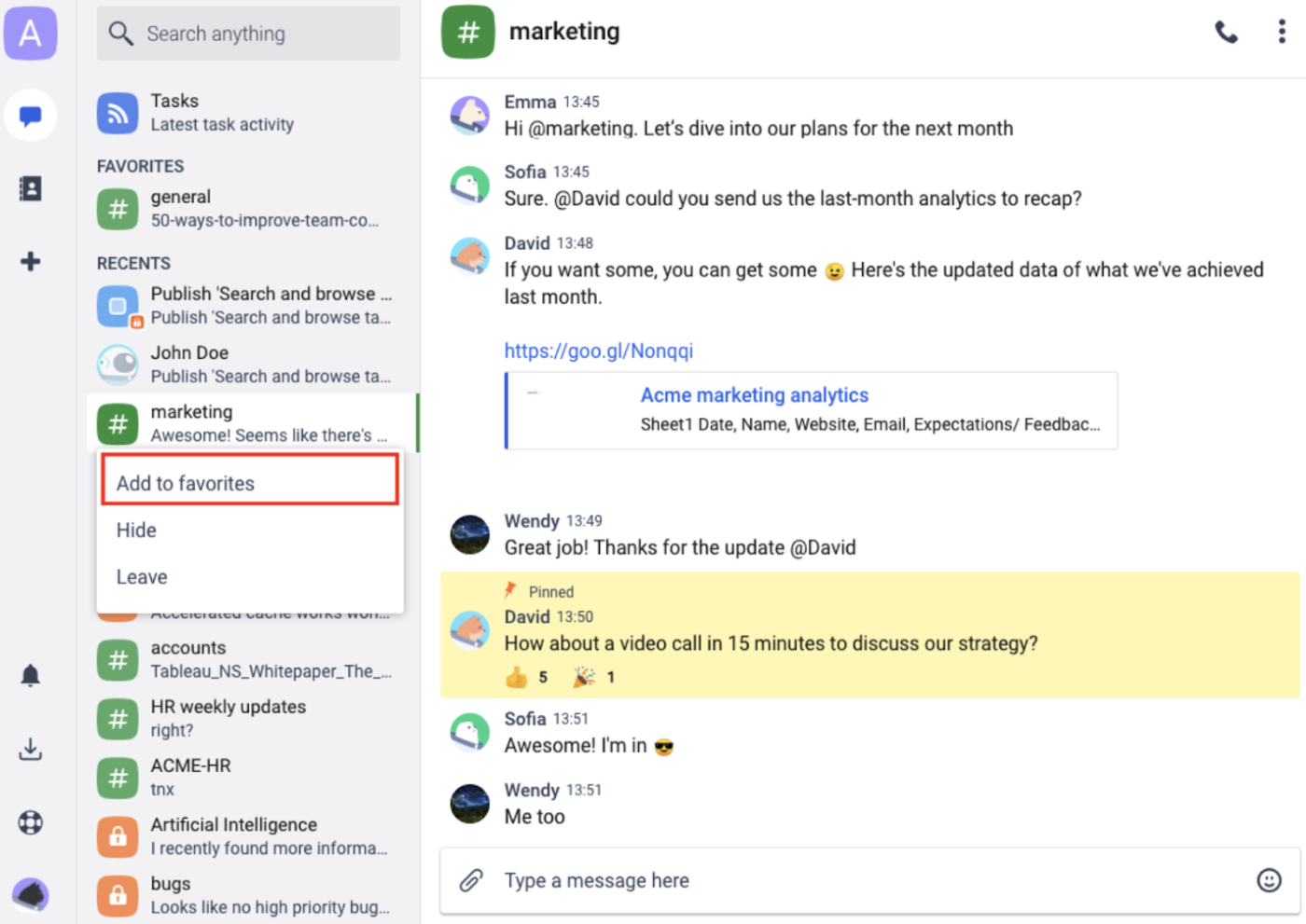
When you log on to Chanty for team communication, you’ll notice the UI looks similar to Slack, and you can use it to create specific channels related to key topics and projects. If you need to host a meeting with a specific user or group, you can just click the meeting to get started.
But what makes it more efficient than Slack for collaborating on projects is the built-in Task tool, which will take you straight to the Chanty task board when you click on the Tasks icon.
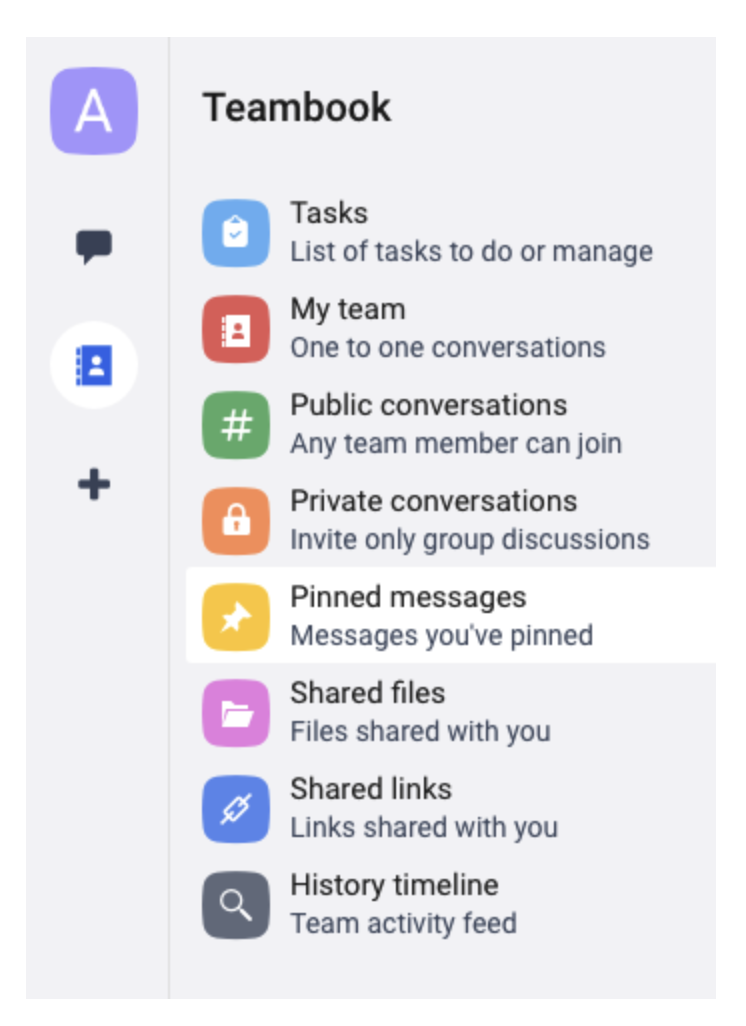
If you’re short on time at the beginning of the workday but need to brush up on channel discussions, you can head to the team activity feed to get a history of recent conversations. A great option for software startups, Chanty also supports code snippet sharing for technical teams building platforms or digital products.
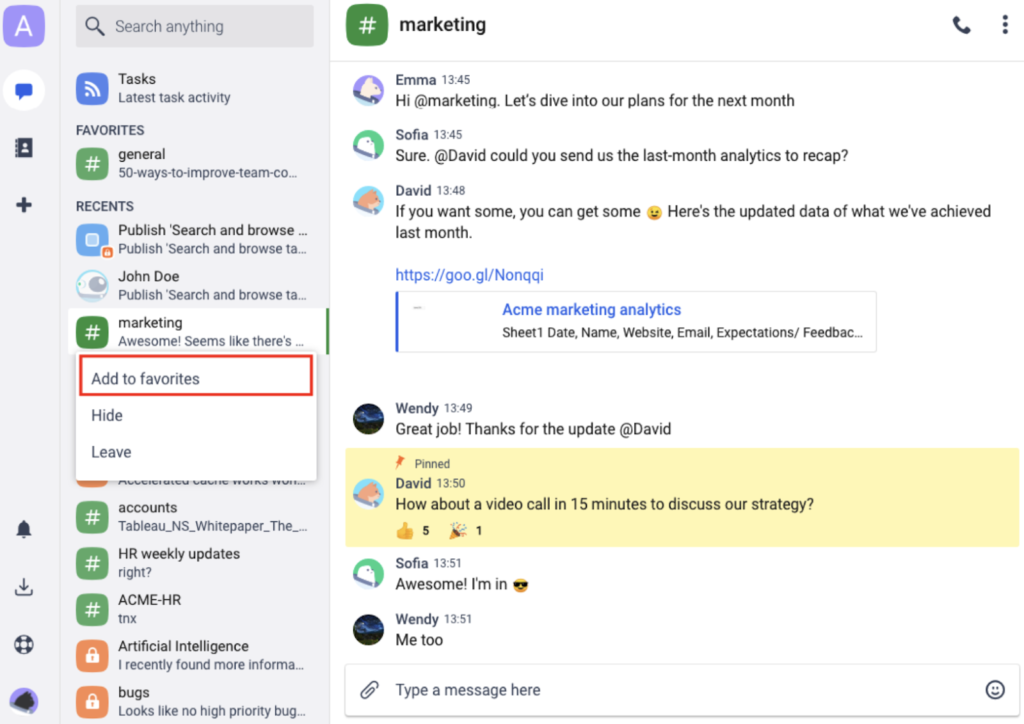
Task management
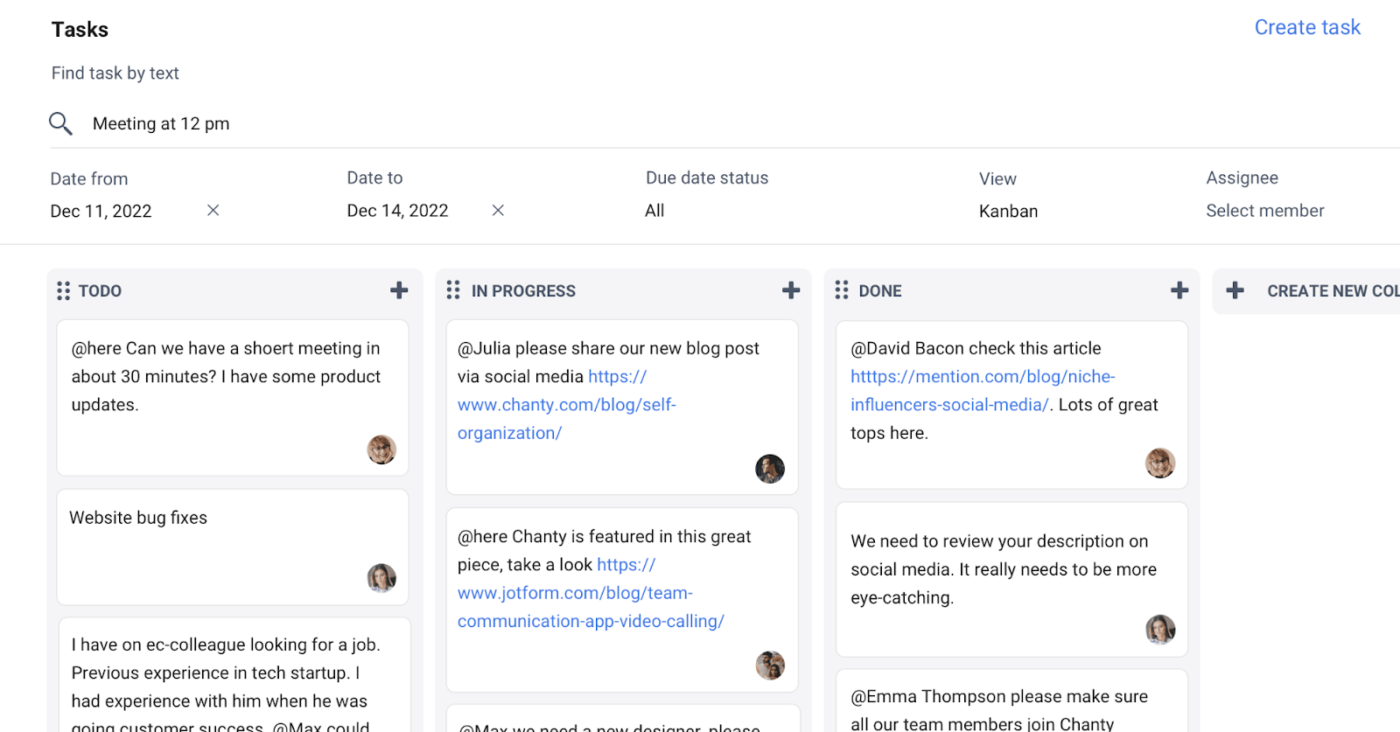
Chanty’s task management tools make it a good option for teams that follow the agile or scrum project management framework. It has a task management dashboard where you can assign and manage tasks on a Kanban board, add due dates and priority levels, tag team members, and chat with them directly within the assigned tasks.
The cool thing about Chanty is that when you start a conversation on the task management dashboard, it will also show up in the chat interface, which is great for consolidating all communication about projects. Slack may require integrations with Asana or Trello for this feature, but Chaty includes it natively.
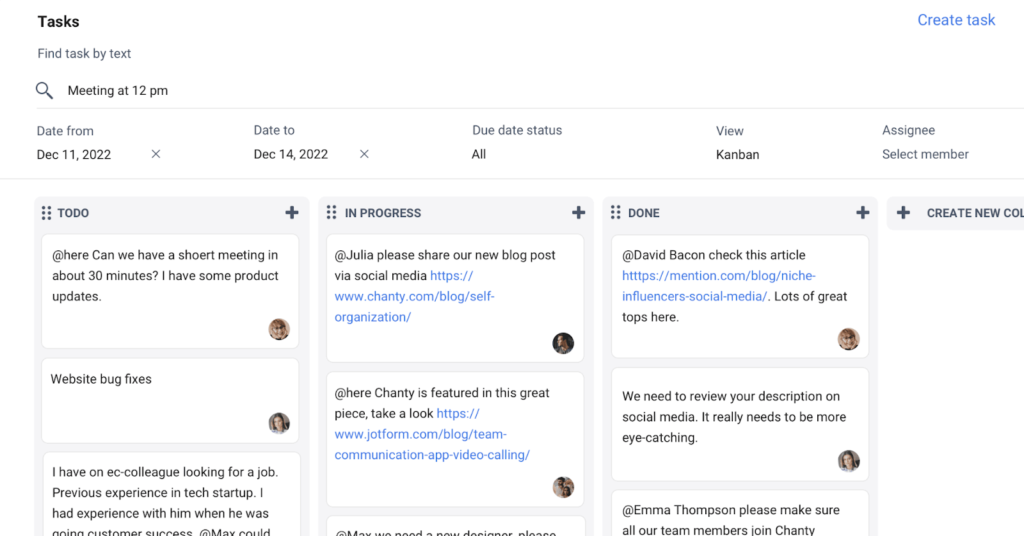
Voice and video messaging
While not as full-featured as Google Meet or Slack’s huddles, Chanty allows voice messaging and group video calls on its paid plan. For small teams, this provides enough real-time collaboration without requiring an additional conferencing tool.
If you’ve got a new startup or want to test Chanty with a few employees, you’ll appreciate Chanty’s free plan, which never expires. However, it’s limited to five users, so you’ll have to upgrade to a paid plan to support more users and access other features.
Thankfully, Chanty makes pricing simple and transparent. In addition to its free plan, you can choose from two paid tiers: Business and Enterprise.
- Free: Includes task management tools and unlimited announcement channels, public and private chats, voice messages, and one-on-one audio and video calls. It also comes with five user seats, a 20GB fof ile storage per team, up to 10 integrations, and community support.
- Business: Adds task boards and to-do lists, calendar and events, unlimited group chats, screen sharing, and group audio and video calls. It also includes customizable roles and permissions, polls and forums, a 20 GB file storage per user, and 24/7 support for $4 per user monthly.
- Enterprise: For a custom price, it includes everything in the Business plan, plus advanced permissions, white labeling, analytics, AI compatibility, unlimited integrations and custom roles, and access to dedicated support.
Compared to the other internal communication tools I reviewed, Chanty is cheaper and offers unlimited message history for free users. However, larger teams may quickly outgrow its limited integrations and storage, making Slack or Google Workspace better long-term choices.
Chanty is ideal for small teams that want basic project management and communication tools without unnecessary complexity or high costs. It won’t replace the advanced functionality of Staffbase or Slack, but it delivers impressive value in its niche.
Workshop: Best for email-first internal messaging
Overall Score
3.01/5
Employee communication
1.98/5
Intranet
2.43/5
Platform/interface
3.88/5
Pricing
3.06/5
Support
3.88/5
Reporting and analytics
4.13/5
Pros
- Easy-to-use builder for creating branded internal email newsletters
- Audience segmentation ensures messages go to the right employees
- Strong engagement analytics, including open rates and survey feedback
Cons
- Not designed for real-time chat or instant collaboration
- Limited integrations compared to Slack or Connecteam
- Fewer project management and task features than Google Workspace
Why I like it
Upon internal various communication platforms, I noticed one gap: email still carries a lot of weight for companies, but most tools treat it as an afterthought. Workshop caught my attention because it doesn’t try to replace chat apps or intranets. Instead, it focuses on making email work better.
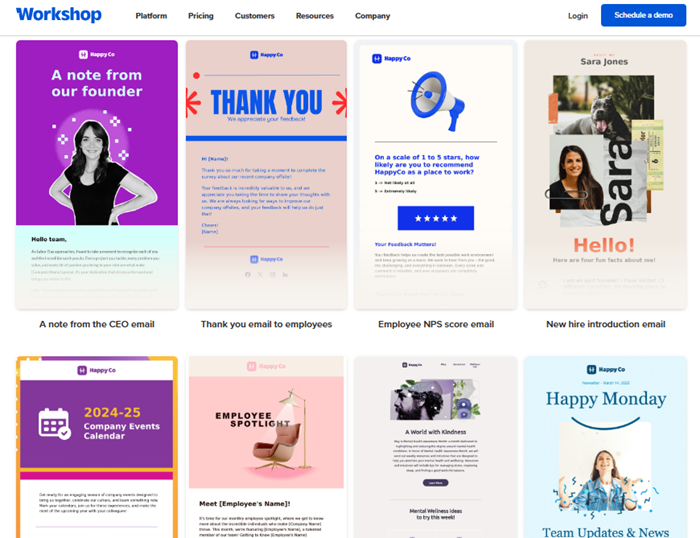
I like how easy it was to create branded messages and send them to the right people without wrestling with distribution lists. I appreciate that it has ready-made templates you can choose from, but you can still create your own. Plus, its online builder not only supports text fields, but you can also add videos and images, drop dividers or buttons, and customize design settings.
For organizations where email inboxes are the primary touchpoint, Workshop brings a level of polish and visibility that the other tools on my list just don’t.
Workshop is an internal business communication tool designed for HR and communication teams that want to improve company-wide email. It’s ideal for companies that depend on email as their primary communication channel.
With Workshop, you get drip campaigns, segmentation tools, and reporting that traditional email clients don’t. It also provides a dedicated platform for creating newsletters, scheduling announcements, and tracking employee engagement.
Branded email newsletters
Workshop includes an intuitive drag-and-drop editor for building branded email newsletters or messages that look professional without needing design expertise. This makes Workshop valuable to internal communications teams that want to elevate company updates beyond plain-text emails.
It even comes with AI tools to help you generate ideas for your email preview text and subject line. If you need help improving your email’s tone or simply checking the grammar, Workshop’s AI can assist you in creating professional emails every time.
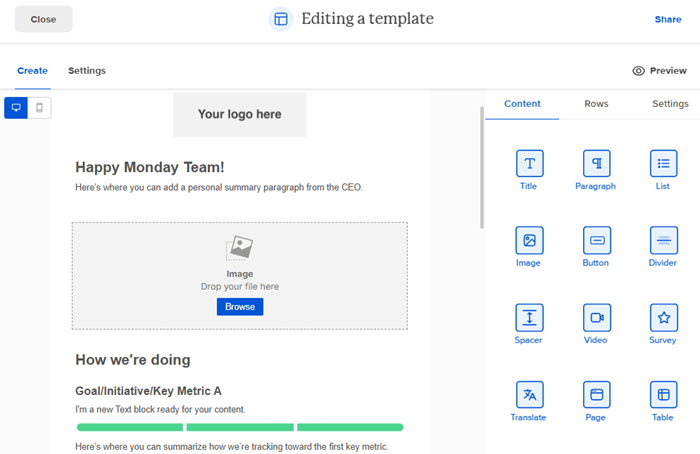
You can add logos and brand colors, customize layouts, and insert images or dynamic content like videos and GIFs to ensure that every message feels on-brand and cohesive. You can also save a standard design or layout as a template for easy access, or choose from over 30 pre-designed templates.
Audience segmentation and drip campaigns
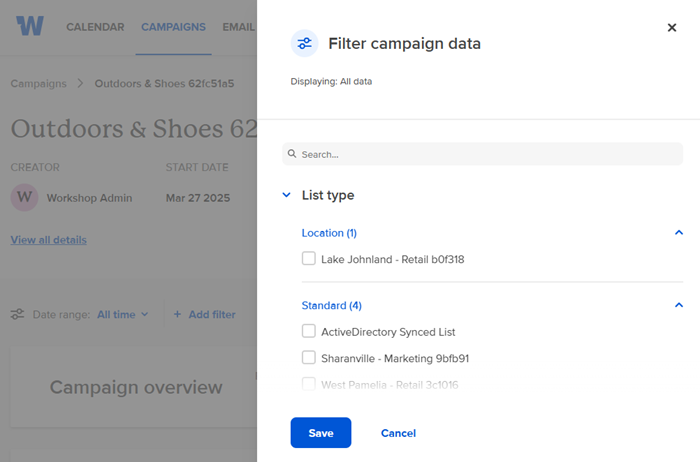
You can target employees by department, location, or role, ensuring messages reach the right people without overwhelming everyone else. Workshop also supports automated drip campaigns, letting you schedule multi-part communications, such as onboarding sequences or policy rollouts, over time.
This functionality goes beyond what most internal business communication tools offer. It combines marketing-style campaign delivery with internal communication needs.
Engagement analytics and reporting
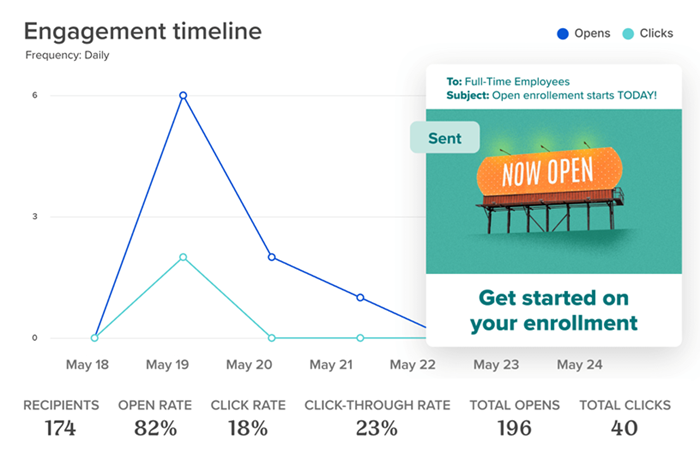
Workshop doesn’t just send emails; it also measures how effective they are. The platform provides real-time reports on open rates, click-through rates, and engagement trends. This way, you can see which messages resonate with employees and adjust communication strategies accordingly.
It also offers several reports, like monthly email performance summaries. Plus, you can download email analytics and reports as PDF files. Compared to standard email platforms, Workshop’s analytics give HR and communication teams the visibility they need to improve reach and effectiveness.
Integrations
While its app marketplace doesn’t rival Slack’s massive integration library, Workshop integrates with HR systems, intranet tools, and collaboration solutions so you can cross-post messages to different communication channels. For example, you can post your messages directly to Slack or Microsoft Teams channels and your SharePoint intranet. And if you integrate your HR information system (HRIS) with Workshop, you can create dynamic distribution lists based on your employee database.
Workshop’s pricing starts at $250 per month, which covers your base communications needs for at least 250 employees. That means even small organizations need to buy in at the minimum level, so it’s better suited for midsized companies and above.
While the cost per employee becomes more competitive as you scale, very small teams may find Slack or Chanty more affordable starting options, especially if you need more than just internal email messaging tools. With Workshop, you can choose from three plans:
- Essential: For a starter fee of $250 per month for 250 employees, this plan lets you create, organize, and analyze internal email communications. It also includes unlimited emails, templates, and campaigns, as well as cross-postings to Slack, Teams, and SharePoint.
- Enhanced: This custom-priced plan comes with additional personalization features, AI-assisted recommendations for subject lines and images, and quick pulse surveys you can embed to email templates.
- Premium: Includes additional user permissions, translation tools, and HRIS integration at a custom price.
Workshop also offers a 14-day free trial, but you have a request one from its Sales team. There’s also zero setup or onboarding fees, making it easy to test whether it fits your internal email communications needs.
Note that Workshop isn’t built for chatting or project collaboration, so it won’t replace tools like Slack or Google Workspace. However, when you require polished, targeted, and trackable email comms, Workshop stands out as one of the best internal communication tools for email messaging.
What features should you look for in internal business communication tools?
The right features depend on your company’s size, culture, and communication pain points, but there are a few categories worth prioritizing when choosing the best internal communication tool.
- Balance between real-time and async communication: Not every message needs an instant reply. Strong tools for internal communication offer both: real-time chat for quick problem-solving and async options like threads or scheduled posts for updates people can revisit later.
- Employee recognition and engagement: Many internal messaging platforms now include shout-outs, surveys, and kudos tools to keep employees motivated and connected. These engagement-focused features not only boost staff recognition but also drive employee retention.
- Crisis and emergency communication: Look for platforms with push notifications, SMS alerts, or emergency workflows to make sure urgent messages reach employees in real time.
- Analytics and reporting: Check if there are tools to track open rates, clicks, read times, and which teams are engaging most. These insights show whether employees are seeing and interacting with company updates, instead of leaving you guessing if messages were ignored.
- Integrations and mobile access: The best internal communication tools connect with the apps your team already uses, such as HR systems and collaboration tools, so information doesn’t get siloed. Your workers also need reliable mobile access to ensure remote, field, and frontline employees can stay connected wherever they are.
AI capabilities: AI tools aren’t essential, but they can save time by helping you ideate, draft, and summarize content more quickly. Slack expanded access to AI features (conversation/thread summaries and huddle notes) across paid plans and updated packaging in June 2025. Google Workspace continues monthly Gemini updates (AI summaries in Chat/Meet and workflow automation).
Internal communication tools FAQs