Cloud phone systems give businesses a flexible way to make, receive, route, and manage calls over the internet instead of relying on traditional phone lines. The best cloud phone systems in 2026 should include reliable call quality, mobile and desktop apps, call routing, voicemail transcription, business texting, video meetings, analytics, integrations, and enough scalability to support remote or hybrid teams.
For most businesses, Vonage is the best cloud phone system for customization because it combines core calling, messaging, video meetings, app integrations, and add-on flexibility. However, the right provider depends on your needs:
Cloud phone systems
Best for
Starting price
Featured partnersFeatured Partners: VoIP Systems
Best cloud phone systems compared
Free trial
Key Features
My score (out of 5)
NextivaONE free trials are available
- Custom group ringback
- Call forward selective
- Alternate numbers
4.52
Offers a free personal plan
- Usage and activity reporting
- Free local phone number
- Google Workspace integrations
3.81
Vonage: Best for customizable phone system
Pros
Cons

Our Rating: 4.79/5
Why I chose Vonage
Vonage ranked highest in my evaluation for its comprehensive phone capabilities and customization. Its mobile and desktop apps, team messaging, video meetings, desk phone support, and add-on options make it useful for teams that want to shape their phone system around their workflows.
However, Vonage is not always the most affordable provider, especially when taxes, fees, promotions, and add-ons are factored in. However, I like it for businesses that want a cloud phone system they can build on over time, rather than a rigid, one-size-fits-all phone platform.
Also read: Vonage vs RingCentral: Which VoIP is Best?
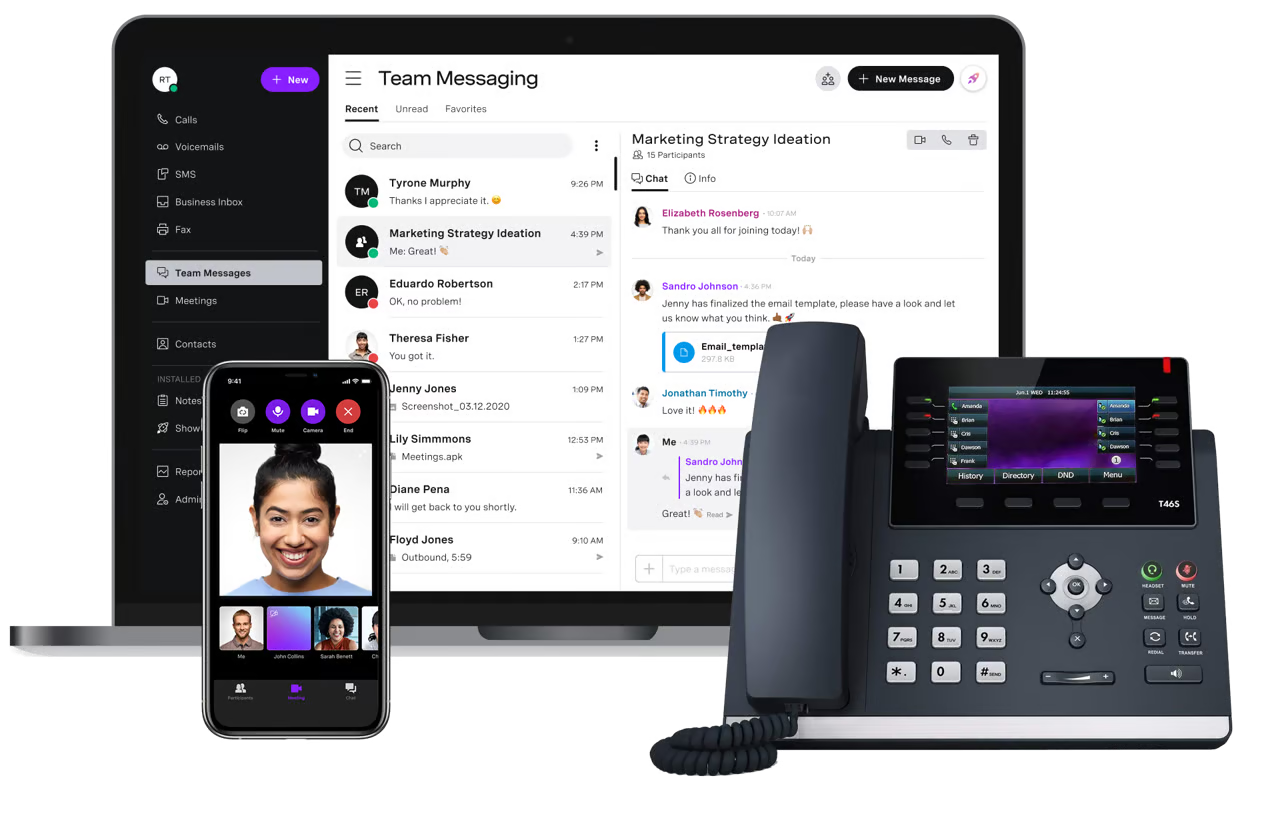
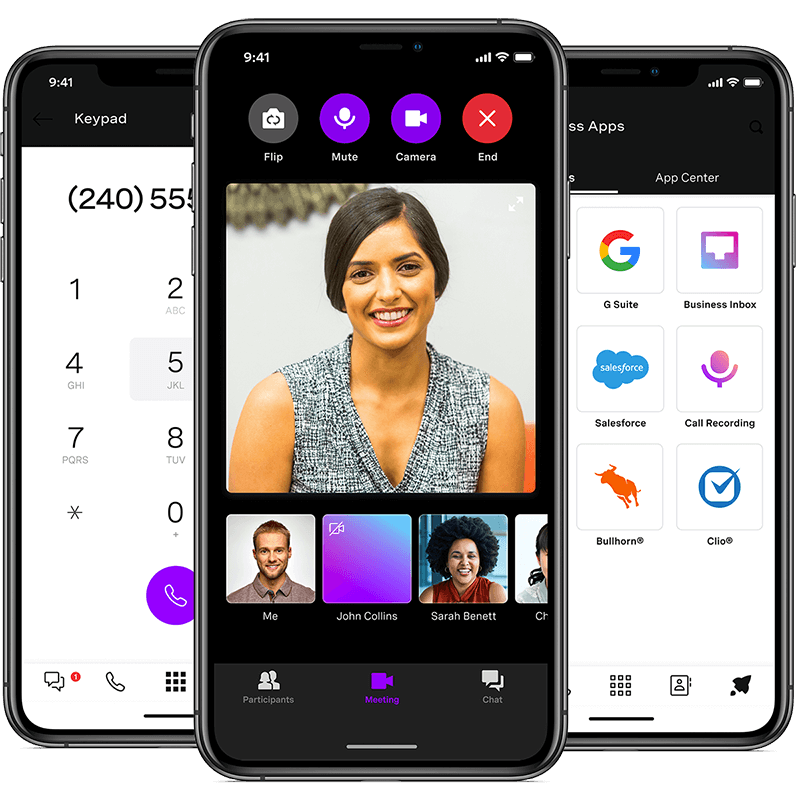
- Mobile and desktop apps: Let users make and receive business calls from computers, smartphones, and tablets.
- Team messaging: Gives employees a shared workspace for internal conversations and collaboration.
- Video meetings: Supports virtual meetings for teams that want calling, messaging, and video in one communications platform.
- Multi-level auto attendant: Routes callers through custom menus to reach the right department, extension, or team member.
- Add-on customization: Lets businesses expand the platform with optional features, integrations, and communication tools as needs change.
Vonage lists three main business communications plans:
- Mobile: $19.99/line/month, or $13.99/line/month with annual promotional pricing
- Premium: $29.99/line/month, or $20.99/line/month with annual promotional pricing
- Advanced: $39.99/line/month, or $27.99/line/month with annual promotional pricing
Zoom Phone: Best for unpredictable call volumes
Pros
Cons

Our Rating: 4.73/5
Why I chose Zoom Phone
Zoom Phone is a web-based phone system that offers metered and unmetered call plans, making it easier to manage unpredictable call volumes. Teams can choose a metered plan if they make occasional calls, an unlimited regional plan for higher domestic call volume, or Global Select for international users who need calling in a designated country.
Zoom Phone is also useful for teams already using Zoom Meetings. I like that users can move from a phone call into a video meeting without forcing everyone into a separate workflow. While it may not be the most advanced phone system for complex analytics or integrations, it is a practical option for teams that want phone service tied to familiar video collaboration tools.
Also read: Zoom vs Google Meet: Full Feature, Pricing & AI Comparison
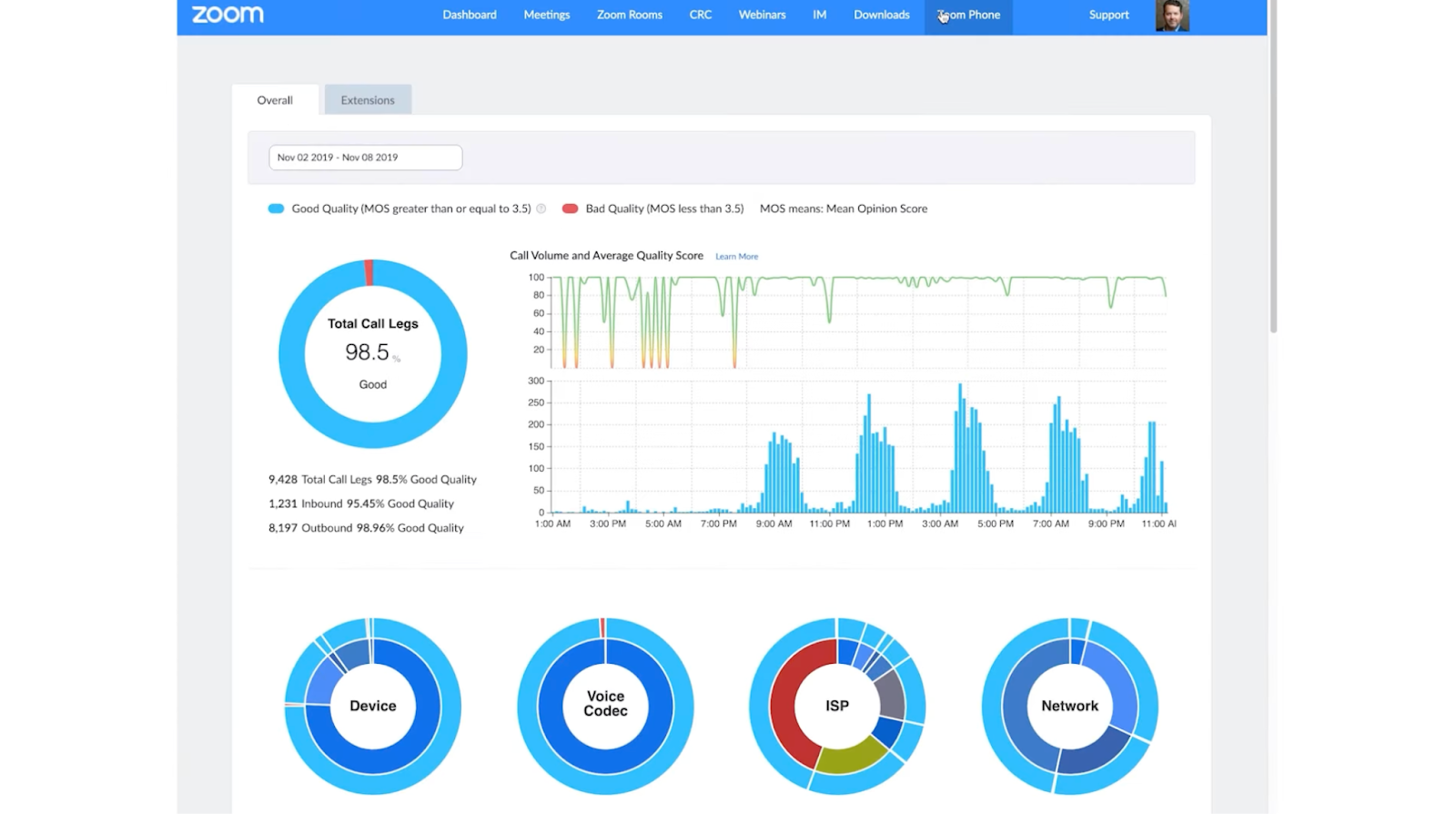
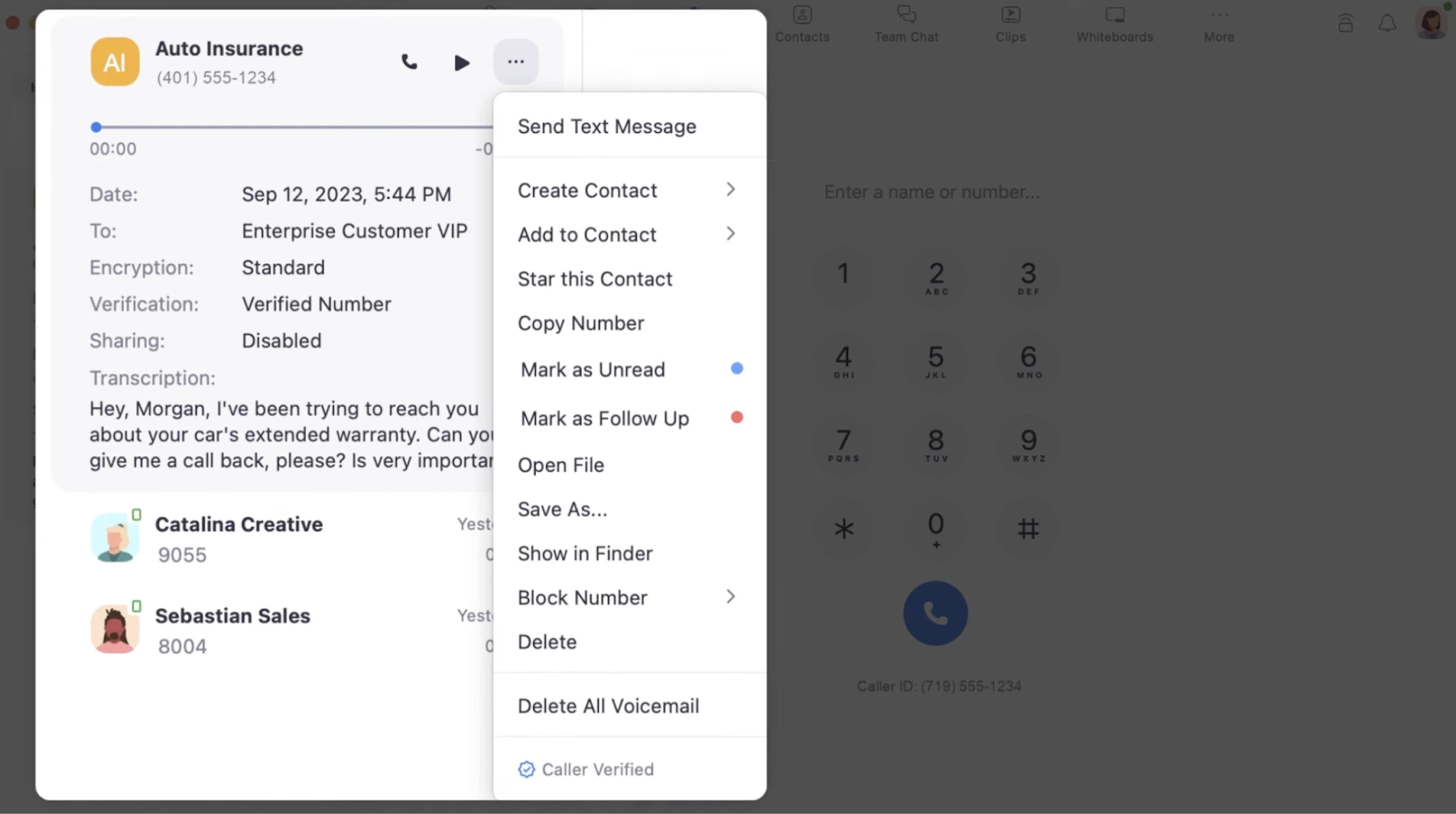
- Metered and unlimited calling plans: Let businesses choose a plan based on actual call volume instead of overpaying for unlimited calling.
- Elevate to Zoom Meeting: Turns an active phone call into a Zoom Meeting when the conversation needs video, screen sharing, or collaboration.
- Auto attendants and IVR: Route callers through menus to reach the right person, department, or queue.
- Voicemail transcription: Converts voicemail messages into text so users can review messages quickly.
- Call recording: Let teams record calls for training, documentation, or quality assurance.
- US & Canada Metered: Starts at $10.50/user/month
- US & Canada Unlimited: Starts at $16/user/month
- Pro Plus: Starts at $20.50/user/month
- Business Plus: Starts at $24.50/user/month
RingCentral: Best for advanced phone system
Pros
Cons
Our Rating: 4.58/5
Why I chose RingCentral
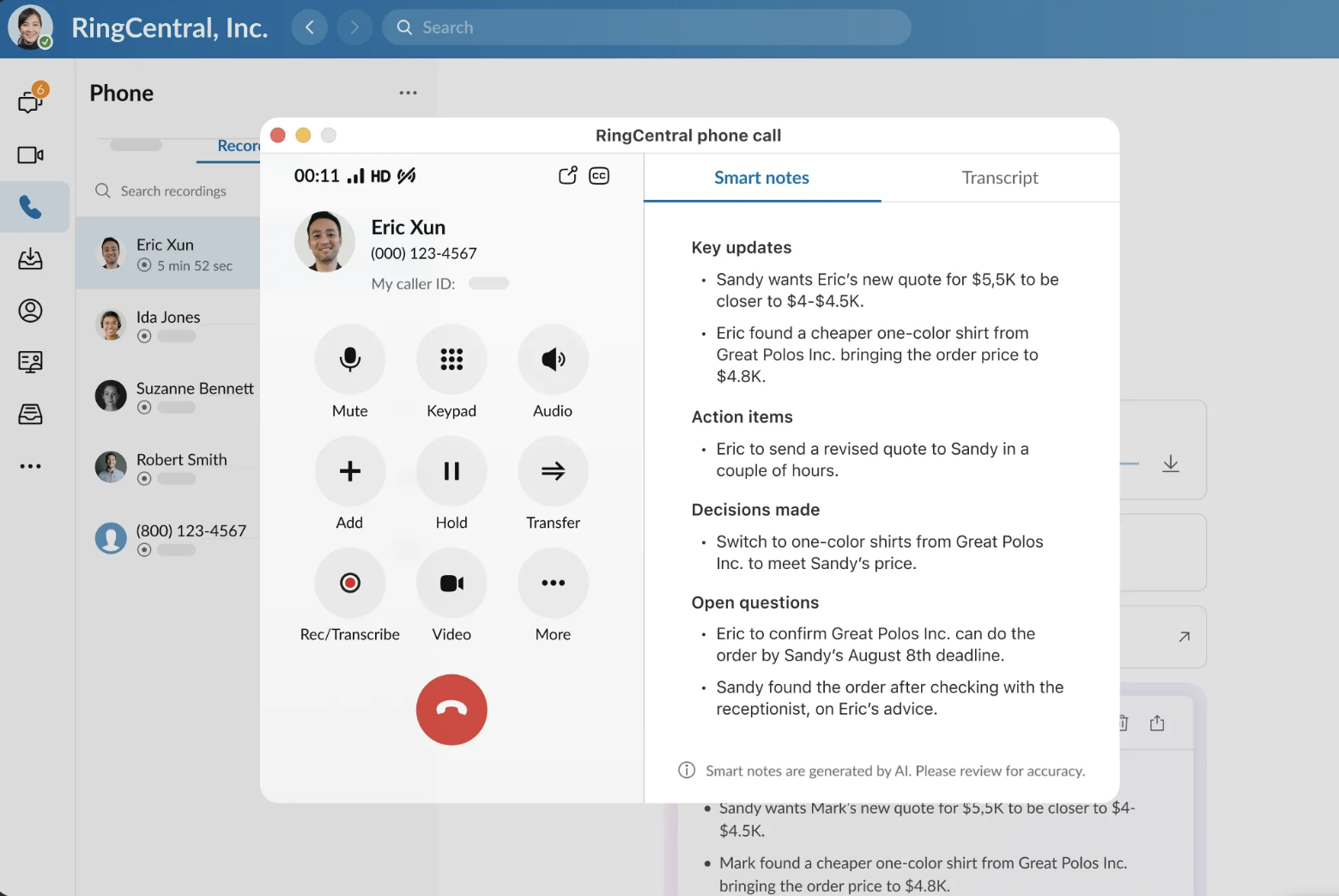
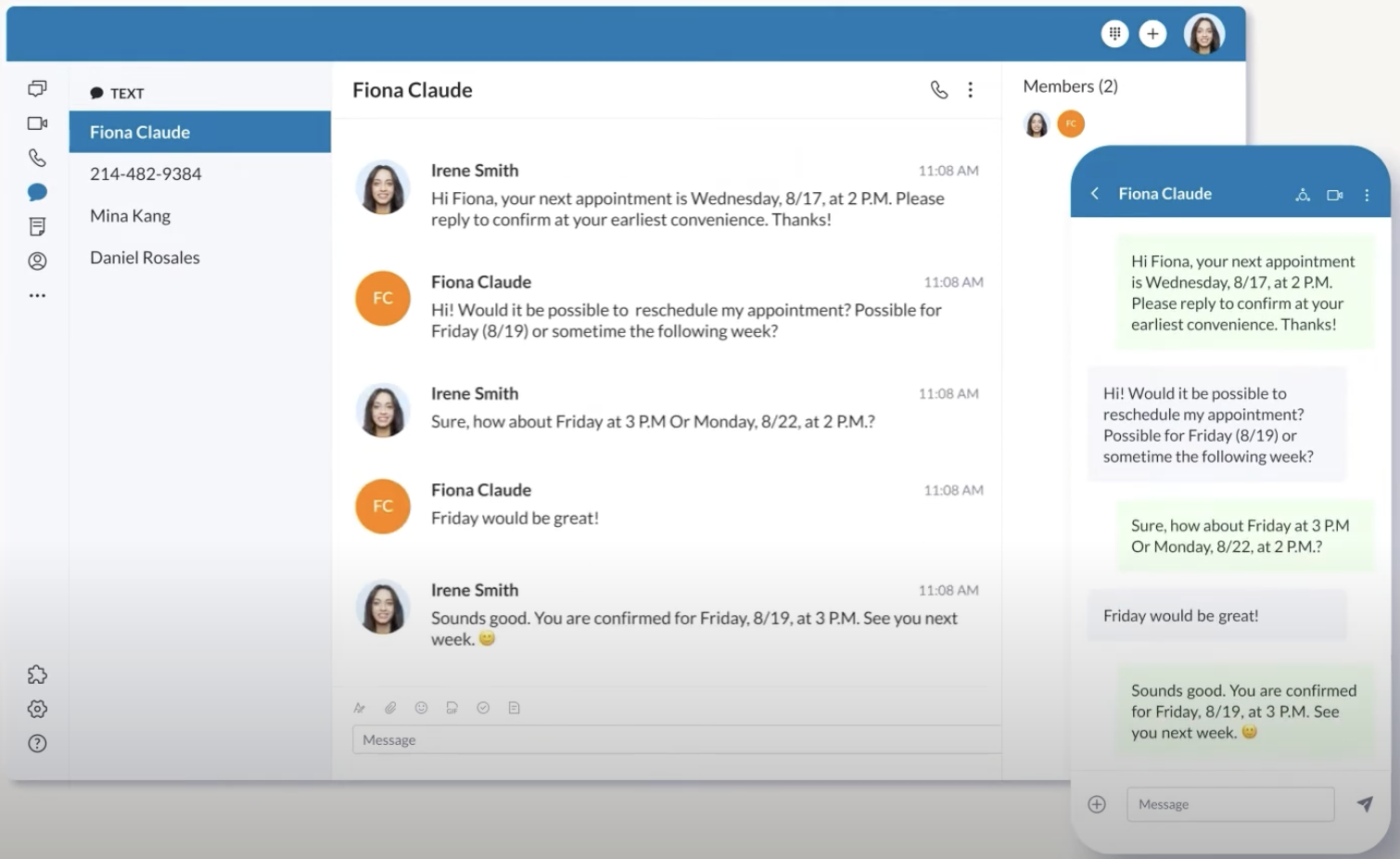
RingCentral is one the best advanced cloud phone system because it offers much more than basic business calling. Its call routing, multi-level IVR, call queues, analytics, AI Assistant features, integrations, and administrative controls make it a strong fit for teams that need a scalable communications platform.
But, user reviews often describe RingCentral as too much for small business needs, especially if the team only wants a business number and simple call forwarding. However, I often recommend it for growing companies that need advanced phone features, collaboration tools, and integrations in one system.
Also read: RingCentral Review: Features, Pricing & More
- Multi-level IVR: Routes callers through layered menus so businesses can direct calls by department, location, or need.
- Call queues: Places callers in a queue until the right agent or team member becomes available.
- AI Assistant: Helps summarize conversations, generate meeting notes, identify action items, and support productivity.
- Analytics and reporting: Gives managers visibility into call activity, usage, team performance, and service trends.
- App integrations: Connects RingCentral with CRM, productivity, customer support, and collaboration tools.
- Core: $30/user/month, or $20/user/month billed annually
- Advanced: $35/user/month, or $25/user/month billed annually
- Ultra: $45/user/month, or $35/user/month billed annually
- Customer engagement bundle: Contact sales for pricing
- Free trial: 14 days
Nextiva: Best for unified employee and customer communications
Pros
Cons
Our Rating: 4.52/5
Why I chose Nextiva
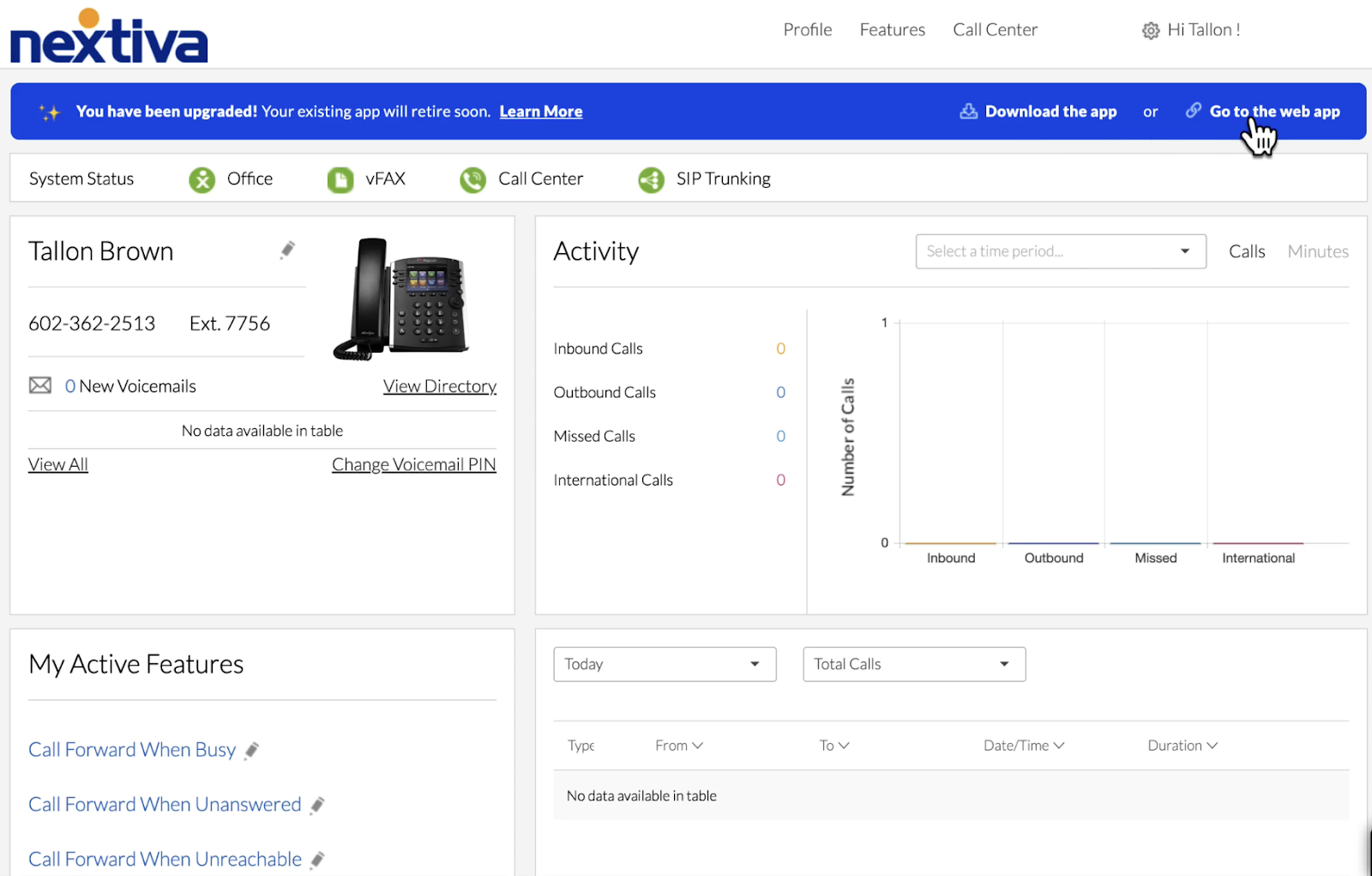
Nextiva is often my top choice for unified employee and customer communications because it connects business phone service with broader customer conversation tools. Instead of treating calls as a standalone function, Nextiva is useful for teams that want voice, messaging, routing, analytics, and customer engagement features in one platform.
This makes Nextiva a strong option for sales and support teams that need to manage internal collaboration and customer communication together. Although it’s not be the cheapest cloud phone system, it works well for businesses that want phone service to support the full customer experience.
Also read: Top 6 Nextiva Alternatives & Competitors
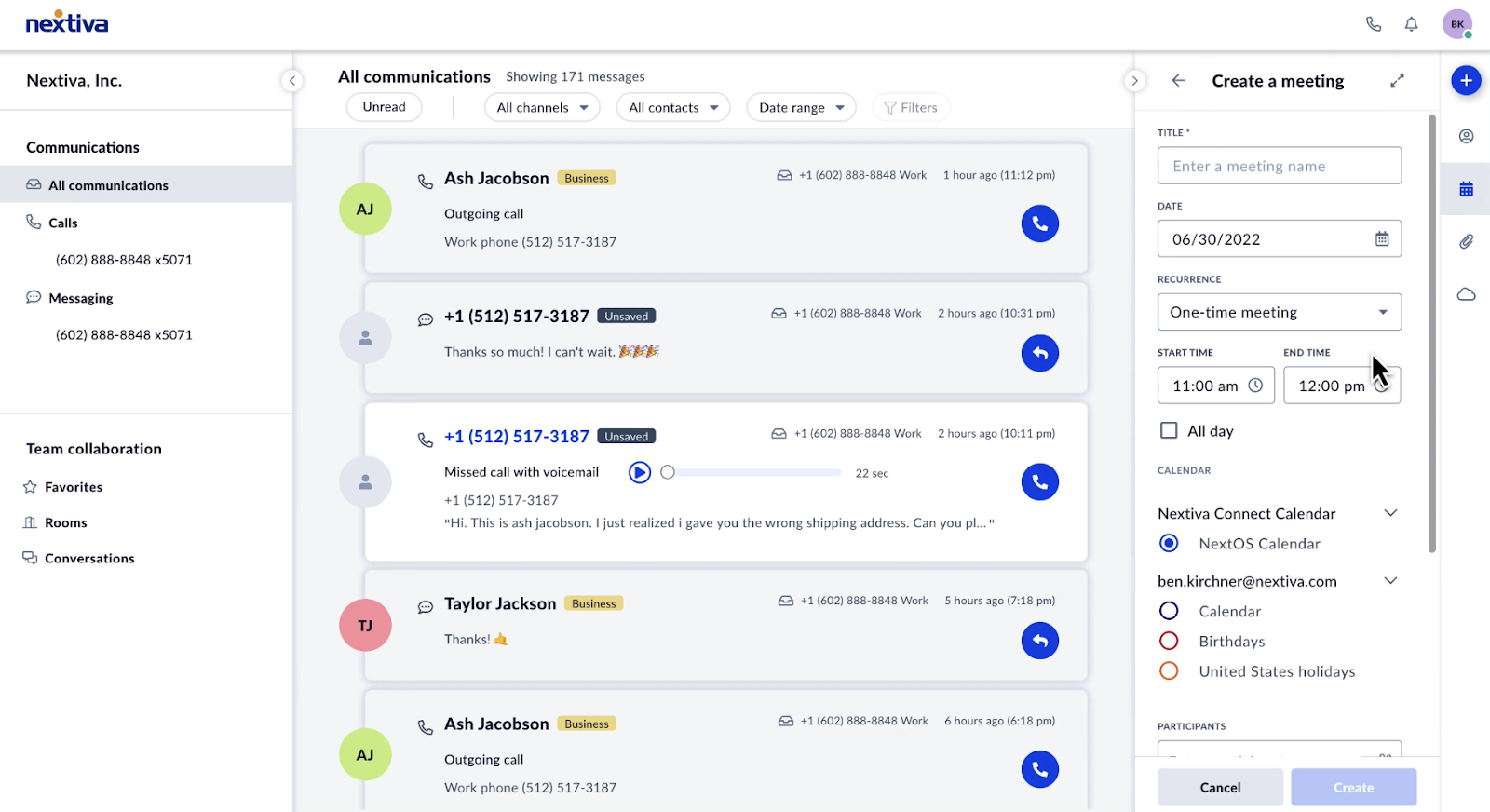
- Unified inbox: Brings customer conversations from multiple channels into one workspace so teams can respond faster.
- Business SMS: Lets users send and receive text messages from a business number.
- Team chat: Gives employees a place to collaborate internally while managing customer communication.
- Call routing: Sends inbound calls to the right person, department, or queue based on business rules.
- Voice analytics: Tracks call activity, performance trends, and customer communication insights.
- Core: $23/user billed monthly; $15/user/month billed annually
- Engage: $50/user billed monthly; $25/user/month billed annually
- Scale: $75/user/month
Google Voice: Best for Google Workspace users
Pros
Cons

Our Rating: 3.81/5
Why I chose Google Voice
Google Voice is my go-to option for Google Workspace users because it is one of the simplest ways to add business calling to an existing Google environment. Teams that already use Gmail, Calendar, Meet, and Chat can manage calls, voicemail, and basic phone settings without adopting a separate communications platform.
At the same time, Google Voice is not the strongest option for companies that need deep call analytics, advanced routing, or contact center features. However, I like it for small teams and Google-first businesses that want an affordable, easy-to-use cloud phone system with familiar admin tools.
Also read:Top 8 Google Voice Alternatives
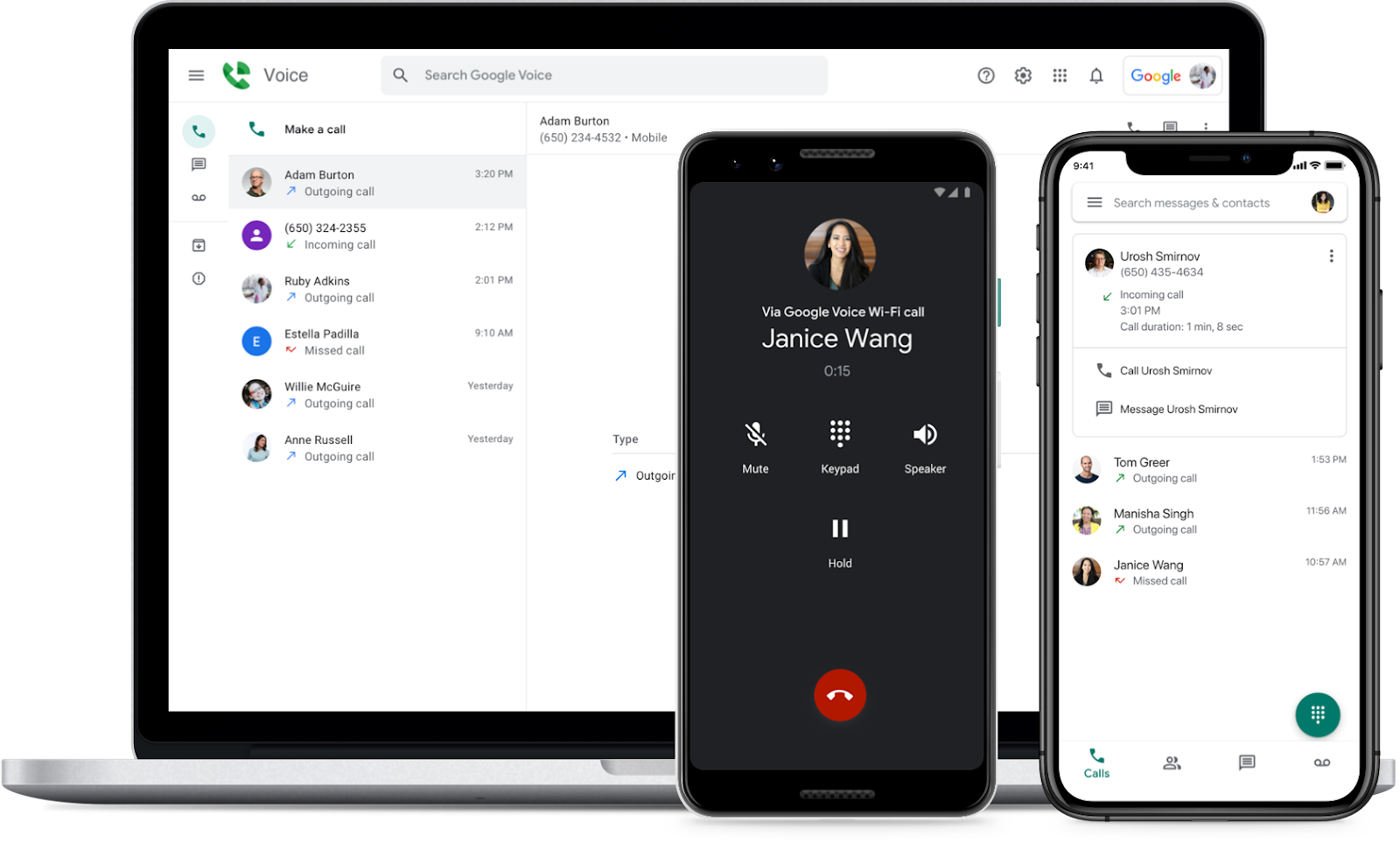
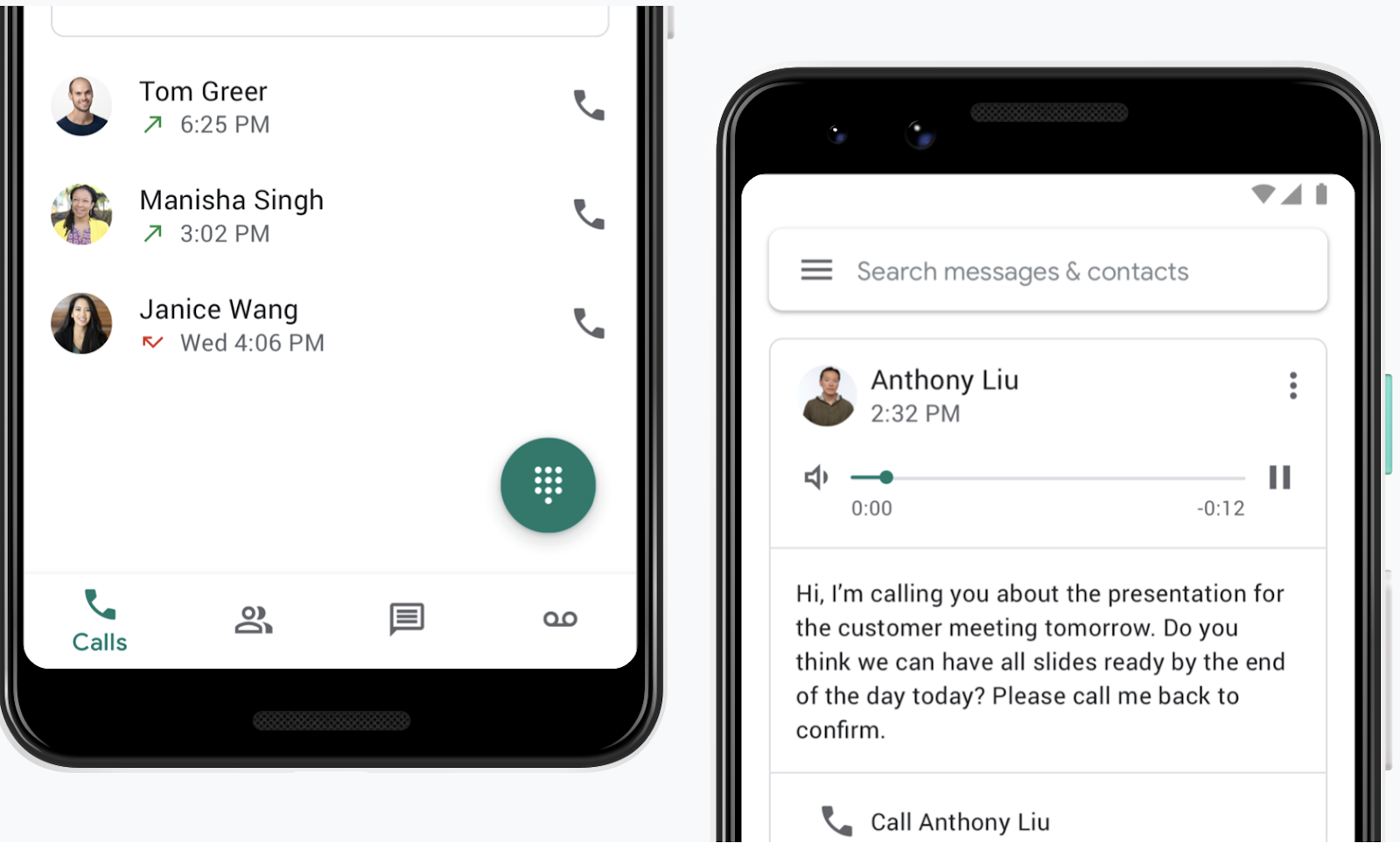
- Voicemail transcription: Converts voicemail messages into text so users can read messages quickly.
- Google Workspace integration: Connects calling with Google’s productivity ecosystem, including Gmail, Calendar, Meet, and Admin Console.
- Spam filtering: Screens suspected spam calls to reduce interruptions.
- Multi-level auto attendant: Available on higher tiers to help businesses route callers through menu options.
- Ring groups: Distributes incoming calls across multiple users so teams can answer more efficiently.
Google Voice offers three business phone plans:
- Starter: $10/user/month
- Standard: $20/user/month
- Premier: $30/user/month
Starter supports up to 10 users. Standard adds unlimited users, ring groups, multi-level auto attendants, desk phone, and ATA support, and ad hoc call recording. Premier adds unlimited international locations, BigQuery reporting, and automatic call recording.
Grasshopper: Best for entry-level phone service
Pros
Cons
Our Rating: 3.60/5
Why I chose Grasshopper
When it comes to small teams, Grasshopper is the best entry-level cloud phone system because it gives you a professional phone presence without requiring a full UCaaS rollout. I recommend it for entrepreneurs, freelancers, and local businesses that need a business number, call forwarding, voicemail, texting, and extensions.
However, Grasshopper is not the right choice for companies that need advanced collaboration, analytics, integrations, or video meetings. Instead, you should consider Grasshopper only if you want a simple phone system that you can set up quickly and understand without IT support.
Also read: How to Get A Free Business Phone Number in 2026? (& Why It’s Important)
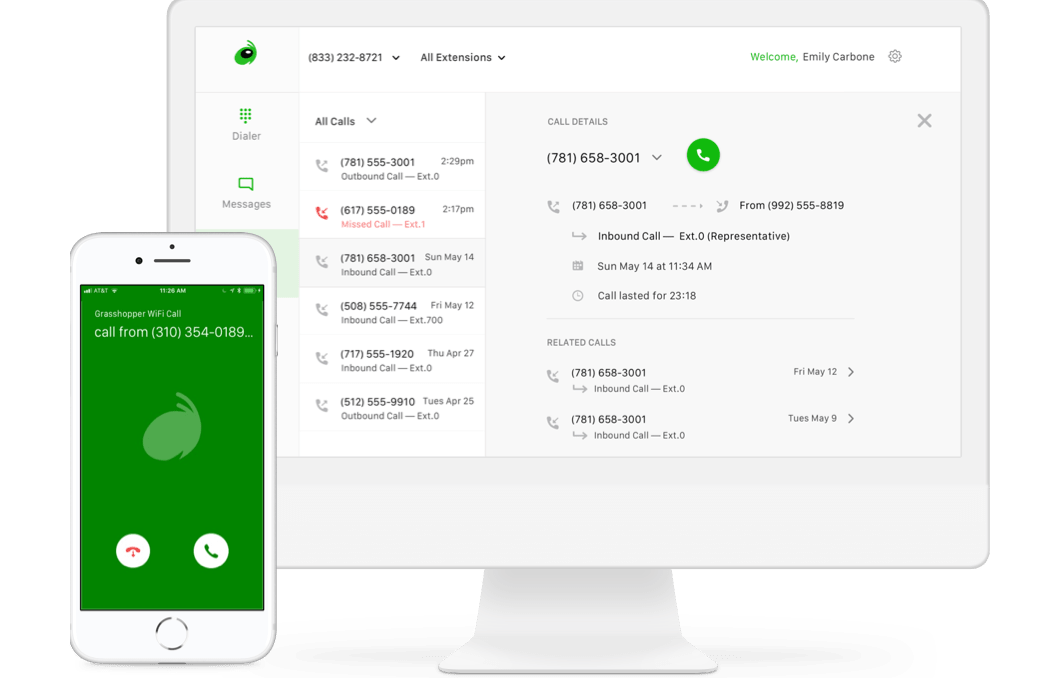
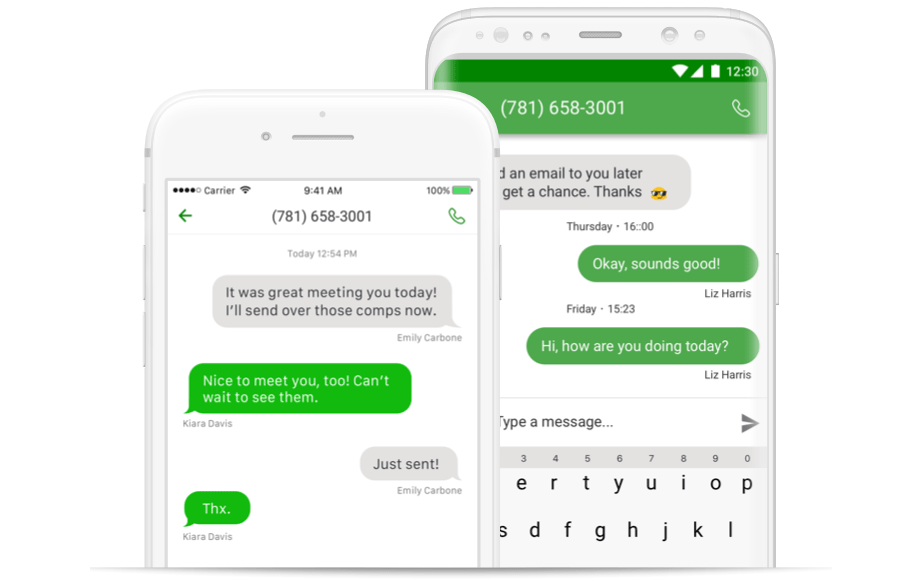
- Virtual receptionist: Greets callers and routes them to the right extension or team member.
- Business texting: Lets users send and receive SMS messages from a business number.
- Instant response: Automatically texts missed callers so businesses can acknowledge leads or customers quickly.
- Voicemail transcription: Converts voicemail messages into readable text.
- Extensions: Let businesses route calls to individuals, departments, or devices from a single main business number.
- True Solo: $18/month, or $14/month billed annually
- Solo Plus: $32/month, or $25/month billed annually
- Small Business: $70/month, or $55/month billed annually
- Free trial: 7 days
Methodology: How I evaluated the best cloud phone systems
To evaluate the best cloud phone systems, I compared each provider based on the features that matter most to small and midsize businesses moving phone service to the cloud. I focused on call management, pricing, ease of use, mobility, integrations, reliability, support, and scalability.
I also considered each provider’s best-fit use case. For example, Vonage ranked highly for customization because of its add-on flexibility and communication features, while Zoom Phone stood out for teams with variable call volume and existing Zoom usage.
Specifically, I evaluated providers across these categories:
- Pricing and value: Monthly starting cost, annual discounts, free trial availability, included features, and whether important capabilities require add-ons or higher-tier plans.
- Core phone features: Business calling, voicemail, call forwarding, call transfer, call recording, auto attendants, IVR, and number management.
- Advanced call management: Call queues, analytics, call monitoring, multi-site support, routing rules, AI tools, and admin controls.
- Mobility and usability: Mobile and desktop apps, setup complexity, interface quality, ease of adoption, and support for remote or hybrid teams.
- Integrations and scalability: CRM integrations, productivity app connections, API access, third-party marketplaces, and the ability to grow with the business.
- Support and reliability: Customer support availability, uptime guarantees, onboarding resources, security controls, and overall service dependability.
My recommendations prioritize provider fit over feature volume. The best cloud phone system is not always the platform with the longest feature list; it is the one that matches your team’s call volume, collaboration needs, budget, and growth plans.
Cloud phone system features
A cloud phone system consists of key components that contribute to its overall functionality and performance. These components are essential to what makes a cloud phone service flexible, cost-effective, and reliable. Below, I list the key elements we typically find in most cloud phone providers.
- Virtual phone numbers: Cloud phone services offer a phone number upon subscription. Since it is independent of a location, a virtual phone number allows you to pick your desired area code. Most providers offer toll-free, vanity, and international number options for a small monthly fee.
- Call management: Call features vary across cloud phone providers, but they typically include routing, forwarding, and scheduling of incoming calls. Call management in a cloud phone system typically includes an auto-attendant, ring groups, conference calling, voicemail, and business hours.
- Third-party integrations: Integrations streamline processes by allowing users to connect their third-party application to their business phone system. This makes it easy to pull up information without switching between different platforms. For example, CRM integration lets you quickly access customer data directly from the phone interface.
- Softphone: Compared to traditional desk phones, cloud phone systems enable users to use their preferred devices and take calls from anywhere. A VoIP provider offers a softphone that you can install on your desktop, tablet, or smartphone. Regardless of the device used, logging in on your softphone lets you access the same set of phone features and communication history.
Benefits of cloud phone systems
Cloud phone systems are a worthwhile investment, regardless of your business size. When implemented effectively, they offer a significant impact on team communication, customer experience, and the company’s bottom line. Let’s take a look at these advantages.
- Cost-effective: A cloud-based telephone system eliminates the costs associated with installing and maintaining on-premise phone systems. Instead, you’ll only pay a minimal monthly subscription fee to access your business phone service, while the provider will handle the upgrades, configuration, and security measures.
- Mobility: With cloud-based telephone systems, all you need is an internet-connected device to send and receive calls. This benefits remote teams wanting to stay connected while working from home. You can also apply changes to your call flow directly from your browser and keep the same phone number regardless of your location.
- Better customer service: Professional phone features like auto-attendant and call queues ensure a smooth caller experience by reducing wait times and routing calls to the right department. Call analytics generate valuable insights into the customer journey, while integrations provide in-call access to customer data.
- Efficient team communication: Most cloud phone services integrate voice with other communication channels, such as chat and video conferencing. They also offer collaboration tools, such as file attachments, calendar sharing, and a whiteboard. This creates a unified workspace, where teams can access the same files and communication tools on one platform.
Choosing the best cloud phone system
Cloud phone systems are critical communication tools for businesses of any size, as they provide a range of features that enable efficient communication, collaboration, and an improved customer experience. While choosing the right provider can be a tough call, knowing your specific needs and budget can help you make an informed decision that aligns with your business objectives.
Vonage is my overall best cloud phone system for its customizable features, making it a great fit for businesses with unique communication needs. Teams with unpredictable call volumes year-round should consider Zoom Phone, as it allows mixing and matching metered and unlimited call plans.
RingCentral works best for enterprise-level businesses with sophisticated communication needs, such as advanced analytics, robust integrations, and extensive call routing capabilities. Its close competitor, Nextiva, integrates its phone system with customer experience tools, helping sales and support teams streamline customer interactions.
Cash-strapped teams with an existing Google Workspace subscription are better off with Google Voice’s budget-friendly phone system. However, if you’re new to VoIP and value simplicity, I strongly recommend Grasshopper’s virtual phone system.
If you’re looking for more options, check out our guide for the best PBX phone systems for small businesses.
Frequently Asked Questions (FAQ)