


When it comes to agile project management software, Jira is often the default choice for IT and dev teams, but its steep learning curve can make adoption difficult for everyone else. monday dev and Trello handle agile workflows just as well, with simpler setup and a faster path to everyday use. In this article, I’m sharing eight platforms I’ve tested with my own team and what I found each one does best.
Best agile project management software compared
| Best for | Starting monthly fee | |
| ClickUp | Best AI-powered agile workflows | $7/user |
| Jira | Best for software issue tracking | $9.05/user |
| monday dev | Best for roadmap-to-release planning | $9/user |
| Zoho Sprints | Best for low-cost Scrum planning | $1/user |
| Asana | Best for marketing and product sprints | $10.99/user |
| Wrike | Best request-driven sprint intake | $10/user |
| Miro | Best whiteboard-based story mapping | $8/user |
| Trello | Best lightweight Kanban boards | $8/user |
Featured partnersFeatured Partners
Over the past four years as a tech analyst, I have tested dozens of project management software, and several have become part of my agile workflow.
Through buyer’s guides, I have learned to distinguish purpose-built agile software from general PM tools that have been modified to support Scrum or Kanban. I also assess each product using a comprehensive scoring rubric based on hands-on testing and verified product research.

Marianne Sison
Senior Staff Writer for Project Management
I used the same scoring rubric for each platform and prioritized features supporting agile project management. I checked their documentation to confirm each capability, then used my own testing process and customer feedback to assess ease of use and support.
- General features (25%): I looked at how well each product supported backlog priorities and connected higher-level work to tasks or issues. I also reviewed sprint planning and agile reports, then scored dependencies and workflow automation separately.
- Pricing (20%): I compared annual per-user pricing and free plan access. I also checked what came with the lowest paid plan, whether reports required an upgrade, and whether integrations added extra costs.
- Advanced and niche features (20%): I reviewed how each platform managed roadmaps and capacity across multiple teams or projects. I also checked DevOps traceability, then assessed AI support and enterprise controls.
- Expert score (15%): I used the expert score to account for factors not fully reflected in the weighted categories. I considered feature quality and value first, then used recent user feedback and documentation as a final check.
- Ease of use (10%): I looked at how much effort it took to set up an agile workspace and onboard a new team. I also considered the overall navigation and the admin work required to maintain custom workflows.
- Support (10%): I compared the support options available on each plan and checked whether the community forum offered useful answers beyond the help center. I also reviewed the quality of the training resources and the security controls available to admins.

ClickUp: Best AI-powered agile workflows
Overall Score
4.88/5
Pros
- Sprint cards reflect current progress accurately
- Unfinished tasks automatically move to the next sprint
- Custom task types support mixed agile workflows
Cons
- Large workspaces can load slowly
- Extensive feature set can slow down admin onboarding
- Access to AI agents requires a separate monthly subscription
Why I chose ClickUp
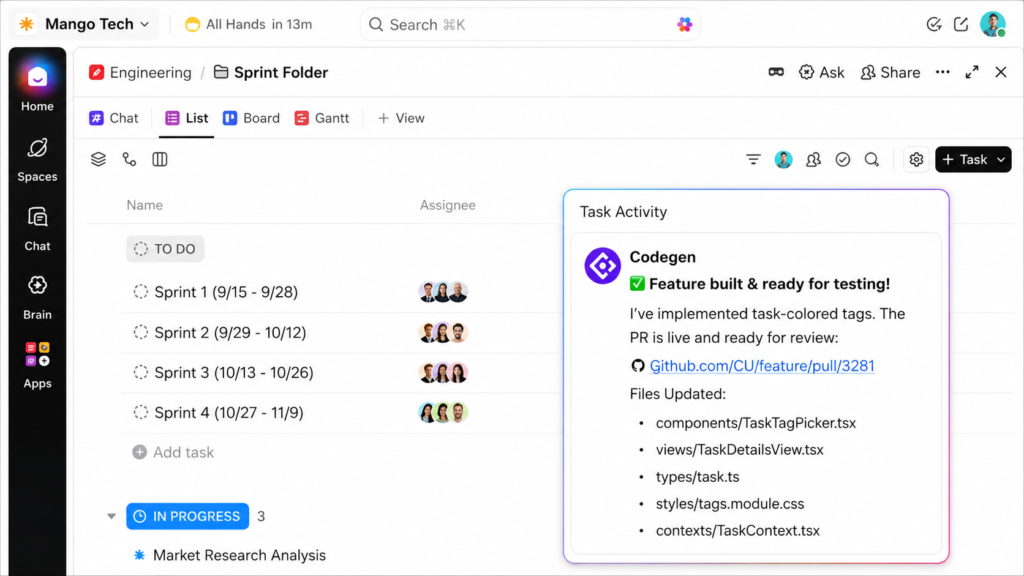
Testing ClickUp’s AI assistant, Brain, during a sprint cycle showed me it does more than draft text. Ask it to review a backlog list, and it will suggest task breakdowns. It can also identify which items are missing important details by using the information stored within your workspace.
During an active sprint, Brain can summarize completed, ongoing, and blocked work using task statuses and comments. This saves someone from manually collecting updates across the board, though I would still have a product owner review the summary before sharing it with stakeholders. Brain reports what has been recorded, but it cannot decide which work should take priority.
Brain’s context is limited to what’s inside ClickUp unless you subscribe to the Everything AI plan, which searches connected tools such as Slack and Google Drive. If your sprint conversations happen mostly around a code repository, Jira’s Development panel links commits and pull requests to each issue without a separate AI plan.
Read our full ClickUp review.

Jira: Best for software issue tracking
Overall Score
4.83/5
Pros
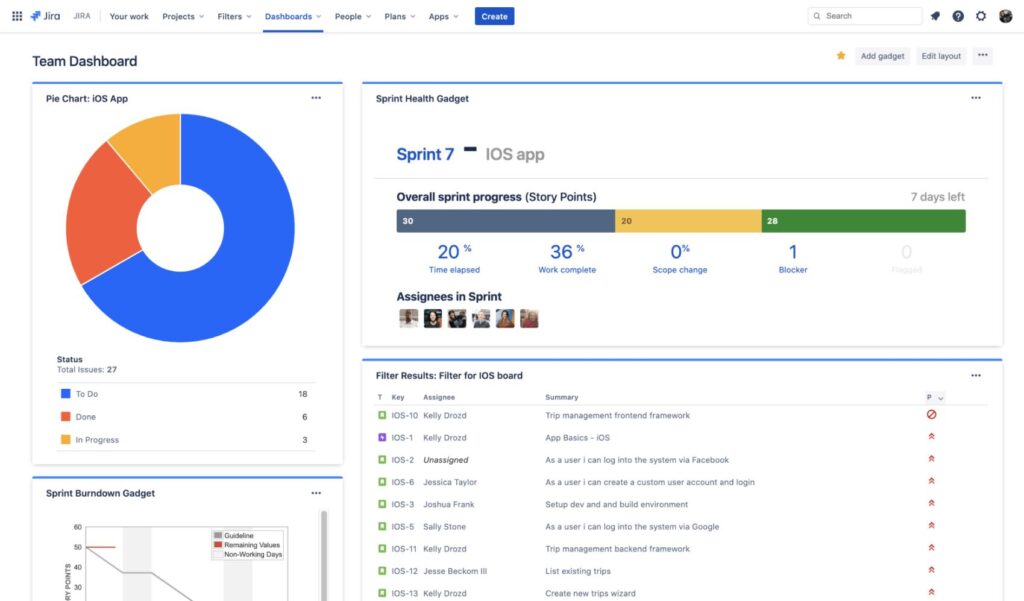
- Epics connect to sprint backlogs
- Agile reports track velocity and burndown
- GitHub commits link directly to issues
Cons
- Complex workflows need dedicated admins
- Large backlogs can slow navigation
- Plugins increase costs for specialized workflows
Why I chose Jira
Jira’s biggest advantage over general project management software is that it was designed around how dev teams plan and ship work. Instead of treating sprint tickets as isolated tasks, it connects them directly to the development activity behind each release.
After linking Jira to GitHub or GitLab, each issue gets a Development panel with linked branches, commits, pull requests, and builds. A project lead can quickly spot issues with active code changes that are still sitting in “To Do,” while Scrum and Kanban boards cover backlog management, sprint planning, and burndown reporting.
This approach works best when the team consistently treats Jira issues as the main record of dev work, which requires more setup and discipline than many nontechnical teams require. For business teams that need agile planning without a developer-first interface, Asana offers a much simpler workspace while its Jira Cloud integration keeps issue statuses synced.
Read our full Jira review.

monday dev: Best for roadmap-to-release planning
Overall Score
4.55/5
Pros
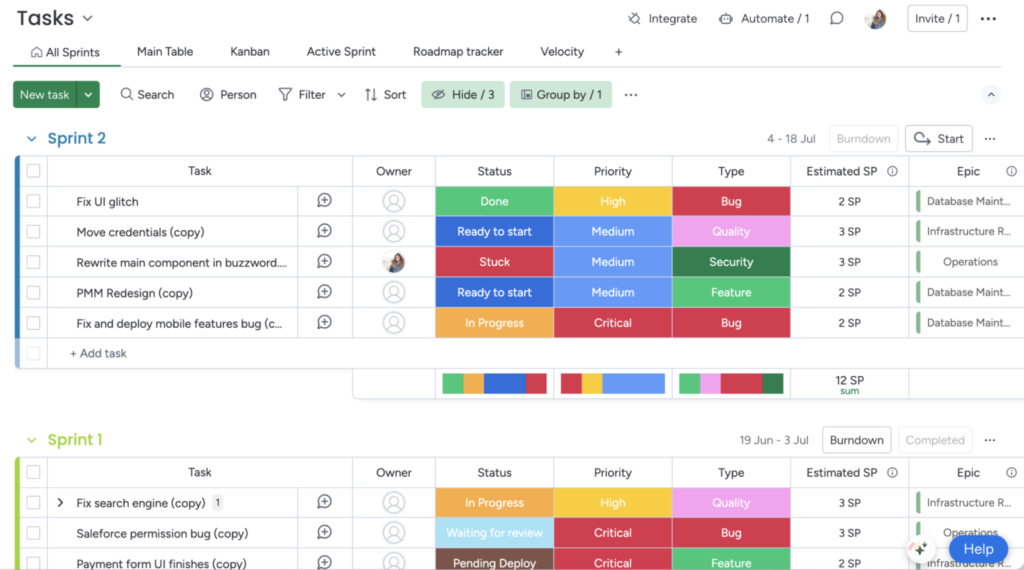
- Sprint boards support Scrum and Kanban
- Custom workflows connect product and engineering
- Automations coordinate release work across departments
Cons
- Some users encounter issues with GitLab syncing
- Cross-project reports may require external tools
- Extensive customization increases setup time
Why I chose monday dev
monday dev runs as its own developer platform, separate from the monday work management product most people know. The platform links each roadmap item to its sprint tasks, so product managers can track the feature while developers manage the work required to deliver it.
The GitHub and GitLab integration syncs pull requests, merges, and reviews back to the related task automatically. Product managers can follow progress through the Roadmap Tracker while developers work from the Sprint Board. From there, the Engineering Performance Dashboard combines the underlying activity into a single sprint health view.
monday dev’s sprint management relies on several connected boards, and breaking those connections disables sprint tracking. Jira is a better option for teams that want native sprint and release reporting without linking unlimited boards.
Read our full monday.com review
Zoho Sprints: Best for low-cost Scrum planning
Overall Score
4.47/5
Pros
- Capacity tools balance work across sprints
- Release reports include burnup and burndown
- Custom statuses show each handoff stage
Cons
- GitHub syncing needs regular checks
- Large projects may load slowly
- Permissions complicate board setup
Why I chose Zoho Sprints
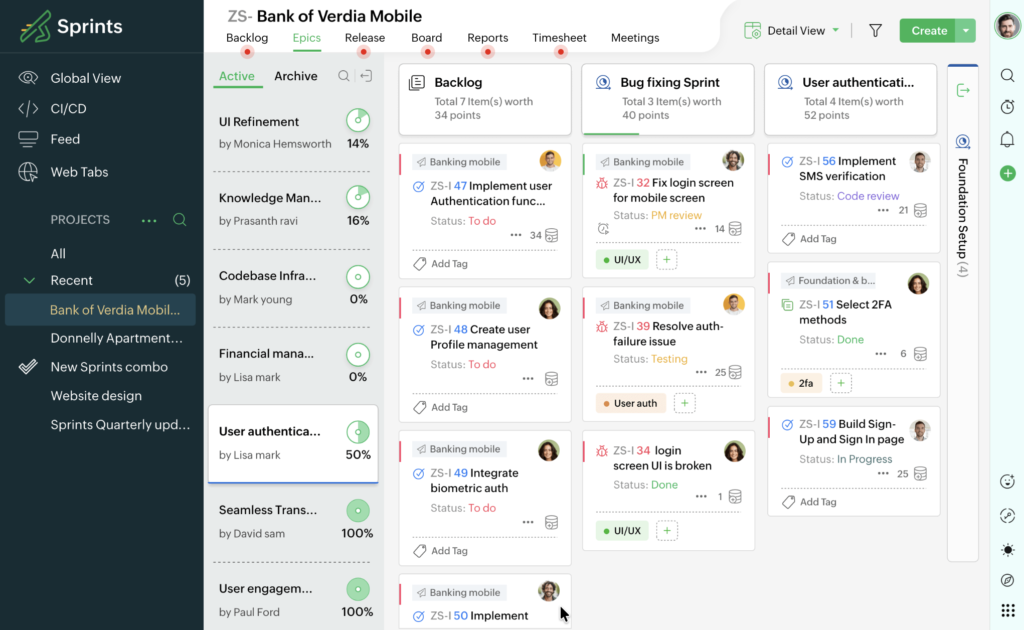
Many small teams looking for Scrum software often face a choice between a basic Kanban tool that can’t handle story points and an enterprise platform that costs more than they need. Zoho Sprints provides dedicated Scrum tools without the higher cost or added complexity of broader work management platforms.
Teams can organize a prioritized backlog, break work into epics and user stories, estimate with story points, and plan sprints from a dedicated Scrum board. As work progresses, Zoho Sprints automatically generates velocity charts, burndown charts, and cumulative flow diagrams. This gives Scrum Masters an overview of sprint health without additional setup.
Note that Zoho Sprints focuses on Scrum, so teams that also need client project management or Gantt charts will likely need another tool. monday dev is the better choice if you want Scrum planning, roadmap management, and project tracking in one platform.

Asana: Best for marketing and product sprints
Overall Score
4.47/5
Pros
- Cross-functional teams adopt boards quickly
- Sprint backlogs track priorities and story points
- Dependencies move connected task dates automatically
Cons
- No built-in velocity or burndown reports
- Dependency changes may require custom rules
- Active projects can trigger excessive notifications
Why I chose Asana
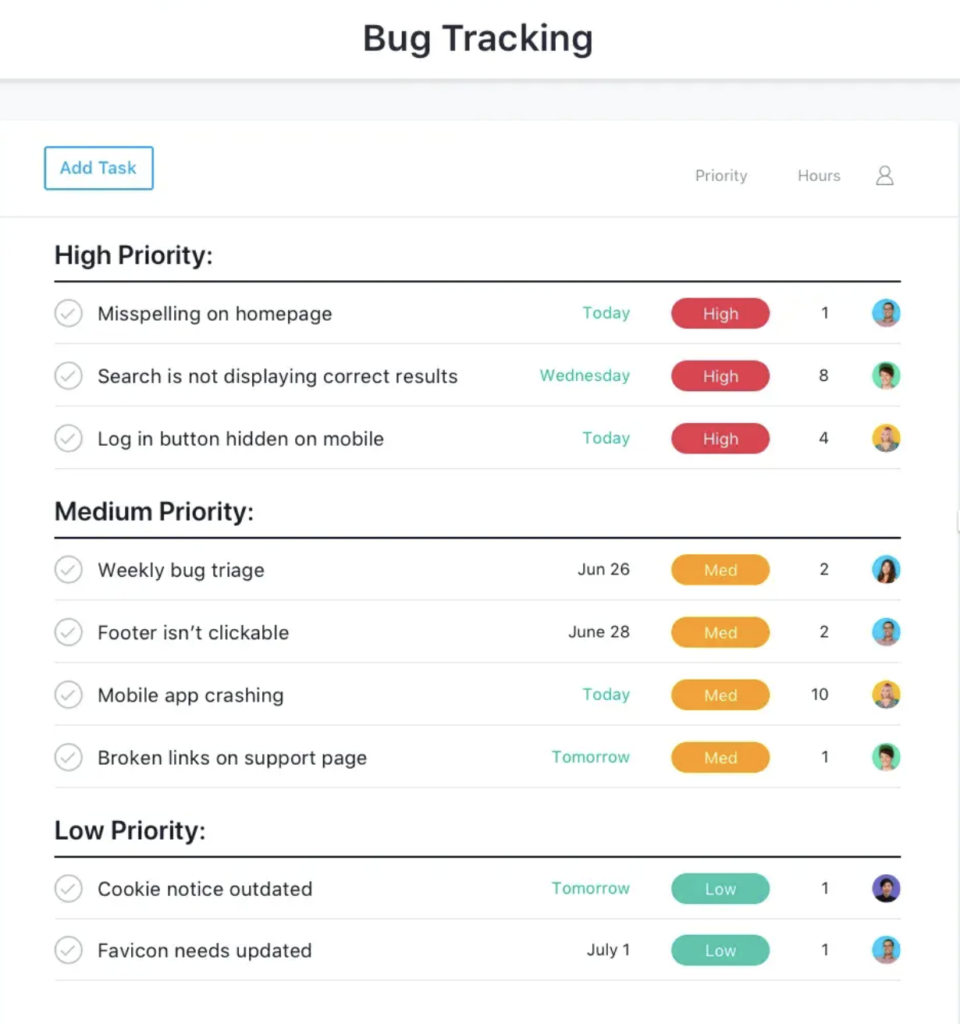
The problem with developer-first tools is that they often treat every unit of work as a ticket. Asana takes a broader approach by treating a sprint as a project with tasks, assignees, and dependencies, which fits a marketing or product launch as naturally as a software cycle. I would recommend it to cross-functional teams that follow agile practices but do not need software development workflows.
Teams can start with a sprint template, assign work, connect dependent tasks, and monitor workloads. When marketing or product teams work alongside engineering, Asana’s Jira Cloud integration syncs updates between an Asana task and its linked Jira issue, so both groups can follow progress from their preferred platform.
Asana doesn’t natively support story points, velocity tracking, or a product backlog, which can be limiting for engineering teams running Scrum. If your team needs native Scrum structure, Jira handles backlog, estimation, and sprint reporting.
Read our full Asana review.

Wrike: Best for request-driven sprint intake
Overall Score
4.02/5
Pros
- Custom workflows support Scrum and Kanban
- Dashboards compare agile metrics across teams
- Request forms add work to backlogs
Cons
- Story points require custom field setup
- Agile workflows need admin training
- New users may struggle with navigation
Why I chose Wrike
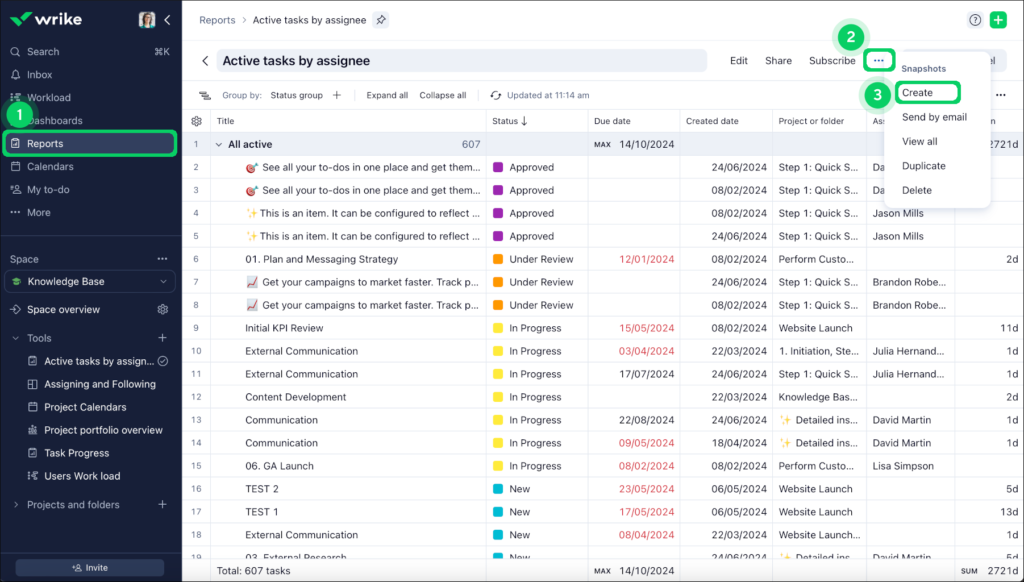
Agile teams often struggle with a backlog filled with ad hoc requests from other departments instead of planned sprint work. If your team often handles work requests, Wrike lets you organize and prioritize incoming requests before they reach the backlog.
A dynamic request form can ask different questions based on each response, then automatically sets the resulting task’s assignee, priority, or approval chain. This means sprint planning starts with requests that are already categorized and routed, instead of a grooming session that involves sorting through raw requests.
Setting up branching request forms takes time and usually requires an admin. If your backlog comes from product planning rather than incoming requests, Zoho Sprints provides a simpler way to build and prioritize work within the Scrum process.
Read our full Wrike review.
Miro: Best for whiteboard-based story mapping
Overall Score
3.79/5
Pros
- Jira cards sync across planning boards
- Dependencies sync with Azure DevOps
- AI converts sprint plans into summaries
Cons
- Splits portfolio work across boards
- Jira tables require higher-tier AI access
- Occasional users struggle to find tools
Why I chose Miro
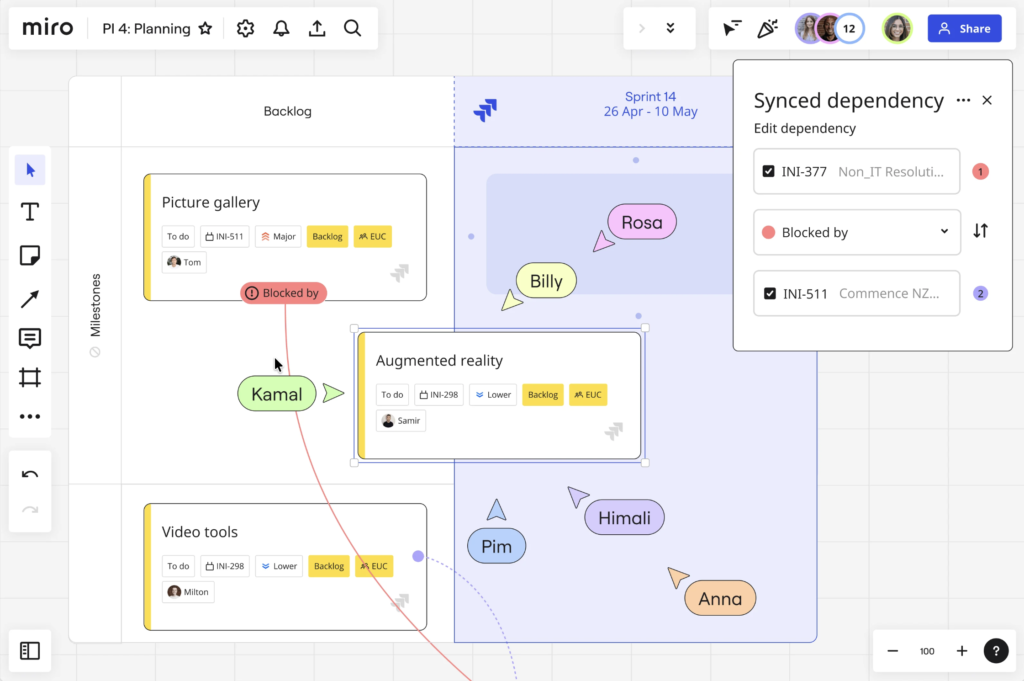
Miro gives agile teams a visual workspace for sprint workshops and user story mapping. It offers two-way integrations with Atlassian apps such as Jira and Confluence, which largely benefits projects involving developers and product teams.
Teams can import Jira issues as cards onto the Miro board, or turn Miro sticky notes into Jira issues, with updates syncing in both directions. Developers can stay in Jira while product managers and designers work in Miro, where stakeholders can follow the same work.
Miro is purpose-built for collaborative planning, so you’ll still need a separate agile project management software to manage sprints and reporting. If you’d rather plan and run sprints in the same platform, ClickUp combines sprint management and collaborative whiteboarding in one tool.
Read our full Miro review.

Trello: Best for lightweight Kanban boards
Overall Score
3.62/5
Pros
- New users learn boards within minutes
- Butler rules automate recurring card actions
- Power-Ups extend lightweight Kanban workflows
Cons
- Crowded boards tend to hide sprint priorities
- Burndown charts require external Power-Ups
- Large projects are difficult to navigate
Why I chose Trello
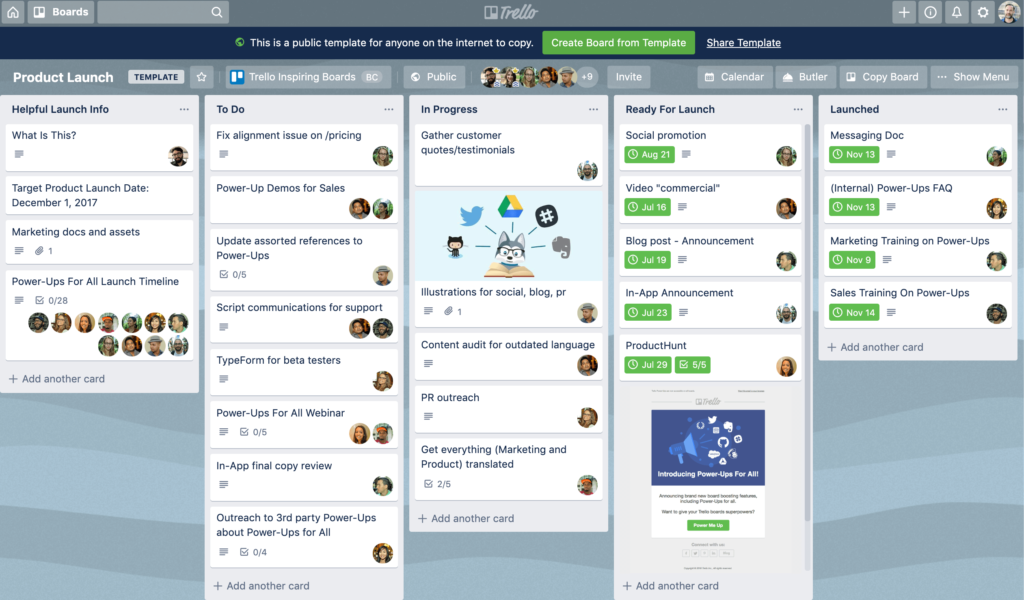
Trello gives teams a lightweight Kanban board without the setup required for Scrum ceremonies or the ongoing upkeep of story points and agile reports. It keeps things simple with boards, lists, and cards that teams can start using immediately without configuring a sprint process first.
Card mirroring lets the same task appear on multiple boards, with updates syncing across each view. This is useful when a task needs to stay on a team’s working board while also appearing on a manager’s overview board. Teams that want more from their Kanban boards can add Power-Ups for extra features like story points or burndown charts.
Trello’s simplicity can become limiting as the team grows, since it lacks native tools for backlog prioritization, capacity planning, and sprint reporting. Zoho Sprints is a better option once you need the same card-based workflow with backlog management, story points, and velocity tracking.
Read our full Trello review.
How to choose the best agile project management software
Every platform in this guide claims to support agile work, but that can mean anything from sprint-based Scrum with story points and velocity tracking to a basic Kanban board.. I recommend choosing based on how your team plans work and moves it through delivery, rather than comparing feature counts alone.
- Match the software to your team’s agile process: Scrum teams typically need backlog management, story points, sprint planning, and velocity reports. Marketing, creative, or operations teams may only need a Kanban board with recurring planning cycles, so adopting a Scrum tool can introduce unnecessary setup without improving how work gets done.
- Look beyond basic Git integrations: If your developers use GitHub or GitLab, check whether commits, branches, and pull requests automatically update the related work item. Otherwise, developers may finish the work while the task still appears in progress, leaving project managers with inaccurate sprint reports.
- Think about everyone using the platform: A tool built primarily for developers may feel overwhelming to marketing, operations, or client-facing teams. During a trial, ask non-technical users to submit requests, update tasks, and check project status to see whether they can navigate the platform without extra training.
- Follow how work reaches the backlog: Teams that create their own tasks may not need much more than a standard backlog. If work comes from clients, support, or other departments, test whether intake forms can automatically send requests to the right backlog and assign an initial priority.
- Test it with a live sprint: Import active work instead of starting with a blank project, then change priorities, add new tasks, or move deadlines halfway through the sprint. This quickly shows whether reports stay accurate automatically or require frequent updates.
FAQs
