


Call center software helps sales and support teams manage customer conversations across phone, chat, email, SMS, and other digital channels. The best call center software and tools should include intelligent routing, call recording, analytics, CRM integrations, workforce tools, and AI-assisted support features.
For most businesses, a cloud-based contact center platform is the most flexible choice because it supports remote agents, scales with call volume, and reduces the need for on-premise phone infrastructure.
I’d start by comparing tools based on call volume, channel coverage, routing needs, reporting depth, integrations, and budget. Small teams may only need basic VoIP and call queues, while larger support organizations should prioritize omnichannel routing, quality management, workforce engagement, and AI-powered agent assistance.
Comparing the best call center software
| Call center software | Best for | Starting price | Key features | My score (out of 5) |
| Five9 | Enterprise contact centers | $119/seat/month | • AI summaries • Live transcriptionCRM and UC • integrations | 4.60 |
| Talkdesk | AI-powered contact centers | $85/user/month | • Digital and voice engagement • AI automation • Real-time dashboards | 4.54 |
| RingCentral | Omnichannel customer experience | $75/user/month | • Omnichannel routing • CRM integrations • UCaaS + CCaaS | 4.38 |
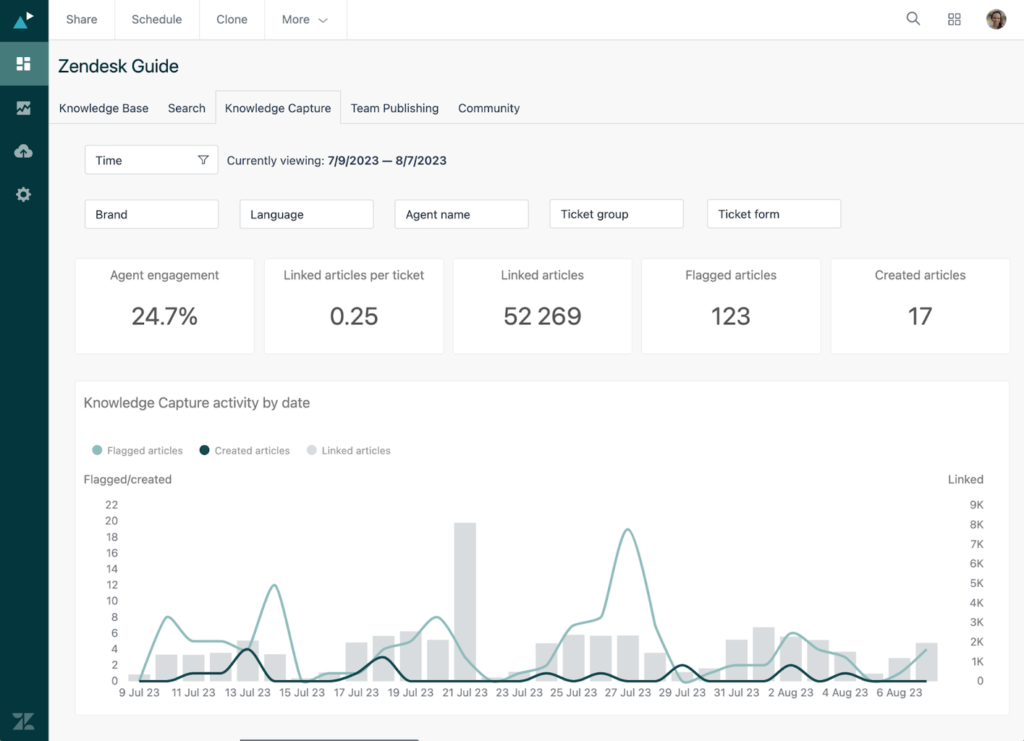
| Zendesk | Help desk + contact center workflows | $19/agent/month; Contact center add-on starts at $50/agent/month | • Ticket routing • Pre-built analytics dashboard • AI agents | 4.20 |
| Nextiva | Sales and support teams | $75/agent/month | • Call recording • ACD and IVR • Reliability-focused infrastructure | 4.02 |
| Aircall | CRM-connected sales and support teams | $40/license | • 250+ integrations • Call recording • Softphone apps | 3.99 |
| Freshdesk | Small business support teams | $19/agent/month | • Customer portal • Freddy AI • Routing and SLA tools | 3.95 |
To evaluate call center software, I focused on the features that matter most to teams handling customer conversations at scale. I looked at how each platform supports inbound and outbound calls, digital channels, agent productivity, customer experience, reporting, integrations, AI, and long-term scalability.
I weighted the criteria differently depending on the buyer’s use case. For example, a small support team may care most about easy setup, pricing, and ticketing, while an enterprise contact center may need workforce management, quality assurance, AI automation, compliance controls, and omnichannel routing.
The main evaluation criteria included:
- Core call center functionality: ACD, IVR, call queues, call recording, callbacks, call monitoring, and outbound dialing.
- Channel coverage: Voice, chat, email, SMS, social messaging, and self-service options.
- Agent productivity: Unified agent workspace, AI summaries, live transcription, knowledge suggestions, and after-call work tools.
- Manager visibility: Dashboards, reports, call analytics, workforce management, quality monitoring, and performance trends.
- Integrations: CRM, help desk, UCaaS, productivity apps, APIs, and third-party marketplaces.
- Ease of implementation: Cloud deployment, onboarding resources, admin controls, and time-to-value.
- Pricing and scalability: Entry-level cost, custom pricing, add-ons, seat minimums, usage-based fees, and ability to scale.
- Security and reliability: Compliance features, uptime language, data protection, access controls, and redundancy.
At TechnologyAdvice, we help businesses compare software with practical, research-backed guidance. Our recommendations are based on independent analysis of product features, pricing, usability, scalability, integrations, and real-world business use cases, not just vendor claims.
For this call center software guide, I evaluated each provider based on the needs of modern sales and support teams, including AI capabilities, omnichannel support, and overall value. I also considered which businesses each platform best serves, from small teams that need simple call handling to enterprise contact centers that require advanced automation, analytics, and workforce management.

Best call center software by use case
Call center software varies widely depending on team size, support channels, call volume, and the level of automation you need. Some platforms are built for enterprise contact centers with advanced routing and workforce tools, while others are better suited for small support teams, CRM-connected sales workflows, or help desks that need voice as part of a broader customer service system.
The providers below are organized by the use case they serve best, so you can quickly match each option to your team’s priorities before comparing pricing, features, and implementation needs.
Five9: Best for enterprise contact centers
Overall Reviewer Score
4.60/5
Core call center features
4.8/5
Channel support
4.8/5
Reporting & workforce tools
4.7/5
AI & automation
4.8/5
Integrations & scalability
4.7/5
Pricing & usability
3.2/5
Pros
- Supports digital, voice, SMS/MMS, chat, email, and social messaging channels
- Includes AI summaries, live transcription, AI insights, AI Agent Assist, and AI Knowledge
- Offers CRM and UC integrations, including Salesforce, ServiceNow, Microsoft, Oracle, Zendesk, Microsoft Teams, Zoom, and RingCentral
- Includes workforce engagement options like quality management, workforce management, and analytics
Cons
- Published pricing requires a 50-seat minimum
- Usage-based pricing may apply
- May be too advanced or expensive for small teams that only need basic call routing
Why I chose Five9
I chose Five9 for enterprise contact centers because it offers the breadth larger teams need to manage complex customer interactions across voice and digital channels. When I evaluate enterprise-grade call center software, I look for more than IVR and call queues; I want to see AI support, reporting, workforce tools, integrations, and enough flexibility to support both inbound and outbound operations.
Five9 is best for organizations that need a scalable contact center platform rather than a simple business phone system. Smaller teams may find the seat minimum and pricing structure too heavy, but high-volume support and sales operations will benefit from its deeper feature set.
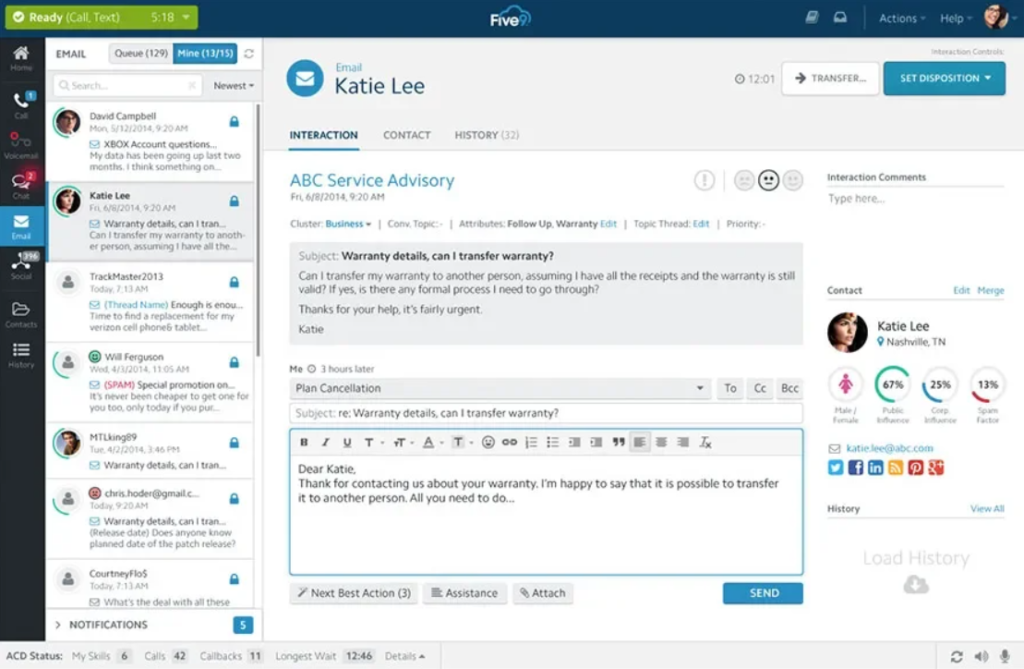
- Blended inbound and outbound calling: Let teams manage incoming support calls and outbound campaigns on the same platform, useful for contact centers that handle both customer service and sales outreach.
- AI Agent Assist: Provides agents with real-time guidance, summaries, and recommendations during customer interactions to reduce manual work and improve response accuracy.
- CRM and UC integrations: Connect contact center activity to tools such as Salesforce, ServiceNow, Zendesk, Microsoft Teams, Zoom, and RingCentral, so agents can work from connected customer data.
- Workforce engagement tools: Supports quality management, workforce management, and analytics to help supervisors coach agents and plan staffing around customer demand.
- Geo redundancy: Helps maintain continuity by supporting a more resilient cloud contact center environment.
- Digital: $119 per concurrent user, per month
- Core: $159 per concurrent user, per month
- Plus: Contact sales
- Pro: Contact sales
- Enterprise: Contact sales
Five9 notes that prices are per concurrent user, usage-based pricing may apply, and a minimum of 50 seats is required.
Talkdesk: Best for AI-powered contact centers
Overall Reviewer Score
4.54/5
Core call center features
4.6/5
Channel support
4.7/5
Reporting & workforce tools
4.6/5
AI & automation
4.9/5
Integrations & scalability
4.5/5
Pricing & usability
3.4/5
Pros
- Offers digital, voice, omnichannel, workforce, and industry-specific packages
- Strong AI tools for agent assistance, routing, automation, analytics, and identity
- Includes real-time dashboards, routing, APIs, and business intelligence
- Talkdesk Express trial is available for eligible small businesses in the U.S. and Canada
Cons
- Costs increase quickly beyond the entry-level digital plan
- More complex than basic call center tools
- Best suited for teams that will actively use AI and automation features
Why I chose Talkdesk
Talkdesk is my pick for AI-powered contact centers because it builds automation, routing, analytics, and agent support into the customer experience workflow. I like it for teams that want AI to help with summaries, self-service, routing, and performance visibility, rather than treating AI as a small add-on.
It is not the simplest or cheapest platform on this list, but that is not really the point. Talkdesk is strongest for support organizations that need contact center depth, digital engagement, and AI-enabled operations across multiple customer channels.
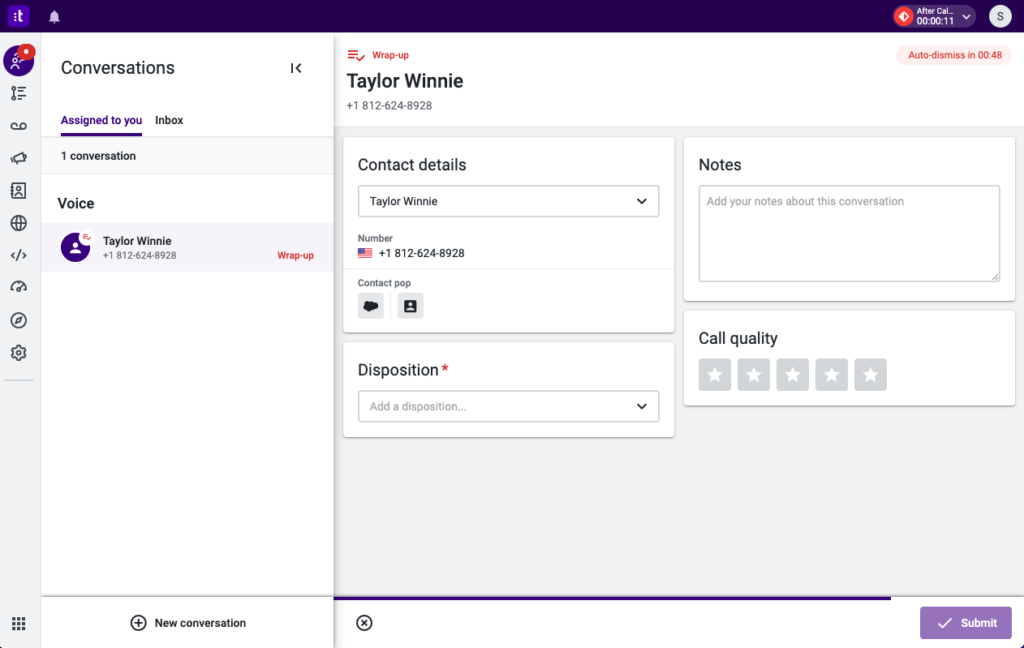
- Digital engagement: Supports email, chat, SMS, and social messaging, enabling agents to manage digital customer interactions across channels.
- Studio and routing: Let teams build routing workflows that send customers to the right agent, queue, or automated path.
- Talkdesk Copilot: Provides real-time AI assistance that can guide agents, surface answers, and summarize customer interactions.
- Interaction and quality analytics: Transcribes and analyzes customer conversations to identify trends, sentiment, coaching opportunities, and quality issues.
- Workforce management: Helps managers forecast demand, schedule agents, and monitor performance across distributed teams.
- Digital Essentials: $85 per user, per month
- Voice Essentials: $105 per user, per month
- Elite: $165 per user, per month
- Industry Experience Clouds: $225 per user, per month
- Talkdesk Express: Free trial available for eligible U.S. and Canadian businesses with under 50 employees*
*Talkdesk Express includes 25 licenses and $100 in free credit with no commitment or contract required.
RingCentral: Best for omnichannel customer experience
Overall Reviewer Score
4.38/5
Core call center features
4.5/5
Channel support
4.6/5
Reporting & workforce tools
4.3/5
AI & automation
4.1/5
Integrations & scalability
4.7/5
Pricing & usability
3.5/5
Pros
- Strong fit for teams that want UCaaS and CCaaS together
- Supports omnichannel routing and CRM integrations
- Works well for distributed customer service teams
- Useful for businesses already using RingCentral for phone, messaging, and meetings
Cons
- Contact center pricing is not fully public
- Setup may be more involved than simpler call center tools
- Best value comes when teams use the broader RingCentral ecosystem
Why I chose RingCentral
I chose RingCentral Contact Center for omnichannel customer experience because it connects contact center tools with a broader communications platform. For teams managing voice, digital channels, internal collaboration, and customer follow-up, that unified setup can reduce tool switching and improve visibility.
I would consider RingCentral when a business wants contact center functionality and unified communications on a single platform. It is especially useful for distributed teams that need agents, supervisors, and internal stakeholders working in a connected environment.
- Omnichannel routing: Routes customer interactions across channels such as voice, chat, email, or messaging so agents can manage conversations in a unified workflow.
- CRM integrations: Connects customer conversations with CRM records so agents can view context before responding.
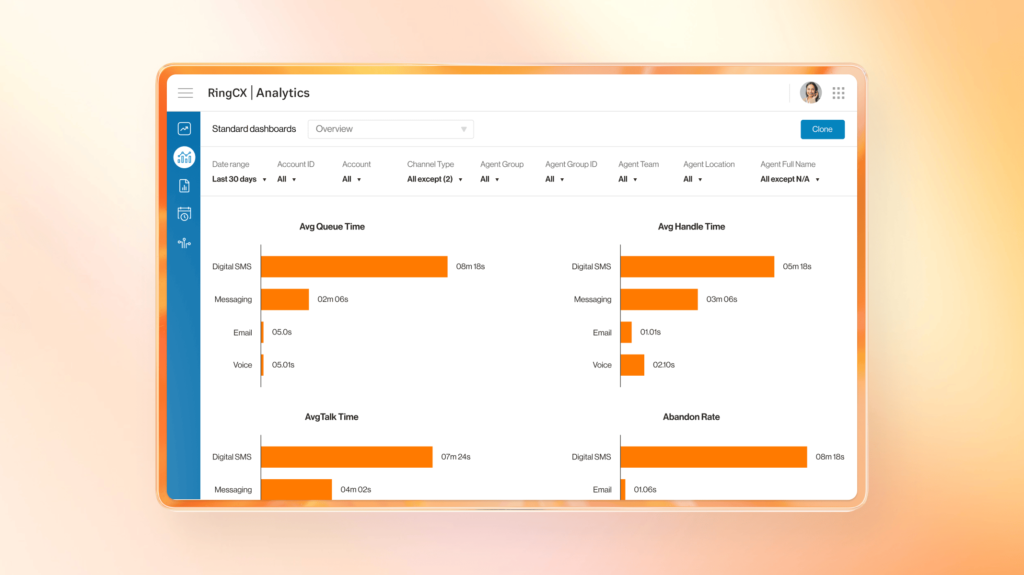
- Analytics and reporting: Gives managers visibility into call volume, agent activity, queue performance, and service trends.
- Agent management tools: Help supervisors monitor agent availability, performance, and workload.
- UCaaS + CCaaS environment: Connects contact center workflows with broader business phone, messaging, and meeting tools.
- Standard: $75/user/month; $65/user/month, billed annually
- Professional: $110/user/month; $95/user/month, billed annually
- Elite: $165/user/month; $145/user/month, billed annually
- Enterprise Contact Center: Contact sales for pricing.

Zendesk: Best for help desk and contact center workflows
Overall Reviewer Score
4.20/5
Core call center features
4.0/5
Channel support
4.5/5
Reporting & workforce tools
4.0/5
AI & automation
4.2/5
Integrations & scalability
4.3/5
Pricing & usability
4.0/5
Pros
- Strong ticketing and help desk foundation
- Includes omnichannel routing, messaging, live chat, telephony, and knowledge base tools on Suite plans
- Contact Center add-on available
- Free trial available
Cons
- Contact center functionality may require add-ons
- Not as phone-first as dedicated call center platforms
- Costs can rise with Suite plans, Copilot, workforce tools, and contact center add-ons
Why I chose Zendesk
I chose Zendesk for help desk and contact center workflows because many support teams do not manage phone calls in isolation. They also need ticketing, chat, email, knowledge base content, customer experience, and AI support within a single workspace.
Zendesk is best when phone support is part of a larger service operation. I would not choose it for a purely phone-first call center, but for teams already built around tickets and omnichannel support, it is a strong fit.
- Ticketing system: Organizes customer issues into trackable cases so agents can manage follow-up and resolution.
- Omnichannel routing: Sends customer conversations from voice, chat, messaging, and other channels to the right agent or queue.
- Telephony: Adds voice support to the broader Zendesk service environment.
- Knowledge base: Helps customers self-serve and gives agents approved answers to use during support interactions.
- Contact Center add-on: Adds advanced contact center capabilities for teams needing voice support beyond basic telephony.
- Support Team: $19 per agent/month, paid yearly
- Suite Team: $55 per agent/month, paid yearly
- Suite Professional: $115 per agent/month, paid yearly
- Suite Enterprise + Copilot: Contact sales for pricing
- Zendesk Contact Center: $83 + any Suite plan, per agent/month, paid yearly
- Free trial: Available
Zendesk also lists the Copilot and Workforce Engagement Bundle add-ons at $50 per agent/month, paid annually.

Nextiva: Best for sales and support teams
Overall Reviewer Score
4.02/5
Core call center features
4.3/5
Channel support
4.0/5
Reporting & workforce tools
4.0/5
AI & automation
3.8/5
Integrations & scalability
4.0/5
Pricing & usability
3.7/5
Pros
- Strong fit for customer-facing sales and support teams
- Includes business phone and customer communication tools
- Supports call routing, call recording, IVR, and local or toll-free numbers
- Useful for businesses that want contact center features connected to broader communications
Cons
- Dedicated contact center pricing is not fully public
- Packaging can vary across Nextiva product lines
- Some teams may need to contact sales to confirm the right plan
Why I chose Nextiva
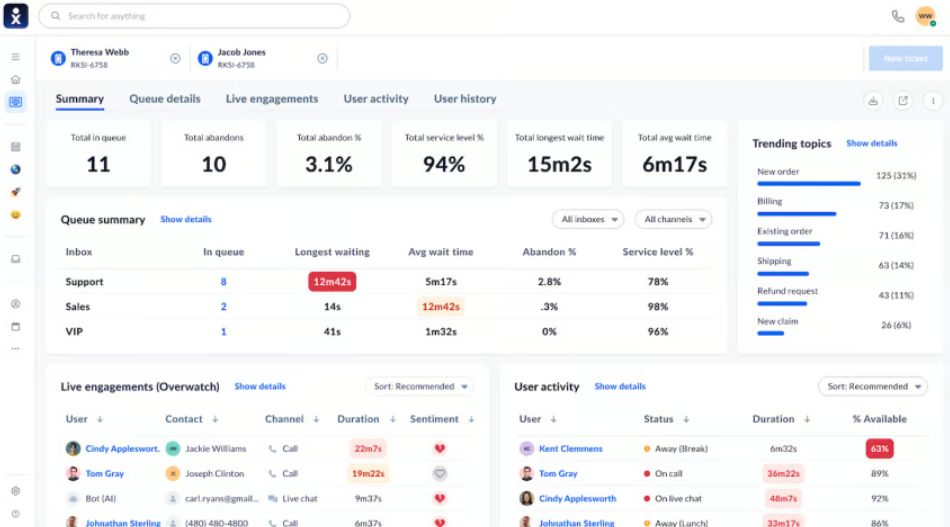
Nextiva is a strong fit for sales and support teams because it connects phone functionality with broader customer communication tools. I like it for businesses that need call routing, call recording, analytics, and reliable communication without having to jump straight into a highly complex enterprise contact center platform.
In my view, Nextiva works best when voice is part of a broader customer engagement process. It may not be as specialized as Talkdesk or Five9 for large contact centers, but it is a practical option for teams that need dependable communication and customer-facing workflows in one place.
- Call routing: Sends inbound calls to the right person, department, or queue based on business rules.
- Automatic call distribution: Distributes calls across available agents to reduce wait times and balance workload.
- Interactive voice response: Let callers use menu prompts to reach the right team or complete basic tasks.
- Call recording: Records conversations for training, compliance, dispute resolution, and quality assurance.
- Local and toll-free numbers: Gives businesses number options for customer-facing sales and support lines.
- Essential: Starts at $75/agent/month
- Professional: Contact sales for pricing
- Premium: Contact sales for pricing
Aircall: Best for CRM-connected sales and support teams
Overall Reviewer Score
3.99/5
Core call center features
4.1/5
Channel support
3.8/5
Reporting & workforce tools
3.8/5
AI & automation
3.8/5
Integrations & scalability
4.6/5
Pricing & usability
3.8/5
Pros
- Strong fit for sales and support teams using CRMs
- Offers desktop and mobile softphone apps
- Includes call recording, IVR, SMS/MMS, and call routing
- Strong integration focus for customer-facing teams
Cons
- Current pricing is dynamic and should be confirmed with sales
- Advanced AI, analytics, and workflow features may require higher tiers or add-ons
- Not as broad as enterprise contact center platforms like Five9 or Talkdesk
Why I chose Aircall
Aircall is the provider I would recommend for sales and support teams that live inside a CRM. Its value comes from connecting phone activity to customer records, enabling agents and reps to make calls, log activity, review context, and follow up without jumping between disconnected systems.
I would choose Aircall for teams that prioritize workflow speed and integration quality. It is not the most comprehensive enterprise contact center platform, but it is a strong option for teams that need cloud calling closely integrated with tools like Salesforce, HubSpot, Zendesk, and similar systems.
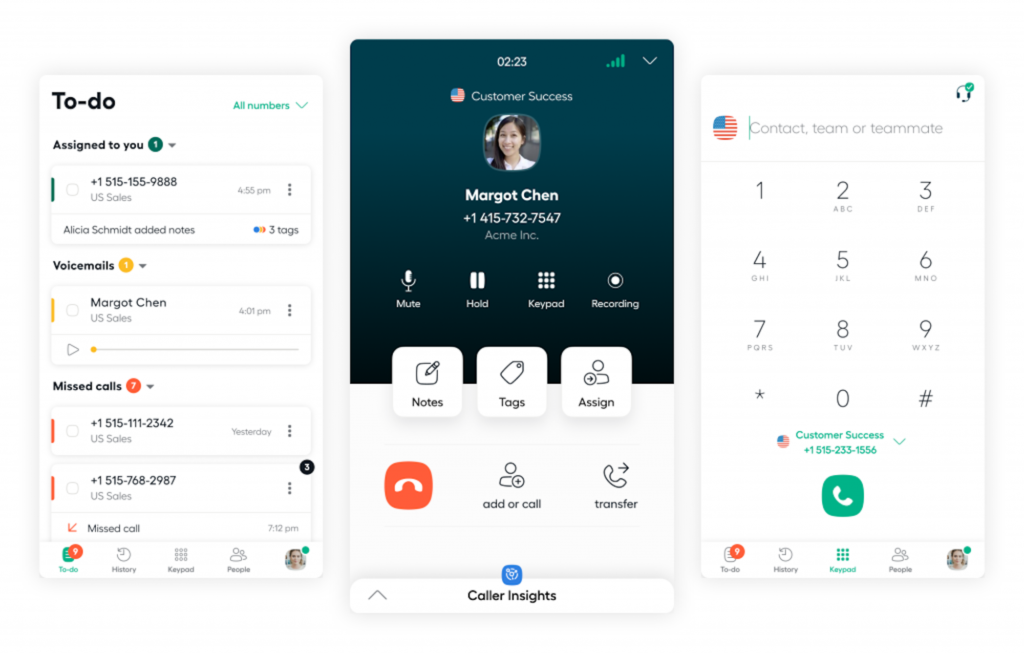
- CRM and help desk integrations: Connects calls, notes, and customer activity to tools like Salesforce, HubSpot, Zendesk, and other customer systems.
- Interactive voice response: Routes callers through menu options so they can reach the right team or agent.
- Call recording and analytics: Records calls and provides performance data for coaching, QA, and sales or support visibility.
- SMS/MMS: Let teams manage customer texting from a business phone workflow.
- Softphone apps: Enable agents to place and receive calls from desktop and mobile apps.
Aircall pricing requires the purchase of at least 3 licenses per month:
- Essentials: Starts at $40/license/month; $30/license/month, billed annually
- Professional: Starts at $70/user/month; $50/license/month, billed annually
- Custom: Quote-based pricing, with annual plans and minimum license requirements.

Freshdesk: Best for small business support teams
Overall Reviewer Score
3.95/5
Core call center features
3.7/5
Channel support
4.0/5
Reporting & workforce tools
3.8/5
AI & automation
4.0/5
Integrations & scalability
4.0/5
Pricing & usability
4.4/5
Pros
- Affordable entry point for smaller support teams
- Includes ticketing, customer portal, reports, routing, and SLA tools
- 14-day free trial available
- Free program available for 1–2 agents for six months
Cons
- Phone-heavy teams may need Freshcaller or Freshdesk Omni
- Advanced reporting and security features require higher tiers
- AI sessions may have usage limits or added costs
Why I chose Freshdesk
Freshdesk is my choice for small-business support teams because it offers a manageable way for growing teams to organize customer requests, track tickets, and improve service workflows. I like it for teams that need structure but are not ready for enterprise contact center pricing or complexity.
It works best when support starts with tickets, email, chat, and knowledge base content. If phone support becomes the primary channel, teams may need to evaluate Freshdesk Omni, Freshcaller, or another phone-first call center platform.
- Ticketing: Converts customer requests into organized support tickets that agents can prioritize and resolve.
- Customer portal: Gives customers a place to submit requests, track issues, and access self-service resources.
- Routing and SLA tools: Helps teams assign tickets, manage deadlines, and maintain service commitments.
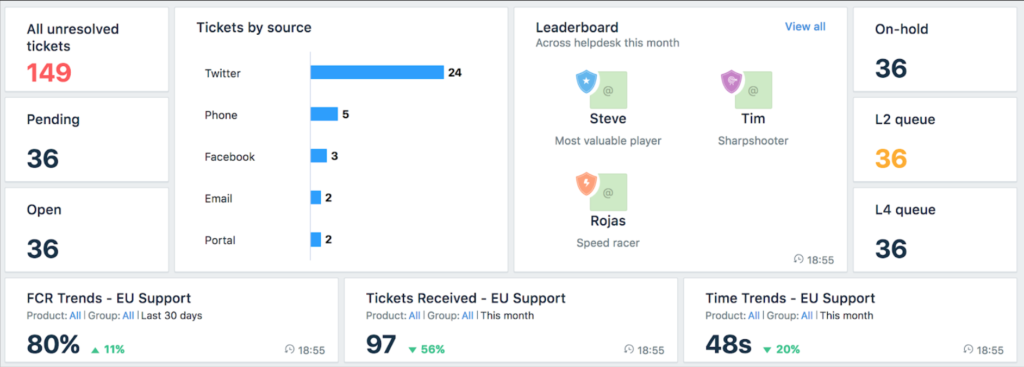
- Reports and analytics: Shows trends in support volume, performance, and customer service operations.
- Freddy AI: Provides AI capabilities such as AI Agent, Copilot, and Insights to help automate and improve support workflows.
Freshdesk lists the following pricing when billed annually:
- Growth: $19 per agent, per month
- Pro: $55 per agent, per month
- Enterprise: $89 per agent, per month
- Free program: $0 for 1–2 agents for six months
- Free trial: 14 days, with Enterprise plan access during the trial
Find your new call center software
Key features and benefits of call center software
The best call center software should make it easier for agents to respond quickly, managers to monitor performance, and customers to get help without repeating themselves. Core features to compare include:
- Call routing and IVR: Directs customers to the right department, queue, or agent.
- Call recording and monitoring: Supports coaching, quality assurance, compliance, and dispute resolution.
- Omnichannel support: Combines phone, chat, email, SMS, and social conversations in one workspace.
- Analytics and reporting: Tracks call volume, wait times, abandoned calls, agent performance, and customer trends.
- AI assistance: Summarizes calls, transcribes conversations, suggests next steps, and supports self-service.
- CRM and help desk integrations: Connects call activity to customer profiles, tickets, deals, and support history.
For businesses, these tools can reduce missed calls, improve first-contact resolution, support remote agents, and give leaders better visibility into customer service performance.
Frequently asked questions (FAQs)
