QuickBooks Workforce is Intuit’s expanded payroll and workforce management platform. Formerly QuickBooks Payroll, the product has moved into broader HR territory with tools for recruiting, goal tracking, and performance reviews.
QuickBooks Workforce is best for small to midsize businesses (SMBs) already using QuickBooks Online that want payroll, time tracking, HR administration, and accounting data in one system. It’s still strongest as a payroll product, but the newer HR features make it more useful for companies that have outgrown basic payroll software but don’t need a full human capital management (HCM) platform.

QuickBooks Workforce overview
Pros
- Easy integration between Intuit products
- Strong payroll, tax filing, direct deposit, and contractor payment tools
- AI-powered payroll assistance automates tasks and flags errors
- Access to workers compensation, 401(k), and health plans
- HR tools support the employee lifecycle, from recruiting to offboarding
- Extensive software integration options
- Payroll accuracy guarantee plus tax penalty protection for eligible users
Cons
- Not a standalone product; requires a subscription to QuickBooks Online
- Many of its HR tools are included in higher tiers
- Same-day direct deposits are reserved for the Premium and Elite plans
- HR advisory services are only accessible for Elite subscribers
- Lacks learning management and compensation planning solutions
- Local tax payments and filings are available in Premium and Elite plans only
- Can get pricey depending on the selected plan and your employee count
- Add-on fees for background checks and benefits administration
My verdict
QuickBooks Workforce is a meaningful step beyond the old QuickBooks Payroll. Its biggest advantage is that payroll and accounting sit closer together. For SMBs already using QuickBooks Online, that means fewer manual handoffs and less duplicate entry when tracking payroll expenses, contractor payments, labor costs, and accounting updates.
The HR expansion is not just a surface-level rebrand. Intuit’s GoCo acquisition brought HCM technology into QuickBooks Workforce, giving the product a stronger foundation for handling employee data, benefits administration, recruiting, and talent management processes.
While its HR features add value, the platform’s core strength is still payroll. That is not a weakness. It simply means buyers should treat it as payroll-centered workforce management software, not as a full HR system replacement.
I evaluated QuickBooks Workforce based on the buying factors that matter most to SMBs choosing payroll and HR software: payroll depth, HR functionality, pricing, ease of use, reporting, automation, and customer support. I also looked at how much the product has changed since expanding from QuickBooks Payroll into a broader workforce management platform.
For this review, I pulled feature and pricing details directly from Intuit’s website and product documentation. I also reviewed product walkthroughs, demo videos, and feedback from reputable online review sites like G2 and Capterra to assess ease of use, customer support patterns, and how well the newer HR features support everyday payroll and workforce administration.
In addition to hands-on testing, my review reflects my over eight years of experience evaluating HR software and 10 years in human resources, including managing HRIS, payroll, and time tracking systems. This background helped me assess where QuickBooks Workforce can simplify admin work and where businesses may need a more specialized HR platform.
How much does QuickBooks Workforce cost?
QuickBooks Workforce is available as an add-on product for businesses already using QuickBooks Online. There are three plans: Workforce Payroll, Workforce Premium, and Workforce Elite. The base plan has core features for managing employee payments and basic staff information. Higher tiers add more payroll, HR, support, and compliance functionalities.
Each plan follows a monthly base fee plus a PEPM pricing model, with paid add-ons for features like background checks. Intuit also offers a new customer promotion that slashes 50% off the base fee for the first three months.
Workforce Payroll
Workforce Premium
Workforce Elite
$50/month + $6.50 PEPM
Includes:
- Unlimited full-service payroll
- Automatic pay runs
- Payroll tax payments and filings (federal and state)
- Next-day direct deposits
- Employee data management
- Document upload and sharing
- Health and 401(k) plans
- Workers’ compensation administration
- Employee self-service portal
- Intuit Intelligence AI tool
- Payroll accuracy guarantee
- Access to payroll support experts via phone and chat
$88/month + $10 PEPM
Everything in Workforce Payroll, plus:
- Same-day direct deposits
- Local tax payments and filings
- Recruiting
- Hiring and onboarding
- 5 automated HR workflows
- Automated I-9
- Advanced employee data management
- Company documents center
- HR resource center with handbook creator
- Time tracking
- Scheduling
- Time off management
- Benefits administration
- “Manager role” for approving requests
- Payroll setup review for new clients
$134/month + $12 PEPM
Everything in Workforce Premium, plus:
- Unlimited HR workflows
- Performance management
- Clock-ins/outs with geofence reminders
- Mileage tracking
- Project estimates to compare budgeted hours vs actual hours worked
- Tax penalty protection
- Access to a personal HR advisor
- Payroll setup services for new clients
What can QuickBooks Workforce do?
Payroll
Payroll remains the foundation of QuickBooks Workforce and the most mature part of the platform. The core tools cover what SMBs would expect from an established payroll software provider: automatic wage and tax calculations, garnishments and deductions, payroll tax remittances and filings, direct deposit, and contractor payments.
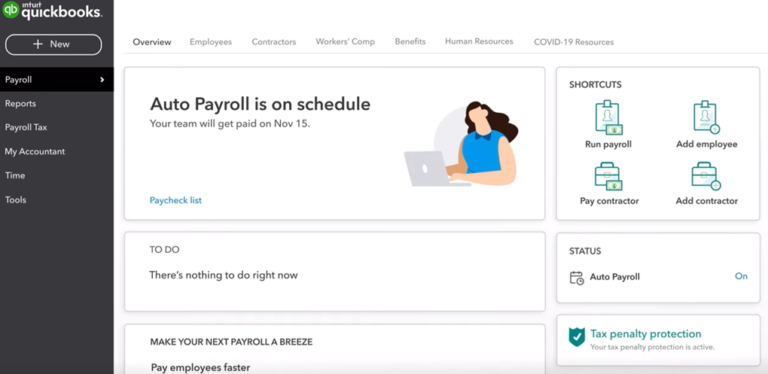
Auto Payroll is available for eligible employees, letting QuickBooks automatically start pay runs and send alerts when payroll is ready for review. While this can save time for businesses with predictable pay runs, admins should still review hours, deductions, bonuses, and employee changes before submitting payroll.
That’s where Intuit’s AI-powered Payroll Agent can help. It pulls time and tip data, flags missing information, catches discrepancies before they become errors, and sends updates so payroll admins don’t have to log into the system just to check the status.
While QuickBooks calculates payroll taxes across all levels, it doesn’t automatically remit and file local taxes. This service is only reserved for higher tiers.
Hiring and onboarding
QuickBooks Workforce offers a more complete hiring workflow in its Premium and Elite plans. Employers can create job postings, build hiring pipelines with custom hiring stages, and track applicants as they move through the process. Screening questions can be added to job posts if needed, with support for multiple-choice and written responses.
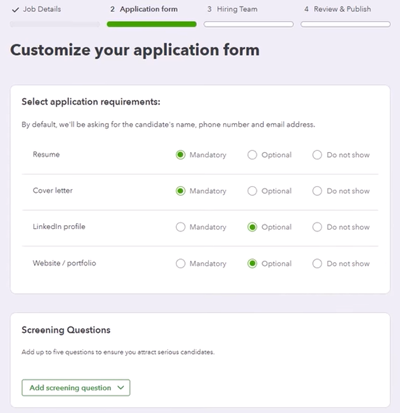
The system lets you send offer letters and move hired candidates into onboarding. Digital I-9 and W-4 collection tools help new hires complete required paperwork before payroll setup. Background checks are also available through Checkr and accessible directly from QuickBooks Workforce’s platform.
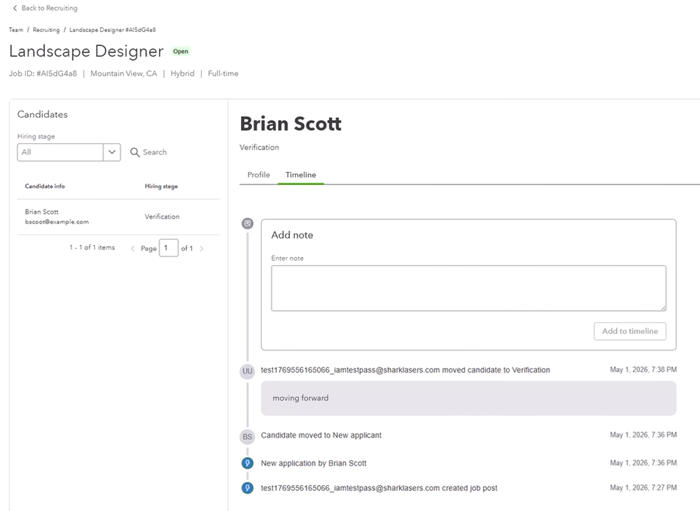
This is a real upgrade from a payroll tool with basic employee onboarding. However, the trade-off is configurability. QuickBooks Workforce works well for simple hiring pipelines, but teams with multi-stage interviews, custom approval paths, detailed scorecards, or high-volume recruiting may need a dedicated applicant tracking system (ATS).
QuickBooks Workforce offers centralized employee records, document sharing, and bulk update tools, even on its entry-level tier. Data management features become more useful in Premium and Elite, with the addition of AI-powered templates, e-signatures, and automated workflows for accessing employee profiles, completing tasks, and approving requests.
Workers can access pay stubs, tax forms, and shared documents through an online portal or the QuickBooks Workforce mobile app. It also allows employees to update their direct deposit and personal information. However, access to other features like requesting time off and clocking in/out for work depends on the plan selected.
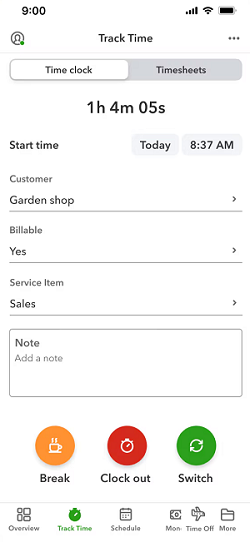
QuickBooks Workforce includes time tracking, PTO management, and scheduling, but businesses need at least the Premium plan to access these tools. The Elite tier adds geofencing and project-based tracking, which is useful for field-based teams or businesses that track labor by job.
Approved time data flows directly into payroll. Businesses on the QuickBooks Workforce starter plan, however, need to add attendance information manually or upload it into the system. Its AI Payroll Agent adds another layer of review by collecting employee hours, checking for anomalies, and flagging missing details before payroll runs.
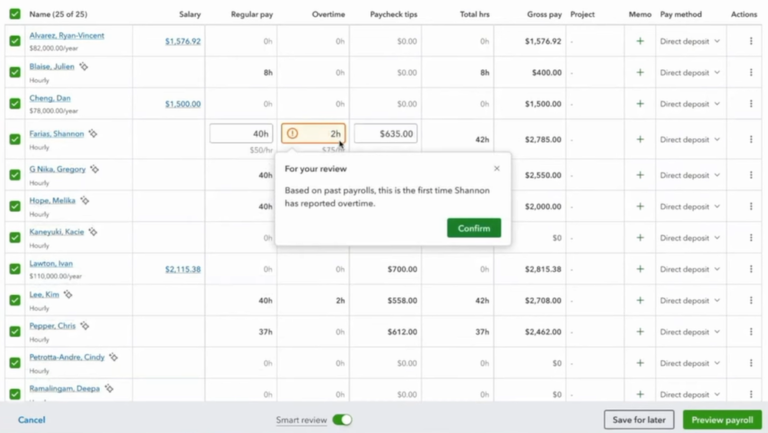
The system can also send SMS alerts when payroll information needs additional review. Admins can set how often the AI Payroll Agent contacts workers to collect attendance data, such as daily or on selected workdays, and receive status updates or paycheck-related tips.
With QuickBooks Workforce, employees are granted access to employee benefits options across health insurance, 401(k) plans, and workers’ compensation. Health, dental, and vision coverage are offered through Allstate, retirement plans are powered by Vestwell, and workers’ comp policies are available through Next.
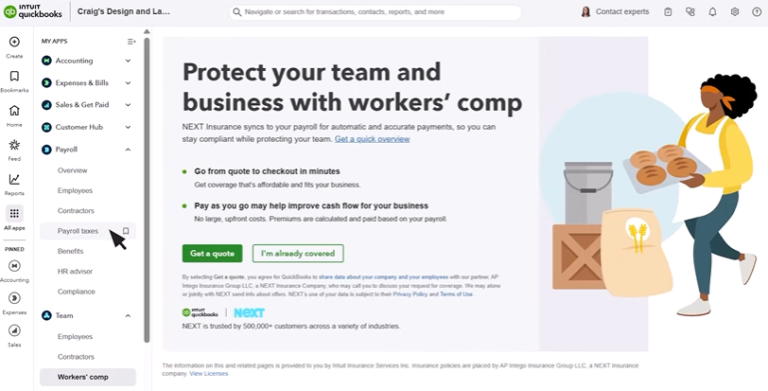
The newer Benefits Administration feature handles enrollment and ongoing management, though it’s limited to businesses with 20 or more active employees.
Performance management is one of QuickBooks Workforce’s expanded HR features, and it is only available in the Elite plan. It has performance reviews, evaluations, feedback cycles, goal setting, and employee recognition tools.
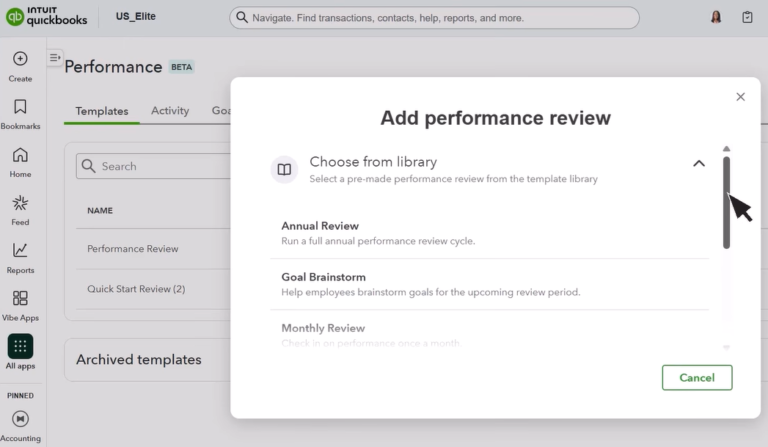
It won’t match a dedicated performance management system for highly configurable review cycles, competency frameworks, calibration workflows, or compensation-linked evaluations, but it should be enough for businesses that need basic performance tracking tied to employee records.
QuickBooks Workforce has solid reporting tools, with an extensive library of pre-built reports across payroll, HR, and employee attendance. Its Premium tier includes custom reports for job cost forecasting and profitability tracking, while the Elite plan adds project estimates vs. actuals so teams can compare budgeted hours with time actually worked.
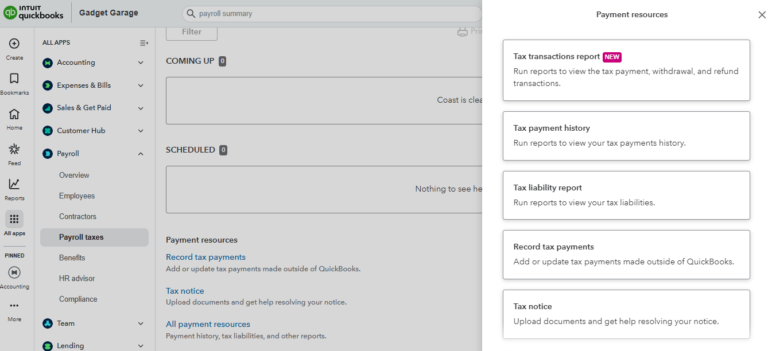
The stronger reporting value comes from the QuickBooks ecosystem. Payroll, time, job, and accounting data can sit closer together, giving businesses a clearer view of labor costs and how those costs affect the books.
Reports can also be exported, which is useful for sharing payroll, labor, and employee data with accountants, finance teams, or managers who need to review details outside the platform.
How easy is QuickBooks Workforce to use?
Let’s start with system implementation. What I like about QuickBooks Workforce is that it comes with a self-guided setup wizard, making it easy for new clients to create their account and configure the platform.
As with any software migration project, this requires prep work. Businesses need to gather company and employee details, pay schedules, prior payroll data, and benefits or deduction settings before setup can be completed. Depending on the employee count and data source, this may involve a mix of manual entry and file uploads.
If help is needed, the Premium plan includes an expert review of the setup before going live. Companies on the Elite tier can also hand over the setup or data migration to an Intuit expert.
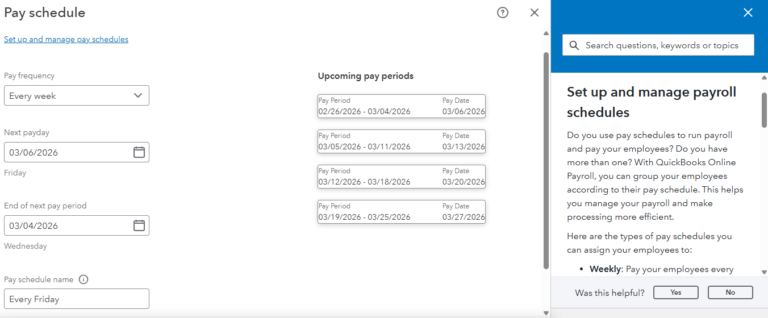
Day-to-day use and system navigation are generally easy, especially for those already familiar with QuickBooks Online. Running payroll and managing employee records are straightforward, but the learning curve increases as more QuickBooks Workforce tools are turned on. Higher-tier HR features, such as recruiting and performance management, may take more setup time and user training, especially for teams moving from spreadsheets or a different platform.
What customer support does QuickBooks Workforce offer?
QuickBooks offers self-service support through its help center, how-to videos, webinars, and community forum. QuickBooks Workforce also includes expert product support, with payroll specialists available by phone and chat for troubleshooting, setup questions, and product guidance.
However, watch out for long wait times and difficulty getting issues resolved. These are common customer service complaints in user reviews on sites like G2.
For HR-specific help, its higher tiers include access to an HR Support Center, with resources on how to manage hiring, performance, and terminations. The Elite plan adds a personal HR advisor through Mineral, who can provide more direct HR guidance.
Frequently asked questions (FAQs) about QuickBooks Workforce
Yes, QuickBooks Workforce is the expanded version of QuickBooks Payroll. Payroll is still the foundation, but the platform now includes more HR and workforce management tools.
Yes, it does. QuickBooks Workforce is built to work with QuickBooks Online. This makes it a better fit for companies already using or planning to use QuickBooks for accounting.
Premium is the best fit for most growing SMBs because it adds the basic HR, time tracking, reporting, and benefits administration tools missing from the entry-level Payroll plan. Elite is better for businesses that need more hands-on setup support, advanced time tracking, performance management, and access to a personal HR advisor.