PayPal is a pioneer in the online payment space. It first made its mark with peer-to-peer money transfers before expanding into business solutions. Over the years, it has earned consumer trust through its simple and reliable platform, which continues to evolve in response to the needs of merchants.
Today, PayPal is best known among businesses for its seamless ecommerce integrations and brand recognition that drives customer confidence. PayPal is a solid choice not only because it’s easy to set up, but also because it offers a free merchant account and instant access to online payments. And with more than 400 million active PayPal users worldwide, offering PayPal at checkout opens the door to hundreds of millions of potential customers ready to buy.
PayPal product overview
Overall score
4.09 out of 5
Supported devices
- Web app: PayPal Business Dashboard, Checkout integrations, APIs, Webhooks, Smart Buttons
- Desktop: Windows, macOS, and Linux
- Mobile: iOS and Android (via PayPal Business app)
Free plan
Yes
Product upgrades
$5-$30 per month
Transaction fees
- Card-present: 2.29% + 9 cents
- Card-not-present: 2.59% + 49 cents to 3.49% + $0.49
- Keyed-in: 3.49% + 49 cents
- Custom interchange + rates for enterprise-level businesses
Best for
Businesses looking for flexibility with online and mobile payment processing.
PayPal earned a respectable 4.09 out of 5 in my evaluation of merchant accounts and payment processors. It offers free and easy merchant account sign-up as well as instant access to funds via PayPal balance. I personally like how it gives businesses the flexibility to use standalone or integrated checkouts that work even with other payment processors.
That said, PayPal has a complex pricing structure, which can be difficult to predict, and holds the risk of sudden account holds or frozen funds without clear explanation. PayPal also charges monthly fees for major functions such as invoicing and virtual terminal tools.
Also read: Best Merchant Services
PayPal pricing breakdown
PayPal’s fee structure can be challenging to navigate, with different rates depending on the transaction type, currency, sales volume, and payment method. Compared to industry standards, PayPal’s transaction fees tend to run higher than flat-rate providers like Square or Stripe, which typically charge around 2.9% + 30 cents.
To help better understand what to expect, here’s a breakdown of the most common PayPal Business fees.
Monthly account fee
- Basic: $0
- Optional services:
- Recurring billing: $10 per month
- Recurring billing tools: $30 per month
- Invoicing service: $14.99 per month (rates from 2.99% + 49 cents to 4.99% + 49 cents)
Please note that fixed rates mentioned in this section are for US merchants. Visit PayPal for a complete breakdown of PayPal merchant fees.
Mobile and in-person transactions
From 2.29% + 9 cents to 3.49% + 9 cents
Sale Amount
Low-End Fee
High-End Fee
$10
$0.32
$0.44
$25
$0.66
$0.96
$50
$1.24
$1.84
$100
$2.38
$3.58
$200
$4.67
$7.07
Expert Tip
If your average sale is around $50 or more, PayPal’s mobile checkout becomes a solid option with predictable costs. Below that, margins may feel tight unless you’re moving volume.
Small transactions ($10-$25): Fees take a noticeable bite, up to 4.4% on a $10 sale. If you sell low-ticket items, this can eat into profits unless your margins or volume are high.
Mid-range sales ($50): Costs fall into a more reasonable range (2.5%-3.7%). This is where PayPal starts to make sense for most retail or service-based businesses.
Higher-ticket sales ($100+): Fees stay below 3.5% and are much easier to absorb. At this level, PayPal’s mobile rates are cost-effective and competitive.
Online transactions (PayPal Standard commercial rates)
- Credit and Debit Card Payments: 2.99% + 49 cents
- PayPal Checkout: 3.49% + 49 cents
- Pay with Venmo: 3.49% + 9 cents
- PayPal Pay Later options: 4.99% + 49 cents
- Local payment methods in other countries (PayPal Alternative Payment Method): 2.89% + 29 cents
- Payment gateway transactions: 10 cents via standard or payment links/button
- Micropayments (under $10): 4.99% + 9 cents
- Crossborder transactions: +1.5%
- E-checks: 3.49% + fixed fee* (capped at $300 per transaction)
- Standard online checkout services:
- Semi-hosted checkout (Payments Advanced): $5 per month
- Fully customized checkout (Payments Pro): $30 per month
- Payment gateway (Payflow Pro): $25 per month
| Sample Sale Amount ($) | Credit/Debit Card | PayPal Checkout | Venmo | Micropayments | Local Methods/APM |
| $10 | $0.79 | $0.84 | $0.44 | $0.59 | $0.58 |
| $25 | $1.24 | $1.36 | $0.96 | $1.34 | $1.01 |
| $50 | $1.98 | $2.24 | $1.84 | $2.58 | $1.73 |
| $100 | $3.48 | $3.98 | $3.58 | $5.08 | $3.18 |
Expert Tip
If your customers mainly use PayPal or Venmo and you process over $1,000-$2,000/month, the fees can balance out. However, if you require invoicing, subscriptions, or a custom checkout, be prepared to factor in monthly costs that will further increase your effective rate.
Standard transactions (2.99%-3.49% + fixed fees): A $50 online card or PayPal Checkout payment will cost $1.99 to $2.24. That’s steeper than providers like Stripe or Square, especially with PayPal Checkout’s 3.49% rate.
Buy now, pay later and micropayments: Pay Later hits hard at 4.99% + 49 cents, making it the most expensive option per transaction. Micropayments also carry that 4.99% rate; even a $5 sale could cost over 30 cents.
Venmo and local methods: Venmo is slightly cheaper with a 9-cent fixed fee, and local APMs (alternative payment methods) offer a friendlier 2.89% + 29 cents, but these are less common for U.S.-based customers.
Optional tools and subscriptions: Expect to pay extra for features such as Payments Pro ($30 per month), invoicing ($14.99 per month), or recurring billing tools ($10-$30 per month). These fees make sense for higher-volume businesses, but small sellers may not break even unless they’re processing consistently.
Manually entered/keyed-in transactions (PayPal Online Payment Service)
- Card Payments: 2.89% + 29 to 49 cents
- Virtual terminal: 3.39% + 29 cents + $30 per month
- ACH: 0.80% (capped at $5.00 per transaction)
| Sample Sale Amount ($) | Card Payment (2.89% + $0.29) | Card Payment (2.89% + $0.49) | Virtual Terminal | ACH |
| $10 | $0.58 | $0.78 | $0.63 | $0.08 |
| $25 | $1.01 | $1.21 | $1.14 | $0.20 |
| $50 | $1.73 | $1.93 | $1.99 | $0.40 |
| $100 | $3.18 | $3.38 | $3.68 | $0.80 |
| $200 | $6.07 | $6.27 | $7.07 | $1.60 |
Expert Tip
If you’re keying in sales occasionally, stick to basic card entry. But if ACH is an option for your customer base, it’s a great way to cut costs on larger payments. The virtual terminal is powerful, but only worth it if you’re using it regularly.
Card payments (2.89% + 29-49 cents): A $50 sale costs between $1.73 and $1.93, which is manageable for occasional keyed-in entries. For smaller transactions, though, the fixed fee makes a bigger impact.
Virtual terminal (3.39% + 29 cents + $30 per month): Per-transaction fees are comparable to card entries, but the $30 monthly fee only makes sense if you’re processing $1,000+ monthly through the terminal. Otherwise, the cost-per-sale balloons quickly.
ACH (0.80%, capped at $5): By far the most cost-effective for large transactions, only $0.80 on $100 and still under $2.00 on $200. Best suited for high-ticket items or recurring payments where you want to minimize processing costs.
Incidental fees
- Dispute fee (buyer’s PayPal account or a PayPal checkout transaction): $15 (for US merchants)
- Chargeback fee (guest checkout transactions): $20 (for US merchants)
Custom rates
- Advanced Credit and Debit Card Payments (Interchange Plus, Plus): Interchange Pass-through Costs + 0.49% + 39 cents
For qualified businesses, PayPal’s margin and fixed fee are directly added to the card network’s pass-through rates.
Also read: Cheapest Credit Card Processing Service
PayPal hardware
PayPal has long been a pioneer in mobile payments, offering businesses the ability to accept Tap to Pay transactions using any compatible Android or iOS smartphone. While its proprietary hardware lineup is limited, I find their devices both reliable and impressive. PayPal’s devices now include a sleek new smart handheld terminal designed for modern, on-the-go selling.
Did you know? PayPal recently rebranded its POS products from Zettle to PayPal Point of Sale. Its primary card reader is now upgraded with a colored touchscreen display.
PayPal Reader

- Cost: $29 for the first card reader, $79 for succeeding; add $29 for optional Zettle dock
- Supported transactions: Swipe, EMV, contactless (3-in-1)
- POS software: On any iOS or Android smartphone/tablet
- Battery life: Standby up to 48 hours; operational up to 12 hours
- Connectivity: Bluetooth Low Energy 5.1, Wireless, Serial pass-through dock connector
- Display: 3.2 inches, LCD, 262K colors LCD, 240 x 320 pixels, Capacitive & Backlight touchscreen
- Warranty: 1 year
PayPal Terminal

- Cost: $199 (basic); $239 (with barcode scanner); Add $70 for optional printer/dock
- Supported transactions: EMV, contactless
- POS software: Integrated
- UX/UI: Touchscreen
- Battery life: Standby up to 48 hours; operational up to 12 hours
- Connectivity: Wifi or 3G/4G with pre-loaded SIM card
- Warranty: 1 year
PayPal features overview
| Payment services | PayPal | Other features | PayPal |
| Credit/Debit cards | ✓ | POS software | Proprietary POSIntegrates with some POS systems |
| Digital wallets | ✓ | Mobile POS | Free mobile POS app |
| ACH/eCheck | E-check | Ecommerce | Integrates with most websites |
| Payment gateway | ✓ | Hardware setup | Primarily mobile |
| Invoicing/Recurring billing | +$ | Omnichannel sales | For enterprise-level business |
| International | ✓ | Multichannel sales | ✓ |
| Virtual terminal | +$ | Loyalty and Rewards | Integration |
| Microtransactions (<$10) | ✓ | ✓ | |
| Pay Later option | ✓ | Social selling | ✓ |
| Peer-to-Peer | PayPal app & Venmo | CRM | ✓ |
| Cryptocurrency | ✓ | Developer tools | REST APIs, Mobile SDKs, Sandbox environment |
PayPal offers a robust set of features designed to support businesses of all sizes, whether you’re selling online, in person, or internationally. Below are seven reasons why you should consider using PayPal for business.
Mobile Point of sale (POS)
PayPal’s mobile POS is a practical solution for businesses that sell on the go or rely on mobile-first checkout experiences. Customers can complete purchases directly from a mobile-optimized site or store app without being redirected, which helps reduce cart abandonment. The familiar PayPal login and built-in security also give buyers more confidence during checkout.

From the business side, the POS app includes basic tools to track sales, manage inventory, and even run simple loyalty programs. You can monitor low-stock items, view location-based reports, and make quick pricing updates from your phone or tablet. Combined with PayPal’s handheld terminal or mobile tap-to-pay features, it’s a good option if you want to manage both sales and back-office tasks from the same setup.
Online checkout integrations
PayPal offers several online checkout options that are easy to implement, whether you’re running a full ecommerce site or just starting out. For website-based stores, you can embed PayPal directly into your product or cart pages to give customers familiar payment choices, such as PayPal, Pay Later, or Venmo. These integrations require minimal technical setup and can help streamline the checkout process for users who already have PayPal accounts.

If you’re selling through social media or messaging apps, PayPal also lets you generate shareable payment links tied to specific products. These can be posted on platforms like Instagram or sent via email and chat, making it easy to accept payments without a full storefront. It’s a useful option for side hustles, casual sellers, or businesses testing out new sales channels.
Also read: How to Accept Payments Online
Multicurrency support
PayPal supports over 100 currencies and offers built-in currency conversion, making it relatively simple for businesses to accept international payments. Merchants can sell globally without needing separate tools for managing exchange rates, and PayPal automatically handles the conversion for a standard cross-border fee. While the fee adds cost, the convenience of not needing a third-party service or manual exchange setup is a benefit for many small businesses.

In addition to fiat currencies, PayPal also supports cryptocurrency payments through its integrated crypto wallet. Customers can pay using their crypto balance, and merchants don’t need to hold or manage crypto themselves as PayPal converts it to cash at checkout with no added transaction fees. This makes it easier for businesses to tap into crypto-enabled buyers without changing how they operate.
Fraud protection
PayPal includes basic fraud protection with every business account, using automated filters to flag suspicious transactions based on factors like billing and shipping mismatches, failed CVV or AVS checks, and unusual IP activity.
These tools are designed to detect common fraud patterns without requiring merchants to manually manage settings, which works well for smaller or lower-volume businesses. You can also adjust basic filters, such as transaction caps and country restrictions for added control.

For businesses that need more advanced protection, especially those handling international transactions, PayPal offers an upgraded fraud management toolkit for a monthly fee. This includes features such as USPS address validation, geolocation checks, and chargeback tracking tools, as well as deeper insights into transaction risks.
Dispute management
PayPal offers a built-in dispute resolution system that helps businesses manage chargebacks, claims, and customer complaints in one place. Through the Resolution Center, merchants can respond to disputes, message customers, and upload supporting documents to defend a transaction. It’s a guided, user-friendly approach that works well for smaller businesses, though it’s worth noting that funds tied to a dispute are placed on hold until the case is resolved.
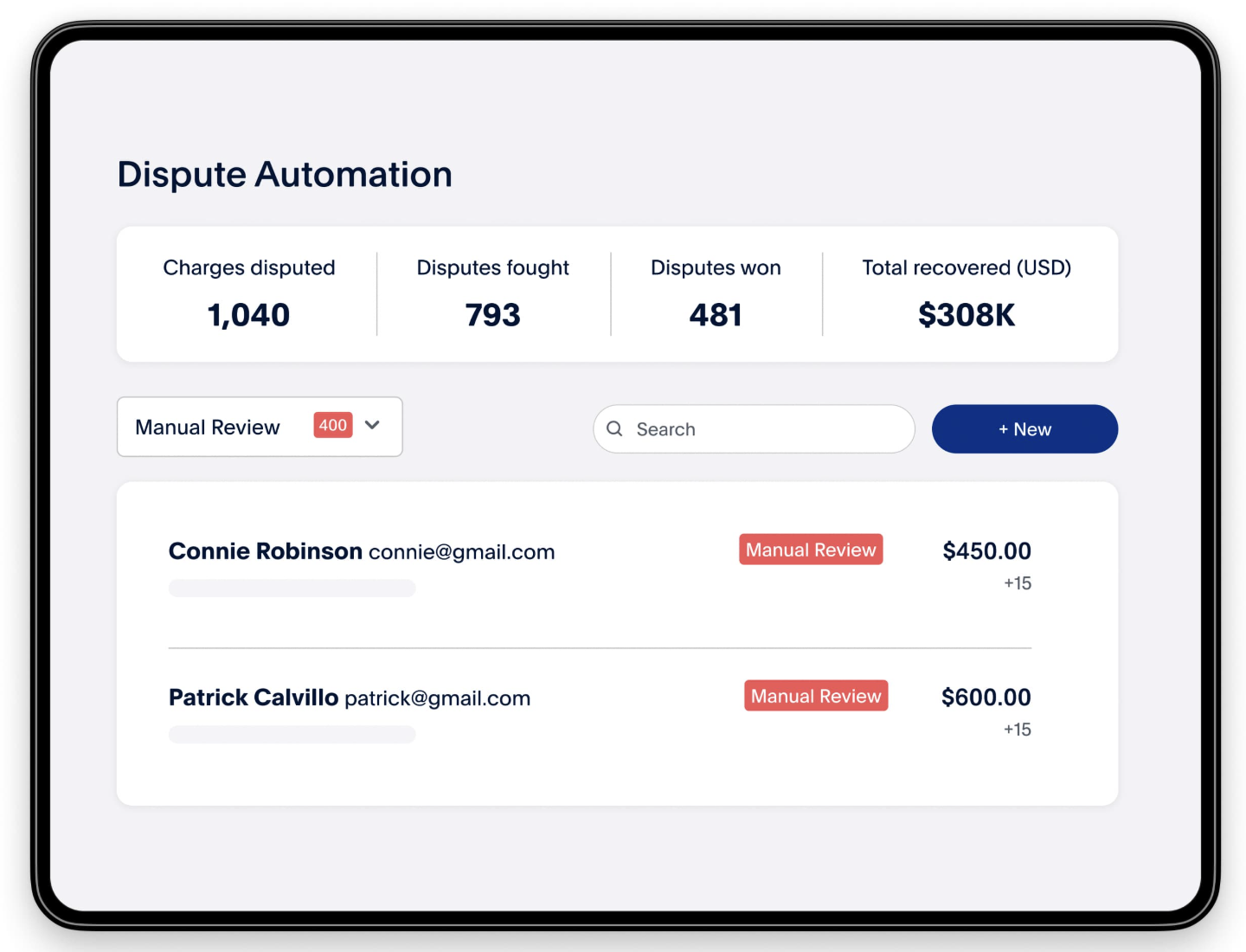
For larger businesses, PayPal provides more advanced dispute management tools and chargeback support, including a dedicated case tracking system and appeal options. However, these enhanced features are generally reserved for enterprise-level accounts. PayPal also charges a $20 fee per chargeback for guest checkout transactions, so it’s important to factor this into your cost planning if you handle high order volume or work in an industry with frequent disputes.
Reporting
PayPal’s business accounts come with built-in reporting tools that help you track essentials, such as sales, fees, refunds, disputes, and customer activity, all from one dashboard. You can apply custom filters by date, transaction type, or customer details and export everything for accounting or tax purposes. These basic reports are useful for small businesses that want to stay organized without investing in additional tools.

For larger merchants, PayPal offers enterprise-level reporting with more granular insights, including transaction data, settlement breakdowns, and metrics such as checkout success rates. These analytics can help you spot process bottlenecks and optimize performance over time. If you’re growing beyond basic needs, tapping into these enhanced reports can give you the visibility to improve operations and scale with confidence.
Scalability
PayPal scales effectively for businesses of all sizes, offering flexible pricing and a wide range of tools that support growth with minimal friction. Small and mid-sized businesses benefit from ready-to-use features like online checkout, mobile POS, and value-added services such as Pay Later and Fastlane, which help boost conversions. Its strong fraud protection and reliable performance during high-demand periods also make it a dependable choice as you grow, especially for those expanding into international markets.

For larger or more complex operations, PayPal supports mobile and web integration through client SDKs for Android, iOS, and JavaScript, and server SDKs for major languages like Java, .NET, Node.js, PHP, Python, and Ruby. For even more flexibility, developers can use PayPal’s GraphQL API, which enables efficient, language-agnostic integrations without requiring SDK updates, ideal for both online and in-person payment workflows.
AI integration
Like many online platforms, PayPal is also working towards embedding AI tools into its system. In 2024, PayPal introduced several AI-powered features designed to streamline the checkout process and enhance personalized experiences. One example is Fastlane, a guest checkout option that utilizes biometric authentication (face or fingerprint) to expedite purchases by up to 40-50%, making login and payment nearly instantaneous.
Another innovation is Smart Receipts and the Advanced Offers Platform, which analyze purchase behavior to deliver tailored recommendations and cashback offers directly through receipts, helping merchants re-engage customers with targeted incentives.
These AI integrations give businesses a competitive edge by reducing friction at checkout and boosting repeat engagement. Fastlane helps minimize abandonment during guest checkout, while Smart Receipts and Advanced Offers enhance post-purchase communication with data-backed upsell potential. As a result, merchants benefit from both faster conversions and smarter, more personalized marketing, without needing to build these capabilities in-house.
Pros and cons of using PayPal
Pros
- Free and easy merchant account sign up
- Simple, easy-to-use features
- Instant access to funds
- Multicurrency and cryptocurrency support
Cons
- Complex pricing structure
- Popular target for phishing and scams
- Hard-to-reach customer support
- Popular target for phishing and scams
One of PayPal’s biggest strengths is how easy it is to get started. Sign-up is free, and setup is quick even without tech experience. The interface is clean and intuitive, making it simple to manage payments, invoicing, and customer activity. Funds typically land in your account instantly, which is a major plus for cash flow. With support for multiple currencies and even cryptocurrencies, PayPal is also a flexible option for businesses with global or digital-forward customers.
While PayPal is easy to use, its pricing structure can be confusing, with varying rates based on transaction type, payment method, and add-on services. This complexity can lead to unpredictable costs if you’re not actively tracking your fees. On top of that, PayPal is a common target for phishing scams, and getting reliable customer support can be frustrating when issues arise.
Who should use PayPal?
Given PayPal’s advantages and disadvantages, it’s clear that like other merchant processors, PayPal isn’t the perfect fit for everyone. If you can take advantage of its ease of setup, global reach, or advanced tools, the benefits can easily outweigh the drawbacks.
PayPal is a strong fit for:
- New and small businesses that want a free, easy way to start accepting payments with minimal setup
- Service-based professionals who need fast access to funds and occasional invoicing
- Ecommerce sellers looking to boost conversions by offering a PayPal checkout option at no extra monthly cost
- International businesses that need multicurrency support or want to experiment with cryptocurrency acceptance
- Subscription or membership businesses using PayPal’s recurring billing tools for hands-off payments
- Large or enterprise businesses that can qualify for interchange-plus pricing and use custom API integrations to build tailored payment workflows
- Omnichannel merchants who need a mix of in-person, online, and invoicing options all managed through one platform
That said, choosing the right payment platform comes down to how well the tool fits your business model, not just its popularity. So, depending on how your business operates, some of its limitations could outweigh the benefits.
PayPal may not be ideal for:
- Businesses with very tight profit margins, where even small fee variations can add up
- Low-ticket, high-volume sellers who are hit hardest by per-transaction fixed fees
- Merchants who need reliable, responsive customer support during disputes or account issues
- Businesses that prefer flat, transparent pricing and want to avoid digging through fee schedules
- Companies at risk of account holds or reserves, especially if they operate in industries PayPal flags as high-risk
- Regulated or complex industries that might not align with PayPal’s usage and compliance policies
PayPal reviews and experiences from users
PayPal is highly rated for its ease of use, earning average scores around 4.4 to 4.7 out of 5 from business-focused platforms.
Many business owners highlight PayPal’s ease of use, fast setup, and global customer recognition as standout benefits. The platform is widely appreciated for allowing users to start accepting payments quickly without technical hurdles, and the ability to access funds almost instantly is a big plus for maintaining healthy cash flow.
However, consumer feedback tells a different story, with average ratings closer to 1.1 to 1.3 out of 5.
Common reviews of PayPal include unexpected account holds, delayed access to funds, and difficulty reaching customer support. These issues tend to be most frustrating for merchants processing large volumes or operating in industries that PayPal considers high-risk. While the platform is reliable for many, users are advised to closely monitor their account activity and have a backup plan in place in case of disruptions.
Expert Tip
To avoid disruptions, link a backup bank account, keep transaction documentation handy, and monitor your account regularly, especially during high sales periods. This can help you respond quickly to any flags and minimize the risk of frozen funds or processing delays.
Alternatives to PayPal
If PayPal’s pricing or support limitations don’t align with your business needs, there are several strong alternatives to consider. These platforms offer similar features, like online checkout, invoicing, and mobile payments, often with simpler pricing or more responsive service.
| Product | When to use (instead of PayPal) | Account fee | Transaction rates |
| Stripe | For fully customized online checkouts, subscriptions, or developer-heavy builds | $0/month | 2.9% + 30 cents (standard online rate) |
| Square | For in-person sales, retail stores, food trucks, or service businesses needing a simple POS | $0/month for basic POS; paid plans available | 2.6% + 15 cents (in-person); 2.9% + 30 cents (online) |
| Braintree | For enterprise-level businesses wanting advanced features, lower rates, and custom payment logic | $0/month | Interchange-plus (custom pricing for qualified businesses) |
PayPal vs. Stripe
Stripe is a favorite among online businesses and developers thanks to its powerful APIs and customizability. If you’ve got developer resources and need scalability, I recommend Stripe over PayPal if you want full control over your checkout flow or need advanced billing tools for subscriptions.
While both are flexible platforms in their own right, Stripe is unique because it allows you to build completely tailored payment experiences with even more flexible (and less complex) pricing. If you use PayPal for its multicurrency feature, note that Stripe also supports over 135 currencies, handles complex invoicing and subscription models, and plays well with most ecommerce platforms and CRMs.
Also read: Stripe Review
PayPal vs Square
Square is known for its sleek POS systems and easy-to-understand, flat-rate pricing, making it a strong fit for in-person sellers. It’s the best alternative to PayPal for brick-and-mortar shops, food businesses, or mobile vendors seeking simplicity and high-quality hardware. While both platforms are easy to set up, I find Square POS software to be more intuitive, and its hardware more reliable.
The standard fees are more predictable and easy to manage, and unlike PayPal, it does not charge a monthly fee for using core features. Additionally, Square’s customer support tends to be more accessible, which can make a significant difference if you need help during a busy sales day.
Also read: Square vs. PayPal
PayPal vs Braintree
Braintree is actually owned by PayPal, but it’s built for businesses that need more advanced, customizable payment infrastructure. If you’ve got a developer team and are scaling fast, Braintree gives you enterprise-grade control with the reliability of PayPal’s backend.
With Braintree, you can accept cards, PayPal, Venmo, ACH, wallets, and local methods all in one place, with tokenization and fraud tools baked in. I’ve seen it work especially well for companies that want interchange-plus pricing and need flexible recurring billing or subscription logic. If you’re a mid-size or enterprise business looking for lower rates and deeper integrations, Braintree is a solid PayPal alternative.
FAQs
Is PayPal good for small businesses?
Absolutely. PayPal offers a free merchant account and easy setup with no monthly fees, making it ideal for solo entrepreneurs and small sellers. Its intuitive dashboard lets users manage payments, invoices, and global transactions with minimal effort.
How do PayPal’s fees compare to other providers?
PayPal’s pricing varies depending on transaction type, payment method, and optional services, which can make cost estimation tricky. Standard online payments run around 2.99% + 49¢, while advanced options like Pay Later or keyed-in transactions can reach as high as 4.99% plus fixed fees.
Is PayPal secure?
Yes, PayPal implements strong security and fraud protections, including seller and buyer safeguards. However, its popularity makes it a common target for phishing scams, so merchants should remain vigilant in verifying communications.
Can I use PayPal alongside other payment processors?
Yes, and many businesses do. PayPal can be offered as an additional payment method at checkout, alongside providers like Stripe or Square, to give customers more flexibility and improve conversion rates, especially for the 400+ million users who already have PayPal accounts. Integrating PayPal as a secondary option is easy and doesn’t interfere with your primary payment setup.