The best POS inventory systems do more than process transactions. They help businesses track stock levels in real time, manage purchase orders, monitor low-stock items, sync inventory across sales channels, and reduce manual inventory counts. I evaluated nearly two dozen POS systems based on inventory management features, pricing transparency, ease of use, ecommerce integrations, reporting tools, and customer feedback to identify the best POS inventory systems for retailers, restaurants, and growing multichannel businesses.
| Best for | Starting monthly price | |
| Lightspeed Retail | Advanced retail inventory management (best overall) | $109 |
| Shopify POS | Multichannel selling | $5 |
| Toast | Restaurants | $0 |
| Square for Retail | Small businesses | $0 |
| KORONA POS | High-risk businesses | $59 |
| IT Retail | Grocery stores | $69 |
Best POS inventory systems compared
| POS system | My expert score | Standout feature | Real-time inventory tracking | Barcode scanning and SKU management | Purchase ordering and vendor management |
| Lightspeed Retail | 4.51 | Advanced reporting | Advanced | Yes | Advanced |
| Shopify POS | 4.49 | Multi-channel inventory tracking, selling | Advanced | Yes | Moderate |
| Toast | 4.42 | Real-time ingredient tracking | Advanced | Yes | Advanced |
| Square for Retail | 4.38 | Built-in photo studio | Advanced | Yes | Moderate |
| KORONA POS | 4.03 | Smart order level optimization | Advanced | Yes | Moderate |
| IT Retail | 3.74 | Price change import | Advanced | Yes | Advanced |

Lightspeed Retail: Best overall; advanced retail inventory management
Overall Score
4.51/5
Pricing
4.38/5
Software features
4.75/5
Support and reliability
5/5
User experience
4.38/5
User scores
4.05/5
Pros
- Advanced inventory features
- Advanced built-in reports
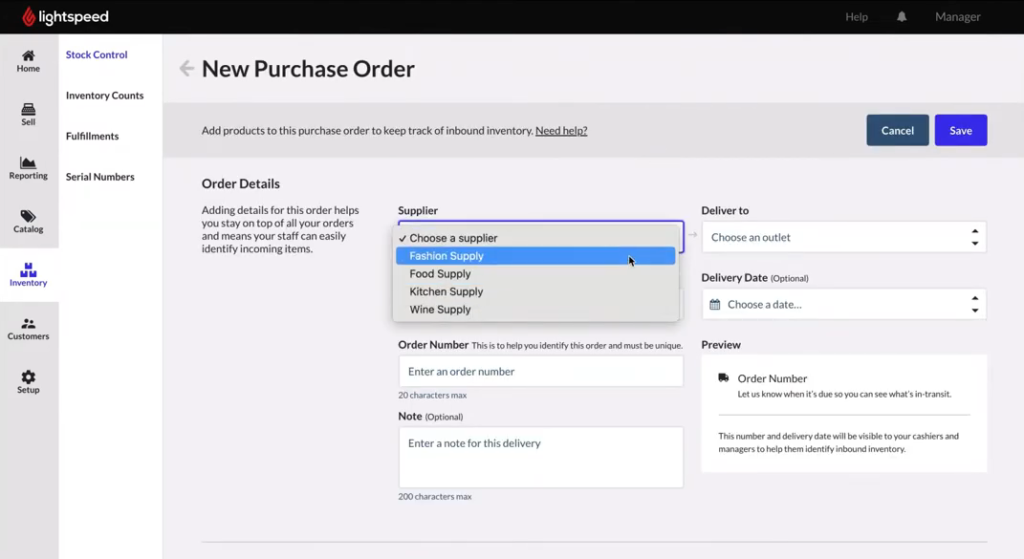
- Order and receive inventory from POS
- Track purchase history and segment customers
- Comprehensive employee management
- Supports various hardware setups
Cons
- More expensive than competitors
- No free plan
Why I chose Lightspeed Retail
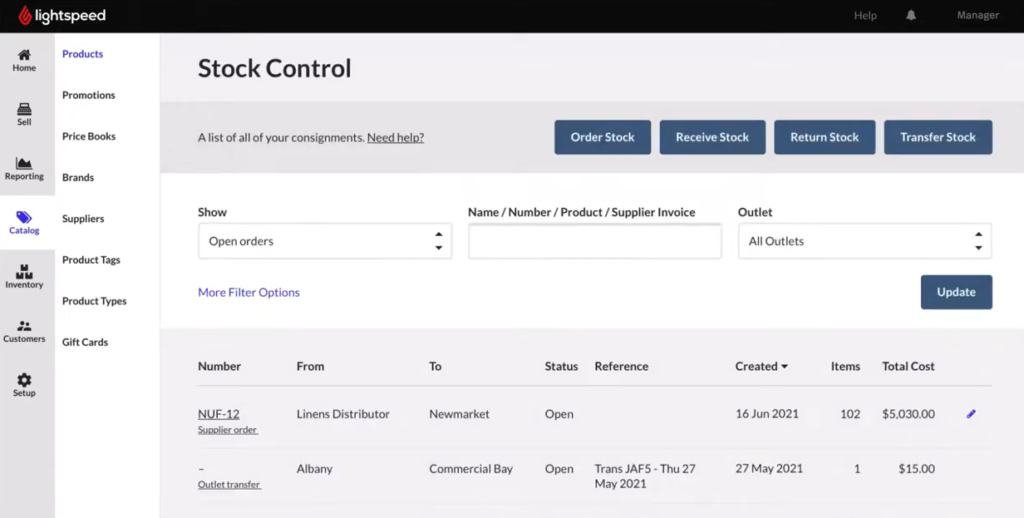
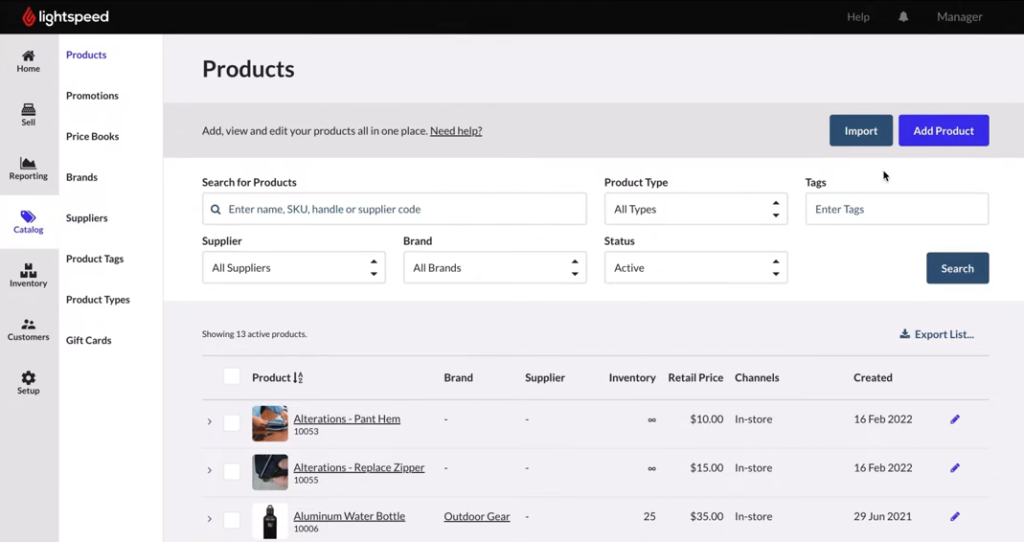
Lightspeed Retail is one of the best POS inventory systems for retailers that need advanced inventory management tools, multi-location tracking, and built-in purchase ordering. It includes essential inventory features like SKU creation, product variants, barcode scanning, vendor catalogs, and real-time stock syncing, but what stood out during my evaluation was how much automation it adds to day-to-day inventory management.
When I tested Lightspeed Retail, features like bulk pricing updates, built-in purchase ordering, and vendor management helped reduce the manual work involved in tracking and restocking inventory. I also like that retailers can update pricing while receiving inventory shipments, which can save time for businesses managing large product catalogs or multiple store locations.
Beyond inventory management, Lightspeed Retail includes employee management, ecommerce integrations, advanced reporting, and flexible payment processing options. Unlike Shopify POS, Lightspeed Retail doesn’t charge additional fees for using a third-party payment processor, which gives businesses more flexibility as they scale.
The biggest downside is cost. Lightspeed Retail does not offer a free plan, and many advanced reporting and customization features are limited to higher-tier plans. While it’s a strong fit for established retailers and growing businesses, the pricing may be difficult to justify for smaller stores or new businesses with limited budgets.
- Free trial: 14 days
- Basic: $109 (monthly) or $89 (annually)
- Core: $179 (monthly) or $149 (annually)
- Plus: $339 (monthly) or $289 (annually)
- Enterprise: Custom quote
- Advanced inventory management
- Order management
- Vendor-POS integration
- Low-stock alerts
- Multi-channel inventory tracking
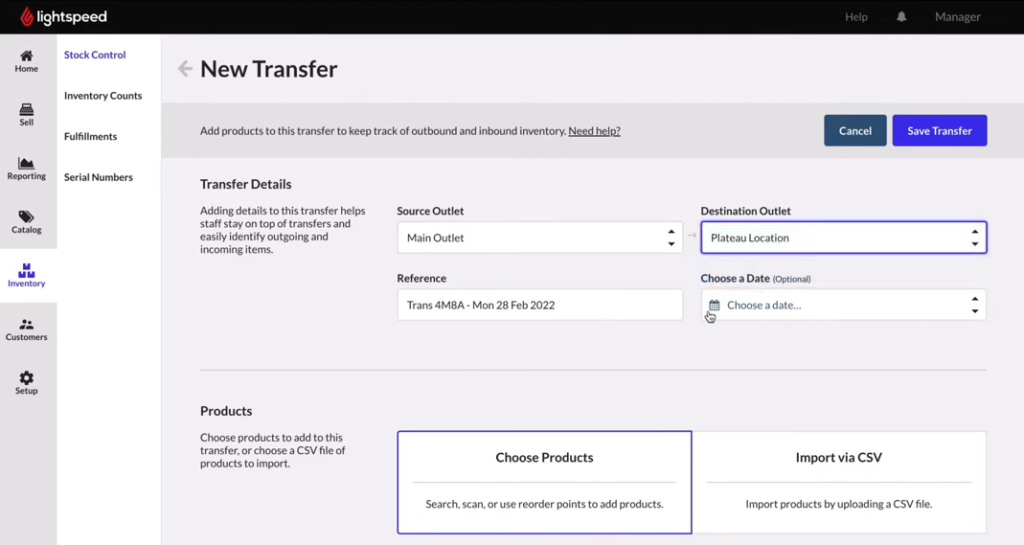
- Multi-location inventory
- Bulk pricing change feature
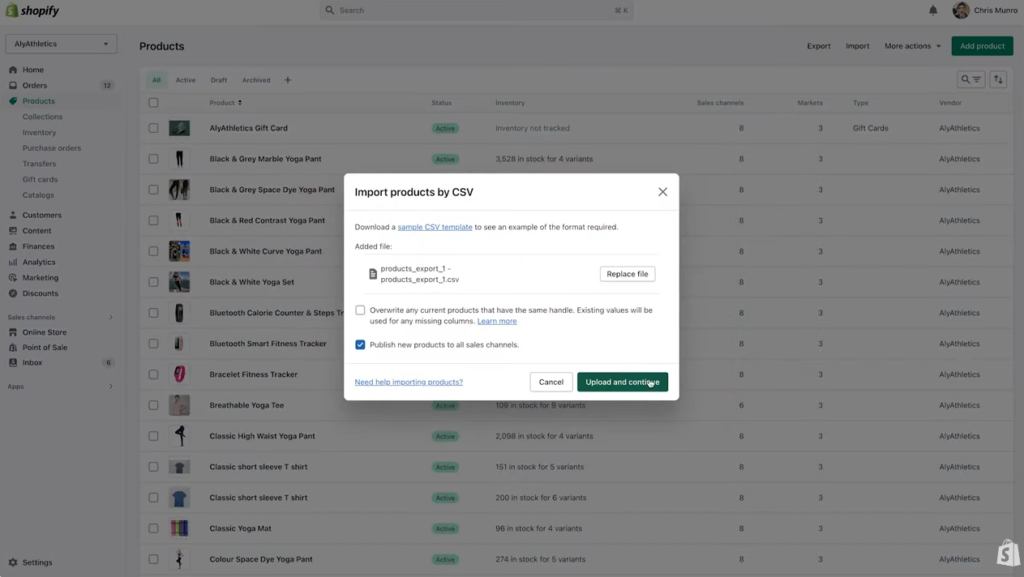
- Import product data
- Ecommerce POS
- Advanced analytics
- Mobile barcode scanner via app
- Workflow builder
- Lightspeed payment processing

Shopify POS: Best for multichannel sales
Overall Score
4.49/5
Pricing
5/5
Software features
4.75/5
Support and reliability
3.75/5
User experience
4.38/5
User scores
4.55/5
Pros
- Multi-channel selling and inventory tracking
- Multiple fulfillment options (BOPIS, in-person, shipping)
- Thousands of integrations available
- Pro version includes demand forecasting, low stock alerts, and detailed inventory reports
Cons
- Expensive add-ons
- Pricey hardware
- Penalty for choosing third-party payment processor
Why I chose Shopify
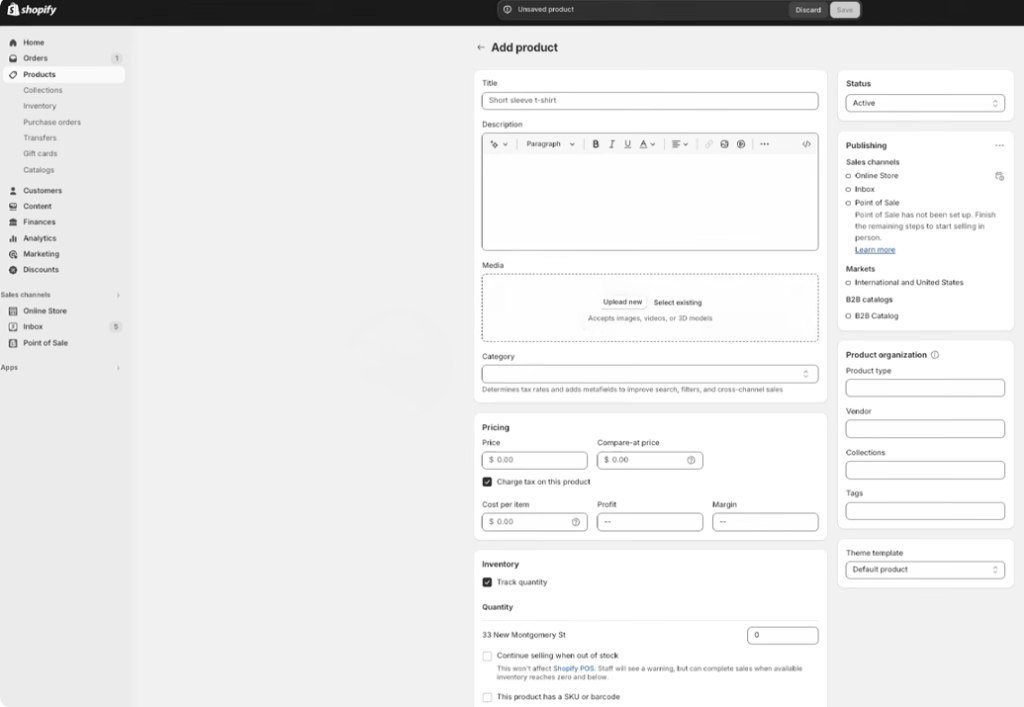
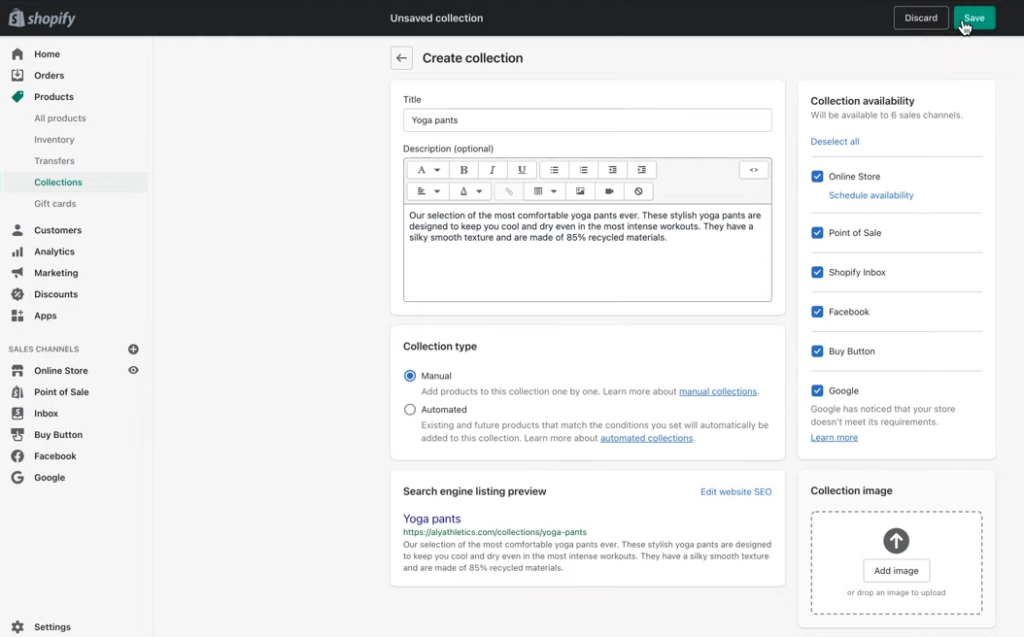
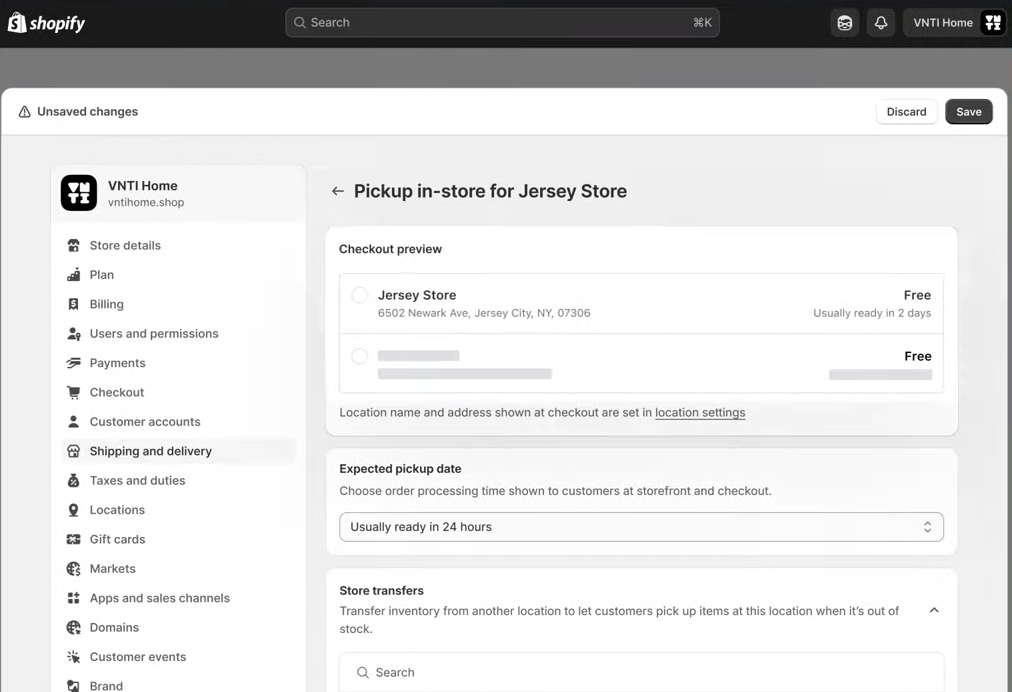
Shopify POS is one of the best POS inventory systems for ecommerce and multichannel businesses because it keeps inventory synced across online stores, retail locations, and warehouses in real time. When I evaluated Shopify POS, its inventory syncing, buy online, pick up in store (BOPIS) tools, and ecommerce integrations stood out as some of the strongest options for retailers selling across multiple channels.
I especially like how Shopify handles multi-location inventory management. Businesses can track stock across stores and warehouses, transfer inventory between locations, and use sales reports to improve inventory forecasting and restocking decisions. Shopify also regularly updates its POS platform with new features, including improvements to inventory scanning, automation, and business management tools within the Shopify app.
Another reason Shopify POS stands out is its tight integration with Shopify’s ecommerce platform. Retailers can manage online and in-person sales from one system, making it easier to maintain accurate inventory counts and avoid overselling across channels.
The biggest limitation is that many advanced inventory management features are only available with Shopify POS Pro. While Shopify POS Lite supports basic in-person selling, businesses need the Pro plan to access tools like demand forecasting, low-stock alerts, advanced staff permissions, and enhanced inventory management features. That added cost may be difficult for smaller retailers or businesses primarily focused on brick-and-mortar sales.
- Free trial: 3 days, and then $1 for the first month
- Starter/POS Lite: $5 per month
- Retail/POS Pro: $89 per month
- Real-time inventory updates
- Low stock alerts
- Smart inventory management (Pro)
- Demand forecasting
- Stock adjustments
- Detailed inventory reports
- Stock transfers
- Multi-location management
- Barcode support
- Product variants and collections

Toast: Best for restaurants
Overall Score
4.42/5
Pricing
4.38/5
Software features
4.75/5
Support and reliability
5/5
User experience
3.75/5
User scores
4.2/5
Pros
- Restaurant-specific inventory tools
- User-friendly system
- Integrations available for online ordering and delivery
- 24/7 customer support
- Offers financing
Cons
- Minimum one-year contract required
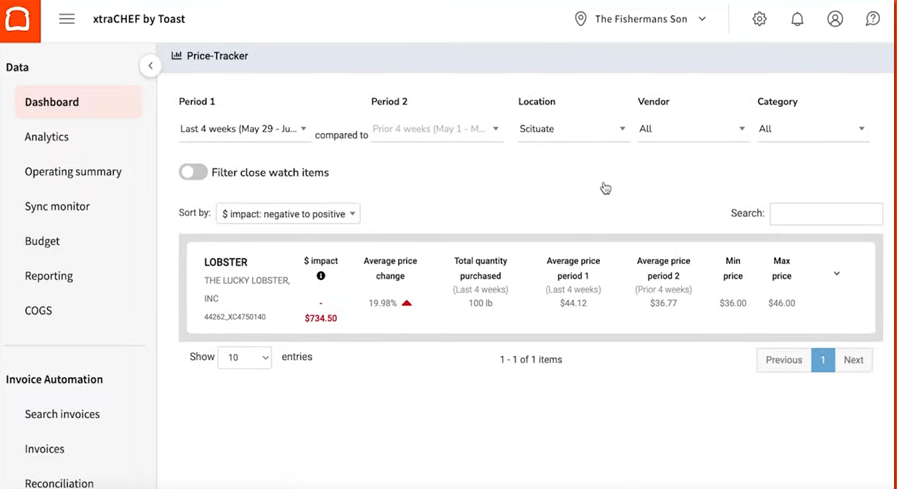
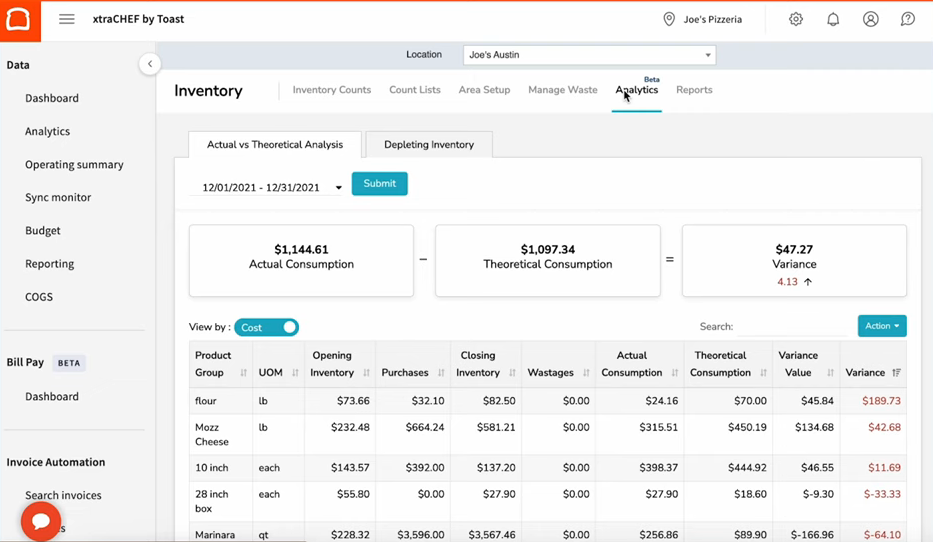
- Robust inventory tools require xtraChef add-on
- Payment processing through Toast can be pricey
Why I chose Toast
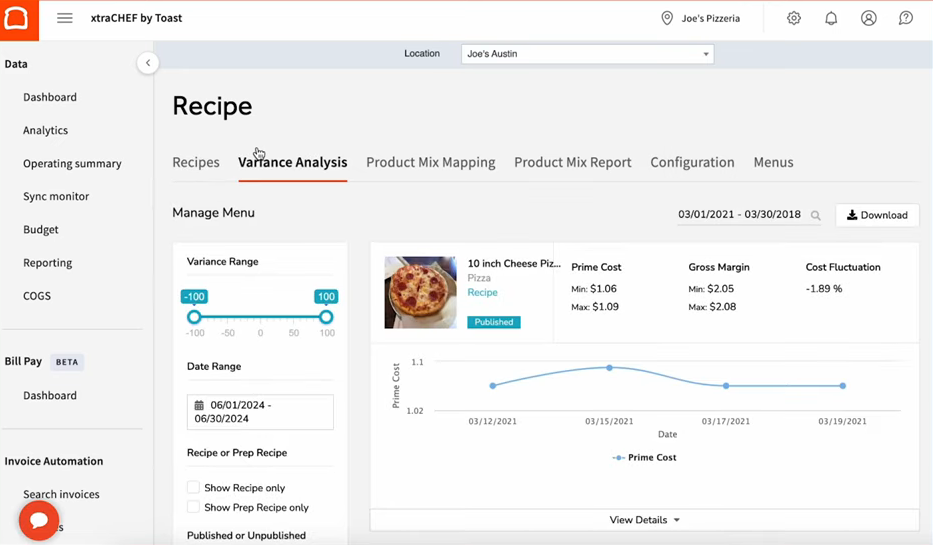
Toast is one of the best POS inventory systems for restaurants because it combines restaurant-specific inventory tools, menu management, and durable restaurant hardware into one platform. When I evaluated Toast, its ingredient-level inventory tracking, menu management features, and kitchen-friendly workflows stood out as especially useful for restaurants managing fast-moving inventory and high-volume orders.
I also found Toast easy to use during day-to-day operations. Its reporting dashboard is straightforward, menu editing is simple, and features like item countdowns help restaurant staff quickly identify which dishes are running low or sold out. For restaurants that need deeper inventory management, Toast integrates with xtraCHEF to support ingredient-level tracking, food cost monitoring, and inventory management tied directly to menu items.
Another advantage is Toast’s hardware. Unlike general retail POS systems, Toast’s handheld devices are designed for restaurant environments, featuring drop-, water-, and dust-resistant hardware that can handle busy kitchens and front-of-house operations.
The biggest drawback is pricing transparency. Many of Toast’s advanced inventory and restaurant management features require paid add-ons, and pricing is typically customized based on hardware, software, and payment processing needs. Businesses also have to use Toast’s proprietary hardware, which may limit flexibility for restaurants that already own POS equipment.
- Starter Kit: $0 per month (basic POS features)
- Paid plans typically start around $69 per month per location
- Pricing varies by restaurant size, features, and hardware
- Real-time ingredient tracking
- Mobile order and pay
- Integrated online ordering
- Advanced reporting
- Durable restaurant-grade hardware
- Handhelds
- Self-ordering kiosks
- Countertop terminals
- Kitchen display systems (KDS)
- Accessories (printers, USB hubs, card readers, scanners, routers, cash drawers, etc.)

Square for Retail: Best for small businesses
Overall Score
4.38/5
Pricing
5/5
Software features
4/5
Support and reliability
3.75/5
User experience
4.38/5
User scores
4.75/5
Pros
- Free plan
- Easy to use
- Real-time inventory management
- Low-stock alerts
- Automated reordering feature
Cons
- Only available for iOS
- Processing fees can be expensive
- Free plan is limited
Why I chose Square for Retail
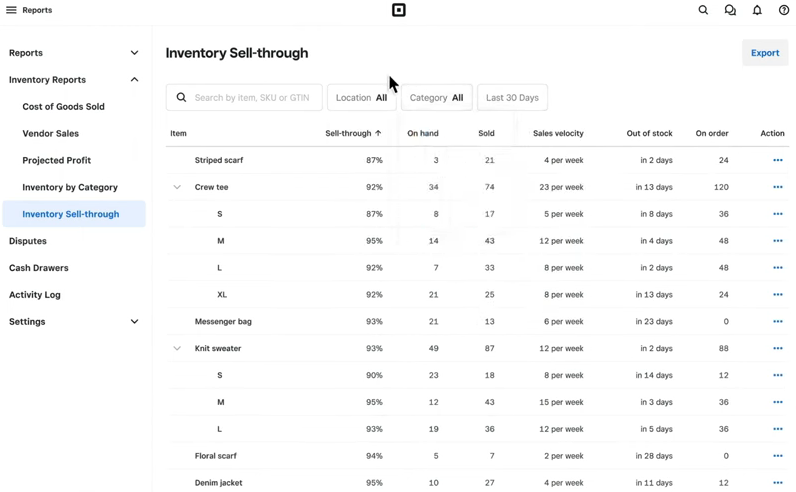
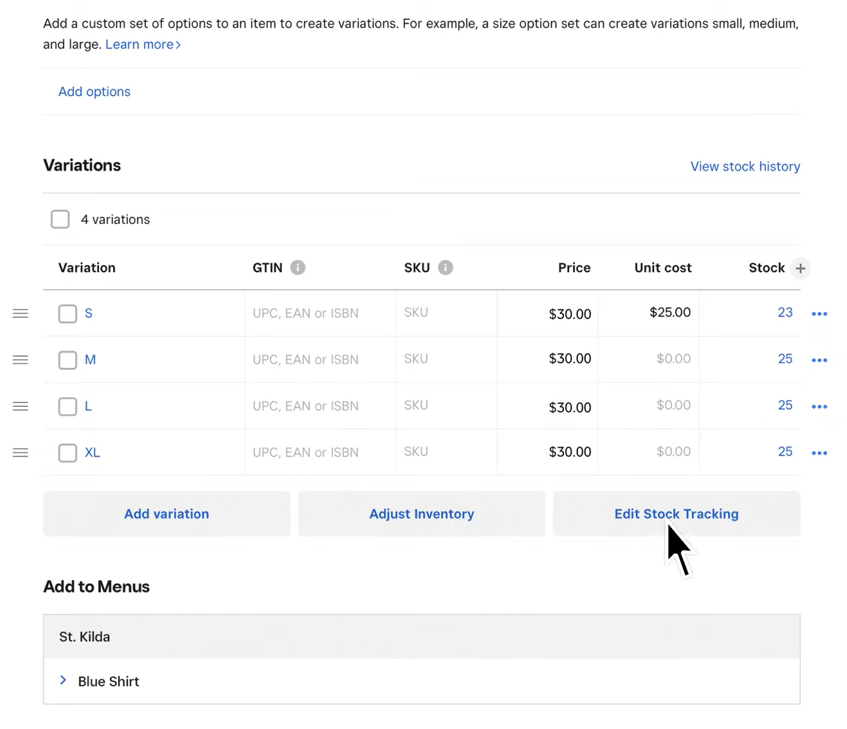
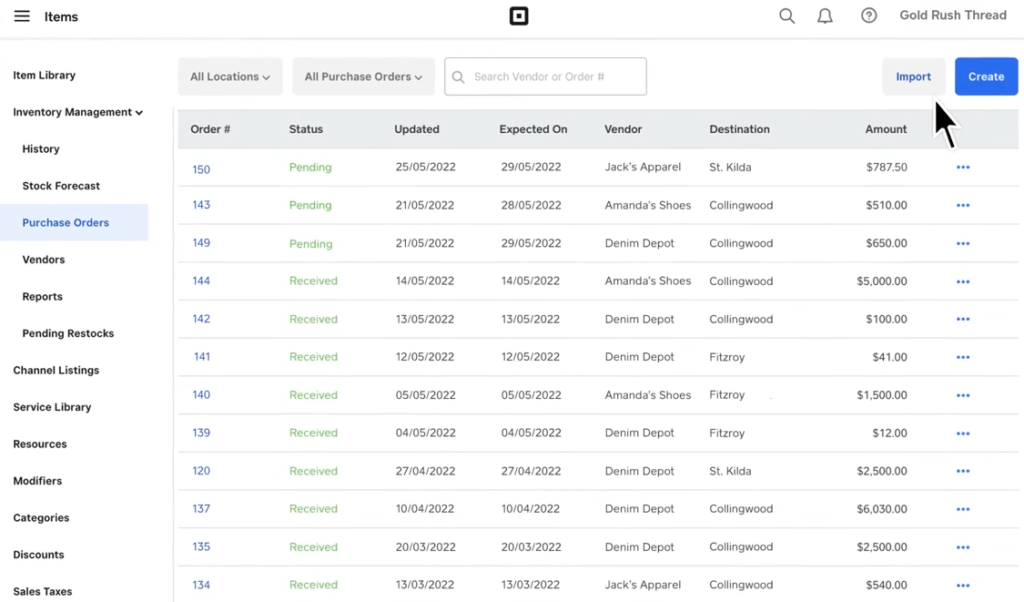
Square for Retail is one of the best POS inventory systems for small retailers because it combines easy setup, built-in inventory tracking, barcode scanning, and smart inventory automation in a user-friendly platform. When I evaluated Square for Retail, its mobile inventory counting tools, low-stock alerts, and automated restocking recommendations stood out as especially useful for businesses that want inventory management without a steep learning curve.
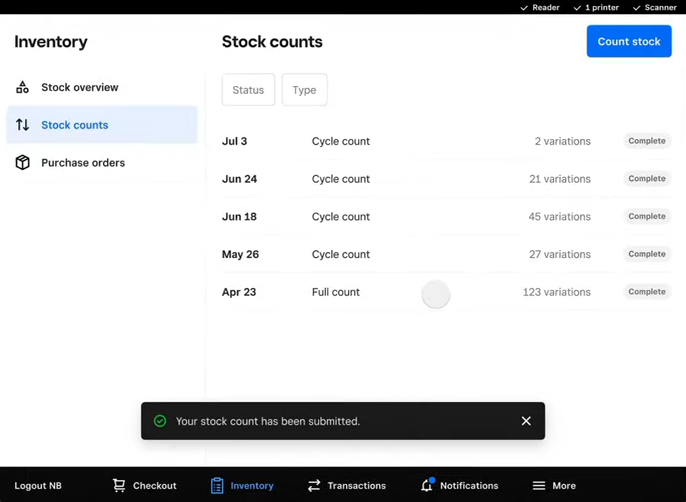
I also like how simple Square makes day-to-day inventory tasks. Using the Square app, I was able to scan barcodes directly from my phone, instantly pull up product records, update stock counts, and review SKU details without needing separate inventory hardware. For small retail teams, this can significantly speed up inventory counts and stock management.
Square for Retail also includes smart stock forecasting tools that analyze sales trends and recommend which products to restock based on inventory movement. Another standout feature is Square Photo Studio, which lets retailers quickly capture and enhance product images for ecommerce listings using built-in editing tools and AI-powered image enhancements.
The biggest advantage is accessibility. Unlike many POS inventory systems, Square for Retail offers a free plan, making it easier for new businesses to get started with inventory management and in-person selling. However, some advanced inventory and reporting tools require paid upgrades, so growing retailers may eventually outgrow the free version.
- Square Free: $0
- Square Plus: $49 per month
- Square Premium: $149 per month
- Square Photo Studio
- Inventory counting tool
- Smart stock forecasting
- Advanced reports

KORONA POS: Best for high-risk businesses
Overall Score
4.03/5
Pricing
3.75/5
Software features
3.5/5
Support and reliability
4.38/5
User experience
3.75/5
User scores
4.75/5
Pros
- Industry-custom POS systems
- No contract required
- Third-party processing allowed
- 24/7 customer support
- Automatic reordering
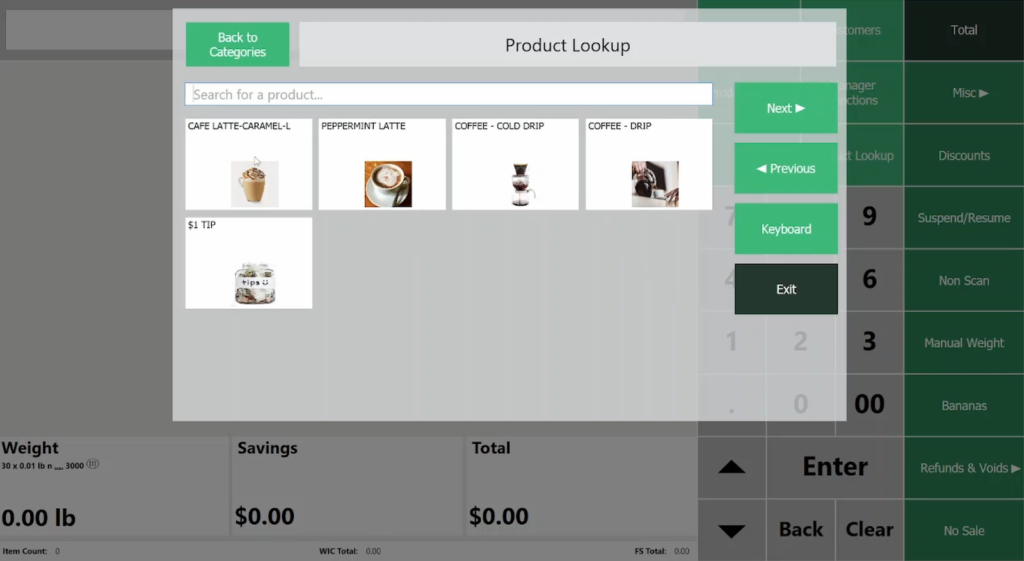
- Easy item lookup
Cons
- Custom integrations cost extra
- Advanced reports and inventory management cost extra
Why I chose KORONA POS
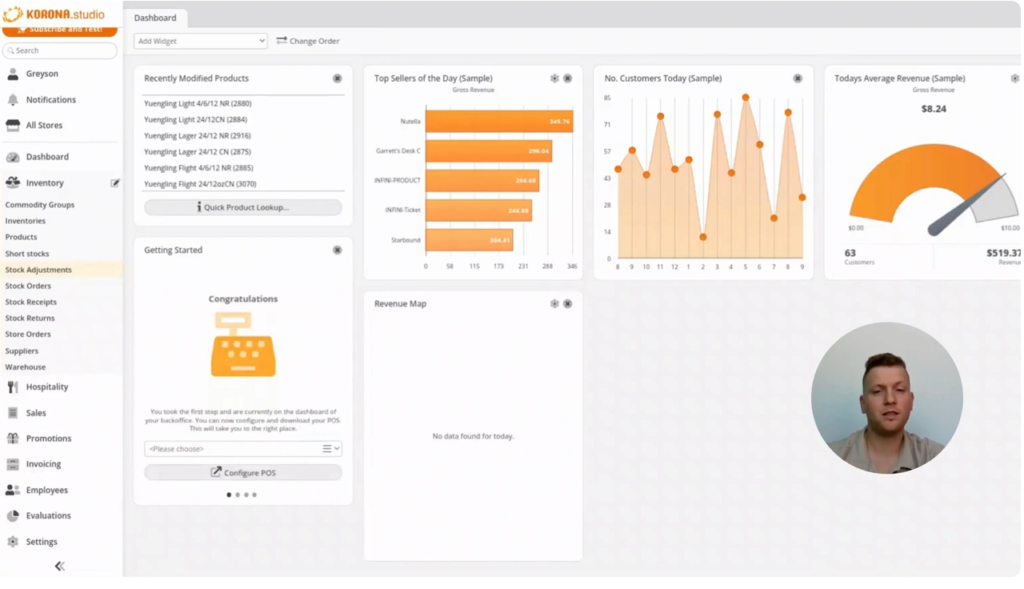
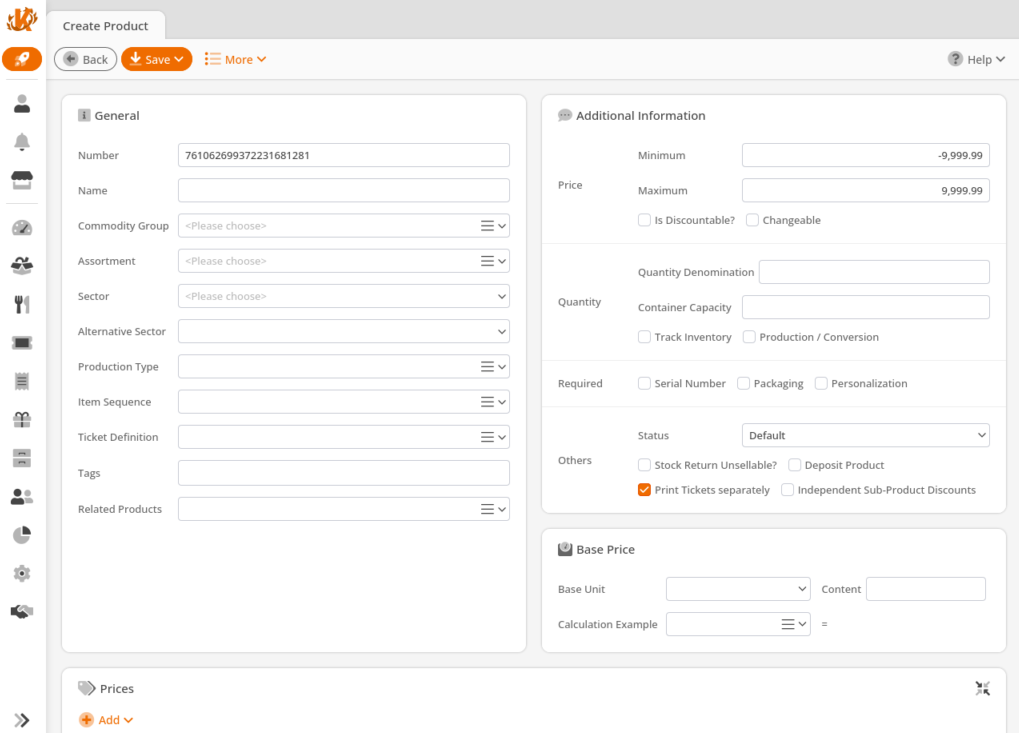
KORONA POS is one of the best POS inventory systems for high-risk retailers because it combines advanced inventory management tools with built-in age verification and loss prevention features. When I evaluated KORONA POS, its automated inventory controls, customizable pricing tools, and detailed stock management features stood out as especially useful for businesses selling age-restricted or heavily regulated products.
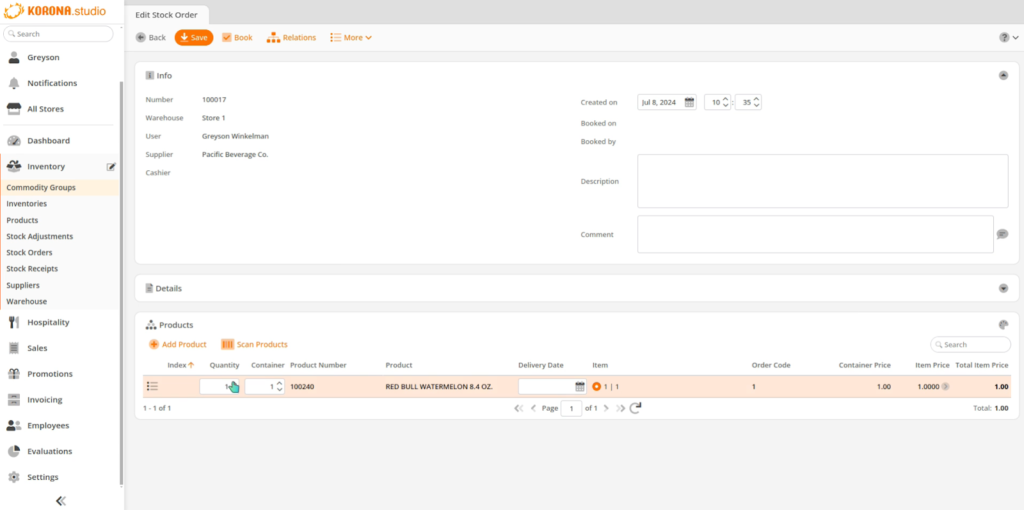
I also like how KORONA POS handles inventory automation. The system supports low-stock alerts, overstock notifications, automatic reordering, barcode scanning, label printing, and vendor tracking to help businesses stay on top of incoming and existing inventory. Retailers can also sync ecommerce inventory with in-store stock, which helps maintain accurate inventory counts across multiple sales channels.
Another feature that stood out during my evaluation was KORONA POS’s automated pricing controls. Businesses can set minimum profit margins and pricing rules, such as ending prices in .99, to automatically adjust retail pricing while maintaining target margins as supplier costs change. I also found the saved filter templates useful for quickly locating products, brands, or inventory counts during daily operations.
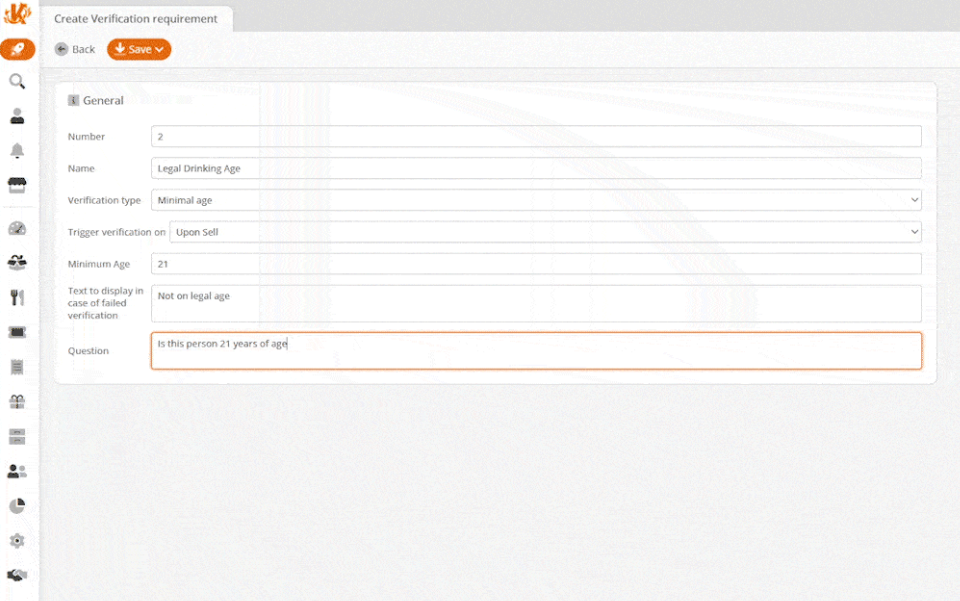
The biggest advantage for high-risk retailers is the built-in ID scanning feature, which helps businesses verify customer age for regulated sales. However, while KORONA POS offers strong inventory and retail management tools, its interface may feel less modern than some competitors, and businesses with simpler inventory needs may find the platform more feature-heavy than necessary.
- Unlimited free demo
- Core plan: $59 per month
- Retail plan: $79 per month
- Plus plan: $99 per month
- Additional optional modules:
- KORONA Food: +$10/month per terminal
- KORONA Plus: +$20/month per terminal
- KORONA Invoicing: +$10/month per terminal
- KORONA Ticketing: +$50/month per gate
- KORONA Franchise: +$30/month per franchise
- KORONA Integration: +$45/month per token
- Loss prevention
- ID age verification
- Third-party payment processing
- Customizable dashboard
- Smart stock alerts and automatic reordering

IT Retail: Best for grocery stores
Overall Score
3.74/5
Pricing
3.75/5
Software features
4.5/5
Support and reliability
4.38/5
User experience
5/5
User scores
4.83/5
Pros
- Advanced inventory features
- Grocery store-specific features (deli scale integration, bottle deposits)
- Accept all types of payments (including EBT)
- Android-based inventory app
- 24/7 customer support
Cons
- Lack of pricing transparency
- Inventory features seem outdated, manual
Why I chose IT Retail
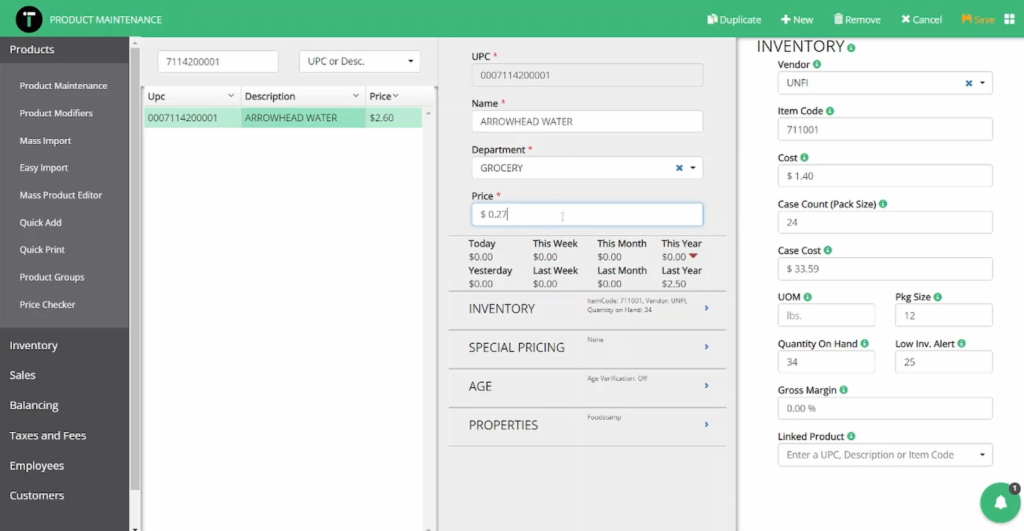
IT Retail is one of the best POS inventory systems for grocery stores because it was built specifically for high-volume food retail and grocery inventory management. When I evaluated IT Retail, its real-time inventory tracking, bulk price update tools, shelf labeling, and shrinkage reporting stood out as especially useful for grocery stores managing fast-moving inventory and frequent pricing changes.
I also like how IT Retail simplifies inventory updates. Businesses can import product and price changes in bulk, which can save significant time for grocery stores updating hundreds or thousands of items at once. The system also includes detailed inventory reports to help track low stock, product movement, and shrinkage, making it easier to maintain accurate inventory levels and reduce losses.
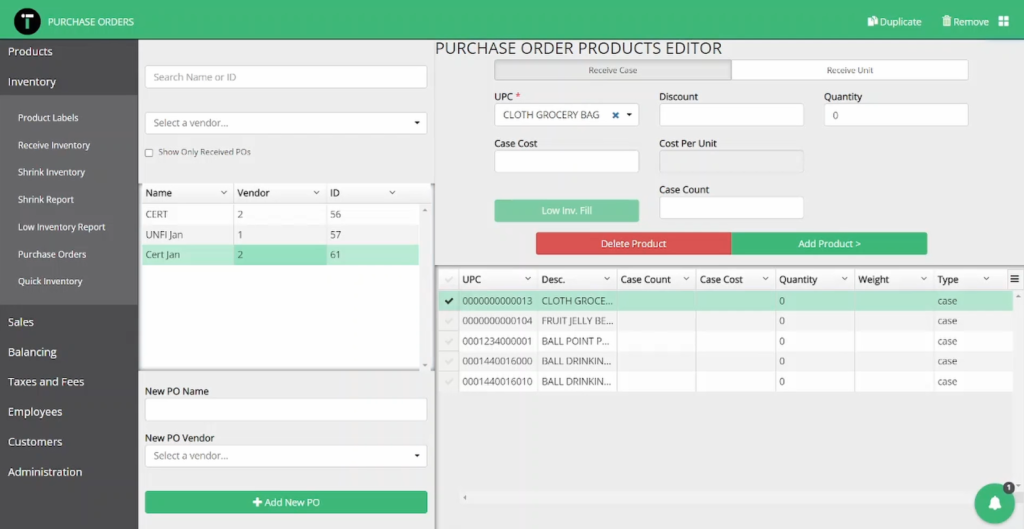
Another feature that stood out during my evaluation was IT Retail’s mobile inventory management app for Android devices. Store managers can update products, adjust pricing, manage purchase orders, and perform inventory counts directly from their phones without needing to return to a register or back-office computer. I also found the electronic receipt journal useful for reviewing transaction-level purchase history and tracking exactly what customers bought during each sale.
The biggest advantage of IT Retail is its grocery-specific feature set, but that specialization may make it less appealing for general retail businesses. Retailers outside the grocery industry may find the platform more tailored to food retail workflows than broader retail inventory management needs.
- Starter: $69 per month
- Growth: $99 per month
- Premium: $149 per month
- Full inventory management system
- Offline mode
- Grocery-specific features
- Price change import tool
- Integrates with many hardware options
How to choose the best POS inventory system for your business
Step 1: Identify the inventory features your business actually needs
The best POS inventory system for your business depends heavily on how you sell and manage inventory. During my evaluations, I found that retailers, restaurants, and grocery stores often need very different inventory tools. Retailers may prioritize multichannel inventory syncing and buy online, pick up in store (BOPIS) support, while restaurants often need ingredient-level inventory tracking. Grocery stores usually benefit from weighted barcode support, shelf labeling, and shrinkage tracking.
At a minimum, I recommend looking for real-time inventory tracking, barcode scanning, SKU management, low-stock alerts, reporting, and inventory forecasting tools.
Step 2: Look for automation tools that reduce manual work
Modern POS inventory systems should do more than track inventory counts. I recommend prioritizing platforms that automate repetitive inventory tasks, such as purchase ordering, low-stock notifications, stock forecasting, and vendor management.
Some advanced POS systems can automatically reorder products based on historical sales data and inventory thresholds. These tools can help reduce overstocking, prevent stockouts, and save time during day-to-day operations.
Step 3: Evaluate ease of use and inventory workflows
A POS inventory system should simplify inventory management, not make it harder. When I test POS systems, I pay close attention to how quickly employees can complete tasks like barcode scanning, inventory counts, product lookups, and stock transfers.
I also recommend looking for mobile inventory management tools or handheld scanning features that make inventory counts easier without requiring additional hardware.
Step 4: Check scalability and multichannel inventory support
If your business sells online and in person, multichannel inventory syncing is critical. The best POS inventory systems keep stock counts updated across ecommerce stores, retail locations, and warehouses in real time to help prevent overselling and inventory inaccuracies.
I also recommend considering whether the platform can support multiple locations, warehouse inventory, and future growth as your inventory management needs evolve.
Step 5: Compare pricing, support, and long-term value
POS inventory systems often include ongoing costs beyond the monthly software subscription. Before choosing a platform, I recommend reviewing payment processing fees, hardware costs, add-on pricing, and upgrade requirements for advanced inventory tools.
Customer support is equally important. A difficult onboarding process or an unresponsive support team can quickly slow down operations. During my evaluations, I considered support availability, setup resources, training options, and overall user feedback when comparing platforms.
FAQs