Key takeaways
Stripe and Square are both popular payment platforms, but they solve different business problems. Stripe is a payment infrastructure platform built for online, global, and customizable payment workflows. Square is an all-in-one POS and payments ecosystem built for small businesses that want to start selling quickly.
Comparing Stripe vs Square, choose Stripe if you need custom online checkout, developer tools, international payments, subscriptions, or flexible integrations. Choose Square if you need a ready-to-use POS system, payment hardware, invoices, ecommerce, and small business tools in one platform.
Stripe
Square
My rating
3.77 out of 5
4.17 out of 5
Best for
Brick-and-mortar
Ecommerce
Software type
$109/month
$0/month
Monthly account fee
From $89/month
From $79/month
Online rate
$59/month
Included
Card-present rate
Advanced
Standard
POS software
Basic to moderate
Advanced
Hardware
More flexible
Easier setup
International payments
More limited
Larger app ecosystem
Customization
More complex
Easier
Best feature
Stronger onboarding
More self-service resources
More information

Stripe: Best for online payments and customization
Stripe is best for businesses that need flexible payment infrastructure, custom checkout, international payments, local payment methods, subscriptions, ACH, invoicing, fraud controls, and developer tools.
I find Stripe strongest for ecommerce businesses, SaaS companies, marketplaces, B2B sellers, and global brands that need more control than a standard payment processor or POS system can provide. Stripe can also support in-person payments, but it usually requires more setup, a third-party POS, or custom development.
Stripe pros
- No monthly account fee
- Highly customizable checkout and payment flows
- Strong international payment support
- Advanced developer tools and documentation
- Machine learning-based fraud protection
- Strong invoicing, subscription, and ACH tools
Stripe cons
- POS setup usually requires development or third-party software
- Initial setup takes longer than Square
- Best features often require technical resources
- Not as convenient for simple in-person selling
- Hardware is less plug-and-play than Square
Who should use Stripe
- Online businesses that need custom checkout, subscriptions, invoicing, ACH, or global payments
- SaaS companies, marketplaces, ecommerce sellers, and B2B businesses with developer resources
- Growing businesses that need flexible payment infrastructure that can connect with multiple platforms
When Stripe may not be the best fit
Stripe may not be the best fit if you need a ready-to-use POS system, simple in-person checkout, or built-in business tools without developer setup. Square is usually easier for retail, restaurants, appointments, and mobile selling.

Best for POS and small business tools
Square is best for businesses that want a complete payment and POS system that is easy to set up. It includes payment processing, free POS software, invoicing, ecommerce tools, hardware, virtual terminal, customer profiles, reports, and optional add-ons for retail, restaurants, appointments, payroll, marketing, and loyalty.
I find Square strongest for small businesses that want to start accepting payments quickly without building a custom payment stack. Its biggest advantage over Stripe is convenience: Square gives you the software, hardware, and payment tools in one ecosystem.
Square pros
- All-in-one POS and payment system
- Free POS plan available
- Easy setup
- Ready-to-use payment hardware
- Strong in-person selling tools
- Built-in invoicing, virtual terminal, and ecommerce tools
Square cons
- Less flexible for custom checkout workflows
- More limited international payment support
- Does not integrate with other POS software as flexibly as Stripe
- May be less scalable for complex or developer-led payment workflows
- Customer support access can vary by plan and setup
Who should use Square
- Small businesses that need an easy POS, payment processing, hardware, invoicing, and ecommerce tools in one system
- Retailers, restaurants, appointment-based businesses, and mobile sellers that want fast setup
- Businesses that prefer ready-to-use tools instead of custom payment development
When Square may not be the best fit
Square may not be the best fit if you need highly customized checkout, international payment methods, complex subscription logic, or payment infrastructure that works across many third-party platforms. Stripe is stronger for global, technical, and online-first payment workflows.
Stripe vs Square: A detailed comparison
I compared Stripe vs Square across the factors that matter most when choosing between a payment infrastructure platform and an all-in-one POS system. Click on the links below to go straight to the comparison factor you want to know more about.
- Key differences
- Fees and pricing
- Hardware
- POS system
- Payment services
- Ecommerce and online payments
- International payments
- Customization
- Fraud prevention
- Ease of use
- User reviews
Stripe vs Square: Key differences
Winner: Square for small business setup; Stripe for payment infrastructure
The main difference between Stripe and Square is product focus. Stripe is primarily a payment processing and infrastructure platform. Square is primarily an all-in-one POS and business management system.
Choose Stripe if you want payment flexibility. Choose Square if you want operational simplicity.
Category
Stripe
Square
Best overall fit
Online and custome payments
In-person selling and POS
Core product
Payment infrastructure
All-in-one POS ecosystem
Best for
Ecommerce, SaaS, marketplaces, global sellers
Retail, restaurants, service businesses, mobile sellers
Setup
More technical
Faster and easier
POS
Custom or third-party setup
Native free POS
Hardware
Developer-configured terminals
Ready-to-use readers and registers
International payments
Stronger
More limited
Customization
Stronger
Easier but less flexible
Fraud tools
More configurable
Easier to manage
Best for scaling
Global and developer-led growth
Domestic SMB operations
Stripe vs Square: Fees and pricing
Winner: Depends on payment type
Stripe and Square both offer no-monthly-fee payment processing, flat-rate transaction pricing, and no long-term contracts for standard accounts. The better deal depends on how you accept payments.
Stripe is often better for small-ticket in-person payments, ACH, international payments, and custom online workflows. Square is often better for businesses that need free POS software, card invoice payments, ready-to-use hardware, and chargeback cost savings.
Cost
Stripe
Square
Monthly account fee
$0
$0 (w/POS)
Upgrade options
From $10/month
From $10/month
Card-present rate
2.7% + 5 cents
2.6% + 15 cents
Card-not-present rate
2.9% + 30 cents
2.9% + 30 cents
Manually keyed-in rate
3.4% + 30 cents
3.5% + 15 cents
Card-on-file rate
3.4% + 30 cents
3.5% + 15 cents
Invoicing services
$0/month + 0.4% – 0.5% on top of regular online fee
$0/month + 3.3% + 30 cents
Billing services
0.70% of billing volume or $51.67/month
$20/month
Pay later
Afterpay: 6% + 30 cents
Klarna: 5.99% + 30 cents
Afterpay: 6% + 30 cents
International payments
+ 1.5%
N/A
ACH
0.8%, $5 cap
1%, $10 cap
Large-volume business
Custom interchange plus rates for qualified merchants
Custom rates if processing over $250,000 annually
Mobile card readers
$59
$0-69
Smart payment terminals
$249-$349
$299-$399
Same-day funding fee
+ 1.5%
+ 1.75%
Chargeback cost
$15
Waived up to $250/month
Fee scenarios
Stripe is the better fit if you only need payment processing and want more control over checkout, ACH, and international payments. Square is the better fit if you also need POS software because Square includes a free POS system that Stripe does not provide out of the box.
Payment scenario
Better fit
Why
Online payments
Stripe
Stripe has a fixed rate at 2.9% + 30 cents; Square is based on subscription tier
Small-ticket in-person sales
Stripe
Lower fixed fee
Larger in-person sales
Square
Lower percentage rate
Keyed-in low-to-mid-ticket sales
Square
Better cost in smaller examples
Keyed-in larger sales
Stripe
Better cost in larger examples
Card invoice payments
Square
Lower invoice payment cost
ACH payments
Stripe
Lower ACH cap
High-volume processing
Depends
Both offer custom pricing paths
Cost comparison for primary transactions
Note that both Square and Stripe have the same online transaction rates, so a comparison is not needed. However, Square offers a discounted rate of 2.6% + 30 cents if you subscribe to an advanced e-commerce plan at $79/month. Stripe will charge $10/month if you want a custom domain, but the transaction rate stays the same.
Transaction value
Card-present
Manual keyed-in
Stripe
Square
Stripe
Square
$5
$0.19
$0.28
$0.45
$0.325
$15
$0.32
$0.41
$0.64
$0.50
$20
$0.59
$0.67
$1.01
$0.85
$50
$1.40
$1.45
$2.00
$1.90
$100
$2.75
$2.75
$3.70
$3.65
$200
$5.45
$5.35
$7.10
$7.15
Both Stripe and Square charge the same fees for card-present transactions at $100. It also shows how Stripe is the better choice for smaller tickets while Square gives you better savings for larger purchases.
In terms of manual, keyed-in transactions, both providers also charge nearly the same for purchases at around $100. However, Stripe is cheaper for larger tickets, while Square is the better choice for low-to-mid transactions.
Invoicing
Transaction value
Stripe
Square
$5
$0.47
$0.45
$15
$0.81
$0.74
$20
$1.01
$0.88
$50
$2.00
$1.75
$100
$3.70
$3.20
$500
$17.30
$14.80
$1,000
$34.30
$29.80
When it comes to invoicing, Stripe’s 4% to 5% surcharge makes it more expensive than Square for card-based invoice payments, regardless of the amount. And the cost gap widens as the invoice value increases.
Meanwhile, businesses that need a built-in subscription or billing platform should consider the fees charged by both providers for using the service.
- Square: Charges a $20 monthly fee + online transaction rate (2.9% + 30 cents for card payments).
- Stripe: Charges either 0.70% of the total billing volume or $620/year (paid monthly at around $51.67/month) for up to $100,000 worth of transactions + online transaction rate (2.9% + 30 cents for card payments).
Stripe vs Square: Hardware
Winner: Square
Square wins for hardware because its devices are ready to use with Square POS. You can connect a Square reader, terminal, stand, register, or handheld device and start accepting payments with less setup.
Stripe hardware is useful, but it is built for businesses that need customized in-person payment flows. Stripe’s terminals often need to connect to custom software, a third-party POS, or developer-built workflows.
Hardware factor
Stripe
Square
Mobile reader
Available
Available
Free magstripe reader
No
Available for eligible new accounts
Contactless reader
Available
Available
Smart terminal
Available
Available
Countertop register
Limited
Available
POS included
No
Yes
Best for
Custom terminal workflows
Ready-to-use checkout
Choose Stripe if you want customized software for payment terminals. Choose Square if you want hardware that works out of the box with POS software already included.
Square’s range of hardware

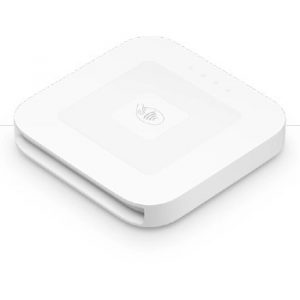
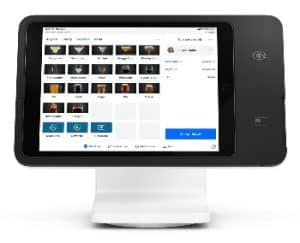
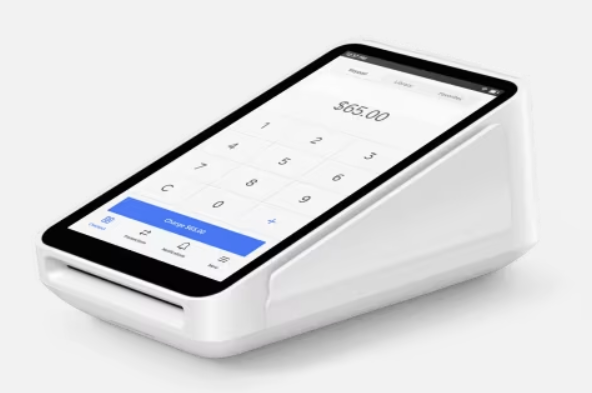
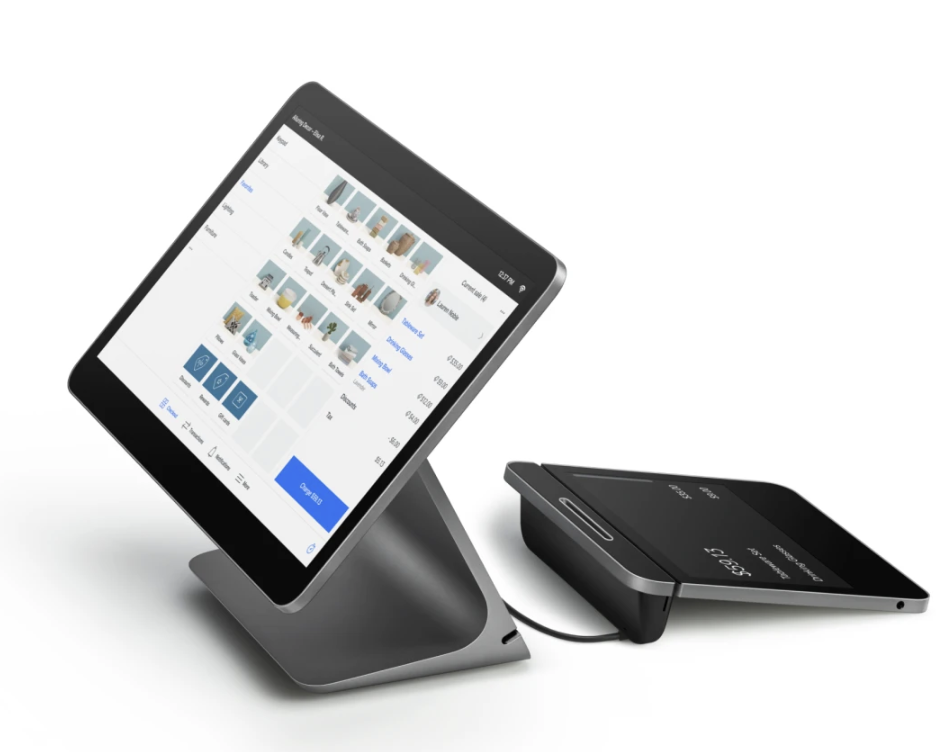
Square Magstripe Reader
Square Contactless Reader
Square Stand
Square Terminal
Square Register
Stripe’s range of hardware




Stripe Reader M2
BBPOS WisePad 3
BBPOS WisePOS E
Stripe Reader S700
Stripe’s mobile contactless card reader costs $59, similar to Square. Stripe also provides a couple of in-store card readers priced at $249 and $349. These are handheld mobile types similar to Square’s (which costs $299). Square’s mobile credit card readers start at $10 for a magnetic stripe reader (the first one is free), while the contactless card reader costs $59 each. In-store registers range from $149 to $899 (available in installments in some states).
The main difference between Square and Stripe hardware is the setup requirement. A mobile credit card reader needs to be paired with a POS app downloaded to a smart mobile device. Square’s mobile POS app can be downloaded for free, but with Stripe, businesses will need to design their own or pay for a third-party app.
Related: Best POS Hardware for Businesses
Stripe vs Square: POS system
Winner: Square
Square is the clear winner for POS. It includes free POS software and paid upgrades for retail, restaurants, and appointment-based businesses. That makes it a stronger choice for businesses that sell in person.
Stripe can support in-person payments through Stripe Terminal, SDKs, and third-party integrations, but it is not a native POS system. Businesses that use Stripe for POS usually need custom software or another platform.
Square is best if you want to manage checkout, inventory, customer profiles, fulfillment, sales reports, and staff workflows in one system. Stripe is best if you want payment processing that can be embedded into a custom POS setup.
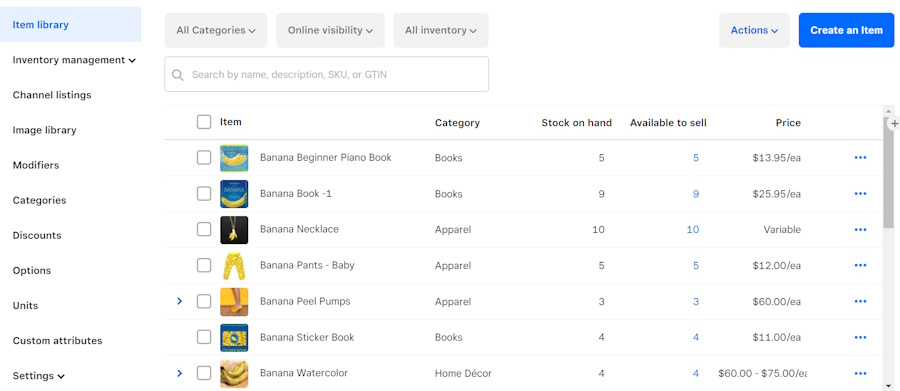
Startups and small businesses find Square’s all-in-one POS system the most convenient because it can be set up and ready to manage your omnichannel sales, e-commerce, inventory, fulfillment, CRM, and reporting within a day. Square even offers free and paid industry-specific POS solutions, allowing businesses access to features specific to their needs.
However, mid-size businesses can easily outgrow Square’s features, even with its software upgrades. For example, Square’s inventory management features offer limited flexibility. They won’t be able to handle a complex matrix of raw ingredients, processed items, and special orders that other retail and restaurant POS software could.
Stripe vs Square: Payment services
Winner: Stripe for payment flexibility; Square for built-in SMB tools
Stripe supports more flexible payment services, especially for online, global, and B2B payment workflows. Square supports a strong range of payment options too, but its advantage is that those tools are built into an easier business ecosystem.
Payment Types & Methods
Stripe
Square
Credit card
Yes
Yes
Digital wallets
Yes
Yes
ACH/e-check
ACH
ACH
Buy now, pay later (BNPL)
Integration
Yes
Invoicing/Recurring billing
Yes
Yes
Virtual terminal
Limited
Yes
Local payment methods
Yes
No
B2B Level 2 & 3 data processing
Yes
No
CBD
No
Yes, through program
Healthcare services
Limited or use-case dependent
Eligible workflows may support BAAs
Social media selling
Yes
Yes
Stripe is better for advanced payment workflows, international payments, B2B payments, ACH, subscriptions, and local payment methods. Square is better for small businesses that need invoices, virtual terminal tools, BNPL, POS, CBD support, and healthcare-adjacent workflows in one system.
Stripe vs Square: Ecommerce and online payments
Winner: Stripe
Stripe is better for ecommerce businesses that need custom checkout, platform flexibility, global payments, subscriptions, local payment methods, or deeper developer control. It works with most major ecommerce platforms, including Shopify, WooCommerce, BigCommerce, and custom websites.
Square is better for small businesses that want a simple online store connected to POS, inventory, invoicing, and in-person payments. Square Online is easier to launch, but it is not as flexible as Stripe for advanced ecommerce checkout.
Choose Stripe for ecommerce depth. Choose Square for simple online selling connected to your POS.
Stripe vs Square: International payments
Winner: Stripe
Stripe is the stronger choice for international payments. It supports more currencies, local payment methods, and checkout localization tools.
Businesses can use Stripe to show local payment methods, local currencies, and location-aware checkout experiences.
Square supports payments in select countries, including Australia, Canada, France, Ireland, Japan, Spain, the United Kingdom, and the US. However, Square does not support the same range of local payment methods as Stripe.
Choose Stripe if you sell internationally, serve customers in multiple regions, or need local payment methods. Choose Square if your sales are mainly domestic and you want simpler POS and payment tools.
Stripe vs Square: Customization
Winner: Stripe
Stripe offers APIs, SDKs, Stripe Checkout, Stripe Elements, developer documentation, and hundreds of integrations. Businesses can use Stripe to build custom checkout pages, embedded payments, marketplace payments, advanced subscription billing, and custom POS workflows.
Square has customization options through Square add-ons, Square App Marketplace, and developer tools, but it is still more limited than Stripe. Square is designed to make setup easier, not to give businesses complete control over every payment workflow.
Choose Stripe if customization is a priority. Choose Square if ease of setup matters more than full control.
Stripe vs Square: Fraud prevention
Winner: Stripe
Both Stripe and Square use machine learning-based fraud tools and support PCI Level 1 security standards, but Stripe offers more control. Stripe’s fraud tools can be fine-tuned around business risk levels, authentication rules, identity verification, 3D Secure, biometrics, local IDs, and additional verification settings.
Stripe edges Square out with more customization and fine-tuning fraud detection options to adjust according to a merchant’s acceptable risk level. On top of that, Stripe also supports additional tools for identity verification through SSN, address, IP, and biometrics (facial and fingerprint). Stripe can also recognize and verify local IDs in more than 30 countries.
With Square, businesses can also set custom rules and alerts for fraud prevention. Although it does not provide the same level of customization as Stripe, Square’s Risk Manager service ensures that every payment sent for processing is screened and assessed for potential risk.
Square’s chargeback management tool also makes it easy to dispute and respond to claims by having the functionality to submit proof of transactions from the platform instead of sending via email. PCI compliance is also free with Square, unlike with Stripe, which requires merchants to validate their compliance annually.
Stripe vs Square: Ease of use
Winner: Square
Square is more versatile when it comes to payment services. The system is designed for easy payment processing setup for e-commerce websites, and its POS and payment terminals are ready to use out of the box.
Square is easier to use because it includes a ready-made POS system, simple dashboard, guided setup, free ecommerce tools, invoicing, virtual terminal, and hardware that works out of the box.
Stripe has low-code and no-code tools, but it still becomes more technical as soon as you need custom checkout, POS, international payment flows, or advanced billing. Stripe is easier than building payment infrastructure from scratch, but Square is easier for everyday small business use.
Choose Square if you want to start selling quickly. Choose Stripe if you are comfortable with setup, integrations, and developer-led payment workflows.
Stripe vs Square: User reviews
Winner: Square
Square earned a slightly higher user score in the current evaluation, with 4.7 out of 5 compared with Stripe’s 4.5 out of 5.
Stripe user reviews are strongest for payment flexibility, developer tools, checkout customization, and integrations. Common complaints mention setup time, account holds, support responsiveness, and a steeper learning curve for nontechnical users.
Square user reviews are strongest for ease of use, fast setup, POS tools, hardware, and all-in-one business features. Common complaints mention account holds, support availability, and limits for businesses that need more advanced customization.
Stripe vs Square by business type
Business type
Better fit
Why
Online store
Stripe
More checkout customization and platform flexibility
Brick-and-mortar retail
Square
Native POS, inventory, customer tools, and hardware
Restaurant
Square
Restaurant POS, hardware, and in-person workflows
Appointment-based business
Square
Appointments, invoicing, checkout, and customer tools
SaaS business
Stripe
Stronger subscriptions, billing, and developer tools
Marketplace
Stripe
Better fit for custom and multi-party payment flows
International seller
Stripe
More currencies and local payment methods
Mobile seller
Square
Easier mobile POS and card reader setup
Developer-led business
Stripe
APIs, SDKs, and custom payment infrastructure
Startup needing fast setup
Square
Free POS and ready-to-use business tools
CBD seller
Square
Square offers a dedicated CBD program
High-volume B2B seller
Stripe
Stronger ACH, Level 2 and 3 data, and custom payment infrastructure
Can you use Stripe and Square together?
Yes, some businesses use Stripe and Square together. A business might use Square for in-person POS, hardware, and staff workflows while using Stripe for online checkout, subscriptions, ACH, or custom payment flows.
This setup can work if your accounting, inventory, customer, and order data can stay clean across both systems. Before using both, confirm how payments, refunds, customer records, invoices, sales tax, inventory, and reporting will sync.
Stripe vs Square: Which is right for you?
Square is the better choice for most small businesses that need a fast, affordable, and easy way to accept payments in person and online. It gives you POS software, hardware, invoicing, ecommerce, virtual terminal, reports, and add-on business tools in one system.
Stripe is the better choice for online-first, global, technical, or high-growth businesses that need custom payment workflows. It is stronger for ecommerce, subscriptions, ACH, international payments, marketplaces, B2B payments, and developer-led customization.
| Choose Stripe if… | Choose Square if… |
| • You sell mostly online • You need custom checkout • You need global payment methods • You run subscriptions or SaaS • You have developer resources • You need flexible integrations • You process ACH or B2B payments | • You sell mostly in person • You need a ready-to-use POS • You need simple hardware • You run retail, restaurant, or service operations • You want no-code setup • You want one ecosystem • You need invoices, virtual terminal, and staff tools |
Top alternatives to Stripe and Square
Stripe and Square are strong payment platforms, but neither is the best fit for every business. Consider an alternative if you need interchange-plus pricing, a dedicated merchant account, subscription-style pricing, or high-risk merchant support.
Stax
Stax is a better fit for high-volume businesses that want subscription-style pricing with no percentage markup over interchange. It can be more cost-effective than flat-rate processors for businesses with steady card volume.
Helcim
Helcim is a better fit for businesses that want transparent interchange-plus pricing with no monthly fee. It is a strong alternative for cost-conscious merchants that want lower rates as volume grows.
PaymentCloud
PaymentCloud is a better fit for high-risk businesses that may not qualify for Stripe or Square. It supports more flexible underwriting, though pricing and contract terms can vary by industry and risk profile.
Related:
FAQs