


A growing business is an achievement worth celebrating. Finding HR software your team won’t outgrow, however, can be a challenge.
As the company adds locations, pay rules, employees, and processes, the right software should handle that added complexity without creating more manual work. The eight capabilities below provide practical HR software selection criteria for evaluating how a platform will support the organization over the next three to five years. A strong choice will keep everyday work manageable even as the organization grows and its needs change.
Capabilities to consider
Capability | What it should handle as the company grows |
|---|---|
| Connected core HR | Additional roles, locations, and employee records |
| Data-preserving integrations | Accurate information across connected systems |
| Scalable payroll | Additional pay rules, groups, and jurisdictions |
| Flexible workforce management | Changing schedules and staffing needs |
| Scalable compliance controls | New jurisdictions, policies, and audit demands |
| Effective employee experiences | More HR tasks without more HR administration |
| Decision-ready reporting | More complex workforce data and reporting needs |
| Governable AI insights | More AI use cases with appropriate controls and oversight |
1. Connected core HR functionality
Most HR processes rely on the same employee information, such as job, manager, location, pay, and employment status. Core HR software should keep those records consistent while preserving employee history and controlling access.
HR platforms such as UKG Ready® connect core employee records with payroll, time and attendance, scheduling, and other workforce processes. For example, when an employee is promoted or transfers to another location, a connected system can flow that approved change to pay, reporting relationships, permissions, and scheduling rules without requiring HR to enter the same information multiple times.
When evaluating HR software, ask vendors to demonstrate a change like this from start to finish. Pay attention to whether information flows reliably across the platform or requires manual updates between tools.
2. Integrations that preserve data continuity
Organizations often rely on separate systems for benefits, finance, or identity management, making reliable integrations essential. But integration counts can be misleading. Connections vary in what data they exchange, how frequently they update, and how much manual intervention they require.
Two questions matter more than the integration count: Which system is the source of truth for each field, and what happens when records conflict?
During a demo, ask the vendor to show how a routine update moves between connected applications. Pay attention to how quickly the change appears, who is alerted when data doesn’t transfer as expected, and whether HR can resolve the issue without opening a support ticket. Also ask about any additional costs for integration setup, maintenance, future changes, and the availability of prebuilt integrations.
3. Payroll built for increasing complexity
As organizations grow, payroll errors become more consequential while payroll itself becomes more complex.
HR and payroll software may need to handle additional pay groups, work locations, shift premiums, tax requirements, and employee classifications. It should keep employee, time, benefits, and pay information aligned while supporting payroll tax calculations, filings, recordkeeping, and other compliance requirements across applicable jurisdictions.
UKG Ready uses connected employee and time data, continuous processing, and pre-run validation to identify issues such as missing hours or incomplete tax setup. Catching those problems earlier gives payroll teams time to address issues at the source instead of making corrections after employees have been paid.
During a demo, ask to have a work location or pay group added and see how the change affects taxes, time policies, approvals, compliance requirements, and reports.
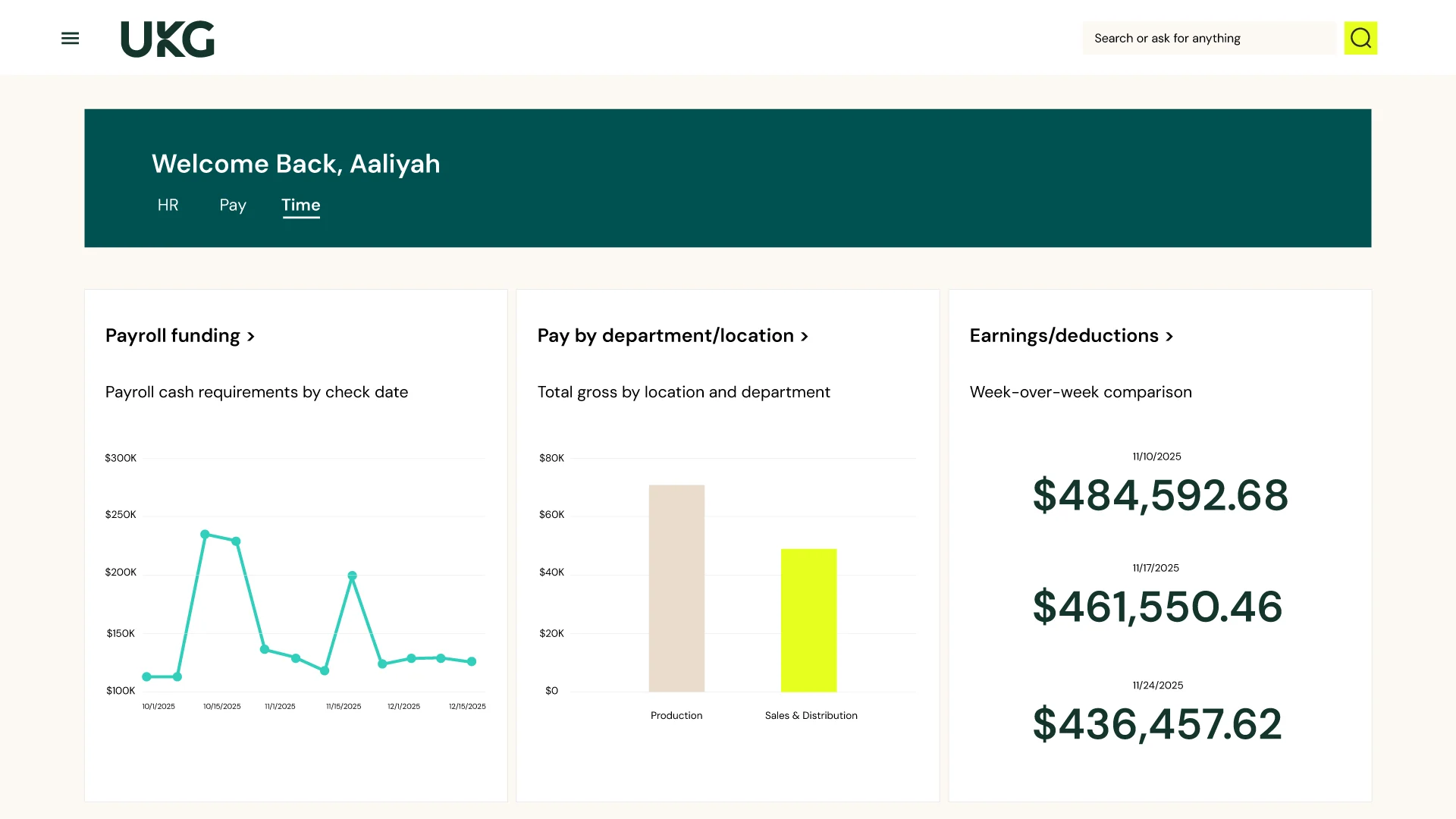
4. Flexible workforce management
A basic time clock or spreadsheet may be enough to manage a small team with predictable hours. It becomes less useful when the organization adds different shifts, skills, leave policies, coverage requirements, or labor rules.
HR platforms such as UKG Ready bring time and attendance, scheduling, leave, and labor information together so managers can adjust coverage based on availability, skills, overtime exposure, and applicable rules.
Ask the vendor to show how the system handles an absence that leaves a shift uncovered. See whether managers can identify qualified, available employees and adjust coverage within the platform without relying on spreadsheets, texts, or other manual processes.
5. Compliance controls that adjust as requirements expand
New states, locations, and employee types can introduce different compliance requirements based on where and how employees work.
Look for an HR platform that supports configurable workflows, permission controls, audit histories, document management, and compliance reporting. Ask how the vendor delivers regulatory updates and how administrators can confirm that a new rule was applied correctly.
A useful demo scenario is opening a location in a state with different leave or wage requirements. Ask the vendor to show how the platform supports the change, including what HR must configure, what the system updates automatically, and where HR still needs to review or take action.
6. Employee experiences that reduce HR dependency
Self-service only reduces HR’s workload if it’s easy for employees and managers to use. Employees should be able to review pay, request time off, update personal details, check schedules, and track requests, while managers should have enough information to act without unnecessary back-and-forth. Mobile access is especially important for deskless employees.
Before finalizing your HR software selection, evaluate the system from the employee side, not just the administrator dashboard. Try to complete a task, correct a mistake, and find help when something does not fit the standard workflow. This provides a much better picture of the experience employees will have after launch.
7. Reporting that supports larger-scale decisions
Having more reports doesn’t necessarily give HR leaders better insights. The real question is whether the software can connect workforce information and present it in a way that supports decision-making. Leaders should be able to examine workforce information by location, role, employee group, or time period without waiting for HR to combine several exports.
If overtime suddenly increases within one team, for example, leaders should be able to compare it with absenteeism, staffing coverage, turnover, and labor demand to identify possible causes.
During the software demo, ask the vendor to build a report using payroll, time, and core HR data. Check whether the report uses consistent definitions, respects access permissions, and allows HR to trace results back to their source.
8. Practical, governable AI-powered insights
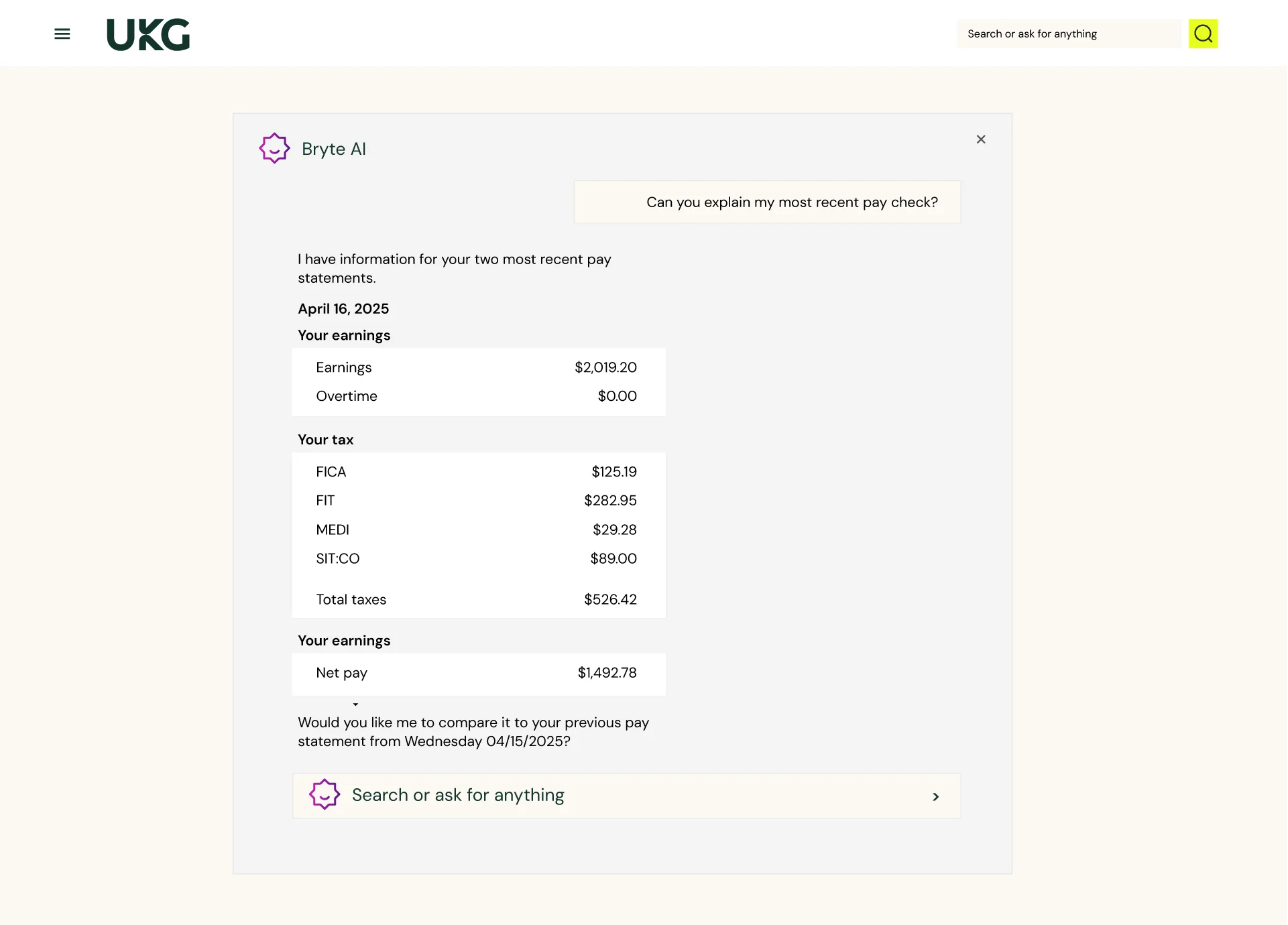
Evaluate AI in the software based on how well it supports everyday HR and workforce processes, not how impressive it looks in a demonstration. Useful AI might flag unusual payroll entries or staffing issues, summarize employee feedback, or guide employees through routine tasks.
UKG Ready incorporates UKG Bryte™ AI across supported workforce processes to provide AI-powered guidance, recommendations, and assistance sooner.
How to prioritize HR software requirements
All eight capabilities matter, but their importance will vary depending on how the organization expects to grow. Consider the scenarios below to identify which capabilities should carry the most weight in your HR software selection.
- Expanding into new states or regions: Prioritize payroll, compliance, and integrations to manage new tax, wage, leave, and reporting requirements.
- Growing an hourly or frontline workforce: Give more weight to workforce management, payroll, and mobile self-service as scheduling and timekeeping become more complex.
- Acquiring or merging with another company: Focus on core HR, integrations, and reporting to bring different employee records, systems, and workforce definitions together.
- Supporting growth with a lean HR team: Look for self-service, configurable workflows, and reporting to reduce administrative work.
- Introducing more AI into HR processes: Start with data quality, access controls, and human oversight to ensure AI outputs are reliable and explainable.
Set these priorities before viewing product demos so compelling features don’t distract from the capabilities your organization will depend on as it grows.
Frequently asked questions
How do you choose the right HR software?
Start by documenting the organization’s current problems and expected changes over the next three to five years. Use those needs to evaluate connected employee data, payroll, workforce management, compliance, employee and manager self-service, reporting, integrations, mobile access, and available AI capabilities.
What HR software features matter most for a growing organization?
Common priorities include connected employee data, dependable integrations, flexible payroll and workforce management, compliance controls, employee and manager self-service, actionable reporting, mobile access, and automation. The right order depends on the organization’s workforce and operating model.
What should an HR and payroll software requirements list include?
Include the workflows, employee groups, locations, tax jurisdictions, pay rules, integrations, permissions, reports, compliance needs, and mobile capabilities the organization requires. Add likely future needs so the selection does not focus only on the company’s current structure.
How can an organization tell whether HR software is scalable?
Scalable HR software can support additional locations, roles, pay rules, users, and reporting demands while limiting the increases in manual work. Look for configurable workflows, flexible rules, connected data, and the ability to add capabilities as needs evolve without replacing the underlying system.
What questions should buyers ask during an HR software demo?
Use a real business scenario. Have the vendor complete the workflow, handle an exception, correct an error, and show how the changes are reflected in connected records and reports. Also ask how integrations are monitored, what happens when data does not transfer as expected, and which capabilities or changes may involve additional costs.