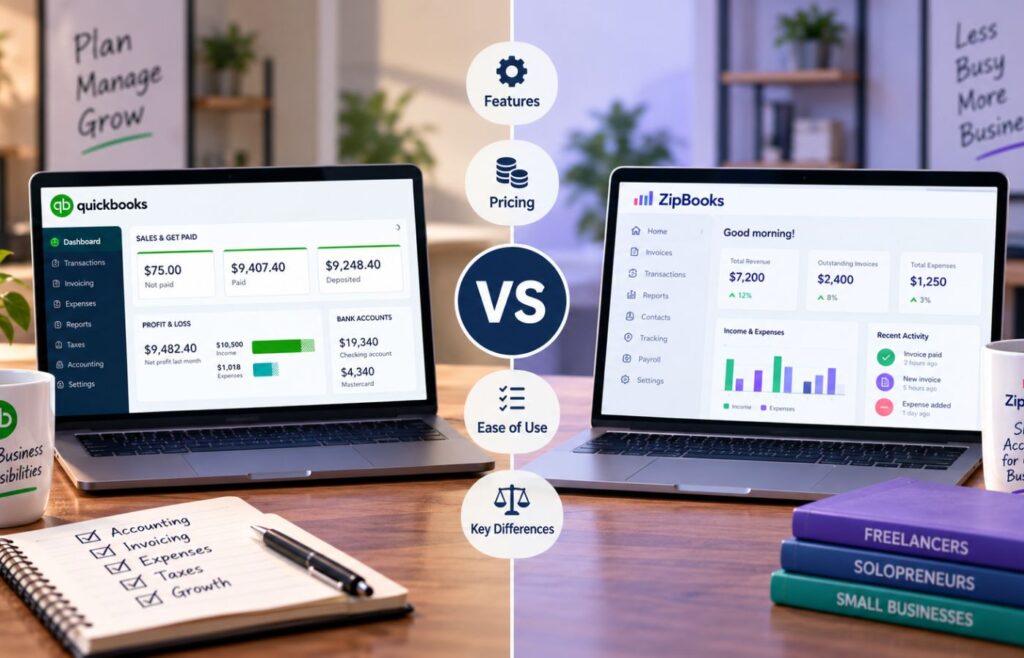
Choosing between QuickBooks and Zoho Books comes down to what your $0 plan needs to cover. QuickBooks Free is better for solo businesses that want an automatic bank feed and simple day-to-day bookkeeping, while Zoho Books is better for businesses that send more invoices and want more accounting features built into the free plan, like mileage tracking and 1099 prep. The key tradeoff is simple: QuickBooks Free offers more banking automation, while Zoho Books offers more free features but caps out once your business earns more than $50,000 a year.
| QuickBooks Free | Solo businesses that want free bookkeeping with an automatic bank feed | $0 |
| Zoho Books | Businesses under $50K in annual revenue that need more invoices and accounting features at no cost | $0 |

- Automatic bank feeds for one connected account
- Basic income and expense tracking
- Invoicing, receipt capture, and mileage tracking at no monthly cost
QuickBooks Free vs Zoho Books at a glance
| Features | QuickBooks Free | Zoho Books |
| Monthly pricing | $0 | $0 (businesses under $50K annual revenue) |
| Users | 1 | 1, plus 1 accountant |
| Automatic bank feeds | ✅ 1 account | ✕ (manual bank reconciliation only) |
| Income & expense tracking | ✅ | ✅ |
| Invoicing | 2 per month | Up to 1,000 per year |
| Estimates | 1 per month | Included, no published limit |
| Expense volume limit | Limited | Up to 1,000 per year |
| Receipt capture | 2 per month | 50 autoscans per month |
| Mileage tracking | 5 trips per month | Included, no published limit |
| Financial reports | ✅, top 3 reports | ✅, 50+ reports (5 scheduled) |
| Online payments | ✅ | ✅ |
| Accountant access | ✕ | ✅, 1 accountant included |
| Paid upgrade | QuickBooks Solopreneur ($20/month) | Zoho Books Standard ($20/month, $15/month billed annually) |
QuickBooks Free leans harder into automation, especially with its automatic bank feed. Zoho Books is less restrictive by usage limits, but only if your business stays under the $50,000 annual revenue cap.
Related read:
- QuickBooks Online Advanced Review 2026
- 5 Best Free Accounting Software for 2026
- 5 Best Self-Employed Accounting Software for 2026
Use cases and pros & cons
| Pros | Cons |
| ✅ Includes an automatic bank feed for one connected account ✅ Tracks income, expenses, and mileage automatically ✅ No revenue cap or eligibility threshold | ❌ Limited to two invoices and one estimate per month ❌ No accountant access, even on the free plan ❌ Receipt capture limited to two per month |
| Use cases Where QuickBooks Free earns its place is in the day-to-day grind of solo bookkeeping: checking a balance, matching a transaction, sending the occasional invoice, without any of it costing money. A photographer running her business out of one checking account, or a part-time tutor billing two or three families a month, gets real use out of the automatic bank feed here. It removes the manual entry that would otherwise eat into time better spent working. That value drops off fast once the business grows even a little. Add a credit card account, pick up a few more clients, or bring an accountant into the picture, and the plan’s limits start dictating how you work instead of the other way around. Choose QuickBooks Free when your business is simple enough that one bank connection and a couple of invoices a month cover everything you need. | |
| Pros | Cons |
| ✅ Up to 1,000 invoices and 1,000 expenses per year | ❌ No automatic bank feed on the free plan |
| ✅ Includes mileage tracking, receipt autoscan, and 1099 prep at no cost | ❌ Free plan disappears once annual revenue exceeds $50,000 |
| ✅ 1 user plus 1 accountant included | ❌ Live phone or chat support isn’t available; free tier gets email only |
| Use cases Zoho Books is ideal for a business that’s outgrown the occasional-invoice stage but isn’t ready to pay for accounting software yet. Picture a freelance graphic designer juggling eight or nine clients a month, or a small event-planning business billing a dozen clients for different services. QuickBooks Free’s two-invoice cap would force an upgrade almost immediately at that volume, while Zoho Books’ 1,000 invoices a year, roughly 83 a month, gives that same business room to operate without paying anything. Additionally, the built-in mileage tracking and 1099 prep are extras that usually cost more elsewhere, though e-filing itself still requires a paid plan. The trade-off shows up in two places. First, you have to enter or reconcile every bank transaction by hand, since automatic bank feeds are a paid-plan feature here. Second, the plan stops being free the moment annual revenue crosses $50,000. Choose Zoho Books when your invoice volume has outgrown QuickBooks Free but your revenue still comfortably fits under that $50,000 ceiling. | |
Best alternatives to QuickBooks Free vs Zoho Books
QuickBooks Free and Zoho Books cover a lot of ground for $0, but their limits, such as invoice caps, missing bank automation, or a revenue ceiling, won’t work for every business. These alternatives are worth comparing if either falls short.
| Provider | Best for | Why consider it |
| Wave | Freelancers wanting unlimited free invoicing without a revenue cap | Wave’s free Starter plan includes unlimited invoices and bookkeeping records at $0, with no eligibility threshold like Zoho Books’ $50,000 cap |
| FreshBooks | Service businesses and freelancers that bill by project or time | FreshBooks adds native time tracking and client-facing invoicing polish that neither QuickBooks Free nor Zoho Books’ free plan includes |
| QuickBooks Online | Growing businesses that need full accounting | A better option once you outgrow QuickBooks Free’s limits or Zoho Books’ revenue cap and need multiple users, bill tracking, or accountant access |
My recommendation: Start with QuickBooks Free or Zoho Books if your needs are simple, but don’t stay on a free plan just to avoid a monthly bill. If you’re spending more time working around invoice caps or manual bank entry than the cost of a $15-$20/month plan would save you, that’s your signal to upgrade.
Pricing: Tie
| Pricing | QuickBooks Free | Zoho Books |
| Monthly/annual cost | $0 | $0 |
| Free plan | ✅ | ✅ |
| Revenue eligibility cap | None | Under $50,000 per year |
| Paid upgrade available | ✅ QuickBooks Solopreneur, $20/month | ✅ Zoho Books Standard, $20/month ($15/month billed annually) |
QuickBooks Free and Zoho Books are both genuinely free, not just free trials, so either one lets a business avoid a monthly software bill entirely. The real difference sits in what triggers the end of free access, not the $0 price tag itself.
- QuickBooks Free has no revenue ceiling, but its usage caps (two invoices, one bank account, one estimate a month) apply no matter how small the business is.
- Zoho Books drops the usage caps to a more workable level (1,000 invoices and 1,000 expenses a year) but cuts off entirely once annual revenue passes $50,000, regardless of how light your transaction volume is.
Why it’s a tie
Neither plan stays free indefinitely. QuickBooks Free caps out on invoice volume, Zoho Books caps out on revenue, and both can hold up for years if you never hit your respective ceiling. Which one “wins” depends on whether invoice volume or revenue is the constraint you’re more likely to run into.
My take: I wouldn’t call pricing a clear win for either platform. I’d look at which restriction you’re more likely to hit first, invoice volume or revenue, before deciding which $0 plan actually stays free for your business.
General accounting: Zoho Books wins
| Accounting feature | Zoho Books | QuickBooks Free |
| Income & expense tracking | ✅ | ✅ |
| Chart of accounts | ✅ | ✅ |
| Journal entries | ✅ | ✕ |
| Expenses tracked | Up to 1,000/year | Limited |
| W-9 management | ✅ | ✕ |
| 1099 contractor tracking | ✅tracking & prep (e-filing requires Standard+) | 1 contractor |
| Bank reconciliation | Manual | Automatic (1 account) |
| Core financial statements | ✅ | ✅ |
Zoho Books has the edge for core accounting because its free plan includes journal entries, W-9 management, and 1099 contractor prep (though e-filing itself is reserved for paid plans), features that QuickBooks Free either restricts or leaves out entirely. QuickBooks Free covers the basics (income, expenses, one contractor) but keeps bill tracking limited and caps how much you can record before you’re pushed toward a paid plan.
Why Zoho Books wins
Businesses that pay contractors or need a full audit trail get more out of Zoho Books without paying for it. QuickBooks Free tracks only one contractor and doesn’t include journal entries, so a business with more than one 1099 worker or that needs manual adjusting entries will hit a wall fast.
My take: I’d lean on Zoho Books here if year-end contractor paperwork or journal entries are part of your workflow. QuickBooks Free is still capable for the basics, but it’s built for a narrower slice of general accounting than Zoho Books gives away for free.
Banking & expense management: QuickBooks Free wins
| Banking & expense feature | QuickBooks Free | Zoho Books |
| Automatic bank feeds | ✅ 1 account | ✕ (Standard plan and up) |
| Manual bank reconciliation | ✅ | ✅ |
| Income & expense tracking | ✅ | ✅ |
| Receipt capture | 2 per month | 50 autoscans/month |
| Mileage tracking | 5 trips per month | ✅, no published limit |
| Manage vendors | Limited | ✅ |
| Automatic categorization | ✅, limited to connected activity | ✕ |
QuickBooks Free has the edge here because it connects one bank account and imports transactions automatically at no cost. Zoho Books’ free plan handles expense tracking and manual bank reconciliation, but the automatic bank feed connection is a paid-plan feature, so every transaction has to be entered or matched by hand.
Why QuickBooks Free wins
For a solo business running most activity through one checking account, an automatic bank feed removes a chunk of manual work every month. Zoho Books actually out-gives QuickBooks Free on receipt capture and mileage tracking limits, but neither matters as much as not having to enter every transaction by hand in the first place.
My take: I’d pick QuickBooks Free if most of your business runs through one bank account and you want transactions to show up automatically. Zoho Books’ higher receipt and mileage limits are a nice bonus, but they don’t make up for reconciling the bank by hand every month.
Invoicing & accounts receivable: Zoho Books wins
| Invoicing feature | QuickBooks Free | Zoho Books |
| Create and send invoices | ✅ | ✅ |
| Invoice limit | 2 per month* | 1,000 per year |
| Estimates | 1 per month | ✅, no published limit |
| Online payments | ✅ | ✅ |
| Customer portal | ✕ | ✅ |
| Recurring invoices | ✕ | ✅ |
| Automated payment reminders | ✕ | ✅ |
| Accounts receivable tracking | ✅ | ✅ |
*QuickBooks Free users who qualify for and enable QuickBooks Payments may get unlimited invoicing.
Zoho Books has the edge for invoicing volume because its free plan allows up to 1,000 invoices a year, roughly 83 a month, compared to QuickBooks Free’s two invoices a month.* Both platforms cover the basics of getting paid, but a business billing more than a couple of clients monthly will hit QuickBooks Free’s cap almost immediately.
Why Zoho Books wins
A business billing even a handful of clients a month will outgrow QuickBooks Free’s two-invoice cap fast, and QuickBooks Free doesn’t include recurring invoices or automated payment reminders at all. Zoho Books covers both, plus a customer portal clients can use to view and pay invoices directly.
My take: I’d choose Zoho Books if invoicing is a regular part of the business. QuickBooks Free only makes sense here if you’re sending an invoice or two a month and value its banking automation more than invoicing room.
Reporting: Zoho Books wins
| Reporting feature | Zoho Books | QuickBooks Free |
| Profit & loss | ✅ | ✅ |
| Balance sheet | ✅ | ✅ |
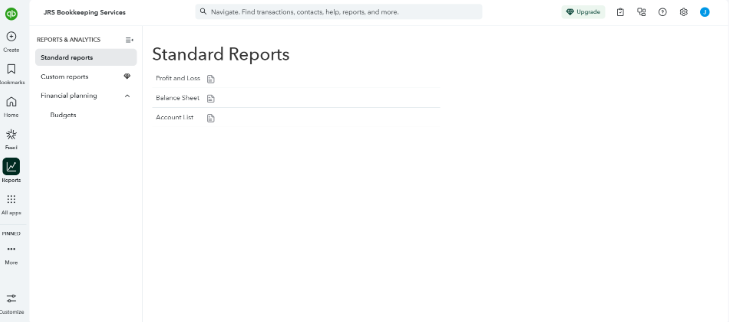
| Total report types | 50+ | 3 (P&L, balance sheet, account quick report) |
| Scheduled reports | Up to 5 scheduled | ✕ |
| Custom reports | ✕ (Standard plan and up) | ✕ |
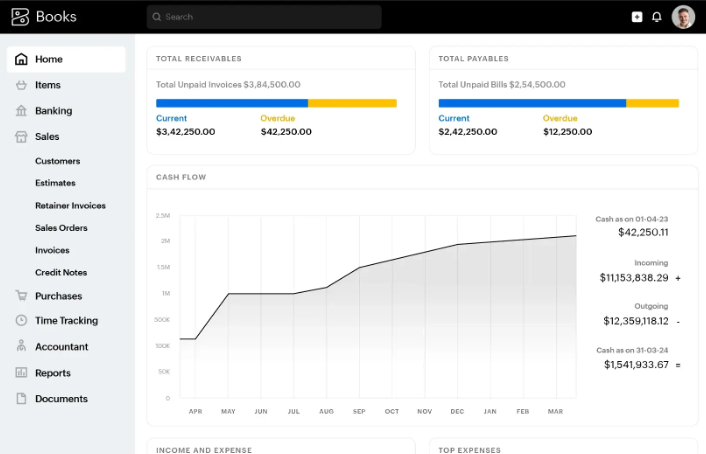
Zoho Books has the edge on reporting depth. Its free plan includes P&L, balance sheet, and 50+ report types, with up to five scheduled reports, compared to QuickBooks Free’s top three reports. Both cover the essentials a small business needs to check profitability and financial position, but Zoho Books gives an owner more ways to dig into the numbers without upgrading.
Why Zoho Books wins
QuickBooks Free’s three reports answer the basics: am I profitable, and what does the business own and owe? Zoho Books answers those same questions and gives an owner room to check other angles, like vendor- or customer-specific activity, without paying for a Standard plan.
My take: I wouldn’t pick a platform on reporting alone since both cover the essentials. But if you like checking your numbers from a few different angles, Zoho Books’ free plan gives you more room to do that.
Ease of use: QuickBooks Free wins
| Ease-of-use feature | QuickBooks Free | Zoho Books |
| Beginner-friendly setup | ✅ | ✅ |
| Simple dashboard | ✅ | ✅ |
| Easy invoice creation | ✅ | ✅ |
| Automatic bank feeds | ✅, 1 account | ✕ |
| Manual bookkeeping required | Less | More |
| Mobile access | ✅ | ✅ |
QuickBooks Free has the edge on ease of use because the automatic bank feed cuts down on manual work from day one. Zoho Books is still straightforward to navigate, but without a bank connection on the free plan, every transaction takes an extra manual step.Why QuickBooks Free wins
Automatic bank feeds do more for day-to-day ease of use than almost any other feature on a free plan. QuickBooks Free brings transactions in without any manual entry, so the daily routine is mostly reviewing and categorizing rather than typing everything in from scratch, making it more efficient.
My take: I’d rather review and categorize imported transactions than manually log every expense, so QuickBooks Free wins this one for me. Zoho Books’ interface is well organized, but the extra manual entry adds real time to routine bookkeeping.
Customer support: Tie
Both free plans offer self-service resources, but neither includes live phone or chat support without upgrading. QuickBooks Free relies on help articles and community resources, while Zoho Books includes email support even on its free plan, though live human support is reserved for paid tiers.
| Customer support | QuickBooks Free | Zoho Books |
| Help center | ✅ | ✅ |
| Email support | Limited | ✅ |
| Live chat/phone support | ✕ | ✕ (Standard plan and up) |
| Community/resources | ✅ | ✅ |
| Paid support options | Via QBO upgrade | Via Standard plan and up |
Why it’s a tie
Zoho Books includes email support on its free plan, which is a small edge over QuickBooks Free’s more limited free-tier access. But neither platform gives you a live person to call or chat with unless you pay, so the practical support experience ends up similar either way.
My take: I wouldn’t choose between these two based on support alone. Both expect you to self-serve through help articles at the free tier, so plan on troubleshooting most issues yourself regardless of which one you pick.
Integrations and scalability: Zoho Books wins
| Integrations & scalability | Zoho Books | QuickBooks Free |
| Accountant access | ✅, 1 accountant included | ✕ |
| Connected ecosystem | 50+ Zoho apps | QuickBooks App Store (paid plans) |
| Multi-user support | ✕ (Standard plan and up) | ✕ |
| Upgrade path | Zoho Books Standard → Ultimate | QuickBooks Solopreneur → Online plans |
Zoho Books has the edge for a business that expects to grow, largely because of the ecosystem it sits inside. Free-plan users get one accountant seat included, and upgrading unlocks a much wider net of connected Zoho apps (CRM, Inventory, Expense) without switching platforms. QuickBooks Free doesn’t include accountant access at all, and its broader app marketplace only opens up once you move to a paid QuickBooks Online plan.
Why Zoho Books wins
A business already using other Zoho products, or one that wants an accountant looped in without paying extra, gets more room to grow inside Zoho Books before hitting a wall. QuickBooks Free keeps accountant access locked behind a paid plan entirely, which matters the moment you want a second set of eyes on the books.
My take: I like Zoho Books here for a business that expects to add an accountant or other tools soon. QuickBooks Free is fine while it’s just you, but that accountant-access gap shows up fast for a growing business.
Mobile app: Zoho Books wins
| Mobile feature | Zoho Books | QuickBooks Free |
| Mobile app | ✅ | ✅ |
| Create and send invoices | ✅ | ✅ |
| Track business activity | ✅ | ✅ |
| Receipt capture | 50 autoscans/month | 2 per month |
| Mileage tracking | ✅, no published limit | 5 trips per month |
| Online payment management | ✅ | ✅ |
Zoho Books has the edge on mobile because its free-plan limits carry over to the app, and those limits are more generous than QuickBooks Free’s. A business owner capturing receipts or logging mileage from their phone gets 50 receipt scans and unrestricted mileage tracking with Zoho Books, versus QuickBooks Free’s caps of two receipts and five mileage trips a month.
Why Zoho Books wins
Receipt capture and mileage tracking are exactly the tasks a business owner handles from their phone, on the go, between appointments or after a drive. QuickBooks Free’s caps on both mean you’ll hit the wall fast if you’re relying on the mobile app for either task regularly. Zoho Books’ higher limits hold up much better under real mobile use.
My take: I’d lean on Zoho Books here if receipt capture or mileage tracking is a big part of how you use the app day-to-day. QuickBooks Free’s mobile experience is solid, but its low monthly caps on exactly those two features are the first thing you’ll run into.
My expert evaluation of QuickBooks Free vs Zoho Books
I lean toward QuickBooks Free for a true solo operation that wants bank transactions handled automatically, and toward Zoho Books for a business that invoices more often or wants more accounting features built into a $0 plan. Zoho Books wins more categories in this comparison, but the wins come with a ceiling QuickBooks Free doesn’t have: cross $50,000 in annual revenue and the free plan is gone.
My bookkeeping instinct still puts a lot of weight on anything that cuts down manual data entry. That’s why QuickBooks Free’s automatic bank feed keeps it competitive here, even against a plan with more features on paper. Reconciling by hand, which is what Zoho Books’ free tier requires, adds real time to a routine that should be quick.
Zoho Books is the more practical choice if you’re billing more than a couple of clients a month, need 1099 prep or journal entries, or expect to bring in an accountant soon, and your revenue has room to spare under that $50,000 cap.
- Choose QuickBooks Free if automatic bank syncing and simplicity matter most to your day-to-day bookkeeping.
- Choose Zoho Books if you need more invoicing room, deeper accounting features, or accountant access, and your revenue stays under the eligibility threshold.
When should you upgrade from QuickBooks Free or Zoho Books?
Free accounting software works well when a business is simple, but staying on a $0 plan isn’t always worth the extra manual work or the risk of outgrowing it without noticing.
Consider upgrading when:
- You’re regularly hitting usage limits. Sending more than two invoices a month makes QuickBooks Free impractical fast.
- Your revenue is approaching $50,000 a year. Zoho Books’ free plan disappears the moment you cross that threshold, so it’s worth planning the switch before it happens automatically.
- You have multiple bank or credit card accounts. QuickBooks Free’s single bank connection stops being enough once a second account enters the picture.
- Manual bookkeeping takes too much time. If you’re on Zoho Books and reconciling transactions by hand is eating into hours you’d rather spend elsewhere, an automatic bank feed on a paid plan can pay for itself quickly.
- You need to bring in an accountant or bookkeeper. QuickBooks Free doesn’t support accountant access at all, and Zoho Books’ free plan caps it at one.
- You need deeper accounting features. Multi-currency support, inventory tracking, or advanced reporting aren’t available on either free plan.
Upgrading comes down to what the free plan is actually stopping you from doing, not how long the paid plan’s feature list looks by comparison. If reconciling by hand or bumping into an invoice cap is costing you real hours each month, a $15 to $20 subscription is cheap by comparison. If it isn’t, there’s no reason to pay for headroom you’re not using yet.
Frequently asked questions (FAQs)