Sales commission software automates the calculations, approvals, tracking, and reporting behind variable compensation. For growing revenue teams, these platforms can replace manual spreadsheets while giving sales reps clearer visibility into what they have earned and giving finance and RevOps teams greater control over payouts.
I compared six leading platforms based on commission calculations, plan administration, rep visibility, integrations, payout workflows, auditability, pricing, and implementation requirements. CaptivateIQ is my top choice for scaling revenue teams that need flexible commission management, while Everstage is particularly strong for payout transparency, and Salesforce Spiff makes sense for organizations already operating heavily within Salesforce.
Commission software helps revenue teams calculate and reward sales activity that drives revenue. Accurate account and buyer data can support the work that happens before that payout by helping sellers prioritize the companies and contacts most likely to convert. ZoomInfo provides B2B company, contact, and intent data that revenue teams can use to identify and engage better-fit prospects.
Best sales commission software at a glance
| Provider | Best for | Starting price |
| CaptivateIQ | Flexible commission management for scaling revenue teams | Custom |
| Everstage | Commission transparency and payout visibility | Custom |
| Salesforce Spiff | Salesforce-based revenue teams | $75/user/month |
| Xactly Incent | Enterprise commission governance | Custom |
| Performio | Complicated and frequently changing commission plans | Custom |
| QuotaPath | Growing teams that want public pricing | $35/user/month + platform fee |
What is sales commission software?
Sales commission software helps organizations calculate, track, review, approve, and report sales commissions. Instead of maintaining commission formulas across spreadsheets, teams can connect sales data to compensation rules and automatically determine what each rep has earned.
The exact scope varies by platform. Some products focus closely on commission calculations, statements, approvals, and payouts, while others extend into compensation plan modeling, quota management, accounting, forecasting, or broader sales performance management.
For buyers, the key question is not which platform has the longest feature list. It is whether the software can accurately run the commission structures your company already uses, connect to the systems where the underlying sales data lives, and give both administrators and sellers enough visibility to understand every payout.
Sales commission software compared
| Provider | Commission management | Rep tracking & visibility | Broader strength | Best ecosystem fit |
| CaptivateIQ | Strong | Strong | Flexible administration and modeling | Multi-system RevOps |
| Everstage | Strong | Strong | Forecasting and commission transparency | CRM-centric revenue teams |
| Salesforce Spiff | Strong | Strong | Salesforce-native compensation workflows | Salesforce |
| Xactly Incent | Strong | Strong | Enterprise compliance and governance | Enterprise GTM |
| Performio | Strong | Strong | Auditable compensation processing | Finance and compensation teams |
| QuotaPath | Strong | Strong | Accessible setup and public pricing | Salesforce and HubSpot teams |

CaptivateIQ: Best overall for flexible commission management
CaptivateIQ automates commissions while supporting flexible plans, reporting, and seller visibility. It’s best for scaling revenue teams managing multiple plans and data sources.
Pros
- Supports a wide range of commission plan structures
- Gives administrators control over calculations and plan changes
- Provides seller-facing earnings visibility
- Connects compensation data with multiple business systems
Cons
- Does not publish fixed subscription prices
- Requires a one-time setup fee
- Broader capabilities may be unnecessary for simple commission programs
My expert opinion
CaptivateIQ is my top choice because its commission product emphasizes flexibility without forcing administrators to hand every plan change back to a consultant. Its commission software supports no-code data management, automated calculations, custom plans, and visibility into seller earnings. The platform is designed to let compensation teams administer and track plans themselves.
This flexibility is particularly helpful when the company has different sales roles, plan structures, or data sources and expects compensation rules to change over time. CaptivateIQ may be more software than a very small team needs, but I would put it high on a shortlist for a growing organization whose commission process has already become difficult to maintain manually.
CaptivateIQ uses custom pricing. Its pricing model considers the number of administrators and payees, compensation plan and implementation, requirements, and the number of integrations. The company uses per-seat pricing plus a one-time setup fee. Reporting is included with the subscription, while ASC 606 reporting is available as an add-on.
CaptivateIQ also offers different managed-support options.
- Flexible commission management: Build and modify different compensation structures without maintaining every calculation in spreadsheets.
- Automated calculations: Connect compensation rules and underlying data so commission calculations update through the platform.
- Seller visibility: Give payees access to their commission earnings and performance information rather than waiting for manual statements.
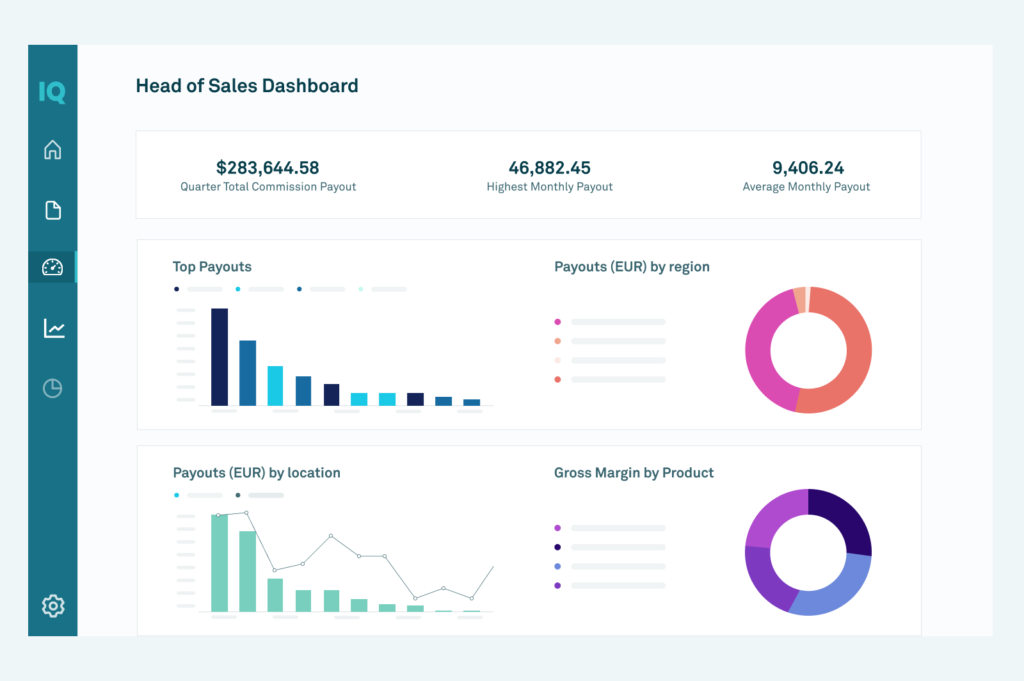

Everstage: Best for commission transparency and payout visibility
Everstage automates commissions with real-time earnings tracking, detailed statements, and approval workflows. It’s best for teams that prioritize payout transparency.
Pros
- No-code compensation plan management
- Real-time earnings and quota visibility
- Structured commission approval and dispute workflows
- Integrates commission data from CRM, ERP, HRIS, and other systems
Cons
- Does not publish fixed subscription prices
- Charges a one-time implementation fee
- Some integrations and compliance features are paid add-ons
My expert opinion
Everstage is my pick for teams that want commission automation without treating seller visibility as an afterthought. Reps can see current earnings and quota progress while compensation administrators can manage plan logic, calculations, approvals, and disputes from the same platform.
Its commission forecasting capabilities also stand out to me. Sellers can see how pipeline activity could affect future earnings rather than waiting until a deal closes to understand the potential payout. Everstage also supports common structures such as tiered plans, usage-based commissions, team plans, accelerators, decelerators, clawbacks, and SPIFs.
Everstage uses custom per-payee pricing.
A quote can include:
- Annual ICM platform license
- Enterprise support
- One-time onboarding and implementation
- Salesforce App add-on
- Connectivity Package add-on
- ASC 606 compliance add-on
Everstage says contracts are generally annual. There is no enforced minimum seat count, although the company says the platform is primarily designed for organizations managing roughly 20 to 30 or more payees.
- Live commission tracking: Gives reps access to current earnings, quota progress, and commission details.
- No-code plan management: Lets administrators create and change commission logic without relying on custom code.
- Commission forecasting: Shows how pipeline deals and changing assumptions could affect future earnings.
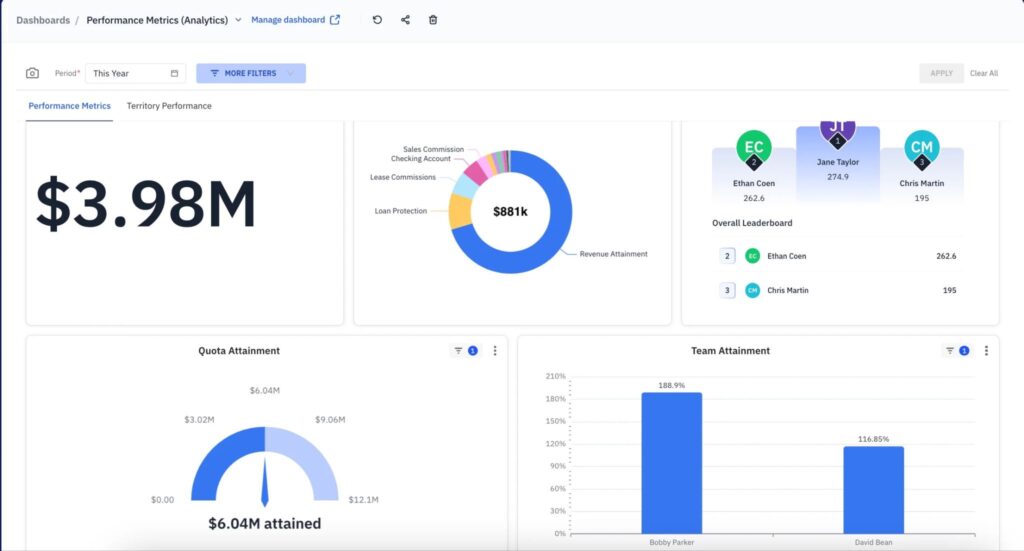

Salesforce Spiff: Best for Salesforce-based revenue teams
Salesforce Spiff automates commissions within Salesforce, giving reps earnings visibility and admins tools for plan management, reporting, and workflows.
Pros
- Connects commission management with Salesforce data
- Provides real-time rep statements and earning estimates
- Includes tracing and audit capabilities
- Public starting price
Cons
- Sold separately from standard Sales Cloud functionality
- No dedicated Spiff free trial
- Organizations outside Salesforce may get less value from the native approach
My expert opinion
Salesforce Spiff is my recommendation for companies already using Salesforce as the system of record for sales activity. Keeping commission calculations close to opportunity and account data can reduce handoffs when CRM activity must be exported to a separate commission spreadsheet or a disconnected system.
Spiff also gives reps visibility into potential and actual earnings, helping sellers understand how sales activity relates to compensation. Salesforce’s current documentation lists Spiff across supported Salesforce editions and positions it as an additional incentive compensation product rather than a standard Sales Cloud feature.
I would compare it carefully with standalone products if your sales stack is not centered on Salesforce or if you want to avoid adding another Salesforce license to a large user base.
- Salesforce Incentive Compensation Management: $75/user/month (billed annually)
Salesforce says Incentive Compensation Management can be purchased as an individual sales performance management add-on or as part of a broader Salesforce suite. Salesforce does not currently offer trial licenses specifically for Spiff.
- Commission estimator: Helps sellers understand potential commission earnings before payouts are finalized.
- Rep earnings visibility: Gives sellers access to actual and potential earnings tied to their opportunities.
- Salesforce connection: Keeps commission workflows close to the CRM records many Salesforce teams already use.
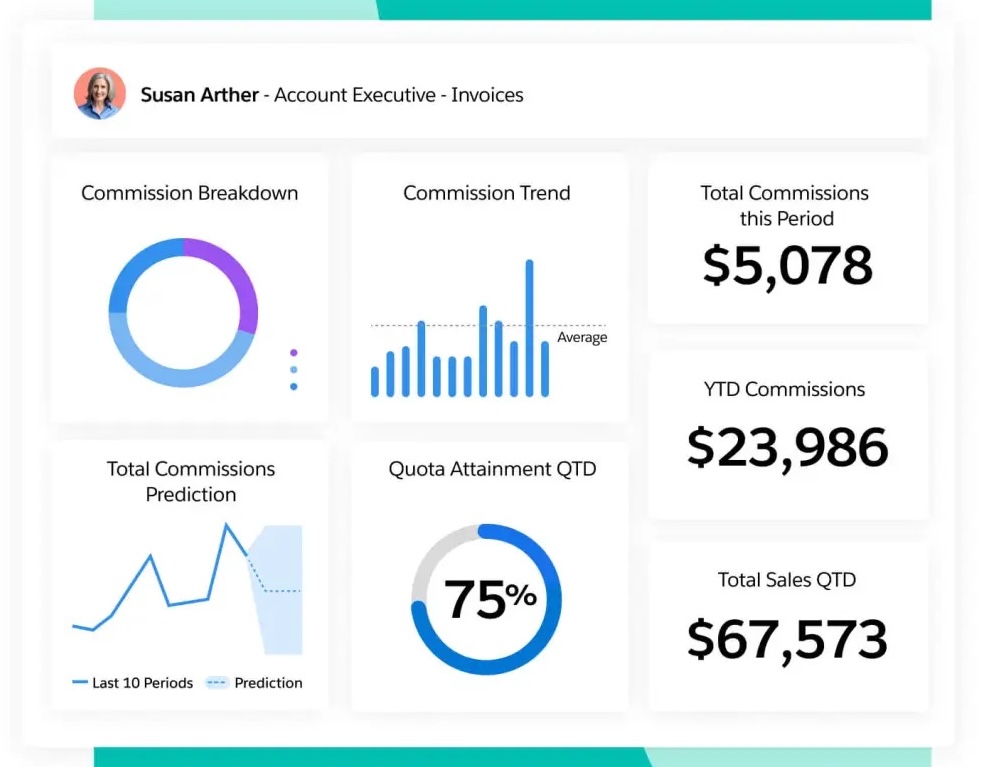

Xactly Incent: Best for enterprise commission governance
Xactly Incent automates commissions with enterprise-grade governance, security, and financial compliance for large compensation programs.
Pros
- High-performance commission calculation engine
- Strong plan administration and governance
- Supports financial compliance requirements
- Offers sandbox and advanced data capabilities in higher tiers
Cons
- Does not publish fixed subscription pricing
- Enterprise capabilities may exceed the needs of smaller revenue teams
- Advanced functionality is spread across higher product tiers
My expert opinion
Xactly Incent makes the most sense for mature compensation programs in which automation must coexist with formal controls. Incent Core addresses organizations moving away from spreadsheets, while Incent Plus adds capabilities such as ASC 606 support, prior-period processing, business group security, a full sandbox environment, and advanced connectors.
I would put Xactly high on an enterprise shortlist when the compensation team needs more than fast calculations. Its governance, financial controls, dispute handling, and broader Xactly platform give larger organizations room to standardize how commissions are run across multiple teams or business units.
Xactly does not publish dollar pricing for Incent.
Current packages include:
- Incent Core: Calculation engine, plan administration, dashboards, AI assistants, and standard data integrations
- Incent Plus: Adds ASC 606 compliance, prior-period processing, business group security, sandbox access, and advanced connectors
- Incent Ultimate: Adds higher-level strategic and AI capabilities, including automated credit assignments, roster changes, and dispute workflows
All tiers require buyers to request a quote.
- Commission calculation engine: Automates commission calculations for organizations moving beyond spreadsheets.
- Enterprise governance: Supports security, prior-period processing, financial compliance, and controlled compensation workflows.
- Seller commission insights: Xactly’s current Incent capabilities include tools that help sellers understand earnings, estimate commissions, and raise compensation disputes.

Performio: Best for complicated and changing commission plans
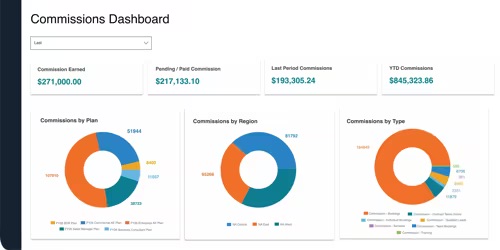
Performio focuses on incentive compensation management for organizations that need to automate detailed commission structures while maintaining clear administration and audit controls. Its product is aimed more at established compensation programs than teams with simple flat-rate commissions.
Pros
- Built for detailed compensation structures
- Provides dedicated commission plan administration
- Includes analytics and seller performance visibility
- Offers implementation, training, and support resources
Cons
- Requires custom pricing
- Implementation is a separate cost
- May be excessive for teams with straightforward flat commissions
My expert opinion
Performio is a strong option for finance and compensation teams whose biggest problem is maintaining commission rules accurately as the business changes. The product supports incentive compensation, plan management, data integrations, seller performance insights, and a dedicated analytics product.
It is especially worth considering if your commission logic involves several performance measures, crediting rules, products, territories, splits, clawbacks, or quotas. Performio’s documentation for SaaS compensation, for example, describes support for MRR, ARR, product-level rules, splits, hold-and-release logic, clawbacks, and multiple quota periods.
If all you need is a straightforward way to calculate a percentage of closed revenue for a small team, QuotaPath may be easier to justify. Performio becomes more compelling as plan administration and auditability become larger concerns.
Performio uses custom pricing based on the company’s commission program and requirements.
Pricing considerations can include:
- Commissionable employees
- Administrator seats
- Selected capabilities
- Compensation plan requirements
- Data sources and integrations
- Reporting and workflows
- Implementation scope
Buyers should request a quote and separate recurring subscription costs from implementation or professional services expenses.
- Plan management: Gives compensation teams a structured environment for building and changing commission rules.
- Analytics Studio: Uses compensation data for reporting and performance analysis.
- Seller Performance Insights: Gives reps visibility into compensation and performance information.

QuotaPath: Best for growing teams that want public pricing
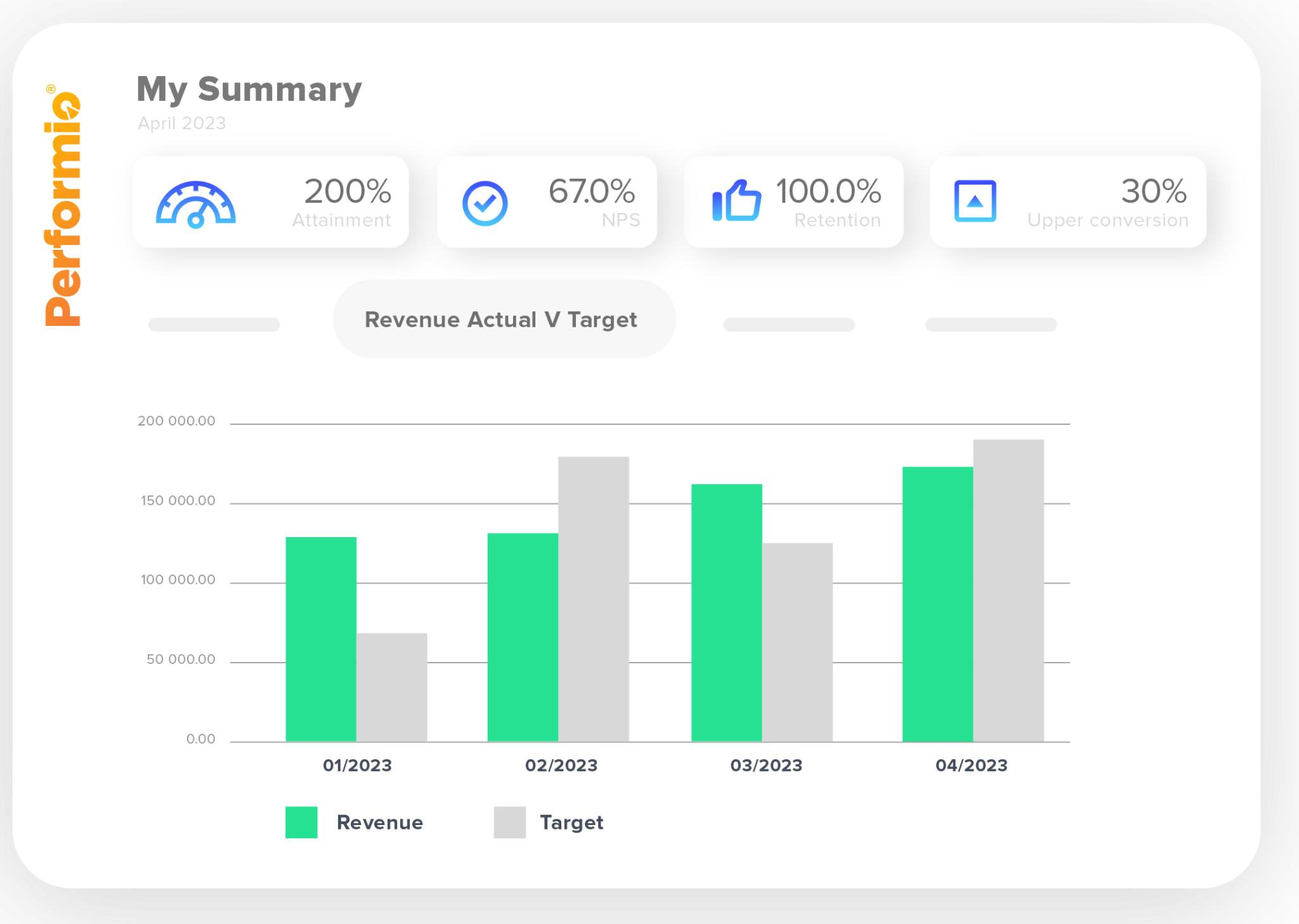
QuotaPath combines commission management, rep tracking, approvals, and payouts with public pricing. It’s best for growing teams moving beyond spreadsheets.
Pros
- Publishes pricing
- Offers a free trial
- Supports multiple CRM integrations
- Includes commission approvals and payout workflows
Cons
- Platform fee raises the true starting cost
- More advanced workflows require Premium
- Enterprise compensation programs may require a broader platform
My expert opinion
QuotaPath is the easiest product in this guide to budget before speaking with sales. Its Growth package supports an end-to-end commission process, while Premium adds plan modeling, multi-level approvals, custom reporting, automated commission payroll sync, API access, and additional integrations.
I also like its practical separation between tracking commissions and running the payout cycle. Administrators can approve earnings, schedule payouts, and export commission data for payroll rather than treating calculation as the end of the workflow.
The main pricing caveat is the platform fee. Buyers should compare the full annual cost rather than the per-user number alone.
Prices shown by QuotaPath are billed annually.
- Growth: $35/user/month plus a $525 monthly platform fee
- Premium: $50/user/month plus an $800 monthly platform fee
- Strategic: Custom pricing
The Growth platform fee includes the first five users, implementation, account support, and ongoing support. Premium also includes the first five users and adds functionality such as plan modeling, multi-level approvals, custom reporting, automated commission payroll sync, API access, and broader integrations.
QuotaPath also offers a free trial.
- Commission approvals: Review and approve earnings before they are scheduled for payout.
- Payout workflow: Schedule approved commissions and export data for payroll.
- CRM data sync: Prebuilt Salesforce and HubSpot integrations can bring deal data into commission calculations.
How to choose commission tracking software for your company
1. Start with your hardest commission plan
Test the software against your most difficult commission structure, not a basic percentage plan. Include accelerators, splits, clawbacks, tiers, bonuses, SPIFs, or overlays.
Example: Ask the vendor to calculate a split deal where one rep crosses an accelerator threshold.
2. Trace a commission from deal to payout
Make sure admins and reps can see how a closed deal moves through calculation, approval, and payout.
Example: Change a deal value and check how the update appears in the rep statement and payout record.
3. Test administrator workflows
Have RevOps or finance create and change plans, rates, quotas, dates, and exceptions without vendor help.
Example: Change an accelerator threshold and confirm the admin can test it without filing a support ticket.
4. Check integrations and data ownership
Confirm how the platform connects to CRM, HR, finance, payroll, and spreadsheet data, and identify the system of record.
Example: Verify how quickly a closed-won Salesforce deal updates commission calculations.
5. Review approvals and disputes
Look for approval workflows, comments, change histories, manual adjustments, and dispute handling.
Example: Submit a disputed commission and follow it through the review and resolution process.
6. Evaluate the rep experience
Reps should be able to see earnings, trace payouts to deals, view quota attainment, and understand future commission potential.
Example: Ask a rep to identify which deals contributed to the current payout.
7. Calculate total deployment cost
Compare platform fees, implementation, integrations, support, add-ons, and recurring subscription costs, not just the seat price.
Example: Ask vendors for separate first-year and renewal costs.
Accurate commissions depend on reliable sales activity and customer data upstream. If your revenue team also needs better company, contact, and intent information for prospecting and account prioritization, ZoomInfo can enrich the sales data sellers use before opportunities reach the commission stage.
Sales commission software vs commission tracking software
The terms overlap heavily, and many vendors use them interchangeably. The distinction is usually one of scope.
Commission tracking software centers on showing what reps earned, what is pending, how a payment was calculated, and when commissions will be paid. Sales commission software typically includes those tracking capabilities but may extend further into plan configuration, automated calculations, approvals, disputes, payroll workflows, reporting, and commission accounting.
| Function | Commission tracking software | Sales commission software |
| View rep earnings | Yes | Yes |
| Track pending commissions | Yes | Yes |
| Deal-level payout visibility | Usually | Usually |
| Automated commission calculations | Sometimes | Yes |
| Compensation plan administration | Limited | Usually |
| Approval workflows | Sometimes | Usually |
| Payout processing | Limited | Often |
| Audit trails | Sometimes | Often |
| Payroll integrations | Limited | Often |
| Financial compliance tools | Rare | Available on some platforms |
A small sales team may only need a clear way to track earnings and replace a commission spreadsheet. Larger revenue organizations are more likely to benefit from software that also automates calculations, administers plan rules, controls approvals, and maintains an auditable record of commission changes.
Frequently asked questions