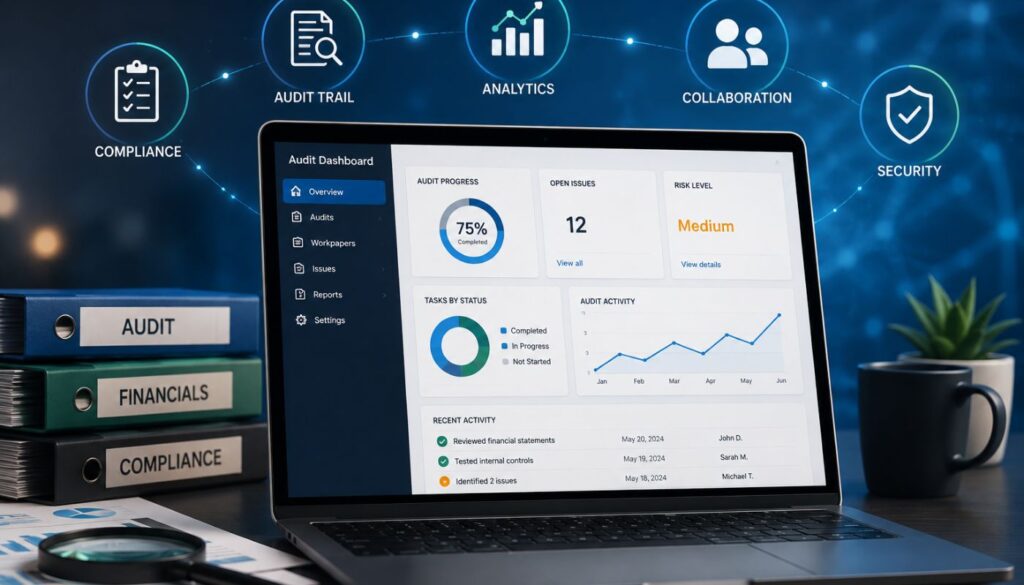
The benefits of enterprise resource planning (ERP) software are most visible when finance teams need faster reporting, cleaner data, and stronger control across growing operations. For mid-size businesses, ERP systems replace fragmented accounting, sales, inventory, procurement, and operational tools with a connected financial backbone. That shift gives CFOs and accounting leaders more timely insight into cash, performance, close status, compliance, and entity-level activity.

- Gain real-time visibility into financial and operational performance
- Simplify multi-entity reporting and intercompany workflows
- Automate manual finance processes and reduce reconciliation work
- Support forecasting, planning, and scalable business growth
ERP benefits at a glance
| Benefit | What improves | Finance impact |
|---|---|---|
| Single source of truth | Unified data across finance and operations | Fewer reporting discrepancies and reconciliation gaps |
| Real-time reporting | Live dashboards and current KPIs | Faster visibility into performance, cash, and variance |
| Automation | Less manual entry, routing, and reconciliation | More capacity for analysis and fewer process bottlenecks |
| Faster close | Cleaner upstream data and continuous accounting | Shorter close cycles and less month-end compression |
| Cash flow forecasting | Connected AR, AP, payroll, sales, and purchasing data | Better liquidity planning and scenario analysis |
| Financial accuracy | Standardized posting logic and fewer duplicate entries | Cleaner books and lower correction volume |
| Compliance and controls | Audit trails, approvals, and role-based access | Stronger audit readiness and internal control discipline |
| Multi-entity consolidation | Consolidated reporting and intercompany workflows | Faster reporting across entities and locations |
| Better decision-making | Shared operational and financial data | Stronger planning, budgeting, and resource allocation |
| Scalability | Modular growth across entities, users, and processes | Less disruption as complexity increases |
| Cost control | Reduced inefficiency, legacy overhead, and duplicated tools | Better long-term return on ERP investment |
1.Creates a single source of truth
ERP software creates a single source of truth by connecting financial and operational data across the business. Instead of finance, procurement, sales, inventory, HR, and operations working from separate tools or static exports, ERP centralizes transactions and business activity in one shared system.
For finance leaders, that means fewer disputes over which numbers are current, less time spent reconciling departmental reports, and more confidence that financial reporting reflects actual business activity.
What changes in practice:
- Orders, invoices, payments, and inventory activity can flow through connected modules without repeated manual entry.
- Finance teams can reduce duplicate records, version-control issues, and reconciliation gaps.
- Leaders can trace transactions back to their source instead of rebuilding the story across multiple systems.
- Teams can view performance using the same underlying data, which improves accountability across departments.
Finance takeaway: A single source of truth is only useful if the underlying data is governed well. ERP can centralize bad vendor records, inconsistent account structures, or unclear approval rules just as quickly as it centralizes clean data.
For CFOs and accounting leaders, this benefit becomes the foundation for reporting, forecasting, close management, and internal controls. The system provides finance with a shared record, but the company still needs clear ownership of data definitions, migration quality, and process rules.
2. Improves real-time financial visibility
ERP improves real-time financial visibility by giving finance teams current access to operational and financial activity. Instead of waiting for month-end reports, spreadsheet updates, or manual exports, teams can monitor how transactions affect cash, revenue, expenses, inventory, and budget variance while the period is still active.
The value is not simply speed. Real-time visibility changes when finance can intervene. A margin issue identified during the month gives leaders more room to adjust pricing, spending, purchasing, or collections activity than the same issue explained after close.
The strongest ERP reporting environments also let finance teams drill down from consolidated reports into source transactions. This is especially useful as reporting dimensions expand by entity, department, region, product line, project, customer segment, or location. ERP gives those dimensions structure, so reporting does not depend on spreadsheet workarounds.
Intuit Enterprise Suite is one example of a mid-market platform built around this need for real-time financial intelligence. Its business intelligence features include consolidated dashboards, built-in KPIs, AI summaries, and Spreadsheet Sync, which can help finance teams work in familiar spreadsheet environments while staying connected to current system data.
3. Reduces manual work across finance operations
ERP reduces manual work by automating repetitive finance processes and removing redundant data entry across systems. The impact is broader than time savings: manual work creates process drag, slows reporting, increases correction volume, and makes controls harder to enforce consistently.
Finance teams usually feel this benefit in workflows such as:
- Invoice routing
- Purchase approvals
- Journal entries
- Bank reconciliation
- Report preparation
- Data transfer between systems
- Exception handling
For accounting teams, automation can reduce the time spent collecting data, rekeying transactions, matching records, and chasing approvals. That frees capacity for analysis, planning, and higher-value finance work.
Expert tip: Treat ERP automation as a control design decision, not just a productivity feature. Finance leaders should define which activities can be automated, which require approval thresholds, and which exceptions need escalation.
Without that discipline, automation may simply speed up a weak process. The goal is not to automate every step. It is to automate the right steps while preserving review where judgment matters.
4. Accelerates the financial close
ERP accelerates the financial close by improving the quality and timing of upstream transactions. A faster close rarely comes from asking accounting teams to work harder at month-end. It comes from reducing the cleanup required once the period ends.
ERP supports that shift by making reconciliations more continuous, approvals easier to track, coding more consistent, accrual inputs cleaner, and exceptions visible earlier. That changes the close from a compressed, reactive exercise into a more controlled workflow.
For multi-entity companies, this benefit becomes even more important. Entity-level delays, inconsistent account structures, and manual intercompany activity can create close dependencies that compound quickly. ERP helps reduce those dependencies by standardizing how transaction data flows into the close.
Close-cycle check: Do not measure close improvement only by the final close date. Also, track reconciliation hours, late journal entries, post-close adjustments, intercompany elimination time, and the number of manual reports needed to support the close.
5. Improves cash flow management and forecasting
ERP improves cash flow management by connecting the data that drives cash movement. Accounts receivable, accounts payable, payroll, sales orders, procurement, inventory, and general ledger activity can all inform the same cash view.
That connected view gives finance teams a better basis for short-term liquidity planning and longer-term forecasting. Instead of manually updating forecast models with stale exports, teams can build projections based on current transaction activity and known operational commitments.
ERP is especially useful for scenario planning. Finance teams can evaluate the cash impact of events such as:
- A large customer is paying late
- Supplier costs increasing
- Hiring plans shifting
- Inventory purchases accelerating
- Sales orders moving ahead of or behind plan
ERP also reduces timing gaps between departments. Sales activity, purchasing commitments, supplier payments, payroll runs, and inventory decisions all affect cash. When those activities sit in disconnected systems, finance sees the impact later.
Forecasting caveat: ERP can make forecasts faster and more responsive, but forecast quality still depends on clean AR aging, current purchase commitments, reliable sales assumptions, and disciplined budget ownership.
Intuit Enterprise Suite fits naturally in this area when the business needs forecasting capabilities without moving into a traditional enterprise ERP environment. Its forecasting features can help finance teams forecast cash flow and build forward-looking FP&A plans using historical performance data.
6. Boosts financial accuracy and reduces errors
ERP improves financial accuracy by reducing the number of times data is manually entered, transferred, adjusted, or reconciled. Every duplicate entry point increases error risk. ERP reduces that risk by capturing transactions once and distributing the financial impact through connected workflows.
A better way to evaluate this benefit is to look at where errors enter the finance process and whether ERP reduces those entry points.
| Error source | How ERP can reduce it |
|---|---|
| Duplicate data entry | Captures transaction data once and routes it through connected workflows. |
| Inconsistent posting | Applies defined rules for account coding, entity assignment, tax treatment, and reporting dimensions. |
| Manual reconciliation | Matches bank activity, invoices, payments, purchase orders, and receipts more consistently. |
| Spreadsheet adjustments | Reduces the number of offline files used for correcting, consolidating, or reclassifying activity. |
| Unreviewed exceptions | Surfaces mismatches or unusual activity earlier in the process. |
The benefit for finance leaders is more reliable reporting. Cleaner transaction data supports stronger financial statements, better forecasts, fewer manual adjustments, and a smoother audit process.
This is one of the faster ERP benefits to validate, as finance teams can usually compare error volumes and correction patterns before and after implementation. Useful indicators include correcting entries, reconciliation exceptions, duplicate vendor or customer records, and post-close adjustments.
7. Strengthens compliance, audit readiness, and internal controls
ERP strengthens compliance and audit readiness by embedding controls into daily workflows. Instead of reconstructing activity from multiple systems, finance teams can rely on centralized records, approval histories, user permissions, and transaction-level audit trails.
The strongest control benefits usually come from:
- Role-based access: Limits who can view, edit, approve, or post sensitive financial activity. This helps reduce unnecessary exposure and supports segregation of duties.
- Segregation of duties: Prevents one person from controlling too much of a transaction workflow. For example, the same user should not be able to create a vendor, approve an invoice, and release payment without review.
- Approval workflows: Creates documented evidence that transactions were reviewed before posting or payment. This makes control activity easier to prove during an audit.
- Change histories: Shows who modified a record, what changed, and when the change happened. That traceability matters when investigating adjustments or exceptions.
- Standardized reporting processes: Reduce variation across entities, departments, and reporting periods. Auditors can evaluate a defined process instead of a collection of one-off workarounds.
- Continuous monitoring or anomaly detection: Flags unusual activity earlier, which can make review work more proactive and less dependent on periodic manual sampling.
Modern ERP systems may also support continuous monitoring through anomaly detection. Intuit Enterprise Suite includes AI-assisted anomaly detection capabilities that can help finance teams identify unusual transaction changes and review the activity behind them.
Audit readiness test: Auditors should be able to follow a transaction from origin to approval, posting, adjustment, and reporting without requiring finance to assemble evidence from separate systems.
If ERP shortens that path, the benefit is not just compliance convenience. It is stronger control documentation.
8. Simplifies multi-entity consolidation
ERP simplifies multi-entity consolidation by giving finance teams a structured way to manage multiple businesses, subsidiaries, locations, or legal entities. Without an ERP, consolidation often relies on separate books, separate reports, manual eliminations, and spreadsheet-based reviews.
Common consolidation pain points include:
- Separate P&Ls and balance sheets for each entity: Finance must export, review, and reconcile entity-level reports before leadership can see the full company picture.
- Manual chart of accounts mapping: Inconsistent account structures make consolidation slower because finance has to realign activity before reporting it.
- Intercompany due-to and due-from reconciliation: Balances between entities can be hard to match when each entity operates in a separate file or system.
- Spreadsheet-based eliminations: Manual eliminations create version-control risk and make it harder to trace how consolidated numbers were built.
- Limited drill-down from consolidated reports: Leaders may see the consolidated number, but still need finance to investigate which entity or transaction drove the variance.
- Inconsistent reporting dimensions across entities: Department-, class-, location-, project-, or customer-level reporting becomes harder when entities do not use the same structure.
Consider a company with three operating entities. Without ERP, finance may export a P&L from each entity, map account structures manually, identify intercompany balances in separate files, eliminate those balances in Excel, and then rebuild the consolidated view for leadership.
With ERP, shared account governance and defined intercompany rules can reduce that manual assembly. Finance can review the consolidated P&L, drill into one entity’s variance, and trace the source transaction without moving across three disconnected systems.
Why this matters: Multi-entity reporting should help leaders see how the business is performing, not force finance to rebuild the company’s financial picture every close cycle. ERP reduces the manual assembly work, so finance can spend more time explaining performance and less time stitching reports together.
This is one of the strongest natural fits for Intuit Enterprise Suite. Its multi-entity accounting features can help businesses manage consolidated reporting, shared charts of accounts, intercompany workflows, and real-time entity views without the cost and disruption of a traditional ERP implementation.
9. Enhances planning and decision-making
ERP improves planning and decision-making by connecting financial outcomes to operational drivers. Finance teams can evaluate how sales, purchasing, inventory, workforce, project, and entity-level activity affect budget performance, cash flow, margins, and forecasts.
That context changes the finance function’s role. Instead of reporting what happened after the fact, finance can help leadership understand what is changing, why it is changing, and what decisions are available.
Expert tip: The strongest planning value comes when ERP reporting is tied to decision rights. A dashboard that shows budget variance is useful. A workflow that assigns ownership, routes exceptions, and updates the forecast is more useful.
Finance teams should evaluate whether ERP insights change decisions, not just whether the system produces more reports.
10. Supports scalable growth
ERP supports scalable growth by providing a system architecture that can handle greater complexity. As mid-size businesses add entities, users, locations, transaction volume, reporting dimensions, and operational workflows, disconnected systems become harder to maintain. ERP can support that growth by standardizing processes, expanding workflows beyond core accounting, supporting larger transaction volumes, and reducing reliance on temporary spreadsheet workarounds.
Cloud ERP can also reduce the infrastructure burden on internal teams. Vendor-managed updates, internet-based access, and subscription-based deployment can make ERP more accessible for growing businesses that need flexibility but do not want to maintain a large on-premises environment.
11. Reduces long-term inefficiency and duplicated system costs
ERP can reduce long-term inefficiency by consolidating processes that would otherwise depend on multiple disconnected tools. Separate systems for accounting, inventory, purchasing, reporting, approvals, and forecasting create duplicated work, integration overhead, and more places for data to fall out of sync.
The most common sources of duplicated cost and effort include:
- Redundant software: Multiple tools may exist only because the current accounting system cannot support reporting, approvals, or forecasting needs.
- Legacy system maintenance: Older systems may require specialized support, manual upkeep, or custom workarounds that become harder to justify over time.
- Fragile integrations: Point-to-point connections can break when workflows, fields, or source systems change.
- Manual reporting labor: Finance may spend hours validating exports, rebuilding reports, or reconciling data across systems.
- Data reconciliation time: Disconnected systems create more mismatches that need investigation before reports can be trusted.
- Duplicate approval workflows: Separate approval processes across tools make controls harder to monitor consistently.
The business case should still include the tradeoffs. ERP implementations can introduce data migration work, training needs, subscription growth, process disruption, and additional support requirements. A strong ERP ROI model accounts for both measurable benefits and the temporary productivity loss that can come with system change.
What ERP changes for the finance operating model
ERP benefits are not isolated improvements. Together, they change how finance operates. Reporting becomes less dependent on manual collection, close becomes less compressed, controls become easier to document, and planning becomes more connected to daily business activity.
For mid-size companies, this matters because finance teams often face enterprise-level complexity before they have enterprise-level systems. The business may already operate across entities, regions, product lines, service lines, or locations, while finance is still expected to manage reporting, close, compliance, and forecasting through tools built for simpler operations.
A well-fit ERP does not just help finance move faster. It changes the finance team’s operating rhythm from assembling information after the fact to monitoring, validating, and interpreting business activity as it happens.
Signs you’ve outgrown accounting software
A company has usually outgrown basic accounting software when finance teams need increasingly complex workarounds to produce standard reporting. At that point, ERP accounting software becomes especially valuable because close, consolidation, and reporting workflows often depend on data from multiple operational systems. The issue is rarely one isolated pain point. It is the accumulation of reporting delays, manual controls, reconciliation gaps, and operational complexity.
Common signs include:
- You rely on spreadsheets to consolidate financials: This usually means the system cannot produce the consolidated view leadership needs without manual assembly.
- Monthly close depends on manual cleanup: Finance may be compensating for incomplete approvals, inconsistent coding, or late-arriving operational data.
- Different departments report different versions of the same metric: This points to data silos and unclear definitions, which can weaken trust in reports.
- Multi-entity reporting takes too long: Entity-level complexity may have exceeded what the current accounting system can handle efficiently.
- Intercompany transactions require manual workarounds: Manual due-to, due-from, or elimination processes add close risk and slow consolidation.
- Cash flow forecasts are stale as soon as they are built: Forecast models may not be connected to current AR, AP, payroll, sales, or purchasing activity.
- Audit prep requires pulling records from several systems: Evidence collection becomes slower when transaction history, approvals, and support documents are scattered.
- Adding locations, entities, or business lines creates reporting strain: Growth is increasing complexity faster than the current system can absorb it.
- Finance spends more time assembling data than analyzing it: This is often the clearest sign that the system is constraining finance’s strategic role.
These signals do not always mean the business needs the largest or most complex ERP platform available. They do indicate that the current system may no longer match the company’s operating model.
How to validate ERP benefits before and after implementation
The benefits of ERP software are easiest to validate when finance teams compare baseline metrics before implementation against post-go-live results. The point is not to turn the article into an implementation guide, but to help readers connect the benefits above to practical evaluation criteria.
| Metric | Baseline question | Post-implementation signal | Bottleneck to watch |
|---|---|---|---|
| Close cycle time | How many business days does monthly close take today? | Fewer close days and fewer post-close adjustments | Late approvals, inconsistent coding, or unresolved intercompany activity |
| Manual journal entry volume | How many entries are recurring or correction-based? | Lower manual entry volume and cleaner recurring logic | Recurring workarounds that were migrated instead of redesigned |
| Reporting turnaround time | How long does it take to produce leadership reports? | Faster reporting with less spreadsheet assembly | Reports that still depend on offline manipulation or unclear data ownership |
| Forecast accuracy | How often do forecasts miss actual results materially? | Smaller variance and faster forecast updates | Weak assumptions, stale AR/AP inputs, or inconsistent budget ownership |
| Reconciliation hours | How much time goes to matching and exception review? | Fewer hours spent on routine matching | Poor master data, duplicate records, or unresolved transaction exceptions |
| Audit prep time | How long does evidence collection take? | Faster transaction traceability and cleaner support | Support documents, approvals, or change histories that still live outside the ERP |
| Intercompany elimination time | How much close time is spent on eliminations? | More automated eliminations and fewer manual adjustments | Misaligned charts of accounts or poorly defined intercompany rules |
| Disconnected systems retired | Which tools exist only to bridge process gaps? | Fewer duplicate systems and lower integration overhead | Shadow spreadsheets or point tools remain because users do not trust the new workflow |
The best ERP measurement plans compare baseline performance against post-implementation results at defined intervals. For example, finance leaders may track close cycle time, reconciliation hours, and reporting turnaround after 30, 90, and 180 days.
Potential bottlenecks should be tracked alongside the benefit metrics. Before implementation, they show where process design, data cleanup, or workflow ownership needs attention. After implementation, they help explain why a promised benefit has not materialized yet, whether the issue is adoption, configuration, data quality, or the process itself.
Frequently asked questions (FAQs)
The biggest benefits of ERP software are better data visibility, automation, financial accuracy, reporting speed, internal controls, forecasting, and scalability across connected business functions.
ERP accounting software connects financial transactions with operational activity, giving finance teams better visibility into cash flow, close status, reporting, budgeting, and entity-level performance.
Yes. ERP can shorten close cycles by improving upstream transaction quality, automating reconciliations, standardizing approvals, and reducing manual consolidation work.
ERP improves real-time reporting by updating dashboards and financial reports as transactions occur across connected modules, instead of relying on periodic exports or spreadsheet consolidation.
A company should consider ERP when reporting, financial close, consolidation, compliance, or forecasting processes become too complex for its current accounting software.
No. Cloud ERP and mid-market ERP platforms can support growing companies that need more automation, visibility, and control than entry-level accounting software provides.
Common risks include implementation cost, data migration issues, process disruption, user resistance, training needs, and subscription growth.