


After evaluating seven popular payroll platforms for small businesses, Gusto is our top pick for all-around payroll, OnPay wins for its simplicity, and QuickBooks Workforce for its strong accounting integration.
How does payroll software make your job easier?
Payroll software makes payroll easier to run and easier to control. You can use it to pay employees on time, handle tax filings, and cut back on the manual work that tends to slow everything down.
Instead of working through wage calculations and tax deductions by hand, you can process payroll in one place and keep employee pay information organized. That gives you fewer moving parts to manage every pay period.
It also helps prevent the kinds of problems that create extra work later, like missed filings or paycheck errors. The right platform can take a routine but high-risk task and make it far more manageable for a small business.
Most payroll software now goes beyond paying workers. Some platforms keep the focus on core pay processing, while others include tools for time tracking, employee self-service, onboarding, and basic HR support.
For this guide, I reviewed seven market-leading payroll software solutions and narrowed the list to my top five recommendations. The best payroll software for small businesses are:
| Provider | Best for | Starting monthly price |
| Gusto | Overall small business payroll | $6/person + $49 base fee |
| QuickBooks Workforce (formerly QuickBooks Payroll) | Accounting integration & contractor payments | $6.50/person + $50 base fee |
| OnPay | Ease of use | $6/person + $49 base fee |
| Paycor | Growing businesses | Call for a quote |
| Patriot Payroll | Budget-friendly pay runs | $5/person + $37 base fee* |
*This is for Patriot Payroll’s Full Service plan, which includes tax filing services. If you prefer to file tax forms yourself, Patriot offers a Basic Payroll package that costs $17 per month + $4 per person monthly.
Most small businesses are still paying for preventable payroll errors
Small businesses aren’t immune to costly payroll slip-ups—in fact, they’re often hit the hardest. 84% of small business leaders surveyed by Employment Hero say they’ve been slapped with penalties for entirely preventable mistakes like incorrect wages, hours, and tax calculations.
Featured partners
Need Help? Talk to an HR Software Advisor
- May 08, 2026: Robie Ann Ferrer made minor edits and format adjustments throughout the article to improve readability. She also added a “What’s new” section to highlight recent software updates and a comparison table to help you evaluate each platform’s key features at a glance.
- Mar. 31, 2026: Robie Ann Ferrer used a rubric with adjusted scoring weights for criteria that matters most for small businesses, such as pricing, core payroll tools, and overall platform performance. This resulted in a change in the software ranking, although Gusto retained its top spot in this guide. She also updated some of the Best For descriptions, pricing sections, and vendor boxes with clearer functionality explanations and product comparisons.
- Sep. 8, 2025: Hanna Sillo updated the pricing details for Gusto’s priority support and HR resources add-ons.
- Mar. 12, 2025: Robie Ann Ferrer verified pricing for each vendor and made minor edits to the copy to remove QuickBooks Workforce’s 30-day free trial as this is no longer available.
- Jan. 29, 2025: Robie Ann Ferrer used a new scoring rubric with criteria and software options best suited for small business pay processing. As a result, RUN Powered by ADP was added to the rubric, while ADP Workforce Now, Paychex, APS Payroll, and Deel were removed. Then, she evaluated the newly added platforms and updated the scores of others on the list. Given the revised rubric, Gusto replaced Rippling as the best overall software for payroll, while Rippling moved to the honorable mentions list. Finally, Robie made revisions throughout the article to reflect rubric score adjustments, changed “best for” recommendations, and added up-to-date product information for all vendors.
- Oct. 11, 2024: Robie Ann Ferrer verified pricing for each vendor and updated the list of countries where Gusto’s EOR services are available. She also added the Best For descriptions of the software in our Honorable Mentions list and updated the formatting for that section.
- Sep. 18, 2024: We refined the page layout by adding new design elements to improve the visual flow of information.
- Sep. 13, 2024: Robie Ann Ferrer verified pricing for each vendor, checked the availability of new features, and updated the copy to improve the page’s readability.
- Sep. 12, 2024: We updated all mentions from Rippling Unity to Rippling Platform to reflect its rebranding.
- Aug. 14, 2024: We added a note to highlight QuickBooks Workforce’s pricing changes.
- Mar. 19, 2024: Irene Casucian verified pricing for each vendor, checked the availability of new features, and updated the copy to improve the page’s readability.
- Jan. 18, 2024: Jessica Dennis reevaluated our top choices for 2024 using an objective scoring rubric. As a result, Rippling was added to the list as best overall, and Patriot was removed from the list. She also rewrote most of the article and updated product information, prices, and key features.
To evaluate the best payroll software for small businesses, I used a 46-point rubric to review and compare seven online payroll platforms. Our options included:
- Gusto
- Rippling
- Patriot Payroll
- OnPay
- QuickBooks Workforce
- Paycor
- RUN Powered by ADP
I looked for functionalities that streamline wage and tax calculations and automate payroll tax filings and payments. In addition to checking online user reviews, I researched each system’s customization, compliance, reporting, customer support, and software integration options. If available, I leveraged free trials and demos to assess ease of use and overall platform performance.
I also added my expert rating to each criterion, where I considered the effectiveness of that area or feature. Then, I narrowed down the list to my top five recommendations.
Below is the breakdown of the evaluation criteria.
Payroll features: 25%
I considered critical payroll software features like direct deposit timelines, automatic federal, state, and local payroll tax filings, contractor pay runs, garnishment payments, support for various employee pay options, and compliance safeguards. The best vendors automate most employee payment processes while providing payroll services across all US states.
Pricing: 20%
Software with transparent pricing, affordable plans, unlimited pay runs, and free trials received the highest scores. I also considered each platform’s value for money, which determines whether the number of features in each price tier or module is competitive with other vendors in the space.
HRIS features: 15%
The human resources information system (HRIS) category assesses the strength of the software’s employee data storage options. Software with robust recordkeeping, onboarding and offboarding, new hire reporting, and employee self-service portals earned the top marks. I also checked whether it provides access to benefits plans available in all US states.
Platform and interface: 18%
How easy is the platform to use? Will it be able to grow with the company? Will employees’ data be safe? This category covers the solution’s intrinsic features and how well it will integrate with your current tech stack.
Customer support: 12%
I looked at the customer support hours and whether phone, email and/or support tickets, and live chat are available. I also checked if the provider has an online knowledge base or community forum and if it offers online payroll services or bookkeeping assistance.
Reporting and analytics: 10%
Because payroll processing is highly regulated, solutions with in-depth reporting and analytics that address compliance needs performed the best in this category. I looked for payroll report templates and data export options, including each platform’s capability to create custom reports and schedule automatic payroll report releases to stakeholders.
My recommendations for the best payroll software for small companies are based on more than eight years of experience writing about, researching, and evaluating payroll systems for small to mid-sized businesses (SMBs). I also have 10 years of expertise handling different facets of human resources, including managing HRIS, time tracking, and pay processing software. These allowed me to provide insights to help business owners determine which payroll platform best fits their needs.
Best payroll software compared
Provider
Expert score (out of 5)
Auto-run payroll
Multiple state payroll
Tax filing services
Time tracking
Gusto
3.94
✓
In higher tiers
✓
In higher tiers
QuickBooks Workforce
3.61
✓
✓
Local tax filings in higher tiers
In higher tiers
OnPay
3.60
✕
✓
✓
Via integrations
Paycor
3.51
✓
✓
✓
Paid add-on
Patriot Payroll
3.37
✓
✓
Included in the Full Service plan
Paid add-on
Payroll systems may look similar at first glance, so it helps to compare how much work each platform takes off your plate. Auto-run payroll reduces manual processing, multi-state payroll supports teams across state lines, tax filing services help manage compliance tasks, and time tracking keeps hourly wage data closer to each pay run.
Those differences become even more important once you look at plan details. Some providers include these capabilities broadly, while others restrict them by tier or add-on. Before choosing a provider, confirm what’s included so you don’t end up paying extra for functionality you assumed was standard.
What’s new (as of May 08, 2026)
Gusto: The provider’s Spring Showcase included nearly 75 updates, but the most payroll-relevant release is the Assisted Payroll Prep tool. It flags unusual amounts and irregular timecards before payroll submission, and even offers suggestions on how to fix them. Other updates include faster global contractor payouts, AI-powered checks to estimate potential R&D tax credits, and the capability to set payroll deadline reminders via SMS, push notifications, and your personal calendar.

Gusto: Best overall payroll software for small businesses
Overall Score
3.94/5
Pricing
3.63/5
Customer support
3.38/5
Platform and interface
3.98/5
HRIS features
4.00/5
Reporting and analytics
4.56/5
Payroll features
4.15/5
Why Gusto is the best fit for small businesses
- Unlimited and automatic payroll.
- Gusto-brokered health insurance that integrates with payroll on all plans.
- Customer service is available by phone, email, or chat.
- Native employee financial wellness tools through the Gusto Wallet app.
Why Gusto might fall short for small businesses
- No dedicated account manager (unless with a Premium subscription).
- Some tools, like time tracking and faster direct deposits, require an add-on or higher tier.
- The lowest price plan is only for single-state payroll.
- Employer of Record (EOR) services to hire and pay global workers are limited to a few countries.
Why I chose Gusto
Gusto is the best overall payroll software for small businesses because it does a great job of balancing ease of use with broader payroll and HR support.
It’s easy to learn and offers a wide range of payroll tools and services, such as its AutoPilot feature, which automatically approves pay runs, saving you time from manually doing payroll yourself. You also don’t have to worry about payroll tax filings and remittances, Gusto will handle these for you.
In addition to full-service payroll, Gusto’s project tracking allows you to pay workers the right amount while providing you with data to make accurate, competitive project bids to clients. If you decide to grow into an international business, Gusto can compliantly pay global contractors and employees. It can even help you hire international workers with its EOR service—Gusto Global.
For HR features, Gusto provides basic versions of several HR processes, like performance reviews, but it’s not the best choice if you need a full-scale human capital management (HCM) system. Paycor is a better option in this scenario, with its feature-rich HR platform that can handle simple to complex HR processes.
Gusto started as an employee and contractor payments company but now supports various HR functions like benefits administration, performance management, recruitment, and global payroll. As a full-service payroll company, it offers automatic deductions, remittances, and filings of federal, state, and local taxes.
It can even handle minimum wage adjustments for tip credits and child support payments in 49 states (all but South Carolina). In contrast, many standalone payroll solutions for small businesses require you to process garnishments and local taxes manually.
Gusto also supports global businesses with contractor payments in more than 120 countries. For its Gusto Global product, it partnered with Remote to offer EOR services for employers needing to hire and pay workers in the following countries:
- Australia
- Brazil
- Canada
- India
- Ireland
- Mexico
- Netherlands
- Philippines
- Portugal
- Spain
- United Kingdom
While the coverage may be limited as of this writing, Gusto plans to expand its EOR services to other countries soon.
- “AutoPilot” payroll: Gusto can automatically run payroll for recurring pay cycles. If your payroll does not change much from one pay period to the next, this can save time and cut down on routine approvals.
- Simple payroll interface and workflow: The payroll flow is easy to follow and does not bury key data fields in multiple tabs. This is helpful if you need to review employee work hours, deductions, reimbursements, and pay details without clicking around too much.
- Global contractor payments: Gusto supports contractor payments in more than 120 countries. This gives it a clear edge over providers in this guide that stay focused on domestic payroll.
- Benefits and HR tools in the same system: Gusto goes beyond payroll by combining benefits administration and basic HR support in one platform. For a small business, that can mean fewer logins, fewer disconnected workflows, and less manual updating between systems.
Gusto limitations
Gusto is not the strongest choice if you require advanced reporting and more detailed workforce analytics. Its reports are useful for day-to-day payroll tasks, but they are not as flexible or insight-heavy as what you get from a platform like Paycor.
It can also feel less efficient as your headcount grows, especially if you need more complex workflows for onboarding, time tracking, or reporting. At that point, a more robust HR platform may be a better long-term fit.
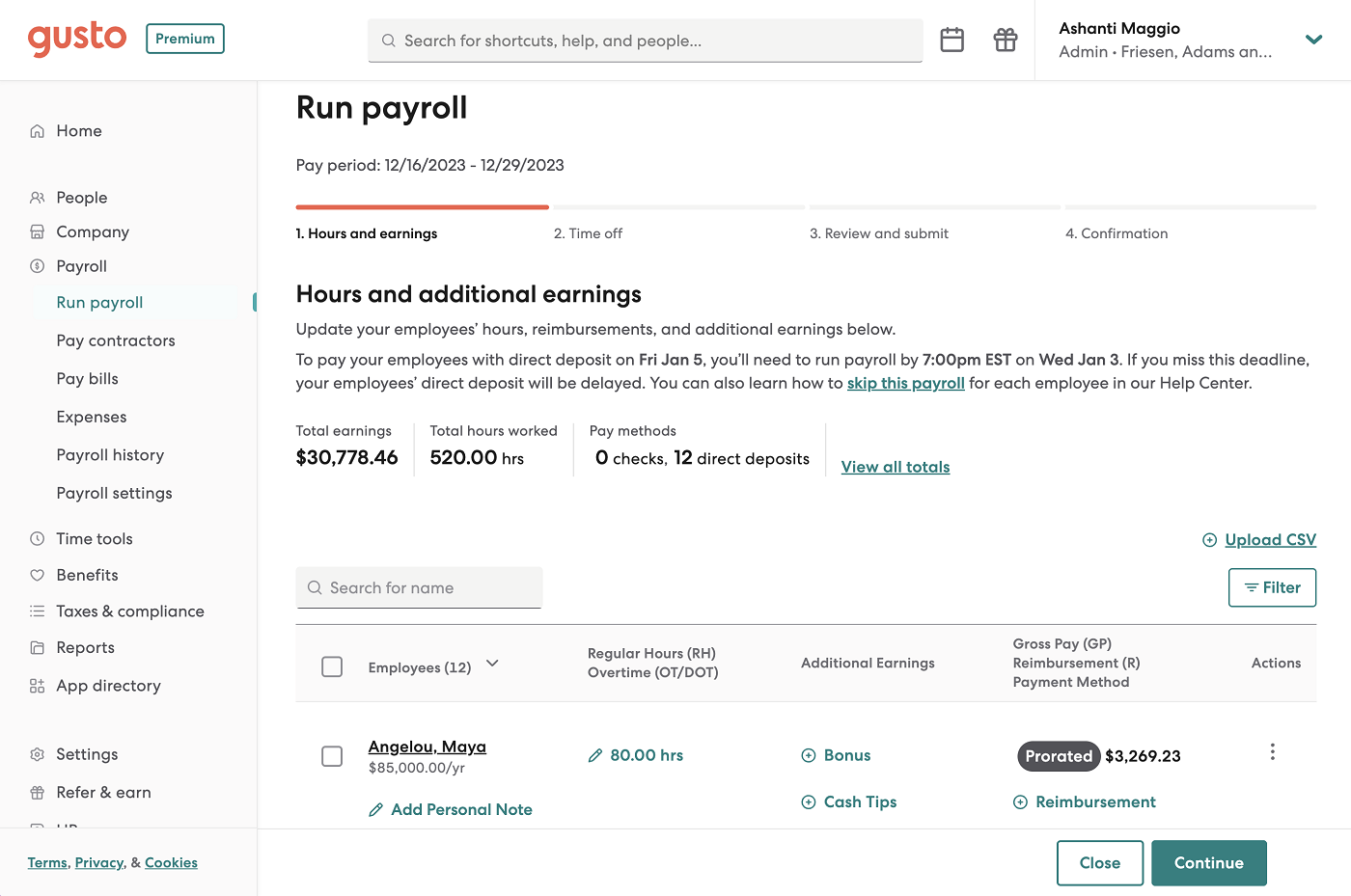
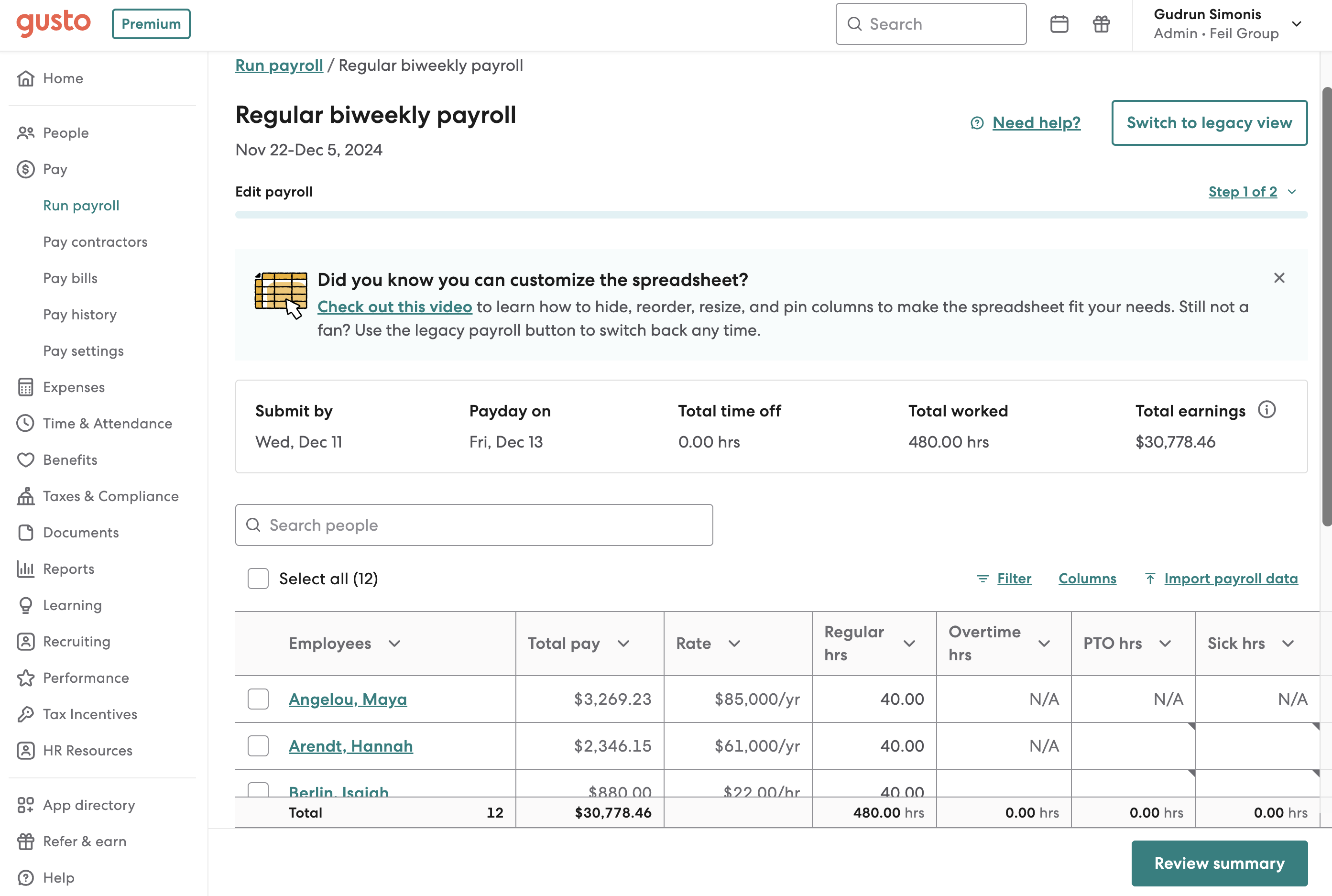
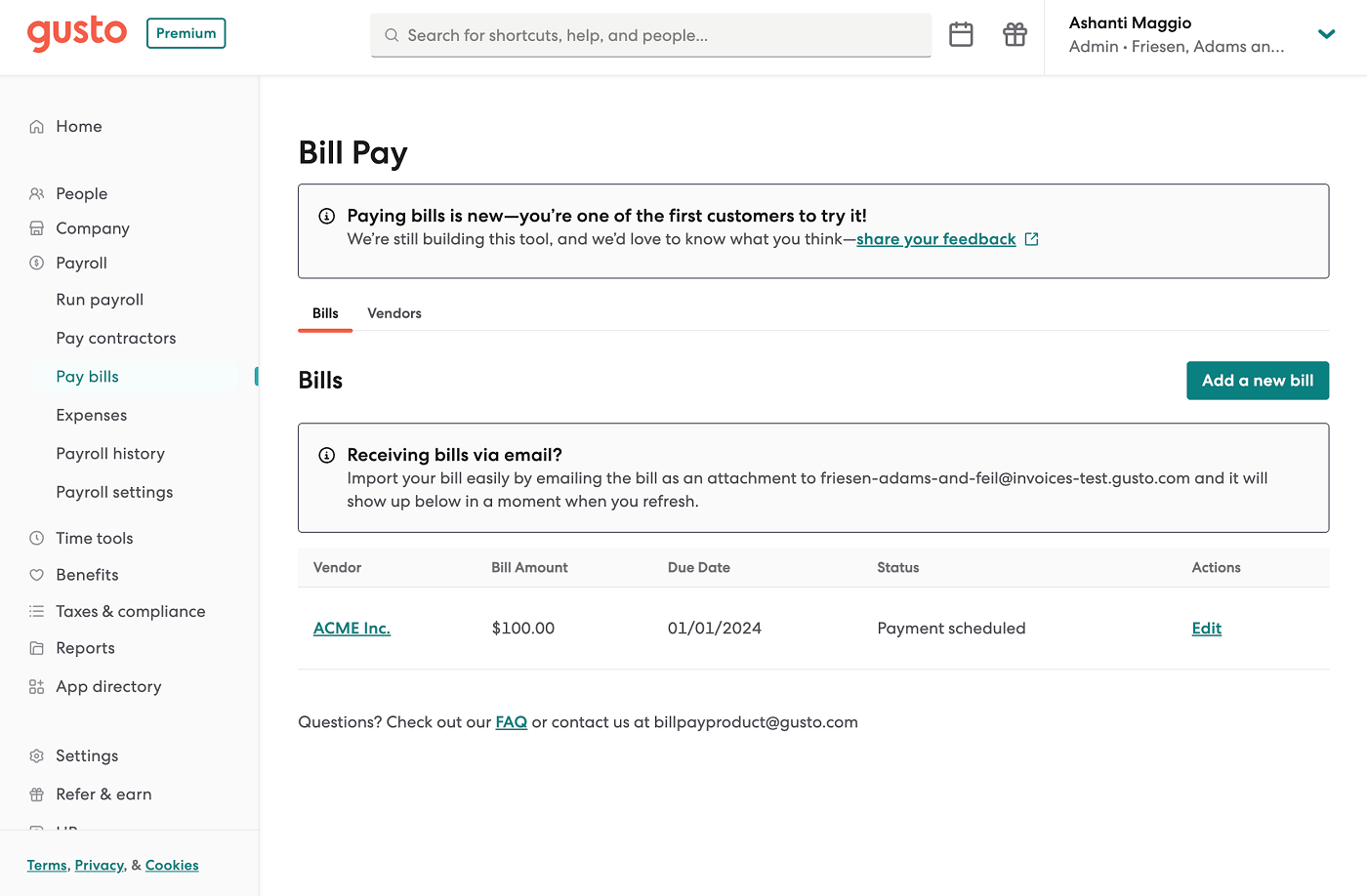
Gusto’s pricing starts at $49 monthly plus $6 per employee, per month (PEPM). You can choose between three tiers: Simple, Plus, and Premium.
Gusto also offers a contractor-only payroll plan for $35 per month plus $6 per contractor monthly. However, it isn’t as affordable as QuickBooks Workforce’s contractor payments package, which only costs $25 monthly for up to 20 workers plus $2 for each additional contractor.
Gusto plans
Simple
Plus
Premium
$49/mo. + $6 PEPM
$80/mo. + $14 PEPM
$180/mo. + $22 PEPM
Includes:
- Unlimited single-state full-service payroll.
- Auto-run payroll.
- Two- and four-day direct deposits.
- Basic support.
- Employee self-service.
- Gusto-brokered health insurance.
- Basic hiring and onboarding.
- Paid time off (PTO) requests and approvals.
- Custom admin permissions.
- Reports for payroll and time off.
- Accounting, time tracking, and expense management integrations.
Everything in Simple, plus:
- Unlimited multi-state full-service payroll.
- Next-day direct deposits.
- Advanced hiring and onboarding.
- PTO management.
- Time and project tracking.
- Time kiosk.
- Scheduling.
- Job postings and applicant tracking.
- Reimbursement and expense claim management.
- Workforce costing and custom reports.
- Employee directory and printable org charts.
Everything in Plus, with:
- Dedicated customer success manager.
- HR templates for handbooks, job descriptions, and policies.
- Proactive federal and state labor law compliance alerts.
- Access to certified HR experts.
- Full-service payroll migration and account setup.
- Health insurance broker integration.
- R&D tax credit discount.
- Priority support.
Gusto contractor-only plan
- Monthly fee: $35 plus $6 per contractor.
- Includes unlimited US contractor payments, four-day direct deposits, 1099-NECs at the end of the year, and new hire reporting, if required in your state.
For new clients, Gusto waives the $35 monthly base fee for the first six months. This could change anytime, so please explore its website for the latest deals.
Add-ons
For all plans
- International contractor payments: Price varies by foreign exchange rate.
- State tax registration: Prices vary by state.
- R&D tax credits: Pay 15% of identified tax credits.
- Gusto Global: $699 PEPM.
- Health insurance broker integration: $6 per month per eligible employee.
- 401(k) retirement savings: Price varies by 401(k) integration.
- Health Savings Accounts (HSAs): $2.50 per month per participant.
- Flexible Spending Accounts (FSAs): $4 per month per participant, with a $20 per month minimum.
- Dependent care FSAs: $4 per month per participant, with a $20 per month minimum.
- Commuter benefits: $4 per month per participant, with a $20 per month minimum.
- Workers’ compensation: Price of premiums only.
- Life and disability insurance: Price of premiums only.
- Same-day pay: $90 per payroll; pay employees within hours
- Instant pay: $100 per payroll: pay employees in minutes
- Gusto Money Plus: $19 monthly; includes tools for managing business funds
For the Simple plan only (included for free with the Plus and Premium tiers)
- Next-day direct deposit: $15/mo. + $3 PEPM.
- Time and Attendance Plus: $6 PEPM.
- Performance reviews: $3 PEPM.
For Simple and Plus plans (included for free with the Premium tier)
- HR resources: $50/mo. + $5 PEPM; includes access to HR experts, compliance alerts, and HR templates.
- Priority support: $30 + $3 per employee, per month.
QuickBooks Workforce: Best for its accounting integration & contractor payments
Overall Score
3.61/5
Pricing
3.38/5
Customer support
3.5/5
Platform and interface
3.88/5
HRIS features
3.25/5
Reporting and analytics
4.56/5
Payroll features
3.49/5
Why QuickBooks Workforce is the best fit for small businesses
- Unlimited and automatic pay runs.
- Tax penalty protection for any reason on its Elite subscription tier.
- Next-day or same-day direct deposits (depending on subscription tier).
- Direct integration with QuickBooks Time and other Intuit products.
- Online chat support available 24/7.
Why QuickBooks Workforce might fall short for small businesses
- Local tax filings are only available in Premium and Elite plans.
- HR features are limited compared with Gusto and Paycor.
- QuickBooks time and attendance features open in a separate application.
- Service capped at 150 employees.
Why I chose QuickBooks Workforce
QuickBooks Workforce stands out because it handles the connection between payroll and accounting better than any option in this guide. If you already use Intuit’s accounting module, QuickBooks Online, payroll data flows straight into your general ledger without extra setup or manual entry.
It also handles contractor-only payments at a lower cost than Gusto. If you mainly work with contractors, QuickBooks offers a simpler way to pay them and track those payments alongside your accounting data.
While it’s a good option for small business payroll, QuickBooks has limited HR functionalities. It lacks Gusto’s hiring and performance management tools, OnPay’s detailed employee profiles, and Paycor’s feature-rich HR platform.
Heads up!
Intuit will discontinue QuickBooks Desktop 2023 on May 31, 2026. All modules and services that integrate with this platform, including QuickBooks Desktop Payroll, will also be discontinued. If you are a current user, learn more about moving to QuickBooks Online or subscribing to QuickBooks Desktop Plus or Enterprise. You can also read on for a quick look at the cloud-based QuickBooks Workforce.
As a small-business accounting giant, Intuit’s QuickBooks is highly likely one of the first software products you purchase alongside a payroll solution. If you get both QuickBooks Online and QuickBooks Workforce, you can manage accounting and payroll data from the same app so you can see a single view of your business’s cash flow.
Running payroll in QuickBooks is relatively easy. It automatically populates earnings for your salaried employees, but you’ll have to manually enter regular and overtime hours for your non-exempt hourly staff. However, upgrading to its higher tiers grants you access to QuickBooks Time, which comes with time and basic scheduling features.
QuickBooks Time also includes geolocation, geofencing, and mobile time clock tools. This is helpful if you employ mostly field workers. Plus, as you progress subscription tiers, you access additional project tracking features.
By comparison, Paycor and Gusto are the only alternatives on my list that offer equivalent time tracking and scheduling support—although Paycor’s are add-on modules while Gusto’s scheduling tools are limited.
- Contractor and vendor billing: Bundling QuickBooks Workforce with QuickBooks Online lets you run contractor payroll and vendor bill payments from the same system. You can create a list of vendors, set up multi-conditional approval workflows, and log bills by categories to assist with expense management.
- Automated general ledger mapping: Payroll entries are not just synced automatically. You can control how wages, taxes, and expenses are categorized. This gives you more flexibility than most payroll tools, which offer limited mapping options.
- Project-based cost tracking: Available in QuickBooks Workforce’s higher tiers, this allows you track payroll costs by project or job, which helps with budgeting and profitability analysis. For service-based businesses, this feature is more useful than standard payroll reporting.
- Fast direct deposits: QuickBooks Workforce is the only provider in this guide that offers next-day direct deposits in its starter plan. With Gusto, you either have to pay extra for it if you’re on its basic tier or upgrade to a higher plan to get next-day payouts for free.
- “Payroll Agent” assistant: This AI tool flags payroll issues before you finalize a pay run. It also sends a ready-to-review payroll draft by text with key insights, which cuts down on manual review.
QuickBooks Workforce limitations
QuickBooks Workforce is not built as a full HR platform. It does not include tools for recruiting, performance management, or structured onboarding, which you would get with Gusto or Paycor.
Some features are split across separate apps, such as QuickBooks Time, which can make the experience feel less unified compared to all-in-one platforms. It is also capped at 150 employees, so growing businesses may need to move to a more scalable system over time.
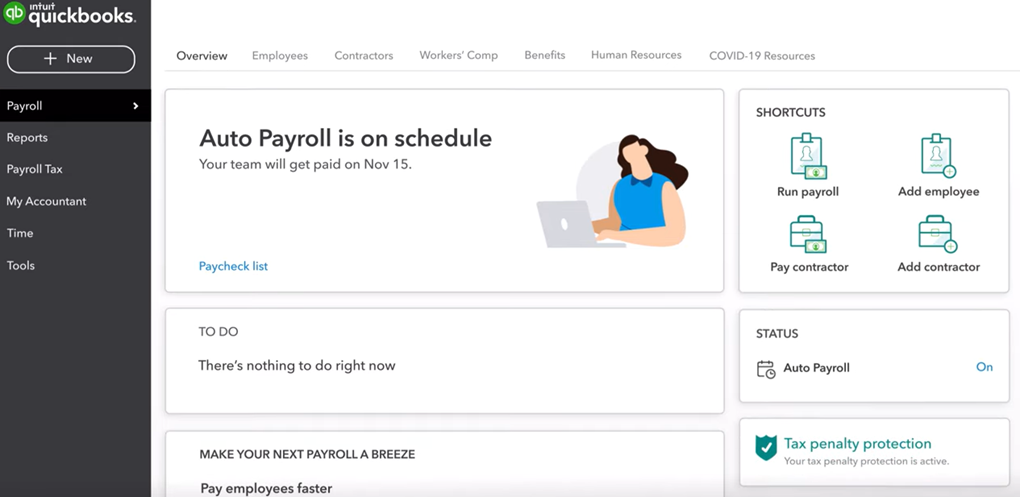
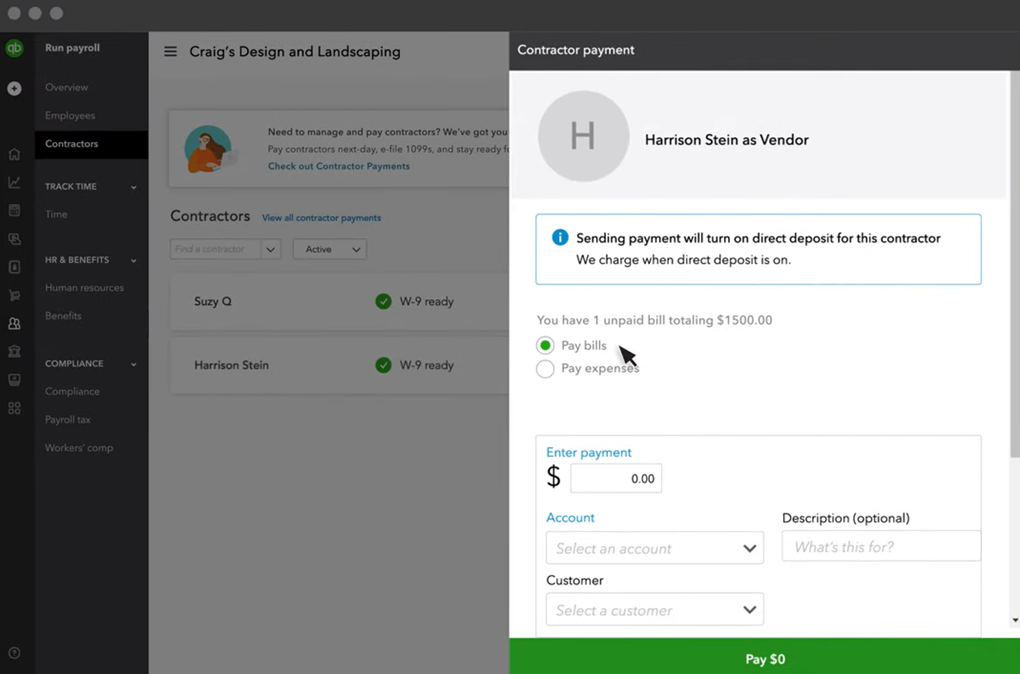
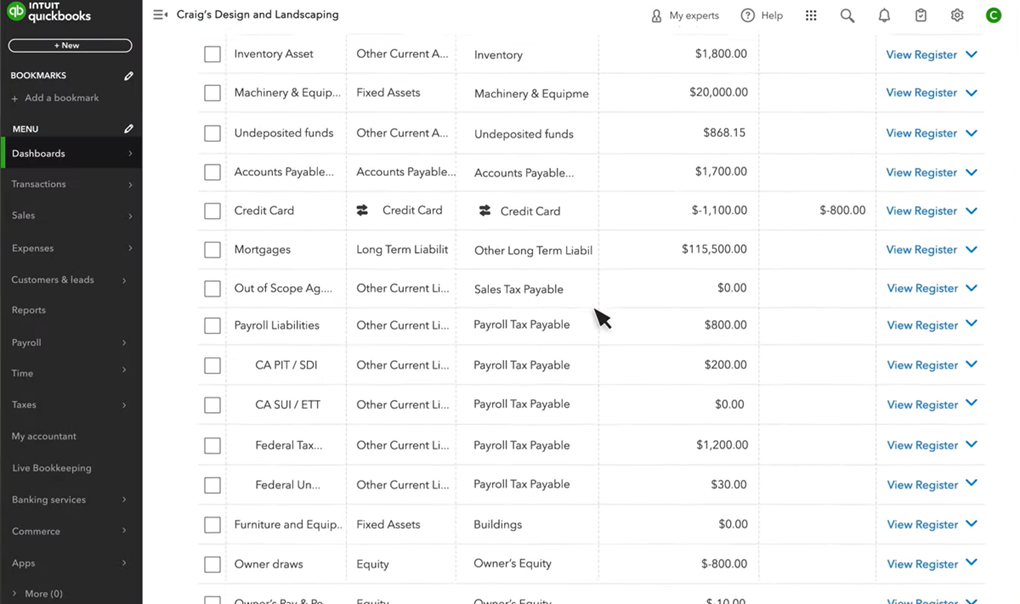
QuickBooks offers several different pricing plans and product packages, depending on whether you want only payroll features or payroll and accounting. For more information, check out its payroll and bookkeeping bundles. If you only need small business payroll, its lowest-priced tier starts at $50 per month + $6.50 PEPM.
It offers an affordable contractor-only plan and an option to get 50% off monthly base fees for your first three months* with QuickBooks Workforce. However, you need to upgrade to at least its Premium plan if you want automated local tax filings, time tracking tools, and 24/7 product support.
QuickBooks Workforce plans
Core
Premium
Elite
$50/mo. + $6.50 PEPM
$88/mo. + $10 PEPM
$134/mo. + $12 PEPM
Includes:
- Unlimited full-service payroll.
- Federal and state payroll tax filings.
- Next-day direct deposit.
- Auto-run payroll.
- Basic support via phone and chat.
- Employee self-service.
- Access to health benefits and 401(k) plans.
- Workers’ compensation administration.
- Payroll reports.
- Document upload and sharing.
Everything in Core, plus:
- Same-day direct deposits.
- Local payroll tax filings.
- Scheduling and time tracking with geofencing.
- 24/7 product support.
- Payroll setup review.
- HR support center (via Mineral) with access to forms, customized job descriptions, and HR guides.
- Document e-signatures.
- Automated I-9 forms.
Everything in Premium, plus:
- Expert payroll setup.
- Project tracking.
- Up to $25,000 tax penalty protection.
- Personal HR advisor (via Mineral).
QuickBooks contractor-only payments plan
- Monthly fee: $25 for 20 contractors plus $2 per additional worker.
- Includes unlimited US contractor payments, next-day direct deposits, contractor self-setup tools, and unlimited electronic filings of 1099-MISC and 1099-NECs.
*Note that these terms can change anytime, so please check their website for the latest new client promotions.

OnPay: Best for ease of use
Overall Score
3.60/5
Pricing
3.63/5
Customer support
3.38/5
Platform and interface
3.46/5
HRIS features
3.25/5
Reporting and analytics
4.06/5
Payroll features
3.80/5
Why OnPay is the best fit for small businesses
- Free setup and data migration.
- Specialized payroll services for particular industries like agriculture, churches, and nonprofits.
- Employee rosters, basic hiring and onboarding, benefits administration, and dynamic reports included.
Why OnPay might fall short for small businesses
- Does not offer native time-tracking and accounting modules.
- Limited third-party integrations.
- Not suitable for fast-growing companies.
- No dedicated mobile app for employers who want to manage payroll on the go.
Why I chose OnPay
OnPay has an intuitive interface and uncomplicated payroll workflows that can accommodate multiple payroll schedules, worker types, and pay methods. It’s one of the easiest payroll systems in this guide to learn and use. The layout is clean, process steps are easy to follow, and it’s simple to update employee pay details without bouncing between screens.
I also like that OnPay includes useful HR tools in its base plan instead of spreading them across tiers. You get basic onboarding, document management, and employee records without having to pay more to unlock them. Compared with Patriot Payroll, it offers a stronger set of admin tools for employee management.
OnPay makes the most sense for small businesses that want payroll to stay simple and predictable. It is not as deep as Paycor for reporting or customization, and it does not have Gusto’s broader HR and global payroll options. But if you want an easy system with solid core features, OnPay is a strong middle ground.
OnPay is built for small businesses that want payroll and basic HR tools in one place without a long setup process. It supports multiple pay schedules and pay methods, enabling it to handle the payroll basics for a range of small business setups.
It also includes HR tools that help with day-to-day admin work, such as leave management, organizational charts, employee records, and customizable onboarding tasks. These are practical features for small teams that want to keep payroll and core employee paperwork in one place without adding another system.
While it may not have automatic payroll features, its interface is straightforward, requiring just as many (or fewer) clicks as Gusto to complete pay runs. However, it doesn’t offer a contractor-only plan like QuickBooks Workforce and Gusto.
- Industry-specific payroll setup: OnPay can handle the payroll needs of various businesses and organizations, like nonprofits, churches, and agriculture companies. That gives it a more tailored feel than general-purpose payroll software.
- Compliance task monitoring: OnPay has custom personnel checklists to help you monitor employee compliance requirements. If a document expires or a task is left unfinished, OnPay sends an alert so you can follow up and catch issues early.
- Report builder: In addition to pre-built reports, OnPay lets you create and save custom report views. You can filter data fields and rearrange columns without exporting the report first. That is more flexible than systems that make you rerun reports every time you want a different view.
- Automatic org chart updates: Included in OnPay’s HR add-on, this feature automatically changes the system’s visual org chart based on edits or updates made to employee profiles.
OnPay limitations
OnPay does not include native time tracking or scheduling, so businesses with hourly teams may need an integration like When I Work and Deputy. QuickBooks Workforce can be a better fit if you want time tracking tied more closely to payroll.
It does not support global payroll or international hiring. If that is on your roadmap, Gusto gives you more flexibility. It also lacks the deeper analytics, broader integrations, and advanced workforce tools that Paycor offers.
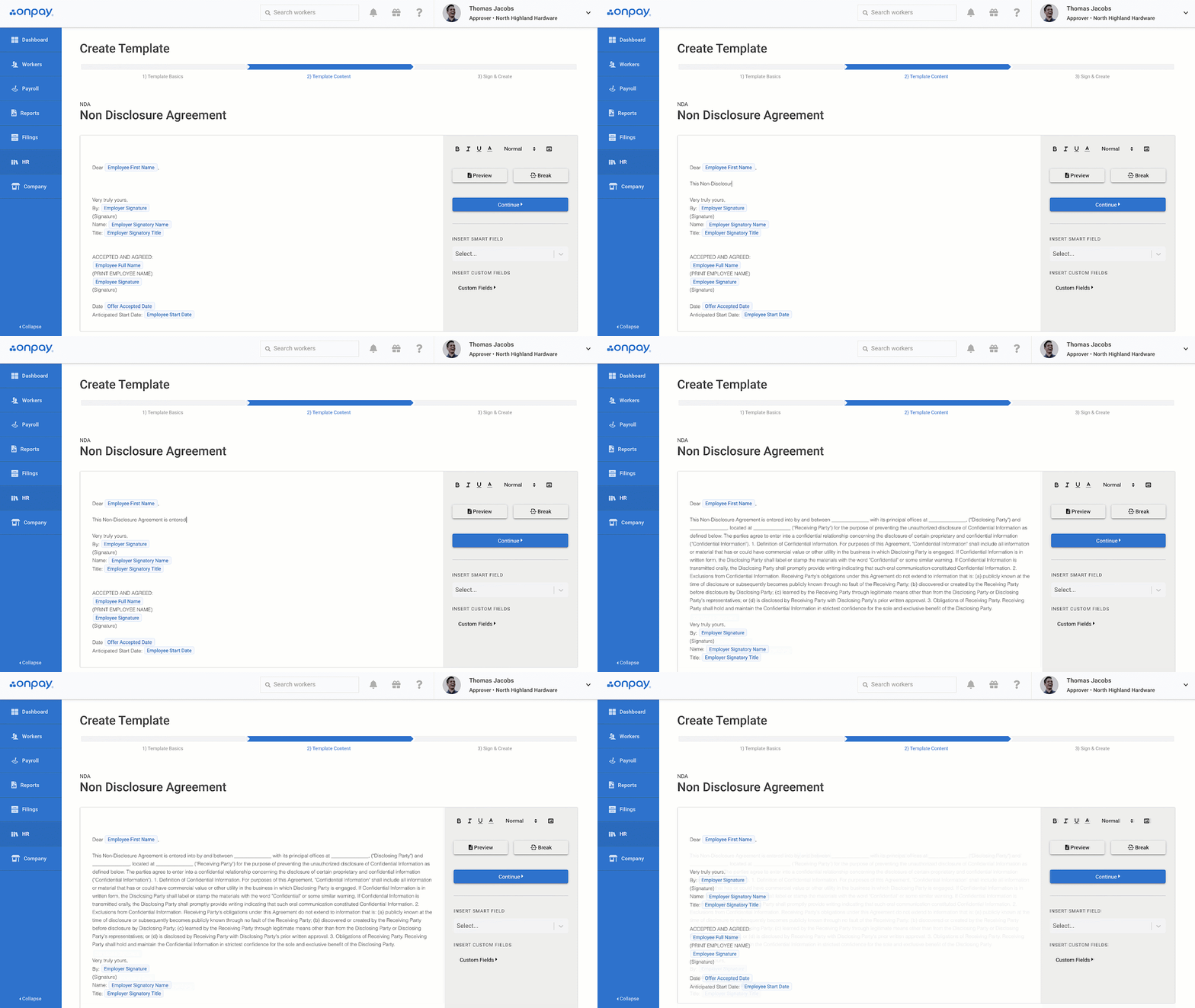
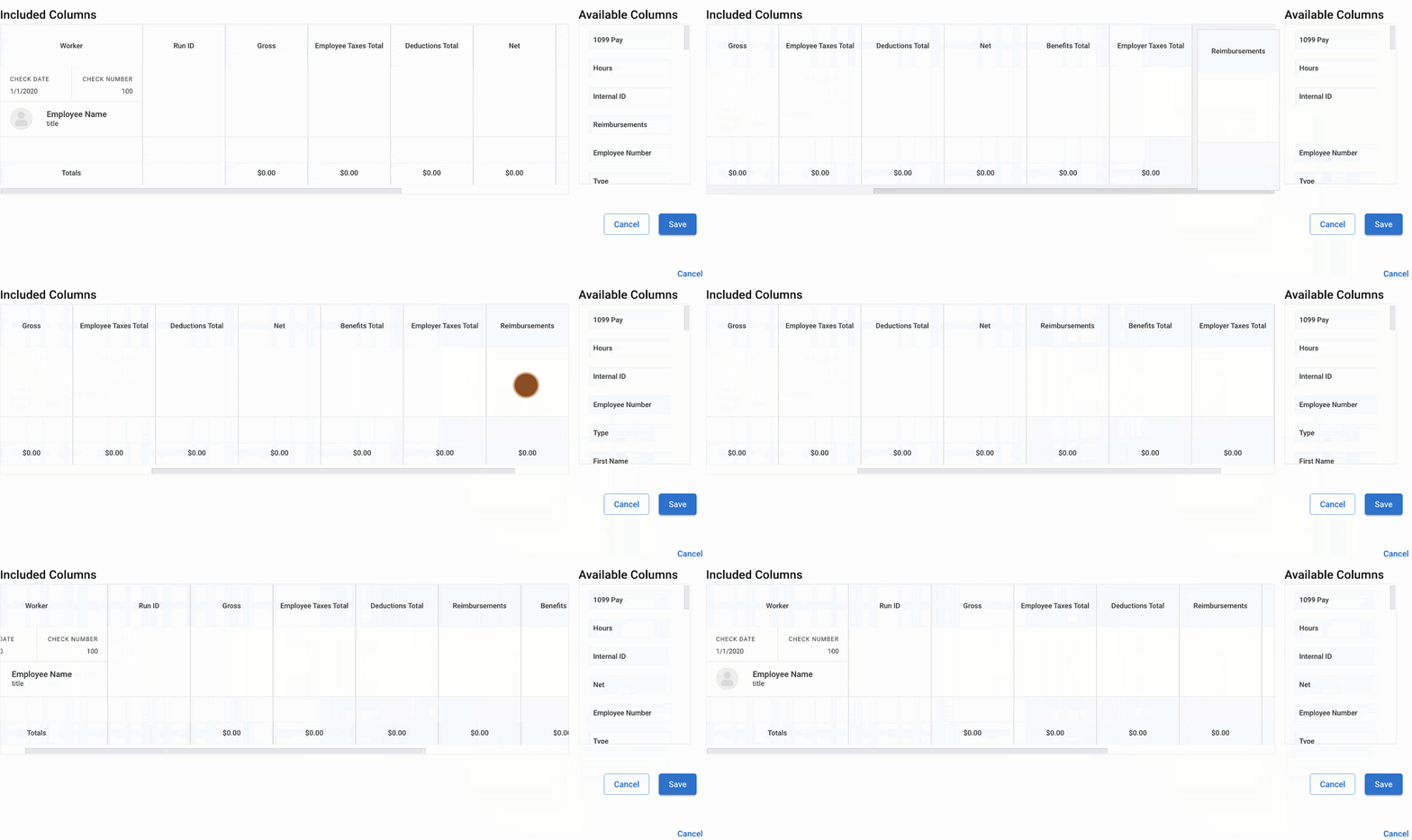
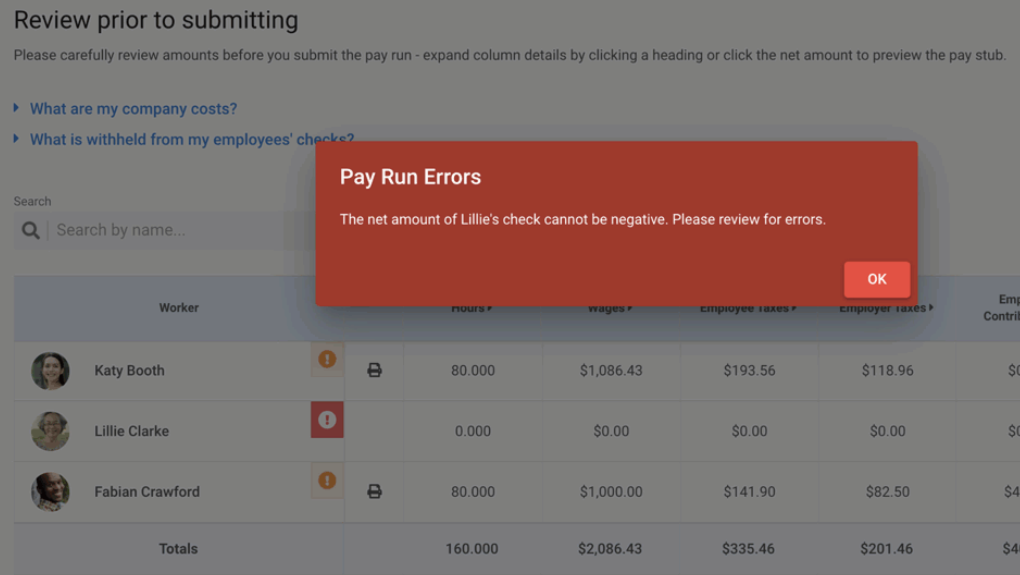
OnPay has the simplest pricing of all the vendors on my list. For $49 per month plus $6 PEPM, you get access to OnPay’s entire platform, including payroll and basic HR features. These include:
- Full-service payroll.
- Multi-state pay runs.
- State new hire reporting.
- Custom offer letters and employee onboarding checklists.
- Personnel file storage.
- OnPay-brokered health insurance benefits.
- Custom report designer.
- Customer support by phone, chat, and email.
If you want additional HR tools, OnPay has an HR add-on, which costs $15 per month plus $2 PEPM. With this product, you get PTO management, employee directory and org charts, document audit trails, equipment and software provisioning, and onboarding workflow tools.
Paycor: Best for growing businesses
Overall Score
3.51/5
Pricing
1.69/5
Customer support
3.88/5
Platform and interface
4.00/5
HRIS features
3.25/5
Reporting and analytics
4.56/5
Payroll features
4.18/5
Why Paycor is the best fit for small businesses
- Multi-state payroll with automated local tax deductions and filings included in all plans.
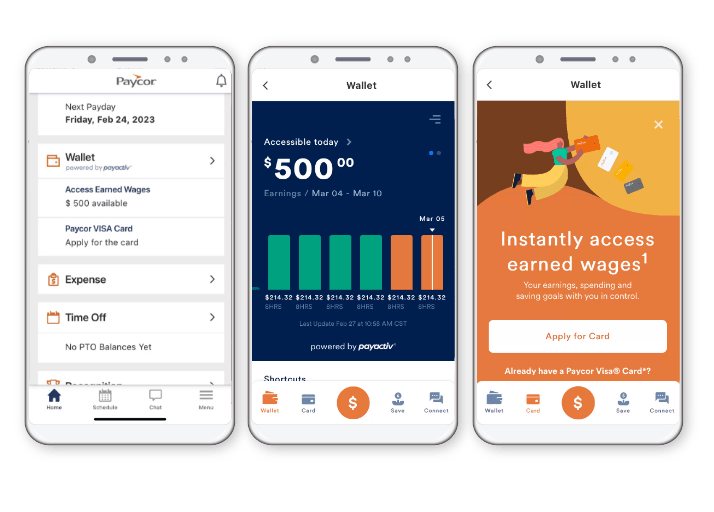
- Robust employee self-service features, including earned wage access, via its mobile app.
- Capability to view multiple pay cycles months in advance for effective status change management.
- Automatic prorated pay for mid-cycle hourly employee pay rate changes (with Paycor’s time tracking add-on).
Why Paycor might fall short for small businesses
- Non-transparent pricing.
- Must purchase Essential plan or higher for talent, career, and learning management features.
- Time tracking, scheduling, and benefits administration are paid add-on modules.
- Difficult to navigate UI.
Why I chose Paycor
If your team is growing and payroll is getting more layered, Paycor gives you more ways to manage changes without relying on workarounds. You can work from a customizable pay grid, adjust schedules when needed, and catch potential issues before payroll is finalized. That gives Paycor more flexibility than OnPay or Patriot Payroll, which are easier to learn but not as adaptable once pay processing gets more complex.
Paycor also stands out for the breadth of its HR platform. For example, unlike Patriot Payroll and QuickBooks Workforce, it has a recruiting module that leverages artificial intelligence (AI) HR tools to source top prospects and engage passive candidates. Other features like compensation planning, pulse surveys, and career management support your long-term talent needs and align them with your company’s objectives and costs.
However, its monthly fees aren’t published on its website—you have to call Paycor to request a quote. Plus, it does not include support for businesses with international teams. But if you need a customizable payroll system or more robust modules to complete your increasingly advanced HR needs, then Paycor is a great choice.
Paycor is an all-in-one human resources management system (HRMS) that offers modules for critical HR functions like payroll as well as auxiliary processes like learning and development. This versatility makes Paycor a stronger long-term fit for companies that expect their HR needs to expand beyond pay processing.
It lets you add or modify existing payroll schedules as needed, and the system will automatically make the necessary adjustments. It has a customizable pay grid organized by rows of employees, which lets you add and remove columns for information like bonuses and commissions to fit your needs.
You can even pay terminated employees without temporarily changing their employment status in the system. This is great if there was an error in the employee’s previous payroll and you need to pay them an adjustment after they’ve separated from the company.There are also buttons to automatically adjust a worker’s gross pay so the net pay is a specified amount, like in the case of employee bonuses. Plus, Paycor has alerts for shortfalls, no pay, earnings, and hours based on your company’s needs.
- Earned wage access and paycards: Paycor gives employees more ways to access pay through OnDemand Pay, the Paycor Visa Card, and mobile wallet tools. This gives employees more flexibility than payroll systems that stick to standard direct deposit and paper checks.
- AI-powered analytics and benchmarking: Paycor goes beyond standard payroll reporting with benchmarking, predictive insights, and an AI analytics assistant. These are critical, especially if you want payroll data to support broader workforce decisions.
- Payroll tax and compliance support: If you’re dealing with more complex compliance rules, Paycor’s payroll tax compliance tools and proactive alerts can help you stay on top of payroll obligations and changing regulations.
Paycor limitations
Paycor offers more flexibility, but it is not the easiest payroll system in this guide to learn. The pay grid gives experienced users more control, though it can feel less intuitive for small teams that want a simpler step-by-step process. Gusto and OnPay are easier starting points for businesses without dedicated payroll support.
It is also a U.S.-only platform, so it is not a fit for businesses with international payroll or hiring needs. Gusto gives you more options if global contractor payments or EOR support are on your roadmap.
Cost is another tradeoff. Several of Paycor’s HR and workforce tools are sold as add-ons, and the lack of transparent pricing makes it harder to estimate total cost before talking to sales

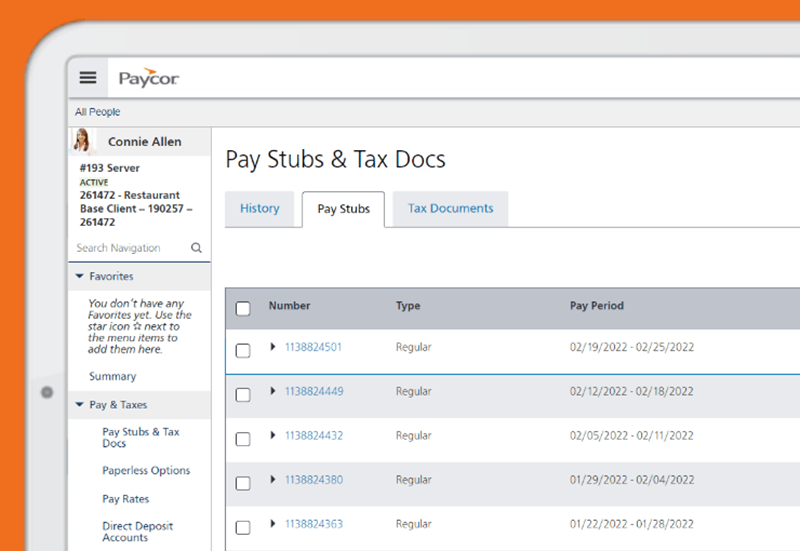
Paycor does not publish pricing on its website, so you have to contact its sales team for a quote. If you have fewer than 49 employees, Paycor offers four small business plans: Basic, Essential, Cor, and Complete + ASO.
Paycor plans
Basic
Essential
Core
Complete
Call for a quote.
Call for a quote
Call for a quote
Call for a quote
Includes:
- Unlimited full-service payroll.
- Auto-run payroll.
- Client-managed garnishments.
- On-demand pay.
- New hire filing.
- Work Opportunity Tax Credit (WOTC).
- Labor law posters.
- Electronic general ledger reporting.
Everything in Basic, plus:
- Onboarding.
- E-Verify service.
- Paycor-supported wage garnishments.
- Recruiting and hiring.
- 3 job postings.
- Report builder.
- Basic analytics.
- HR support center.
Everything in Essential, plus:
- 5 job postings.
- Expense management tools.
- Leadership dashboard.
- Engagement tools.
- On-demand HR support center.
Everything in Cor, plus:
- 401(k) plan administration.
- Unlimited job postings.
- Career management.
- Talent development.
- Learning management.
- Dedicated HR business partner.
Paycor add-ons
- Time and scheduling
- Benefits administration
- Workers compensation

Patriot Payroll: Best for budget-friendly pay runs
Overall Score
3.37/5
Pricing
4.13/5
Customer support
3.5/5
Platform and interface
2.88/5
HRIS features
1.88/5
Reporting and analytics
4.13/5
Payroll features
3.65/5
Why Patriot Payroll is the best fit for small businesses
- Simple yet intuitive payroll platform.
- Free payroll setup assistance.
- Time tracking, basic HRIS, and accounting tools are available as paid add-ons.
- Has an affordable full-service payroll plan and a do-it-yourself (DIY) tax filing option.
Why Patriot Payroll might fall short for small businesses
- Only integrates with QuickBooks Desktop or QuickBooks Online.
- Doesn’t file new hire reports (but can generate them).
- Multi-state payroll costs extra.
Why I chose Patriot Payroll
Patriot’s payroll module made my list of the best payroll software for small businesses mainly because of its affordability. Its full-service plan is the most budget-friendly option in this guide, and if you’re comfortable handling payroll taxes yourself, the DIY plan lowers the cost even more. That makes Patriot Payroll a practical choice for those trying to keep software costs under control without losing the basics.
It also handles core payroll tasks well. You can run unlimited pay runs, manage different pay schedules, and assign up to five pay rates per worker. You can even update an employee’s hourly rate while running payroll instead of backing out to make the change somewhere else first. That’s a small detail, but it saves time if you are managing raises, role changes, or shift-based pay.
Patriot Payroll may be a good option for small business payroll, but it has limited HRIS features and third-party software integrations. Gusto and Paycor are better choices if you want more built-in HR tools.
Similar to QuickBooks, Patriot offers software for payroll and accounting. Its platform has a simple but intuitive interface that helps streamline processes, making it easy for small businesses to learn and use its various features.
With its payroll module, you get unlimited pay runs with automatic federal, state, and local tax deductions, payments, and filings—provided you sign up for the full-service plan. It supports multiple pay schedules and customizable money and deduction types, enabling you to create your own employee deductions and company-paid contributions and payments, such as special bonuses.
Patriot also offers add-ons for time tracking and HR tools to manage employee data. However, the HR functions are limited compared to the other small business payroll in this guide.
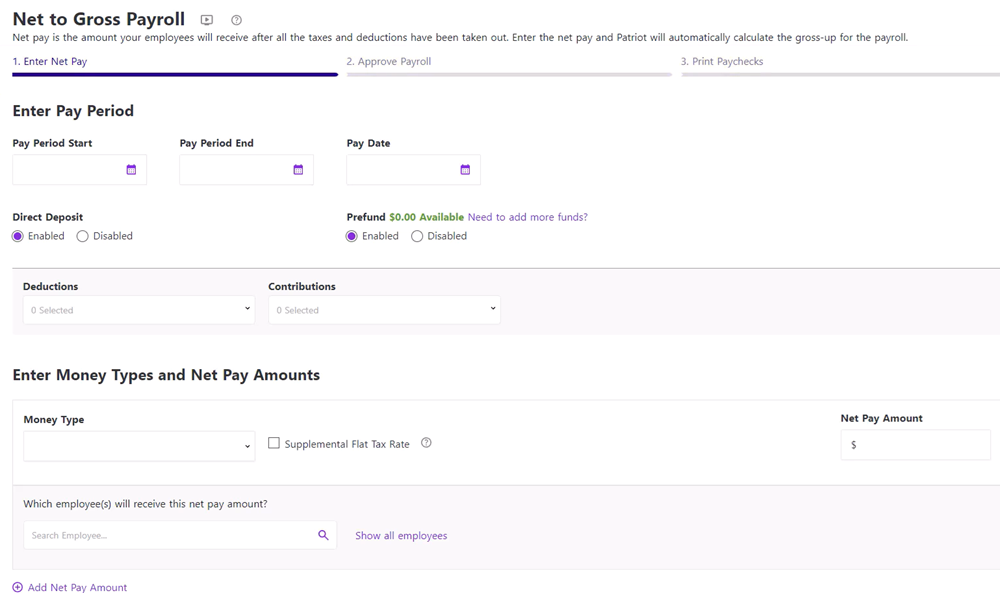
- Net-to-gross payroll tool: Patriot can calculate the grossed-up amount needed to give an employee a specific net bonus or payout. This is useful when you want an employee to receive an exact take-home amount without doing the tax math by hand.
- DIY and full-service payroll options: Patriot gives small businesses the choice between handling payroll taxes themselves or paying for full-service tax filing. That flexibility is useful for teams that want to start with a lower-cost plan and upgrade later.
- Free payroll setup assistance: New customers can either set up payroll on their own or have Patriot help with setup at no extra cost. This makes the platform more approachable for small businesses switching from manual payroll.
- Work location filtering: You can filter payroll by employee work location when reviewing pay runs. That helps if you manage multiple sites and only need to process payroll for one team or office at a time.
Patriot Payroll limitations
Patriot Payroll keeps costs low, but that comes with tradeoffs. Its HR tools are limited, and features like time tracking, multi-state payroll filings, and employee record tools require add-ons. OnPay and Gusto include more of that functionality upfront.
Direct deposit can also be slower depending on customer qualification. You can get two-day processing if you pass Patriot’s assessment. If you don’t qualify, you’re limited to four-day direct deposit, which is less flexible than QuickBooks Workforce, which offers a next-day option for its starter tier.
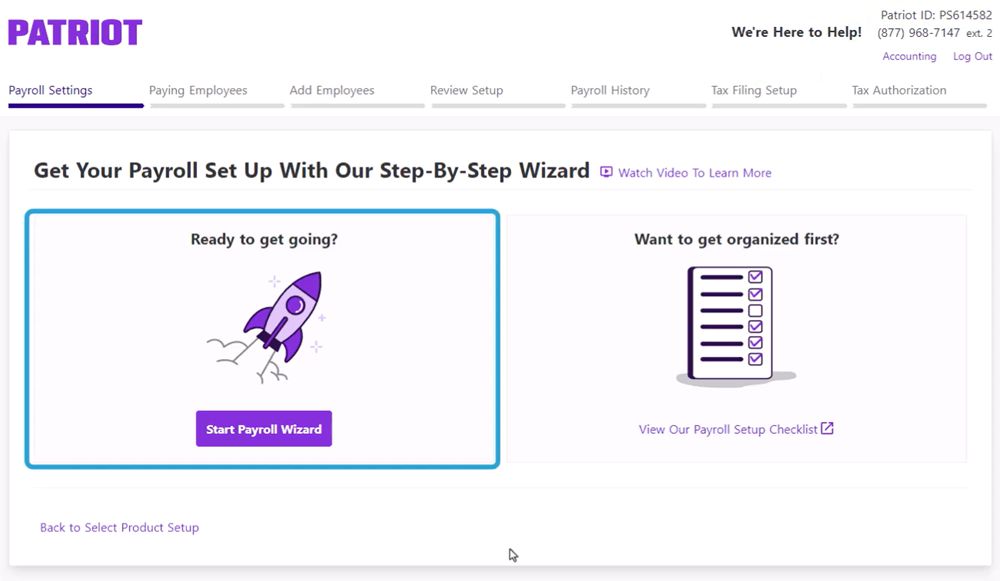
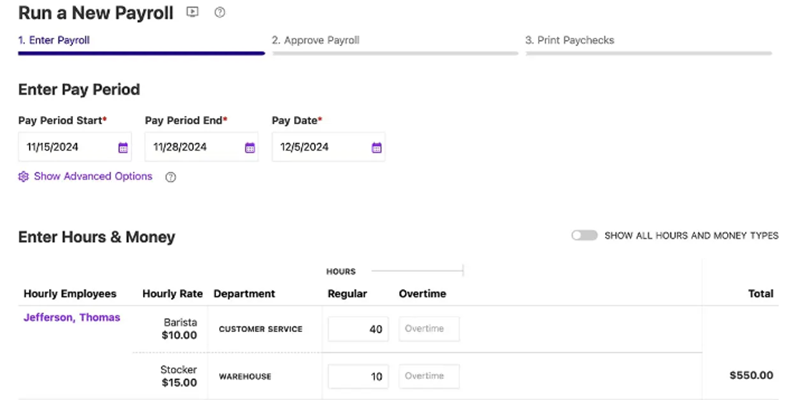
You can get Patriot Payroll as a standalone solution or enhance its platform by selecting paid add-ons for time tracking and an HR software, a module that contains basic HR reporting and HRIS functionalities. There are two plans: Basic Payroll and Full Service Payroll. Both have similar features, except for the payroll tax filing services and tax filing guarantee included in the Full Service plan.
Patriot Payroll plans
Basic
Full Service
$17/mo. + $4 PEPM
$37/mo. + $5 PEPM
Includes:
- Unlimited and automatic payroll.
- Automatic tax calculations.
- Employee and contractor payments.
- Multiple locations, pay rates, and pay schedules.
- Time off accruals.
- Free two-day direct deposits for qualified clients.
- Net to gross payroll tool.
- Payroll reports.
- Employee self-service portal.
- HR center with compliance alerts, legal updates, HR documents and templates.
- Free integration with QuickBooks (accounting), Vestwell (retirement plans), SimplyInsured (health benefits), and ERGO NEXT Insurance (workers’ comp)
Everything in Basic, plus:
- Federal and local payroll tax payments and filings.
- State payroll tax payments and filings for one state. Additional states cost extra.
- Year-end payroll tax filings.
- Tax filing reliability guarantee.
Patriot Payroll add-ons
- Time and attendance: $6 monthly plus $2 PEPM.
- HR software: $6 monthly plus $2 PEPM.
- Includes document management, HR reports, HR manager permissions, and basic employee information management tools.
- Multi-state tax payments and filings*: $12 monthly for each additional state
- Accounting Basic plan: $20 per month.
- Includes automatic bank imports, income and expense tracking, account reconciliation, credit card payments, financial reports, and unlimited customers, invoices, contractors, vendors, and payments.
- Accounting Premium plan: $30 per month.
- Everything in Basic, plus recurring invoices, receipt management, send invoice payment reminders, user-based permissions, and the capability to create and send estimates.
- Bookkeeping service**: Starts at $100 per month plus a one-time onboarding fee (call for a quote); only available as an add-on to the Accounting Premium plan.
*This only applies to Full Service plan holders.
Honorable mention
One platform that didn’t make my top five is Rippling. It may have features that might be a better fit for your needs. To learn more, check the below section.
Rippling: Best for payroll automation
Overall score: 3.57/5
When to choose Rippling
Rippling is a strong choice if you want to automate payroll and HR processes at a deeper level. I was impressed with how well its automation tools work across its HR modules, like benefits administration and time and attendance. For example, Rippling automatically updates payroll settings whenever an employee’s information changes, so you don’t have to remember to manually update things like pay rates and banking information when it’s time to run payroll.
It also supports the full employee lifecycle through its broader HR platform. In addition to payroll, Rippling offers modules for time tracking, talent management, global payroll, and EOR services. That makes it a good fit for businesses that want to manage HR, payroll, and global workforce operations in one system.
Rippling even offers a professional employer organization (PEO) option that allows you to share or completely outsource payroll functions like handling multiple pay schedules and pay types, ensuring payroll compliance, and correctly classifying employees.
Why it didn’t make the list
Rippling’s flexibility comes with added cost and complexity. You are required to purchase the core Rippling Platform before adding payroll or other HR tools, and pricing increases as you layer on more modules. For small businesses, this can make it harder to control costs compared to tools like Gusto or OnPay.
It is also a more advanced system than most small businesses need. With its wide range of HR, IT, and finance tools, including its over 600 software integrations and highly customizable workflows, Rippling is better suited for mid-sized to large companies that can take full advantage of those capabilities.
Did You Know? There are pros and cons to outsourcing payroll. To learn more, read our in-house vs outsourced payroll guide.
Payroll software FAQs
Payroll software simplifies pay processing tasks, such as calculating paychecks, adding employees to the company payroll, maintaining payroll records, and ensuring compliance. The way it works may vary depending on how software providers design their systems, but the standard process includes inputting employee information, pay rates, and attendance or hours worked. The system takes this data to compute, deduct withholdings, support direct deposits, and enable the entire payroll process.
You can also link modern payroll software to bank accounts for automatic salary disbursement. Payroll solutions also generate pay slips to show pay information and create relevant payroll and tax reports.
Payroll software streamlines pay processing, reduces administrative work, and ensures accurate, timely wage payments that are key to employee satisfaction. It also helps avoid compliance issues with alerts, automatic updates, and payroll trends to keep you current with labor laws and tax rules.
When choosing a provider for small businesses, you should look for these additional features on top of your business requirements:
- Customer support you can trust, with good reviews from sites like G2 or Capterra
- Transparent pricing with clear fees and terms
- Free trials or demos to test features
- Flexibility and no one-size-fits-all contracts, especially for small businesses
Essential payroll software features vary by business, but key ones include unlimited pay runs, automatic tax calculations, and tax payment/filing services to save time, cut costs, and stay compliant. Look for support for multiple pay types and schedules, plus direct deposit for secure, convenient payments. HRIS tools, like onboarding and offboarding, make updating employee data easier, while an employee self-service portal lets staff access pay stubs, tax forms, and other documents anytime.
For a small business payroll software, monthly fees typically range from $40 to more than $60 for one employee. Note that this usually includes per-employee and base software fees. This can cost more, depending on the provider, your headcount, pay runs each month, and the features and services included, such as multi-state payroll and tax reporting.
Some of the most commonly used payroll systems are included in this guide, such as Gusto, which topped my list of the best small business software for payroll. QuickBooks Workforce is also a popular option, especially for small businesses that already use its accounting system.
Find your new payroll software
